
PropProtector
- 유틸리티
- 버전: 2.51
- 업데이트됨: 7 9월 2026
- 활성화: 5

Automated account protection for prop trading. PropProtector monitors your trading rules in real time, closes trades when a limit is reached, and helps protect your capital on funded and challenge accounts.
Important: test on a demo account first
Never run PropProtector on a live account with open trades before verifying all settings on a demo account. Adjust min/max balance, loss limit, profit target and trade limits to match your account size and strategy. Incorrect settings can immediately close all open trades.
Why PropProtector
Prop trading firms enforce strict rules: daily loss limits, maximum drawdowns, trade-count restrictions and trading bans around news. A single violation can cost you the account. PropProtector monitors your account in real time and intervenes automatically before a rule is broken.
Daily loss limit
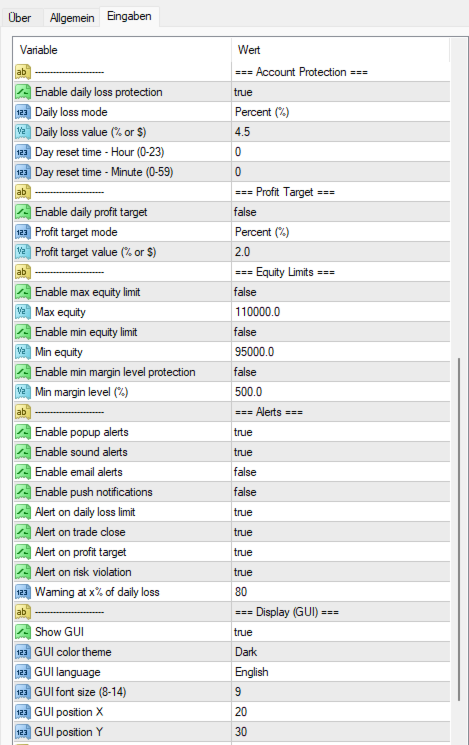
- Percentage or fixed amount, measured against the start-of-day balance or equity (selectable)
- Real-time monitoring of equity and closed profit or loss
- Early warning at a configurable threshold
- Automatic closure of all trades when reached
- Configurable daily reset time
Risk management
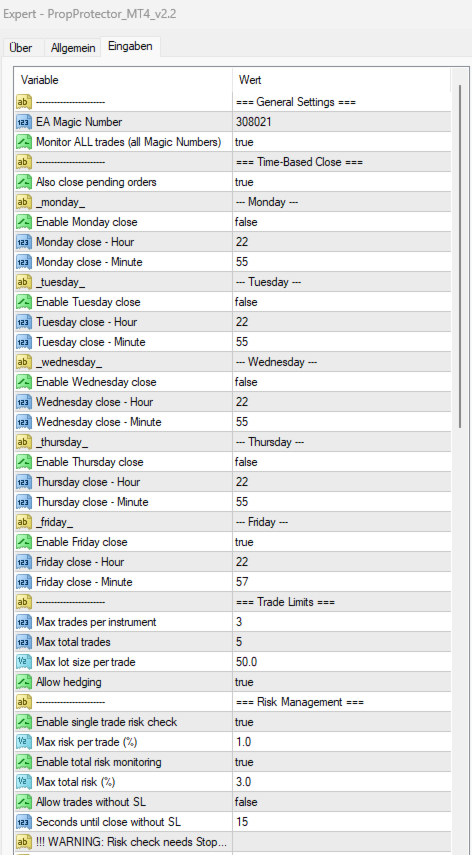
- Maximum risk per trade (stop-loss based)
- Maximum total risk across all open positions
- Close priority: newest or riskiest trade
- Stop-loss enforcement with countdown
- Maximum stop-loss trades per day, then block new trades
- Margin level protection
Profit target and profit lock
- Daily profit target in percent or money
- Trailing profit lock for the consistency rule
- Minimum and maximum equity limits
- Persistent state that survives restarts
How the profit lock works
You define an activation threshold (for example 1 percent daily profit) and a lock percentage (for example 50 percent). When the threshold is reached, the lock activates and tracks your peak daily profit. Example: with activation at 1 percent and lock at 50 percent, a profit of 2,000 locks 1,000; if profit grows to 3,000 the lock rises to 1,500; if profit then falls to 1,400, all trades are closed.
Trade limits
- Maximum trades per symbol and per magic number
- Per-symbol override list
- Maximum total trades and maximum lot size
- Daily and weekly trade-count limits
- Hedging control, pending orders included in all limits
Time-based close
- Individual close times for Monday to Friday
- Optional pending-order deletion, based on broker server time
Autotrading lock
- Blocks all EAs after a limit violation
- Three modes: off, until reset, or until manual reset
- Robust closing with retry; the panel shows the blocked status
News filter with impact levels
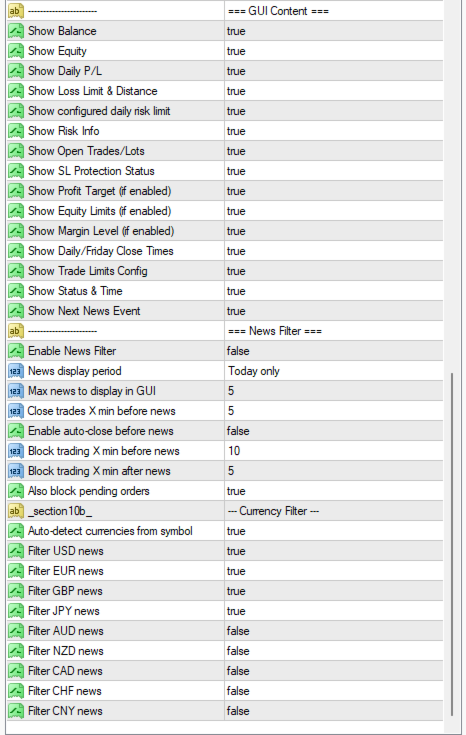
Protection from volatility around news using a public economic-calendar feed. Filter high, medium and low impact events individually, set time windows before and after each event, filter by currency or auto-detect from the symbol, and see the next event in the panel. Existing pending orders can be saved before a news window, removed during it and restored afterwards, with crash-safe storage on disk.
One-time setup for the news filter
The news filter needs WebRequest access. In MetaTrader 4 open Tools, then Options, then Expert Advisors, enable Allow WebRequest for listed URL, and add these two addresses:
- https://nfs.faireconomy.media/ff_calendar_thisweek.xml
- https://cdn-nfs.faireconomy.media/ff_calendar_thisweek.xml
Crash safety and persistence
Daily balance, flags and status are saved to disk and survive terminal crashes and restarts, with automatic recovery on restart.
Reset and control
A manual reset button in the panel clears all restrictions and lifts the autotrading lock, with a confirmation dialog.
Dashboard
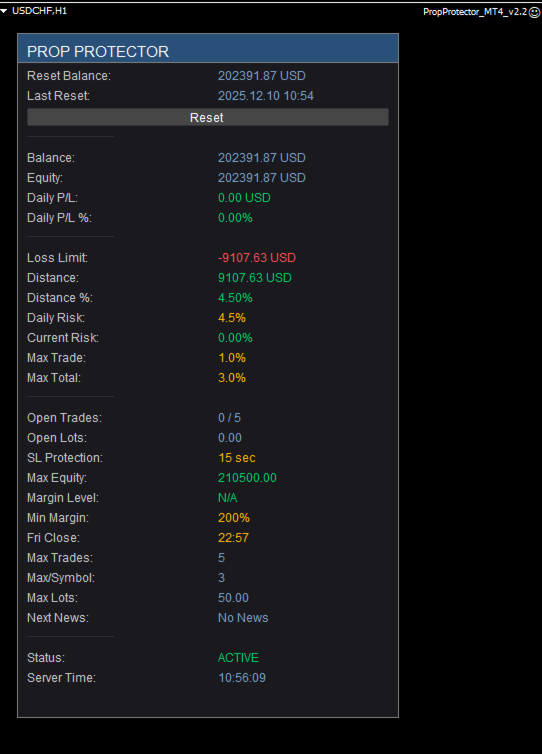
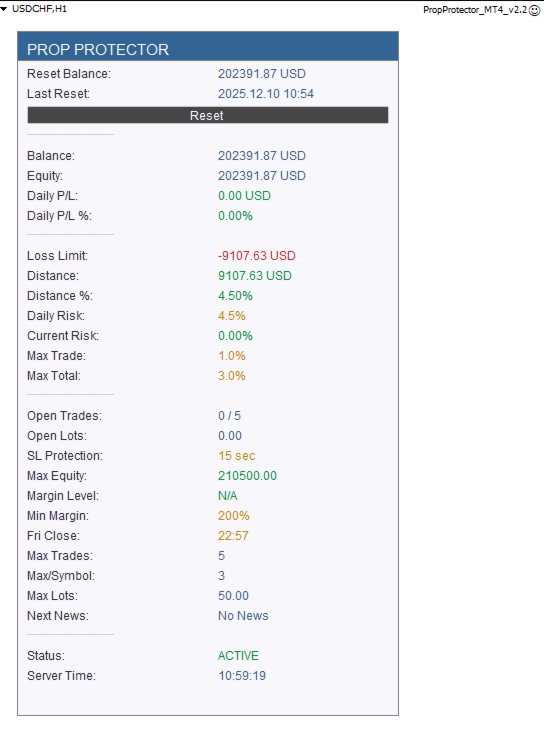
A compact, scalable on-chart panel with configurable font size and adjustable line spacing. Every section can be shown or hidden. Available in English and German.
User manual
Full documentation with all parameters and examples: User Manual (MT4)


























































사용자가 평가에 대한 코멘트를 남기지 않았습니다