 MetaTrader 5
 Experts
 지표
지표
 라이브러리
라이브러리
 유틸리티
유틸리티
 위젯
위젯
 규칙
규칙
MetaTrader 5용 새 트레이딩 유틸리티 - 12
 다음은 MetaTrader 5의 거래를 단순화하는 거래 프로그램입니다. 유틸리티의 설명과 목적을 읽으려면 유틸리티 위에 마우스를 놓으십시오.
Burning Teko Trade Panel is a free on-chart trading panel for MetaTrader 5. It lets you trade by hand inside the Strategy Tester (visual mode): click BUY, SELL, HEDGE or CLOSE while the backtest runs, exactly like on a live chart. It also works on live and demo charts.
This is the free edition of Burning Teko Trading Companion. Full version: https://www.mql5.com/en/market/product/197966 User guide: https://www.mql5.com/en/blogs/post/776375
FEATURES - BUY / SELL at market with the lot, SL and T
FREE

Boleta Prime Essential — one-click trading panel for MetaTrader 5 Open trades with the right lot size in one click. Boleta Prime Essential automatically calculates your position size from the risk percentage you choose and sends the order with stop loss and take profit already set. Features
• One-click market buy and sell
• Risk calculator: enter the account % and stop in points, and the panel calculates the lot
• Automatic stop loss and take profit, re-anchored to the actual fill price (exact
FREE

Noetrix Partial Entry
Noetrix Partial Entry is a visual scale-in planning utility for MetaTrader 5. It helps discretionary traders build and manage a staggered pending-entry plan directly on the chart.
The utility does not generate trading signals and does not place orders automatically. A plan is sent only after an explicit click on PLACE ALL and, by default, a confirmation dialog.
MAIN FEATURES
• Build from 1 to 5 Buy Limit or Sell Limit entries. • Split a total volume across the enabled e
FREE

Stop switching to the calendar tab every few minutes. TlgNews monitors the economic calendar for you and sends a clear summary straight to your Telegram before the event happens, so you never miss what's coming while you stay focused on your charts. How it works You choose which events matter to you (High, Medium, or Low importance) and how many seconds in advance you want to be notified. When an event matching your filter is about to be released, you receive a message in your Telegram chat with
FREE

EKAI Prop Guardian Pro The complete prop firm survival dashboard for MetaTrader 5 (Utility Expert Advisor — monitoring only, does NOT execute trades) Overview EKAI Prop Guardian Pro is the only MetaTrader 5 utility that combines three critical prop-firm survival engines in a single draggable, resizable, scrollable dashboard: a Rule Compliance Engine for 7 preset firms, a Behavior Engine that flags revenge trading and overtrading in real time, and a MAE/MFE Live Dashboard that measures the execut

One missing stop-loss. One oversized position. One revenge trade after a bad morning. That is all it takes to lose a funded account.
AxiomSuite Enterprise enforces your risk plan on every position of your MetaTrader 5 account — automatically, in real time — and Axiom AI explains every decision in plain language.
It does not trade for you and gives no signals. It makes sure your own rules are respected. Every time.
WHAT IT ENFORCES

Burning Teko Trading Companion is an on-chart trading panel for MetaTrader 5. It was built for one job: practising and backtesting your own manual strategy in the Strategy Tester (visual mode), with the same one-click controls you would use on a live chart.
The Strategy Tester does not normally let you click trade buttons while a test is running. This panel works around that, so you can open, hedge and close positions by hand while the test plays, and see exactly how your decisions would have p

SMC Bias Trade Panel MT5 SMC Bias Trade Panel combines two tools in one Expert Advisor: a fast one-click trade panel and a multi-timeframe bias analyzer based on Fair Value Gaps and market structure. It tells you which direction to trade, where to look for an entry and what has already happened today - and lets you execute without leaving the chart.
BIAS ANALYZER
The analyzer reads the market top-down, the way SMC / ICT traders prepare their day: - HTF (D1, or MN when D1 has no active FVG) ->

Many prop firm challenges are lost in one bad day, not by a bad strategy. PropGuardian watches your whole account every second and enforces your firm's daily loss, max loss, news and weekend rules for you, even on manual and mobile trades. Free demo: run it in the Strategy Tester and watch it lock the account when the daily limit is hit. Launch price: 49 USD, one-time. No monthly subscription. The price will increase after the first reviews. Or rent 1 month for 30 USD to try it during your

OrderBook Pro: Professional Order Book & Time & Sales Panel for MetaTrader 5 OrderBook Pro adds a clean, modern Depth of Market panel directly on your chart, with a live Time & Sales tape alongside it. It is a visual analysis tool: it does not place, modify or close any trades. Key features Order book ladder : up to 50 levels per side, with size, cumulative depth and price grouping (automatic or manual). Chart-synced grouping (LOCK) : one click makes each book row match the price range of a char

Painel Inteligente B3 – Monitoramento e Troca Rápida de Ativos para MetaTrader 5 O Painel Inteligente B3 é um utilitário essencial para quem opera no mercado brasileiro (Ações, FIIs, BDRs, ETFs e Contratos Futuros). Ele foi projetado para otimizar o acompanhamento do mercado em tempo real e agilizar a navegação entre ativos diretamente na tela do seu MetaTrader 5. Com uma interface moderna e altamente personalizável, o painel elimina a necessidade de trocar manualmente o símbolo do gráfico ou ab

Coming soon: short GIFs showing how to use every part of this manager. I am working on them - please bear with me, they are on the list right after "put the kettle on".
Trade manually, manage automatically. Break even, trailing stops, partial closes and an equity guard - all from one clean panel. Free - no DLL, no internet, no subscription.
A ton of work has gone into this to make it the best I can make it, and it is free - not a trial, not a lite version - and it always will be. I am still d
FREE

Mentoria Individual — Manual Trade Execution and Risk Management Mentoria Individual is a free manual trade execution and risk management tool for MetaTrader 5, developed by Gean Patrick. It combines lot size calculation, order preparation, visual Stop Loss and Take Profit adjustment, and position management in an interactive panel directly on the chart. The tool is designed for traders who want to maintain full control over their trading decisions. It does not provide trading signals or execut
FREE

Do you follow signals or copy trades from a provider and worry that a single position could spiral out of control before you can react? CopyRiskGuard watches every open position in your account independently and automatically closes it as soon as its loss exceeds the risk percentage you define — without you needing to be in front of the screen. How does it work?
The EA does not open or modify trades: it only monitors. Every few seconds it checks all open positions, and if any one of them accumu

Risk Lot Manager MT5 V1.07 English Product Description
Risk Lot Manager MT5 V1.07 is a risk-based lot size calculator and trade management utility designed for manual MetaTrader 5 traders.
It combines risk control, position sizing, visual trade planning, market order execution, pending orders, reward-to-risk planning, R-based management, partial closing, and mobile pending-order takeover in one chart-based interface.
This utility does not predict market direction and does not generate tradin

cara trading forex agar bisa profit secara konsisten
Di video kali ini, kita akan membahas sebuah topik yang jadi impian setiap trader: bagaimana cara trading forex agar bisa profit secara konsisten
kirim screnshot berbagi, beserta nama akun trading anda ke : gunawangroup1982@gmail.com
Tag NB : Video ini hanyalah informasi dan tontonan, apapaun hasil pada setiap individu bisa berbeda beda. Video ini bersifat gratis, dan semua keuntungan dan kerugian adalah tangging jawab masing-masing, jad

Run one strategy across every account you trade. Revanche Miroir Local Copier is a free local trade copier that mirrors trades between MetaTrader 5 accounts on the same computer, in real time. One program plays both parts: set it as the Master on the account you trade, and as a Slave on each account that should follow. A complete copier, free. It copies on any symbol, in any account currency, and between different brokers. If the master falls silent, open trades are held rather than closed, and
FREE
OneClick RiskSizer: One-Click Trading Panel with Percentage-Risk Position Sizing Stop calculating lot sizes by hand. OneClick RiskSizer sizes every position automatically from your risk % and Stop Loss, for faster, more reliable execution than manual math or third-party tools. Key features One-click BUY and SELL buttons, always visible on the chart. Lot size calculated automatically from your risk % and SL distance, via OrderCalcProfit/OrderCalcMargin, not a rough points estimate. Draggable SL a
FREE

TradeVista Pro — Professional Trade & Risk Management Panel TradeVista Pro is a professional all-in-one trade execution and position management panel for MetaTrader 5 , designed for traders who want faster order management, precise risk control, and a cleaner way to manage open positions directly from the chart. Instead of constantly switching between the MT5 Trade tab, order windows, and chart controls, TradeVista Pro brings essential trading-management functions together in one intuitive inter

TradeAssist Pro v1.06 Overview TradeAssist Pro is an all-in-one manual trading assistant and technical analysis toolkit for MetaTrader 5. It provides a modular, interactive on-chart dashboard designed for rapid execution, advanced trade management, and automated Smart Money Concepts (SMC) charting.
Dashboard Structure & Tabs 1. Trade Tab (Execution & Orders)
1-Click Trading: Execute Buy/Sell market orders instantly.
Dynamic Position Sizing: Toggle between fixed lot sizes or auto-calculated l

Fast Local Trade Copier MT5 Fast Local Trade Copier MT5 is an ultra fast, lightweight, and reliable All-in-One local trade replicator for MetaTrader 5. It is designed specifically for professional traders and account managers running multiple MT5 accounts on the same PC or Virtual Private Server (VPS). With its All-in-One architecture , a single copy EA file serves as both the Master (Signal Sender) and the Slave (Signal Receiver). Simply select the role in the input parameters and start copy

History Pre-loader — MT5 History Pre-loader is a utility script for traders who want to prepare and inspect MetaTrader price history before running a Strategy Tester, reviewing an older market period or using tools that depend on a deeper historical range. The script works from the symbol of the chart where it is attached . Open a chart for the exact broker symbol you want to prepare, attach the script, select the target oldest date and let the terminal request the available history. What the sc
FREE

Easy Signal Multiplier MT5 Easy Signal Multiplier is a utility Expert Advisor designed to automatically scale up trade volumes from Trade Signals, external EAs, or manual trades. By continuously monitoring active account positions, it dynamically opens supplementary orders, synchronizes Stop Loss and Take Profit levels, and manages position exits in real time to achieve your exact target position size multiplier. Product Features Custom Exposure Multiplier: Specify your target total exposure fac
FREE

Portfolio Monitor for MT5 Live Account Dashboard, Risk Guardian & Strategy Attribution Panel Portfolio Monitor is an all-in-one Expert Advisor (EA) that runs on any MT5 chart to give you complete visual control over your trading account. It aggregates every open position across all symbols and strategies into a clean, real-time dashboard. Note: Portfolio Monitor is a dedicated monitoring, risk management, and manual-mitigation tool—it does not place entry trades or run predictive signals. Five
FREE

RiskCompass Panel MT5 1. The Problem and the Approach You have a position idea, and the first real question is always the same: how much of this account am I about to put at risk, and can the account carry it. The information that answers that question is scattered across half a dozen windows. Balance is on one tab. Margin level is somewhere else. The spread you just paid is visible only if you look at the instrument row. The server day, which decides whether your daily loss limit has already be
FREE

Dashboard Premium Pro – Account Dashboard & Close All Panel for MT5 Dashboard Premium Pro puts everything you need to monitor your account in one clean panel on your chart: floating profit, daily results, buy/sell exposure, your last closed trade and real-time drawdown. One click closes every position, and a pause switch lets your own Expert Advisors know when to stop opening new trades. What the dashboard shows Floating P/L Current open profit or loss for the whole account, in large green or re
FREE

Smart Replay PRO is a bar replay tool for MetaTrader 5. It is designed for discretionary traders who want to review historical market movement and practice chart reading in a controlled replay environment.
The tool uses M1 historical bar data from MT5 and writes replay data to a separate virtual symbol, such as EURUSD_RPL or USDJPY_RPL. Instead of simply covering future candles on the original chart, Smart Replay PRO builds replay charts by adding historical bars step by step to the replay sym

EquityGuard watches your account and does two things: it records the real drawdown — day, month, all time, on equity and on balance — and, if you ask it to, it closes every open positions when a drawdown limit or a profit target is reached.
It opens no position of its own. No strategy, no entries, no orders. It only ever closes, and only when you have told it to, so it runs alongside your manual trading or any other EA without interfering.
WHAT MAKES IT DIFFERENT
Most equity protec

Tachi Prop Guard MT5 — Prop Firm Risk Manager with Drawdown Limits and Audit Log
Prop firm risk manager for MT5: transparent daily loss and max drawdown limits, SL projection, auto-close and a full audit log.
Trading a prop firm challenge or a funded account fails for one reason more than any other: a daily loss limit or maximum drawdown breach. Tachi Prop Guard is a lightweight risk management utility for MetaTrader 5 that watches your entire account in real time, shows exactly how much risk

ENTRY DISCIPLINE CHECKLIST PRO
Trade your plan, not your emotions.
Most losing trades don't come from a bad strategy — they come from breaking your own rules: entering early, chasing price, skipping your stop plan, trading out of session. Entry Discipline Checklist Pro puts your trading plan on the chart as a clean, modern checklist you confirm BEFORE every entry, so discipline becomes a habit instead of a hope.
This is a discipline and journaling tool. It does NOT send orders and does NOT dr

Running more than one EA on the same account creates a blind spot: nobody adds up the total risk across strategies, and nobody notices when two EAs quietly work against each other. Tachi Portfolio Sentinel watches the whole account, groups your EAs into strategy groups, applies a risk budget to each group, and flags exposure conflicts between them — with every number traceable back to the exact tickets behind it.
What it does
- Groups multiple Magic Numbers, comment patterns or symbols into

Inspect one bot. One symbol. Or the entire account. BotInspector by TraceVerity is a non-trading risk analysis utility for MetaTrader 5. It can inspect the observed trading behavior of the entire account, one symbol, or a specific Expert Advisor identified by Magic Number . BotInspector does not read another EA's source code and does not need to run on the same chart as that EA. It analyzes the trading evidence available in MetaTrader 5: live positions, pending orders, deal history, volume chang

Risk Guard for Funded Accounts - Protect your FTMO / The5ers / FundedNext challenge from breaking prop firm rules. This utility sits on the same chart as your EA and monitors your account in real-time. If any prop firm rule is breached, it auto-closes all positions and blocks new trades - so you never fail challenge on daily DD. Built for XAUUSD Gold, BTCUSD, US30 and Forex - Works with ANY MQL5 EA. FEATURES:
Daily Drawdown Guard (%, $ or Amount) - auto close all + block trading till next
Trader Diary is an AM QuantLab expert advisor for MetaTrader 5. It reads trades that are already closed and shows how the period turned out. It does not place orders or close positions. After launch it opens in its own full-screen window, off the price chart. Periods: 7 days, 30 days, 90 days, or one year. Languages: Russian, English, German, Spanish, French, and Chinese. Overview. Twelve cards: result, number of trades, win rate, profit factor, average win, average loss, result per trade, time

Smart Trade Assistant Virtual is a trading panel for manual traders. It calculates the lot size from your risk, places market and pending orders with one click, and manages your open trades: break-even, partial close, trailing stop, profit lock and OCO. SL/TP and pending orders can also be virtual , which means they are kept by the panel and hidden from the broker. The panel never opens a trade by itself. You decide when to trade, and the panel handles the parts that are easy to get wrong. The f

The WB Traders Entry Assistance Key Advantage & Features This utility helps you to manage your trades the easy way, it does not place an entry but the moment you execute an entry or pending order is activated, it Automatically put a stop loss & trail. Ultra-Fast Execution via OnTradeTransaction The Feature: Instead of waiting for the next market tick to occur (OnTick), the EA hooks directly into MT5’s internal transaction pipeline. The Advantage: It assigns your Stop Loss within milliseconds o

Fenix Trade Manager es una herramienta profesional de ejecución y gestión de operaciones para MetaTrader 5, diseñada específicamente para operar con el par XAUUSD (oro) .
Proporciona a los operadores un panel operativo centralizado para ejecutar y gestionar posiciones rápidamente, manteniendo al mismo tiempo un control de riesgos estructurado durante toda la operación.
CARACTERÍSTICAS PRINCIPALES
• Compra y venta con ejecución rápida • Gestión de riesgos basada en porcentajes • Ejecución d

Institutional-Grade Trade Execution & Dynamic Risk Management Utility for MetaTrader 5 Overview FxNeel Trade Engine Pro is a comprehensive, institutional-grade trade execution and risk management utility designed natively for MetaTrader 5 . Built specifically for active price action, scalping, intraday, and prop-firm traders, it replaces manual lot calculation and slow order entry with an interactive, on-chart visual management system. With one-click trade preparation, drag-and-drop Stop Loss t
FREE

Краткое описание:
Индикатор для визуальной оценки стоимости ценового движения в валюте депозита с интерактивным вводом объема сделки прямо на графике. Описание:
PriceRiskRuler — новый инструмент для оценки финансового результата движения цены перед открытием позиции.
Индикатор отрисовывает вертикальный ценовой отрезок и рассчитывает его стоимость в зависимости от заданного объема и спецификаций торгового инструмента. Основные функции: Интерактивный ввод объема: Поле для ввода лота расположен
FREE

786 AUREX EXPERT ADVISOR Contact for Set files or see the Screen Shots
WhatsApp: Text only +447716409196
Best for XAUUSD on All Brokers
Minimum and Safest Balance is 500$ at medium Risk
What it does Automatic daily levels — At a chosen time, the EA scans a configurable look-back window (e.g. 180 minutes) and draws the highest high and lowest low as clean horizontal lines, with an optional visual range box. Two entry modes — Choose between a straightforward Level Breaker (trade any candle clos
FREE

Aura Lot Calculator – know your exact position size in one second.
Stop guessing your lot size. Set your risk, place your stop loss, and Aura Lot Calculator instantly shows the correct lot – so every trade risks exactly what you planned, nothing more.
HOW IT WORKS - Choose your risk: % of balance or a fixed money amount (one click to switch) - Enter your stop loss in points – or turn on the SL Line and simply drag it on the chart - The calculator detects BUY or SELL automatically from the lin
FREE

Record your MetaTrader 5 trading to your SureInsight journal automatically, including the stop loss you actually set.
SureInsight Journal Sync is the official MetaTrader 5 companion for SureInsight. It watches your account and sends each closed trade to your journal, so your record is built from platform data rather than from memory.
Important
This is not a trading robot, signal provider, copy-trading service or automated strategy.
It does not open, close, modify or manage trades.
Its onl
FREE

# LBU Trading Console
LBU Trading Console is a unified MetaTrader 5 utility for visual trade planning, position management, equity protection and multi-symbol RSI monitoring. Its tabbed interface keeps four practical workflows in one chart and one EX5 file.
## Main modules
### Trade
- Draw and drag Entry, Stop Loss and Take Profit levels directly on the chart. - Calculate volume from the selected account risk percentage. - Support market, limit and stop orders. - Validate volume, margin and
FREE

Are you tired of hesitating when entering trades? Do you lack the time to constantly monitor open positions? Or do you simply want to trade like a seasoned professional without staring at charts 24/7?
**Auto Risk Order Manager (AROM)** is your ultimate chart-side assistant designed to eliminate manual calculation stress, streamline entry execution, and protect your profits automatically.
---
### Key Features
- **Instant Risk-Based Lot Calculation:** Forget manual lot sizing. Type your ri

Overview Telegram Portfolio and Connection Monitor
Your server in safe hands — Keep an eye on your MT5 accounts anytime, anywhere.
Why we built this: As a trader running automated systems on a VPS, your biggest concern isn't just the trading strategy itself—it’s the hidden technical risks . Internet disconnections, broker outage spikes, unexpected VPS reboots, or leaving your account unmonitored while away from the screen can turn a winning strategy into an unmanaged disaster. The Telegr

20 Pip Challenge Trade Manager EA Trade the Challenge. Follow the Levels. Stay Disciplined. The ElohimFX 20 Pip Challenge Trade Manager is a professional manual trade management EA designed for traders who want to follow a structured 20-pip challenge while keeping position sizing and level progression organized. This is NOT an automatic trading robot . You remain in control of your entries by using the built-in BUY and SELL buttons. The EA handles the challenge calculations, level progression, t

Fahmi Trade Manager is a fast, clean one-click trading panel that handles position sizing and trade management for you, so you can focus on your analysis. Order execution One-click BUY / SELL with live prices on the buttons Automatic lot size based on risk % of balance, or fixed lot mode Stop loss in points and take profit by Reward:Risk ratio Live preview of lot size and money at risk before you enter Bulk actions Close All / Close Buys / Close Sells Close Profitable / Close Losing positions Cl

1. Overview Trading Email Alert monitors the trading account and automatically sends an email whenever a buy or sell position is opened and/or closed on the symbol (instrument) it is attached to. The email subject line is fully configurable, along with several filters that determine which events trigger a notification. Key features: • Separate email subject line for trade opening and trade closing. • Filter to notify only openings, only closings, or both. • Filter to notify only buy trades, onl

Daily Limit Guard watches an account and enforces the exit rules you set for it. It does not decide what to trade and it does not open positions. It works on positions that are already there, whoever opened them: your own click, another Expert Advisor, or a copier.
What it does
- Attaches a protective stop to any managed position that has none. The distance is a multiple of ATR measured on that position's own symbol, so the same setting behaves sensibly on a fast index and a slow currency pa

Smart Trader Bridge turns TradingView webhook alerts into real orders on your MetaTrader 5 account, and then keeps the broker in step with your strategy. Most TradingView-to-MT5 tools send an order and forget it. Smart Trader Bridge tracks every position your strategy holds, executes partial take-profits, moves the real broker stop-loss as targets are hit, and repairs positions that drift out of sync. That is what prop-firm accounts with open-risk limits need. How it works TradingView sends an a

FlemingoFx Scalper Pro - Smart On-Chart Execution & Risk Management Utility
FlemingoFx Scalper Pro is an intuitive, fast-execution trading utility engineered for scalpers, day traders, and prop firm traders who demand millisecond execution precision without manual calculation errors.
Designed directly for on-chart trade management, FlemingoFx Scalper Pro automates position sizing based on strict cash risk, dynamic R:R targets, spread compensation, and partial exits all accessible from a compa
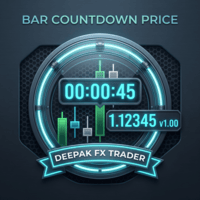
Bar CountDown Price - Dynamic Candlestick Timer
Only for Today Offer EA: Overlap King Gold
The Bar CountDown Price indicator is a lightweight, essential visual tool designed for precision traders who rely on candlestick closing times for their entry and exit strategies. Unlike traditional countdown indicators that hide the timer in the corner of the chart, this utility anchors the countdown directly next to the live current price. This ensures your eyes remain focused on the price action whe

Prop Firm Manager Pro is a comprehensive, automated risk-management and equity-protection Expert Advisor (EA) designed for MetaTrader 5. Built specifically for proprietary firm traders and disciplined retail traders, this utility acts as a failsafe against daily drawdown violations and emotional trading by strictly enforcing your predefined risk parameters and profit targets. After purchasing any of our products, you will receive lifetime free upgrades and updates from us. You will also receive

Trade Risk Desk answers one question at the moment you need it answered: what volume makes this stop cost exactly what you decided to risk. Drag the stop line to where it belongs on the chart and the panel prints the volume, the money behind it, and the margin the position will hold. What It Answers Set the risk as a percent of balance or as a fixed amount in account currency. Put the stop where your idea says it belongs. The panel reads the symbol settings your broker publishes and prints: the
FREE

Manual ATR Grid Manager is a manual trading system for gold (XAUUSD) that lets you choose your entry and then hands the ongoing trade management to the EA. Place a market buy or sell, or a buy/sell limit or stop order, directly from the chart. Set your lot size and entry price, with on-screen instructions guiding each step. Once the position opens, the EA manages its profit target. If price moves against you, an adjustable ATR-based grid can add positions at intervals that respond to market vola
FREE

BTD2 Market Data Exporter for MT5 BTD2 Market Data Exporter is a high-performance utility script designed to extract M1 historical bar data, symbol properties, and daily reset schedules from MetaTrader 5 into optimized binary files ( .btd ). Built specifically for quantitative research, backtesting engines, and custom analytics pipelines. Key Features UTC+0 Timestamp Standardization: Automatically normalizes server time candles to UTC+0 end-label timestamps, eliminating broker server timezone sh
FREE

INTRODUCTORY LAUNCH OFFER: $139 • Exclusive introductory price for the first 10 copies only. • Price will be permanently adjusted to $279 after the first 10 activations. • Next price step: $199 -> Final price: $279. Fortress Risk Manager is an institutional-grade, all-in-one Capital Protection and Risk Management Cockpit built natively for MetaTrader 5. Engineered specifically for prop firm challenge accounts, funded trader programs, and discipl

Trade Reporter isn't a trading robot. It watches your account and posts what happens to your Telegram chats or channels and your Discord server. It never opens, closes or modifies a trade.
It's for signal providers, prop-firm traders sharing their progress, trading groups, and anyone who wants their trades on their phone as they happen.
WHAT IT POSTS - Open: side, symbol, entry, stop and target (with distance in pips), lot size, and the risk at the stop in money and % of balance. - Stop / tar

Manual Trade Manager for MT5 This is not auto trade ea. It Manage your manually opened trades from one simple chart panel. Monitor your positions in real time and act on multiple layers with a single click. Features CLOSE ALL: Sends fast asynchronous close requests for managed manual positions. BE ALL: Checks each layer individually and sets its stop loss only when that layer has reached your chosen profit threshold. BE SET: Applies your current BE step setting to eligible layers. Optional Avera

Key Features Real-time P&L in $ Running P&L in Pips P&L converted to INR BUY / SELL direction Lot size Entry price Separate display for each open position Supports multiple open positions Works independently on multiple charts Follow Current Price mode Stay At Entry Price mode Adjustable vertical spacing in pixels Adjustable distance below the Bid price Adjustable candle offset Customizable text size and font Profit, loss and breakeven colors Automatic removal when a position is closed
FREE

Telegram 채널의 시그널을 몇 초 만에 MetaTrader 4 와 MetaTrader 5 로 복사합니다. TradingMind Signal Bridge 는 여러분이 선택한 채널과 그룹을 읽고, 빠른 내장 규칙으로 각 시그널을 인식하며, 스크린샷으로 올라온 시그널을 포함해 형식이 정돈되지 않은 메시지는 AI 모델에 넘긴 뒤, 주문을 터미널의 전문가 어드바이저(EA)로 전달합니다. 뉴스 필터, 프롭 펌 계좌 보호, 원격 제어용 Telegram 봇 덕분에 무엇을 거래할지에 대한 결정은 언제나 여러분에게 있습니다. 이 제품이 하는 일 TradingView 의 알림과 모든 Telegram 채널·그룹의 시그널 Telegram 계정 수에도 시그널 소스 수에도 제한 없음 규칙이 해석하지 못한 메시지는 AI 가 읽으며, 스크린샷도 포함됩니다 Telegram 봇에 명령 하나로 휴대폰에서 모든 거래를 중지 처음이신가요? 스크린샷이 포함된 전체 설정 안내는 제 블로그에 있습니다: MT4 와 MT5

Easy Trade Zone - Visual Order Panel
Draw your trade directly on the chart and drag it into place. Grab the Entry, Stop-Loss and the three Take-Profits individually with the mouse. The moment you move a line, everything recalculates live: the red risk box, the green reward box, the position size, and the exact profit/loss in your account currency. You see your risk in real money BEFORE you click - and never send an order without a stop by accident.
Features: - Drag every level individually: En
FREE

Signalator Charts MT5 는 여러 대체 차트 유형, 전문적인 차트 스타일 및 실용적인 거래 도구를 하나의 인터페이스에 통합한 MetaTrader 5용 차트 및 거래 유틸리티입니다. Signalator Charts MT5를 사용하면 하나의 패널에서 Renko, Point & Figure, Kagi, Heikin Ashi 및 표준 MT5 차트를 사용할 수 있습니다. 차트 구성, 외관, 히스토리 및 분석 오버레이를 외부 소프트웨어 없이 차트에서 직접 설정할 수 있습니다. 설정 및 기능 상세 설명 — 고급 Renko, Kagi, Point & Figure, Heikin Ashi, 캔들 패턴, Renko 시장 구조, 거래 도구 등 다양한 기능.
주요 Charts 섹션: - Renko 차트 - 캔들 차트 - Point & Figure 차트 - Heikin Ashi 차트 - Kagi 차트 - 바 차트 - 라인 차트
Renko는 Fixed, Percentage 또는 Functio

GTM Journal 은 MetaTrader 5 터미널에 이미 있는 거래 내역으로 매매 일지를 만들어 줍니다. 청산된 모든 포지션은 체결 내역을 바탕으로 다시 구성됩니다. 진입, 청산, 포지션을 열 때 설정한 손절가, 그 손절가가 최종적으로 어디에 있었는지, 그리고 포지션을 보유하는 동안 도달한 최고가와 최저가입니다. 모든 내용은 차트 어디로든 드래그할 수 있는 하나의 패널 안 11개 페이지에 표시됩니다. 손으로 입력할 것은 없습니다. 매매를 하지 않습니다. 포지션을 열지 않고, 아무것도 수정하지 않으며, 아무것도 청산하지 않고, 주문도 보내지 않습니다. 계좌 내역을 읽어 복기하기 좋게 정리할 뿐입니다. 메모, 태그, 스크린샷, 설정은 사용자 컴퓨터에 파일로 저장됩니다. 인터넷으로 무언가를 보낼 수 있는 부분은 아래에 설명된 선택 기능인 AI 질문뿐이며, 그것도 사용자가 자신의 키를 추가했을 때에만 해당됩니다. 리스크를 측정하는 방법
R 배수는 거래 결과를 진입 시

Strifor Chart Sync — MetaTrader 5 차트 및 기술적 분석 동기화 Strifor Chart Sync 는 여러 차트를 동기화하고 동일한 종목에 대한 멀티 타임프레임 분석을 간소화하도록 설계된 MetaTrader 5용 Expert Advisor입니다. 열려 있는 각 차트에서 종목을 수동으로 변경할 필요 없이 Master 차트에서 종목만 변경하면 됩니다. 연결된 모든 Slave 차트는 자동으로 동일한 종목으로 전환되며, 각 차트의 개별 타임프레임은 그대로 유지됩니다. 예를 들어 다음과 같은 방식으로 작업할 수 있습니다. D1 — 전체적인 시장 상황 H1 — 현재 시장 구조 M5 — 트레이드 셋업 M1 — 진입 지점 Master 차트의 종목을 US500 에서 XAUUSD 로 변경하면 연결된 모든 차트가 자동으로 XAUUSD로 전환됩니다. D1은 D1 그대로 유지 H1은 H1 그대로 유지 M5는 M5 그대로 유지 M1은 M1 그대로 유지 이를 통해 체계적인 멀티 타임프
FREE

Trading Account Analytics — MetaTrader 안에서 보는 나의 계좌 대시보드 Trading Account Analytics 는 계좌 내역을 차트 위에서 바로 볼 수 있는 명확한 대화형 대시보드로 바꿔 줍니다. 손익, 수익률, 드로다운, 비용, 그리고 심볼별, Expert Advisor별, 시간대별 통계를 제공합니다. 웹사이트에 업로드할 데이터도, 공유할 투자자 비밀번호도 없습니다: 모든 계산은 사용자의 터미널 안에서 이루어집니다. 읽기 전용: 거래를 열거나 수정하거나 청산하지 않습니다. 제공 기능 입출금을 제외한 거래 성과. 입금, 출금, 크레딧을 제외한 누적 손익 곡선과 드로다운. 수익률은 Modified Dietz 방식을 사용하므로 자본 이동이 수익으로 계산되지 않습니다. 리스크와 드로다운. % 및 금액 기준의 최대 및 현재 드로다운, 언더워터 곡선, 가장 깊은 5개 구간, 회복 기간, 회복 계수. 계좌 건전성. 안정성, 리스크 관리, 수익성, 드로다운,

MetaTrader 5용 연습 시뮬레이터는 전략 테스터를 통한 모의 연습과 동일한 인터페이스를 사용한 실시간 거래를 결합합니다. 과거 시장 데이터를 사용하여 전략을 연습한 다음, 동일한 인터페이스에서 위험 관리 및 거래 관리 도구를 활용하여 실시간 거래를 진행하세요. MT5용 연습 시뮬레이터에는 MT5 AI 어시스턴트와 통합된 LiveAI가 포함되어 있습니다. 시장, 보유 포지션, 진입 또는 청산 시점에 대해 쉽고 명확한 언어로 질문할 수 있습니다. 어시스턴트는 현재 차트 정보를 읽고 연습 시뮬레이터의 정보와 기능을 활용하여 답변합니다. 거래 데이터는 내보내어 MT5 AI 어시스턴트 및 AI Judgement를 통한 다른 생성형 AI 서비스로 분석할 수도 있습니다. 자세한 내용은 설치 및 사용자 가이드를 참조하십시오. 주요 특징 실시간 거래 – 원클릭 시장가 주문, 지정가/손절매 주문, 드래그 앤 드롭 방식의 손익분기점/손절매선 설정, 일괄 청산 기능을 통해 실시간으로 거래하세요.

Fortress Compliance Monitor는 MetaTrader 5를 위한 프롭 펌 규칙 모니터입니다. 평가 계좌와 펀딩 계좌의 열두 가지 규칙을 추적하고, 한도를 넘기기 전에 차트와 알림으로 알려 줍니다.
이 제품은 모니터링 유틸리티이며 트레이딩 로봇이 아닙니다. 주문 함수가 전혀 들어 있지 않습니다. 포지션을 열거나 닫거나 수정하지 않습니다. 계좌와 거래 내역을 읽어 보고할 뿐입니다. 모든 매매 판단은 사용자에게 있습니다.
감시하려는 계좌의 차트 하나에만 붙이면 됩니다. 계좌 전체를 읽기 때문에 차트 하나로 충분합니다.
주요 기능
하나의 패널에 열두 규칙: 펌이 정한 모든 한도를 OK, WATCH, BLACKOUT, BREACH로 표시합니다. 퍼센트 또는 계좌 통화: 둘 중 아무 단위로 입력해도 패널은 두 단위를 동시에 보여 줍니다. 아홉 가지 펌 프리셋: FTMO, FundedNext, Apex Trader Funding, Topstep, The5ers, Fun

Risk Guard Trade Assistant MT5 차트에서 직접 거래를 계획하고 포지션 크기를 계산하며 계좌 규칙을 관리하세요. Risk Guard는 MetaTrader 5 헤징 계좌에서 수동으로 거래하는 사용자를 위해 거래 보조, 위험 관리, 거래 일지를 하나로 제공합니다. 진입 가격, 손절, 이익 목표를 정한 후 주문을 보내기 전에 계산된 랏 수와 예상 위험을 확인하세요. Protection에서 계좌 규칙을 설정하고 Analytics에서 거래 활동을 검토할 수 있습니다. 거래 계획 및 포지션 관리 패널에서 시장가, 지정가, 스톱 주문을 준비합니다. 위험 비율, 금액 또는 지정한 랏 수를 기준으로 거래량을 계산합니다. 차트에 진입, 손절, 목표선을 표시하고 선택한 보상 대비 위험 비율에 목표를 연동합니다. 잔여 거래량을 청산하는 최종 목표 전에 최대 두 단계의 부분 익절을 설정합니다. 손절을 진입가로 옮기는 본전 보호(break-even)와 추적 손절(trailing stop

GntCountdown — 네온 캔들 카운트다운 GntCountdown은 Genaro Trade 팀이 개발한 무료 보조 지표입니다. 차트에 카운트다운 타이머를 표시하여 현재 캔들이 마감되기까지 남은 시간을 정확히 보여줍니다. 주요 기능:
• 실시간 카운트다운 (HH:MM:SS)
• 캔들 진행률 백분율
• 동적 색상: 시간이 지남에 따라 녹색 → 노란색 → 빨간색
• 마지막 몇 초 동안 자동 깜박임
• 완전 사용자 지정 가능: 위치, 색상, 크기, 글꼴
• 차트의 모든 모서리에 고정 가능
• 가볍고 최적화됨 — 터미널 성능에 영향을 주지 않음 사용 방법: MetaTrader 5에 지표를 다운로드하여 설치 GntCountdown을 차트로 드래그 원하는 대로 위치, 색상, 글꼴 구성 완료 — 카운터가 즉시 나타납니다 이상적인 대상:
• 짧은 시간대(M1, M5, M15)에서 거래하는 트레이더
• 정확한 캔들 마감 시점을 알아야 하는 스캘퍼
• 캔들 돌파 전략을 사
FREE
MetaTrader 마켓은 과거 데이터를 이용한 테스트 및 최적화를 위해 무료 데모 거래 로봇을 다운로드할 수 있는 유일한 스토어입니다.
어플리케이션의 개요와 다른 고객의 리뷰를 읽어보시고 터미널에 바로 다운로드하신 다음 구매 전 트레이딩 로봇을 테스트해보시기 바랍니다. 오직 MetaTrader 마켓에서만 무료로 애플리케이션을 테스트할 수 있습니다.
