Mentoria Individual
- 유틸리티
- 버전: 3.6
- 업데이트됨: 3 11월 2026
- 활성화: 5

Mentoria Individual is a free manual trading and risk management tool for MetaTrader 5, developed by Gean Patrick.
It combines automatic lot size calculation, order preparation, visual Stop Loss and Take Profit adjustment, and position management in an interactive panel integrated directly into the trading chart.
Designed for traders seeking greater convenience and control over their operations, the tool does not provide trading signals or execute automated trading strategies. Entry and exit decisions remain under the user's control.
Lot Size Calculation and Risk Management
Set your planned risk per trade using a fixed amount in your account currency or a percentage of your account balance or equity.
Lot size calculations consider the entry price, distance to the Stop Loss, instrument specifications, and the volume limits and increments allowed by your broker.
The tool calculates the largest permitted lot size within the configured estimated risk limit, according to the instrument's trading conditions.
You can also configure estimated opening and closing commissions to include them in position sizing.
Before confirming a trade, the panel displays the calculated lot size, estimated risk, and potential profit target.
Manual Trade Execution
Prepare market Buy and Sell orders or pending orders, depending on the order types supported by your broker.
The tool displays three interactive price levels directly on the chart:
-
Entry: Set and adjust the trade entry price.
-
Stop Loss: Define the planned loss limit.
-
Take Profit: Configure the trade's profit target.
These levels can be adjusted visually, with risk and lot size calculations updating as you make changes.
Quick target options of 2x, 3x, and 6x are available, along with manual Take Profit adjustment.
The chart lines and price-level panels feature color-coded identification, improved contrast, and responsive sizing based on the available chart space.
Open Position Management
The panel detects existing positions for the current chart symbol, including manually opened trades, allowing you to monitor their performance without recreating them in the tool.
Available features include:
-
Real-time monitoring of floating profit and loss.
-
Navigation between multiple open positions.
-
Individual position selection and closing.
-
An option to request the closure of all positions for the current symbol.
-
Break-even (0x0) control to request moving the Stop Loss to the selected position's entry price, when permitted by the broker.
-
Additional checks and confirmation steps designed to reduce accidental duplicate orders and unintended position modifications.
Position management respects trading conditions, price restrictions, and responses from the broker's server.
Interface and Customization
Mentoria Individual features a compact interface designed for direct use on MetaTrader 5 charts.
Main interface features:
-
Light and Dark Themes: Choose the appearance that best suits your trading environment.
-
English and Brazilian Portuguese: Switch languages through the integrated settings.
-
Real-Time Profit and Loss: Profits are highlighted in green and losses in red, with automatically adjusted text sizing.
-
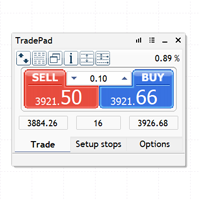
Interactive Panel: Buy, Sell, Confirm, Cancel, and position management controls.
-
Adjustable Price Levels: Visual identification of Entry, Stop Loss, and Take Profit.
-
Movable and Minimizable Panel: Reposition or minimize the interface while analyzing the chart.
-
Persistent Preferences: Compatible settings are saved for restoration in future sessions.
The settings panel can be accessed by clicking the panel title three times quickly.
Additional Settings
The tool also provides configuration options for estimated commissions, maximum execution deviation, optional spread limits, maximum quote age, pending order conditions, sound notifications, and visual preferences.
These settings help adapt the tool to different trading instruments and the conditions offered by your broker.
How to Use
-
Add Mentoria Individual to your preferred chart in MetaTrader 5.
-
Enable algorithmic trading permissions required for manual order submission through the panel.
-
Configure your preferred fixed or percentage-based risk.
-
Select BUY or SELL and adjust the Entry, Stop Loss, and Take Profit levels.
-
Review the calculated lot size, estimated risk, and profit target before confirming the trade.
-
Use the panel controls to monitor and manage your open positions.
Important Information
Mentoria Individual is a tool designed to support manual trade execution and risk management. It does not guarantee financial results or eliminate trading risks.
Actual losses may exceed the estimated risk due to slippage, price gaps, spread fluctuations, unconfigured commissions, and broker execution conditions.
Testing the tool on a demo account before using it for live trading is recommended.
Developer: Gean Patrick
Platform: MetaTrader 5
Category: Trading Utility
Distribution: Free