 MetaTrader 5
 Эксперты
 Индикаторы
 Библиотеки
 Утилиты
 Виджеты
 Правила
Смотри обучающее видео по маркету на YouTube
Как купить торгового робота или индикатор
Запусти робота на
виртуальном хостинге
виртуальном хостинге
Протестируй индикатор/робота перед покупкой
Хочешь зарабатывать в Маркете?
Как подать продукт, чтобы его покупали
Новые торговые утилиты для MetaTrader 5 - 12
 Ниже представлены торговые программы, упрощающие трейдинг в MetaTrader 5. Наведите курсор на товар, чтобы прочесть описание товара и его предназначение.
TradeVista Pro — Professional Trade & Risk Management Panel TradeVista Pro is a professional all-in-one trade execution and position management panel for MetaTrader 5 , designed for traders who want faster order management, precise risk control, and a cleaner way to manage open positions directly from the chart. Instead of constantly switching between the MT5 Trade tab, order windows, and chart controls, TradeVista Pro brings essential trading-management functions together in one intuitive inter

TradeAssist Pro v1.06 Overview TradeAssist Pro is an all-in-one manual trading assistant and technical analysis toolkit for MetaTrader 5. It provides a modular, interactive on-chart dashboard designed for rapid execution, advanced trade management, and automated Smart Money Concepts (SMC) charting.
Dashboard Structure & Tabs 1. Trade Tab (Execution & Orders)
1-Click Trading: Execute Buy/Sell market orders instantly.
Dynamic Position Sizing: Toggle between fixed lot sizes or auto-calculated l

Fast Local Trade Copier MT5 Fast Local Trade Copier MT5 is an ultra fast, lightweight, and reliable All-in-One local trade replicator for MetaTrader 5. It is designed specifically for professional traders and account managers running multiple MT5 accounts on the same PC or Virtual Private Server (VPS). With its All-in-One architecture , a single copy EA file serves as both the Master (Signal Sender) and the Slave (Signal Receiver). Simply select the role in the input parameters and start copy

History Pre-loader — MT5 History Pre-loader is a utility script for traders who want to prepare and inspect MetaTrader price history before running a Strategy Tester, reviewing an older market period or using tools that depend on a deeper historical range. The script works from the symbol of the chart where it is attached . Open a chart for the exact broker symbol you want to prepare, attach the script, select the target oldest date and let the terminal request the available history. What the sc
FREE

Portfolio Monitor for MT5 Live Account Dashboard, Risk Guardian & Strategy Attribution Panel Portfolio Monitor is an all-in-one Expert Advisor (EA) that runs on any MT5 chart to give you complete visual control over your trading account. It aggregates every open position across all symbols and strategies into a clean, real-time dashboard. Note: Portfolio Monitor is a dedicated monitoring, risk management, and manual-mitigation tool—it does not place entry trades or run predictive signals. Five
FREE

RiskCompass Panel MT5 1. The Problem and the Approach You have a position idea, and the first real question is always the same: how much of this account am I about to put at risk, and can the account carry it. The information that answers that question is scattered across half a dozen windows. Balance is on one tab. Margin level is somewhere else. The spread you just paid is visible only if you look at the instrument row. The server day, which decides whether your daily loss limit has already be
FREE

Dashboard Premium Pro – Account Dashboard & Close All Panel for MT5 Dashboard Premium Pro puts everything you need to monitor your account in one clean panel on your chart: floating profit, daily results, buy/sell exposure, your last closed trade and real-time drawdown. One click closes every position, and a pause switch lets your own Expert Advisors know when to stop opening new trades. What the dashboard shows Floating P/L Current open profit or loss for the whole account, in large green or re
FREE

Smart Replay PRO is a bar replay tool for MetaTrader 5. It is designed for discretionary traders who want to review historical market movement and practice chart reading in a controlled replay environment.
The tool uses M1 historical bar data from MT5 and writes replay data to a separate virtual symbol, such as EURUSD_RPL or USDJPY_RPL. Instead of simply covering future candles on the original chart, Smart Replay PRO builds replay charts by adding historical bars step by step to the replay sym

EquityGuard watches your account and does two things: it records the real drawdown — day, month, all time, on equity and on balance — and, if you ask it to, it closes every open positions when a drawdown limit or a profit target is reached.
It opens no position of its own. No strategy, no entries, no orders. It only ever closes, and only when you have told it to, so it runs alongside your manual trading or any other EA without interfering.
WHAT MAKES IT DIFFERENT
Most equity protec

Tachi Prop Guard MT5 — Prop Firm Risk Manager with Drawdown Limits and Audit Log
Prop firm risk manager for MT5: transparent daily loss and max drawdown limits, SL projection, auto-close and a full audit log.
Trading a prop firm challenge or a funded account fails for one reason more than any other: a daily loss limit or maximum drawdown breach. Tachi Prop Guard is a lightweight risk management utility for MetaTrader 5 that watches your entire account in real time, shows exactly how much risk

ENTRY DISCIPLINE CHECKLIST PRO
Trade your plan, not your emotions.
Most losing trades don't come from a bad strategy — they come from breaking your own rules: entering early, chasing price, skipping your stop plan, trading out of session. Entry Discipline Checklist Pro puts your trading plan on the chart as a clean, modern checklist you confirm BEFORE every entry, so discipline becomes a habit instead of a hope.
This is a discipline and journaling tool. It does NOT send orders and does NOT dr

Running more than one EA on the same account creates a blind spot: nobody adds up the total risk across strategies, and nobody notices when two EAs quietly work against each other. Tachi Portfolio Sentinel watches the whole account, groups your EAs into strategy groups, applies a risk budget to each group, and flags exposure conflicts between them — with every number traceable back to the exact tickets behind it.
What it does
- Groups multiple Magic Numbers, comment patterns or symbols into

Inspect one bot. One symbol. Or the entire account. BotInspector by TraceVerity is a non-trading risk analysis utility for MetaTrader 5. It can inspect the observed trading behavior of the entire account, one symbol, or a specific Expert Advisor identified by Magic Number . BotInspector does not read another EA's source code and does not need to run on the same chart as that EA. It analyzes the trading evidence available in MetaTrader 5: live positions, pending orders, deal history, volume chang

Risk Guard for Funded Accounts - Protect your FTMO / The5ers / FundedNext challenge from breaking prop firm rules. This utility sits on the same chart as your EA and monitors your account in real-time. If any prop firm rule is breached, it auto-closes all positions and blocks new trades - so you never fail challenge on daily DD. Built for XAUUSD Gold, BTCUSD, US30 and Forex - Works with ANY MQL5 EA. FEATURES:
Daily Drawdown Guard (%, $ or Amount) - auto close all + block trading till next
Дневник трейдера — советник AM QuantLab для MetaTrader 5. Он читает уже закрытые сделки и показывает, как сложился период. Ордера не ставит и позиции не закрывает. После запуска открывается отдельным окном на весь экран, не на графике цены. Период: 7 дней, 30 дней, 90 дней или год. Языки: русский, английский, немецкий, испанский, французский, китайский. Обзор. Двенадцать карточек: результат, число сделок, доля прибыльных, профит-фактор, средний плюс, средний минус, результат на сделку, время в р

Smart Trade Assistant Virtual is a trading panel for manual traders. It calculates the lot size from your risk, places market and pending orders with one click, and manages your open trades: break-even, partial close, trailing stop, profit lock and OCO. SL/TP and pending orders can also be virtual , which means they are kept by the panel and hidden from the broker. The panel never opens a trade by itself. You decide when to trade, and the panel handles the parts that are easy to get wrong. The f

Institutional-Grade Trade Execution & Dynamic Risk Management Utility for MetaTrader 5 Overview FxNeel Trade Engine Pro is a comprehensive, institutional-grade trade execution and risk management utility designed natively for MetaTrader 5 . Built specifically for active price action, scalping, intraday, and prop-firm traders, it replaces manual lot calculation and slow order entry with an interactive, on-chart visual management system. With one-click trade preparation, drag-and-drop Stop Loss t
FREE

Краткое описание:
Индикатор для визуальной оценки стоимости ценового движения в валюте депозита с интерактивным вводом объема сделки прямо на графике. Описание:
PriceRiskRuler — новый инструмент для оценки финансового результата движения цены перед открытием позиции.
Индикатор отрисовывает вертикальный ценовой отрезок и рассчитывает его стоимость в зависимости от заданного объема и спецификаций торгового инструмента. Основные функции: Интерактивный ввод объема: Поле для ввода лота расположен
FREE

786 AUREX EXPERT ADVISOR Contact for Set files or see the Screen Shots
WhatsApp: Text only +447716409196
Best for XAUUSD on All Brokers
Minimum and Safest Balance is 500$ at medium Risk
What it does Automatic daily levels — At a chosen time, the EA scans a configurable look-back window (e.g. 180 minutes) and draws the highest high and lowest low as clean horizontal lines, with an optional visual range box. Two entry modes — Choose between a straightforward Level Breaker (trade any candle clos
FREE

Aura Lot Calculator – know your exact position size in one second.
Stop guessing your lot size. Set your risk, place your stop loss, and Aura Lot Calculator instantly shows the correct lot – so every trade risks exactly what you planned, nothing more.
HOW IT WORKS - Choose your risk: % of balance or a fixed money amount (one click to switch) - Enter your stop loss in points – or turn on the SL Line and simply drag it on the chart - The calculator detects BUY or SELL automatically from the lin
FREE

Record your MetaTrader 5 trading to your SureInsight journal automatically, including the stop loss you actually set.
SureInsight Journal Sync is the official MetaTrader 5 companion for SureInsight. It watches your account and sends each closed trade to your journal, so your record is built from platform data rather than from memory.
Important
This is not a trading robot, signal provider, copy-trading service or automated strategy.
It does not open, close, modify or manage trades.
Its onl
FREE

# LBU Trading Console
LBU Trading Console is a unified MetaTrader 5 utility for visual trade planning, position management, equity protection and multi-symbol RSI monitoring. Its tabbed interface keeps four practical workflows in one chart and one EX5 file.
## Main modules
### Trade
- Draw and drag Entry, Stop Loss and Take Profit levels directly on the chart. - Calculate volume from the selected account risk percentage. - Support market, limit and stop orders. - Validate volume, margin and
FREE

ADVANCE TRADE MANAGER A complete, tabbed trade-management dashboard for MetaTrader 5 that puts every routine trade operation on one compact panel. No more hunting through menus — open, protect, scale and manage positions from a single interface. The panel is a pure GUI overlay . It never touches your existing chart objects, indicators, arrows or manual lines. All chart objects it creates use the dedicated EGF_Z_ (zones) prefix, and trigger lines use the panel's own object names — so nothing else

RR Trade Panel – Professional Trading Control Panel for MetaTrader 5 RR Trade Panel is a powerful and intuitive trading assistant designed to make your MetaTrader 5 trading experience faster, cleaner, and more efficient. Built for both manual traders and professional users, RR Trade Panel provides a complete trading control system directly on your chart. Execute Market Orders , create Buy Limit / Sell Limit setups , manage positions, and monitor real-time profit and loss without switching betwee

Are you tired of hesitating when entering trades? Do you lack the time to constantly monitor open positions? Or do you simply want to trade like a seasoned professional without staring at charts 24/7?
**Auto Risk Order Manager (AROM)** is your ultimate chart-side assistant designed to eliminate manual calculation stress, streamline entry execution, and protect your profits automatically.
---
### Key Features
- **Instant Risk-Based Lot Calculation:** Forget manual lot sizing. Type your ri

Overview Telegram Portfolio and Connection Monitor
Your server in safe hands — Keep an eye on your MT5 accounts anytime, anywhere.
Why we built this: As a trader running automated systems on a VPS, your biggest concern isn't just the trading strategy itself—it’s the hidden technical risks . Internet disconnections, broker outage spikes, unexpected VPS reboots, or leaving your account unmonitored while away from the screen can turn a winning strategy into an unmanaged disaster. The Telegr

20 Pip Challenge Trade Manager EA Trade the Challenge. Follow the Levels. Stay Disciplined. The ElohimFX 20 Pip Challenge Trade Manager is a professional manual trade management EA designed for traders who want to follow a structured 20-pip challenge while keeping position sizing and level progression organized. This is NOT an automatic trading robot . You remain in control of your entries by using the built-in BUY and SELL buttons. The EA handles the challenge calculations, level progression, t

Fahmi Trade Manager is a fast, clean one-click trading panel that handles position sizing and trade management for you, so you can focus on your analysis. Order execution One-click BUY / SELL with live prices on the buttons Automatic lot size based on risk % of balance, or fixed lot mode Stop loss in points and take profit by Reward:Risk ratio Live preview of lot size and money at risk before you enter Bulk actions Close All / Close Buys / Close Sells Close Profitable / Close Losing positions Cl

1. Overview Trading Email Alert monitors the trading account and automatically sends an email whenever a buy or sell position is opened and/or closed on the symbol (instrument) it is attached to. The email subject line is fully configurable, along with several filters that determine which events trigger a notification. Key features: • Separate email subject line for trade opening and trade closing. • Filter to notify only openings, only closings, or both. • Filter to notify only buy trades, onl

Daily Limit Guard watches an account and enforces the exit rules you set for it. It does not decide what to trade and it does not open positions. It works on positions that are already there, whoever opened them: your own click, another Expert Advisor, or a copier.
What it does
- Attaches a protective stop to any managed position that has none. The distance is a multiple of ATR measured on that position's own symbol, so the same setting behaves sensibly on a fast index and a slow currency pa

Smart Trader Bridge turns TradingView webhook alerts into real orders on your MetaTrader 5 account, and then keeps the broker in step with your strategy. Most TradingView-to-MT5 tools send an order and forget it. Smart Trader Bridge tracks every position your strategy holds, executes partial take-profits, moves the real broker stop-loss as targets are hit, and repairs positions that drift out of sync. That is what prop-firm accounts with open-risk limits need. How it works TradingView sends an a

FlemingoFx Scalper Pro - Smart On-Chart Execution & Risk Management Utility
FlemingoFx Scalper Pro is an intuitive, fast-execution trading utility engineered for scalpers, day traders, and prop firm traders who demand millisecond execution precision without manual calculation errors.
Designed directly for on-chart trade management, FlemingoFx Scalper Pro automates position sizing based on strict cash risk, dynamic R:R targets, spread compensation, and partial exits all accessible from a compa
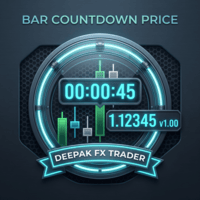
Bar CountDown Price - Dynamic Candlestick Timer
Only for Today Offer EA: Overlap King Gold
The Bar CountDown Price indicator is a lightweight, essential visual tool designed for precision traders who rely on candlestick closing times for their entry and exit strategies. Unlike traditional countdown indicators that hide the timer in the corner of the chart, this utility anchors the countdown directly next to the live current price. This ensures your eyes remain focused on the price action whe

Prop Firm Manager Pro is a comprehensive, automated risk-management and equity-protection Expert Advisor (EA) designed for MetaTrader 5. Built specifically for proprietary firm traders and disciplined retail traders, this utility acts as a failsafe against daily drawdown violations and emotional trading by strictly enforcing your predefined risk parameters and profit targets. After purchasing any of our products, you will receive lifetime free upgrades and updates from us. You will also receive

Manual ATR Grid Manager is a manual trading system for gold (XAUUSD) that lets you choose your entry and then hands the ongoing trade management to the EA. Place a market buy or sell, or a buy/sell limit or stop order, directly from the chart. Set your lot size and entry price, with on-screen instructions guiding each step. Once the position opens, the EA manages its profit target. If price moves against you, an adjustable ATR-based grid can add positions at intervals that respond to market vola
FREE

BTD2 Market Data Exporter for MT5 BTD2 Market Data Exporter is a high-performance utility script designed to extract M1 historical bar data, symbol properties, and daily reset schedules from MetaTrader 5 into optimized binary files ( .btd ). Built specifically for quantitative research, backtesting engines, and custom analytics pipelines. Key Features UTC+0 Timestamp Standardization: Automatically normalizes server time candles to UTC+0 end-label timestamps, eliminating broker server timezone sh
FREE

Trade Risk Desk answers one question at the moment you need it answered: what volume makes this stop cost exactly what you decided to risk. Drag the stop line to where it belongs on the chart and the panel prints the volume, the money behind it, and the margin the position will hold. What It Answers Set the risk as a percent of balance or as a fixed amount in account currency. Put the stop where your idea says it belongs. The panel reads the symbol settings your broker publishes and prints: the
FREE

INTRODUCTORY LAUNCH OFFER: $139 • Exclusive introductory price for the first 10 copies only. • Price will be permanently adjusted to $279 after the first 10 activations. • Next price step: $199 -> Final price: $279. Fortress Risk Manager is an institutional-grade, all-in-one Capital Protection and Risk Management Cockpit built natively for MetaTrader 5. Engineered specifically for prop firm challenge accounts, funded trader programs, and discipl

Trade Reporter isn't a trading robot. It watches your account and posts what happens to your Telegram chats or channels and your Discord server. It never opens, closes or modifies a trade.
It's for signal providers, prop-firm traders sharing their progress, trading groups, and anyone who wants their trades on their phone as they happen.
WHAT IT POSTS - Open: side, symbol, entry, stop and target (with distance in pips), lot size, and the risk at the stop in money and % of balance. - Stop / tar

Key Features Real-time P&L in $ Running P&L in Pips P&L converted to INR BUY / SELL direction Lot size Entry price Separate display for each open position Supports multiple open positions Works independently on multiple charts Follow Current Price mode Stay At Entry Price mode Adjustable vertical spacing in pixels Adjustable distance below the Bid price Adjustable candle offset Customizable text size and font Profit, loss and breakeven colors Automatic removal when a position is closed
FREE

Сигналы из ваших Telegram-каналов копируются в MetaTrader 4 и MetaTrader 5 за считаные секунды. TradingMind Signal Bridge читает выбранные вами каналы и группы, распознаёт каждый сигнал быстрыми встроенными правилами, отдаёт запутанные сообщения, в том числе сигналы в виде скриншотов, модели искусственного интеллекта и передаёт ордер советнику в вашем терминале. Новостной фильтр, защита счёта проп-фирмы и Telegram-бот для удалённого управления оставляют решение о том, что пойдёт в рынок, за вами

Signalator Charts MT5 — это инструмент для построения графиков и торговли в MetaTrader 5, который объединяет альтернативные типы графиков, профессиональное визуальное оформление и практические торговые функции в одном интерфейсе. Signalator Charts MT5 позволяет работать с Renko, Point & Figure, Kagi, Heikin Ashi и стандартными типами графиков MT5 из одной панели. Построение графиков, внешний вид, история и аналитические слои настраиваются непосредственно на графике без использования внешнего про

GTM Journal создаёт торговый журнал из истории сделок, которая уже есть в вашем терминале MetaTrader 5. Каждая закрытая позиция восстанавливается по истории сделок: вход, выход, стоп-лосс, установленный при открытии сделки, где этот стоп-лосс оказался в конце, а также самая высокая и самая низкая цена, достигнутые, пока сделка была открыта. Всё показано на одиннадцати страницах внутри одной панели, которую можно перетащить в любое место графика. Ничего не нужно вводить вручную. Он не торгует. Он

Trading Account Analytics — аналитическая панель вашего счёта прямо в MetaTrader Trading Account Analytics превращает историю вашего счёта в понятную интерактивную аналитическую панель прямо на графике: прибыль, доходность, просадка, издержки и статистика по символам, по Expert Advisor и по часам. Не нужно загружать данные на какой-либо сайт или сообщать инвесторский пароль: всё рассчитывается внутри вашего терминала. Только чтение: программа никогда не открывает, не изменяет и не закрывает сдел

Risk & Position Sizer Pro – Лучший менеджер рисков и лотов для MetaTrader 5 Risk & Position Sizer Pro – это советник, разработанный для того, чтобы изменить ваш подход к управлению рисками и исполнению ордеров в MetaTrader 5. Забудьте о ручных калькуляторах лотов, внешних электронных таблицах или ошибках в расчетах под давлением. Благодаря интерактивной визуальной панели (холсту) прямо на вашем графике, советник автоматизирует все ваше планирование рисков за доли секунды.
Что советник делает н
FREE

Тренажер для MetaTrader 5 сочетает в себе имитацию тренировочного процесса в тестере стратегий с реальной торговлей, используя один и тот же интерфейс. Отработайте свою стратегию на исторических рыночных данных, а затем используйте тот же интерфейс для реальной торговли с инструментами управления рисками и управления сделками. Тренировочный симулятор для MT5 включает LiveAI , интеграцию с ассистентом MT5 AI. Задавайте вопросы о рынке, открытых позициях, точках входа или выхода простым языком. Ас

Fortress Compliance Monitor - это монитор правил проп-фирм для MetaTrader 5. Он отслеживает двенадцать правил челлендж-счетов и профинансированных счетов и предупреждает вас на графике и через алерт до того, как лимит будет нарушен.
Это утилита мониторинга, а не торговый робот. В ней нет ни одной торговой функции. Она никогда не открывает, не закрывает и не изменяет позиции. Она читает ваш счёт и историю сделок и сообщает вам о состоянии. Все торговые решения остаются за вами.
Прикрепите её к

Risk Guard Trade Assistant MT5 Планируйте сделки, рассчитывайте объём позиции и управляйте правилами счёта прямо на графике. Risk Guard объединяет торгового помощника, инструменты управления риском и торговый журнал для ручной торговли на хеджинговых счетах MetaTrader 5. Задайте вход, стоп-лосс и цель по прибыли, затем проверьте рассчитанный объём в лотах и предполагаемый риск перед отправкой заявки. В разделе Protection настраиваются правила счёта, а в Analytics анализируется торговая активност

GntCountdown — Неоновый счётчик свечей GntCountdown — это бесплатный вспомогательный индикатор, разработанный командой Genaro Trade . Он отображает на графике обратный отсчёт времени, показывая, сколько именно осталось до закрытия текущей свечи. Основные возможности:
• Обратный отсчёт в реальном времени (ЧЧ:ММ:СС)
• Процент прогресса свечи
• Динамический цвет: зелёный → жёлтый → красный по мере истечения времени
• Автоматическое мигание в последние секунды
• Полная настройка: позиция, цве
FREE

Signalator Renko MT5 — бесплатная утилита для MetaTrader 5, которая отображает движение цены в виде чистого и настраиваемого графика Renko непосредственно в терминале. Утилита заменяет стандартное отображение графика по времени отдельным окном Renko, где движение цены формируется в кирпичи фиксированного размера. Это помогает сосредоточиться на направленном движении цены и отфильтровать более мелкие колебания, которые не достигают выбранного размера кирпича. Signalator Renko MT5 создан как специ
FREE

Back to Economic Data Изучайте экономические публикации непосредственно в контексте исторического движения цены, не покидая график. Back to Economic Data — это интерактивный инструмент экономического анализа, который переносит экономический календарь непосредственно на ценовой график. Вместо постоянного переключения между историей цены и отдельным календарем вы можете видеть, где происходили важные публикации, изучать события, сопровождавшие движение рынка, переходить между повторяющимися публик

Alpha Chart Customizer меняет оформление текущего графика MetaTrader, а также добавляет визуальные эффекты. Готовые стили можно переключать, а свои — создавать, сохранять в наборы и передавать другим пользователям. Отличный выбор для тех, кто любит хороший стиль и хочет настроить внешний вид своего торгового инструмента под себя. Также это важное дополнение для тех, кто обладает особенностями цветовосприятия - при разработке учтены три типа дальтонизма. Высокопроизводительный модуль, позволяющ

ApexForge Dynamic MA Exit Manager Динамическое управление Take Profit и Stop Loss по скользящим средним в MT5 | Moving Average TP SL | Динамический выход EMA SMA | Мультитаймфреймовые MA | Автоматическое обновление TP SL | Position Manager Демо-версия Перед покупкой полной версии вы можете протестировать функции ApexForge Dynamic MA Exit Manager на демо-счёте MT5. Загрузка демо-версии, инструкция по установке и руководство пользователя: ApexForge Dynamic MA Exit Manager – MT5 Demo Version Вы т

PROP RISK MANAGER MT5
Менеджер риска для финансируемых и проп-счетов. Он считает, чем вы рискуете на самом деле, не пропускает ордер, который нарушит ваши правила, и ведёт сделку после того, как вы вошли.
Он следит за вашим счётом и исполняет те правила, которые вы ему задали.
ЧТО ОН СЧИТАЕТ
Риск — это деньги, которые вы потеряете, если сработает стоп. Он считается от цены открытия и показывается в процентах от текущих средств. Стоп в безубытке — это нулевой риск, он освобождает место под

Advanced Risk Return Tool — это визуальная утилита для планирования и управления соотношением риска и доходности в MetaTrader 5. Инструмент позволяет создавать и управлять структурами покупки и продажи непосредственно на графике, визуально размещая уровни входа, цели и стопа , а также отображая соотношение риска и доходности, расстояние в пунктах, объем и расчетные финансовые значения. Структуры интерактивны и могут настраиваться непосредственно на графике с помощью мыши. Основные возможности Ви
FREE

Aurum Risk Sentinel — это утилита управления рисками для MetaTrader 5. Она отслеживает капитал счета и выбранную экспозицию в течение серверных суток. Это не торговая стратегия, и она не открывает сделки. Логика Запоминает капитал на начало суток и текущий пиковый капитал. Рассчитывает текущий убыток за день и просадку от сохранённого пика. Считает управляемые открытые позиции. Переходит в заблокированное состояние при достижении заданного лимита или если количество управляемых позиций превышает
FREE

Aurum Position Manager — это утилита управления позициями для MetaTrader 5. Она отслеживает существующие позиции на символе текущего графика и может переносить их стоп-лосс в безубыток, а затем применять трейлинг на основе ATR. Это не торговая стратегия. Она не открывает сделки, не выбирает точки входа и не рассчитывает размер позиции. Функции Проверяет подходящие открытые позиции примерно раз в секунду. Использует только текущий символ графика. Записывает ценовое расстояние от цены входа до пер
FREE

Aegis Risk Sentinel MT5 Aegis Risk Sentinel — это профессиональная утилита управления рисками и защиты эквити в реальном времени, разработанная для платформы MetaTrader 5. Утилита создана для трейдеров проп-компаний, управляющих капиталом и внутридневных трейдеров, обеспечивая строгую дисциплину исполнения и защиту счета от критических просадок, маржин-коллов и эмоциональной торговли. Утилита оснащена интерактивной графической панелью (HUD) на графике, созданной без использования внешних библи

BACKTEST INTEGRITY PRO – Профессиональное тестирование целостности бэктестов Профессиональная утилита для тиковых данных, предназначенная для проверки торговых советников (EA) на наличие скрытых зависимостей от даты/времени и потенциальных манипуляций с бэктестами. Заметка автора: Почему я создал этот инструмент Бэктест может выглядеть абсолютно убедительно, но при этом зависеть от условий, характерных для конкретного исторического периода. Торговый советник может содержать скрытые ограничения п

ATR Trade Assistant Динамическое Управление Торговлей на Основе Волатильности для MetaTrader 5 ATR Trade Assistant это динамический эксперт для управления торговлей в MetaTrader 5, разработанный для ведения сделки от момента входа до ее полного закрытия. Вы можете открывать сделки вручную с помощью специальных кнопок BUY и SELL прямо на графике или использовать встроенную базовую стратегию для автоматического входа. Робот предоставляет готовую структуру на основе волатильности для расчета объем

Планируйте риск до входа и анализируйте закрытые сделки прямо на графике. Edgemory Trader OS — бесплатный офлайн-калькулятор риска, планировщик объёма позиции, торговый журнал и экспортёр CSV/JSON для MetaTrader 5. Программа работает сразу: регистрация, токен, DLL, WebRequest и внешний сервер не нужны.
Детерминированный планировщик учитывает баланс счёта, процент риска, цену входа, стоп-лосс, тейк-профит, размер и стоимость тика, а также ограничения брокера по лоту. Он показывает объём позиции
FREE

Auto Equity Protector & Profit Locker EA Не теряйте свои деньги — защитите свой депозит прямо сейчас. Обзор Auto Equity Protector & Profit Locker EA — это высокоэффективная утилита, созданная для автоматического управления рисками на вашем счете MetaTrader 5. Торгуете ли вы вручную, запускаете несколько советников или управляете счетом в проп-компании, этот советник гарантирует защиту вашего баланса и средств от глубоких просадок и вовремя фиксирует плавающую прибыль. Вместо управления Stop Loss

Easy Trade Zone - Vizualnaya panel orderov
Narisuyte sdelku pryamo na grafike i peretashchite ee. Otdelno khvatayte vkhod, stop-loss i tri teyk-profita myshyu. Kak tolko vy dvigaete liniyu, vse pereschityvaetsya vzhivuyu: krasnaya zona riska, zelenaya zona pribyli, razmer pozitsii i tochnaya pribyl/ubytok v valyute scheta. Vy vidite risk v realnykh dengakh DO klika.
Vozmozhnosti: - Kazhdyy uroven peretaskivaetsya otdelno: vkhod, stop i TP1/TP2/TP3. Voz'mites za zonu, chtoby dvigat ves setap. -
FREE

Market Beacon — Market Context at a Glance developed by GOLDEXA️ Market Beacon is a completely free market dashboard for MetaTrader 5 designed to help traders understand current market conditions faster and with less chart clutter. Instead of switching constantly between timeframes, indicators and session clocks, Market Beacon brings the most useful market context together in one clean, professional HUD. See direction across multiple timeframes, identify whether the market is trending or rangin
FREE

TRader EASY ASSIST — Panel de control de trading con un solo clic para MT5
Descripción
TRader EASY ASSIST coloca un panel de control compacto y desplazable directamente en el gráfico, permitiendo ejecutar órdenes en MT5 con un solo clic.
Diseñado para *scalpers*, operadores intradía (*day traders*) y cualquier persona que valore la velocidad y la precisión. Funciona con cualquier símbolo y temporalidad.
Características principales
Órdenes de mercado con un clic — Abrir posiciones de compra

PROP PILOT — Prop Firm & Funded Account Risk Manager for MetaTrader 5 PropPilot — профессиональная система управления риском счета, ручного исполнения сделок и управления позициями в MetaTrader 5, разработанная для трейдеров, работающих с Prop Firm Evaluations, Funded Accounts и личными счетами со строгими лимитами риска. На таких счетах найти хороший вход недостаточно. Необходимо одновременно контролировать Daily Drawdown, Maximum Drawdown, открытую экспозицию, размер позиции, дневные лимиты,

SEEN Bridge — Telegram Signal Executor Почему трейдеры выбирают SEEN, а не типичный Telegram-копировщик: Независимое исполнение. Большинство копировщиков — это одна-единственная программа, делающая всё сразу: читает Telegram, принимает решения и торгует, всё в одном процессе. Если эта программа зависнет или ваш ПК даст сбой, ваши открытые сделки остаются сами по себе. Здесь исполнение сделок работает внутри выделенного EA в самом MT5, обрабатывая каждое обновление цены — он продолжает управля

# Moonveil Survivors · Native 2D Pixel Roguelike Game for MetaTrader 5
> **The ultimate stress reliever for traders during long market watches! Enjoy an authentic retro bullet-heaven roguelike experience directly on your MT5 chart.**
---
### Game Overview
**Moonveil Survivors** is a fully standalone, retro 2D pixel-art survival action game crafted specifically for MetaTrader 5. Step into the boots of a Night Watcher deep in a mystical forest overrun by relentless void hordes. Your weapon

# Pixel Bastion TD · Native 2D Classic Strategy Tower Defense for MT5
> **Experience deep tactical Tower Defense directly on your MetaTrader 5 chart! Manage gold interest, unlock powerful tower specializations, and deploy game-changing spells during market downtimes.**
---
### Game Overview
**Pixel Bastion TD** is a fully featured, standalone 2D pixel-art strategy tower defense game built natively for MetaTrader 5. As the commander of the elven frontier, your mission is to protect the fo

Purse Guard v1.00 — User Manual 1. What Purse Guard Does Purse Guard is a trailing stop manager, Stop Loss manager, trade manager, and position-management utility for MetaTrader 5. It provides practical risk management for existing trades by managing Stop Loss on open positions with two conventional trailing methods: Points Trailing — a fixed-distance points trailing stop that follows price by a selected number of MetaTrader 5 points. Candle Trailing — a candle trailing stop that follows the st
FREE
Узнайте, как легко и просто купить торгового робота в MetaTrader AppStore - магазине приложений для платформы MetaTrader.
Платежная система MQL5.community позволяет проводить оплату с помощью PayPal, банковских карт и популярных платежных систем. Кроме того, настоятельно рекомендуем протестировать торгового робота перед покупкой, чтобы получить более полное представление о нем.

Вы упускаете торговые возможности:
- Бесплатные приложения для трейдинга
- 8 000+ сигналов для копирования
- Экономические новости для анализа финансовых рынков
Регистрация
Вход
Вы принимаете политику сайта и условия использования
Если у вас нет учетной записи, зарегистрируйтесь