 MetaTrader 5
 Experts
 지표
지표
 라이브러리
라이브러리
 유틸리티
유틸리티
 위젯
위젯
 규칙
규칙
MetaTrader 5용 새 트레이딩 유틸리티 - 15
 다음은 MetaTrader 5의 거래를 단순화하는 거래 프로그램입니다. 유틸리티의 설명과 목적을 읽으려면 유틸리티 위에 마우스를 놓으십시오.
NINJA SYMBOL PASSPORT MT5 PRO NINJA Symbol Passport MT5 Pro는 사용자가 직접 거래 결정을 내리기 전에 브로커가 제공하는 종목 사양과 현재 체결 조건을 한곳에서 점검하도록 돕는 읽기 전용 MT5 유틸리티입니다. 패널과 입력 이름은 영어입니다. SYMBOLS에서는 거래 시간, 만기, 거래량 규칙, 스프레드 비용, 예상 증거금, Spread/ATR, Trade Mode, 체결 및 주문 방식, Stops/Freeze Level, 스왑, Tick Value, 계약 정보 등을 확인할 수 있습니다. PREFLIGHT는 스프레드, 증거금, 시세 최신성, Trade Mode, 거래 권한, 종목 사양, 설정된 리스크 조건 등 구현된 체결 조건만 비방향성으로 평가합니다. 이 점수는 승률이나 시장 전망이 아니며, 현재 상태와 투명한 감점 사유를 확인하기 위한 지표입니다. PLAN LAB에서는 선택한 종목에 대해 BUY/SELL Market, Stop, Lim

두 달이 같은 결과로 마감될 수 있습니다. 한 달은 차분하게 그 결과에 도달했고, 다른 한 달은 며칠 동안 -20%의 평가 손실을 안고 있었습니다. 브로커 거래 내역서로는 이 둘을 구분할 수 없습니다. Trading Track Record는 MetaTrader 5 차트에서 이를 구분합니다. Trading Track Record는 계좌 내역과 보유 포지션을 읽어 트레이딩의 실제 결과를 보여 주는 성과 대시보드입니다. 일, 주, 월, 분기, 연 단위로, 그리고 심볼, 매직 넘버, 주문 코멘트별로 결과를 보여 주며, 매일의 최대 평가 손실과 최고 평가 수익도 함께 표시합니다. 계정을 만들 필요도, 업로드할 것도 없습니다. 모든 처리는 사용자의 터미널 안에서 이루어집니다. 제공하는 기능 매일의 실제 리스크. 패널은 평가 손익을 초당 두 번 측정하여, 날마다 최대 미실현 손실과 최고 미실현 수익을 기록합니다. 거래 내역서에는 청산된 결과만 표시됩니다. 실제로 수익을 내는 전략. 모든 수치를

Strategy Drift Pro는 실시간 EA, 카피 트레이딩 및 시그널의 동작이 예상 기준과 계속 일치하는지를 모니터링합니다. EA의 경우 기준은 MT5 Strategy Tester 보고서에서 가져오며, MQL5 Signals 및 카피 트레이딩의 경우에는 공개된 시그널 통계를 기반으로 기준을 설정합니다. 신뢰했던 백테스트처럼 EA가 실제로 계속 작동하고 있는지 어떻게 알 수 있을까요? 백테스트는 과거 조건에서 전략이 어떻게 동작했는지를 보여줍니다. 그러나 동일한 성과 특성이 오늘도 계속된다고 확인해 주지는 않습니다. 변동성, 스프레드, 수수료, 브로커 체결, 포지션 크기, 복사 조건 및 전략 업데이트는 모두 실시간 결과를 바꿀 수 있습니다. Strategy Drift Pro는 Expert Advisor, 복사 거래 및 MQL5 시그널을 위한 로컬 읽기 전용 MT5 성과 모니터입니다. MT5 전략 테스터의 HTML/HTM 보고서를 예상 기준선으로 가져옵니다. 이후 다중 지표 가중

️ SMART PANEL TESTER — 전략을 테스트하고 리스크를 관리하세요. SMART PANEL TESTER 는 메인 SMART PANEL 의 간소화된 버전으로, Strategy Tester 에서 트레이딩 전략을 편리하고 효율적으로 테스트할 수 있도록 특별히 설계되었습니다. 패널의 핵심은 리스크 관리 입니다. 트레이딩 전략의 성과는 좋은 진입 신호에만 달려 있지 않습니다. 장기적인 결과는 각 거래의 리스크를 얼마나 효과적으로 관리하는지에도 크게 좌우됩니다. ️ 내장 RISK MANAGER 리스크를 계좌 잔고의 백분율 로 설정하고 Stop Loss 를 지정하여 명확한 자금 관리 규칙에 따라 전략을 테스트하세요. 자동 Risk/Reward 비율을 빠르게 사용할 수 있습니다: 1:1 • 1:2 • 1:3 원하는 비율을 선택하면 해당 Take Profit 목표를 자동으로 설정할 수 있습니다. 백테스트에 필요한 모든 핵심 기능 BUY / SELL — 빠른 시장 주문 실행; S
FREE

Spread Control 은 MetaTrader 5 차트에서 현재 스프레드와 그 변화를 직접 확인할 수 있는 컴팩트한 인디케이터입니다. 기능 실시간 현재 스프레드 표시 최근 값의 기록을 보여주는 스프레드 변화 차트 표시 기간의 LOW / AVG / HIGH 계산 스프레드 상태에 따른 색상 표시: 정상 수준; 경고 수준; 위험 수준 현재 스프레드 값의 시각적 스케일 현재 Bid 및 Ask 표시 시장 활성 상태 표시: LIVE — 호가가 변경되고 있음; OFFLINE — 설정된 시간 동안 Bid와 Ask가 변경되지 않음 현재 심볼 및 타임프레임 표시 Full 및 Compact 모드 설정 Position X — 패널의 초기 가로 위치.
Position Y — 패널의 초기 세로 위치.
Refresh Interval — 인터페이스 새로고침 주기.
Spread Sampling Interval — 스프레드 값을 기록에 저장하는 간격.
Spread History Size — 저장되는 스프레드 기

PanelBuySell + GameHub MetaTrader 5용 원클릭 BUY/SELL 패널과, 키 하나로 여는 숨겨진 미니게임 허브를 결합한 도구입니다. 거래 도구는 항상 차트에 표시되며, G 키를 누르면 플랫폼을 닫지 않고도 25가지 이상의 미니게임 라이브러리가 열립니다. 주문 실행 및 포지션 관리 로트 크기와 코멘트를 설정할 수 있는 원클릭 BUY 및 SELL 전체 청산(Close All), 손익분기점(Break Even), 잔고 비율 기반 손절매 — 각각 확인창 표시 여부 선택 가능 숫자키 1부터 9까지로 부분 청산(10%에서 90%) 원클릭 포지션 반전(Flip) 리스크 및 주문 도구 차트를 클릭해 손절매(SL)와 이익실현(TP) 이동 미리보기 거리와 트레일링 스톱을 조정할 수 있는 스트래들(Buy Stop 더하기 Sell Stop) 차트에 표시되는 스톱아웃 라인 종목별 또는 전체 종목 기준 포지션 개수 제한 주문 실패 시 자동 재시도 인터페이스 실수 클릭 방지를 위한 패

1) 수동 거래용 어시스턴트 모드, 870개 이상의 포지션 관리 기능 제공, 2) 45종의 스톱로스 + 트레일링 SL, 3) 10종의 테이크프로핏 + 트레일링 프로핏, 4) 외부 제어 패널은 실거래와 테스터 모두에서 작동, 5) 3종의 자금 관리, 6) 포지션 거래량을 증가시키는 5가지 방식, 7) 15종의 포지션 관리, 8) 8개의 보호 필터, 9) 9가지 신호 확인 방식, 10) 비주얼 포지션 매니저, 11) TP 및 SL을 위한 포지션 부분 축소, 12) 손익분기, 13) 스케줄러 모드, 14) 손실 한도, 15) 수익 한도, 16) RR% SL 수익 관리, 17) 9종의 리스크 관리, 18) 헤지 - 페어, 19) MT5의 모든 거래 상품에서 작동: 금 - 암호화폐 - Forex - 주식 - 선물, 20) 6가지 언어 선택, 21) 실제 주문 모드 및 브로커에게 숨겨진 가상 주문 설정 모드, 22) 주문 리버스, 23) 스톱로스로 종료될 때 포지션 반전, 24) 브로커의 모든

EA Claim Consistency Checker는 수동으로 입력한 EA 판매 페이지의 주장 수치가 통계적으로 내부 일관성을 갖는지 확인하는 로컬 MT5 유틸리티입니다.
EA 판매 페이지나 소개문에 있는 대표 수치를 스크립트 입력란에 직접 입력합니다: Profit Factor, 승률, 손익비 또는 평균 수익/평균 손실, 거래 횟수, 최대 낙폭, 월간 수익률, 주장 기간, 초기 자본. 본 유틸리티는 보고서 파일도 계좌 데이터도 전혀 읽지 않으며, 모든 입력은 수동 파라미터입니다.
단위도 명시, 누락도 명시
모든 비율 입력(승률, 최대 낙폭, 월간 수익률)은 rate-unit 입력으로 선택한 하나의 단위로 읽힙니다: percent(기본값, 예: 60%는 60) 또는 fraction(예: 0.60). 단위 자동 추측은 없습니다. 값 0은 "미입력"을 의미합니다(월간 수익률만 -999를 사용하므로 실제 0% 월간 수익률 주장도 입력할 수 있습니다). 미입력 값은 unknown 또는

Position Sizer Pro MT5 는 500회 이상 다운로드된 Position Sizer MT5의 확장 버전입니다. 무료 버전은 거래 수량을 랏 단위로 계산합니다. Pro 버전에서는 차트에서 거래 전체를 계획하고, 적절한 거래 수량을 계산한 뒤 패널에서 바로 주문을 제출할 수 있습니다. 수동 계산도, 별도의 주문 창도 필요 없습니다. 주문을 전송하기 전에 진입가(Entry), 손절가(SL), 익절가(TP), 랏 수량과 실제 위험을 확인할 수 있습니다. 차트에서 시각적으로 거래 계획하기 Entry, SL, TP는 차트에 선으로 표시됩니다. SL 선을 움직이면 랏 수량이 자동으로 갱신됩니다. Pending 모드로 전환하고 Entry 선을 원하는 가격으로 옮기면 적절한 주문 유형이 자동으로 감지됩니다. Buy Stop Buy Limit Sell Stop Sell Limit 선을 움직이려면 먼저 더블 클릭하여 선택한 다음 원하는 가격으로 드래그하세요. Pending 모드로 전환하면

BOLETA CHART PRO - TRADE PANEL | 데이 트레이딩을 위한 가장 빠르고 완벽한 패널 메뉴를 클릭하느라 기회를 놓치지 마세요. 차트에서 1클릭으로 매수, 매도, 보호 및 부분 청산하세요. 트레이더가 트레이더를 위해 만들었습니다. 무엇인가요?
Boleta Chart Pro는 차트에 고정되는 전문 트레이딩 패널(Trade Panel)입니다. 느린 MetaTrader 패널을 스마트하고 시각적이며 초고속 패널로 대체합니다. 필요한 모든 것 - 랏, 리스크, 목표 및 손절 본전, 부분 청산, 지정가 주문 - 을 보고 클릭 한 번으로 실행합니다. 누구를 위한 것인가요?
지수 및 달러 데이 트레이더
민첩성이 필요한 스캘퍼
외환, 주식, 암호화폐를 거래하고 빠른 보호가 필요한 분
감정적인 거래를 멈추고 자동 리스크 관리를 갖고 싶은 분 전체 기능 - 1클릭으로 모든 것: 즉시 실행
시장가 매수 - 사전 정의된 랏으로 즉시 진입
시장가 매도 - 즉시 매도 진입
밀리초 단위

Trade Heat Recorder MT5 는 포지션이 열려 있는 동안 실제 움직임을 기록하는 읽기 전용 거래 분석 도구입니다. MAE, MFE, 최고 수익 지점 이후의 수익 반납, 순손익, 수익 포착 효율 및 기타 거래 관리 정보를 추적합니다. 진입 시점부터 직접 관찰된 포지션은 LIVE , 프로그램 시작 또는 재시작 후 발견된 포지션은 RECOVERED 로 명확하게 구분됩니다. 주요 기능: 실시간 MAE / MFE 추적 Giveback / From Peak 측정 순손익 수익 포착 효율 초기 위험 데이터가 있을 경우 R 기반 분석 LIVE / RECOVERED 상태 거래 관리 플래그 최근 종료 거래 대시보드 로컬 CSV 내보내기 Magic Number 필터 재시작 후 상태 유지 완전한 읽기 전용 동작 Trade Heat Recorder는 거래를 열거나 수정하거나 종료하지 않습니다. DLL, WebRequest, 외부 API 또는 서버가 필요하지 않습니다.

Contract Change Watch는 이 계좌에 연결된 브로커가 설정한 심볼 값을 읽어, 그 값이 바뀌는 순간을 기록하는 도구입니다. 예측도, 조언도 하지 않습니다. 로그에 남는 것은 이 계좌의 브로커가 실제로 설정했던 값이 조금 전과 달랐다는 사실뿐입니다.
왜 필요한가: 브로커는 스왑율, 스톱 레벨, 거래량 단위, 필요 증거금 등 열일곱 개 항목 중 나머지 여섯 개도 언제든 예고 없이 바꿀 수 있습니다. 사양 대화상자에는 항상 현재 값만 표시됩니다. 변경되기 전부터 기록해두지 않는 한, 값이 언제 얼마나 바뀌었는지 알 방법은 없습니다.
설정 방법: 1. 어떤 차트에든 EA를 드래그해서 붙입니다. 심볼과 시간대는 상관없습니다. 실행 중인 차트가 아니라 Market Watch에 있는 모든 심볼을 읽습니다. 2. 패널이 좌측 상단에 나타납니다. 처음 실행하면 감시 대상 심볼마다 기준값을 저장하고 Changes recorded 0으로 표시됩니다. 3. 그 이후로는 60초마다 현재

Order Type Ledger는 이 계좌의 거래 이력이 아니라 주문 이력을 읽어, 제출된 각 주문에 실제로 어떤 일이 일어났는지 집계하는 도구입니다. 예측도, 조언도 하지 않습니다. 매매 결과는 전혀 보지 않으며, 오직 주문의 결과만 셉니다: 체결, 취소, 만료, 거부.
왜 필요한가: 대부분의 트레이딩 도구는 체결된 거래만 되돌아봅니다. 건드려지지 않은 채 만료된 지정가 주문, 거부된 역지정가 주문, 체결되기까지 몇 시간을 기다린 주문 - 이런 것들은 거래 이력 요약에 전혀 나타나지 않습니다. 애초에 거래가 되지 않았기 때문입니다. 주문 이력 탭에는 이들이 하나씩 나열되지만, 아무도 합산하지 않습니다. "지난달에 낸 지정가 주문의 37퍼센트는 한 번도 체결되지 않았다" - 이것은 이 계좌가 이미 가지고 있는 사실이지만, 지금까지 한 번도 집계된 적이 없습니다.
설정 방법: 1. 어떤 차트에든 EA를 드래그해서 붙입니다. 심볼과 시간대는 상관없습니다. 실행 중인 차트가 아니라 계

Trade Duration Profile는 이 계좌 자체의 청산된 거래 내역을 읽어, 포지션을 실제로 얼마나 오래 보유했는지를 단일 평균이 아닌 분포로 보여줍니다. 예측하지 않고 조언하지도 않습니다. 거래 결과는 어디서도 보지 않습니다. 측정하는 것은 오직 시간뿐입니다.
이 도구가 필요한 이유 대부분의 트레이더는 자신의 스타일에 대해 "나는 대체로 스캘퍼다", "나는 꽤 오래 보유하는 편이다"처럼 막연한 감각만 가지고 있을 뿐, 그 뒤에 실제 숫자는 없습니다. 계좌의 히스토리 탭은 거래를 하나씩 나열할 뿐, 실제로 얼마나 오래 보유했는지, 어떤 심볼을 가장 오래 들고 있는지, 월요일 거래가 금요일 거래보다 더 오래 지속되는지를 합산해 주지 않습니다. "내 보유 시간 중앙값은 42분이지만, XAUUSD만 보면 3시간에 가깝다"는 이 계좌가 이미 가지고 있는 사실이지만, 단 한 번도 집계된 적이 없습니다.
설정 1. 어떤 차트에든 EA를 드래그합니다. 심볼과 타임프레임은 중요하지 않

Weekend Hold Report는 이 계좌 자체의 청산된 거래 내역을 읽어, 포지션이 주말을 넘겨 보유된 횟수를 집계합니다 - 단순한 건수, 심볼별 내역, 그리고 그 주말을 넘긴 포지션들이 실제로 얼마나 오래 보유되었는지입니다. 판단하거나 조언하지 않으며, 거래 결과는 어디서도 보지 않습니다. 오직 세고 시간을 측정할 뿐입니다.
이 도구가 필요한 이유 주말을 넘겨 포지션을 보유하는 것은 대개 의도한 계획이 아니라, 나중에야 알아차리게 되는 일입니다. 계좌의 히스토리 탭은 거래를 하나씩 나열할 뿐, 어떤 거래가 토요일을 넘겼는지, 몇 개의 심볼이 관련되었는지, 그 주말을 넘긴 포지션들이 실제로 얼마나 오래 열려 있었는지를 표시해 주지 않습니다. "작년에 주말을 넘긴 포지션이 17건, 그중 9건은 XAUUSD였다" - 이는 이 계좌의 내역이 이미 가지고 있는 사실이지만, 단 한 번도 집계된 적이 없습니다.
설정 1. 어떤 차트에든 EA를 드래그합니다. 심볼과 타임프레임은 중요하지

Partial Close Tracker는 이 계좌 자체의 청산된 거래 내역을 읽어, 포지션이 두 단계 이상에 걸쳐 청산된 횟수를 집계합니다 - 단순한 건수, 비율, 그리고 그런 분할 청산이 보통 몇 단계를 거쳤는지입니다. 판단하거나 조언하지 않으며, 거래 결과는 어디서도 보지 않습니다. 오직 셀 뿐입니다.
이 도구가 필요한 이유 무언가를 확정하기 위해 포지션의 일부만 청산하고 나머지를 계속 관리하는 습관은, 많은 트레이더가 지키려 하지만 좀처럼 검증하지 않는 것입니다. 계좌의 히스토리 탭은 거래를 하나씩 나열할 뿐, 어떤 것이 실제로 단계적으로 청산되었는지, 몇 단계가 걸렸는지, 아니면 그냥 한 번에 청산된 포지션이 얼마나 되는지를 표시해 주지 않습니다. "250건의 청산 포지션 중 196건이 분할 청산을 사용했다 - 78%의 비율" - 이는 이 계좌의 내역이 이미 가지고 있는 사실이지만, 단 한 번도 집계된 적이 없습니다.
설정 1. 어떤 차트에든 EA를 드래그합니다. 심볼과

Stop Distance Ledger는 이 계좌 자체의 청산된 거래 내역을 읽어, 포지션을 열 때 실제로 손절(스탑로스)이나 익절(테이크프로핏)이 설정되어 있었는지, 그리고 진입가 대비 얼마나 떨어진 거리에 설정되었는지를 백분율로 보여줍니다. 예측하지 않고 조언하지도 않으며, 거래 결과는 어디서도 보지 않습니다. 설정되어 있던 것을 측정할 뿐입니다.
이 도구가 필요한 이유 "진입 전에는 반드시 손절을 건다"고 결심해도, 실제로 매번 지켰는지 검증해 본 사람은 드뭅니다. 계좌의 히스토리 탭은 거래를 하나씩 나열할 뿐, 실제로 손절이 걸려 있었는지, 걸려 있지 않았는지, 그 손절이 얼마나 떨어진 거리에 설정되었는지를 합산해 주지 않습니다. "931건의 청산 포지션 중 17건에 손절이 설정되어 있었다 - 설정률 1.8%" - 이는 이 계좌의 내역이 이미 가지고 있는 사실이지만, 단 한 번도 집계된 적이 없습니다.
설정 1. 어떤 차트에든 EA를 드래그합니다. 심볼과 타임프레임은 중요하

TrendSync AutoSL Guardian
Trade and manage manual positions at the speed of a keystroke — every order protected the instant it opens. TrendSync AutoSL Guardian turns manual trading on MetaTrader 5 into a fast, disciplined workflow. Open, protect, scale and close positions straight from the chart or the keyboard — no order dialogs, no hunting for tickets. It is a trade-management and execution tool, not a signal EA : you make the decisions, it makes them instant and safe. Perfect for discretion

Are you tilting? Clicking many stupid buys and sells? But if PipQ used, this wouldn't be happened agan!
You specify a stop loss in points or a percentage of the price movement, and PipQ executes a click-through entry with a specified risk in currency or a percentage of the deposit. It can close positions in batches when an acceptable loss or profit target is reached, and it locks trading when a specified daily loss is reached.
Candlestick/fractal stop loss = deposit loss. Candlestick target = s

The Replay Trader Panel ULTRA MT5 is a free Expert Advisor developed to transform the visual mode of the MetaTrader 5 Strategy Tester into a practical environment for replay and manual training.
The panel uses the asset, timeframe, dates, and historical data selected directly in the Strategy Tester. It can be used in different markets, as long as the asset is available in the broker's MT5. See the gui de .
To begin, simply select the Replay Trader Panel as your Expert Advisor, choose the asse
FREE

ReplayTrainer turns your MT5 into a chart replay practice environment. Pick any date in your broker's history, hide the future, and trade it as if it were live — with your own indicators on the chart . Why replay practice? Scrolling back through a finished chart is not the same as trading it. When you already know what happens next, you are not training the decision. ReplayTrainer replays history candle by candle, or tick by tick , so every decision is made without hindsight . Free-form replay P

Technical data preparation for MetaTrader 5 MT5 Tax Control Multiple MT5 accounts, historical HTML reports, and thousands of individual entries are processed through one guided annual workflow for traceable review and transfer to a tax adviser. Live MT5 + HTML - Multiple accounts - ECB reference rates - CSV + readable report - German + English - Never trades One guided annual workflow Accessible accounts are read directly through MT5. Complete MT5 HTML reports can be added for old or closed

Apex Terminal is a trade panel for MetaTrader 5 that sizes every position from your risk and manages it from entry to exit.
Set how much you accept to lose and where the stop-loss goes. Before you click, the panel shows the lot, the loss at the stop and the profit at the full target. One click opens the trade with the stop-loss and the whole take-profit ladder already in place.
TRADE - Position size from % of balance or equity, a fixed amount of money or a fixed lot. The lot is rounded down t
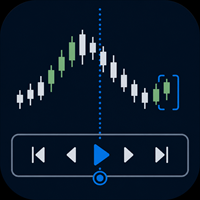
Practise your trading process with recorded broker history inside MetaTrader 5.
MT5 Backtesting Studio is a manual trading simulator for discretionary traders. It combines historical chart replay, simulated orders, strategy notes, session journaling, and detailed analytics without placing or modifying broker orders.
Use it to test intraday or swing-trading ideas, repeat a structured practice plan, and review what happened after each session.
Replay recorded history from your broker
The EA u

September Launch Offer: Get SwiftDraw Prime for $49 instead of $100 until September 30.
SwiftDraw Prime is a professional charting utility designed to make technical analysis faster, cleaner and more efficient. Built for traders who rely on manual chart analysis, SwiftDraw Prime brings essential drawing, multi-timeframe synchronization and trade-planning tools together through intuitive keyboard shortcuts, allowing you to create, edit and remove chart objects with minimal clicks. Whether you are

SmartTrade EA is a manual trading panel that docks on the chart. It brings order entry, position management, risk limits, statistics, the economic calendar and price alerts into one interface, so you can open, protect and close a trade without leaving the chart or opening a dialog.
It is a tool, not a strategy. It does not place trades on its own and does not generate signals. Every entry is yours. What it handles is the work after the click: moving stops, closing in parts, and keeping you ins

Check an MQL5 signal before you subscribe. A signal can look convincing on the provider page and still be a poor fit for your account. Different symbol names, minimum lots, leverage, hedging or netting, copy latency and a fixed monthly fee can materially change what happens on your account. MT5 Signal Sentinel is not a trading robot and not a signal. It does not trade. It analyzes available data and explains technical and historical risks in plain language. Why this tool was created Many problem

Flight Recorder for MT5 Trade Execution
Trade Lifecycle Forensics is a read-only monitoring utility.
Attach one instance before the trading activity you want to observe. The utility watches account-wide trade transactions generated by manual trading and other Expert Advisors, then connects related request, order, deal, position, and pending-order evidence into reviewable records.
The utility does not open, modify, cancel, or close trades. It has no trading buttons and does not control other

[ 소개 ] 다양한 기능을 가진 전술 선들을 조합하여 추세 매매 , 역추세 매매 , 방어 전략 등 다양한 트레이드 전략 · 전술을 설계하고 실행하는 지휘 허브 역할 . 스마트 밸류 : Smart EditBox([SE]) 입력값을 기반으로 동작 . 값이 0 이면 스마트 기능 비활성화 Cutoff 값 미만이면 현재가 기준 ± 증분치로 해석 Cutoff 값 이상이면 절대 가격으로 인식 전술 선 (Tactical Lines) : 스마트 밸류와 버튼을 결합해 정의 . [ClsProfit] 선 : 현재가가 선에 도달하면 , 이익중인 포지션 청산 . [ClsLoss] 선 : 현재가가 선에 도달하면 , 손실중인 포지션 청산 . [ClsAll] 선 : 현재가가 선에 도달하면 , 모든 포지션 청산 . [TrailingExit] 선 : 현재가가 선에 도달하면 , 이익가를 계속 확장하다가 최대 이익가 기준으로 감소가 Trailing interval 값보다 커지는 순간에 청산 . [Cl

LEGEND TERMINAL PRO — Trade Execution & Risk Management Panel for MetaTrader 5 Legend Terminal Pro is a manual trade execution, risk management and position management panel designed for MetaTrader 5. It brings the essential stages of discretionary trading into one interface: trade preparation, risk calculation, order execution, position management and performance analysis. Legend Terminal Pro does not generate trading signals and does not make trading decisions for you. The trader remains in fu

XAU Expansion Price Level Hourly XAU Expansion Price Level Hourly is a simple and practical tool designed to help traders measure and analyze hourly price expansion on Gold (XAU) . The indicator measures price movement starting from the opening price of each hour , allowing you to clearly see how far the market has expanded from the hourly opening level. You can choose which hourly period you want to analyze: Previous Hour Current Hour Next Hour This makes it easy to compare hourly price levels

SL Risk Manager Auto SL System SL Risk Manager Auto SL System is a practical and easy-to-use tool designed to help you manage your Stop Loss levels before and after opening a trade . With this tool, you can set your Stop Loss level before entering a position . Especially when trading Gold (XAU), you can easily define your Stop Loss based on a specific dollar amount , giving you better control over the risk of each trade. You can also use the panel to automatically open trades according to the ra

DELTA ATLAS Orderbook Order-Flow Visualization Dashboard for MetaTrader 5 Futures
A unified, full-screen dashboard for discretionary futures traders that turns the raw order flow into one clear picture. Every executed trade is rendered as volume bubble scrolling across a live liquidity heatmap, read against a real depth-of- market ladder, a live footprint, the session volume profile and cumulative delta — the whole auction, drawn in real time. On top of the tape sits a graded Analyst and a fam

Buster Call — account guardian for MetaTrader 5 Manage account drawdown, daily loss limits and exposure around scheduled news from one MT5 utility. Buster Call monitors the account across manual trades and Expert Advisors, with optional strategy-level controls and trade copying. The guardian does not generate buy or sell signals. When an enabled protection rule is triggered, it can close positions, delete pending orders and continue patrolling the account. ARMADA, the optional copier, can open a

Legend Terminal is a manual trade execution and risk management panel for MetaTrader 5. Designed to provide a clear and structured trading workflow directly from the chart, it combines order execution, position sizing and risk calculations in one interface. Order Types • Buy
• Sell
• Buy Limit
• Sell Limit
• Buy Stop
• Sell Stop
• Buy Stop Limit
• Sell Stop Limit Risk Management • Fixed lot position sizing
• Percentage risk position sizing
• Automatic volume calculation
• Risk amount calculation

"Manual trading panel for MT5: trailing stop, daily targets and risk management in one click."
TradePanel Single is a professional manual trading panel for MetaTrader 5, built for traders who want speed, organization and automatic position protection, without juggling multiple tools or complex setups.
Everything you need lives in a single panel: one-click buy/sell, point-based stops and targets, trailing stop, and real-time daily/weekly/monthly results.
===== KEY FEATURES =====
- ONE-CLICK Q
FREE

Stop Guessing Your Lot Size. Trade With Defined Risk. Order Management Script is a FREE risk-management utility that automatically calculates your lot size, Entry, Stop Loss, and Take Profit based on your predefined trading rules. No manual position-size calculations.
No repeated SL/TP calculations.
Just define your risk and trading setup. KEY FEATURES Automatic Lot Size Calculation
Calculate the correct position size using: • Fixed monetary risk
• Percentage of account equity Multip
FREE

One click to open. One click to protect. SMART PANEL is a minimalist panel for disciplined trading: no extra noise — only what a trader really needs every day: order placement, risk control and profit protecti 1. Fast order placement BUY / SELL buttons with MARKET / LIMIT / STOP menu. Entry, stop and take-profit lines — draggable right on the chart. Ready ratios 1:1 · 1:2 · 1:3 — one click, risk is already set. −% / +% buttons — risk per trade adjusted in a second. 2. Built-in
FREE

AK Strategy Creator ( STC ) enables traders to create, edit and save their own strategies using MT5 standard and custom indicators. Attach your strategy's indicators or load your chart template. Add/Remove indicators and modify their settings as needed. Once satisfied, save as chart template. Give the template a specific name as it will be needed for demo/live trading. To backtest the strategy in Strategy Tester, save the template also under the name "tester". If it's already available, overwri

Trade Report to CSV — Your Trade History, One Clean Row at a Time Tired of MT5's built-in reports leaving you wanting more? This script turns your closed trade history into a tidy, ready-to-analyze CSV — one row per trade, no digging required. Fields exported
Entry time, Type (BUY/SELL), Lots, Symbol, Entry price, Stop loss, Take profit, Close time, Close price, Commission, Swap, Profit, Profit in pips, Magic number, Holding time, Close reason (SL/TP/manual/EA), Comment Highlights Choose you

History Integrity Scanner MT5
See what closed-bar history your current MT5 terminal actually has available before you rely on it for analysis or development.
History Integrity Scanner MT5 is a read-only utility that scans a configurable symbol and timeframe matrix directly inside the terminal.
Its primary purpose is terminal-native, direct, read-only, multi-symbol/timeframe closed-bar history inspection.
It summarizes synchronization, requested versus copied bars, coverage dates, timestamp

Chart Context Keeper MT5
Change timeframe without losing the historical moment you were studying.
MT5's fixed chart position helps with zooming, but a timeframe change can move the chart away from the date under review. Chart Context Keeper adds the missing continuity: attach it once, then keep using MT5's normal timeframe controls.
Why it is useful
• Keeps the captured historical time visible after a timeframe change • Adds no dashboard, recurring button, modal, or confirmation • Runs as

Chart View Slots MT5
Chart View Slots MT5 adds a compact visual-view dock directly to an MT5 chart.
Switch among Focus, Trade and Review appearances without opening Chart Properties, loading a template or moving to a separate dashboard.
Capture your own appearance into any slot, apply it to the active chart or all open charts, and use Undo to restore the appearance that existed immediately before the last apply.
Main workflow
1. Attach the Indicator to one chart. 2. Click Focus, Trade or

AP PROFITRADE is a hybrid tool for MT5 that combines the ALEKSEEV PROFIT robot and the AP HELPER indicator in a single panel. It allows simultaneous viewing of market analysis and order management. Can be used as a panel for manual trade setup with full analytics — two tools in one interface. Analysis includes volume, RSI, Stochastic, MACD, ATR, support and resistance levels, price projection, stop loss and take profit. Differs from the AP HELPER indicator in that it allows not only viewing a

One job, maximum flexibility: the expert watches all activity on your trading account and sends you a Telegram message and/or chart screenshot for any chosen event type. Every event, message template and filter is user-configurable. What it is for You trade manually and want to know instantly about your trades in Telegram (openings, closings, TP/SL, trailing, breakeven, partial close). You run EAs — have a single notification channel for every trade on the account without opening t

TradePanel Pro - Manual Trading Panel with Grid, Trailing, and Targets
"Complete manual trading panel for MT5: grid, trailing stop, smart breakeven, daily targets and risk management in one click."
TradePanel Pro is a professional manual trading panel for MetaTrader 5, built for traders who want speed, organization and automatic position protection — without juggling multiple tools or complex setups.
Everything you need lives in a single panel: one-click buy/sell, point-based stops and targe

Quant Desk Pro An R-native trade manager for MetaTrader 5. It manages the trades you have already opened: it measures what each one is really risking, protects it, scales out of it on a plan you set, trails what is left, and stops the whole book when the day has gone far enough wrong. Read this first. Quant Desk Pro does not open trades and has no signal. And it ships in VIEW ONLY : it will not send a single order until you set I understand the risks to true in the inputs. Until you do

One-click risk-based trading with draggable SL/TP and a live risk readout.
Full description DocFX Trade Manager is a lightweight, always-on trading panel that handles the full lifecycle of a discretionary trade. It handles lot sizing, entry, stop management, break-even, trailing, and partial exits; all without manual lot-size math or switching away from your chart. Complete with strategy tester support.
Key features One-click buy/sell with your choice of Risk % of balance (with 1%/2%/5% prese

TradingAssistant TA Interactive Manual & Semi-Automatic Trading Panel for MetaTrader 5 Trading Assistant Dashboard is a practical on-chart trading panel designed for traders who want fast manual order execution, flexible position management, and real-time multi-timeframe market information — all from one dashboard. Instead of navigating through multiple MT5 windows, the assistant places essential trading controls directly on the chart, allowing traders to manage positions and monitor market cond

Signal Bridge Pro connects any custom indicator to your trading account. It reads the indicator's buffers, applies your filters and risk rules, and executes the trades for you. No programming and no indicator source code are required. Please read first: this is a utility, not a trading strategy. It does not generate signals of its own. You need an indicator that already produces buy and sell values in its buffers. The quality of your results depends entirely on the indicator you connect. https:/

Manual trading panel for MetaTrader 5. This tool enables you to open a trade in a single step. You can set the risk and levels directly on the chart and the position size will be calculated automatically. The tool does the following: You simply drag the stop-loss (SL), entry, and take-profit (TP) lines directly onto the chart. The position size is then calculated automatically, based on the specified risk as a percentage of the deposit or in the account currency. If necessary, you can specify a
FREE

BliksemButtons Pro — Ultra-Fast One-Key MT5 Execution & Risk HUD Stop losing precious pips navigating order dialogs. BliksemButtons Pro transforms MetaTrader 5 into a high-speed execution console built specifically for scalpers, news traders, and prop firm traders who demand zero-latency manual order placement and dynamic risk protection. Why Traders Choose BliksemButtons Pro Instant Hotkey Execution: Fire Market Buys, Market Sells, or clear all positions with a single keystroke. Smart Broker St

CHRONOEQUITY BEACON — ACCOUNT MONITORING AND ECONOMIC CALENDAR
ChronoEquity Beacon is an information utility for MetaTrader 5. It monitors the trading account, summarizes open positions and sends reports and alerts to Telegram.
The utility does not open, modify or close trades. It can run on a separate chart alongside any manual or automated trading system.
MAIN FEATURES
• Monitoring table for all available currency symbols. • Number of BUY and SELL positions. • Total trading volume and curr

MainSet Workbench Order Manager MainSet Workbench Order Manager is a practical and powerful trading panel designed to help you manage your trades, calculate position size, and keep your chart analysis organized — all from one convenient workspace. The Order Manager Workbench can automatically calculate the appropriate lot size based on the balance of your trading account , helping you determine your position size quickly and easily. Order Management With the panel, you can manage your trades wit

Pro Order Lot Size Calculator Pro Order Lot Size Calculator is a simple and practical tool designed to help you calculate the appropriate lot size based on the amount of risk you want to take . With this tool, you can easily calculate your trading risk directly from the panel according to the amount of money available in your account. Easy Risk & Lot Calculation The panel is designed to be very simple and easy to use. You can choose how you want to define your risk: Enter your desired risk amoun

Xiao Dan Kuai Pao is a fast and clean one-click order panel for MetaTrader 5. Open and manage your trades instantly, with Stop Loss and Take Profit placed automatically — no more typing TP distances by hand. Key features: - One-click buttons: BUY, SELL, CLOSE, BREAK EVEN - Custom Stop Loss and Take Profit (in points) — set any distance you want - Flexible risk/reward — combine SL and TP freely to build any ratio, such as 1:1, 1:2, 1:3, 1:4 or 1:5 - Real-time price display (Bid) - Bar countdown t

Effectual Trade Copier (Master + Slave in One EA) — File-Based, Local, No DLLs A simple, fast, reliable trade copier for MetaTrader 5 — one single EA that runs as either the source or the destination, selected with a single input. Attach it to your source account with Mode = MASTER and to your destination account with Mode = SLAVE . No separate files, no DLLs, no network dependency — just a local shared file bridge, ideal for copying between accounts on the same VPS. What it does: Copies new pos

KIWI TRADE ASSISTANT PRO MT5
Kiwi Trade Assistant Pro MT5 is a visual manual-trading and position-management utility for MetaTrader 5. It helps traders plan entries, calculate position size, place orders and manage open positions from one chart panel.
This product does not generate trading signals and does not decide market direction. The trader chooses every entry and remains responsible for risk and execution.
MAIN FEATURES
• Visual Entry, Stop Loss and Take Profit lines • Automatic lot c

GoodLocking Panel — One-Click Ladder & Position Manager for MT5 Product type: Utility (manual trading assistant) Platform: MetaTrader 5 Version: 2.00 OVERVIEW GoodLocking Panel is an on-chart control panel for traders who work with layered pending orders and multi-position baskets. Every action that normally takes dozens of clicks in the terminal — placing ten pending orders, closing one side of a hedge, applying stop loss and take profit to a hundred open positions — is reduced to a single butt

Six18 LOT SIZE CALCULATOR FOR MT5 LOT SIZE CALCULATOR + AUTOMATED TRADE EXECUTION Stop calculating your lot size manually. Let Six18 do the math for you. Want to risk 1%, 2%, 5% — or a specific dollar amount on a trade? Simply enter your desired risk as a percentage (%) or fixed dollar amount ($) . Six18 automatically calculates the appropriate lot size for your account and Stop Loss distance. NO MORE MANUAL LOT-SIZE CALCULATIONS. NO MORE GUESSING. Whether your account is $1,000, $10,000, $50,00

PEAK DRAWDOWN PRO v5.0 Risk & Profit Manager for MetaTrader 5 Peak Drawdown Pro is an advanced account protection and profit management utility designed for MetaTrader 5. The product continuously monitors account equity and provides automated protection against excessive drawdown while also managing configurable profit targets and profit cycles. Peak Drawdown Pro is designed for traders who want an additional layer of automated account-level risk control. MAIN FEATURES Drawdown Protection Peak D

Dingji Risk Manager MT5
Formal Version V2.00
Author: Dingji [Download and Installation]
Download and install the current version from this product's MQL5 Market page or the MetaTrader 5 terminal. If the Market download is temporarily unavailable, retry from the terminal later. Do not obtain executable files from unofficial links. [Product Description]
Dingji Risk Manager MT5 is a MetaTrader 5 EA for trade planning, risk-based position sizing, order management and visual chart assistance. Enter
FREE

One Click Close Lite 是一款專為 MT5 手動交易者與多持倉使用者設計的簡易平倉工具。
當帳戶中同時存在多張交易持倉時,不需要再逐張點擊關閉,只需要透過圖表上的按鈕,即可快速執行批量平倉。
工具提供三個主要功能:
CLOSE ALL
一鍵關閉帳戶目前所有持倉。
例如帳戶中同時存在:
XAUUSD BUY EURUSD BUY GBPUSD SELL USDJPY BUY 按下:
CLOSE ALL
工具會依序嘗試關閉目前帳戶中的全部持倉。
---
CLOSE BUY
只關閉帳戶目前所有 BUY 持倉。
例如:
XAUUSD BUY EURUSD BUY GBPUSD SELL USDJPY BUY
按下:
CLOSE BUY
則會關閉:
XAUUSD BUY EURUSD BUY USDJPY BUY
而:
GBPUSD SELL
會保持不變。
CLOSE SELL
只關閉帳戶目前所有 SELL 持倉。
BUY 持倉不會受到影響。
---
即時持倉資訊
工具面板會顯示目前帳戶的基本持倉資訊,包括:
* 總持倉
FREE

RADAH Dashboard is an advanced performance analytics utility for MetaTrader 5, designed to transform your account history into a clear, organized and interactive trading performance overview.
It does not open, modify or close trades. Its purpose is exclusively analytical, allowing you to review the performance of the entire account, a specific symbol, or a strategy identified by its Magic Number.
Chart View
Visualize your trading performance through an integrated balance/equity performance c
FREE

Monthly Calendar MT5 simply presents your MT5 Trading History Beautifully. Your Entire Trading Month. At a Glance. Key Features
Download:
User can download screenshot by clicking Download icon.
Customizable Title:
Users can change the default “Monthly P/L Calendar” title to their preferred title.
Instant Profit/Loss Recognition:
Live tracking and P\L updates in seconds.
Click-to-Inspect:
Click any trading day to open detailed trade information.
Complete Trade Details:
Review time, sym
FREE

Backstop enforces the two rules that end funded accounts. A daily loss limit and a maximum loss limit, applied to everything on the account — every Expert Advisor, every symbol, and every trade you place by hand. Attach it to any one chart and it governs the whole terminal. It does not trade. It has no strategy, no signals and no opinion about the market. It is a governor. What it does Daily loss limit — measured from balance at the reset, equity at the reset, or a fixed account size. Firms diff
FREE

Google SheetExporter — MT5 ↔ Google Sheets Google SheetExporter automatically exports your full MetaTrader 5 deal history to Google Sheets and keeps it synchronized. Every few minutes, your complete trading history appears in your own spreadsheet: every deal, every position matched from entry to exit, every EA identified by name. WHAT IT DOES • Exports the complete deal history (default: 10 years back) — not just open positions • Re-syncs automatically on a timer (default every 5 minutes), start
FREE

Drawdown Dashboard Lite 適合希望隨時掌握帳戶風險狀態的 MT5 使用者。
工具掛到任意圖表後,會每秒自動更新帳戶資料,讓使用者可以快速查看目前資金狀況與回撤程度,而不需要另外計算。
主要顯示內容包括:
Balance:目前帳戶已實現資金餘額 Equity:Balance 加上目前所有未平倉浮動損益後的實際帳戶權益 Floating P/L:目前全部持倉的總浮動盈虧 Current Drawdown:目前 Equity 低於 Balance 的金額與百分比 Session Peak Equity:自工具啟動後曾出現過的最高 Equity Session Max Drawdown:自工具啟動後,從最高 Equity 回落所出現的最大回撤 Positions:目前帳戶中的持倉總數
例如:
Balance: 10,000 USD Equity: 9,820 USD Floating P/L: -180 USD Current DD: 180 (1.80%) Session
FREE

AJUSTAR TP SEGÚN LÍNEA DE TENDENCIA — Modificación Dinámica de Take Profit en MT5 Este script para MetaTrader 5 permite proyectar el precio actual de cualquier línea de tendencia presente en el gráfico y asignarlo automáticamente como Take Profit (TP) a las posiciones abiertas que cumplan con los criterios de filtrado seleccionados. Es una herramienta imprescindible para traders que proyectan sus objetivos de salida basándose en estructuras diagonales, canales de precio, directrices de tendencia
FREE

批量止損止盈同步管理器 這是一款專為 MT5 多持倉交易者 設計的持倉管理工具。 當同一個商品、同一個方向同時有多張持倉時,只需要手動修改其中一張持倉的 Stop Loss(SL)或 Take Profit(TP) ,工具就會自動把該持倉目前完整的 SL / TP,同步到其他相同商品、相同方向的持倉。 例如: XAUUSD BUY #1 XAUUSD BUY #2 XAUUSD BUY #3 如果將 #1 修改為: SL = 3300 TP = 3500 其他 XAUUSD BUY 持倉會自動同步成相同設定。 主要功能 批量同步 Stop Loss 批量同步 Take Profit 可同時同步 SL + TP 支援將 SL 或 TP 設為 0,批量移除 BUY 與 SELL 分開管理 不同商品分開管理 新開持倉不會立即觸發整批同步 啟動時只記錄現有持倉,不會自動修改 平倉後自動移除內部紀錄 一個圖表即可管理帳戶中的多個商品 分組方式 工具以: 商品 + 交易方向 作為同步群組。 例如: XAUUSD BUY XAUUSD SELL EURUSD BUY EURUSD SELL 全部視
FREE
MetaTrader 플랫폼 어플리케이션 스토어에서 MetaTrader 마켓에서 트레이딩 로봇을 구매하는 방법에 대해 알아 보십시오.
MQL5.community 결제 시스템은 페이팔, 은행 카드 및 인기 결제 시스템을 통한 거래를 지원합니다. 더 나은 고객 경험을 위해 구입하시기 전에 거래 로봇을 테스트하시는 것을 권장합니다.
