 MetaTrader 5
 Experts
 지표
지표
 라이브러리
라이브러리
 유틸리티
유틸리티
 위젯
위젯
 규칙
규칙
MetaTrader 5용 새 트레이딩 유틸리티 - 13
 다음은 MetaTrader 5의 거래를 단순화하는 거래 프로그램입니다. 유틸리티의 설명과 목적을 읽으려면 유틸리티 위에 마우스를 놓으십시오.
Seconds Calculator — Seconds chart + Risk-based position calculator + Trade management Seconds Calculator — The all-in-one tool for precision trading on MT5 — MetaTrader 5 only offers timeframes from 1 minute up. This utility adds, in a floating window over your chart, a seconds-based candlestick chart, a risk-based position calculator, and a complete trade management panel. Built for scalping and precision trading. Seconds candlestick chart: Shows your open positions with entry, Stop Loss and T

Seconds Chart Calculator Tester — Seconds chart + Risk-based position calculator + Trade management This is the free DEMO version of Seconds Calculator. You can try every feature of the full product, with a usage limit (see below). For unlimited use, get the full version. Seconds Calculator — The all-in-one tool for precision trading on MT5 — MetaTrader 5 only offers timeframes from 1 minute up. This utility adds, in a floating window over your chart, a seconds-based candlestick chart, a risk-ba
FREE

Copy trading signals from your Telegram channels straight to MetaTrader — automatically, in real time. No external server, no monthly fee.
TgCopier turns the signals posted in your Telegram channels into live orders on your MetaTrader account. It reads your own Telegram bot directly through the official Telegram API (api.telegram.org) — there is NO third-party server in the middle, nothing to subscribe to, and nothing that can go offline. Your data stays between your bot and your terminal.
It

Manzano Risk Reward Box The PRO version, including direct trade execution and automatic R-based trailing management, is available. For information about the PRO version, please contact us via MQL5 private message. Manzano Risk Reward Box is a visual trade planning and risk management tool for MetaTrader 5, designed to help traders prepare their positions directly on the chart before execution. It allows users to create visual BUY and SELL scenarios, define the percentage of the account they want
FREE

ChartReset Pro ChartReset Pro is a professional MT5 chart management and reset utility designed to give traders complete control over their chart environment. Instead of manually removing indicators, deleting chart objects, and changing chart colors one by one, ChartReset Pro provides a clean and efficient control panel that lets you manage your chart in a few clicks. Key Features Select and Remove Specific Indicators ChartReset Pro reads the indicators that are actually loaded on the current ch

OVERVIEW Currently available free of charge for a limited time.
Rapid Trade Manager Fast is a semi-automatic utility for MetaTrader 5. It combines order execution, position management, automatic grid trading, operational protections, and a Currency Portfolio in two on-chart panels. The user decides how to configure and enable each feature and remains responsible for risk. This product is not a signal service: automatic entries occur only when the relevant features are enabled. Both panels can
FREE

NOSTROMO NAVIGATOR: The Ultimate Multi-Asset EA Factory
LAUNCH OFFER: $ 99 ONLY ! (Save $ 150- Regular Price: $ 249) Price increases permanently to $ 249 in less than 48 hours. Get your lifetime license now !
STOP BUYING HUNDREDS OF EA´S. START BUILDING THEM INSTANTLY.
Nostromo Navigator is not just another trade manager. It is a Universal Multi-Asset Trading Engine that transforms ANY of your favourite custom indicators into a fully automated,institutional-grade Expert Advisor.
Why b

Risk Manager Lot Calculator tells you the exact lot size to trade so that a losing trade costs only the amount you decide, no more. You set your risk as a percentage of the account or as a fixed money amount, and you set your stop loss by pips, by price, or by dragging a line on the chart. The panel then shows the correct position size, the money at risk, the pip value and, when you add a take profit, the reward to risk ratio and the potential profit. Position sizing is the part of trading that
FREE

DIVERGENCE SCANNER Find Divergences Faster. See What Others May Miss. Divergence Scanner is a specialized tool designed to automatically identify potential divergences across multiple trading instruments. It analyzes Stochastic and RSI , detects bullish and bearish divergences, and presents the results in a clear, structured table. Key Features: Automatic divergence detection; Stochastic analysis; RSI analysis; Bullish divergences; Bearish divergences; MOSTIPAN SMART TRADING
FREE

TREND SCANNER Stay With the Trend. Trade With Confidence. Trend Scanner analyzes the market to determine trend direction and strength using a combination of technical indicators. The system combines EMA 150/365, EMA 9/21, RSI, MA to confirm market direction and filter out weak or sideways conditions. Key Features: Bullish and bearish trend detection; EMA 150/365 and EMA 9/21 analysis; RSI confirmation; MACD momentum analysis; ️ ADX ranging-market filter; Trend strength measur
FREE

How to run the script in MT5. Open MetaTrader 5. Press Ctrl + N to open the "Navigator" window. Locate the "Scripts" folder. Drag and drop RR Control Pro onto the chart with the open trade.
How it works.
Automatic detection: Once you drag the script onto the chart, it automatically identifies the most recently opened position on your trading account. Direction detection: The script checks whether the trade is a BUY or a SELL to calculate distances correctly. Formula: The ratio is calculated a
FREE

1. What Is It? -------------------------------------------------------- A TradingView-style visual panel EA for your open positions. It draws semi-transparent zones for the Open, Take Profit (TP) and Stop Loss (SL) of ALL positions of the current chart symbol directly on the chart, and lets you:
* Modify TP / SL by simply dragging the label boxes * Close a position with one click * Clear or set SL / TP * No deal-ticket dialog needed
【IMPORTANT】 Why is it an EA and not an indicator? Me

Launch price: 3 months for US$ 30 and lifetime license for US$ 59 (regular price: US$ 129). Valid only until the first 10 reviews. After that, the price returns to its regular value.
Want to try it first? Download Boleta Prime Essential for free: one-click orders, risk calculator and automatic SL/TP. When you need partials, breakeven and shortcuts, Boleta Prime is here.
https://www.mql5.com/en/market/product/197 959
Boleta Prime
Boleta Prime was born from the experience of someone wh

MegaScanner — see the market with two eyes A universal multi-symbol scanner that combines two analytical systems in one panel. ️ Functionality Finds entry points in the market and shows the MEGA TRADER — Complete User Guide Version: 1.05 Type: Expert Advisor for MetaTrader 5 Purpose: automated trading of DIVERG divergence signals with a sideways-market filter, deposit-based risk management, ATR-based SL/TP and a trailing stop. ️ Important: this is a fully automated Expert

PropGuard Solo MT5 is an account-wide loss-monitoring utility for MetaTrader 5. It monitors configurable daily and total loss limits across all symbols, magic numbers, Expert Advisors and manual positions on one account. This product does not open trades. It is not a trading strategy and does not claim or guarantee profit, challenge completion, or prevention of a rule violation. What it monitors - Daily loss as a percentage of the reconstructed start-of-day balance. - Total loss as a percentage

------------------------------------------------------------------------ QUICK OPERATION GUIDE ------------------------------------------------------------------------
Scenario A: This terminal is the MASTER (Sender) 1) Attach the EA, enable Algo Trading, configure the whitelist; 2) Click [I am sender] (button highlights); 3) The status bar changes to "I am sender"; the log shows that the account's position changes are being monitored and published; 4) Trade normally on the master

QuantumTraderPanel — MQL5 Market Product Page
1. Short Description (Tagline) QuantumTraderPanel is your all-in-one trade management cockpit — risk-based lot sizing, automatic break-even and trailing, and full basket protection, all in one panel.
Alternates: - *"Stop managing trades by hand. QuantumTraderPanel calculates your lot size, protects your profit, and guards your whole basket — automatically."* - *"One panel. Every trade sized right, every position protected, every basket under contr

RiskCalculator turns manual position sizing into a single click.
Type your Stop Loss and your risk tolerance — RiskCalculator instantly calculates the exact lot size for your account, then lets you send the order (Market, Limit or Stop, either direction) straight from the chart panel, with Take Profit and Risk:Reward calculated automatically.
Every number comes from your broker's real symbol specification — tick value, tick size, contract size, volume step, stop level, margin — never hard-cod

SuperPositionTerminal is a manual trading terminal for MetaTrader 5, built for discretionary and prop-firm traders who work to fixed daily risk limits. Build, size and execute every trade from one control panel: position sizing by account percentage, fixed money risk or fixed lot, multi-level partial exits, automatic break-even, and daily limits that refuse a trade before the money is at risk. It is not an automated strategy. It does not predict, signal or trade for you. It is the control surfac

SVS Assistant SVS Assistant is the execution half of Smart Volatility Squeeze MT5. It carries out the orders you request from that indicator's 1-Click Trading Desk, applies your risk rules to them, and manages the resulting positions. It is published free of charge. Please read this before downloading: it does not analyse the market and it produces no signals of its own. Without the Smart Volatility Squeeze indicator running on the same chart there is nothing for it to listen to, and it will do
FREE

Our offer also includes a free panel — Indicator Panel — which allows you to show or hide indicators created by BOToBRACIA -> MT4 / MT5 Our offer also includes a version for MetaTrader 4 -> https://www.mql5.com/en/market/product/190450?source=Site+Market+My+Products+Page
Trading Panel is an advanced tool for manual and semi-automated trade execution and position management. It allows traders to open positions instantly while simultaneously setting Stop Loss and Take Profit levels. With bu

DAILY RISK PROTECTOR MT5 Daily Risk Protector MT5 is a risk-control utility for MetaTrader 5. It monitors daily performance, account drawdown and user-defined limits. When a configured condition is reached, it can issue an alert or close the matching exposure and keep the selected scope locked until the next daily reset. This utility does not open trades, generate signals or use an entry strategy. It is designed to work alongside manual trading, trading panels and other Expert Advisors. MAIN FEA

Your account shows a 78% win rate and a positive average. Does that mean your strategy works, or did you get lucky? Most history tools answer a different question. They show balance, equity, profit by symbol. Useful, but none of them tell you whether the number you are looking at is a real edge or noise. Luck or Edge reads your closed trades and answers that one question. WHAT IT SHOWS Verdict. A single line at the top: Real edge, Could be luck, Systematic loss, or Sample too small. Most of the

# RC ChartTrade
RC ChartTrade is a compact visual trading panel for MetaTrader 5. It allows traders to place and manage market and pending orders directly from the chart through a clear and practical interface.
The panel combines order entry, Stop Loss and Take Profit settings, position monitoring, and chart-based trade management in one workspace.
## Main Features
- Buy and sell market orders. - Buy Limit, Buy Stop, Sell Limit, and Sell Stop pending orders. - Configurable trading volume. -

You already know where the stop should sit. Drag the gold line there, set the risk, press Trade. Lot size is worked out from that distance. No grid of buttons for things you do once a year. Stop Line Trade Manager is a chart panel for manual trading. Optional green entry line in pending mode. This is not an automated strategy and it does not generate signals. How to use Attach the Expert Advisor to a chart. Drag the stop line to where you want the stop loss. Choose MARKET or PENDING. In pending

Smart Risk & Trade Assistant — Ultimate Risk & Trade Management Panel for MT5 Smart Risk & Trade Assistant is a professional, feature-rich trading utility designed for MetaTrader 5. Whether you are a scalper, day trader, or swing trader, this advanced panel puts complete control of your risk management, lot sizing, and position execution right on your chart. Say goodbye to manual lot calculations, emotional over-leveraging, and slow order entries. Trade smarter, faster, and safer with 1-click ex

A hard stop your discipline can't argue with. Free - no DLL, no internet, no subscription.
A ton of work has gone into this to make it the best I can make it, and it is free - not a trial, not a lite version - and it always will be. I am still developing it, so expect regular updates. Spotted a bug, or want something added? Reach out in the Comments and I will get it done.
PFX Equity Shield watches your whole account - every symbol, every EA, every manual trade - against the limits you set. T
FREE

Settings Change Magic Number at The Top of the Setting to Zero for Manual Trade Profit threshold (pips) : this is the threshold (in pips) an order has to hit, before the SL is set and the SL starts trailing. Before the threshold is hit, the module will have no effect. Example: if this value is set to 30, then the SL will be set (and the trailing will start) when the order has a profit of 30 pips. Trail start value (pips) : the amount of pips where the SL starts trailing. The SL is set at: Open
FREE

Closed All Positions Closed All Positions is a simple and efficient MetaTrader 5 trade management utility designed to close open positions quickly with a single click. The utility provides a clear CLOSE ALL POSITIONS button directly on the chart, allowing traders to exit multiple open positions without manually closing them one by one. Main Features One-click close - close all matching open positions with one button press. Fast Close Mode - designed to dispatch closing requests quickly when mult
FREE

Your risk, sized before the trade. Set risk once - percent of balance, percent of equity, or a fixed amount - and the panel computes the lot for every trade from your stop distance. Drag the ENTRY, SL and TP lines on the chart; each carries a live label with price, money at risk and R multiple, with shaded risk and reward zones. An entry line placed away from price becomes a pending order. Orders you can account for. Every order, market or pending, is written to a durable journal before it is se
FREE

Inggris:
SAMA dengan Master → SAME as Master
1.0 = lot sama, 2.0 = 2x → 1.0 = Same lot, 2.0 = 2x
Beda tiap client boleh, biar tidak bentrok → Different for each client is allowed, to avoid conflicts
true = SL TP 100% sama kayak Master → true = SL TP 100% identical to Master
true = kalau Master close, Client ikut close → true = if Master closes, Client closes as well
" Here is a professional and engaging product description in English for your **EA Copy Client**, structured to attract and
FREE

EquityGuardEA v2.00 は「Equity監視+資金管理+マルチEA成績表示」を行うツールです。 プロップファームで複数のEAのポートフォリオを運用する際に必要となる以下の機能を持っています。 任意のチャートを一つ使って、通常のEAと同じように使用します。 利用例はスクリーンショットをご覧ください。
*購入後レビューを投稿していただいた方には本ツールの上位機能版をお送りします。上位機能版では1.EAのチャートを閉じるのではなく、アルゴトレーディングをオフにする、2.ニュースフィルターの機能が提供されます。
1. 資金管理(Equity Guard)機能 パラメーター 内容 InitialBalance 損益率計算の基準となる初期資金 Target_Equity_Percent 目標利益率(%)。到達で発動 MaxDD_Percent 最大ドローダウン率(%)。残高比で到達すると発動 DailyDD_Percent 日次ドローダウン率(%)。当日始値Equity比で到達すると発動
2. EA停止機能 Magic1〜3 (監視対象のEA、最大3つ)について、同一シンボル
FREE

QuantEx Position Manager is a manual trade-management utility for MetaTrader 5. Its on-chart panel provides fast access to common position and pending-order actions while keeping the trader in direct control. The utility does not generate signals or open trades. Two-click confirmation is enabled by default to help protect trade-closing and pending-order actions.
Key Features 1. Clean on-chart management panel. 2. Account-wide or current-symbol management scope. 3. Live position cou

MirrorForge Local MT5 Trade Copier MirrorForge is a local MT5 trade copier designed to mirror trading activity from a Master account to a Slave/Target account using a file-based communication system. The EA can copy open market positions and pending orders , synchronize Stop Loss and Take Profit levels, support different lot-sizing configurations, handle broker symbol differences through prefix/suffix mapping, and maintain Master-to-Slave ticket relationships across terminal restarts. MirrorFor

MT5-MT4 Local Copier is a fast, reliable and completely local trade copying solution designed for traders who manage multiple accounts across MetaTrader 5 and MetaTrader 4 platforms. Unlike cloud-based or remote copiers that introduce latency and dependency on third-party servers, this tool works entirely on your own computer or VPS. The Master EA runs on your MT5 account and continuously monitors all open positions. Whenever you open, close or modify a trade (including Stop Loss and Take Profit

Compression Scanner MT5 — watches up to 24 symbols for session-range compression and the expansion that follows, and ranks them by how close each one is to moving.
Every state it reports has an arithmetic definition, printed below. None of them is a forecast.
WHAT IT DOES
One panel, one chart, up to 24 symbols. For each one it measures the range of the session window you set, compares that range against what the symbol normall

Universal News Protection Manager (UNPM) UNPM is an MT5 news-protection and trade-management EA designed especially for traders who need to respect prop-firm restricted news trading windows. Its main purpose is simple: Protect open trades from being accidentally closed by TP or SL during a restricted high-impact news window. This is particularly useful with prop firms that allow positions to remain open during major news, but do not allow trades to be opened or closed within a set number of minu

Drag the stop line to where your stop belongs, and the panel tells you the exact lot that puts your chosen risk on that stop. Press BUY or SELL and it opens at that lot with the stop and the target already attached. After you are in, the same panel moves the stop to break even, trails it behind price, or closes part of the position. The lot is calculated from the broker's own profit model rather than an assumed pip value, so it is correct on currencies, metals, indices and crosses without a per

Protect your MT5 account before a bad trading day becomes a blown account. Most funded accounts are not lost to a bad strategy. They are lost to one bad session. A bad hour, after a bad morning, when the daily limit was already half gone and nobody was counting. This counts. It sits on your chart, watches the limits your account has to stay inside, and refuses to send an order that would break one. In 30 seconds It is not a strategy. No signals, no entries, no arrows. It never opens a trade by i

# EA Copy Trade
## Copy Trading Made Simple
**EA Copy Trade** is an automated trade-copying Expert Advisor designed to replicate trading signals and positions from a Master account to one or more receiving accounts.
The EA is built for traders who want to automate the process of copying entries without manually monitoring charts and placing trades on every account.
### Key Features
* **Automatic Trade Copying** Automatically detects new trades from the Master account and copies them to c

Nabeeha Trade Manager Compact Manual Trade Manager for MetaTrader 5 & MetaTrader 4 Nabeeha Trade Manager is a lightweight and easy-to-use manual trading assistant that helps traders execute and manage trades directly from a compact on-chart panel. It is designed for traders who manually analyze the market but want faster execution, simple risk control, and convenient position management . Key Features One-Click Trading BUY and SELL buttons for quick trade execution. Automatic Stop Loss based on

FX Live — Stats Export
Works only with https://fxlive.trading
Monitor all your MetaTrader accounts from a single dashboard, in real time, across every broker. FX Live Stats Export is an utility, not a trading robot. It never opens, modifies or closes a position. It reads your account and sends the data to your private FX Live dashboard, so you can follow every account you own from one place — on your computer or your phone — without switching between MetaTrader terminals.
WHAT IT DOES Attac
FREE

QUANTRADIC Trade Dashboard: The Ultimate Professional Manager & Simulator Elevate your trading precision with the QUANTRADIC Trade Dashboard, a high-performance utility designed for traders who demand speed, clarity, and total control. Now upgraded to Version 3.0, this dashboard bridges the gap between practice and execution, offering a unique hybrid architecture that serves as both a Real-Time Trade Manager and a Professional Strategy Simulator. NEW in Version 3.0: Hybrid Architecture
The

Trade Analyzer is an interactive charting utility designed to make trade planning and performance tracking easier directly inside MetaTrader 5. It allows you to quickly create and visualize trade setups on your chart, giving you a clear view of your Entry, Stop Loss, and Take Profit levels. Every trade setup you chart is automatically measured and analyzed, showing you the exact risk-to-reward ratio, risk in pips, potential reward, and outcome of the setup. As you chart more trades, RR Analytics
FREE

I ran 2.4x more strategy and 'virtual' capital off of the same funding. Not more capital — the same capital, working 2.4X harder. This is a complex model - see it in action here - https://virtualriskdesk.com/ The problem nobody tells you about
You buy an EA. The backtest was run on a $10,000 account, so you fund $10,000. Then you buy another EA — same thing, another $10,000 somewhere else. Ten EAs later you’ve got $100,000 spread across ten broker accounts, and most of it is sitting there most

Here is the English version of the copywriting, crafted to be engaging, professional, and clear to drive conversions: Trading Dashboard EA: Track & Master Your Trading Performance in Real-Time! Trading without clear data is like driving with your eyes closed. Don't let your hard-earned profits slip away simply because you can't properly analyze your trading performance! The Trading Dashboard EA is your smart solution to monitor, analyze, and optimize your trading account with complete transpa

Basket Guardian EA Protect Your Basket. Lock Your Profit. Basket Guardian EA is an automated trading management Expert Advisor designed to help traders manage open trading baskets with configurable profit-protection and floating-loss controls. Instead of relying entirely on manual monitoring, Basket Guardian provides automated tools for managing basket-level trading conditions and protecting accumulated profits. This is helper EA which can manage your profits and stoploss, You can trade manually
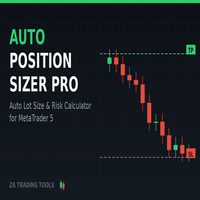
Auto Position Sizer Pro | risk-based lot calculator with drag-to-set SL/TP and 1-click execution
️ Not an auto-trading bot. This tool does not open trades on its own, does not run in the background, and does not trade for you. You place every trade yourself with one click. It only calculates lot size and attaches your SL/TP.
Set your risk in dollars, drag your Stop Loss and Take Profit, get the correct lot size instantly, and execute the trade with your chosen risk. No manual calculations.

Bossque Trade Panel - Ultra-Fast Manual Trading Panel Overview: Tired of laggy, freezing, and heavy trading panels? Meet Bossque Trade Panel – the ultimate, ultra-lightweight trading dashboard for MT5. Built for speed and precision, this dashboard doesn't rely on slow price ticks. It uses a smart internal timer to keep the interface smooth and responsive 100% of the time, even when the market is dead quiet or moving extremely fast. Whether you are a scalper needing instant execution or a swing

PropShield Guardian for MT5 PropShield Guardian is an automated risk-monitoring tool designed for FundedNext CFD accounts (Stellar 2-Step, Stellar 1-Step, Stellar Lite, and Express/Instant models). Operating in MetaTrader 5, it tracks account equity against FundedNext's published evaluation rules and enforces custom trade-discipline filters without executing market orders. Core Features & System Architecture 1. Master Compliance Status The primary dashboard presents a COMPLIANCE STATUS badge. In

Quantum view is an all-in-one interactive dashboard custom-built for MultiCharts that brings live trading execution, account performance tracking, key price levels, and market metrics directly onto your chart.
What's in Quantum view : One-Click Chart Execution: Send Buy and Sell market orders directly from your chart with custom position sizing. Real-Time Performance & Risk: Monitor intraday realized/unrealized P&L, position risk metrics, trade duration, and current account equity live. Automa

ALL YOUR EAs. ONE SCREEN. PROTECTED. You run several robots on one account. Which one is bleeding right now? Which one carried the week? How close are you to your prop-firm daily-loss limit? If answering that means the History tab and a calculator, EA Fleet Monitor was built for you: one chart, one dashboard, every EA accounted for — with optional protection that acts when you are not watching.
FLEET TABLE — EVERY STRATEGY SIDE BY SIDE Each EA is identified automatically by its magic number

Universal Trailing Stop — one utility to manage every stop loss you'll ever trail. UTS is a professional trade-management utility that automatically trails the stop loss of your open positions on any symbol and any timeframe — Gold, Forex, Crypto, Indices. It does not open trades. It protects the ones you (or your EAs) already have. IMPORTANT: This is a trade-management UTILITY, not an Expert Advisor. It never opens positions on a live chart. It manages stops for positions opened manually or by

Vyl Focus Trainer — это инструмент для дыхательной разминки, разработанный для MetaTrader 5, который помогает трейдерам войти в спокойное, сосредоточенное состояние перед началом торговой сессии.
В отличие от стандартных торговых инструментов, эта утилита не анализирует рынок и не открывает сделки. Ее цель — подготовить вас, трейдера, к дисциплинированной, эмоционально уравновешенной торговле. Благодаря двухминутной управляемой дыхательной сессии с визуальными подсказками, инструмент помогает
FREE

Vyl Trade Manager — Full Guide (MT5)
Short Description (Teaser)
Stop calculating lot sizes manually! Vyl Trade Manager is a professional trading panel for MetaTrader 5 that automates risk calculation, executes trades instantly, and gives you full control over your positions with one click. Trade like an institutional trader!
Ideal for:
- Traders who value their time and execution speed
- Beginners who want to manage risk correctly and avoid blowing their account
- Professionals who n

Equity Lockdown is an account-level risk guard for MetaTrader 5. It does not generate signals, predict direction or open trades. It watches your account against limits you define, and when one of them is breached it cancels your pending orders, closes your open positions, and keeps the account flat until the next trading day begins. It acts on every position and every pending order in the terminal, whatever opened it - this tool, another Expert Advisor, or a manual click. A guard that only saw i

LAUNCH PRICE — First 20 buyers only: $99 (regular price $129)
RiskPad Pro — Feature Details Trade Safe. Stay Funded. RiskPad is an MT5 order panel that helps you follow your own trading rules — tracking Daily/Total Drawdown, locking new orders after consecutive losses, and warning you before a trade could breach your risk limit. Whether you're taking on a prop firm challenge, protecting funded capital after passing one, or simply trading your own account, RiskPad keeps your risk rules in view a

# MQL5 Submission - ready-to-paste text
Copy these into the MQL5 Market / Signals forms. Keep it honest - MQL5 reviews every product and buyers distrust hype.
---
## RISK GUARDIAN (MQL5 Market - Utility)
**Product name:** Prop Firm Risk Guardian - Auto Daily Loss & Max Drawdown Protection
**Short description (the top line buyers read first):** Risk Guardian automatically enforces your daily-loss and maximum-drawdown limits. The instant a limit is hit, it closes your positions and blocks fu

차트에서 거래를 준비하고 관리할 수 있습니다. 선택한 리스크 설정으로 롯 크기를 계산할 수 있습니다. 차트의 Buy/Sell 시각 라인을 놓고 이동한 뒤, 그 라인으로 주문을 전송할 수 있습니다.
포지션 사이징 옵션: 고정 롯 금액 리스크 잔고 비율 평가금액(equity) 비율
분할 익절: 차트에 최대 3개의 분할 익절 레벨 각 레벨은 선택한 가격에서 포지션의 일부를 청산할 수 있습니다 거래 라인으로 레벨을 시각적으로 조정할 수 있습니다
트레일링 스톱 모드: 고정 거리 트레일링 캔들 고가/저가 트레일링 ATR 트레일링 프랙탈 트레일링 이동평균 트레일링
브레이크이븐은 가격이 유리하게 움직인 후 손절을 진입가 근처로 옮길 수 있습니다. 시각적 양쪽 지정가 주문은 한쪽이 체결되면 반대 주문이 취소되는 OCO (한쪽 취소) 동작을 지원합니다.
단축키: 차트 타임프레임 변경 및 다음/이전 심볼 전환 키 지정 전체 청산, 수익 청산, 손실 청산, 지정가/스톱 취소, 브레이크이븐 등
FREE

MT5용 Super Seconds 타임프레임 차트
대시보드 버튼 - 클릭하여 초(seconds) 단위 차트 실행
입력 설정(Input)을 통해 초 단위 타임프레임 버튼 사용자 지정 가능
틱(Tick) 또는 OHLC 데이터를 사용하여 실시간 차트 생성
지연 없는 초고속 실시간 차트 렌더링
빠른 객체 지향 알고리즘 적용
최대 10초 단위 타임프레임 차트 생성 및 데이터 가용 범위 내 빠른 과거 데이터 로드
유틸리티 삭제 시 사용자 지정 심볼(Custom Symbols) 자동 삭제
실거래(Live) 모드에서 최상의 성능 검증 완료
MT5용 Super Seconds 타임프레임 차트
대시보드 버튼 - 클릭하여 초(seconds) 단위 차트 실행
입력 설정(Input)을 통해 초 단위 타임프레임 버튼 사용자 지정 가능
틱(Tick) 또는 OHLC 데이터를 사용하여 실시간 차트 생성
지연 없는 초고속 실시간 차트 렌더링
빠른 객체 지향 알고리즘 적용
최대 10초 단위

수동으로 랏(Lot) 크기를 계산하는 것을 멈추고 펀디드 계좌(Prop Firm)를 보호하세요! Apex Panel Pro는 MetaTrader 5를 위한 궁극의 기관급 트레이드 매니저 및 리스크 관리 유틸리티입니다. 프랍펌(Prop Firm) 트레이더, 스캘퍼 및 알고리즘 트레이딩을 위해 설계되었으며, 스마트 그리드 DCA, 피라미딩, 가상 스텔스 청산, 자동 드로우다운 보호 쉴드 기능을 통해 귀하의 차트를 고속 커맨드 센터로 바꿔줍니다.
1. 리스크 관리 및 포지션 사이징 리스크 % 사이징: 계좌 순자산(Equity)의 엄격한 퍼센트를 기반으로 정확한 랏 크기를 계산합니다.
고정 현금 리스크 ($): 모든 트레이드에 대해 미리 정의된 최대 금전적 손실을 고정합니다.
고정 랏 모드: 자동 계산기를 우회하여 고정된 계약 크기로 트레이드에 진입합니다.
핍(Pips) / 가격 모드: 거리(핍) 또는 정확한 차트 가격 수준을 통해 손절매(SL)와 이익실현(TP)을 입력합

첫 10명 구매자 한정 출시 프로모션 가격! Awesome Trade Panel 차트 위에서 바로 작동하는 트레이딩 부조종사 — 창 전환도, 시간 낭비도 없습니다. Awesome Trade Panel은 MetaTrader 5용 완전한 EA 패널로, 주문 실행·리스크 관리·포지션 모니터링을 한곳에 통합합니다. 가볍고 드래그 가능한 인터페이스, 라이트/다크 테마, 그리고 상황에 맞게 자동으로 조정되는 레이아웃을 제공합니다. 유연한 주문 실행, 원하는 방식대로 직접 Sell/Buy — 스프레드를 무시하고 클릭 한 번으로 즉시 시장가 주문. Line Order — 차트에서 Entry, TP, SL 라인을 직접 드래그하세요. 현재가와의 거리에 따라 시장가, 지정가(Limit), 또는 역지정가(Stop) 주문 여부를 패널이 자동으로 판단합니다. Trend Order — 추세선 위에 트랩을 그리세요. 생성 당시와 동일한 타임프레임에서 가격이 해당 라인에 닿으면 자동으로 주문이 실행됩니다. MA

펀딩 계좌를 잃는 것은 후회하는 그 거래 때문이 아닙니다. 일일 한도를 이미 넘어섰을 때까지 열려 있던 바로 그 포지션 때문입니다.
Prop Guard는 차트 하나에 붙어 계좌 전체를 감시합니다. 진입하지 않고 신호도 만들지 않습니다. 오직 하나의 질문에 계속 답합니다 — 규칙이 깨지기까지 얼마나 여유가 남았는가. 그리고 그 답이 0에 충분히 가까워지면 실제로 움직입니다.
대부분의 보호 도구가 놓치는 지점
드로다운 최고점은 디스크에 기록됩니다. 터미널을 닫아도, PC를 재부팅해도, 일주일 뒤에 다시 접속해도 당신의 최고점은 그대로입니다. 이를 메모리에만 담아 두는 도구는 매일 아침 다시 붙이기를 요구하며, 최고점을 잊어버리는 트레일링 드로다운 규칙은 트레일링 드로다운 규칙이 아닙니다. 그렇게 보이는 숫자일 뿐입니다.
무엇을 추적하는가
일일 손실. 백분율은 시작 잔고 기준으로도, 그날 시작 시점의 잔고 기준으로도 계산할 수 있으며, 손실은 그날의 시작 잔고에서 재거나 시작

수십 개의 도구 대신 EA 하나: 트레이드 어시스턴트, 리스크 매니저, 17개 지표가 하나의 패널에. 차트에 올리면 필요한 모든 것이 손안에. 출시 기념가: 선착순 20개 $49, 이후 $99. 50% 할인은 지금뿐. 원클릭 트레이딩 랏은 잔고 대비 리스크 %에서 자동 계산 — 계산기는 이제 그만. 어떤 시간대든 프랙탈 스탑 또는 수동, R:R 기반 테이크프로핏, TP1/TP2/TP3 부분 청산, 원클릭 본전, 스윙 트레일링. 지정가 주문? 차트를 클릭하면 Entry/SL/TP가 바로 배치됩니다. 일일 낙폭 한도가 멈춰야 할 때 거래를 잠급니다. 단축키 지원. 이 모든 것이 비주얼 테스터에서 완벽하게 작동 — 과거 데이터로 전략을 다듬으세요. 17개 지표 — 모두 멀티 TF (최대 10개 시간대 동시) • 세션 — 아시아/런던/뉴욕 박스, 연장 피벗, 레인지 VWAP과 피보: 하루의 구조를 한 차트에 • 오더블록 — 10개 TF 동시 자동 감지, 터치 후 색상 변경/삭제 — 존은 항

NINJA MT5 DOCTOR 개요 NINJA MT5 Doctor는 터미널, 계좌, 열린 차트, 선택한 히스토리 및 현재 호스트 차트의 종목에 대한 일회성 진단 스냅샷을 생성하는 무료 읽기 전용 MT5 유틸리티입니다. Expert Advisor 형식의 유틸리티이며, 거래 EA나 인디케이터가 아닙니다. 패널과 입력 매개변수의 이름은 영어로 표시됩니다. 검사 항목 브로커 서버 연결, 터미널 및 계좌의 거래 권한, Doctor 자체 권한, 거래 모드 및 공개된 거래 세션, 시세의 최신성, 스프레드, 선택한 시간대의 동기화 상태와 바 수, 거래량 규칙, 기준 증거금과 가용 증거금의 비교, 브로커가 공개한 종목 속성을 검사합니다. CHARTS 탭에는 열린 각 차트와 확인 가능한 경우 연결된 EA의 이름이 표시됩니다. 다른 EA의 비공개 로직은 검사할 수 없습니다. 대시보드 및 상태 OVERVIEW는 검사 결과를 요약하고, HISTORY는 동기화 상태와 복사된 바 수를 표시하며, CHARTS는
FREE

Confluence Timer Pro — 전체 설치 및 구성 가이드 1. 대시보드 크기 조절 및 시각적 스케일링 알림 엔진을 설정하기 전에 입력 레이블 Dashboard Scale (80%, 100%, 120%)을 사용하여 대시보드의 정확한 크기와 레이아웃 비율을 제어할 수 있습니다. Shrunk (-20% / 80%): 축소된 대시보드로, 컴팩트한 멀티 차트 그리드나 화면 공간이 부족한 환경에 이상적입니다. Normal (100%): 표준 대시보드로, 일반적인 데스크톱 모니터 레이아웃에 최적화되어 있습니다. Enlarged (+20% / 120%): 확대된 대시보드로, 대형 화면에서 높은 가독성을 제공합니다. 2. 고급 4계층 알림 아키텍처 및 사용자 정의 템플릿 Confluence Timer는 사용자 정의 텍스트 템플릿과 동적 스마트 태그로 구동되는 마스터 알림 엔진을 제공합니다. {SYMBOL} : 현재 차트 심볼 (예: EURUSD ) {CHART_TF} : 현재 활성화된 차

MSMO Lot Pilot은 MetaTrader 5용 사전 거래 로트 크기 계산기이자 정보 패널입니다. 수동 거래를 실행하기 전에 한 가지 실용적인 질문에 답할 수 있도록 도와줍니다. 선택한 위험 수준에 맞는 로트 크기는 얼마인가?
Risk Percent, 심볼 포인트(points) 기준의 계획된 Stop Loss 거리, 그리고 Account Base를 설정합니다. MSMO Lot Pilot은 브로커가 제공하는 심볼 사양을 사용하여 로트 크기를 계산하고, 최종 정규화된 거래량에 대한 예상 Actual Risk를 표시합니다.
MSMO Lot Pilot은 계산 및 정보 표시만을 위한 유틸리티입니다. 거래를 개설, 종료, 수정 또는 관리하지 않으며 매수 또는 매도 신호를 제공하지 않습니다.
## 주요 기능
- 위험 기반 로트 크기 계산 - Account Base로 Balance, Equity, Lower B/E 또는 Higher B/E 선택 가능 - 금액과 백분율로 예상 Actu
FREE

OrderX 는 차트에서 바로 수동 주문, 리스크 기반 포지션 사이즈 계산, 트레이드 관리를 할 수 있는 MetaTrader 5용 유틸리티입니다. 웹사이트: https://orderx.quoc.app
Youtube: https://youtu.be/R0Es4O2qxxI 주요 기능 지정한 리스크 금액과 Entry에서 Stop Loss까지의 거리로 거래량을 계산합니다. 차트에서 설정한 Entry와 Stop Loss 레벨로 시장가, 지정가, 스톱 주문을 넣을 수 있습니다. Entry, Stop Loss, Take Profit 레벨을 차트에서 직접 드래그할 수 있습니다. 낮은 R:R 목표와 높은 R:R 목표를 따로 설정하는 분할 Take Profit(선택 사항)을 지원합니다. ChartX(또는 ZoomX)에서 그린 롱/숏 셋업을 키 하나로 가져옵니다. Entry, Stop Loss, Take Profit이 전부 성공하거나 전부 실패하는 검증을 거쳐 초안에 입력됩니다. 키보드만으로 모든

ThemeManager 는 MetaTrader 5에서 열려 있는 모든 차트의 색상 구성을 클릭 한 번으로 바꿔 줍니다. 다크 모드, 라이트 모드, 웹트레이더 스타일 등 8가지 전문 차트 테마 중에서 고르거나, 13가지 색상 선택기로 나만의 Custom 테마를 만들 수 있습니다. 더 이상 차트마다 색상을 일일이 설정할 필요가 없습니다. 차트 위의 작은 패널이 모든 차트를 한 번에 새 단장합니다. ThemeManager는 완전 무료입니다 — 모든 테마와 모든 기능을 제한 없이 사용할 수 있습니다. 다른 트레이딩 도구 사용 방법 ThemeManager를 아무 차트에나 끌어다 놓습니다(네비게이터 → 지표). THEMES 패널에서 테마를 클릭합니다 — 각 버튼은 해당 테마 색상의 실시간 미리보기입니다. 완료: 열려 있는 모든 차트가 즉시 바뀝니다. 마지막으로 사용한 테마는 기억되어 지표가 로드될 때 다시 적용됩니다. ThemeManager를 기본 템플릿에 추가하면 새 차트가 항상 내 색상
FREE

GTM Panel 은 MetaTrader 5 전용 수동 트레이딩 관리 패널입니다. 자체적으로 신호를 생성하거나 자동으로 주문을 진입하지 않습니다. 트레이더가 직접 매매 여부와 시점을 결정하며, 패널은 단 한 번의 클릭으로 주문을 배치, 보호, 추적 및 청산합니다. 본 패널은 기존 도구들이 간과하기 쉬운 핵심 기능인 대기 주문(Pending Orders) 을 중심으로 설계되었습니다. MARKET 영역 옆에는 4개의 독립된 지정가 슬롯(L1~L4)이 제공됩니다. 각 슬롯은 고유한 색상, 가격, 롯(Lot), SL, TP 및 전용 차트 라인을 보유합니다. 5개 영역을 동시에 시각적으로 확인할 수 있어 수정 중인 주문을 혼동할 염려가 없습니다. 구매 전 필수 확인 — 제품 안내
본 제품은 트레이딩 관리 유틸리티 입니다. 자동매매 EA, 봇, 신호 제공 서비스, 또는 매매 전략이 아닙니다. 진입 로직이 포함되어 있지 않으며, 수익을 보장하지 않습니다. 관리 도구가 손실 전략을 수익 전략으
MetaTrader 마켓은 과거 데이터를 이용한 테스트 및 최적화를 위해 무료 데모 거래 로봇을 다운로드할 수 있는 유일한 스토어입니다.
어플리케이션의 개요와 다른 고객의 리뷰를 읽어보시고 터미널에 바로 다운로드하신 다음 구매 전 트레이딩 로봇을 테스트해보시기 바랍니다. 오직 MetaTrader 마켓에서만 무료로 애플리케이션을 테스트할 수 있습니다.
