 MetaTrader 5
 Experts
 지표
지표
 라이브러리
라이브러리
 유틸리티
유틸리티
 위젯
위젯
 규칙
규칙
MetaTrader 5용 새 트레이딩 유틸리티 - 11
 다음은 MetaTrader 5의 거래를 단순화하는 거래 프로그램입니다. 유틸리티의 설명과 목적을 읽으려면 유틸리티 위에 마우스를 놓으십시오.
Dhan-Marktdaten für MetaTrader 5
Streamen Sie Live-Marktdaten und laden Sie historische Kursdaten (Candles) von Ihrem Dhan-Konto direkt in MetaTrader 5. Dieses Tool erstellt benutzerdefinierte Symbole für NSE, BSE und MCX, überträgt Echtzeit-Ticks via WebSocket, generiert Live-Candles und lädt historische Daten über die Dhan v2 Data APIs nach. Es werden keine Handelsoperationen ausgeführt – es handelt sich rein um Marktdaten.
Funktionen
Erstellung benutzerdefinierter Symbole für NSE, BSE und M

나쁜 하루 때문에 계좌가 끝나서는 안 됩니다. Account Guardian은 거래 계좌 전체의 안전벨트입니다. 손실 한도를 한 번 설정하면 자산이 그중 하나에 도달할 때 모든 포지션을 청산하고 계좌를 무포지션으로 유지합니다. EA가 오작동하거나, 수동 거래가 잘못되거나, 잠들어 있어도 마찬가지입니다. 트레이더들이 설치하는 이유 계좌 전체를 보호합니다. 차트 하나가 아니라 모든 EA, 모든 수동 거래, 모든 대기 주문, 모든 종목. 프롭 펌과 같은 일일 손실 및 최대 손실 한도, 선에 닿기 전에 작동하는 버퍼 포함. 금액 한도, 따라 올라가는 하한, 수익 잠금은 선택 사항입니다. 재시작에도 유지됩니다. 재연결, 터미널 재시작, 재부착 후에도 작동 상태가 유지됩니다. 안심하고 시험할 수 있습니다. 감시 모드로 시작하여 청산을 켜기 전까지는 "작동했을 것"이라는 기록만 남깁니다. 실계좌에서 절대 새 거래를 열지 않습니다. 청산만 합니다. 선택형 주말 청산(버전 1.02). 금요일 지정

브로커가 주문을 어떻게 체결하는지 측정하는 유틸리티입니다. 아무 차트 하나에 붙이면 거래 계좌의 모든 체결을 감시합니다. 모든 EA의 주문, 데스크톱·웹·모바일 터미널의 수동 거래, 손절과 익절 체결까지 포함하여, 체결마다 요청한 것과 받은 것을 기록합니다. 실계좌에서 거래를 열거나 수정하거나 청산하는 일은 절대 없습니다. 체결마다 기록하는 내용 요청 가격 - 주문 가격(대기 주문은 그 가격, 손절 / 익절 체결은 포지션에 설정되어 있던 손절 또는 목표 가격). 주문 시점의 호가 - 많은 서버("시장가 체결")는 시장가 주문의 요청 가격을 저장하지 않습니다. 이 경우 기준은 서버가 주문을 등록할 때 유효했던 시장 호가(매수는 ask, 매도는 bid)이며 터미널의 틱 기록에서 가져옵니다. 체결마다 어떤 기준을 썼는지("vs requested" 또는 "vs quote") 표시합니다. 체결 가격 과 기준 대비 슬리피지 (포인트와 계좌 통화, 부호 포함: + 유리, - 불리 ). 체결 지연

Operating principle
**Manual Order Manager PRO XAU** is an Expert Advisor for MetaTrader 5 developed to **automatically manage orders opened manually by the trader**.
The Expert Advisor (EA) doesn't choose when to buy or sell. The user analyzes the market, defines the direction and lot size, and opens the position. After that, the system monitors the operation and executes the configured protection rules.
The goal is to help the trader maintain more disciplined management, reducing the need

ATC Position Tool and Trade Manager MT5는 드래그 앤 드롭 포지션 도구를 MetaTrader 5에 가져와 실제 주문 실행에 연결합니다. 차트에서 거래를 그리고 진입, 손절 및 이익실현 레벨을 원하는 위치로 드래그하면 로트 크기가 리스크에서 계산됩니다. 주문이 배치된 후 동일한 박스가 차트에 남아 있으므로 계획한 곳에서 거래를 관리할 수 있습니다.
이 도구는 포지션 도구, 거래 관리 및 성과 분석과 함께 All In One Trade Management Panel MT5 의 일부이기도 합니다. 거래 계획: New Long 또는 New Short를 클릭하고 차트에 진입을 배치합니다. 리스크, 리워드 및 R:R 비율은 라인을 드래그할 때 업데이트됩니다. 최대 10개의 이익실현 레벨을 추가할 수 있으며 포지션은 그들 사이에 분할됩니다. 로트 크기는 잔액의 백분율 또는 고정 로트를 기반으로 합니다. 거래는 시장가 주문 또는 대기 주문으로 보낼 수 있으며 진입

IMD Fibo EA IMD Fibo EA 는 MetaTrader 5용 트레이딩 유틸리티로, 거래 구간 탐색, 시장 방향 분석, 계층형 Fibonacci 구조를 기반으로 한 거래 계획 생성을 지원합니다. 주요 기능: 다중 종목 스캐너 EMA / MACD / ADX 방향 분석 3단계 Fibonacci 구조 Entry / Stop Loss / Take Profit 계산 수동 지정가 주문 패널 가상 통계 IMD Fibo EA는 완전 자동매매 로봇이 아닙니다. 사용자의 확인 없이 거래를 자동으로 시작하지 않습니다. 분석과 거래 계획은 자동화되지만 최종 주문 여부는 사용자가 결정합니다. 용도 다음 작업을 지원합니다. 여러 종목 빠른 스캔 기술적 필터를 이용한 방향 분석 Fibonacci 기반 시장 구조 분석 거래 계획 생성 수동 지정가 주문 Fibonacci 구조 F1 — 메인 구간 전체 시장 구조. F2 — 내부 구간 F1 내부의 활성 가격 구조. F3 — 작업 구간 보다 정밀한 잠재 진입
FREE

Local Trade Copier — 같은 컴퓨터에 있는 MetaTrader 4와 MetaTrader 5 터미널 간에 거래를 복사합니다 Local Trade Copier 는 사용자의 한 계좌(Sender)의 시장가 포지션을 같은 컴퓨터의 터미널에서 열려 있는 사용자의 다른 계좌(Receiver)로 복사합니다. 데이터는 MetaTrader 공용 폴더를 통해 전달됩니다. 외부 서버, DLL, WebRequest, 입력 매개변수가 없습니다. 모든 설정은 패널에서 합니다. 시그널을 생성하거나 시장을 예측하지 않습니다. 복사 조합(송신 측에서 수신 측으로) MetaTrader 4에서 MetaTrader 4로 MetaTrader 4에서 MetaTrader 5로 MetaTrader 5에서 MetaTrader 4로 MetaTrader 5에서 MetaTrader 5로 하나의 송신 측이 하나 또는 여러 수신 측에 데이터를 보낼 수 있습니다. 복사 방향(각 수신 측에서 선택) Normal: BUY는 B

Visual Strategy Backtester – MT5 수동 백테스팅 도구 코딩 없이 히스토리컬 차트에서 어떤 거래 전략이든 수동으로 백테스트하세요. Visual Strategy Backtester 는 히스토리컬 가격 데이터에서 포지션 박스를 사용하여 빠른 비주얼 백테스팅을 가능하게 합니다. 전략 조건이 충족되는 위치에 포지션 박스를 배치하고, 스탑로스와 테이크프로핏 레벨을 조정하면 Profit Factor, Expected Payoff, Maximum Drawdown, 그리고 에쿼티 커브를 포함한 완전한 백테스트 통계를 즉시 확인할 수 있습니다. MetaTrader 5 Strategy Tester와 동일한 결과를 완전히 시각적이고 수동으로 얻을 수 있습니다. 주요 기능: 히스토리컬 차트에 무제한 포지션 박스 배치 SL과 TP 레벨을 자유롭게 드래그 Strategy Tester 스타일의 완전한 통계 모든 시뮬레이션 거래의 에쿼티 커브 유연한 리스크 설정 (고정 금액 또는 잔고

일일 손실, 드로다운, 거래 횟수 한도를 한 번만 설정하십시오. TiltGuard Enforcer는 실시간 순자산을 초 단위로 대조하고, 한도에 도달하는 순간 계좌를 잠급니다. 펀딩 계좌, 평가 과정, 그리고 숫자 하나로 계좌가 끝나는 모든 서면 규정을 위해 만들어졌습니다. 이 도구는 매매하지 않고, 신호를 내지 않으며, 이미 보유한 포지션을 청산하는 것을 막지 않습니다. 실제 차트에서 실제 포지션으로 개발하고 검증했습니다. 이 페이지의 모든 스크린샷은 실제 운용 중에 촬영한 것입니다. 주요 기능 실시간 순자산 기준 일일 손실 방어 - 확정 손실뿐 아니라 평가 손실도 반영 전체 드로다운 방어 - 고정식 또는 고점을 따라가는 추적식 연속 손실 후 냉각 시간, 더 높은 횟수에서는 당일 종료 잠금으로 전환 과도한 매매를 막는 일일 거래 횟수 상한 터미널 자체 경제 캘린더를 이용한 뉴스 차단 구간 세션 및 주말 마감 시각, 사전 경고 제공 일관성 모니터 - 원하는 비율을 설정하면 최대 수익

Trading Manager — 리스크를 한눈에 확인하면서 거래를 실행하고 관리하는 패널 Trading Manager 는 거래의 전체 과정을 차트 위 하나의 패널에 모은 수동 거래 보조 도구입니다. 사용자가 방향과 리스크를 선택하고 손절(스톱로스)과 익절(테이크프로핏)을 설정하면, 주문을 전송하기 전에 패널이 랏을 계산하고 손절 시의 손실과 목표가에서의 수익을 보여 줍니다. 그다음 같은 표에서 하나 또는 여러 포지션을 관리합니다. 언제, 어느 방향으로 거래할지는 사용자가 결정합니다. 시그널을 생성하거나 시장을 예측하지 않습니다. 제공 기능 리스크에 따른 랏 크기. 리스크를 잔고 대비 %, 자본(에쿼티) 대비 %, 금액 또는 고정 랏으로 설정합니다. 랏은 손절까지의 거리와 브로커가 제공하는 심볼 데이터로 계산되며, 최소 랏과 랏 단위에 맞게 조정됩니다. 최솟값보다 작으면 주문을 차단할지, 최소 랏을 사용하고 그에 따른 리스크를 확인할지 선택합니다. 전송하기 전에 확인하는 리스크. 손절

ATC Candle Timer는 현재 캔들의 남은 시간과 주요 심볼 정보를 하나의 작은 패널에 표시합니다.
이 도구는 포지션 도구, 거래 관리 및 성과 분석과 함께 All In One Trade Management Panel MT5 의 일부이기도 합니다. 데모 계정용 무료 체험판 – 라이브 차트에서 사용해 보세요, 시간 제한 없음.
캔들 타이머:
• 차트 타임프레임 또는 선택한 모든 타임프레임(주간 및 월간 포함)의 캔들 마감까지 카운트다운.
• 캔들이 얼마나 지났는지 보여주는 진행 표시줄.
• 현재 캔들 옆에 표시되는 선택적 카운트다운 레이블로, 패널의 버튼으로 켜거나 끌 수 있습니다.
• 캔들 마감 전 설정된 초 수에 선택적 알림.
심볼 정보:
• 포인트 및 핍 단위의 스프레드.
• 핍 단위의 오늘 범위.
• 선택한 일수 동안의 평균 일일 범위(ADR)로, 오늘 범위를 백분율로 표시: 75% 미만은 녹색, 75%부터는 호박색, 100%부터는 빨간색.
• 롱
FREE

## Operating Principle
**Manual Order Manager PRO BTC** is an Expert Advisor for MetaTrader 5 designed to **automatically manage trades opened manually by the trader**.
The EA does not decide when to buy or sell. The user analyzes the market, chooses the direction, sets the lot size, and opens the position manually. From that point on, the system monitors the trade and applies the configured protection and management rules.
The goal is to help the trader maintain a more disciplined approach

EA별로 따로 기록하는 매매 일지입니다. MetaTrader에서 계좌 내역은 모든 EA가 함께 쓰는 하나뿐입니다. 터미널은 전체 잔고와 전체 통계를 보여 주지만, 그 잔고를 어느 로봇이 만들었는지는 알려 주지 않습니다. ATT Strategy Journal은 계좌 안에서 EA별, 전략별로 장부를 따로 관리하며, 각각 고유의 곡선, 낙폭, 점수를 가집니다. 유틸리티는 차트 창 전체에 자동으로 펼쳐지며 12개 언어로 번역되어 있습니다. 흔한 경우를 보면, 한 계좌에서 EA 네 개가 돌아가고 분기 동안 잔고가 늘어 모든 것이 평온해 보입니다. 일지에서 같은 내역을 행별로 나누면 다른 모습이 드러납니다. 성장의 거의 전부는 그리드 EA 하나에서 나왔는데, 이 EA는 손실을 버티면서 청산된 거래가 보여 주는 것보다 더 깊이 자산을 끌어내리고 있었습니다. 두 번째 EA는 석 달 연속 예전보다 적게 벌고 있습니다. 세 번째와 네 번째는 같은 날 이기고 같은 날 지는데, 사실상 하나의 큰 포지션을

Zane Trade Panel Manager 는 MetaTrader 5용으로 개발된 수동 거래 실행 및 포지션 관리 패널입니다.
포지션 진입, 관리, 보호 및 종료에 필요한 주요 기능을 하나의 인터페이스에 통합하여 수동 거래 중 여러 MetaTrader 5 창을 오가는 불편을 줄이는 것을 목적으로 합니다.
Zane Trade Manager는 거래 신호를 제공하지 않으며 사용자를 대신하여 시장 판단을 하지 않습니다. 모든 진입 결정은 트레이더가 직접 수행합니다. 본 제품은 거래 실행, 리스크 관리 및 포지션 관리 도구입니다.
주요 기능
수동 거래 실행 - 패널에서 직접 Buy 및 Sell - 포지션 종료 - 포지션 방향 전환 - 모든 포지션 종료 - 대기 주문 취소 및 오픈 포지션 종료 - 빠른 선택 버튼을 통한 로트 크기 조정
Take Profit 및 Stop Loss - Take Profit을 포인트로 설정 - Stop Loss를 포인트로 설정 - 차트에서 시각적으로

Account Risk Guardian — 나만의 리스크 규칙으로 계좌 전체를 감시합니다 각 전략은 자신의 거래만 관리할 뿐, 계좌 전체를 지켜보는 것은 없습니다. 여러 Expert Advisor와 수동 거래를 동시에 운용하면 드로다운, 리스크, 거래 수가 의도한 것보다 더 커질 수 있습니다. Account Risk Guardian 은 차트 하나에 설치하면 계좌 전체를 감시합니다. 수동 거래와 모든 Expert Advisor의 거래를 모든 심볼에 걸쳐 확인합니다. 가격이 업데이트될 때마다 드로다운, 손절까지의 리스크, 익스포저, 증거금, 거래 활동을 사용자가 설정한 한도와 비교합니다. 한도를 초과하면 사용자가 선택한 방식으로 대응합니다. 경고, 신규 거래 차단, 또는 청산 후 잠금 중 하나입니다. 거래를 직접 진입하지 않고, 시그널을 제공하지 않으며, 손절을 설정하거나 이동하지도 않습니다. 제공 기능 일간, 주간, 월간 및 전체 드로다운. 각 기간마다 % 또는 금액으로 자체 한도와

Multi Market Scanner — 원하는 심볼과 타임프레임을 하나의 패널에서, 근거를 스스로 설명하는 점수와 함께 Multi Market Scanner 는 사용자가 선택한 심볼과 타임프레임을 차트 하나에서 감시합니다. 각 조합에는 0~100의 기술적 점수와 Strong Sell부터 Strong Buy까지의 기술적 해석이 부여됩니다. 그런 다음 스캐너가 여러 타임프레임을 하나의 종합 해석으로 결합하고, 각 결과가 왜 그렇게 나왔는지 보여 줍니다. 차트를 하나씩 넘겨 보는 대신 기준에 맞는 종목을 분석하는 데 시간을 쓸 수 있습니다. 분석 도구입니다. 과거와 현재의 가격 움직임을 설명할 뿐, 거래를 추천하거나 시장을 예측하지 않으며, 거래를 열거나 수정하거나 청산하지 않습니다. 제공 기능 최대 200개 심볼과 9개 타임프레임. M1부터 MN1까지 원하는 타임프레임을 선택합니다. 시장 감시(Market Watch), 사용자 지정 목록 또는 즐겨찾기를 스캔합니다. 목록에서는 브로커의

Telegram Copier Signal Telegram Copier Signal은 신호 실행과 거래 관리를 하나의 온차트 작업 공간에 결합합니다. TCS는 지원되는 Telegram 지시를 MetaTrader에서 처리하면서 심볼, 랏 크기, 누락 TP/SL, 진입 후 관리에 대한 명확한 제어를 유지하고 싶은 트레이더를 위해 설계되었습니다. 가장 큰 장점은 가시성입니다. 실시간 운영 상태와 실제 사용하는 컨트롤을 전용 GUI 탭에 정리해, EA Inputs를 일상적인 컨트롤 패널로 사용하지 않고도 차트에서 전체 흐름을 관리할 수 있습니다. 들어오는 신호에서 관리되는 포지션까지 Current 탭은 연결, 심볼 선택, running/pending 합계, 랏 모드를 표시합니다. Modify 에서는 Auto TP/SL, Trailing Stop, Break Even, Cascade TP를 관리합니다. Features 에서는 Close All, Close Profit, Close Loss, H

Assist Your Manual Trades: 휴대폰에서 진입하고, 내 터미널에서 관리하세요 휴대폰에서 포지션을 여세요. 그다음은 Assist Your Manual Trades가 맡습니다. MT5 모바일 앱은 포지션을 열고 닫을 수는 있지만 Expert Advisor를 실행할 수는 없습니다. 휴대폰에서 Buy 또는 Sell을 탭하는 순간, 다른 무언가가 지켜보고 있지 않다면 그 포지션에는 익절 로직도, 트레일링 스탑도, 그리드 관리도 없습니다. Assist Your Manual Trades가 바로 그 "다른 무언가"입니다. 데스크톱 터미널이나 VPS의 차트에 한 번만 붙여두면, 휴대폰, 태블릿, 데스크톱 어디에서 연 포지션이든 자동으로 감지되어 여러분이 설정한 그대로 관리됩니다. 이것은 거래 관리 유틸리티입니다. 진입 신호를 생성하지 않으며, 사이클의 첫 거래를 절대 자동으로 열지 않습니다. 모든 사이클은 여러분이 직접 하는 진입에서 시작됩니다. 무엇이 다른가 데스크톱 패널이 아니

Smart Risk Panel Smart Risk Panel은 수동 트레이더에게 MetaTrader 차트 위의 직접적인 컨트롤 센터를 제공합니다. 시장가 또는 대기 주문을 실행하고, 진입 후 포지션을 관리하고, 일괄 작업을 수행하고, 계정 보호를 차트와 EA Inputs 사이를 계속 오가지 않고 제어할 수 있습니다. 패널은 속도와 명확성을 위해 설계되었습니다. 도구는 작업별로 그룹화되고 현재 상태는 보이게 유지되며, 활발한 거래 세션에서 사용하는 동작들이 차트 가까이에 배치됩니다. 진입부터 보호까지 — 모두 차트에서 주문 준비와 실행에는 Trading Panel , 진입 후 포지션 관리에는 Modify Orders , 5개 지원 원격 명령에는 Telegram 을 사용합니다. Quick Actions는 직접적인 일괄 제어를 추가하고 Profit Protection은 Target Profit, Target Loss, Max Drawdown을 다룹니다. 주요 컨트롤과 기능 Trading

ATC Trading Sessions는 시드니, 도쿄, 런던 및 뉴욕 세션을 각 세션의 고점과 저점을 커버하는 박스로 차트에 그려 각 시장의 라이브 상태를 보여주는 작은 패널을 추가합니다. 세션 시간은 각 시장 자체의 현지 시간으로 설정되며, 유럽, 미국 및 호주의 일광 절약 시간이 자동으로 적용됩니다. 브로커가 어떤 시간대를 사용하든 박스는 연중 내내 올바르게 유지됩니다.
이 도구는 포지션 도구, 거래 관리 및 성과 분석과 함께 All In One Trade Management Panel MT5 의 일부이기도 합니다. 데모 계정용 무료 체험판 – 라이브 차트에서 사용해 보세요, 시간 제한 없음. 주요 기능: 세션 고점에서 세션 저점까지의 세션 박스, 각 박스에 이름과 핍 단위의 범위 표시.
열린 세션의 박스는 가격이 새로운 고점 또는 저점을 만들 때 성장합니다.
각 세션이 열려 있는지 닫혀 있는지, 닫히거나 열릴 때까지의 시간, 열린 세션의 범위를 보여주는 패널.
각 세
FREE

MarketScanner by ASTAR 차트를 하나씩 여는 데 지치셨나요? 여러 시장을 한 번에 스캔하고 결과를 한곳에서 확인할 수 있다면 더 편하지 않을까요? 그래서 MarketScanner 를 만들었습니다. 차트를 하나씩 확인하는 대신, MarketScanner는 선택한 심볼을 스캔하고 기술적 신호를 분석하여 결과를 한곳에 정리해 보여줍니다. 더 스마트하게 트레이딩하세요. 시간을 절약하세요. ------------------------------------------------------------------------------------------------------------ 주요 기능 요약 MarketScanner는 다음을 도와줍니다: 차트를 하나씩 열지 않고 여러 시장 심볼을 스캔 여러 지표의 기술적 신호 확인 사용할 지표와 시장 선택 서로 다른 심볼의 신호 정렬 상태 비교 더 자세히 살펴볼 가치가 있는 시장을 빠르게 확인 예정된 경제 뉴스를 모니터링 타임프레임 및

SMC Multi Timeframe Market Structure MT5는 다섯 개 타임프레임에서 동시에 시장 구조를 추적합니다: 스윙 포인트, 높아지는 고점과 높아지는 저점, 낮아지는 고점과 낮아지는 저점, 그리고 추세를 확인하거나 변경하는 돌파입니다. 패널은 각 타임프레임의 메이저 및 마이너 추세를 표시하므로 상위와 하위 타임프레임이 일치하는지 볼 수 있습니다. 구조는 차트에도 그려집니다.
이 도구는 포지션 도구, 거래 관리 및 성과 분석과 함께 All In One Trade Management Panel MT5 의 일부이기도 합니다. 구조가 구축되는 방법: 새로운 캔들이 마감될 때마다 모든 스윙 고점과 스윙 저점이 추적됩니다. 새로운 극값을 만드는 스윙은 마이너 레벨이 되어 HH, HL, LH, LL로 라벨이 붙습니다. 더 큰 움직임의 핵심 고점과 저점은 메이저 레벨로 추적됩니다. 레벨은 캔들 몸통이 그 너머로 마감될 때만 돌파된 것으로 간주되며 꼬리가 아닙니다. 현재 추세

ATC Alert Manager를 사용하면 차트에서 직접 가격 알람을 설정하고 하나의 작은 패널에서 관리할 수 있습니다. 각 알람은 차트의 선으로 표시되며 새 가격으로 드래그할 수 있습니다. 알람은 가격이 레벨을 횡단하는 순간에 한 번 발생하며, 팝업 알림, 소리 및 휴대폰으로의 선택적 푸시 알림이 함께 제공됩니다. 이미 레벨을 지난 가격은 트리거하지 않으므로 매 틱마다 반복 알림을 받지 않습니다.
이 도구는 포지션 도구, 거래 관리 및 성과 분석과 함께 All In One Trade Management Panel MT5 의 일부이기도 합니다. 데모 계정용 무료 체험판 – 라이브 차트에서 사용해 보세요, 시간 제한 없음.
주요 기능: 한 번의 클릭으로 알람을 추가합니다. 가격 필드는 현재 가격에서 시작하며 방향을 선택합니다: Above 또는 Below.
모든 알람에 메모를 추가합니다. 예: "런던 고점". 메모는 알림 메시지에 포함됩니다.
각 알람은 차트 오른쪽에 가격
FREE

Trading Assistant 69 는 트레이딩 관리를 자동화하여 시장 분석과 수동 진입에만 온전히 집중할 수 있도록 설계된 강력한 유틸리티 전문가 자문(EA)입니다. 이 도구는 M1 또는 M5 차트와 같은 짧은 타임프레임에서 빠른 속도로 전략을 실행하는 트레이더에게 매우 유용합니다. 정밀도와 속도가 중요한 스마트 머니 컨셉(SMC)이나 ICT 방법론을 사용하는 트레이더에게 손절매(Stop Loss) 및 이익 실현(Take Profit) 레벨을 수동으로 계산하고 설정하는 것은 귀중한 몇 초를 낭비하게 만들 수 있습니다. 이 어시스턴트는 트레이드를 오픈하는 순간 사전 정의된 위험 매개변수를 즉시 적용하여 이러한 문제를 해결하며, 감정적인 간섭을 제거하고 포지션을 자동으로 안전하게 보호합니다. 주요 특징 및 장점 자동 손절매 및 이익 실현 (Auto SL/TP): EA는 수동 진입 시 사전 정의된 SL 및 TP 포인트를 즉시 첨부합니다. 이를 통해 포지션을 수동으로 수정하거나 가격 레
FREE

ATC Currency Strength Meter는 USD, EUR, GBP, JPY, AUD, NZD, CAD 및 CHF를 하나의 패널에서 측정하고 가장 강한 것부터 가장 약한 것까지 순위를 매깁니다.
이 도구는 포지션 도구, 거래 관리 및 성과 분석과 함께 All In One Trade Management Panel MT5 의 일부이기도 합니다. 데모 계정용 무료 체험판 – 라이브 차트에서 사용해 보세요, 시간 제한 없음.
계산 방법:
• 강도는 선택한 캔들의 시가 이후 백분율 변화이며, 7개의 주요 USD 페어에서 가져옵니다.
• USD 강도는 다른 통화들의 대USD 움직임의 평균입니다.
• 브로커 심볼 접미사(예: EURUSD.m)는 자동으로 감지됩니다.
주요 기능:
• M15, H1, H4, D1 및 W1에 대한 타임프레임 버튼. 선택한 타임프레임은 각 차트에 대해 기억됩니다.
• 중앙 정렬된 막대가 있는 순위 행: 이익은 오른쪽으로 녹색, 손실은 왼쪽으로
FREE

제 MT4 및 MT5 지표를 모두 무료로 받으세요 — 방법 알아보기
새 도구의 가격 은 $30 이며, 혜택은 출시 첫 주 또는 첫 3건의 구매에 적용됩니다 ! MQL5 Trading Tools 채널 : 제 MQL5 채널에 가입하여 최신 소식을 받아보세요 Custom Indicator Buffer Analyzer MetaTrader 5의 Custom Indicator가 사용하는 버퍼 인덱스와 비교 값을 찾는 데 도움이 됩니다. 외부 인디케이터를 EA의 신호 소스로 사용하려는데 다음 내용을 모를 때 유용합니다. 어느 버퍼에 Buy 신호가 들어 있는지. 어느 버퍼에 Sell 신호가 들어 있는지. 신호 존재 여부를 판단할 때 어떤 값을 확인해야 하는지. 신호가 없을 때 인디케이터가 EMPTY_VALUE, 0 또는 다른 값을 사용하는지. 1. Custom Indicator 준비 분석할 인디케이터를 다음 위치에 설치하세요. MQL5\Indicators\ 필요한 데이터
FREE
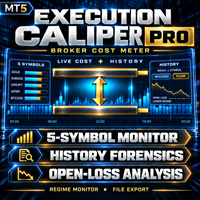
이것은 무엇인가
Execution Caliper Pro는 자동매매 로봇이 아니라 계측기입니다. 귀하의 계좌가 최대 다섯 심볼에서 체결 비용을 얼마나 부과하는지 동시에 측정하고, 그 비용을 각 심볼에 대해 입력한 스톱 폭으로 나누며, 이어서 귀하 자신의 청산된 거래 내역을 읽어 같은 측정이 이미 체결한 거래에서 어떻게 나오는지 보여줍니다. 아래에 설명하는 선택 기능인 슬리피지 프로브를 켜지 않는 한 주문을 보내지 않고 포지션을 열지 않으며, 켜든 켜지 않든 같은 터미널의 다른 EA에 속한 것은 어떤 것도 건드리지 않습니다. 이기게 해준다는 주장도 하지 않습니다. 수익이 늘어난다거나, 더 안전해진다거나, 성적이 좋아진다고 말하지 않습니다. 비싼 수업료를 치르기 전에 귀하의 계좌가 얼마를 가져가는지 알려줄 뿐입니다.
왜 필요한가
이 문단의 수치는 저희 것이 아닙니다. 다른 사람의 EA에 대한 공개 MQL5 시그널을, 내보낸 거래 목록에서 저희가 직접 다시 집계한 값이며, 시그널의 식

Dr JAN Gold Manual Signals 는 MetaTrader 5용 골드 시장 수동 분석 도구입니다. 차트에 명확한 BUY 및 SELL 신호를 표시하고, 사용자가 거래 기회를 직접 평가할 수 있도록 구조화된 정보를 제공합니다. 주요 기능: BUY / SELL 신호 표시 진입 구간 표시 목표가 표시 리스크 / 신호 무효화 수준 신호 만료 시간 표시 명확한 차트 시각화 수동 의사결정 지원 골드 시장 분석용 자동 거래 실행 없음 주문 자동 진입 또는 청산 없음 포지션 자동 관리 없음 이 도구는 모든 거래 결정을 직접 관리하면서 차트에서 구조화된 기술 신호를 확인하려는 트레이더를 위해 설계되었습니다. 중요: 본 제품은 수동 분석 및 의사결정 지원 전용이며 자동으로 거래를 실행하지 않습니다. 이 도구는 사용자가 시장 상황을 직접 분석하고 최종 거래 결정을 스스로 내릴 수 있도록 설계되었습니다. 신호는 차트에 명확하게 표시되며, 사용자는 진입 여부를 직접 판단합니다. 자동 주문 실행이

ATC Economic Calendar and News Panel은 MetaTrader 5 내장 경제 캘린더를 차트에 직접 표시하므로 다른 창을 열지 않고도 예정된 발표를 볼 수 있습니다.
이 도구는 포지션 도구, 거래 관리 및 성과 분석과 함께 All In One Trade Management Panel MT5 의 일부이기도 합니다. 데모 계정용 무료 체험판 – 라이브 차트에서 사용해 보세요, 시간 제한 없음.
주요 기능:
• 선택한 통화의 다음 고영향 이벤트와 그에 대한 실시간 카운트다운을 보여주는 "다음 고영향" 카드.
• 일별 이벤트 목록. 화살표 버튼으로 날짜를 앞뒤로 이동하거나 오늘로 이동합니다.
• 각 이벤트는 영향 색상, 통화, 시간, 이름 및 실제값, 예측값, 이전값을 표시합니다. 실제값은 예측보다 높으면 녹색, 낮으면 빨간색입니다.
• 발표 전 마지막 5분 동안 이벤트 시간이 빨간색 카운트다운으로 바뀝니다.
• 통화 필터(주요 통화와 차트 심볼의 통
FREE

PropFirm Risk Gatekeeper MT5
MetaTrader 5 고급 계좌 리스크 보호 EA
PropFirm Risk Gatekeeper MT5는 계좌 전체의 위험을 관리하기 위해 설계된 Expert Advisor입니다. 일일 드로다운, 전체 최대 손실 및 개별 포지션 손실을 지속적으로 모니터링할 수 있습니다.
이 EA는 특정 매매 전략과 독립적으로 작동하며 다른 Expert Advisor가 실행한 거래와 수동으로 실행한 거래도 감시할 수 있습니다.
주요 기능
일일 드로다운 보호
설정된 기준값을 기준으로 일일 최대 손실 비율을 지정할 수 있습니다.
보호 한도에 도달하면 EA는 다음 작업을 수행할 수 있습니다.
- 신규 거래 중지 - 오픈 포지션 청산 - 대기 주문 삭제 - 보호 상태 유지
거래일 시작 시간은 브로커 서버 시간에 맞게 설정할 수 있습니다.
전체 드로다운 보호
계좌 전체의 최대 손실 비율을 설정할 수 있습니다.
EA는 Balance와 Eq
FREE

Broker Preflight 는 Expert Advisor를 실행하기 전에 현재 거래 환경을 빠르게 점검할 수 있도록 설계된 무료 MetaTrader 5 유틸리티입니다. 자동매매에 영향을 줄 수 있는 주요 계좌, 터미널 및 심볼 조건을 분석하고 결과를 PASS / WARNING / FAIL 형식으로 명확하게 표시합니다. Broker Preflight는 거래를 개설하거나 수정하거나 종료하지 않습니다. 순수한 진단 도구로만 작동합니다. 주요 기능 계좌 모드 감지: Hedging, Netting 또는 Exchange 거래 및 Expert Advisor 권한 확인 터미널 연결 상태 및 시세 데이터 확인 심볼의 실행 모드 및 거래 제한 표시 최소/최대 거래량, 거래량 단계 및 제한 표시 Stops Level 및 Freeze Level 확인 현재 스프레드 및 심볼 사양 표시 테스트 거래량이 브로커 규칙에 맞는지 확인 테스트 스톱 거리가 브로커 제한에 맞는지 확인 거래를 실행하지 않고 사용 가
FREE

PROP COP – 프랍 펌 리스크 매니저
규칙 하나만 어겨도 챌린지는 끝입니다. Prop Cop은 그런 일이 절대 일어나지 않도록 지켜줍니다.
대부분의 프랍 펌 계좌는 나쁜 전략 때문에 날아가지 않습니다. 단 하루의 나쁜 날 때문에 날아갑니다. 복수 매매, 폭주하는 EA, 뉴스 스파이크. Prop Cop은 계좌 전체를 매초 감시하고, 규칙을 어기기 전에 먼저 개입합니다.
차트 하나에만 붙이면 됩니다. 그러면 계좌의 모든 심볼, 모든 EA, 모든 수동 매매를 감시합니다.
적용되는 규칙
일일 손실 한도 • 초기 잔고 대비 %(대부분의 프랍 펌이 정의하는 방식) 또는 당일 시작 잔고 대비 %로 설정할 수 있습니다. • 기준은 당일 시작 잔고, 에쿼티, 또는 둘 중 높은 값 중에서 사용 중인 펌의 방식에 맞게 선택할 수 있습니다. • 펌의 서버 시간에 맞춰 거래일이 리셋되는 시각을 설정할 수 있습니다. • 한도에 도달하면 모든 포지션이 청산되고 다음 거래일까지 계좌가 잠깁니다

VPS나 집 컴퓨터에서 MetaTrader 5를 계속 실행해 두는 분을 위한 유틸리티입니다. 차트 하나에 붙이면 몇 초마다 전문가 어드바이저(EA)를 조용히 멈추게 하는 요인을 점검하고, 문제가 시작 될 때와 복구 될 때 터미널 알림 창, 휴대폰 MetaTrader 앱으로의 푸시 알림, 저널 한 줄로 알려 줍니다. 실계좌에서 거래를 열거나 수정하거나 청산하는 일은 절대 없습니다. 감시 항목 거래 서버와의 연결 , 그리고 한도를 넘는 핑 . 터미널의 알고 트레이딩 꺼짐, 계좌의 거래 불허 (예: 투자자 비밀번호) 또는 브로커의 EA 불허 . 선택한 심볼의 시세 멈춤 : 심볼의 시세 세션이 열려 있는 동안 N분간 새 틱이 없음. 주말, 매일의 휴장, 세션 마감 전 마지막 5분은 판단하지 않으며 세션이 열리거나 연결이 돌아오면 대기 시간을 다시 시작하므로 매일 밤 오경보가 없습니다. 터미널 모든 차트의 EA : 어떤 EA가 어떤 차트에 있는지 기억하고 사라진 EA(차트 닫힘, EA 제거

차트 하나에 올려 두면, 거래를 누가 열었든 계좌 전체에 일일 손실 한도와 최대 낙폭(드로다운) 한도를 강제 적용합니다. 직접 손으로 연 거래도, 휴대폰 앱에서 연 거래도, 다른 EA나 복사한 시그널이 연 거래도 마찬가지입니다. 한도에 이르면 모든 포지션을 청산하고 모든 대기 주문을 삭제하며, 잠금이 끝날 때까지 새로 열리는 것은 무엇이든 계속 청산합니다. 한도를 넘은 뒤가 아니라 한도에 못 미치는 곳에 직접 정해 둔 선에서 작동하며, 무엇을 했는지 쉬운 말로 알려 줍니다. 리스크 매니저에서 잘못되는 것이 빠진 기능인 경우는 드뭅니다. 잘못되는 것은 늦게 발동하는 한도, 이름과 다른 뜻을 가진 설정, 입력값을 고치면 조용히 풀려 버리는 잠금, 또는 이 도구가 손댈 거라고 아무도 예상하지 않은 거래가 청산되는 일입니다. 그 하나하나에 대한 분명한 답이 아래에 있습니다. 설정하기 프롭 펌 챌린지를 위해서든 직접 정한 한도를 위해서든, 중요한 설정은 다음과 같습니다. Account siz

Pluton Trade Panel Pluton Trade Panel 은 MetaTrader 5용 차트 기반 트레이딩 패널로, 거래 계획, 리스크 관리, 주문 실행, 포지션 관리를 하나의 인터페이스에 통합합니다. 이 패널은 수동 및 반자동 트레이딩을 위해 설계되었습니다. 계산과 반복적인 작업은 패널이 처리하며, 모든 거래 결정은 트레이더가 직접 내립니다. 포지션 크기를 수동으로 계산하고, 리스크와 마진을 확인하며, 여러 터미널 창을 오가고, 별도로 거래 통계를 관리하는 대신 하나의 작업 공간에서 전체 거래 프로세스를 관리할 수 있습니다. 계획 → 리스크 계산 → 실행 → 포지션 관리 → 성과 분석 Pluton Trade Panel은 MARKET 및 PENDING 주문, 오픈 포지션 관리, 일일 리스크 제어, 멀티 타임프레임 시장 분석, 내장 Trading Journal을 지원합니다. 이 패널은 자동매매 시스템이 아니며 거래 신호를 제공하지 않습니다. 거래 방향, Entry 및 Stop

MT5용 높은 증거금 요구(HMR) 감지기 Exness의 높은 증거금 요구(HMR) 이벤트를 감지하고 미결제 거래를 처리할 방법을 선택하세요. HMR 감지기는 Exness와 관련된 HMR 조건을 모니터링하고 설정에 따라 자동으로 응답하도록 설계된 MetaTrader 5 유틸리티입니다. HMR이란? 높은 증거금 요구(HMR)는 더 높은 증거금 요구 사항이 적용되는 특정 기간 및 상품에 발생할 수 있는 증거금 관련 조건입니다. HMR 발생 시 미결제 포지션이 있으면 필요 증거금이 변경되어 가용 증거금에 영향을 줄 수 있습니다. 주요 기능 실시간 HMR 감지: MT5 환경을 모니터링하고 HMR 조건을 식별합니다. 유연한 거래 관리: HMR 감지 시 모든 거래 종료, 선택한 거래 종료, 관리 옵션 적용 또는 알림 전송 중 선택할 수 있습니다. 사용자 제어 설정: 위험 관리 방식에 따라 감지기의 응답을 결정합니다. MT5 통합: MetaTrader 5(MT5) 전용으로 설계되었습니다. 자동

AM Trader News Layer Bot은 하나의 큰 주문 대신 레이어(단계)로 포지션을 쌓는 MetaTrader 5용 트레이딩 패널입니다.
작동 방식 1. 가용 증거금으로 가능한 최대 총 랏(또는 입력한 총량)을 계산합니다. 2. 브로커의 포지션 수 한도 내에서 여러 레이어로 나눕니다. 첫 레이어는 0.01이며, 랏은 단계적으로 커지고 가장 큰 랏은 마지막에 들어갑니다. 3. 설정한 간격(밀리초)으로 하나씩 또는 한 번에 모두 전송합니다. 언제든 STOP 가능.
"작은 주문 우선" 보호 MT5 스톱아웃은 보통 손실이 가장 큰 포지션, 즉 큰 랏부터 청산합니다. 스톱아웃에 가까워지면 패널이 가장 작은 레이어부터 먼저 청산해 증거금을 확보하고 메인 포지션이 더 오래 유지되도록 합니다.
기능 - 원클릭 BUY / SELL / CLOSE ALL - 레이어 계획 미리보기: 레이어 수, 총 랏, 첫 랏과 마지막 랏, 전송 시간 - 레이어 간격 + STOP - 브로커 포지션 한도 자동

VERON LINK MASTER MT5 — Real-time Multi-Account Dashboard & Sync Controller Veron Link Master is a high-performance, centralized monitoring and synchronization control center designed for MetaTrader 5. Built specifically for traders managing multiple accounts, prop firm portfolios, grid/martingale EAs, or client networks, Veron Link Master provides a seamless, ultra-modern dark-themed GUI dashboard directly on your MT5 terminal. Pricing Structure: Take advantage of our early-bird pricing before

Trade History Analyzer MT5
Tr ade History Analyzer MT5 is a read-only account analytics and trade-history utility for MetaTrader 5. It transforms your trading history, open positions and account data into a full-screen analytical dashboard, helping you understand performance, drawdown, trading behaviour, strategy results, symbol exposure and risk without exporting data to spreadsheets or external software. The utility does not place, modify or close trades. It can be used with discretionary t

Veron Link Slave – Synchronized Grid, Martingale & Breakout Management
Short Description Advanced synchronization tool designed to manage Grid, Martingale, and Breakout EAs. Automatically sends close-basket signals to the Master account upon profit target completion, minimizing slippage across different brokers. Full Description Veron Link Slave is a specialized utility developed to enhance the execution efficiency and risk management of multi-account or multi-broker trading setups. It is desig

Turn any MT5 backtest into a monthly return and drawdown report, and combine several EAs into one portfolio. Free three-day trial on ea-backtest-analyzer.com - no card, no email, no account to create. WHAT IT DOES The strategy tester gives you one number: net profit . It does not tell you what the year of losses looked like, which month nearly broke the account, or what happens when you run three EAs together. This tool does. Export your backtest and it reads it straight away. You get the report

PropCorrelation shows whether your open positions are really different trades. Three index shorts feel like three trades; most days they are one bet, sized three times. The panel puts the number on your chart: the correlation between every pair of open positions, signed by direction, next to the money each of them risks to its stop. Free. Setup takes a minute: attach it to one chart, and the matrix appears for whatever is open on the account. No inputs are required to start. Try it first
It is
FREE

Launch price $39 until 31 October, then $59
The trade panel that also backtests your setups on the chart.
Aurum RR brings a clean, TradingView-style Risk:Reward tool to MetaTrader 5 - and goes further. Plan a trade visually, send it with the exact lot size in one click, manage it automatically once it is open, and backtest your setups on history with every box scoring itself.
PLAN - Place a Risk:Reward box anywhere on the chart and drag the stop loss, take profit, entry and box length direct

LotPilot is a risk management and position size calculator designed for manual trading in MetaTrader 5.
The utility helps traders calculate an appropriate lot size before entering a trade. Instead of calculating position size manually, the trader sets the required risk parameters and LotPilot performs the calculation.
The main purpose of LotPilot is to make position sizing faster and help maintain consistent risk management from trade to trade.
Main features
Position size calculation based

ARIXIS OBSERVER — Real-Time Trading Intelligence for MetaTrader 5
Arixis Observer is a professional read-only trading analytics, risk monitoring and execution intelligence system for MetaTrader 5. Attach it to a single chart and monitor trading activity across your entire MT5 account, including multiple symbols, Expert Advisors, Magic Numbers and manual trades from one unified interface. Arixis Observer does not open, modify or close trades. It is designed exclusively for observation and analys

Advanced Order — All-in-One Order & Position Management Panel for MT5 Advanced Order is a draggable, on-chart trading panel that puts every order and position action a manual trader needs into one compact interface — no more switching between the Trade tab, right-click menus, and mental math. Key Features Four dedicated modes in one panel — Market, Pending, Orders, and Trades tabs, so opening a trade, placing a pending order, editing an existing order, and managing an open position each get thei

PositionSizer Z Pro MT5 PositionSizer Z Pro MT5 is a visual position sizing and multi-target trade management utility designed to make risk-based execution faster, clearer and more consistent. Instead of manually calculating lot sizes before every trade, PositionSizer Z Pro calculates the appropriate position size directly from your account balance, selected risk percentage, entry price and stop-loss level . Simply choose your trade direction, position your stop loss on the chart, select the num

SemiAutoTradingPanel 1.00 — Tulip Quick Order Tool Short description (one line) Semi-automatic MT5 trading panel with 12 multi-factor strategies, market-regime filtering, adaptive lot sizing and 3 SL/TP modes — English/Chinese bilingual. Full description A chart-based control panel that turns MetaTrader 5 into a semi-automatic trading desk. It reads market data, classifies the current market regime, and executes strategy signals automatically, while every action stays visible and one click awa
FREE

Run one strategy, one hand, across every account you trade. Revanche Miroir mirrors trades between MetaTrader 5 accounts on the same computer, in real time. One master can feed many accounts, or up to eight masters can run side by side, each account following the one you choose. A serious power tool for running the same book across many accounts. Every symbol, every account currency, every broker. Full control over sizing, symbol mapping and how it behaves when something goes wrong. Not a toy co

Burning Teko Trade Panel is a free on-chart trading panel for MetaTrader 5. It lets you trade by hand inside the Strategy Tester (visual mode): click BUY, SELL, HEDGE or CLOSE while the backtest runs, exactly like on a live chart. It also works on live and demo charts.
This is the free edition of Burning Teko Trading Companion. Full version: https://www.mql5.com/en/market/product/197966 User guide: https://www.mql5.com/en/blogs/post/776375
FEATURES - BUY / SELL at market with the lot, SL and T
FREE

Boleta Prime Essential — one-click trading panel for MetaTrader 5 Open trades with the right lot size in one click. Boleta Prime Essential automatically calculates your position size from the risk percentage you choose and sends the order with stop loss and take profit already set. Features
• One-click market buy and sell
• Risk calculator: enter the account % and stop in points, and the panel calculates the lot
• Automatic stop loss and take profit, re-anchored to the actual fill price (exact
FREE

Noetrix Partial Entry
Noetrix Partial Entry is a visual scale-in planning utility for MetaTrader 5. It helps discretionary traders build and manage a staggered pending-entry plan directly on the chart.
The utility does not generate trading signals and does not place orders automatically. A plan is sent only after an explicit click on PLACE ALL and, by default, a confirmation dialog.
MAIN FEATURES
• Build from 1 to 5 Buy Limit or Sell Limit entries. • Split a total volume across the enabled e
FREE

Stop switching to the calendar tab every few minutes. TlgNews monitors the economic calendar for you and sends a clear summary straight to your Telegram before the event happens, so you never miss what's coming while you stay focused on your charts. How it works You choose which events matter to you (High, Medium, or Low importance) and how many seconds in advance you want to be notified. When an event matching your filter is about to be released, you receive a message in your Telegram chat with
FREE

EKAI Prop Guardian Pro The complete prop firm survival dashboard for MetaTrader 5 (Utility Expert Advisor — monitoring only, does NOT execute trades) Overview EKAI Prop Guardian Pro is the only MetaTrader 5 utility that combines three critical prop-firm survival engines in a single draggable, resizable, scrollable dashboard: a Rule Compliance Engine for 7 preset firms, a Behavior Engine that flags revenge trading and overtrading in real time, and a MAE/MFE Live Dashboard that measures the execut

One missing stop-loss. One oversized position. One revenge trade after a bad morning. That is all it takes to lose a funded account.
AxiomSuite Enterprise enforces your risk plan on every position of your MetaTrader 5 account — automatically, in real time — and Axiom AI explains every decision in plain language.
It does not trade for you and gives no signals. It makes sure your own rules are respected. Every time.
WHAT IT ENFORCES

Burning Teko Trading Companion is an on-chart trading panel for MetaTrader 5. It was built for one job: practising and backtesting your own manual strategy in the Strategy Tester (visual mode), with the same one-click controls you would use on a live chart.
The Strategy Tester does not normally let you click trade buttons while a test is running. This panel works around that, so you can open, hedge and close positions by hand while the test plays, and see exactly how your decisions would have p

SMC Bias Trade Panel MT5 SMC Bias Trade Panel combines two tools in one Expert Advisor: a fast one-click trade panel and a multi-timeframe bias analyzer based on Fair Value Gaps and market structure. It tells you which direction to trade, where to look for an entry and what has already happened today - and lets you execute without leaving the chart.
BIAS ANALYZER
The analyzer reads the market top-down, the way SMC / ICT traders prepare their day: - HTF (D1, or MN when D1 has no active FVG) ->

Many prop firm challenges are lost in one bad day, not by a bad strategy. PropGuardian watches your whole account every second and enforces your firm's daily loss, max loss, news and weekend rules for you, even on manual and mobile trades. Free demo: run it in the Strategy Tester and watch it lock the account when the daily limit is hit. Launch price: 49 USD, one-time. No monthly subscription. The price will increase after the first reviews. Or rent 1 month for 30 USD to try it during your

OrderBook Pro: Professional Order Book & Time & Sales Panel for MetaTrader 5 OrderBook Pro adds a clean, modern Depth of Market panel directly on your chart, with a live Time & Sales tape alongside it. It is a visual analysis tool: it does not place, modify or close any trades. Key features Order book ladder : up to 50 levels per side, with size, cumulative depth and price grouping (automatic or manual). Chart-synced grouping (LOCK) : one click makes each book row match the price range of a char

Painel Inteligente B3 – Monitoramento e Troca Rápida de Ativos para MetaTrader 5 O Painel Inteligente B3 é um utilitário essencial para quem opera no mercado brasileiro (Ações, FIIs, BDRs, ETFs e Contratos Futuros). Ele foi projetado para otimizar o acompanhamento do mercado em tempo real e agilizar a navegação entre ativos diretamente na tela do seu MetaTrader 5. Com uma interface moderna e altamente personalizável, o painel elimina a necessidade de trocar manualmente o símbolo do gráfico ou ab

Coming soon: short GIFs showing how to use every part of this manager. I am working on them - please bear with me, they are on the list right after "put the kettle on".
Trade manually, manage automatically. Break even, trailing stops, partial closes and an equity guard - all from one clean panel. Free - no DLL, no internet, no subscription.
A ton of work has gone into this to make it the best I can make it, and it is free - not a trial, not a lite version - and it always will be. I am still d
FREE

Mentoria Individual — Manual Trade Execution and Risk Management Mentoria Individual is a free manual trade execution and risk management tool for MetaTrader 5, developed by Gean Patrick. It combines lot size calculation, order preparation, visual Stop Loss and Take Profit adjustment, and position management in an interactive panel directly on the chart. The tool is designed for traders who want to maintain full control over their trading decisions. It does not provide trading signals or execut
FREE

Do you follow signals or copy trades from a provider and worry that a single position could spiral out of control before you can react? CopyRiskGuard watches every open position in your account independently and automatically closes it as soon as its loss exceeds the risk percentage you define — without you needing to be in front of the screen. How does it work?
The EA does not open or modify trades: it only monitors. Every few seconds it checks all open positions, and if any one of them accumu

Risk Lot Manager MT5 V1.07 English Product Description
Risk Lot Manager MT5 V1.07 is a risk-based lot size calculator and trade management utility designed for manual MetaTrader 5 traders.
It combines risk control, position sizing, visual trade planning, market order execution, pending orders, reward-to-risk planning, R-based management, partial closing, and mobile pending-order takeover in one chart-based interface.
This utility does not predict market direction and does not generate tradin

cara trading forex agar bisa profit secara konsisten
Di video kali ini, kita akan membahas sebuah topik yang jadi impian setiap trader: bagaimana cara trading forex agar bisa profit secara konsisten
kirim screnshot berbagi, beserta nama akun trading anda ke : gunawangroup1982@gmail.com
Tag NB : Video ini hanyalah informasi dan tontonan, apapaun hasil pada setiap individu bisa berbeda beda. Video ini bersifat gratis, dan semua keuntungan dan kerugian adalah tangging jawab masing-masing, jad

Run one strategy across every account you trade. Revanche Miroir Local Copier is a free local trade copier that mirrors trades between MetaTrader 5 accounts on the same computer, in real time. One program plays both parts: set it as the Master on the account you trade, and as a Slave on each account that should follow. A complete copier, free. It copies on any symbol, in any account currency, and between different brokers. If the master falls silent, open trades are held rather than closed, and
FREE

OneClick RiskSizer: One-Click Trading Panel with Percentage-Risk Position Sizing Stop calculating lot sizes by hand. OneClick RiskSizer sizes every position automatically from your risk % and Stop Loss, for faster, more reliable execution than manual math or third-party tools. Key features One-click BUY and SELL buttons, always visible on the chart. Lot size calculated automatically from your risk % and SL distance, via OrderCalcProfit/OrderCalcMargin, not a rough points estimate. Draggable SL a
FREE

TradeVista Pro — Professional Trade & Risk Management Panel TradeVista Pro is a professional all-in-one trade execution and position management panel for MetaTrader 5 , designed for traders who want faster order management, precise risk control, and a cleaner way to manage open positions directly from the chart. Instead of constantly switching between the MT5 Trade tab, order windows, and chart controls, TradeVista Pro brings essential trading-management functions together in one intuitive inter

TradeAssist Pro v1.06 Overview TradeAssist Pro is an all-in-one manual trading assistant and technical analysis toolkit for MetaTrader 5. It provides a modular, interactive on-chart dashboard designed for rapid execution, advanced trade management, and automated Smart Money Concepts (SMC) charting.
Dashboard Structure & Tabs 1. Trade Tab (Execution & Orders)
1-Click Trading: Execute Buy/Sell market orders instantly.
Dynamic Position Sizing: Toggle between fixed lot sizes or auto-calculated l

Fast Local Trade Copier MT5 Fast Local Trade Copier MT5 is an ultra fast, lightweight, and reliable All-in-One local trade replicator for MetaTrader 5. It is designed specifically for professional traders and account managers running multiple MT5 accounts on the same PC or Virtual Private Server (VPS). With its All-in-One architecture , a single copy EA file serves as both the Master (Signal Sender) and the Slave (Signal Receiver). Simply select the role in the input parameters and start copy
MetaTrader 마켓은 MetaTrader 플랫폼용 애플리케이션을 구입할 수 있는 편리하고 안전한 환경을 제공합니다. Strategy Tester의 테스트를 위해 터미널에서 Expert Advisor 및 인디케이터의 무료 데모 버전을 다운로드하십시오.
MQL5.community 결제 시스템을 이용해 성능을 모니터링하고 원하는 제품에 대해 결제할 수 있도록 다양한 모드로 애플리케이션을 테스트할 수 있습니다.
