 MetaTrader 5
 Experts
 지표
지표
 라이브러리
라이브러리
 유틸리티
유틸리티
 위젯
위젯
 규칙
규칙
MetaTrader 4용 새 트레이딩 유틸리티 - 23
 다음은 MetaTrader 4에서 외환 거래를 단순화하는 거래 프로그램입니다. 아래 목록의 유틸리티 위로 마우스를 가져가면 해당 설명과 용도를 읽을 수 있습니다.
Copier for the MetaTrader4 terminal. Designed to copy trade from one terminal to another. Compatible with the version for the MetaTrader5 terminal; if available, copying can be performed between different terminals (regardless of the type of accounts: hedging or netting). The number of accounts to which copying is possible is not limited (depends only on the computing power of your computer). Directions for copying the version for MetaTrader 4 together with the version for MetaTrader 5: MT5 Net

Account Info EA It is a tool that presents on the graph all the positions of the account, and specific information concerning the positions, but also the account. It enables the user to have an image of his account at a glance. Use like any expert advisor. You can't attach it in the same chart with other expert advisor. It does not have the ability to open or manage positions. You can attach it on any chart and any timeframe.
FREE

Open Popup Notification Please leave a review about this product to help other users benefit from it. " Free " Script to turn on pop-up notifications to view past trading alert messages including displaying account information. This script is compatible with MetaTrader 4 The script is easy to install and use, making it suitable for traders of all experience levels. There's nothing to worry about, including a freezing screen and any kind of effects on other chart windows. Disclaimer: This script
FREE

The "Dagangduit EA Auto_SLTP" is an Expert Advisor (EA) developed by the Dagangduit Core Team for MetaTrader 5. This EA is designed to provide automated management of Stop Loss (SL) and Take Profit (TP) levels for your trades, as well as other advanced features to enhance your trading experience. Key Features: Automated SL and TP Management : The EA automatically manages the Stop Loss (SL) and Take Profit (TP) levels of your open positions, allowing you to protect your profits and limit pote
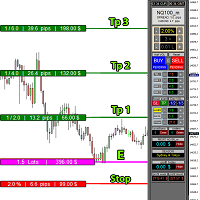
educational video https://www.youtube.com/watch?v=EHK_Z-9FvdM If you want to test the free version, you can download the file from the link below and test it in Alpari broker in demo accounts mt4. Download link free version: https://www.uplooder.net/files/199902052dcb318fb85a20262e8bd6b0/TPS-TradeManager-freeDemoFo-r-a-lpariBroker.ex4.html Download Metatrader 4 for free testing in demo accounts: https://www.uplooder.net/files/0e489a0794f5bf9130e149d0a8eb8f85/alpari4setup.exe.html Performance :

Utilities
This is an EA program to make it easier for traders to place open limit orders on the market. This program is equipped with: Set Lots Set BuyLimit, (this is the first price you must input to set up a BuyLimit order on the chart) Set SellLimit, (this is the first price you must input to set up a SellLimit order on the chart) SL and TP sets, Set Magic Number (I also matched it in the Order Comment) Set STEP By Point, Set Max Order, and Close all by Magic Number (you can close all order

The indicator has three main tools: Magnifier (Zoom chart), Ruler ( Time and Price scales ), and Crosshair. You can move it all around with your mouse and customize different formats for displaying , customize size and color of each element.
The Magnifier (zoom chart) allows you to display candles from any time frame and at different scales.
Hotkeys: 'Q' - higher timeframe, 'A' - lower timeframe, 'W' - decrease candle size, 'S' - increase candle size, 'Z' - show/hide zoom chart You can

Close All Selected Chart Overview: This is one of the smart choices to help you make your trading management a lot easier. Especially when you have to manage a large number of orders. This utility will work like a helping hand to close all the unrelated order windows in less than no time, plus without making any kind of unwanted effects. :: 3 simple steps to use :: 1. Select your chart window. 2. Click "Close All" 3. Click "OK" Note: For the better understanding on how this utility works, plea

DEMO VERSION HERE
MagicGuard EA Description: MagicGuard is a sophisticated Expert Advisor designed to maximize your trading gains. This intuitive and powerful tool continually monitors your open positions on a specific asset pair and automatically closes orders when your desired profit is achieved, taking commissions and swaps into account. Let MagicGuard handle the details, allowing you to focus on your trading strategy. Key Features: Automatic Profit Closure: MagicGuard calculates the net pr
Modify TP SL Multi-Order Selected chart. Please leave a review about this product to help other users benefit from it. Looking for an easy-to-use multiple trading helper?
This is the right choice!
Why?
+ User-friendly utility
+ Help adjusting Stop Loss & Take Profit for all your running orders automatically
+ Compatible with orders Sell , Buy , Sell Limit , Buy Limit , Sell Stop , Buy Stop
+ Easily edit all orders with appropriate new P&L values
+ The indicator works only on the select

Live testing available. Please contact. This is a simple utility which will put Automatic Stop Loss and Take Profit. It also has Trailing Stop Loss and Break Even features. The input value of the Stop Loss and Take Profit is in Pips. Whenever you open a trade it will put stop loss and take profit in pips automatically.
*If you need a more practical stop loss and take profit for your trades then you may like our ATR based stop loss utility.
Inputs:
1. SL and Trailing SL - This is the Stop Los

Live testing available. Please contact.
ATR Auto Stop Loss & Take Profit Manager Automatically apply volatility-based Stop Loss and Take Profit levels to every new trade using the Average True Range (ATR). Unlike fixed-pip stop losses, ATR-based levels adapt to current market conditions. During high volatility, wider stops help prevent premature exits. During low volatility, tighter stops help improve risk efficiency. The utility automatically calculates and applies Stop Loss and Take Profit le

Simple and unobtrusive utility for displaying weeks, days and hours
Options to control the display of separator lines and labels allow you to customize them to your own taste Display of the separator lines either only in the main chart, or across any indicator windows Automatically reduce intensity of less relevant separator lines and labels for the chart‘s current magnification
FREE

This robot uses a strategy with hedge definite calculations, so that when it closes it is definitely profitable. how the robot works: 1. the first time the robot will open a buy position, - if the profit position is according to the target it will be closed automatically and re-open a buy position again - if a loss position the robot will open a buy and sell position simultaneously, if the position is still a loss the robot will open a position buy sell together again and close profit short po

This robot uses a strategy with hedge definite calculations, so that when it closes it is definitely profitable. how the robot works: 1. the first time the robot will open a buy position, - if the profit position is according to the target it will be closed automatically and re-open a buy position again - if a loss position the robot will open a buy and sell position simultaneously, if the position is still a loss the robot will open a position buy sell together again and close profit short po

This robot uses a strategy with hedge definite calculations, so that when it closes it is definitely profitable. how the robot works: 1. the first time the robot will open a buy position, - if the profit position is according to the target it will be closed automatically and re-open a buy position again - if a loss position the robot will open a buy and sell position simultaneously, if the position is still a loss the robot will open a position buy sell together again and close profit short po

Automatic Trade Long term US Natural Gas (xngusd) account swap free This EA can only be used on a free swap account. If it is used on a swap account, it will be very detrimental. Im use expert advisor (automatic trade) Us Natural Gas robot is a metatrader 4 safe investment robot. This robot uses a strategy with hedge definite calculations, so that when it closes it is definitely profitable. how the robot works: 1. the first time the robot will open a buy position, - if the profit position is acc

Trailing Stop_Steps EA is an expert advisor that can manage your order's stop-loss by moving at fixed steps. In particular, this expert advisor can use two parameters to increment the stop-loss according to your preferences. In many cases, you might want to increment the stop-loss by a specific value when the price is at specific distance from the current stop. This trailing stop-loss EA allow you to do exactly this: to trigger a stop-loss increment when the price reaches a specific threshold.

Easy and Smart Trade Manager. It does work on visual strategy tester. Take your trading to the next level with it. Backtest you ideas and indicators. Improve it and run it live. This assistant has everything you need to do that. MT5 version
Basic features: Works with any FX, Crypto, Indices, Futures etc Several volume calculations methods, included risk calculation based on StopLoss level Several BreakEven modes Time close, timeout close and orders expiration Cancel pending orders level (OCO) R
FREE

News Protector Tool for Traders: As a trader, understanding the importance of microeconomic news is crucial. Passive traders face the challenge of managing news and pending orders efficiently. Repeatedly setting pending orders at the same price level after news events can be tedious. Introducing the News Protector Tool: News Protector is designed to simplify your trading experience. It removes pending orders before news events and automatically reopens them afterward. During news releases, if t

Export Order History Free ! Meta Trader 4 script Please leave a review about this product to help other users benefit from it. Export trades history into a CSV file ( Excel sheet ) The summary is saved into a file in MQL4\Files folder. Choose / A ccount history / C ustom period from your MT4 Select period Click OK to Export file directory Open MT4 data folder CSV file ( Excel sheet ) Order > Open time > Close time > Type > Symbol > Size > Entry price > Exit price > T/P >
FREE
A tool for logging personal and downloaded MQL5 trade history data between specified date range into a CSV file and capturing open trade and close trade chart pictures
This History Capturer and Writer tool is an Indicator, so it works well in coexistence with other expert advisor on the same chart
$30 for the next 25 downloaders, next price: $30 Try Free Trial Version Here: Download Free Trial
Features: Trade History Chart Screenshot : Capture the opening and closing charts for each hist
Close Pending Active chart. Closing - Deleting, all pending orders For only the window you selected Please leave a review about this product to help other users benefit from it. Key Features: Effortless Order Management: This script streamlines your trading by allowing you to close all pending orders on the active chart with a single click. Comprehensive Order Handling: It's not just about market orders! Our script closes Buy Limit, Sell Limit, Buy Stop, and Sell Stop orders, ensuring a thorough

Coral Rescue will help save an account with trades in drawdown. Do you have losing trades that are just too large to deal with? They reduce your available margin and can be accumulating swap costs, but the loss would be too great to just accept closing the trades. Just hoping that price will eventually come back is not an effective strategy, you need a disciplined, consistent and preferably automatic way to dig yourself out of the hole. Coral Rescue is not an EA that places trades on its own.

Telegram Alert for Universal Indicator serves as an automated trading tool. It takes screenshots of the current chart when buy or sell signals are generated by a custom indicator and sends these screenshots to a designated Telegram channel. This feature allows traders to visually monitor their trading signals, enhancing their decision-making process and overall trading experience.
Inputs: Telegram BOT API: Input your BOT API Telegram Telegram Chat ID: Input your CHAT ID (Telegram channel/g
Jarfac Trades Extractor Description: Le "Jarfac Trades Extractor" est un script MQL4 conçu pour les traders qui souhaitent exporter et analyser leurs trades historiques. En un seul clic, le script génère un fichier CSV contenant des informations détaillées sur chaque trade exécuté pendant une période spécifiée. Caractéristiques principales : Filtrage par Période : Définissez une période personnalisée pour l'extraction. Possibilité de désactiver le filtrage par période. Filtrage par Commentaire :
FREE

The robot allows you to copy orders from different MT4 on a computer. It automatically open and close order that from master on clients. There are some options that allow you to customize your requests. Configuring server : Drag the robot on each pair you want then choose server in TypeOfCopy. Configuring Clients : As the same as server just choose client in TypeOfCopy then add the server account number in its field. AppendSymbolName: If a broker add extra letters after the pair name you can a

It is MoneyMaker from Morteza Soorakhi Strategy based on price and volume action. Fixed risdk per trade. Using Stoploss and Trailing.
100% automated trading Averaging+MARTINGALE money management (Using Fibonacci Increment) Recommended leverage 1:500 Min deposit $250 This signal trade GBPUSD only Target 0-3 Open position per day, 15%-30% per Month CUT LOSS AT 25% DRAW DOWN

Overview:
Harness the power of automation and precision with our order manager for MetaTrader 4. This expert advisor is meticulously crafted to serve both seasoned traders and beginners. Its primary focus is to simplify, streamline, and supercharge your trading experience, especially when following signals. Key Features: Automatic Order Placement : No longer will you miss trading opportunities while trying to manually set up multiple orders. This EA will handle all of that for you. Just input

프리셋 주문 및 자동 로트 계산이 가능한 트레이딩 패널. 트레이딩 패널은 전략 테스터에서 작동하지 않습니다(추적손절 테스트만 가능). 매뉴얼, 설명, 라이트 데모 다운로드. 성공적인 거래자는 자기 훈련과 유능한 자금 관리로 구별됩니다. 고정 된 롯을 사용하는 경우,당신은 위험에 처해 있습니다. 결국,다른 시간대에 다른 거리가 있으며 하나의 수익성이없는 거래는 여러 수익성있는 거래를 커버 할 수 있습니다. 각 트랜잭션에 대한 정지 손실이 보증금의 1%를 초과하지 않도록 자동 로트를 사용하는 경우,당신은이 문제를 해결한다. 또한 거래자는 부분 폐쇄,거래 이전을 손익분기 점,후행 정지,차트 상의 과거 거래 분석을 사용합니다. 이 충분한 뉘앙스,그래서 나는 거래 패널을 작성하기로 결정했다. 내 취향을 위해,그것은 매우 기능적이고 편안한 것으로 밝혀졌습니다.
거래 패널 기능. 모든 계정 및 통화로 작업. 로트 계산을 위한 주문의 시각적 사전 설정. 로트 계산을 위한 보류 중인 주문의 시각적

A fundamental component to have within your trading arsenal is the ability to properly control and manage risk effectively. This tool offers a basic but comprehensive means to manage each and every trade position appropriately.
It can be used across different markets that require percentage-based calculations as opposed to simply measuring the difference in pip or point size i.e. the method for calculating take profit and stop loss in FX currency markets is usually a fixed point/pip size vs. p

DEMO VERSION DOWNLOAD HERE Update
In Version 1.4 it is possible to set the amount of profit or loss in currency for martingale trades, by setting the profit or loss value for 0.01 lots the expert advisor will automatically multiply it if the starting base lot of the martingale increases or decreases
youtube: https://youtu.be/xn6TG8tyEfM
**EquityGuardEA - Equity Management Expert Advisor**
EquityGuardEA is a powerful Expert Advisor (EA) developed for the MetaTrader 4 (MT4) platform, provid

Introducing Trade Assistant, your ultimate companion in the world of trading. Designed for traders, by traders, Trade Assistant is a cutting-edge tool that revolutionizes the way you manage your positions. Whether you're a seasoned pro or just starting out, our trade manager will empower you to make informed decisions and enhance your trading strategies.
Key Features:
Trade Manager Extraordinaire: Trade Assistant acts as your trusted trade manager, meticulously tracking all of your positions

PendingOrderActivator manages pending orders in the forex market in a continuous cycle.
The user must configure the duration of the orders, stop loss levels, take profit levels, and the MagicNumber.
The expert advisor automatically places pending orders based on the distance from the current price and deletes them when the opposite order is triggered.
When an order is activated, the bot will take a break until the user reconfigures it or changes the timeframe, at which point the bot will reactiv
FREE

Product Description “Trades Opener EA for MetaTrader 4” Description:
Trades Opener EA is an efficient and straightforward utility for MetaTrader 4, built to allow traders to open new positions or set pending orders quickly and confidently. With its intuitive interface and streamlined operations, this tool is ideal for traders who wish to act on opportunities fast, without navigating complex menus. Key Features: Open market orders and/or pending orders on a selected symbol with one click. Confi
FREE

Product Description Trades Closer EA for MetaTrader 4 — the fastest and simplest way to close all your open or pending trades instantly with a single click. This tool is designed for traders who value speed, precision, and full control over their trading positions. With an intuitive and customizable interface, Trades Closer EA helps you manage orders efficiently, saving time and minimizing human error. Key Features Close open trades , pending orders , or both on any selected symbol instantly.
FREE

This EA will automatically close all open and pending order when profit or loss is reached according to users setting. Profit or loss can be set by percentage or by amount. When inputting amount for loss make sure to put " - " (minus) sign before the amount. The color of text displayed on the chart can be change in the user input. The text position can also be changed: - left top corner - right top corner - left bottom corner - right bottom corner

"Time Sessions MT4"는 세계 4대 거래 세션을 보여주는 외환 트레이더를 위한 또 다른 편리한 도구입니다.
시간 세션: 이 도구의 시간은 현지 시간에 따라 자동으로 설정됩니다. 그것은 왼쪽으로 초 단위로 이동하고 실시간을 보여주는 이동 시간 플래그를 가지고 있습니다. 패널에는 눈길을 끄는 아름다운 그래픽이 포함되어 있습니다.
또한 차트의 어느 곳으로든 패널을 이동할 수 있습니다.
추가 설명...
그것을 즐기시기 바랍니다.
마침내:
여러분의 생각과 피드백을 공유해 주시기를 강력히 권장합니다.
거래자가 요구할 수 있다고 생각되는 정보를 제공하는 것이 중요합니다.
작가:
저는 MQL 언어 프로그래머이고 3년 동안 다양한 프로젝트를 해왔습니다.
저는 전기 기술자이고 어려운 문제를 해결하는 것을 좋아합니다.
내 그룹에 가입하여 함께 이야기하세요 ;)
SEPEHR 외환. MQL 그룹


Market Position Manager is Expert Advisor that makes very fast executions of orders. First Tab allows you to: Open buy order Open sell order Open sell stop Open sell limit Open buy stop Open buy limit Second Tab allows you to: Put stop loss and take profit Third Tab Allows you to: Set Lot of position Indicator below shows you: Floating profit of open positions made by robot. Application features: Works with any account type and broker Doesnt require specific skills Easy and intuitive interfa

DOWNLOAD FREE DEMO VERSION FROM HERE
The SmartCloseFX Expert Advisor, is a powerful tool designed for traders seeking efficient trade management in the MetaTrader platform. This EA is specifically built to manage trades by automatically closing all open positions except pending orders under specific conditions. The EA monitors the opening of a 0.01 lot pending order (eg. buy stop, sell stop, buy limit, sell limit) on a selected asset. When such an order is placed, SmartCloseFX takes action by c

Manually backtesting your strategy or trading system on MT4 Strategy Tester like you do on TradingView, but with free offline history data provided by MT4 or your broker, which means more resposive and much more lower timeframe data available. Because MT4 Strategy Tester doesn't detect mouse events, we will use the MT4 Horizontal Line tool and Arrows tool to modify the TP/SL/Entry and etc. on the screen.
Features:
70% TradingView backtesting user experience, due to the Strategy Tester's limi
FREE

DOWNLOAD FREE DEMO VERSION FROM HERE
**TradeMonitorPro Expert Advisor**
The TradeMonitorPro Expert Advisor is a powerful tool designed to help you effectively monitor and manage your trading activities in the forex market. This EA offers a range of useful features that allow you to keep track of your open trades, floating daily gains and losses (floating drawdown), as well as margin levels and the volume of open lots. For a correct counting of the Trading Volume, enable the complete history in
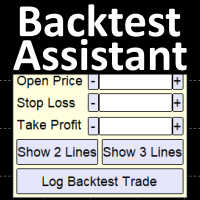
Simplify backtesting by automatically calculate trade outcomes (Profit or Loss) and estimated swap cost based on user-provided open, stop loss, and take profit prices, while also write the data into CSV file and capture before-and-after chart pictures automatically This Backtest Assistant tool is an Indicator, so it works well in coexistence with other expert advisor on the same chart
$30 for the next 25 downloaders, next price: $45 Try Free Trial Version Here: Download Free Trial
Features:

ZIWOX TRADE LIST Description:
Feeling weary with your small screen? and you need to close your trade list tab to have a larger perspective of chart? Require better management of your trade list? such as win rate, risk/reward ratio? Its a simple tools, but usefull. consolidate your trade list, active positions, opened positions and pending orders onto a distinct chart embellished with refined visuals. It contains with a lots of usefull information.
Feautures: List your trades and positions sort
SmartClose(Close All Orders) helps you close all your trades. You can use it on any symbol. You can also set a warm value to manage the risk. With these functions: Close Open Orders : Close all open trades in the trading account. You don't need to set a value for the "value" parameter. Close by Profit : Close trades when profit reaches a specific predefined level. You need to set a value for the "value" parameter. Close by Percentage : Close trades based on a certain percentage of the balance.
FREE
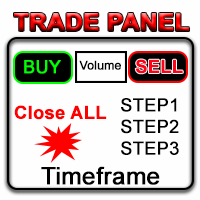
금융 시장에서 숙련된 자본 관리는 필수적입니다. 이는 단순히 초기 투자를 보호하는 것뿐만 아니라 투자를 증대시키는 것에 관한 문제입니다. 수작업 계산의 시대는 지나갔습니다. 수익을 극대화하고 위험을 최소화하며 금융 시장의 잠재력을 이렇게까지 미치도록 해제하세요. Trade Panel과 함께 트레이딩 여행을 진행하세요.
당신이 초단위로 거래를 실행해야 하는 스캘퍼로 일한다면, 우리의 Trade Manager 패널은 필요한 모든 도구를 즉시 사용할 수 있도록 제공합니다. 고정된 주문 매개변수를 설정하고 '매수' 또는 '매도' 버튼을 클릭하여 신속하게 거래를 실행하세요. 단 하나의 버튼으로 모든 포지션을 닫거나, 특정 유형의 대기 주문을 선택하거나, 수익을 창출하는 거래 또는 손실을 보내는 거래만 닫을 수 있습니다.
다른 수준의 편리성, 효율성 및 수익성을 경험하세요. Trade Panel MGH 사용 방법 MT5 version
시설:
- 트레일링 스탑 - 거래가 수익을 창출하면 프로그

혁신적인 Trades Time Manager로 손쉽게 거래 루틴을 관리하세요. 이 강력한 도구는 지정된 시간에 주문 실행을 자동화하여 거래 방식을 변화시킵니다. 수동 개입 없이 구매에서 주문 설정에 이르기까지 다양한 거래 작업을 위한 개인화된 작업 목록을 만드십시오. 거래 시간 관리자 설치 및 입력 가이드 EA에 대한 알림을 받으려면 MT4/MT5 터미널에 URL을 추가하십시오(스크린샷 참조). MT4 버전 https://www.mql5.com/en/market/product/103716 MT5 버전 https://www.mql5.com/en/market/product/103715 수동 모니터링에 작별을 고하고 간소화된 효율성을 수용하십시오. 직관적인 인터페이스를 통해 기호, 실행 시간, 가격, 손절매(SL), 이익실현(TP) 포인트 및 로트 크기를 포함한 정확한 매개변수를 설정할 수 있습니다. 도구의 유연성은 시장 행동과 일치하는 적응형 반복 옵션으로 강조됩니
안녕하세요 여러분 "Trader Assistant Mini"는 유창한 R:R 패널을 사용하여 거래당 위험을 계산하는 편리한 도구입니다. 보상 비율에 대한 위험 + 거래 패널: 모든 트레이더가 이익의 크기와 관련된 손실의 크기를 계산하고 트레이더별 위험을 관리하여 좋은 거래인지 여부를 판단할 수 있도록 하는 것이 편리합니다. 또한 손실과 이익을 핍과 백분율, 손실과 이익으로 표시합니다. 데모 버전 + 데모 파일 설치 방법: Trader Assistant Mini MT4 Demo "Trader Assistant Pro"를 볼 수 있습니다. 프로 위험 관리 패널 MT5
그것을 즐기시기 바랍니다. 마침내: 여러분의 생각과 피드백을 공유해 주시기 바랍니다. 거래자가 필요하다고 생각하는 정보를 제공하는 것이 중요합니다. 작가: 저는 MQL 언어 프로그래머로 3년 동안 다양한 프로젝트를 진행해 왔습니다. 저는 전기 엔지니어이고 어려운 문제를 해결하는 것을 좋아합니다.
이 모듈은 Practice Simulator와 동기화하여 동일한 통화 쌍에 대한 차트 시간 및 위치 정보를 표시할 뿐만 아니라 다양한 시간대 및 다른 통화 쌍에 대해 동기화된 차트를 표시합니다.
참고: 이 모듈은 자체적으로 작동하지 않습니다. "Practice Simulator"가 필요합니다.
Practice Simulator
https://www.mql5.com/ko/market/product/98348
두 가지 동기화 모드를 사용할 수 있습니다.
단순 동기화 모드:
동기화하려는 차트를 열고 이 도구를 삽입하면 쉽게 동기화된 차트를 만들 수 있습니다.
차트가 지정된 위치로 이동되고 보기에서 부분적으로 숨겨집니다. 따라서 차트 이동, 하위 창 등에서 차트가 표시되는 경우가 있습니다.
활성 동기화 모드:
오프라인 차트를 사용하여 동기화를 위한 차트를 생성합니다.
프로세스는 더 복잡하지만 라이브 차트와 거의 동일하게 작동합니다.
자세한 설정 정보를 보려
FREE
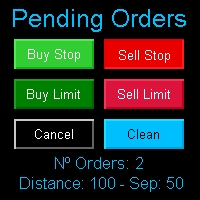
Multi Pending Orders The expert advisor "PendingOrders" is an automated trading program. This advisor manages multiple pending orders, setting entry levels, stop loss (loss limit), and take profit (profit limit) for each order. You can set various separation levels between each order. MagicNumber: It is a unique number used to identify orders related to this expert advisor. DistancePips: It is the distance in pips from the current price at which the pending orders will be placed. DistanceSeparat
FREE

Risk management primarily involves minimizing the potential losses without affecting the upside potential gain. The RandoFx Order Manager application is designed to help the trader achieve the minimum risk while trading. The trading panel has several buttons that allow the user to select and send orders to the broker. inputs: for the trader to be able to send orders there are various inputs that are required. The first input is the Risk%, which is the percentage of the equity of the account th

Openings of trades is one of the important thing in the market. The easiness of opening the order give the trader an easier way of trading especially in the high volatile market. The multiple trader opener can be used to make work easier in the forex market. The tool allows you to chose the percentage risk per trade, stop loss and the take profits in pips. The the rest is calculated automatically and the order is send to the broker server. it also allows the user to choose different kind of tps.

Jarfac Mt4ToTelegram Introduction Jarfac Mt4ToTelegram is an MT4 system designed to facilitate real-time communication between the MetaTrader 4 platform and Telegram. This script allows traders to receive customizable instant notifications based on different trade types, ensuring optimal responsiveness without having to constantly monitor the trading platform. main Features Real-time notifications : Receive notifications directly on Telegram as soon as an action occurs on MT4. Emoji suppor

#forex #sharemarket #trading Disclaimer :- My videos, presentations, and writings are strictly for educational purposes and should not be considered investment advice. I cannot guarantee the accuracy of any information provided. It is essential to conduct your own research and consult a qualified financial advisor before making any investment decisions. I bear no responsibility for any financial losses or negative outcomes resulting from the use of my content. Please exercise caution and seek
FREE
#forex #sharemarket #trading Disclaimer :- My videos, presentations, and writings are strictly for educational purposes and should not be considered investment advice. I cannot guarantee the accuracy of any information provided. It is essential to conduct your own research and consult a qualified financial advisor before making any investment decisions. I bear no responsibility for any financial losses or negative outcomes resulting from the use of my content. Please exercise caution and seek
FREE
Just a simple panel that I created to make my trading life easier. Features: Buy and Sell with TP & SL right on chart Lot size is calculated by risk percentage Martingale - will open opposite position when SL hit (please don't enable unless you know what you are doing)
Will have more add-ons like Close-all button, Break-even, Trailing-Stop, etc. It's FREE so please leave your negative review somewhere else.
FREE

Key Features: Trade Copy MT4 to MT4 . #forex #sharemarket #trading Disclaimer :- My videos, presentations, and writings are strictly for educational purposes and should not be considered investment advice. I cannot guarantee the accuracy of any information provided. It is essential to conduct your own research and consult a qualified financial advisor before making any investment decisions. I bear no responsibility for any financial losses or negative outcomes resulting from the use of my con
FREE

Note: After installation, please go to Tools>Options>Expert Advisors and add https://porsaj.com to 'Allow WebRequest for listed URL'. Still Problem?! Please check Internet connection!
Unveiling the Porsaj Scalper: Your Cutting-Edge MetaTrader 4 Utility for Precision Scalping Are you ready to take your forex trading to the next level? Look no further than the revolutionary Porsaj Scalper – a MetaTrader 4 utility designed to empower scalpers with the tools they need to thrive in the fast-pac

This is MT4 Trade panel manager which use Automatic and Manual mode which can be selected in settings. With this you can determine how much can you profit from each trade and what is the profit to risk ratio? Before you set the lot size, you need to do the necessary calculations to get an answer to the question of what the lot size should be. This is based on RSI Signal and Candlesticks to determine volume currency strength and indicate the amount of percentage. Blue % is for buy trades and red

Better Risk Management. Smart Limit Order will replace your limit order with the correct lot size.
Input Variables : Risk — The risk calculation function calculates the volume for the limit order based on entry price & stop loss price. T he percentage amount that will be. lost if hit by a stop loss Reward1 — Risk Reward Ratio 1; Reward2 — Risk Reward Ratio 2, set value to 0 if not used; Reward3 — Risk Reward Ratio 3, set value to 0 if not used; Reward4 — Risk Reward Ratio 4, set value to
Just key in your equity target
step 1: drag/ Double click ''Auto Close EA for Prop Firm "
step 2: Allow modification of signals settings, Allow DLL imports, Allow import of external experts & Allow LiveTrading
step 3: Key in your equity target
step 4: Turn on AutoTrading
*you can add some buffer, example: 8% for 10,000 acc, key in 10805 / 10801 / 10810 and etc
"Disclaimer:
The information provided in this communication is for informational purposes only and does not constitute financial ad

MT4 to Discord Signal Provider 는 Discord로 직접 거래 신호를 보내는 데에 설계된 사용자 친화적이고 완전히 맞춤화할 수 있는 유틸리티입니다. 이 도구는 귀하의 거래 계좌를 효율적인 신호 제공자로 변환합니다. 귀하의 스타일에 맞게 메시지 형식을 사용자 정의하세요! 사용 편의성을 위해 사전에 디자인된 템플릿을 선택하고 포함하거나 제외할 메시지 요소를 선택할 수 있습니다. [ 데모 ] [ 매뉴얼 ] [ MT5 버전 ] [ Telegram 버전 ] New: [ Telegram To MT5 ]
설정 간편한 설정을 위해 저희의 상세한 사용자 가이드 를 따르세요. Discord API에 대한 사전 지식이 필요 없습니다; 필요한 모든 도구를 제공합니다.
주요 기능 구독자 업데이트를 위한 주문 세부 정보를 사용자 정의합니다. 각 계층이 다른 수준의 신호 접근을 제공하는 브론즈, 실버, 골드와 같은 계층적 구독 모델을 구현합니다. 주문이 실행된 차트의 스크린샷을 첨

이 프로그램을 사용하면 매우 친숙한 사용자 인터페이스를 사용하여 MetaTrader 계정에서 모든 거래를 직접 Notion으로 내보낼 수 있습니다. MT5 버전 | 사용자 가이드 + 데모 시작하려면 사용자 가이드를 사용하고 Notion 템플릿을 다운로드하십시오. 데모를 원하는 경우 사용자 가이드로 이동하십시오. 전략 테스터에서 작동하지 않습니다! 주요 기능 거래 계정의 모든 거래를 Notion으로 내보내기 최근 일부터 거래 내보내기 최근 주부터 거래 내보내기
최근 달부터 거래 내보내기
사용자 정의 시간 범위에서 거래 내보내기
모든 새로운 종료된 거래를 자동으로 Notion으로 보내기 주문 유형, 거래량, 개시 시간, 종료 시간 등을 포함하여 내보내기에 포함할 필드 선택
시작하는 방법 위의 사용자 가이드로 이동하거나 EA를 시작하고 '연결 도움말 받기'를 클릭하십시오. 연결된 후에는 '시작: 모두 내보내기'를 클릭하여 현재 트레이드를 모두 내역에서 Notion으로 보내십시오.

Zaap 소개 - MT4 브로커 모니터링 도구! Metatrader 4 플랫폼을 사용하는 트레이더를 위한 필수 브로커 모니터링 도구로 계정을 보호하세요!
신뢰할 수 없는 브로커를 탐지하고 MetaTrader 4 문제를 효과적으로 식별합니다. 추측에 작별을 고하고 신뢰할 수 있는 브로커를 보장하기 위해 사실적인 통찰력을 얻으십시오. Zaap은 사용자 친화성과 고급 기능의 고유한 조합을 구현하여 초보자와 숙련된 거래자 모두에게 적합한 특수 제작된 도구입니다. 주요 목표는 기만적인 중개인 및 기술적 결함으로부터 사용자를 보호하여 잠재적인 손실을 방지하는 것입니다.
주요 특징들:
의심스러운 활동 감지: Zaap은 다음을 포함하여 다양한 의심스러운 작업을 사용자에게 부지런히 식별하고 알립니다. 재인용 가격 하락 실행 시간 지연 평균 요청 시간 여백 조정 거래 중 비정상적인 스프레드 서버 연결 끊김 세부 보고서: Zaap은 감지된 문제를 요약하는 포괄적인 보고서를 생성합니다. 이 보고서
Forex Calculator is a must-have program for every trader. This script allows you to calculate the percentage% risk of a deposit depending on the set Stop Loss in pips. The advantages of the script: You always know exactly what you are risking in every trade The calculator takes into account the contract specification Only 2 columns for data entry risk and Stop Loss size in pips Recommended Robot Scalper - https://www.mql5.com/en/market/product/77108
Options Risk_in_% – the percentage of

A trader's assistant that closes positions in parts with a simple trail to take the optimal profit size when the price of the symbol moves towards the position (s). Initially, the stop loss is moved to breakeven + (the so-called breakeven greed level) - this is when the price closes the stop-loss position during the reverse movement and as a result some profit will still be received. Further, while maintaining the movement in the direction of the position, it is closed in parts on price rollback

An MT4 Expert advisor for finding Break-Even point of open position, especially grid or hedge orders. also, you can close all open orders, or delete all pending orders , and set your desire Take Profit how far from Break Even point. All traders that using Grid strategy, or Hedge strategy should use this ea. it shows you break-even point by drawing a line and also automatically set your Take profit and stop loss.

This utility indicator provides accessibility and readability, by displaying a larger price scale, time scale, crosshair, and symbol name/tf/ohlc information. All features are sizeable and can be styled separately, and are optional to show.
All Features optional to use font, size and color options
Price Scale
option to hide the default MT4 price scale option to show horizontal lines at price levels prices drawn can be at round numbers (ie automatic rounding to multiples of 5/10/20/25 points),
FREE
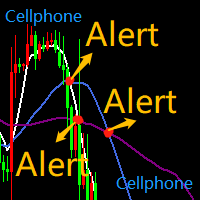
SMA5_SMA10_SMA55三均线系统,均线相互交叉,发送通知到手机 MT4 APP, 同时电脑桌面客户端也会发出警报通知。 注意:这个EA不会帮你下单交易,只会在均线交叉,即关键位置转向的时候给你发出警告,特别是手机通知,方便没时间盯盘的交易员放心出门,同时不会错过关键位置的转向,收到通知,打开手机APP就能处理头寸。是否变动头寸仓位,依然是要由自己判断。 均线的交叉往往意味着趋势的转向和启动,震荡的关键位置,请结合自我经验,以及趋势位置形态,多方位判断操作。 比如: MA5从下往上穿插MA10,则会向手机MT4 APP发出通知,提示多头有启动迹象,若有空单在手提示减仓。 MA5从上往下穿插MA10,则会向手机MT4 APP发出通知,提示空头有启动迹象,若有多单在手提示减仓。 -- MA10从下往上穿插MA55,则会向手机MT4 APP发出通知,提示多头启动,若有空单在手必须清仓,并且开多头。 MA10从上往下穿插MA55,则会向手机MT4 APP发出通知,提示空头启动,若有多单在手必须清仓,并且开空头。 -- MA5穿插MA55同理 -- 预祝:交易之路长虹! SMA5_SMA
MetaTrader 플랫폼 어플리케이션 스토어에서 MetaTrader 마켓에서 트레이딩 로봇을 구매하는 방법에 대해 알아 보십시오.
MQL5.community 결제 시스템은 페이팔, 은행 카드 및 인기 결제 시스템을 통한 거래를 지원합니다. 더 나은 고객 경험을 위해 구입하시기 전에 거래 로봇을 테스트하시는 것을 권장합니다.
