 MetaTrader 5
 Experts
 지표
지표
 라이브러리
라이브러리
 유틸리티
유틸리티
 위젯
위젯
 규칙
규칙
MetaTrader 4용 무료 트레이딩 유틸리티 - 2
 다음은 MetaTrader 4에서 외환 거래를 단순화하는 거래 프로그램입니다. 아래 목록의 유틸리티 위로 마우스를 가져가면 해당 설명과 용도를 읽을 수 있습니다.
# CopyMaster Pro Trade Copier
## What Is This
CopyMaster Pro is a local trade copying tool that syncs trades between multiple MT4/MT5 terminals. One account trades, others follow automatically. No server needed, no VPS required. Works on a single computer with multiple terminals.
## What It Does
Copies trades from one account to others. You open a gold position on Account A, Account B and C will follow. You close on A, others close too. Simple as that.
## Why This One
**Free** — No monthl
FREE

Lot Assistant MT5 소개 위험 금액(달러) 과 손절 을 기반으로 한 스마트 로트 계산 자동 손절 설정이 포함된 빠른 원클릭 거래 MetaTrader One Click Trading에서 영감을 받은 간단하고 깔끔한 거래 패널 Lot Assistant MT5 는 트레이더가 리스크를 관리하고 신속하게 거래를 열 수 있도록 도와주는 무료 거래 유틸리티입니다. 이 패널은 많은 트레이더가 빠른 실행을 위해 이미 사용하고 있는 MetaTrader One Click Trading 도구에서 영감을 받았습니다. 빠른 Buy 및 Sell 버튼 외에도, 이 도구는 Profit 및 Stop Loss를 위한 두 개의 중요한 편집 가능한 필드를 제공합니다. 손절 포인트와 위험으로 감수할 금액을 설정하기만 하면, 도구가 자동으로 올바른 로트 크기를 계산합니다. 거래가 열리면 계산된 로트 크기와 지정된 손절가로 즉시 포지션이 실행되어 보다 안전하고 통제된 거래가 가능합니다. 사용 방법 Lo
FREE

Key Features: Custom Image: The script allows you to set any image of your choice as the chart background. The image file should be in the .bmp format and located in the MQL4/Images folder of your MetaTrader 4 data folder. Automatic Replacement: If an image is already set as the chart background, the script will automatically replace it with the new image. How It Works: The script operates in the following manner: Initialization: Upon execution, the script checks if an object named “ i
FREE

MT4용 Performance Tracker Performance Tracker는 MetaTrader 4를 위한 거래 분석 및 계좌 성과 모니터링 도구입니다. 이 도구는 트레이더가 과거 거래 성과를 검토하고, 리스크 행동을 분석하며, 시각적인 보고서와 상세한 거래 통계를 통해 더 나은 의사결정을 할 수 있도록 도와줍니다. 자신의 거래 활동을 체계적이고 명확하게 이해하고 싶은 트레이더를 위해 설계되었습니다. 주요 기능 계좌 분석 대시보드 대화형 대시보드를 통해 전체 거래 성과를 확인할 수 있습니다. 포함 지표: 순이익 총 수익 및 총 손실 수익 팩터 기대 수익 회복 팩터 샤프 비율 소르티노 비율 승률 평균 리스크 대비 보상 비율 잔액 및 드로다운 시각화 시간에 따른 계좌 성장과 드로다운 변화를 모니터링합니다. 포함 차트: 잔액 곡선 자산 드로다운 드로다운 지속 시간 분석 이를 통해 안정적인 기간과 위험한 거래 기간을 확인할 수 있습니다. 거래 통계 각 거래를 상세하게 분석합니다. 제공
FREE
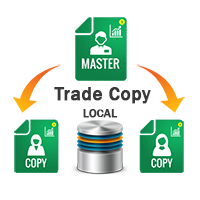
This tools is simplest Trade Copier that use your local pc to store your position list. Fast, Simple We dont have complicated files. Just this EA, with 2 mode. Master Mode to store your positions And Client mode to copy all the position from local storage. Its free tools, for unlimited usage, and unlimited Metatrader and unlimited account number. Enjoy
Inputs: Mode > To select Copier Mode. Master Store your positions, and client mode copy the stored positions Slipage > To protect taking new pos
FREE

If you need an advisor on any arrow indicator signals - this utility will definitely help you.
What does the utility do?
It creates a EA file with your indicator signals in a few easy steps: install the indicator with the needed settings on the chart; Select a signal for buy; Select a signal for sell; get the clicker file ! Then you install the file of the EA in the folder Experts and update the terminal. Attention! Set the indicator settings as you need and the same settings will be tak
FREE

Ea CloseManager MT4을 소개합니다. MetaTrader 4을 위해 설계된 전문 Expert Advisor (EA)로, 거래 종료 프로세스를 간소화하고 자동화합니다. 이 강력한 도구는 수동 및 자동 거래 전략 모두에 이점을 제공하며, 정확한 종료 기준을 제시하여 다양한 수준의 전문성을 가진 트레이더에게 이상적입니다. MQL 제품 설치 가이드 | 구매한 MQL 제품 업데이트 (MT4/MT5) | 일반 문제 해결 가이드 | 일반 설정 / 입력 가이드 | 백테스트 및 세트 파일 Ea CloseManager MT4을 사용하면 사용자들은 거래 관리에서 상당한 시간 절약과 개선된 리스크 관리를 경험합니다. 이 EA를 활용하는 트레이더들은 빠르게 변화하는 시장 상황에 적응하는 규율 있는 종료 전략을 통해 수익성을 높였다고 보고합니다. 특히 forex, 지수 및 암호화폐에서 그렇습니다. MQL 제품 설치 가이드 | 구매한 MQL 제품 업데이트 (MT4/MT5) | 일반 문제 해결 가이
FREE
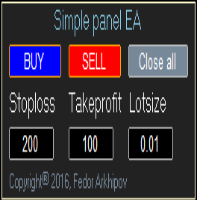
This is a simple panel EA for one-click trading. Unlike the standard panel, it features the Close all button for closing all orders on the current symbol, as well as the ability to enter the stop loss and take profit values before opening an order. The EA distinguishes its orders from others, therefore, the magic number must be specified in the panel settings. The panel is able to take screenshots when opening and closing deals to allow further analysis of the signals for opening/closing orders.
FREE

Unified Local Copier (ULC) — 로컬 트레이드 카피어
Unified Local Copier는 MetaTrader 4 및 MetaTrader 5용 로컬 트레이드 카피 Expert Advisor입니다. 외부 DLL에 의존하지 않으며, 동일 PC의 Master 터미널과 Slave 터미널 간에 저지연·고신뢰 주문 동기화를 제공합니다. MT4와 MT5를 교차 플랫폼으로 조합할 수 있습니다.
현재 버전: v1.30 (MT5 / MT4)
1. 작동 원리 및 카피 범위
시스템은 Master-Slave(마스터-슬레이브) 구조를 사용합니다. 하나의 채널(Channel)에서 Master 1개와 Slave 여러 개를 운용할 수 있습니다. 하나의 Master 계좌가 여러 Slave 계좌에 거래 지시를 동기화합니다.
Master(마스터) 계좌의 모든 거래 활동을 실시간으로 모니터링합니다. 대상에는 다음이 포함됩니다: - 예약 주문 발주, 수정, 삭제 (Buy/Sell
FREE

IceFX DrawProfit indicator can efficiently help those traders who want to see on the chart all closed positions output: profit or loss. If you set DrawProfit on your chart managed by an Expert Advisor (EA), you will clearly see its performance by its profits & losses.
Main Features: Draws closed order lines Draws profit/loss of closed orders in currency Sums orders by candles MagicNumber filter for EAs Comment filter
Input parameters: ShowProfitLabels : show profit of orders with a label Profi
FREE

Displays broker-provided LONG and SHORT swap values for selected instruments in a full-chart, dynamically sized table.
The Swaps Monitor Table provides a simple way to view the swap rates supplied by your broker for multiple trading instruments at once. The table can display instruments from Market Watch, all available instruments, or a manually selected list , allowing traders to monitor swap costs without opening each symbol individually. The indicator automatically adjusts the table cells an
FREE

The Price Line Alert Indicator will allow you to set price level that will alert you when hit, the price level will be shown in the chart as lines. Useful to get notified at specific prices, support, resistance, round numbers and so forth. If you want to a similar utility that will automatically close your position at a specific price check https://www.mql5.com/en/market/product/23113
How does it work? You can set several Price Lines and configured them to notify you if the price goes above or
FREE

Maximize your winning trades and lock in profits as the market moves in your favor. Auto Trailing Stop Manager is an advanced trailing stop utility that smoothly moves your Stop Loss behind the current price, securing your gains while giving your trade room to breathe. Instead of manually dragging your Stop Loss, this EA automates the process using a precise Start, Stop, and Step metric. It is the perfect companion for traders who want to ride massive market trends without leaving their prof
FREE

Smart Grid Set EA는 그리드에서 보류 주문을 입력하기 위한 유연하고 사용자 친화적인 전문가 자문 솔루션입니다. 손익분기점 로직, 다양한 트레일링 스톱 모드, 수동 그리드 배치, 사용자 정의 가능한 로트 크기 및 직관적인 차트 인터페이스를 지원합니다. 그리드 또는 평균화 전략을 사용하는 트레이더에게 이상적입니다. 주요 특징 사용자 정의 가능한 그리드에서 매수 정지 및 매도 정지 주문을 배치합니다. 각 그리드 레벨에 대한 개별 로트 크기를 지원합니다. 내장된 트레일링 스톱: 클래식, 캔들 최고/최저 또는 이동 평균 자동 손익분기점 기능 그리드에 대한 사용자 정의 시작 가격을 설정하는 기능 화면 버튼을 통한 수동 그리드 실행 차트에 직접 버튼과 편집 가능한 필드가 있는 시각적 제어판 시간 프레임 변경 후 주문의 선택적 재생성 우리 커뮤니티에 가입하세요 MQL5와 Telegram에서 귀하의 결과, 질문 및 피드백을 공유하세요: MQL5 채널 텔레그램 채
FREE

This EA is a free part of Flexible Trade Manager Indicator - Buy it here (It will not work without it) Flexible trade manager is a simple and effective trading tool for setting new order by pressing B as Buy or S as Sell on keyboard. All with ability to see additional characteristics before opening with predefined risk and observation of the risk and potential profit. Set and manipulate order levels straight from the charts or or place them right as pending orders.
Additional buttons helps
FREE

#1 Copy Signals from Signals Copier Telegram to MT4 & Never miss a trade again Time saving and fast execution Whether you’re traveling or sleeping, always know that Telegram To Mt4 performs the trades for you. In other words, Our Telegram MT4 Signal Trader will analyze the trading signals you receive on your selected Telegram channels and execute them to your Telegram to MT4 account. Reduce The Risk Telegram To Mt4 defines the whole experience of copying signals from Telegram signal copi
FREE

# QuickTrade Panel - Professional Trading Panel
## Overview
QuickTrade Panel is a professional quick trading panel designed for MT5, integrating market orders, pending orders, iceberg orders, grid orders, smart close functions, and history statistics analysis. It helps traders execute various trading operations quickly and analyze trading performance in depth.
## Core Features
### 1. Market Orders - One-click buy/sell with real-time Ask/Bid prices - Quick lot switching with 6 preset lot siz
FREE

# Zikiman Risk Panel Standard MT4
**Zikiman Risk Panel Standard MT4는 수동 매매 트레이더를 위한 MT4 트레이딩 패널이자 포지션 사이즈·로트 계산기입니다.** 고정 금액 리스크, 계좌 잔고 대비 리스크 비율 또는 고정 로트를 선택하고, 차트에서 Stop Loss와 Take Profit을 배치한 뒤 Market, Limit, Stop 주문을 준비할 수 있습니다.
진입 방향과 시점은 사용자가 직접 결정합니다. 이 도구는 매매 신호를 만들거나 자동으로 진입하지 않습니다.
## 리스크 기반 포지션 사이징
세 가지 방식을 지원합니다.
- **고정 금액 리스크** — 한 거래에서 감수할 계좌 통화 금액을 입력합니다. - **리스크 비율** — 현재 계좌 잔고의 일정 비율로 리스크를 설정합니다. - **고정 로트** — 원하는 거래량을 직접 입력합니다.
금액 또는 비율 모드에서는 예정 진입가와 Stop Loss 사이의 거리를 기준
FREE

이 도구는 지정되거나 자동으로 계산된 시차가 있는 원본 시간 척도를 차트 하단에 추가합니다.
이 편리한 도구를 사용하면 차트의 가독성을 높이고 자신이나 국가에 익숙한 시간 형식으로 차트를 표시하여 정신적 스트레스를 줄일 수 있습니다.
시차를 계산할 필요가 없더라도 기본 시간 척도를 Local_Time으로 바꾸면 차트의 가독성을 높일 수 있습니다.
Local_Time은 "DD.MM hh:mm", "DD MMM hh:mm", "MM-DD hh:mm", "MM/DD hh:mm", "DD hh:mm", " hh:mm"을 사용하며 다른 국가의 사람들이 사용할 수 있도록 설계되었습니다.
유연한 매개변수 설정을 사용하면 기본 시간 척도 삭제, 시차 자동 또는 수동 계산, 일광 절약 시간 조정, 척도 간 간격 조정 등 필요에 맞게 Local_Time을 사용자 정의할 수 있습니다.
Local_Time 아래에 서브 윈도우가 생성되면 빨간색 바가 나타나며, 이를 클릭하면 하단으로 이동할 수 있
FREE

Crystal Trade Manager – 고급 MT4 리스크 & 트레이드 관리 도구 개요 Crystal Trade Manager (CTM)은 MetaTrader 4 전용 전문 유틸리티로, 리스크 관리·자동화·빠른 주문 실행 제어 를 위해 설계되었습니다.
트레이더가 자본을 보호하고, 일일 손실을 제한하며, 로트 크기를 제어하고, 핵심 주문 관리 기능 (Auto SL/TP, Break-Even, Trailing Stop)을 자동화할 수 있도록 도와줍니다. 이 툴은 수동 트레이더, Prop Firm 챌린지 참가자, 전문 펀드 매니저 에게 적합합니다. 주요 기능 1. 리스크 & 드로우다운 보호 일일 드로우다운 제한 (1%–70%) 설정 가능 제한 초과 시 모든 주문 자동 종료 옵션: 보류 주문 자동 삭제 일일 락아웃 → 다음날까지 신규 거래 차단 (Prop Firm 규정 준수) 2. 손익 목표 관리 일일 손익 목표를 USD로 설정 목표 달성 시 모든 포지션 자동 종료 Prop Firm 규
FREE

거래자 일기: MetaTrader 4의 거래 계정에 대한 분석을 제공하는 통계 패널입니다. 분석 결과는 실시간으로 차트에 표시됩니다. 다중 통화 거래는 오늘날 꽤 인기가 있습니다. 그러나 거래량이 많을수록 각 거래의 수익성을 분석하기가 더 어렵습니다. MT5 버전
전체 설명 +PDF 구입 방법
설치하는 방법
로그 파일을 얻는 방법 테스트 및 최적화 방법 Expforex의 모든 제품 월별 거래를 분석하고 각 거래당 통계를 계산하는 것은 훨씬 더 어려운 작업입니다. 패널은 귀하의 계정을 분석하고 실시간으로 상세한 통계를 준비하는 효율적인 솔루션을 제공합니다. HTML 로 내보내기가 가능합니다 - 우리의 표시기는 수신된 모든 데이터를 별도의 HTML 파일에 저장합니다! 탭 및 컨트롤
패널은 현재 6개의 탭으로 구성되어 있습니다. TRADES - 현재 열려 있는 거래 HISTORY - 역사상 마감된 거래 모든 거래 - 공개 및 폐쇄 거래 보고서
FREE

VR 컬러 레벨은 추세선, 직사각형, 텍스트 등의 요소를 사용하여 기술적 분석을 적용하는 사람들에게 편리한 도구입니다. 차트에 직접 텍스트를 추가하고 스크린샷을 찍는 것이 가능합니다. 설정, 세트 파일, 데모 버전, 지침, 문제 해결 등은 다음에서 얻을 수 있습니다. [블로그]
다음에서 리뷰를 읽거나 작성할 수 있습니다. [링크]
버전 [MetaTrader 5] 표시기 작업은 한 번의 클릭 으로 수행됩니다. 이렇게 하려면 선이 있는 버튼을 클릭하세요. 그러면 커서 아래에 추세선이 나타납니다. 그런 다음 커서를 움직여 선 위치 를 선택하고 다시 클릭하여 수정하면 됩니다. 표시기 의 특징은 스타일과 색상의 모든 변경 사항이 자동으로 저장되고 나중에 새로 생성된 모든 그래픽 개체에 적용된다는 것입니다. 이 지표에는 서로 다른 스타일의 추세선을 설정하기 위한 두 개의 독립 버튼, 서로 다른 스타일의 두 개의 독립 직사각형, 자체 스타일이 있는 하나의 텍스트 필드 및 스크린샷 생성용 버튼
FREE
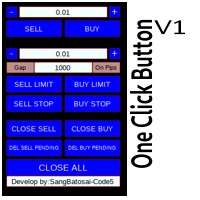
Simple button panel of trade on your chart with OneClick V1 Trial version. This trade panel will make it easier for you.
Equipped with several functions that make it very easy for you. More tools on OneClick VZ version, see here.
This version includes: Open Order Buy Open Order Sell Open Pending Order [Buy Limit - Buy Stop - Sell Limit-Sell Stop] Close ALL orders
Close Order Buy Close Order Sell Delete Pending Order [Buy Limit - Buy Stop - Sell Limit-Sell Stop] ENJOY IT!!! ONE CLICK V1 [TRIAL
FREE

MetaTrader 4용 대량 작업 패널 대량 작업 패널은 MetaTrader 4를 위한 실용적인 트레이딩 도구로, 하나의 깔끔한 패널에서 여러 포지션을 관리할 수 있도록 설계되었습니다. 이 제품은 대량 거래 관리, 빠른 실행, 트레일링 제어, 헤지 진입, 실시간 통계, 그리고 컴팩트한 최소화 기능을 하나의 간단한 인터페이스에 결합하여 속도와 편의성을 높여 줍니다. 이 제품은 열린 포지션과 대기 주문을 하나씩 수동으로 관리하지 않고 더 빠르게 제어하고 싶은 트레이더에게 적합합니다. 특히 빠른 판단과 원활한 실행이 중요한 활발한 시장 상황에서 매우 유용합니다. 주요 목적 이 패널의 주요 목적은 대량 거래 작업을 더 간단하게 만드는 것입니다. 차트에서 직접 하나의 패널만으로 거래를 열고, 포지션을 헤지하고, 선택한 그룹의 거래를 닫고, 대기 주문을 삭제하며, 트레일링 설정을 관리할 수 있습니다. 주요 기능 전체 포지션, 수익 중인 포지션, 손실 중인 포지션, Buy 포지션, Sell
FREE

Forex Trade Manager Grid MT4 helps you to managing orders and achieve the goal. You only need to place first order with Take Profit, run EA and set in params profit (pips) you want to get. EA will be managing your positions, as will gather appointed amount of pips. It’s a strategy for management of manual trades opened on current pair. The strategy adds positions to currently opened trades in a grid management (with chosen distance in pips between trades) - up to 15 trades (or less). First up to
FREE

계정 순자산 보호 도구는 계정 순자산을 보호하기 위한 필수 도구입니다. 계정이 여러 개의 자동 거래 프로그램을 동시에 실행하는 경우, 특히 밤에 잠을 자는 동안 블랙 스완 이벤트나 거래 프로그램의 오류가 발생하면 예상치 못한 손실을 입을 수 있습니다. 이 도구는 이러한 문제를 효과적으로 방지하는 데 도움을 줄 것입니다.
설정은 매우 간단하며, 보호하려는 금액을 입력하기만 하면 됩니다. 현재 계정 순자산을 기준으로 합리적인 설정을 권장합니다. 설정을 완료한 후 "확인"을 클릭하여 프로그램 인터페이스로 이동한 다음 "실행"을 클릭하십시오. 오른쪽에 있는 아이콘이 웃는 얼굴로 변하면 프로그램이 올바르게 실행되었음을 나타냅니다.
계정 순자산이 설정한 보호 값보다 낮아지면 모든 차트가 즉시 닫히며, 이는 거래 프로그램도 중지됨을 의미합니다. 동시에 모든 주문이 삭제되고 계정은 더 이상 어떠한 위험에도 노출되지 않습니다.
Equity Protect free MT4: https://www
FREE

is a panel that groups FX Major & Minor quote currencies and shows the shared pip or point cost of a trade. View that cost for three fixed lot sizes or three account-balance risk percentages.
Currency Cost Constellation is a MetaTrader 4 chart panel for forex majors and minors that share a quote currency. Pairs with the same quote have the same pip cost for a given lot. The indicator uses that correspondence directly: it calculates the cost once for the group, then shows that cost for three lo
FREE

Helmsman Trade Manager 무료, 그리고 계속 무료이도록 만들어졌습니다 무엇을 거래할지는 이미 알고 계십니다. 어려운 것은 그 주변의 모든 것입니다. 리스크에 정확히 맞는 랏, 스스로 따라오는 손절, 하려다 놓친 분할 청산, 새벽 세 시에 자신과 한 약속과 아침 열 시에 깬 그 약속. Helmsman이 그 부분을 맡습니다. 당신의 주의는 있어야 할 곳, 차트로 돌아갑니다. 계산하지 말고 그리십시오 차트 위에서 진입·손절·목표를 끌어 옮기십시오. 각 선이 자신의 거리, 금액, 손익비를 끄는 동안 실시간으로 보여줍니다. 태그 하나로 주문이 나가며, 나가기 전에 무엇을 보낼지 알려줍니다 — 시장가, 스톱, 리밋. 리스크가 먼저, 랏은 그다음 "잔고의 1%" 또는 "50달러"라고 정하십시오. 랏은 손절 폭과 이 브로커의 계약에서 계산되며 거래량 단위까지 정확합니다. 반대로 랏을 입력하면 리스크 숫자가 따라옵니다. 자금 카드는 클릭 전에 진실을 보여줍니다 — 현재 스프레드, 수
FREE

Round numbers (or key levels) is an amazing strategy. These numbers are strong support and resistance levels. So what this indicator does is draw horizontal lines on the chart to help you find these levels. Configurations: 1St level: Color - lines color. Style - lines style. Width - lines width. 2Nd level: Second level lines? - turn off second level lines. Color - lines color. Style - lines style. Width - lines width. Space between lines in points - I don't need explain :) Display at backg
FREE

Gold Confluence by Bongkah is a manual trading assistant for Gold (XAUUSD) on MetaTrader 4. The product provides a dashboard that combines several technical market conditions into a single visual interface. It is designed to support traders who use their own trading methods, such as Price Action, Support and Resistance, Supply and Demand, trendlines, breakouts, or other technical approaches. The product does not execute trades automatically. Trade entries, exits, Stop Loss, Take Profit, positio
FREE

Overview Auto Fibonacci EA is a professional trading tool designed to automatically detect swing points and draw Fibonacci retracement levels on your charts. This indicator helps traders identify potential support and resistance zones based on the golden ratio principles. Key Features Automatic Swing Detection Intelligent algorithm identifies swing high and swing low points automatically Customizable swing detection sensitivity (SwingBars parameter) Works on all timeframes: M1, M5, M15, M30, H1
FREE

Close Manager Buttons EA (MT4 Version) One-Click Trade Manager for MetaTrader 4 This is the MT4 edition of the Close Manager Buttons EA, built for traders who want instant control over their trades in MetaTrader 4.
The features are identical to the MT5 version, making it easy to manage trades across both platforms. Key Features Close All Trades – instantly close every open position Close Only Buy Trades – exit only BUY positions Close Only Sell Trades – exit only SELL positions Close Winning Tra
FREE

The TradingView-style hide-drawings button MT4 never had
"From the maker of Risk Sentinel — risk-first position sizing that keeps your risk fixed as you drag the stop: https://www.mql5.com/en/market/product/185979 "
Hide/Show Drawing is a one-tap chart-cleanup utility for MT5. Hide all your drawings — or just trendlines, Fibs, shapes, or text — to read raw price action, then restore everything exactly as it was, per-timeframe settings and all. Nothing is deleted; every object stays in memory
FREE

FxTT News Feed FxTT News Feed는 ChartDeck PRO를 위한 무료 동반 Expert Advisor입니다. 매매 로직이 없으며 주문을 내지 않고, 포지션을 관리하지 않고, 시세를 읽지 않습니다. MetaTrader 4 지표는 네트워크 요청을 할 수 없으므로, 타이머에 따라 경제 캘린더 데이터를 가져와 로컬 파일에 기록합니다. 터미널의 아무 차트에나 한 번 적용하십시오. 인스턴스 하나가 해당 터미널의 모든 ChartDeck PRO 차트에 서비스를 제공합니다. 이 프로그램은 ChartDeck PRO의 일간 뉴스 행을 위한 전제 조건이며, 범용 도구가 아닙니다. ChartDeck PRO가 설치되어 있지 않으면 할 일이 없습니다. 이 프로그램이 하는 일 기본적으로 15분마다 타이머에 따라 FxTT 경제 캘린더 피드를 요청합니다 결과를 ChartDeck PRO의 일간 뉴스 행이 읽는 로컬 파일에 기록합니다 요청이 실패하면 이전 데이터를 유지하고 실패 사유를 보고하므로
FREE

Lotsize Risk Reward automatically calculates the size of the position by moving the Pink horizontal line "StopLoss" drawn on the graph. The model is based on the position calculation can be defined in relation to lotsize Balance, heritage or outdoor range, you may also include credit account and deduct the losses assumed by all the Stop Loss. Additionally you can include in the chart the horizontal blue line "TakeProfit" and show the risk / benefit ratio. The ATR (Average True Range) indicator c
FREE

MT4 거래의 오픈, 종료, 부분 종료 및 수정에 대한 실시간 알림을 Telegram으로 자동 전송합니다. 이 유틸리티는 다음 16개 언어를 지원합니다: English, French, German, Indian (Hindi), Indonesian, Italian, Kazakh, Korean, Dutch, Polish, Portuguese, Russian, Spanish, Turkish, Ukrainian 및 Vietnamese. 알림 텍스트를 사용자 지정하여 다른 언어를 사용할 수도 있습니다. 이 제품은 터미널을 계속 확인하지 않고 Telegram 알림을 받고자 하는 트레이더를 위해 설계되었습니다. Expert Advisor 사용자가 자신의 활동을 추적하거나, 여러 종목을 거래하는 트레이더 및 VPS 사용자에게 적합합니다. 포지션의 전체 및 부분 종료가 정확하게 감지되며 (예: 0.10 / 0.30 랏), 중복 메시지 방지 기능이 구현되어 있습니다. 알림은 계정의 모든 종목에 대해
FREE

Kalifx Equity Guard — Account Protection Utility (MT4) Kalifx Equity Guard is a MetaTrader 4 risk-management utility designed to protect trading accounts from excessive losses and uncontrolled drawdowns. It continuously monitors account equity, floating losses, and daily performance, automatically taking protective action when predefined risk limits are reached. The utility operates independently of trade-entry logic and is fully compatible with both manual trading and automated Expert Advisors.
FREE

This an utility indicator which displays the most important information of the current account and position (*). Displayed information: Information about the current account (Balance, Equity, Free Margin). Current spread, current drawdown (DD), planned profit, expected losses, etc. Number of open position(s), volume (LOT), profit. Today’s and yesterday’s range. Remaining time to the next candle. Last day profit information (with integrated IceFX ProfitInfo indicator). Risk-based LOT of informat
FREE

Trading Assistant 69 는 트레이딩 관리를 자동화하여 시장 분석과 수동 진입에만 온전히 집중할 수 있도록 설계된 강력한 유틸리티 전문가 자문(EA)입니다. 이 도구는 M1 또는 M5 차트와 같은 짧은 타임프레임에서 빠른 속도로 전략을 실행하는 트레이더에게 매우 유용합니다. 정밀도와 속도가 중요한 스마트 머니 컨셉(SMC)이나 ICT 방법론을 사용하는 트레이더에게 손절매(Stop Loss) 및 이익 실현(Take Profit) 레벨을 수동으로 계산하고 설정하는 것은 귀중한 몇 초를 낭비하게 만들 수 있습니다. 이 어시스턴트는 트레이드를 오픈하는 순간 사전 정의된 위험 매개변수를 즉시 적용하여 이러한 문제를 해결하며, 감정적인 간섭을 제거하고 포지션을 자동으로 안전하게 보호합니다. 주요 특징 및 장점 자동 손절매 및 이익 실현 (Auto SL/TP): EA는 수동 진입 시 사전 정의된 SL 및 TP 포인트를 즉시 첨부합니다. 이를 통해 포지션을 수동으로 수정하거나 가격 레
FREE

Trading Panel - Smart Stop Management
A free professional trading panel for MT4, built to make manual execution faster, cleaner, and smarter.
Trading Panel - Smart Stop Management helps you place Market, Limit, and Stop orders directly from the chart, manage position size, calculate TP/SL from volatility, and protect your execution from temporary spread widening during news, rollovers, or thin market conditions.
The panel uses local smart stop logic based on the middle price, helping reduce
FREE

Wicks Trade Panel It's a Trade Panel include Order Management & Risk Management for serious trader. Especially for those traders who pay attention to important events like the CPI, NFP, and ADP. A one-of-a-kind faster technique to fix the Entry Price by simply pointing the mouse pointer at it. This is what I enjoy about it. Automatically closing 50% order size lots when setting TRUE on Breakeven Status. It's especially useful when trading on significant economic events like the CPI, NFP, and A
FREE

EA는 수익성 있는 포지션을 검색하고 마감함으로써 수익성 없는 포지션을 마감할 수 있습니다 .
이 조수는 모든 직위 중에서 터미널에서 가장 수익성이 낮은 직위를 찾습니다 . 또한, 나머지 수익성 있는 포지션을 검색하여 하나 이상의 포지션의 이익이 다른 포지션의 손실보다 클 때 손실을 보상할 수 있는 일련의 포지션을 계산합니다. 그러한 포지션 세트가 발견되면 고문은 해당 포지션을 닫습니다. 일련의 위치는 절대적으로 모든 위치로 구성될 수 있습니다. 최대 수는 조언자 설정에서 조정 가능합니다. 검색 시 최소 손실 금액과 마감 시 추가 이익을 지정할 수도 있습니다. MT5 버전
전체 설명 구입 방법
설치하는 방법
로그 파일을 얻는 방법 테스트 및 최적화 방법 Expforex의 모든 제품 전략 테스터에서 Expert Advisor를 테스트하고 시각적 모드에서 EAPADPRO 도구 모음을 사용하여 거래할 수 있습니다! 차트에서 Cl
FREE
ScoutFX Panel is created to make manual trading and decision making process easier for the traders who prefer manual trading. This trading panel will help you to make a market entry decision by displaying the majority of trades statistics. Using this data, trader can easily determine the market entry direction or to make corrections for used trading strategy based on statistics.
ScoutFX Panel notifies the trader about reached percent of sell or buy overtake for each instrument, via voice noti
FREE

See my other products here. One Click Order This product helps you to send your order as quickly and easily as possible. Send your order as fast as possible: Just set your position parameter values(Price, TP, SL, Ex Date) with just a few simple mouse drags. On the other hand, the calculation of the losses and profits value before ordering is always a big challenge for traders; This expert is very useful in taking a position and calculating the amount of the stop loss/the take profit(in the curr
FREE

Trade Manager Basic – MetaTrader 4용 브레이크이븐 및 트레일링 관리 유틸리티 Trade Manager Basic 는 MetaTrader 4용으로 설계된 가벼운 유틸리티형 전문가 어드바이저(EA)로, 새로운 포지션을 열지 않고 기존의 거래를 관리하는 데 사용됩니다. 자동으로 수행하는 기능: 설정된 이익 수준에 도달하면 손절매(Stop Loss)를 진입가로 이동 (브레이크이븐) 특정 이익 임계값을 초과하면 트레일링 스탑을 활성화 주요 기능: 수동으로 개설된 거래에 작동 브레이크이븐 및 트레일링 스탑에 대한 사용자 정의 가능 설정 모든 브로커 및 거래 상품과 호환됨 (금, 지수, 원유 포함) 사용 방법: EA를 아무 차트에나 적용하면 모든 열린 거래를 모니터링하고 입력된 설정에 따라 자동으로 손절매를 조정합니다. 참고: 이 EA는 포지션을 열거나 닫지 않습니다 . 기존 주문의 손절매만 관리합니다. 입력 파라미터: BreakEvenTrigger : 브레이크이븐을
FREE

Auto TP SL Manul Open Panding Orders Overview:
AUto TP SL Manul Open Panding Orders is an innovative trading platform designed to enhance trading efficiency and effectiveness in managing financial investments. Key Features: Automated Management : Seamlessly manage take-profit (TP) and stop-loss (SL) orders with our advanced automation tools. Manual Adjustments : Maintain control with manual options, allowing traders to adjust orders according to market conditions.
FREE

EA Close All Set TPSL All Panel MT4 EA Close All Set TPSL All MT4 is a professional utility tool for MetaTrader 4 that helps traders manage orders quickly and efficiently.
With a clean on-chart control panel, you can close trades or set Take Profit / Stop Loss levels for all orders with just one click. [MT5 Version ---> click . ] Key Features On-Chart Control Panel – Light gray background with simple and intuitive design. Close All Orders – Instantly close all active Buy, Sell, and Pe
FREE

Enhance Your Trading with the Support and Resistance Alert! Ready to take your trading to the next level? Introducing the Support and Resistance Alert—the ultimate tool to precisely identify market turning points! Key Features: Dynamic Support and Resistance Lines: The indicator automatically draws support and resistance levels based on local lows and highs, giving you clear guidance on where the market is likely to reverse. Real-Time Alerts: Stay ahead of the market with customizable alerts. Ge
FREE
Indicador de Spread en Tiempo Real en la Gráfica Este indicador revolucionario te brinda una visión transparente y detallada del spread en tiempo real directamente en tu gráfica de trading. Diseñado para proporcionar información precisa y crucial, este indicador mejora tu capacidad para tomar decisiones informadas y optimizar tu rendimiento comercial. Características Destacadas: Visualización Instantánea: Observa el spread en tiempo real directamente sobre tu gráfica, eliminando la necesidad de
FREE

Tipu Trader is a part of Tipu Panel ecosystem that was developed out of need for quick and simple trading. Tipu Trader is an easy to use trade panel for commonly used trade functions. Create you own signals with Tipu Panel and trade along with Tipu Trader, a simple and easy to use trade panel.
Features An easy to use trade panel for most commonly used trade functions. Create your own personal trade signals with Tipu Panel , and trade with Tipu Trader. Customizable Panel. The panel can be moved
FREE

TD Trading Info 사용자 매뉴얼 소개: TD Trading Info는 트레이더에게 자신의 거래 실적에 대한 포괄적인 정보를 제공하도록 설계된 정교한 MT4 지표입니다. 실시간 계좌 정보, 자세한 거래 통계, 일/주/월/분기/연간 손익 데이터 요약, 잔고 변동 차트 및 사용자 지정 가능한 거래 알림을 제공합니다. 지표 패널은 테마 색상 변경, 최소화/최대화, 드래그, 숨기기/표시와 같은 사용자 친화적인 기능을 갖춰 최적의 사용자 경험을 제공합니다. 기능: 실시간 계좌 개요: 잔고, 자산, 사용/가용 마진, 마진 수준, 승률, 순 포지션, 미결제 포지션 수, 수수료, 스프레드 등 주요 계좌 지표를 표시합니다. 거래 통계: 현재 상품 포지션, 미실현 손익, 일/주/월/전체 기간 동안의 청산된 손익에 대한 최신 데이터를 제공합니다. 모든 계산 및 업데이트는 자동으로 이루어집니다. 다중 기간 분석: 거래량, 주문 수, 손익, 수익률, 입출금, 잔고를 포함하여 일/주/월/분기/연간
FREE

Kalifx Local Trade Copier mt4 Kalifx Local Trade Copier replicates trades from one trading account (Master) to another (Slave) in real time. It copies opening, modifying, and closing of trades, so multiple accounts can follow the same strategy without manual intervention. It is useful for managing multiple accounts, testing strategies across different brokers, or mirroring trades between accounts.
How It Works
The EA runs in two modes using a single file. MASTER mode monitors trading activity
FREE
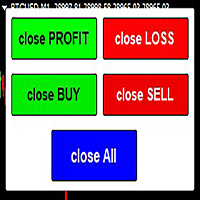
The script allows users to easily close positions if their profit/loss reaches or Close all orders just click function that you want.
Easy Close. - close PROFIT - close LOSS - close BUY - close SELL - close ALL ORDERS
If you find problem about function or you cant not work pls contact me. I will help you anytime.
Please Ratings and Reviews.
Thanks Traders. ENJOY.
FREE

MT4용 NAS100 Auto SL 및 TP 메이커를 소개합니다: 메타트레이더 4에서 나스닥 100 시장을 탐색하는 트레이더에게 필수적인 보조 도구인 NAS100 Auto SL 및 TP 메이커로 손절 및 테이크프로핏 설정을 다시는 놓치지 마세요. 이 도구는 손절 및 테이크프로핏 레벨을 자동으로 관리할 수 있는 원활한 솔루션을 찾는 분들을 위해 설계되었습니다. 주요 특징: 손쉬운 자동화: 스톱로스 및/또는 테이크프로핏 없이 나스닥 100 거래를 자동으로 모니터링합니다. 사용자가 구성한 설정에 따라 레벨을 동적으로 조정합니다. 다양한 주문 유형: 나스닥 100의 시장가 주문과 지정가 주문 모두 호환됩니다. 메타트레이더 4에서 사용할 수 있는 다양한 주문 유형을 지원합니다. 맞춤형 구성: 사용자 친화적인 매개변수 설정으로 추적 기본 설정 및 손절/익절 수준을 사용자 지정할 수 있습니다. 유연한 범위: 실행되는 특정 NAS100 상품 또는 거래되는 모든 상품에 대해 손절 및 이익실현을 설
FREE

(Multiple Close All) for MT4 a lightweight and efficient utility designed to help traders close their open positions and pending orders directly from the chart.
It provides a clean panel with interactive buttons, allowing quick closing of opened trades and deleting the Pending Orders with one click. Key Features: Close all BUY , SELL , or ALL positions with one click. MultipleCloseBy opposite trades.
Close only profitable trades or only losing trades . Close trades filtere
FREE

You can manually open a trade (one click), and this EA will take care of setting the SL and TP. SL and TP are set based on the number of pips you specify in the input screen. You can also choose monetary SL and TP. SL and TP are determined based on the weighted average price (WAP), so if you open a new trade, SL and TP will be updated according to the new WAP. The WAP is not unique but differentiated between buy and sell trades (this is useful only if you open opposite trades on the same chart)
FREE

Account Info AS는 MetaTrader 4용 강력한 정보 스크립트로, 거래 계좌에 대한 모든 정보를 차트에 직접 표시해 줍니다. 이 스크립트는 계좌 분석, 위험 관리 및 거래 의사 결정에 필요한 모든 데이터를 제공합니다.
주요 기능 완전한 재무 정보 계좌 유형 (데모/실계좌/경연 대회)
잔액, 자산 및 마진
현금 및 비율로 표시되는 사용 가능 마진
마진 레벨
현재 손익
위험 관리 마진콜 및 손절매 레벨
현재 심볼 1랏에 대한 마진 계산
인기 거래 상품 마진
거래 정보 미체결 포지션 (수량, 방향, 총 수익)
유형별 대기 주문
현재 심볼 정보:
랏 크기 (최소/최대/단계)
핍 단위 스프레드
스왑 크기
기술 데이터 현재 서버 시간
회사 및 서버 이름
계좌 번호 및 고객 정보
설정 스크립트는 세 가지 간단한 매개변수를 사용합니다.
Line_spacing - 가독성 향상을 위해 데이터 사이에 빈 줄 추가
ShowAllSymbolsInfo -
FREE

A fast, chart-based MT4 trade manager with one-click BUY/SELL execution, editable Lot/SL/TP controls, and selective position-closing tools. One Click Trading MT4 is a lightweight trade-management Expert Advisor for MetaTrader 4. It is designed for traders who want to manage manual trades or trades opened by an EA directly from the chart, without repeatedly opening the Terminal window.
FREE

RelicusRoad CopyTrader 는 MetaTrader 4 용 무료 트레이드 카피어( trade copier )입니다. 같은 컴퓨터에 있는 MT4 터미널 간에 거래를 복사하므로, 하나의 계좌로 매매하고 나머지 계좌들이 각자의 크기와 리스크로 이를 따라가게 할 수 있습니다. 완전판이며, 기능 제한이나 체험 기간이 없습니다. 한 계좌로 매매하고, 나머지는 따라오게 하세요. MetaTrader 5: RelicusRoad CopyTrader MT5 작동 방식 하나의 터미널이 리더 (Leader, 마스터)로 동작하며 보유 중인 주문을 공유합니다. 원하는 수의 터미널이 팔로워 (Follower, 슬레이브)로 동작하며 이를 그대로 복제합니다. 터미널은 채널 이름으로 짝지어지므로, 한 대의 컴퓨터에서 여러 개의 독립된 복사 그룹을 동시에 운영할 수 있습니다. 복사는 200밀리초 타이머로 실행되므로, 팔로워는 자신의 차트에 틱이 들어오는 것을 기다리지 않고도 새 주문에 반응합니다. 설정 방
FREE

Manual Zig-zag allows you to build a zig-zag with the mouse, to build it is necessary to turn on the zig-zag and left-click. The file must be placed in the \ MQL4 \ Indicators folder then in the terminal from the list of indicators put it on the chart.
A zigzag can be built so that this zigzag can only be seen on the current time frame or in all halves at once.
You can change the color and thickness of the line while on the chart without getting into the settings.
You can quickly remove each
FREE

StatsMood Position Sizer Short Description Calculate position size instantly based on your risk and stop loss distance. Simple, fast and precise. Full Description Position sizing is one of the most important aspects of risk management. StatsMood Position Sizer is a free MT4/MT5 indicator that helps you calculate the appropriate lot size in real time based on your account balance, selected risk percentage and stop loss distance. It removes the need for manual calculations and helps maintain cons
FREE

One Click Trade Pro is a tool that allows you to open orders with just one click, choosing all the parameters, including the Magic Number! Useful if you want to quickly submit trades specifying also their Magic Number. Other than submitting new orders you can also see the list of orders (with their Magic Number) and change their Stop Loss and Take Profit. The PRO version also allows you to: Open opposite pending orders Setup and submit orders using lines, for a better visualization
How does it
FREE

Displays the countdown to the current candle’s close and shows the live server time clearly on your chart, including the GMT. It is a fuss-free indicator, plug and play. Accurate Candle Timer is a simple and practical tool for traders who want to monitor candle timing without unnecessary clutter. It shows how much time is left before the current candle closes, helping you stay aware of when the next candle will begin. This is useful for traders who prefer to wait for candle close confirmation be
FREE

Live Risk Dashboard MT4 EA Monitor your account risk clearly and trade within your limits Live Risk Dashboard MT4 EA is a practical account-monitoring utility for MetaTrader 4. It displays your most important trading and risk information directly on the chart, helping remove the "math anxiety" of managing open positions. Instead of repeatedly checking different MT4 windows or manually calculating floating profit, drawdown usage, and remaining limits, you can view everything in one clean, compact
FREE

스마트 머니 컨셉츠 트레이드 매니저를 소개합니다. 이는 시장에서 전문적인 우위를 추구하는 트레이더들을 위해 디자인된 최고의 도구입니다. ICT/스마트 머니 컨셉츠/수동 트레이더이든 상관없이, 저희 소프트웨어는 거래를 쉽게 자동화하고 실시간으로 리스크를 관리할 수 있도록 특별히 제작되었습니다. 스마트 머니 컨셉츠 트레이드 매니저를 사용하면 자신감과 일관성을 가지고 스마트 머니 컨셉츠 또는 기관 거래 설정을 쉽게 실행할 수 있습니다. 저희 강력한 도구는 MetaTrader 4 플랫폼에서 실행되며 (MT5 버전도 현재 작업 중입니다), 고객의 독특한 거래 스타일과 목표에 맞춰 다양한 기능을 제공합니다. 스마트 머니 컨셉츠 트레이드 매니저는 프랙탈 대칭 전략을 사용하여 스탑 로스, 테이크 프로핏, 스케일 아웃 측정 등 핵심 매개변수 및 리스크 관리를 자동화하여 거래 경험을 단순화합니다. 고객은 설정을 사용자 정의하여 자신의 거래 및 리스크 프로필에 맞게 조정할 수 있으며, 알고리즘은 자동으
FREE

UltraFast Trade Manager V2.60 - The Ultimate "True Break-Even" Utility The UltraFast Trade Manager is not an auto-trading robot that opens trades. It is a professional Trade Manager . Whether you use a Grid/Martingale EA, or trade manually, this tool manages your open trades, calculates your real profits, hides your targets from the broker, and closes your trades with one click. Version 2.60 is completely dummy-proof. It calculates everything for you, so you never have to guess your profit again
FREE

100% 무료 — 정식 버전, 제한 없음, 등록 불필요.
완전 무료이며 제한이 없습니다. 차트에서 유용하다고 느끼셨다면 짧은 리뷰가 저희에게 가장 큰 도움이 됩니다. 30초면 충분하며, 다른 트레이더가 이 도구를 발견하는 유일한 경로입니다.
Aegis이(가) 도움이 되었다면 리뷰를 남겨 주세요 — 큰 힘이 되며 무료 제공을 이어갈 수 있습니다.
같은 개발자의 다른 무료 도구 (FXEA365):
- Falcon Trailing Stop Manager MT4 (범용 트레일링 스톱+브레이크이븐): https://www.mql5.com/en/market/product/188540
- Donchian Trend Engine MT4 (당사의 추세 EA, 이것도 100% 무료): https://www.mql5.com/en/market/product/185537
- 모든 EA 및 도구: https://www.mql5.com/en/users/app.develop.sk/seller
Ac
FREE

Protect your capital and turn winning trades into risk-free positions instantly. Auto Break-Even is an automated trade management utility that shifts your Stop Loss to your entry price (plus a customizable offset) the moment your trade reaches a defined profit target. Take the emotion out of trade management. By automating your break-even process, you prevent winning trades from turning into losers, allowing you to confidently hold positions for larger targets. [ Get the MT5 Version Here
FREE

Click SLTP Manager for MetaTrader 4 is a simple and practical trade management utility designed to help manual traders set Stop Loss and Take Profit levels directly from the chart. Instead of opening the order modification window and manually typing SL and TP prices, traders can manage their existing open orders or pending orders with a clean visual panel and a click-based workflow. The tool is made for traders who want faster, clearer, and more convenient order protection management in MetaTra
FREE

EA AccountTrailingStop MT4을 소개합니다. 이는 Expert Advisor로, MetaTrader 4에서 자동으로 수익을 관리하고 보호하여 거래 전략을 향상시키도록 설계되었습니다. 이 도구는 초보자와 전문가 모두에게 이상적이며, 다양한 거래 환경에서 동적인 수익 잠금을 위한 강력한 솔루션을 제공합니다. MQL 제품 설치 가이드 | MT4/MT5에서 구매한 MQL 제품 업데이트 | 일반 문제 해결 가이드 | 일반 설정 / 입력 가이드 | 백테스트 및 설정 파일 EA AccountTrailingStop MT4을 사용하면 사용자들은 유리한 시장 조건에서 수익 유지가 향상되고 수동 모니터링 시간이 줄어드는 등의 상당한 이점을 경험합니다. forex, 지수 및 암호화폐 거래자들은 전반적인 수익성이 눈에 띄게 증가했다고 보고하며, 이 EA는 거래 성과를 최적화하려는 모든 사람에게 필수 자산입니다. MQL 제품 설치 가이드 | MT4/MT5에서 구매한 MQL 제품 업데이트 |
FREE
트레이딩 전략과 기술 지표를 판매하기에 가장 좋은 장소가 왜 MetaTrader 마켓인지 알고 계십니까? 광고나 소프트웨어 보호가 필요 없고, 지불 문제도 없습니다. 모든 것이 MetaTrader 마켓에서 제공됩니다.
