 MetaTrader 5
 Experts
 지표
지표
 라이브러리
라이브러리
 유틸리티
유틸리티
 위젯
위젯
 규칙
규칙
MetaTrader 4용 무료 트레이딩 유틸리티 - 14
 다음은 MetaTrader 4에서 외환 거래를 단순화하는 거래 프로그램입니다. 아래 목록의 유틸리티 위로 마우스를 가져가면 해당 설명과 용도를 읽을 수 있습니다.
On the other hand, we denounce with righteous indignation and dislike men who are so beguiled and demoralized by the charms of pleasure of the moment, so blinded by desire, that they cannot foresee the pain and trouble that are bound to ensue; and equal blame belongs to those who fail in their duty through weakness of will, which is the same as saying through shrinking from toil and pain. These cases are perfectly simple and easy to distinguish. In a free hour, when our power of choice is untram
FREE

Информирование пользователя о величине текущего спрэда цветом, в зависимости от тренда. Простой и удобный информатор. Расположить можно в любом месте графика (настраивается во входных параметрах). При активном индикаторе наносим на график горизонтальную линию цветом, указанным во входных параметрах. Эта линия будет (по Вашему мнению) точкой разворота тренда. Если цена будет ниже линии - цвет величины спрэда будет окрашен в цвет "медвежьего" тренда, если цена буде выше линии - цвет величины спрэ
FREE

you can plan you exit in terms of money/floating with this tool Once the negative or positive floating value reached this tool will close all opened positions
How to deal with big negative floating profit?
It will be very difficult to overcome this phase you can prevent with this phase with a exit strategy
It can be stop loss or close all orders if account has reached this much floating
FREE

//+------------------------------------------------------------------------+ //+------------------------------------------------------------------------+
简单交易面板,应部分朋友建议,现更新为2.1版本。
//+------------------------------------------------------------------------+
//---更新如下:
1 价格显示参考系统自带面板样式对部分价格数字进行了放大处理。 2 交易手数上次已成功交易使用的手数。
FREE

FXTHORA SEMI-AUTOMATED FOREX TRADING ROBOT - ADVANCED SEMI-AUTOMATED TRADING ASSISTANT FOR ALL CONDITIONS.
It's a semi-automated Forex trading assistant that helps the trader buy or sell the market, based on the trader's initial analysis, and identification of the market direction or trend. This system requires help from the trader to actually identify the direction of the market. After the direction of the market or trend has been determined by the trader, the robot trades the market in the d
FREE
Your feedback is valuable and appreciated.
I appreciate feedback on where the application is weak and what improvements or features would be beneficial.
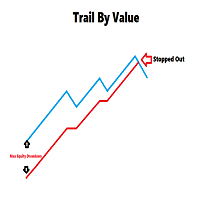
This is a utility for setting trailing stops by value. Trailing stops are great tools for locking in profits as a trade progresses. When trades progress towards potential targets confidence in the trade should be reflected in management of the trade. Market exposure persists for the duration of the trade, and the choice to remain in a trade is
FREE
If you like this product, please leave a 5 start review!
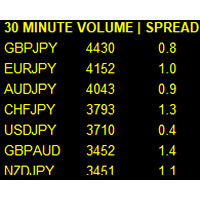
Monitors symbols and shows you which one are the most active for the 3 different time frames you select. Shows volume and spread as well. Good for scalpers or short term traders. Forex is 24 hours, so knowing which pair is active is key to entering with good spreads and catching moves in an active market. This utility attached to a chart and shows you which pair is active, the list is auto sorted, active pairs move to the top of the list.
FREE

Posh Sessions is indicator which displays sessions in broker time or your local time. You can set up to 5 sessions, assign name, start time, end time and color of each session. There is session's range to help you make a chart analysis.
Settings for a session: Show: To show or not the session on chart Title: The title/name of the session Timezone: Select between broker or local time to implement the session's period Start time: The session start time End time: The session end time Colo
FREE

It is widely known that colors affect the emotional state of a human, especially if this human is a trader. Psychologists recommend that you follow your instincts and select the color of your environment that is most comfortable to you. In order to reduce emotional stress, impact of colors on a person should be considered. The optimal range of the most beneficial colors includes green, yellow-green and green-blue ones. This indicator allows you to manage your emotional state and health. Choose a
FREE

Full Automated Trading panel . it works on any trading instruments: Forex, Stocks, Futures, Indices, CFD, Bonds, Cryptocurrencies; interface minimization function; flexibility of use;
Join my channel and check video of it ===> https://t.me/Ash_TheTrader/4986
Features :
Auto SL and TP Auto Close partial Auto Trailing Session Time Alert Time of trading Alert Profit and Percentage and etc.
FREE

The CandleStick Scanner is a tool that allow you to perform a market scan and search any candlestick pattern that you already created in the current chart, You can perform a quick search in the current chart (500 bars will be scanned), This is a lite version of CandleStick Factory for MT4 . The full version video can be found here : https://www.youtube.com/watch?v=fq7pLXqVO94 The full version can be purchased here: https://www.mql5.com/en/market/product/75628
How it works Yo
FREE

This script can generated a text file including Account information such as Account Number Account Name Account Leverage Account Balance MT4 Location Data Folder Location Demo / Real Account Stop Out Mode Stop Out Level etc. Enjoy the script. Please leave a comment or send me an email if you have any idea. The Script is developed by Steve Wan (Eamil: fxac01@gmail.com)
FREE

Prints ALL current chart's symbol and timeframe as customizable labels, ensuring precise anchoring and automatic repositioning during window resizes, timeframe switches, or other chart events. It supports layered display options (background, forefront, or combined color modes) for enhanced visibility without obstructing price data. The accompanying script facilitates global application by attaching or updating the indicator across all open charts in a single execution, promoting efficiency in m
FREE

This is a script for quick evaluation and selection of the most appropriate signals from the available database. The list can be sorted (ascending or descending) by the following criteria: Position in the Rating of Signals; The number of subscribers; Date of signal monitoring start; ROI (Return on Investment); Trading result in pips; Number of trades; Signal subscription price; Account balance; Account growth in percent; Maximum drawdown. Signals can be filtered by the following criteria: Accoun
FREE

This is a script for quick and easy placement of orders (Buy Stop, Sell Stop, Buy Limit, Sell Limit) to the user's choice. Simply drop the script on a chart part where you want to place the selected order. You can also set the automatic calculation of the lot size for the position, depending on the risk as a percentage. Also, you can use the script as a supplement to your trading strategy, since it is possible to specify a magic number. Features Fast placing of a required order (Buy Stop, Sell S
FREE
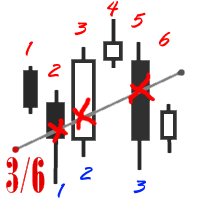
The utility simplifies the search for maximum bars accumulation levels. These levels can be used both for technical analysis and trading actions, like setting a stop loss or pending orders. Additional analytical methods are recommended for levels confirmation.
How it works Сounter mode (enabled by default). In the Сounter mode, draw a trend line on the chart and the utility will specify its length in bars as well as the number of bars the line crosses. When moving a trend line, the utility re-c
FREE

Alert Relay Helper (EA) – MT5 & MT4
Encrypted bridge that forwards indicator alerts to external messengers * in real-time. Plug-and-play utility – simply attach it to one chart. Zero trading functions – does not open, modify or close orders. End-to-end AES-256 encryption – only custom indicators that support the same key can broadcast messages (e.g. VWAP Ultimate Pro v1.20+). Multi-platform – MT5 build 4150+, MT4 build 1380+. Before you turn it on : Open Tools > Options >
FREE

Watch a few videos in the playlist, turn on subtitles, and select a translation into your language. MOPS ( Managing Open PositionS ) is an expert advisor for managing open trades. Its key features include sending notifications to Telegram and automatically closing all positions when specified virtual take-profit and stop-loss levels are reached for all currency pairs, a specific pair, or a "magic number." The advisor not only sends sound alerts and push notifications to the mobile app but also
FREE

Утилита Info Line представляет собой горизонтальную линию которая показывает общую прибыль (убыток) по всех ордерах открытых по валютной паре на график которой она установлена. Отображаемая информация: Количество пунктов от текущей цены до линии; Общая прибыль (убыток) по всех ордерах графика; Общее количество BUY лотов; Общее количество SELL лотов; Кроме того утилита "умеет" ставить стопы на выбранную цену (цену линии). В настройках можно выбрать: Отображать информацию только по BUY ордерам; О
FREE

This expert is a utility to help any trader to find the right lot size according to the risk he wants to take. It calculates the lot size based on account equity and added stop loss.
The utility can't to open or close position.
Attach the expert in the same symbol as the one you want to open position.
PARAMETERS LossPips - Stop loss in pips for your position. RiskPercent - Risk of equity you want to get.
FREE

The indicator sends a Screenshot of the chart to mail when a signal is received. It could be send from anyone timeframe and currency where installed the indicator. The indicator allows you to send messages to a mobile terminal and to mail. To send screenshots to the mail, you need the screensender.exe mail program. To create a signal, the following are used: horizontal lines / vertical lines / trend lines / Moving average.
The terminal does not allow sending screenshots to mail. Therefore, the
FREE

EA Manager RP is a simple yet powerful tool that can help protect your account from other EA's that don't have the features. This came about because I personally use a 3rd party EA for trading but it just doesn't have all the bells and whistles so this was my work around and it works great. I started off with a fully automated EA but unfortunately we can't have DLL imports here so this is the next best thing. What this EA does: Add a start and stop time Maximum open trades Days of the week you w
FREE
importante el archivo debe llamarse tal cual sino no funciona Radar_123_Trader_Profesional_100.ex4
Estrategia escalera inversa al 100% sirve para el probador de estrategias y combina bien los escalones necesarios para crear ganancias minimas y maximas. Se debe configurar el tamaño de los escalones dependiendo al simbolo que se necesita generar ganancias diarias. Configurar e cierre de operaciones en una ganancia minima con punto exacto de trailing stop. como se configura cuenta real https:
FREE

This Expert Advisor monitors all open trades and saves them to a CSV file whenever a change is detected. It’s a lightweight tool for exporting trade data from MetaTrader 4 in real time. What it does: Monitors all open positions on the terminal Detects changes (order type, volume, price, SL, TP, etc.) Writes updated trade data to a .csv file ( TradeCopy.csv ) Includes order ID, symbol, type, lot size, price, SL, and TP Saves files in the Common Files folder for easy access by other applications H
FREE

Screen logger with telegram - takes screenshots of all open MetaTrader 4 charts.
Why do you need
Recording incoming quotations from a broker. In case of any corrections, this moment will be fixed. Check the data of the indicator and notice cases of signal redrawing or overwriting Maintaining own accounting for changes in trading indicators on the account Creation of real trading video from the obtained snapshots
Advantages It consumes significantly less resources than any screen recording
FREE

Equity Aler t can help you send notifications to your personal Telegram when your account equity reaches/ drops below a preset value. Additionally, you can check your MT4/5 account info anytime from your Telegram by simple command: /check . Get more free useful EAs here !
HOW TO SET UP? * Get inputs for EA: - Telegram Bot Token: Create a Telegram bot by @BotFather , and save your Bot Token. Find your bot by username & press "start". - Telegram User ID: Use your User ID by chatti
FREE

Product Description Trades Closer EA for MetaTrader 4 — the fastest and simplest way to close all your open or pending trades instantly with a single click. This tool is designed for traders who value speed, precision, and full control over their trading positions. With an intuitive and customizable interface, Trades Closer EA helps you manage orders efficiently, saving time and minimizing human error. Key Features Close open trades , pending orders , or both on any selected symbol instantly.
FREE

AlphaLogic PropProtector: The Ultimate Equity Shield Protect your Prop Firm account with institutional-grade precision. Are you tired of losing Prop Firm challenges due to emotional over-trading or a few dollars' calculation error? Most traders fail because they lose track of their Daily Drawdown or Absolute Equity Floor . AlphaLogic PropProtector is a professional-grade utility designed for traders who take risk management seriously. Whether you are trading a $50,000 challenge or managi
FREE

This Expert Advisor captures and sends information about all open positions to a REST API server in real-time using HTTP POST requests. It is ideal for building synchronization tools, external monitoring systems, or custom trade copier solutions. What does this EA do? Iterates through all active orders in the account. Compares current positions with the previously sent ones. If any change is detected (SL, TP, price, symbol, volume, type, etc.), it sends updated information to the defined endpoi
FREE

这是一个交易辅助工具箱,并不是全自动交易的机器人 W10 系统请保持 100%的缩放比,如果超过这个值。按钮内的字体将超出按钮边框 常规: 一键下单、一键挂单、一键反手,自动设置止盈止损。 一键平仓、一键平多单(空单)、一键删除挂单。 一键反手、一键锁单、设置自动追踪止损。 根据画线追踪止损 非农: 消息突破单,可在非农或者其他重大消息时使用,在消息行情爆发前在当前价格上方 挂BUYSTOP,下方挂SELLSTOP。订单自动设置止盈止损。 划线下单: 支持最多四根做多趋势线或者做空趋势线并存。价格到达趋势线自动开单。 支持每根下单趋势线设置不同的仓位。 每根下单趋势线可以设置不同的止损趋势线、止盈趋势线。 支持止损止盈趋势线进行止损止盈追踪移动。 支持趋势线的“时效性”,如果价格运行到开单(止损、止盈)趋势线的右方仍未订单成交,则价格将永远不会接触到趋势线,策略失效。如需要请延长趋势线 杂项: 支持历史订单轨迹显示,可在图表显示历史记录中所有订单的下单轨迹,显示开仓价、平仓价、单量。 支持实时点差显示 支持平台信息显示,杠杆,一个点的价值,一手保证金,仓息,是否支持EA等等
FREE

DD Stopper for MT4 | Protect Your Account from Excess Drawdown DD Stopper is a lightweight and powerful risk management utility for MetaTrader 4 that automatically closes all trades when your account drawdown reaches a defined amount in USD. Protect your capital. Trade with discipline. Eliminate emotional decisions. What This Tool Does DD Stopper continuously monitors your account and: Tracks real-time drawdown (Balance vs Equity or floating loss) Closes all open trades instantly when the
FREE
The Rapid Tester indicator is a very simple tester for the Rapid binary options trading system and Rapid Expert . Its objective is constructing a balance line on history data and calculation of statistics during CALL and PUT deals performed by the Rapid trading system for any of the six financial instruments: EURUSD, EURCHF, GBPUSD, GBPJPY, USDJPY or XAGUSD. The tester requires at least 100 5-minute bars in the history of a trading instrument. However, in order to obtain reliable statistics, you
FREE

Trades Viewer Free supports EURUSD only. Trades Viewer is a trading helper app for a serious trader. It offers several important data like day range, 22 days average range and predefined PL. It draws trades history and current open positions on a chart. It has a detail panel for viewing a particular trade with just a click on that trade. All these make it very convenient and straightforward to view your entry/exit positions and thus improve your trading system. Features Profit/loss of the curren
FREE

The utility is designed to detect positive swaps. Description If you are Swing Trader and your positions are open a few days to a few weeks, would be very helpful to know which Currency Swaps are positive. Even if you are a Scalping strategy supporter, would be very helpful to know a day of the week to charge 3 days swap rollover. The SwapDetector will help you to decide to hold or close a position to earn some extra income.
SwapDetector performs the draw objects function, please do not use it i
FREE
Trade Terminator — Instant One-Click Trade Closer for MT4
Struggling to exit trades quickly during market spikes?
Trade Terminator gives you the power to close all open positions instantly with a single click — saving your profits and protecting your account in fast-moving conditions! Built for speed , security , and simplicity , Trade Terminator ensures you're always in control. Features : One-Click Termination: Instantly close all open BUY and SELL trades on the active chart symbol.
FREE
RSI Signalz BASIC ---------------------------------------------------------------------------------------------------------------------------------------------------------------------------------------------------------------------------------------------------------------------------------------------------------------------- (IT DOES NOT TRADE FOR YOU. THIS IS TOO JUST HELP WITH MANUAL TRADING)
Fully Automated EA for marking good entry points for Longs and Shorts.
Default settings are to...
FREE

Telegram BrealOut Ichimoku Lite The Expert Advisor will help you forward all alert from MetaTrader 4 to Telegram channel
Parameters Channel Name - Name of your channel Token - create bot on Telegram and get token. AlertonTelegram - true to activate AlertonMobile - true to activate AlertonEmail - true to activate Customize moku Setting (Pro Version) Customize Comment (Pro Version) Add Customizable Signal Name(Pro Version)
Important Note
- You must allow WebRequest and add the https://a
FREE
ImpulseShield EA is here to say NO to trading decisions made on Impulse
Have you ever placed a trade based on an impulsive decision and regretted your action? What if you could have been able to avoid taking the trade? ImpulseShield is here to help you to only when it is right. The Free Version Only Supports EURUSD, GBPUSD and USDJPY, Here is the Full Version, Just $30 https://www.mql5.com/en/market/product/131505 Key Settings and Their Role
The EA uses the inputs defined earlier to determine
FREE

Core Positioning Advanced analytical tool designed specifically for MT4, providing in-depth analysis of trading history, uncovering data insights, optimizing strategies, and enhancing profitability. Core Usage Strategy Performance Evaluation: Analyzes profitability, stability, and risk to provide an objective rating from A+ to D.
Trading Pattern Discovery: Identifies high-quality assets, time periods, and profit-making habits suited to different market conditions.
Risk Management Optimization: C
FREE

Dexter EA is a 100% automatic robot that executes random orders of simultaneous buys and sells. For each losing operation, a management with an increase in the lot will begin, better known as “martingale” that will cause the price to fall back to the area where it was established. the profit the robot closes in profit or breakeven, depends on its configuration. I catalog it as a utility even though it works totally automatic because EVERY TRADER'S WORK IS NEEDED to be able to make it work corre
FREE

Open Popup Notification Please leave a review about this product to help other users benefit from it. " Free " Script to turn on pop-up notifications to view past trading alert messages including displaying account information. This script is compatible with MetaTrader 4 The script is easy to install and use, making it suitable for traders of all experience levels. There's nothing to worry about, including a freezing screen and any kind of effects on other chart windows. Disclaimer: This script
FREE

Tele Notify can help you send notifications for opened & closed trades to a Telegram channel or your personal Telegram. (see Master Notify for more options of notifications: price, equity, profit, etc. Get more EAs here ) Update: Now you can check your account info anytime from your Telegram by simple command: /check. This option is only valid when you use your Telegram User ID on EA inputs
******************************************************************************************** HOW TO SET U
FREE

This is a free trial version of ScalTradeAssist Pro ( https://www.mql5.com/en/market/product/25920 ) You can use all functions of the tool without any restriction except the lot size. (fixed as 0.01)
I hope you'd like it and decide to purchase the professional version :)
Below is the explanation of the ScalTradeAssist Pro.
*If you see that the orders are not being placed, please check your spread setting, this tool watches it and never place orders if the spread is not matching.
ScalTradeAssis
FREE

SL Maestro - Forex Expert Advisor SL Maestro - Forex Expert Advisor with Advanced Stop-Loss Features Introducing SL Maestro , the ultimate Forex Expert Advisor (EA) designed to enhance your trading strategy by adding stop-losses to existing trades with precision and flexibility. SL Maestro is not just limited to simple pips-based stop-losses; it incorporates a variety of advanced techniques to ensure optimal protection for your trades. Key Features: Pips-Based Stop-Loss : Easily set a stop-loss
FREE
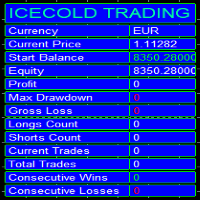
Icecold Trading OSD (On Screen Display) Is very Helpful and easy to use. Try Demo out today!
On Screen Display -Start Balance -Equity -Profit -Max Drawdown -Gross Loss -Longs count -Shorts count -Current Trades -Total Trades
*Know that in the Total Trades, Consecutive Wins & Consecutive Loss columns , those are ALL of the trades your account has done. It does not show 0 when loaded if you have completed trades already in Account History... Just note. To RESET just change Account history perio
FREE

TradingPanel X EA is a simple trading panel with some nice addons: Integrated News Feature Dynamic Take Profit Multiple Trade handling The EA has integrated dynamic Take Profit, this means, if you reach your defined TP it gives you the chance to follow on the Trend by dynamic TP & SL and extend your profits. Also a News Filter function is integrated. The EA working with real TP & SL not virtual.
Important:
Get informed about new Products, join our MQL Channel: https://www.mql5.com/en/channel
FREE

The Position Selective Close is a multi-symbol multi-timeframe script used to close simultaneously various positions. General Description
The Position Selective Close possesses three operation modes (Intersection, Union and All) that control the way as four position features (symbol, magic number, type and profit) are used. The modes, available through the Selection Mode input parameter, relate to the features, available through the “Select by Feature” and “Feature” input pa
FREE
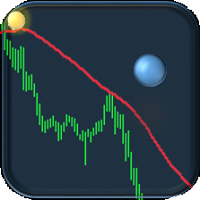
If you are tired of trading, why not have a little fun right in the MT4 terminal? Try this game, the rules are simple - you need to control the ball and take a coin. The ball jumps along the line of the moving average, and it is controlled by arrows or the keys "w a s d". Try to keep the ball from falling out of bounds. There are several levels of difficulty, if at first it’s difficult, you can set a simple level, and when you train, increase difficulty.
When adding a game to a window with a c
FREE

이 스크립트는 다양한 창 기능에서 가중치를 평가하도록 설계되었습니다. 이러한 창 기능을 기반으로 하는 지표는 https://www.mql5.com/ru/market/product/72160 에서 다운로드할 수 있습니다. 입력 매개변수: iPeriod – 표시 기간. iPeriod >= 2 iCenter는 창 기능의 중심이 위치할 참조의 인덱스입니다. 기본적으로 이 매개변수는 0입니다. 창의 중심은 표시기의 중심과 일치합니다. 1 <= iCenter <= iPeriod를 사용하면 창 기능의 중심이 이동되어 표시기의 일부 특성이 변경됩니다. 그림 1에서 센터의 선택이 윈도우 기능과 인디케이터의 디스플레이에 어떤 영향을 미치는지 볼 수 있습니다. 이 매개변수는 0.5 단위로 변경할 수 있습니다. Histogramwidth - 히스토그램의 너비. Histogramcolor - 히스토그램의 색상입니다. 표시 시간 - 표시 시간. 스크린샷 - 이 옵션이 활성화되면 사진이 파일 폴더에 저장됩니
FREE

거래의 일상에서 벗어나 짧은 시간 동안 마법의 세계에 빠져들 수 있는 기회가 있습니다. 나는 당신의 관심에 게임 - 카드 트릭을 제시합니다. mql 언어에서는 Expert Advisors, 지표, 스크립트뿐만 아니라 이러한 작은 게임도 만들 수 있습니다. 저는 상인이자 프로그래머일 뿐만 아니라 여가 시간에 카드 트릭을 보여주는 것도 좋아합니다. 그렇게 된 이후로 저는 제가 가장 좋아하는 트릭 중 하나를 디지털화하기로 결정했습니다. 초점이 멘탈주의가 많이 포함되어 있기 때문에 쉽지 않았습니다. 트릭은 특이한 카드 덱으로 보여집니다. 이들은 우수한 종이 카드 "러시아 스타일"입니다. 1903 년 2 월 겨울 궁전에서 열린 코트 무도회 참가자의 의상을 반복하는 의상을 입은 인물이있는 카드 놀이 데크. 카드 스케치는 1911년 독일의 카드 게임 Dondorf(Frankfurt am Main) 공장에서 개발되었습니다. 왕, 숙녀 및 잭의 옷은 17 세기 스타일로 만들어집니다. 에이스 - 고대
FREE

마진 스트레스 지수(MSI)는 트레이딩 계좌의 현재 부담을 가능한 한 정확하게 나타내기 위해 만들어졌습니다. 100% 값은 마진을 전혀 사용하지 않는 계좌를 의미하며, 마진 사용량이 증가함에 따라 값은 비례적으로 감소합니다. 0% 값은 최대 마진 스트레스 상태에 있는 트레이딩 계좌를 나타냅니다. 또한 Expert Advisor는 마진, 사용 가능 마진, 마진 레벨, MSI 및 자산(Equity)의 최대값과 최소값을 저장합니다. ________________________________________ The Margin Stress Index (MSI) was created to represent the current load on a trading account as accurately as possible.
A value of 100% indicates an account with no margin usage, and the value decreases proportionally
FREE

전체 시장의 모든 기호에 대한 수익 가능성을 분석하는 간단한 스크립트입니다. 각 기간에 대해 최소 및 최대 이익을 백분율 및 단계 수로 지정할 수 있습니다. 스크립트는 구성에 따라 가장 흥미로운 기호를 찾습니다.
올바른 거래를 선택하는 데 도움이 될 수 있는 전체 시장에 대한 빠르고 최신 분석을 얻을 수 있으며 다시는 기회를 놓치지 않습니다.
전체 시장의 모든 기호에 대한 수익 가능성을 분석하는 간단한 스크립트입니다. 각 기간에 대해 최소 및 최대 이익을 백분율 및 단계 수로 지정할 수 있습니다. 스크립트는 구성에 따라 가장 흥미로운 기호를 찾습니다.
올바른 거래를 선택하는 데 도움이 될 수 있는 전체 시장에 대한 빠르고 최신 분석을 얻을 수 있으며 다시는 기회를 놓치지 않습니다.
전체 시장의 모든 기호에 대한 수익 가능성을 분석하는 간단한 스크립트입니다. 각 기간에 대해 최소 및 최대 이익을 백분율 및 단계 수로 지정할 수 있습니다. 스크립트는 구성에 따라 가장 흥미로운
FREE

ExportRange 는 지정한 시간대의 캔들 데이터를 CSV 형식으로 저장하는 유틸리티 스크립트입니다. 각 캔들의 최고가, 최저가, 범위(차이), 시간, 인덱스를 추출하여 분석용 데이터로 활용할 수 있습니다. 통계 분석이나 변동성 연구가 필요한 사용자에게 적합합니다. 스크립트를 차트에서 실행하면, 설정한 개수만큼의 바 데이터를 불러오고 결과를 터미널의 Files 폴더에 CSV 파일로 저장합니다. 바 개수와 시간대는 입력 파라미터로 설정할 수 있으며, 현재 차트의 시간대를 그대로 사용할 수도 있습니다. 주요 기능 지정한 개수의 과거 바 데이터를 CSV로 내보내기 High, Low, Range(High - Low) 저장 현재 차트 시간대 사용 가능 외부 분석 도구에 적합한 CSV 형식 출력 출력 항목
생성되는 CSV 파일에는 다음 항목이 포함됩니다. Timeframe Index Datetime High Low Range Range 값은 가격 차이로 저장되며, 필요 시 후처리 과정에서
FREE

iCUSTOM INDICATOR TESTER is a tool for CODERS but not only. It is a programme designed for testing and checking custom indicators even if or especially if you have no source code as .mq4 file but only a compiled .ex4 file. TRADERS may test an indicator and see if their idea connects with indicator data - if the idea is really calculated and if it is possible to create an EA based on this particular indicator. It can save time of both - developers and traders.
Please type in the name of the indic
FREE

즉시 Discord 알림. 차트에서 직접 가격 레벨을 설정하고 가격이 이를 돌파하면 메시지를 받으세요. 레벨 추가는 한 번의 클릭으로 가능합니다. 마우스로 라인을 드래그하여 원하는 가격 레벨을 정확하게 설정할 수 있습니다. 편리한 제어 패널: 모든 활성 알림이 목록에 표시됩니다
라인을 드래그하여 레벨을 수정할 수 있습니다
불필요한 알림은 한 번의 클릭으로 삭제하거나 "Clear All Alerts"를 사용해 모두 한 번에 제거할 수 있습니다
알림은 트리거된 후 자동으로 제거됩니다
차트에서 알림 라인을 숨기는 옵션
사용자 지정 알림 텍스트 지원 (예: crossed, reached, touched)
Dark/Light 모드 지원 작동 방식: Add Alert를 클릭
차트에 가격 레벨 라인이 표시됩니다
원하는 가격 레벨로 이동합니다
가격이 해당 레벨을 돌파하면 - Discord에서 메시지를 받게 됩니다 간편한 설정: Discord에서 텍스트 채널을 생성하고 Webhook URL을 복사하
FREE

Ego Guard is an advanced Expert Advisor designed to safeguard account equity by implementing robust risk management measures. This EA closely monitors account activity and intervenes when necessary to prevent excessive risk exposure. Specifically, Ego Guard automatically disables any other Expert Advisors that attempt to open trades exceeding the predefined risk threshold. By effectively managing trade volume and ensuring adherence to risk management principles, Ego Guard provides traders with p
FREE

Bollinger Bands TP Guardian
이 유틸리티 Expert Advisor는 볼린저 밴드를 사용하여 오픈된 주문의 이익 실현(TP) 수준을 수정하고, 거래 관리를 개선하며, 수동 거래가 실행된 후에도 편리하게 사용할 수 있도록 합니다.
주요 기능 자동 TP 조정: 이 EA는 오픈된 주문의 TP를 자동으로 조정합니다. 볼린저 밴드 통합: 볼린저 밴드의 상단 밴드, 중간 밴드 또는 하단 밴드를 사용하여 TP 수준을 설정합니다. 사용자 정의 설정: 사용자는 볼린저 밴드 매개변수와 TP 수정 빈도를 지정할 수 있습니다. 손쉬운 작동: 차트에 한 번 부착되면, 이 EA는 수동 개입 없이 백그라운드에서 작동합니다. 사용 방법 EA를 차트에 부착합니다. EA 설정에서 원하는 이익 목표 수준에 사용할 볼린저 밴드 라인(상단, 중간 또는 하단)을 선택합니다. 볼린저 밴드 매개변수를 설정합니다. 그러면 EA가 해당 심볼의 모든 오픈 주문에 대한 TP를 조정하기 시작합니다. 매개변수 B
FREE

Советник риск-менеджер с огромным арсеналом возможностей защиты вашего депозита. Для инвесторов, которые решили передать капитал в доверительное управление. Когда у трейдера нет доступа к настройкам - нивелирует торговые риски. А также для трейдеров, которые осознали необходимость стороннего контроля за их торговлей для улучшения торговых результатов. Для максимальных результатов - должен стоять на отдельном VPS сервере и у трейдера не должно быть возможности менять настройки в торговый период.
FREE

이 작은 스크립트가 당신의 삶을 밝게 할 것입니다. 아래 코드는 로봇의 OnInit에 삽입할 수 있는 코드입니다. 또는 취향에 맞게 색상과 크기를 변경하십시오. #property copyright "V.Temchenko Skype:vasily.temchenko" #property link " Mailto:tvp.prog.96 @gmail.com" #property version "1.00" #property strict #property description "Have questions? Skype: vasily.temchenko Viber: +38098 800-6-800" ; #property description "If the voice - only Russian, Ukrainian or Belarusian" ; #property description "And you can write in English, Russian, Ukrainian" ;
FREE

This script is designed so that the trader can determine the average duration of trade transactions, at which the ratio of possible profits and losses will be optimal. First, let's look at the general approach to determining the optimal duration of trade transactions. We introduce the following variables: R - the result of the transaction; T - the time during which the transaction was open; W - the time between the closing of the previous transaction and the opening of the next one. Every tr
FREE

Protect your account from Margin Call when the market is going opposite with your trades. Manage your risk when you're using Martingale, Grid, Average . They are not dangerous anymore, but manageable Use this EA utilities to accompany your every MT4 installation This EA is a utility to protect your capital when your trading are unfavorable : Maximum loss in money, Maximum Draw-down/ equity loss in percentage, Your minimum equity reached Those are whichever reached first It's simple, straightfor
FREE

Stable Helper – Keep Your Trading Connection Uninterrupted! Ensure your MT4 stays connected and stable automatically! Stable Helper works silently in the background, monitoring your connection, rescanning servers, and even restarting MT4 if necessary—all without manual intervention. Designed to minimize downtime and optimize server performance , Stable Helper protects your trades from unexpected disconnections and latency issues. Key Features: 1️⃣ Real-Time Connection Monitoring
Constantly
FREE

SA Assistant is an intuitive tool without complicated settings, designed to facilitate the trading operations in the MetaTrader 4 terminal. SA Assistant is not designed for working in the strategy tester. The demo version works only on the USDCAD pair. Please test the EA on a demo account before using it on a live account.
The SA Assistant EA is visually divided into 4 blocks: 1. "Information" - displays in real time: trading account balance leverage spread of the instrument the EA is attached
FREE

Hello everyone, this is another utility that I wrote specifically for users using my profile with a large number of experts and sets ( https://www.mql5.com/en/blogs/post/750723 ) . This utility is useful for working with a profile using grid strategies (averaging and martingale). As we know, such strategies periodically fall into a large drawdown and you need to be careful when opening averaging positions (do not open too many). In my profile, I use a limit of 3 positions for each EA, if this w
FREE

️ Prop Circuit Breaker MT4 Prop Circuit Breaker is an advanced, high-performance risk management utility designed exclusively for the MetaTrader 4 platform. This EA does not execute trades . Instead, it acts as an automated security shield, protecting your funded or challenge accounts from catastrophic losses and ensuring complete rule compliance. Whether you are manually trading or running a commercial EA that lacks built-in drawdown protection, Prop Circuit Breaker continuously monitors you
FREE

This is the Free Version of "Just Copier Pro MT4" (Please check : https://www.mql5.com/en/market/product/34472) This free version is available to be used within 2 hours only, and it has limited features. Please also check this product at fxina.hostingerapp.com.
If you want to share your trading signal, but you dont want to distribute your investor password, this product is fit with you. "Just copier Pro" is designed to copy trading without any complicated settings. The copy can be done in o
FREE

The utility searches the price history looking for the pattern similar to the one within a specified interval. The length of a pattern and a specified interval is the same and set in bars. Similarity is estimated by comparing the bars' body colors, size and shadows. The subsequent price movement is displayed as lines for all detected patterns. The color of the lines defines the degree of similarity. The movement length is set as a number of bars. Search for patterns and visualization are perform
FREE

"TradeALot" is a plug-in for the Expert Advisor Control-adora . It allow you to place programmed orders without the need to write the name of the order in the Arrow (like bs, ss, bl, sl, sl1, sl2, etc). Just drag and drop the button for "Programmed Buys" or "Programmed Sells" over the candles-zone at the place where you want to program the order and TradeALot will compare the bid price with the position where you dropped the button and will decide if the order need to be "Stop" or "Limit". With
FREE

This indicator is a plug-in for Controladora Expert Adviser , which allows you to set a specific area, and the Controladora will open a buy or a sell, if the candle closes inside this area. To make it work in a chart with the Controladora installed, add the Act Inside indicator, then add a rectangle shape into the chart and re-size it to cover only the area where the close of a candle should be in order to send the buy or sell order. Rename the rectangle as AI and in it's description write buy,
FREE

This is a script that is made to work in conjunction with the Objects Hide script Re-draw again the objects removed in the chart by the Objects Hide script Just drag and drop over the desired chart when you want to recall the objects deleted by Objects Hide Using this scripts system you can have the option to hide (remove) all graphical objects in the chart and recover them again later. Objects Hide is purchasable here in mql5.com find out more about this on this link. Please watch the demo tuto
FREE
MetaTrader 마켓은 MetaTrader 플랫폼용 애플리케이션을 구입할 수 있는 편리하고 안전한 환경을 제공합니다. Strategy Tester의 테스트를 위해 터미널에서 Expert Advisor 및 인디케이터의 무료 데모 버전을 다운로드하십시오.
MQL5.community 결제 시스템을 이용해 성능을 모니터링하고 원하는 제품에 대해 결제할 수 있도록 다양한 모드로 애플리케이션을 테스트할 수 있습니다.
