 MetaTrader 5
 Experts
 지표
지표
 스크립트
스크립트
 라이브러리
라이브러리
 보관함
보관함
당사 팬 페이지에 가입하십시오

MT5 Memory Meter Panel - MetaTrader 5용 지표

Driven by an insatiable curiosity for the markets and a passion for problem-solving.
I specialize in building robust Expert Advisors, custom indicators, and advanced trading utilities using MQL5.
- 조회수:
- 916
- 게시됨:
- 업데이트됨:
-
 이 코드를 기반으로 한 로봇이나 지표가 필요하신가요? 프리랜스로 주문하세요
프리랜스로 이동
이 코드를 기반으로 한 로봇이나 지표가 필요하신가요? 프리랜스로 주문하세요
프리랜스로 이동

MT5 Memory Monitor
MT5 users often run multiple Expert Advisors, indicators, and other programs simultaneously, but keeping track of the platform's memory consumption can be difficult. Monitoring memory usage is important because excessive consumption can affect platform performance and, in extreme cases, contribute to instability.
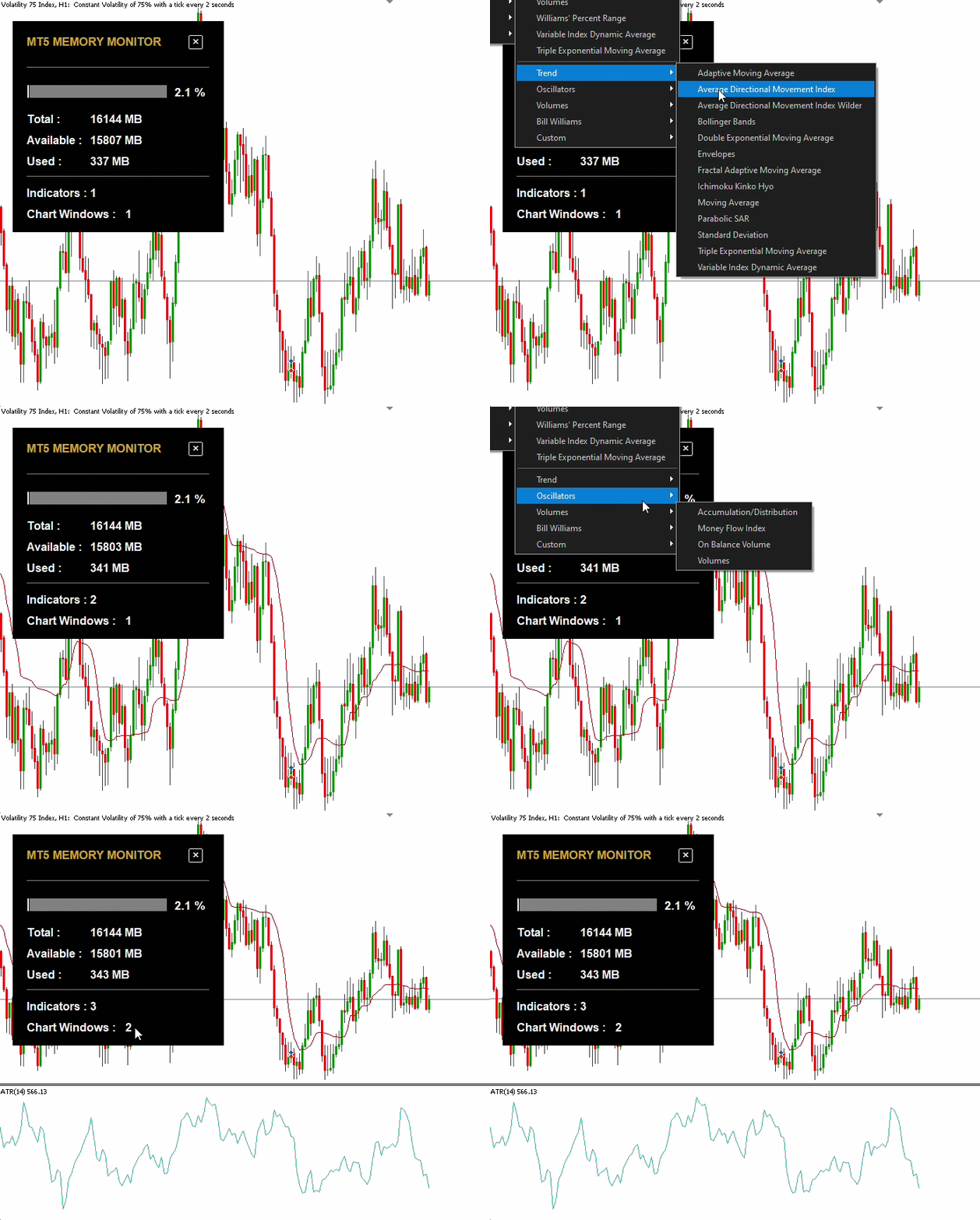
MT5 Memory Monitor addresses this limitation with a simple and intuitive on-chart dashboard that provides a quick overview of the platform's current memory status.
The monitor displays memory usage as a visual meter, together with key resource information including:
-
Memory usage percentage — visualized through an intuitive meter bar.
-
Total memory available to the MT5 terminal.
-
Used memory currently consumed.
-
Available memory remaining.
-
Number of indicators running across the current chart's windows.
-
Number of chart windows associated with the current chart.
The information is automatically refreshed periodically, allowing users to keep an eye on resource consumption while working with multiple MT5 programs.
The goal is to provide a lightweight resource-monitoring panel that makes MT5 memory usage easier to observe at a glance.
 AI Prompt Writer - Simple AI Assistant Customization
Customize your MetaTrader 5 AI Assistant with selectable language, personality, menu and behavior using a simple prompt file.
 GridCapitalCalculator
Everyone running a grid asks: is my account big enough? The usual answer - the loss at the last grid level - is the wrong number. What ends the account is the margin level reaching the broker's stop-out, while the chain is still open and still looks recoverable. This EA computes the real figure, then counts how often a move that large has already happened on the symbol's own M1 history. Three mistakes it fixes, all erring in the reassuring direction: a chain of N legs floats at step x N(N-1)/2, not step x N (at 10 legs, 45 steps of loss, not 10); open positions also lock up margin while they float; and stop-out is a percentage, not zero - at 50%, losing half the equity is enough. "You need 86 dollars of room" is an abstraction. "A move that size happened 71 times in 100 days, one every 1.4" is a decision. Set InpEquity to a size you do not have yet to see what the configuration would really need. Strictly read-only: it never opens, closes or modifies a position.
Gold Session Boxes: Sydney, Tokyo, London, New York and the overlap
Draws Sydney, Tokyo, London and New York as high/low boxes with the London-New York overlap outlined and the rollover hour shaded. Session times in GMT, broker offset detected automatically, average range of the last N sessions on every label, optional alert at session open.
Completed Bar Trend Regime Dashboard MT5
An MT5 dashboard that classifies completed-bar trend regimes using EMA structure, ADX/DI, higher-timeframe confirmation, ATR, breakout position and spread context.