Ballast Spread Guard MT4

スプレッドで取引を失うのはもう終わりに。ロールオーバー時や指標発表の前後には、スプレッドが 1 分ほど通常の 10〜20 倍に跳ね上がることがあります。指値・逆指値注文が悪い価格で約定し、価格がそこまで行っていないのにストップロスが執行されます。Ballast Spread Guard はスプレッドが広い間は一歩下がり、通常に戻るとすべてを元に戻します。

1 つのチャートに適用してください。その銘柄(または銘柄リスト)のスプレッドを監視し、手動でも任意の EA からでも、それらのすべての注文に対応します。取引を新規に行うことはありません。

  • 「広い」を判断:通常スプレッドは直近 24 時間の中央値なので、しきい値は銘柄とブローカーごとに自動で合います。広い = スプレッドが通常の 3 倍(または固定ポイント数)を超えた状態。しきい値を下回って 60 秒たってから通常に戻るので、状態がちらつきません。
  • 待機注文を一時的に取り消し、スプレッドが広い間は外し、その後同じ価格・ストップ・利確・数量・有効期限・コメント・マジックナンバーで再発注します。その間に価格が通過した注文は再発注せず(すぐ約定してしまうため)、報告します。価格に近すぎるだけの注文は、ブローカーが受け付けるまで待機します。
  • ストップロスを保護:広いスプレッドが届きうるストップは、ブローカー側の安全ストップとしてさらに外側(通常スプレッドの 20 倍)へ移し、本来のストップは通常スプレッドの価格で監視します。相場が本当に到達したら成行で決済します。スプレッドが通常に戻ると、ストップを正確に元の位置へ戻します。ご自身でストップを変更した場合は、それ以上手を出しません。
  • オプション:スプレッドが広い間に建てられたポジションの決済、スプレッドが広くなったときのアラートとプッシュ通知、特定のマジックナンバーのみ。
  • スプレッドログ:曜日・時間ごとの平均、最大、広かった分数を MQL4\Files\SpreadGuard_<symbol>.csv に記録。パネルにはブローカーの最もコストの高い時間帯が表示され、取引を避けるべき時間がわかります。
  • 他の EA 向け:スプレッドが広い間、グローバル変数 SpreadGuard_<symbol> が 1 になります。

テスト

  • MT4 テスターはスプレッドが固定のため、3 回のテスト(EURUSD 1 年を M15 と H1、ゴールド 5 か月)で、毎晩のロールオーバー急拡大と通常の 4〜12 倍のランダムな急拡大を含むスプレッドを再現し、ランダムなトレーダーと独立したトラッカーを使いました。
  • 結果:スプレッド拡大期間 14,201 回、ガードとトラッカーの不一致ティック 0、拡大中に残ったトレーダーの注文 0、スプレッドが届く範囲で保護されなかったストップ 0。取り消し 118,773 件、同一内容で再発注 118,563 件、相違 0 件、価格が通過したため再発注しなかったもの 210 件。保護したストップ 36,114 件。これはガードの動作を確認するもので、節約額を示すものではありません。再現したスプレッドは実際の市場ではありません。

注意点

  • MT4 には分単位のスプレッド履歴がないため、ガードが自分で通常スプレッドを算出します(起動の数分後から、その後は自身のログを使用)。
  • 再発注された待機注文には新しいチケット番号が付きます。EA が自分の待機注文をチケットで管理している場合は、"Only this magic number" で除外するか、"Lift pending orders" をオフにしてください。
  • ストップを保護している間はガードが動作している必要があります(VPS などでターミナルを起動したままに)。動作していなくても、ブローカー側のより外側の安全ストップが取引を守ります。
  • 急拡大中に相場が本当に保護中のストップに達した場合、成行で決済するため広いスプレッドの一部を支払います。週末のギャップはどのストップでも防げません。
  • MT4 テスターはスプレッドが固定のため、ストラテジーテスターではデモが平日 20:00〜20:20 のスプレッド急拡大をシミュレーションし、19:57 に取引と待機注文を出して、ガードの動作を確認できるようにします。実際のチャートでは決して起こりません。

入力パラメータ

  • Wide when spread > this x typical spread — 3 (0 = off)
  • Wide when spread > this many points — 0 = off
  • Normal again after this many seconds below the limit — 60
  • Symbols — e.g. EURUSD,GOLD; empty = this chart only
  • Lift pending orders, restore them afterwards — true
  • Shield stop-losses — true
  • Shielded broker stop: this x typical spread further out — 20
  • Close trades opened while the spread is wide — false
  • Only this magic number — -1 = all, 0 = manual trades
  • Alert / push notification when the spread turns wide — false
  • Panel font size, corner — 9, upper left

組み合わせにおすすめ

おすすめのプロダクト
Scorpion Grid
Evgenii Kuznetsov
5 (2)
Multi-currency grid Expert Advisor, in most cases it receives quite accurate entries. If an entry is not accurate enough, the positions are managed using an elaborate martingale strategy. Work on real account:  http://tiny.cc/nkaqmz Entries are performed using the signals of RSI and Stochastic indicators, in the overbought/oversold areas, plus additional entry conditions based on a proprietary algorithm. Recommended timeframe - М15. The EA features a drawdown management system, which takes into
News Hedging Pro  is a unique robot that allows you to trade during the most critical news announcement periods by your predefined strategy. You can preset the strategy to trade, and then it will trade that news automatically when the news comes. News release gives opportunity to have pips since the price usually has big move at that time. Now with this tool, trading news become easier, more flexible and more exciting than ever. No waiting, no confusing anymore. Product Links Fully  Description
The Arrow Scalper
Fawwaz Abdulmantaser Salim Albaker
1 (2)
Dear Friend..  I share with you this simple Expert Adviser .. it is full automatic  this Expert Adviser following the trend of the pair you install on or any stocks or indices , it is works like that: - when the trend on H4 chart show a start of up trend the expert will wait till the 15M & 1H charts show an up trend the EA will open a buy order directly , and do the same for down trend and open a sell order the buy or sell  order lot size and take profit and stop loss will measured manually  by
FREE
Why choose Trading Pal EA: This is a EA utility that auto-manage your   positions ' Stop-Loss (SL) and Take-Profits (TP) dynamically. When opening a single   position , it is easy to set the SL and TP manually. But when dealing with multiple   positions , it can be very tedious or   overwhelming   to fill in so many SL and TP values consistently, especially in a short span of time, like in scalping. Over time and after many such trades, trading itself can become a chore. That is where this EA c
Sondra Grider Hedge - мультивалютная сеточная система с мартингейлом,  автоматическим безубытком и трейлинг стопом. Советник достаточно установить на график любого финансового инструмента с параметрами по умолчанию. Параметры Lot фиксированный объем для торговли MagicNumber уникальное число для идентификации советником своих ордеров Komment комментарий к открываемым сделкам Минимальный стартовый депозит для торговли составляет 1000 usd. Прошлые прибыльные трейды советника не являются гарантие
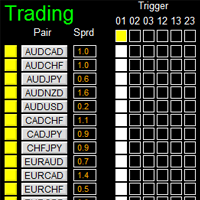
如果产品有任何问题或者您需要在此产品上添加功能,请联系我 Contact/message me if you encounter any issue using the product or need extra feature to add on the base version. There is Demo version of this panel Dashboard Super Three MA Demo in my product list, please try it out to get familiar with all functionalities free, LINK . This system basically utilizes PA and three adjustable Moving Average as the main indicator set to generate trading signal. With the feature that all MA_timeframe, MA_period, MA_applied_price are ad
Multi instrument and multi time frame EA, with the best indicators.  The MSD EA can be used for automated and manual trading. Click on the '?' button on the dashboard to obtain information about the various elements of the MSD EA. Uses ATR Take Profits, ATR Stop Losses and ATR Trailing Stops. Comes with an FX Currency Strength meter and a Market Sessions indicator. Has the option to place Trade Lines (Buy, Sell, Close, Alarm). When the price reaches the trendline, the EA will perform the approp
Psychology
Tais Miranda Hoffmann
4.6 (5)
The most different product of the site: This tool is an auxiliary tool aimed at managing your trades and psychological discussions. As you probably know, more than 70% of the reason for the success of big traders is psychological issues. Only 30% is related to your strategy. So it is better to strengthen this big part with a tool. With a free tool, I allow you to become a better trader   This tool consists of several rules. In version 1.0, we have 7 rules. In later versions, we will add more ru
FREE
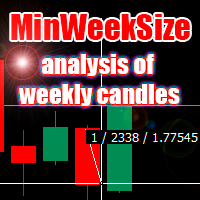
The script analyzes the size of the extreme closed candles of the selected timeframe (by default - W1). If the candlestick size is higher than in the settings, the script opens the chart of this trading instrument. In addition, the script calculates the average candle size for the number of candles specified in the settings. An example of using the script: On Monday morning, activate the script on any trading instrument; Determine which instrument's weekly candle is above average; This week,
Gold Scalper EA Pro — Automated XAUUSD Breakout Trading Robot for MT4 Capture fast intraday moves on Gold with a precision breakout scalping system built for MetaTrader 4. Gold Scalper EA Pro identifies key support and resistance levels  or a defined price channel  and automatically enters when price breaks decisively through them, aiming to catch the momentum of genuine breakouts while staying out of the market during quiet, range-bound conditions. Key Features:   Purpose-Built for XAUUSD  
EAsy ClickTrade is the easiest way in the Forex market to: Execute trades instantly as a function of selected Equity Risk and your desired StopLoss Level for ANY CURRENCY PAIR . Calculate the risk exposure to the market in terms of equity at risk per currency and direction. Calculate how attractive a potential trade is in terms of Risk and Spread Cost (excellent for scalpers and short-term traders). Inputs Select Risk for Lots Calculation [% Equity]. By default 1%. This is the initial value for
This tool monitors your current Expert Advisors and manages stop losses and take profits. You can customize which EAs and/or which currencies to monitor. It is primarily meant for EAs that you feel manage stop losses and/or take profits poorly. If you want this tool to be able to monitor manual trades, please use '0' (zero) as the magic number. Supports hidden stoploss and take profit Supports ATR-calculated dynamic stoploss Supports Breakeven for individual trades Supports Trailing stop Lower r
EA Excess  - автоматический советник использующий в качестве сигнала для входа сравнение волатильности нескольких периодов, и при определенном превышении ее значения открывает сделки, если дополнительные фильтры активированы и также находятся на нужных значениях. Советник имеет возможность настройки торговли в определенное время, и дополнительную возможность увеличения лотности ордера, или серии ордеров после убытков. ВАЖНО:  обратите внимание на параметры GMT! Для того, чтобы получить корректны
MANUAL OF RECOVERY GRIP The recovery grip system can recover both an isolated loss and a loss produced by a grip or multiple orders, the algorithm gradually compensates the losses until the equity returns to zero. The time it takes for the algorithm to reverse the loss is proportional to the volatility of the pair and the size of the loss.This system allows you to test the algorithm prior to purchase.For this, it has a powerful simulation system in which you can choose whether your loss is a
Various Trailing Manager EA Various Trailing Manager EA is a professional trader's tool that provides protection of floating profit on open trades. This EA Utility allows you to manage (with advanced filtering) unlimited open orders (manual or EA) with trailing stops based on 7 methods: percent, ATR, Moving Average, Candle, Parabolic, Fractal. The trailing stop can be either real or virtual, and you can exit fully or with a partial close percent on touch or bar close. Visualize all orders and t
Goat Prop Guard MT4 protects prop-firm challenge and funded accounts on MetaTrader 4. It watches your account every tick and closes everything before a firm rule is broken - so one bad trade or one revenge session cannot cost you the account. Rules it enforces Daily loss limit - % or money, measured from day-start balance, equity, or the higher of the two; custom day reset hour (server time) Max overall drawdown - static or trailing; trailing floor can stop rising once it reaches the start balan
A single "controller" EA that schedules and applies MT4 templates to up to 5 target charts at user-defined times, with daily profit targets , two-tier max-loss kill switches , max-profit lock-in , a weekend filter , delayed cross-chart wakeup and a live dashboard . Ships with a free helper utility PUGS-Chart ID to instantly identify any chart's ID. Full Product Description What it does PUGS Multi-Set Template Scheduler Pro  is a "master controller" Expert Advisor that you attach to one chart
EA Morpheus
Ruslan Pishun
2.42 (12)
Breakout based strategy, generates market entry signals when the price crosses a border of a certain price range. To create the strategy, we have used the history data with 99,9% quality for the last 15 years. The best signals had been selected and the false signals have been filtered out. The Expert Advisor performs technical analysis and considers only the breakouts that show the best result. It uses a system of filtering false signals. The EA uses adaptive trailing stop. The EA uses a very
Account Profit & Loss Killer Full Account-Level Intelligent Risk Management EA (MT4) ⸻ Product Introduction Account Profit & Loss Killer is a true "overall account control and risk management tool". It does not participate in any trading strategy; it focuses on only one thing: When the total floating profit or total floating loss of all positions in the account reaches your set amount, it immediately and within milliseconds forcibly closes all orders in the account. This is a true "
FREE
Wolseley Panel MT4 FREE
Walter Wolseley Pessoa Batista De Lima
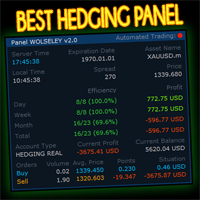
WOLSELEY's Trading Panel - BASIC - - Feel free to contact me at instagram   @walter_robos  or whatsapp/telegram +5592981173937 View your history in a structured and detailed manner, with efficiency rate and profit rate separated by day, week, month and total, as well as asset details, server time and positions&orders in progress. This panel was created looking on HEDGE-type accounts, but it can be used on NETTING-type accounts without any problems. In the PREMIUM version of this Panel you have
Automated Timeframe cycling with Symbols centered.  Force every timeframe onto one clock window, so the story you see on Daily is the same story you are slicing on H4, H1, and M1.  Traders usually flip timeframes and lose the span. A Daily chart shows a few weeks, then M15 shows a few hours, and the eye treats them as different markets. This indicator locks the window to N bars of the highest enabled timeframe — default 10 Daily — and maps every lower timeframe to that same stretch. You stay ins
FREE
Title: [BB Zone Pro] Smart Reversion Scalper – Profit from Market Exhaustion Catchphrase: "Stop getting stopped out by 'Band Walks.' Wait for the market to exhaust its momentum before you strike." While standard Bollinger Band indicators signal as soon as a price touches the band, BB Zone Pro uses a sophisticated "Time-at-Price" confirmation. It ensures you only enter a trade when the market is truly overextended, capturing the high-probability snap-back. Key Highlights: Time-Confirmed Entry:
FREE
Is your trade at a loss? Does not matter ! You can use this Extra martingale tool.  In the set loss of your trade or your EA's trade , this tool will open another trade at a better price. It can also open multiple trades at different distances and with different lot sizes. Each trade will be assigned a TakeProfit. This tool has a lot of settings. You can set variable lot sizes, variable trade distances, variable TakeProfit sizes, maximum total profit or loss in money. You can also close trades
Buy The Dip Util is an  halfautomatic  expert advisor (EA), to   buy on dips (days lows) and sell on spikes (days highs). A profit can exceed a loss trade up to 10 times , so the user can have several loss trades and still make profit. Orders are opened at the change of the hour , if a button in the chart is pressed. The  Buy The Dip as EA  does this automaticly. The order stoploss is automaticly set right below the low of the former hour (buy) or right over the high (sell). The position size
Rebate Virtual Grid
Sergii Onyshchenko
3 (1)
This is a Virtual Grid EA  with  positive (for traders) slippage. I recommend it for pair EURUSD. EA may be use as Rebate generator. Works ok during news and gaps (with depo >1000$). Working timeframe M1 . Strategy The system does not use regular takeprofits and stop loss. Martingale is not used. EA use unique indicator (for open "Zero"). Monitoring (5EAs) _ https://www.mql5.com/en/signals/508303 Parameters (one of the safest) Rebate Virtual Grid                          MM_Type    0  MM: 0-mi
Hello, boys and girls! Script allows you either to quickly save opened charts and then close all charts opened by visual tester mode or just faster close all charts. Feel free to take a look at video manual about how to use this script on my YouTube channel. Also, feel free to join my telegram channel , where time to time I publish some exclusive stuffs. Feel free to leave feedback and thoughts how to improve this script - I'd highly appreciate that. All the best.
QMMatrix PRO
Witold Jacek Herrmann
Description: Upgrade your MetaTrader 4 into a professional, institutional-grade trading terminal. Welcome to QMMatrix PRO , the ultimate execution panel and trade management system built by Quant Trading . Designed specifically for scalpers, day traders, and Prop-Firm funded traders, this tool eliminates the slow, clunky default MT4 order window and replaces it with lightning-fast execution and automated risk control. Whether you trade manually or want to semi-automate your setups, QMMatrix PRO
This EA does not use arbitrage, grid and indicators. It goes into market at any time and compensates any losses (as long as there is enough account balance). A part of the compensation mechanism ist hedging . So keep in mind, that this is a high risk / high profit strategy and delivers constant profit on normal market situations. To limit the risk, withdraw your money after specific periods of time! Telegram support group:  (on Demand) Performance Linear and exponential profit   (using auto lo
Cryptocurrency -  XRPUSD/BTCUSD Candle Time -  5m for best results Leverage -  1:5 This strategy uses RSI, CCI and a few other indicators when they meet certain levels. *BACKTESTING MATCHES LIVE DEMO* DATE: 2018 - OCT 2019   CURRENCY: XRPUSD   CANDLE TIME:  5M Bars in test 137239 Ticks modelled 5913780 Modelling quality 90.00%                                                                            Mismatched charts errors 0 Initial deposit 3000.00 Spread 85 Total net profit 1362781.92 Gross
Market Monitor
Rodrigo Rethka Goncalves
Market Monitor – Smart Asset Performance Dashboard for MT4 Turn your MetaTrader 4 into a professional trading intelligence center! Market Monitor is a powerful monitoring tool that displays, in real time, the most relevant performance metrics of each symbol being traded — helping you make faster, smarter, and more strategic decisions. What Does This Indicator Do? Market Monitor scans all open and historical orders, consolidates the data by symbol, and displays everything in visual pa
このプロダクトを購入した人は以下も購入しています
Trade Manager EAへようこそ。これは、取引をより直感的、正確、そして効率的にするために設計された究極の リスク管理ツール です。これは単なるオーダー実行ツールではなく、包括的な取引計画、ポジション管理、リスク管理のためのソリューションです。初心者から上級者、迅速な実行を必要とするスキャルパーまで、Trade Manager EAはあらゆるニーズに対応し、為替、指数、商品、暗号通貨などさまざまな市場で柔軟に対応します。 Trade Manager EAを使用すると、複雑な計算が過去のものになります。市場を分析し、エントリーポイント、ストップロス、テイクプロフィットのレベルをチャート上のラインでマークし、リスクを設定するだけで、Trade Managerが最適なポジションサイズを即座に計算し、SLとTPをピップ、ポイント、口座通貨でリアルタイムに表示します。すべての取引が簡単かつ効果的に管理されます。 主な機能: ポジションサイズ計算機 :定義されたリスクに基づいて取引サイズを瞬時に決定します。 簡単な取引計画 :エントリー、ストップロス、テイクプロフィットを設定するためのド
Exp COPYLOT CLIENT for MT4
Vladislav Andruschenko
4.69 (65)
MetaTrader 4向け 高機能トレードコピーソフト MetaTrader 4 用の、高速・安定・高機能なトレードコピーソフトです。 COPYLOT は、 MetaTrader 4 と MetaTrader 5 間でFX取引をコピーでき、さまざまな口座タイプや運用スタイルに合わせて柔軟に同期できます。 COPYLOT MT4版の対応コピー方式: MetaTrader 4 → MetaTrader 4 MetaTrader 5 Hedge → MetaTrader 4 MetaTrader 5 Netting → MetaTrader 4   MT5版 詳細説明 + DEMO + PDF 購入方法 インストール方法 ログファイルの取得方法 テストと最適化の方法 Expforexの全製品 MetaTrader 5版 を使えば、 MetaTrader 5 → MetaTrader 5 および MetaTrader 4 → MetaTrader 5 のコピーにも対応します: COPYLOT CLIENT for MT5 COPYLOT は、2台、3台、さらには10台規模のターミナル環境でも
Local Trade Copier EA MT4
Juvenille Emperor Limited
4.96 (111)
Local Trade Copier EA MT4 は、同一の Windows PC または Windows VPS 上で稼働する複数の MetaTrader 4 口座間で、取引をコピーおよび管理するための高速で柔軟なトレードコピーツールです。 ローカルでの取引同期に加え、Receiver 側でロットサイズ、リスク管理、取引フィルター、シンボルマッピング、取引管理、口座保護を個別に設定できます。 Transmitter と Receiver のターミナルは約 1分 で設定でき、同一ブローカーまたは異なるブローカーの口座間で、手動取引や EA による取引をコピーできます。適切な条件下では、ローカルの MetaTrader ターミナル間で取引情報を 0.5秒未満 で同期できます。実際の約定速度は、ブローカーのレイテンシー、ネットワーク状況、PC/VPS の性能、ターミナルの負荷によって異なります。 ご購入前に無料デモをお試しください Local Trade Copier EA MT4 の完全機能版無料デモ を、MT4 デモ口座で 1回につき4時間 テストできます。 Local Trad
Trade Assistant MT4
Evgeniy Kravchenko
4.43 (197)
取引 ごとのリスクの 計算、新規注文 の 簡単 な 設置、部分的 な 決済機能 を 持 つ 注文管理、 7 種類 のトレーリングストップなど 、便利 な 機能 を 備 えています 。 追加の資料と説明書 インストール手順 - アプリケーションの手順   ライン機能 チャート上にオープニングライン、ストップロス、テイクプロフィットを表示します。この機能により、新規注文を簡単に設定することができ、注文を出す前にその特徴を確認することができます。   リスク計算 リスク計算機能は、設定されたリスクとストップロス注文のサイズを考慮して、新規注文のボリュームを計算します。ストップロスの大きさを自由に設定できると同時に、設定したリスクを守ることができます。 Lot calc ボタン - リスク 計算 を 有効 / 無効 にします 。 Risk フィールドでは 、必要 なリスクの 値 を 0 から 100 までのパーセンテージまたは 預金通貨 で 設定 します 。 設定」 タブで 、 リスク 計算 の 種類 を 選択 します :「 $ 通貨」、「 % 残高」、「 % エクイティ 」、「 % フリ
Trade Dashboard simplifies how you open, manage, and control your trades, with built-in lot size calculation. It allows you to execute trades, manage risk, and control positions directly on the chart, with tools such as partial close, breakeven, and trailing stop. Designed to reduce manual work and help you stay focused on your trading decisions. A demo version is available for testing. Detailed explanations of features are provided within the MQL5 platform. Installation instructions are include
Ultimate No Nonsense FX Backtester - You can Run Forward Test Simulation with this tool! Do Not Download the Demo Here, Please Read Below! Step by Step Manual Guide PDF for this backtester PDF List of Commands(Shortcuts) for this backtester Ultimate NNFX Backtester is a powerful utility tool that significantly reduces the length of backtesting process for NNFX followers.  As well as for Forex traders that operates their entries and exits at the close of a candle and manage the risk using ATR.
The product will copy all telegram signal to MT4   ( which you are member  ) , also it can work as remote copier.  Easy to set up, copy order instant, can work with almost signal formats, image signal, s upport to translate other language to English Work with all type of channel or group, even channel have "Restrict Saving Content", work with  multi channel, multi MT5 Work as remote copier: with signal have ticket number, it will copy exactly via ticket number. Support to backtest signal. How to
Black Week: 購入価格 69.99 USD。このオファーは 11 月 27 日(金)に終了します。 Telegram to MT4 Multi-Channel Copier   は、 Telegram と Discord チャンネルのトレードシグナルを MetaTrader 4 へ自動コピーします。ボット不要、ブラウザ拡張不要、手動コピー不要。Telegram や Discord にシグナルが届くと、EA が数秒であなたのターミナルに注文を出します。 さらに、チャンネルをコピーする前に、内蔵バックテスターでそのチャンネルがあなたの口座でどう動いたかを確認できます。 製品は 2 つのコンポーネントで構成されます:Telegram チャンネルを監視する Windows アプリと、MT4 ターミナルでシグナルを執行する本 EA です。MT5 版もあります   こちら . 購入前にお試しください:   アプリは無料でダウンロードできます。ご自身のチャンネルを接続し、各シグナルがどのように読み取られるかをご確認ください。Backtest タブと実際の取引には、購入またはレンタルした E
DoIt Trade Manager - Risk Panel and EA Position Manager for MT4 Finding an entry is only half the job. Many execution mistakes happen in position sizing, partial exits, breakeven, trailing and account protection. DoIt Trade Manager puts the complete workflow on the chart. Plan the risk before entry, execute the order and apply consistent management rules to your manual trades and selected positions opened by other EAs. Full setup guide + how the free version works and where PRO starts :  https:/
Trade Indicator Assistant is a powerful MT4 utility designed to turn indicators into automated trading systems. Its main feature is the ability to automatically detect an indicator’s   BUY and SELL signal buffers , without requiring you to know the buffer numbers, search through indicator settings, or modify the indicator source code. Bonus Indicator: After purchasing Trade Indicator Assistant, contact me to receive Trade Signal Pro completely free as a bonus indicator. [Download Demo Version]
News Filter EA: Advanced Algo Trading Assistant News Filter EA is an advanced algo trading assistant designed to enhance your trading experience. By using the   News Filter EA , you can integrate a Forex economic news filter into your existing expert advisor, even if you do not have access to its source code. In addition to the news filter, you can also specify   trading days   and   hours   for your expert. The News Filter EA also includes   risk management   and   equity protection   features
Trailing Stop and Breakeven Manager - Trail Architect MT4 Auto Trailing Stop and Breakeven Manager for MT4. Protect profit with automatic break even, then trail your stop loss using Classic, Step, ATR or Candle trailing - all from one professional panel. Every trader knows the pain: a winning trade turns into a loss because the stop loss was never moved. Watching the chart all day just to move your stop to break even and trail the stop loss by hand is exhausting - and one missed move can wipe o
TradePanel MT4
Alfiya Fazylova
4.84 (95)
Trade Panelは多機能なトレーディングアシスタントです。アプリには手動取引用の50以上のトレーディング機能が搭載されており、ほとんどの取引作業を自動化することができます。 アプリの説明書: https://www.mql5.com/en/blogs/post/756482 デモ口座用アプリの試用版: https://www.mql5.com/en/blogs/post/750865 アプリのインストール方法: https://www.mql5.com/en/blogs/post/756239 アプリをビジュアルモードでテストする方法: https://www.mql5.com/en/blogs/post/770277 VPSのMetaTraderにアプリをインストールする方法: https://www.mql5.com/en/blogs/post/770190 取引。 ワンクリックで取引操作を行うことができます: リスクを自動計算して指値注文やポジションを開く。 複数の注文やポジションをワンクリックで開く。 注文のグリッドを開く。 保留中の注文やポジションをグループごとに閉じる
Grid Manual MT4
Alfiya Fazylova
4.71 (17)
「Grid Manual」は、注文のグリッドを操作するための取引パネルです。 ユーティリティはユニバーサルで、柔軟な設定と直感的なインターフェイスを備えています。 それは、損失を平均化する方向だけでなく、利益を増やす方向でも注文のグリッドで機能します。 トレーダーは注文のグリッドを作成して維持する必要はありません。 すべてが「Grid Manual」によって行われます。 注文を開くだけで十分であり、「Grid Manual」は注文のグリッドを自動的に作成し、非常に閉じるまでそれに付随します。 完全な説明とデモバージョン ここ。 ユーティリティの主な機能と機能 ユーティリティは、モバイル端末から開かれた注文を含め、あらゆる方法で開かれた注文を処理します。 「制限」と「停止」の2種類のグリッドで機能します。 グリッド間隔の計算には、固定と動的(ATRインジケーターに基づく)の2つの方法で機能します。 オープンオーダーグリッドの設定を変更できます。 チャート上の各注文グリッドの損益分岐点を表示します。 各注文グリッドの利益率を表示します。 ワンクリックでグリッドから収益性の高い注文を閉じるこ
Close If Profit or Loss with Trailing for MetaTrader 4 — 総利益または総損失で自動決済 MetaTrader 4 用の実用的な取引管理ツールです。設定した総利益または総損失に到達すると、選択されたポジションを自動的に決済できます。 Expert Advisor は保有中の取引を監視し、含み損益を計算し、Trailing Profit を使用して、手動操作より素早くポジション管理を行うことができます。 MetaTrader 4 は現在でも、裁量トレーダー、スキャルピング、グリッド取引、EA 運用で広く使用されています。しかし、MT4 には複数ポジションを「合計結果」で簡単に自動決済する標準機能がありません。このユーティリティは、その不足している管理機能を追加します。 Close If Profit or Loss with Trailing は、裁量取引、他の Expert Advisors、グリッドシステム、ナンピン、リカバリー戦略、複数シンボルの取引と組み合わせて使用できます。ルールを設定すれば、EA が結果を監視し、条件に到
Trade copier MT4
Alfiya Fazylova
4.62 (37)
Trade Copierは、取引口座間の取引をコピーして同期するように設計された専門的なユーティリティです。 コピーは、同じコンピューターまたはvps にインストールされている、サプライヤーのアカウント/端末から受信者のアカウント/端末に行われます。 購入する前に、デモ アカウントでデモ バージョンをテストできます。 デモ版 こちら 。 詳細な説明は こちら 。 主な機能と利点: MT5ネッティングアカウントを含む、MT4> MT4、MT4> MT5、MT5> MT4のコピーをサポートします。 高いコピー速度(0.5秒未満)。 ベンダーモードと受信者モードは同じ製品内に実装されています。 チャートから直接リアルタイムでコピーを制御できる、簡単で直感的なインターフェイス。 接続が切断されたり、端末が再起動されたりしても、設定と位置が失われることはありません。 コピーするシンボルを選択できます。また、受信者のシンボルを置き換えることもできます(例:EURUSD> USDJPY)。 各シンボルごとにコピーの個別設定を行うことができます。 バックコピーをサポートします。 特定の注文のみのコピー
RS Trade Copier - 超高速 で動作するローカルトレードコピー機。 真の グラフィカルインターフェース搭載。口座番号の手動入力はもう終わりです。200項目を超える長大なパラメータリストとも、これでおさらばです。 複数のMT4とMT5ターミナル間で取引操作をコピーするための、信頼性が高く柔軟なツールです。経験豊富なトレーダーやシグナルサービス、個人投資家に適しています。1つまたは複数のシグナルソース(Provider)から1つまたは複数のレシーバー(Client)へ、高い精度と最小限の遅延で 取引を同期 します。シンプルな自動設定と高度な手動設定の両方をサポートしています。手動または他のEAで開かれた注文に干渉しません。すべての処理は MT4内でローカルに 行われ、サードパーティサーバーを使用しません。 RS Trade Copierと他のソリューションの比較 RS Trade Copier 他のソリューション 設定 ビジュアルステップバイステップウィザード。 設定時間は約1分。 200以上の分かりにくい入力パラメータ。 設定時間は約20分。 速度 非同期トレード操作。*
TelegramからMT4へ: 究極のシグナルコピーソリューション Telegram to MT4 は、DLLを必要とせず、TelegramのチャンネルやチャットからMetaTrader 4プラットフォームに取引シグナルを直接コピーできる最先端のユーティリティです。この堅牢なソリューションは、比類のない精度とカスタマイズオプションにより、シグナルのシームレスな実行を保証し、時間を節約し、効率性を向上させます。 [ Instructions and DEMO ] 主な特徴 直接的なTelegram API統合 電話番号とセキュアコードで認証します。 ユーザーフレンドリーな EXE ブリッジを使用して、チャット ID を簡単に取得および管理します。 複数のチャネル/チャットを追加、削除、更新して、同時に信号をコピーします。 高度なフィルターによる信号解析 カスタム例外語 (例: 「レポート」、「概要」) を含む不要な信号をスキップします。 柔軟な SL および TP 形式 (価格、ピップ、ポイント) をサポートします。 シグナルが価格ではなくポイントを指定する場合、エントリ ポイントを自動
Trading History - A program for trading and money management on the history of quotes in stratagy tester. It can work with pending and immediate orders, and is equipped with trailing stop, breakeven and take profit functions. Very good for training and testing different strategies. Manual (Be sure to read before purchasing) Advantages 1. Allows you to test any trading strategy in the shortest possible time 2. An excellent simulator for trading training. You can gain months of trading experience
Exit Manager
Victor Christiaanse
5 (2)
Close every trade at the right moment, automatically. Most traders spend their energy on the entry and then close too early, too late, or on a feeling. Exit Manager takes the exit off your hands. Open a trade the way you always do, by hand or with any Expert Advisor, and Exit Manager watches it and closes it, fully or partly, when the indicator signal you chose appears. You can see it working on the chart. A clean panel on your chart shows, for every open trade, which rule will close it next, ho
I have created this  MT4 Tool EA to test if it is more profitable to trade in favor of the mass sentiment of traders or it is better to go against it. Remember to authorize Myfxbook url in WebRequest options in MT4 .  Features: Market Sentiment update every 30 minutes SL TP BreakEven Trail SL Daily Target Profit Max Daily DrawDown (Useful for prop firm) Max Spread Filter Time Filter Custom Trade Comments Protection in case a pair is not read correctly from the web (Prevents improper closing or o
Drawdown Minimizer for MetaTrader 4 - your EAs pay in, old losers get paid off. This utility runs next to your other Expert Advisors and never opens a trade. It keeps a savings book of the net realized profit of your whole account and uses it to close the oldest losing positions of the EAs you choose - slice by slice, oldest first. WHY IT EXISTS Made by traders, for traders. One of our grid EAs got stuck in drawdown for months. The old positions did not come back, and they paid swap every single
TradeMirror は、MT4/MT5プラットフォーム向けに開発されたローカル注文同期ツールで、リアルタイム取引をサポートします。 チュートリアル Trademirror チュートリアル のリンクをクリックして、さらにチュートリアルをご覧ください。 製品の特長 金融ソフトウェアにおけるセキュリティ・安定性・プライバシー保護の高基準に準拠し、以下の3つの核心領域を最適化しました: 直感的なグラフィカルインターフェースで操作が容易 金融シナリオにおける機密データ分離のための強化されたプライバシー保護 ミリ秒単位の注文同期で信号遅延ゼロを実現 MT4/MT5完全互換、多様な取引環境にシームレス対応 システム監視機能とメール通知による取引安定性管理 主要機能 本製品には以下のプロフェッショナルコピー機能を搭載: 複数アカウント並列接続 リアルタイムメール通知 ロットサイズカスタマイズ 信号フィルタリング機構 逆方向コピーモード テイクプロフィット/ストップロス再設定 無料デモ手順 購入前に以下の手順で全機能を体験可能: ページ内の「無料デモ」ボタンをクリック 「MetaTrader 4/5
Risk Manager MT4   is an account protection Expert Advisor for traders who want strict risk control inside MetaTrader 4. The utility monitors your account equity, daily and weekly results, drawdown, open positions, trade count, consecutive losses, and trading hours. When a configured limit is reached, it can automatically close positions, cancel pending orders, stop other EAs, send notifications, or close the terminal. Instead of relying on discipline during a stressful trading session, you defi
The program is use to copy trading from MT4   to MT4 and MT5  on same Windows   PC or VPS .   Now you can easy copy trades to any MT4 account or MT5 account. Instants copy, speed smaller 0.1 seconds, easy to setup. Need run EA as Signal provider on one MT4 account, other MT4 / MT5 will run EA as Trade copier. You can download and try demo version on demo account Copi Trade MT4 demo   version   here   Copi Trade MT5 demo   version  here  
Az OrderGun
Jose Antonio Valle Magana
AZ_OrderGun MT4 - Professional 1-Click Trading Panel AZ_OrderGun is the all-in-one panel to execute and manage your trades without wasting time setting up SL/TP. KEY FEATURES: 1. 4 INSTANT ENTRIES: Buy SLL - Buy with SL on Low of previous candle Sell SLH - Sell with SL on High of previous candle Buy SLO / Sell SLO - SL on Open of previous candle > Fully configurable % Risk 2. ADVANCED VISUAL MANAGEMENT: Draggable lines for Pending and Market orders Auto calculation of Lot Size, $ Ri
Alerts to Telegram
Alexander Pekhterev
5 (15)
Alerts to Telegram   The utility sends Alerts of all your indicators or advisers to a telegram channel (group or personal message). Benefits: 1. There is no need to be at the terminal waiting for an alert from your indicator or advisor; 2. Simple setup. Currently works with terminal languages: 1.Russian; 2.English. If it is necessary to add your language please let me know. The utility works together with the AlertToFile indicator (put the indicator in the Indicators folder) Indicator:   Alert
Take a Break pauses your Expert Advisors when trading is a bad idea: before news, after a daily loss, outside your trading hours, or when a rule you wrote yourself says so. When the pause is over, your EAs simply continue. Account protection for all your EAs in one tool: news filter, drawdown and equity protection, time filter and custom rules. One EA on one chart protects the whole account, the free indicator gives every chart its own rules on top. Free demo | What is new in 26.09 | Support Ass
コピー機->便利で高速なインターフェースインタラクション、ユーザーはすぐに使用できます     ->>>> WindowsコンピュータまたはVPS Windowsでの使用を推奨 特徴: 多様でパーソナライズされたコピー取引設定:1. 異なるシグナルソースに異なるロットモードを設定できます。2. フォワードコピー取引とリバースコピー取引に異なるシグナルソースを設定できます。3. シグナルはコメントで設定できます。4. 契約ロットに応じてロットを調整するかどうか 多様でパーソナライズされたコピー注文設定2:1.品種ごとに異なるロットモードを設定できます2.順方向コピー注文と逆方向コピー注文に異なる品種を設定できます3.コメントでシグナルを設定できます4.契約ロットに応じてロットを調整するかどうか コメントフィルタリング、MAGICフィルタリング、シグナルロットフィルタリング、ローカル製品フィルタリング 勤務時間設定 逆同期SLAVE終了 注文バインド機能: 任意の注文を設定されたシグナルソース注文にバインドできます (テーブルをダブルクリックして編集します) アカウントリスク管理 基本
The Price Action Dashboard is an innovative tool to help the trader to control a large number of financial instruments. This tool is designed to automatically suggest signals and price conditions. The Dashboard analyzes all major Time Frame suggesting price action conditions with graphic elements. The Dashboard can suggest you the strength of the trend identifying directional movement, it is an indispensable tool for those who want to open position themselves using market trends identifiers. The
作者のその他のプロダクト
平均日中レンジ(ADR)からストップロスとテイクプロフィットの水準を決める、無料のロットサイズ計算ツール(ポジションサイズ計算)。ロットは切り捨てるため、ストップでのリスクは選んだ残高%を超えません(スリッページと手数料を除く)。 Ballast Risk Panel は、リスク%から計算したロットと自動ストップでワンクリックで取引を開きます。ストップの計算方法が異なるため(ATR または固定ポイント)、ロットはここに表示されるものと異なります。プロップファームの口座では Ballast Prop Guard がすべての保有ポジションのストップを日次損失上限に合わせます。 狭すぎるストップは通常のノイズで刈られ、広すぎるストップはロットを極小にします。Ballast Stop Sizer は今日の相場がどれだけ動くと予想されるかからストップを決めます。 予想日中レンジ — 直近 5 日と直近 20 取引日の平均レンジから(週末の足は無視)。今日すでにどれだけ使ったかも表示。 買いと売りのストップロス・目標ライン を予想レンジの選んだ割合(初期設定ストップ 0.35 倍、目標 0.50
FREE
無料。あなたのブローカーで取引に実際いくらかかるのか、1 時間ごとに分かります。Ballast Spread Log はスプレッドをティックごとに計測し、曜日と時間ごとに記録して、取引コストが安い時間と高い時間をチャートに表示します。取引は一切行いません。 1 時間に 1 本、24 本のバー (サーバー時間):月曜から金曜の平均スプレッド、または今日の曜日だけの平均。緑 = 通常、オレンジ = 標準の 1.5 倍超、赤 = 標準の 3 倍超。 時間加重 :30 秒続いたスプレッドは、1 秒だけのスプレッドの 30 倍の重みを持ちます。単純なティック平均ではこれが見えません。 現在・標準・上限 :標準スプレッドは直近 24 時間の中央値。標準の 3 倍(設定可)を超えると「広い」と判定します。 1 ロットあたりのコスト を口座通貨で表示(現在と標準スプレッド)。 最もコストが高い時間と安い時間 、今日の最大スプレッドと広かった分数。 スプレッドが広がったときの アラートとプッシュ通知 (任意)。 Excel で開ける 記録ファイル MQL5\Files\SpreadLog_<symbol
FREE
あなたの取引はプロップファームのチャレンジに合格していたでしょうか?決済済みの取引を日次損失、最大損失、利益目標、最低取引日数でチェックし、ルールを破ったすべての日を表示します。 Ballast Prop Rules Checker を任意のチャートに置き、ファームのルールを入力するだけ。1秒で口座の履歴をプロップファームの判定方法どおりに1日ずつ再現します: 判定: PASSED、FAILED(どのルールを、何日の何時に)、または進行中。 日次損失上限: 何日破ったか、何日が 80% 以上に迫ったか。ファームの1日の開始はサーバー時刻の何時でも設定可能。 最悪の日: 日付、損失額と開始残高に対する%、日次上限をどれだけ使ったか。 最大損失 — 固定(開始残高から)またはトレーリング(最高残高から):最も深いドローダウンと破った日。 利益目標 と 最低取引日数 。 日次上限を破った日の一覧と、MQL5\Files\PropCheck.txt の完全な日別表。 一貫性ルール (1.20 の新機能):最も良かった日が総利益の何%か、それがどの日か、ルールを満たすにはあと何の利益が必要かを表
FREE
口座がどこでお金を失っているかを表示:ストップロスなしの取引、最悪の銘柄、曜日、時間帯、保有時間。 1.10 の新機能: レポートの最後に 「役に立ったはずのこと」 を表示。見つかった問題(ストップなしの取引、少数の大きすぎる損失、ひどい1日)ごとに対策と、それを行う Ballast ツールを示します:Ballast Risk Panel(リスクからロット計算、全取引にストップ、日次損失ロック)または Ballast Prop Guard(プロップファームのルール)。 Ballast Loss Finder を任意のチャートに置くだけ。1秒で決済済みの取引を読み、お金がどこへ行っているかを分かりやすい言葉で示します: 総損益、勝率、そして 全損失のうちストップロスなしの取引による割合 。 損失のうち最悪の5取引による割合と、最長の連敗。 最大の漏れ: 最悪の銘柄、方向、曜日、時間帯、保有時間。 完全な表:ストップあり/なし、銘柄、方向、曜日、時間帯、保有時間ごと — 取引数、勝率、純損益、1取引あたり純損益、プロフィットファクター。 レポートを MQL5\Files\LossRepor
FREE
口座がどこでお金を失っているかを表示:ストップロスなしの取引、最悪の銘柄、曜日、時間帯、保有時間。 1.10 の新機能: レポートの最後に 「役に立ったはずのこと」 を表示。見つかった問題(ストップなしの取引、少数の大きすぎる損失、ひどい1日)ごとに対策と、それを行う Ballast ツールを示します:Ballast Risk Panel(リスクからロット計算、全取引にストップ、日次損失ロック)または Ballast Prop Guard(プロップファームのルール)。 Ballast Loss Finder を任意のチャートに置くだけ。1秒で決済済みの取引を読み、お金がどこへ行っているかを分かりやすい言葉で示します: 総損益、勝率、そして 全損失のうちストップロスなしの取引による割合 。 損失のうち最悪の5取引による割合と、最長の連敗。 最大の漏れ: 最悪の銘柄、方向、曜日、時間帯、保有時間。 完全な表:ストップあり/なし、銘柄、方向、曜日、時間帯、保有時間ごと — 取引数、勝率、純損益、1取引あたり純損益、プロフィットファクター。 レポートを MQL4\Files\LossRepor
FREE
あなたの取引はプロップファームのチャレンジに合格していたでしょうか?決済済みの取引を日次損失、最大損失、利益目標、最低取引日数でチェックし、ルールを破ったすべての日を表示します。 Ballast Prop Rules Checker を任意のチャートに置き、ファームのルールを入力するだけ。1秒で口座の履歴をプロップファームの判定方法どおりに1日ずつ再現します: 判定: PASSED、FAILED(どのルールを、何日の何時に)、または進行中。 日次損失上限: 何日破ったか、何日が 80% 以上に迫ったか。ファームの1日の開始はサーバー時刻の何時でも設定可能。 最悪の日: 日付、損失額と開始残高に対する%、日次上限をどれだけ使ったか。 最大損失 — 固定(開始残高から)またはトレーリング(最高残高から):最も深いドローダウンと破った日。 利益目標 と 最低取引日数 。 日次上限を破った日の一覧と、MQL4\Files\PropCheck.txt の完全な日別表。 一貫性ルール (1.20 の新機能):最も良かった日が総利益の何%か、それがどの日か、ルールを満たすにはあと何の利益が必要かを表
FREE
Direct translation of blackcat's L3 Banker Fund Flow Trend Oscillator. Get push notifications on your phone app when a signal bar has formed. Historical signals are shown with buy/sell arrow right on the main chart. Indicator uses two data calculations to check for a cross below 25% level (a signal to go long) and above 75% level (a signal to short). For any further questions  feel free to contact me directly. Including requests for product improvements.
Two lines are being drawn in a separate window. And both are representing an angle of a trendline. One trendline is measured going across two price highs, but the other is measured across two lows. You get to choose the period from which the first price high and first price low is being determined. The second high and low comes from identical time period preceding the first one. Feel free to experiment with the period count until you get the confirmation you are looking for.
Line1: simple calculation of change in closing price for the chosen input period - named Velocity. Line2: simple calculation of change in velocity for the chosen input period - named Acceleration. Feel free to play with the input periods to find a profitable combination. For faster results it is best to do it in MT Optimizer. Can assist in either manual or automatic trading.
This is an Expert that gives you a control panel with two buttons - 'Hide Stops' and 'Show Stops'. With a click of a button you can hide your stoploss and takeprofit levels from your broker and restore them if necessary. When levels are hidden Expert tracks orders in the background and closes them as soon as the price exceeds hidden levels. It is not opening new orders just working with existing ones, only stoploss and takeprofit levels are not visible to the market. Choose zero as magic number
プロップファームのチャレンジをルール内に保ちます:残りの許容損失に合わせてすべてのストップを調整し、日次または総損失の上限に達する前に決済してロックし、達成した利益目標を確定します。 発売記念価格 2026年12月3日まで:35 USD(その後 49 USD)。 プロップファームのチャレンジは、たいてい一つのルールで失敗します:最大日次損失か最大総損失です。Ballast Prop Guard は口座全体(手動取引とすべての EA)を監視し、これらの上限を非常に破りにくくします。 機能 適合ストップ — すべてのポジションに、価格が一気にすべてのストップへ飛んでも口座が上限内に収まるストップロスを設定します。広すぎるストップは狭められ、ないストップは追加されます。ストップを置く余地がなければ、そのポジションは決済されます。 エントリーフィルター (1.10 新機能)— 自身のストップロスが残りの許容額に収まらない新規取引は、上限ぎりぎりに詰めたストップを付けるのではなく、すぐに決済されます。悪い日の終盤に危険ゾーンで取引し続けることを防ぎます。部分決済後の残りの取引(新しいチケット)は
ワンクリック取引:リスク%からロットを計算し、ストップのない取引にストップロスを追加し、日次損失上限に達したら取引をロックします。 多くの口座は悪い戦略で失われるのではありません。ストップのない1回の取引、大きすぎる1回のロット、リベンジトレードに変わる1日の不調で失われます。Ballast Risk Panel はその3つすべてを防ぎます。 1. 正しいロットで Buy / Sell BUY または SELL を押します。Ballast Risk Panel は、ストップロスで失う額がちょうど選んだ残高の%(初期設定 1%)になるようにロットを計算します。ストップは固定幅または ATR(直近の1時間足の値幅)の倍数です。テイクプロフィットはストップの倍数(初期設定 1.5 倍)。パネルはブローカーのロット刻みに丸めた後の実際のリスク額を表示します。 2. すべての取引に自動ストップロス 口座内のストップロスのないポジションは1秒以内にストップが設定されます。手動取引、スマホからの取引、他の EA の取引、すべての銘柄が対象です。 3. 日次損失ロック 口座がその日に選んだ%(初期設定
保有中の取引を管理します:建値ストップ、部分利確、ATR トレーリングストップ、時間決済。すべて R で測り、ストップを緩めることはありません。 取引を始めるのは簡単な部分です。Ballast Exit Manager が残りを毎回同じ方法で処理します。手動取引にも他の EA の取引にも対応します。 すべては R = 取引の初期リスク(エントリーから最初のストップロスまでの距離)で測ります。+1R の取引はリスクと同じ額を稼いでいます。 建値ストップ — +1R(初期設定)でストップをエントリー価格+わずかな確定利益に移動。 部分決済 — +1R でポジションの 50%(初期設定)を決済。1取引につき1回。 トレーリングストップ — +1.5R から 1 × ATR(14)(直近の平均足サイズ)の距離で価格を追従。 時間決済 — 任意で、N 時間を超えて保有中の取引を決済。 組み込みの安全ルール: ストップは 狭めるだけ で、決して戻しません。 ブローカーが拒否する変更(価格に近すぎる)はスキップし、後で再試行します。 各取引の記録はターミナルを再起動しても保持されます。 ストップロス
すべての取引の合計損益が目標(金額または残高の%)に達したら、まとめて決済します。トレーリング利益ロックも選べます。 自分の取引、複数の EA、グリッド/バスケット戦略など、多くの取引が同時に開いています。Ballast Equity Target はその合計結果を監視し、まとめて決済します: 利益目標 :金額および/または残高の%(先に達した方が有効)。 損失上限 :金額および/または残高の%。 トレーリング利益ロック — バスケットが X% 上昇した後は、最大 Y% まで戻したらすべて決済します。 決済後: 監視を続けるか、翌日まで新しい取引をすべて決済します。 バスケット = このチャートの銘柄または口座全体。マジックナンバー1つに限定も可能。 バスケットの結果、決済水準、トレーリングロック、直近の動作を表示するパネル。 MT4 でのテスト(全ティック;EURUSD 1年、ゴールド 7か月) テストは全ティックでバスケットの結果を独立して再計算しました。 バスケット決済 243 回(利益目標 66、損失上限 83、トレーリングロック 94): 目標未達での決済 0、目標到達後 2
隠しストップロスとテイクプロフィット:水準はブローカーではなく EA 内に保持されます。ラインをドラッグして移動でき、より広い緊急ストップが保険として残ります。 Ballast Stealth Stops はストップロスとテイクプロフィットを EA 内に保持します。価格が水準に達すると取引を成行で決済します。ブローカーに見えるのはずっと広い緊急ストップだけです(選べば何も見えません)。 ブローカーの既存のストップ/目標を 引き継ぐ か、隠し水準を設定します(固定ポイントまたは ATR の倍数、目標はストップの倍数)。 チャート上の ラインをドラッグ して隠し水準を動かせます。 ブローカー側の緊急ストップ は隠し距離の 2 倍(調整またはオフ可)— ターミナルや接続が落ちたときの保護です。 ブローカーにテイクプロフィットは一切見えません。 ターミナル再起動後も水準を記憶。手動取引や他の EA の取引にも対応。 MT4 でのテスト(全ティック;EURUSD 1年、ゴールド 7か月) 隠し水準での決済 773 回: 価格が水準を越えずに決済 0、越えた水準の放置 0 、ブローカーに見える目標
MT4 用の OCO(ワン・キャンセル・アザー):待機注文の1つが約定すると、他はすぐに削除されます。ストップ、目標、有効期限、リスクに基づくロット付きのワンクリック・ストラドル。 MetaTrader 4 には OCO がありません。ニュース前に上に買いストップ、下に売りストップを置くと、片方が約定してももう片方は残り、逆方向の2つ目の取引を開こうと待っています。Ballast OCO Orders がそれを削除します。 機能 あらゆる待機注文に OCO — 買い/売りストップ、買い/売りリミット。手動、ワンクリックボタン、他の EA のどれで出した注文でも。グループの注文が約定すると、そのグループの他の注文はすべて削除されます。 グループ分けは2通り: 銘柄のすべての待機注文で1グループ(最も簡単)、またはコメントが OCO で始まり同じもの(OCO1、OCO2 ...)だけ。他の待機注文には触れません。 ワンクリック・ストラドル — 価格の上に買いストップ、下に売りストップ。距離はポイントまたは ATR の倍数で、ストップロス、目標(ストップの倍数)、選んだ残高%をリスクにするロ
その銘柄の保有中の取引すべての合計がゼロになる価格に1本のラインを表示(スワップと手数料込み)。バスケットの利益目標と損失上限のラインも表示します。 異なる価格の買い3つ、売り1つ、同じチャートにいくつかの EA:すべて合わせてゼロに戻る価格はどこ?MT4 は表示しません。Ballast Break Even はその価格を1本のラインで描き、全ティックで更新します。 表示内容 損益分岐ライン — その銘柄の保有中の取引すべての合計がゼロになる Bid 価格。買いと売り、任意のロット、手動取引とすべての EA(またはマジックナンバー1つのみ)。 コスト込み — スワップと手数料(ブローカーが決済時に再度課す場合は任意で2回計上)を含むので、ゼロは本当のゼロです。 利益・損失ライン — バスケットが目標または損失上限に達する価格。金額または残高の%で指定。 パネル — 取引数、ネットのロング/ショートのロット、現在の結果、損益分岐までのポイント距離、1ポイントの価値。 完全にヘッジされたバスケット を認識し、ラインの代わりに固定された結果を表示します。 損益分岐、利益ライン、損失ラインに達

アジア、ロンドン、ニューヨークのセッションボックスと、その銘柄自身の履歴による統計:平均レンジ、ロンドンがアジアのレンジを抜ける頻度、日中の高値と安値がいつ形成されるか。 セッションボックスは各セッションの取引範囲を示します。Ballast Session Ranges は、見ている銘柄で次に何が起きやすいかも、その銘柄自身の履歴で示します。 チャート上 アジア、ロンドン、ニューヨークのセッションボックスと、各セッションのレンジ(ポイント)。 セッション時間は入力で指定(サーバー時刻)。日付をまたぐセッションにも対応。 統計パネル(初期設定:直近 250 取引日) 各セッションの平均レンジ と、今日のセッションがすでにどれだけ使ったか。 ロンドン対アジアのレンジ — ロンドンがアジアの高値だけ、安値だけ、両方、どちらも抜けなかった頻度。 日中の高値と安値がどこで付いたか — アジア、ロンドン、ニューヨークの割合(%)。 15 分ごとに更新。週末や祝日の断片は除外。 その他 ロンドンがアジアの高値または安値を抜けたときの任意のアラート。 EA 開発者向け: 当日のアジア、ロンドン、ニュー
保有中の取引が実際にどうなっているかを表示:通貨ごとのネットのロング/ショート、指数・金属のエクスポージャー、すべてのストップに達した場合の損失額。 EURUSD 買い、EURJPY 買い、USDJPY 買い — 3つの別々の取引?実はそうではありません:EUR を2回ロング、JPY を2回ショートしています。Ballast Exposure Meter は口座の保有中の取引をすべて合計し、実際の姿を示します。 通貨ごとのネットエクスポージャー — ロングかショートか、その通貨での金額と口座通貨での価値を大きい順に。 指数、金属、株式、暗号資産 は銘柄ごとに価値とともに表示。 すべてのストップに達したら: 現在価格からすべてのストップロスに達した場合の損失額と残高に対する%(上限を超えると赤、初期設定 5%)。 ストップなしの取引 は数えて赤で表示:リスクが限定されていません。 待機注文も含めることができます。 EA 開発者向け: 各値はターミナルのグローバル変数(ExposureMeter_EUR、ExposureMeter_RISK、ExposureMeter_NOSTOP)として
口座をスマホで:有効証拠金の下落、証拠金不足、ストップなしの取引、AutoTradingのオフ、接続断、すべての取引、日次サマリーをプッシュ通知。 VPS で EA を動かしている、または不在中に手動取引を開いたまま?Ballast Account Alerts は口座全体を監視し、スマホ(MetaTrader モバイルアプリのプッシュ)、ターミナル(アラート)、メールに知らせます。 アラーム 当日開始から有効証拠金が X% 減少(初期設定 5%)、または固定額を下回る。 証拠金維持率が X% 未満(初期設定 200%)— ブローカーのストップアウト前に。 N 分以上ストップロスのない取引(初期設定 5)— 取引ごとに1通(部分決済後も)。 AutoTradingがオフ(EA が知らないうちに停止)。 N 秒以上の接続断(復帰時に報告)。 取引イベント 新規取引ごと(約定した待機注文を含む):銘柄、方向、数量、価格、ストップ、どの EA(マジック)か手動か。 決済取引ごと(部分決済ごとも)の結果と理由(ストップロス、テイクプロフィット、ストップアウト)。 指定時刻の日次サマリー:決済し
始める前に最悪のケースが分かるナンピン・グリッド:すべての取引にブローカー側の本物のストップ、全レベル約定+ストップ = 選んだ残高% になるようロットを計算。 発売記念価格 2026年12月3日まで:35 USD(その後 49 USD)。 ナンピン・グリッドはよく勝ち、めったに負けませんが、負けたときには多くの口座が消えます。原因はほぼ同じ:ストップがなく、証拠金が尽きるまでロットが増えること。Ballast Grid Manager はグリッドの役立つ部分を残し、無制限の部分を取り除きます。 仕組み 方向はあなたが決めます: Start BUY grid または Start SELL grid をクリック。EA が自分でグリッドを開くことはありません。 最初の取引は成行で、残りのレベルは N ポイントごとまたは日足 ATR の一定割合ごとに 指値注文 としてすぐに置かれます。 バスケット全体で1つのストップ を最後のレベルの1ステップ先に。 すべての取引と指値注文がそれをブローカー側の本物のストップロスとして持ちます — ターミナルや VPS が止まってもグリッドは守られます。 ロ
同じ PC または VPS 上の MT4 ターミナル間で取引をコピーします(新規、部分決済、決済、ストップロス、テイクプロフィット)。MT5 版との相互コピーも可能です。 発売記念価格 2026年12月3日まで:41 USD(その後 59 USD)。 取引する口座で Ballast Local Copier を MASTER として、追従させる各口座で SLAVE として実行します。すべてのターミナルは同じ PC または VPS 上で動かす必要があります。 新規取引、 部分決済 、全決済、 ストップロスとテイクプロフィットの変更 をコピーします。 MT4 と MT5 の連携: MT4 版と MT5 版は同じチャンネルファイルを使うため、MT4 のマスターから MT5 のスレーブへ、またその逆にもコピーできます(各ターミナルにそれぞれの版が必要です)。 3つのロットモード:マスターのロット × 倍率、固定ロット、有効証拠金比例(自分の有効証拠金 / マスターの有効証拠金)。 銘柄名:プレフィックス、サフィックス、または XAUUSD=GOLD;US30=US_30 のような対応表(銘柄名
あなたのトレードを R で:決済済みの各取引を、そのストップがリスクにさらした金額で割ります。どのセットアップが本当に稼いでいるか、1 取引の平均価値、毎週の成績を、表計算なしで確認できます。 Ballast Trade Journal を任意のチャートに適用してください。口座履歴を読み込み、各取引(部分決済や追加を含む)を再構成し、取引が決済されるたびに自動で更新します。取引の発注・変更・決済は一切行いません。 各取引の R :結果(スワップ・手数料込み)を、エントリーから 最初の ストップまでの金額で割った値。後でストップを建値に移しても、取引開始時のリスクは変わりません。 期待値 (1 取引あたりの R と金額)、勝率、プロフィットファクター、R 単位の平均利益・平均損失、最良・最悪の取引、最長の連勝・連敗。 決済ベースのドローダウン (金額と%)。 セットアップ別 :注文コメントにセットアップ名(例:"breakout"、"pullback")を入れると、合計 R の順に並べます。マジックナンバー別(EA ごとに 1 行)や銘柄別にも集計できます。 週ごとの表 :各週の取引数、
無料。あなたのブローカーで取引に実際いくらかかるのか、1 時間ごとに分かります。Ballast Spread Log はスプレッドをティックごとに計測し、曜日と時間ごとに記録して、取引コストが安い時間と高い時間をチャートに表示します。取引は一切行いません。 1 時間に 1 本、24 本のバー (サーバー時間):月曜から金曜の平均スプレッド、または今日の曜日だけの平均。緑 = 通常、オレンジ = 標準の 1.5 倍超、赤 = 標準の 3 倍超。 時間加重 :30 秒続いたスプレッドは、1 秒だけのスプレッドの 30 倍の重みを持ちます。単純なティック平均ではこれが見えません。 現在・標準・上限 :標準スプレッドは直近 24 時間の中央値。標準の 3 倍(設定可)を超えると「広い」と判定します。 1 ロットあたりのコスト を口座通貨で表示(現在と標準スプレッド)。 最もコストが高い時間と安い時間 、今日の最大スプレッドと広かった分数。 スプレッドが広がったときの アラートとプッシュ通知 (任意)。 Excel で開ける 記録ファイル MQL4\Files\SpreadLog_<symbol
FREE
L3 Banker Fund Flow Trend Oscillator v5 is a simple translation of blackcat's work from pine script (language used by TradingView platform) to mql5. It generates buy and sell signals when two calculated buffers cross over each other in the oversold and overbought oscillator territory. Current version does not offer any changable inputs, but could be easily added in the modified version if requested.
プロップファームのチャレンジをルール内に保ちます:残りの許容損失に合わせてすべてのストップを調整し、日次または総損失の上限に達する前に決済してロックし、達成した利益目標を確定します。 発売記念価格 2026年12月3日まで:35 USD(その後 49 USD)。 プロップファームのチャレンジは、たいてい一つのルールで失敗します:最大日次損失か最大総損失です。Ballast Prop Guard は口座全体(手動取引とすべての EA)を監視し、これらの上限を非常に破りにくくします。 機能 適合ストップ — すべてのポジションに、価格が一気にすべてのストップへ飛んでも口座が上限内に収まるストップロスを設定します。広すぎるストップは狭められ、ないストップは追加されます。ストップを置く余地がなければ、そのポジションは決済されます。 エントリーフィルター (1.10 新機能)— 自身のストップロスが残りの許容額に収まらない新規取引は、上限ぎりぎりに詰めたストップを付けるのではなく、すぐに決済されます。悪い日の終盤に危険ゾーンで取引し続けることを防ぎます。 毎日のノーポジション時間帯 (任意、1.
ワンクリック取引:リスク%からロットを計算し、ストップのない取引にストップロスを追加し、日次損失上限に達したら取引をロックします。 多くの口座は悪い戦略で失われるのではありません。ストップのない1回の取引、大きすぎる1回のロット、リベンジトレードに変わる1日の不調で失われます。Ballast Risk Panel はその3つすべてを防ぎます。 1. 正しいロットで Buy / Sell BUY または SELL を押します。Ballast Risk Panel は、ストップロスで失う額がちょうど選んだ残高の%(初期設定 1%)になるようにロットを計算します。ストップは固定幅または ATR(直近の1時間足の値幅)の倍数です。テイクプロフィットはストップの倍数(初期設定 1.5 倍)。パネルはブローカーのロット刻みに丸めた後の実際のリスク額を表示します。 2. すべての取引に自動ストップロス 口座内のストップロスのないポジションは1秒以内にストップが設定されます。手動取引、スマホからの取引、他の EA の取引、すべての銘柄が対象です。 3. 日次損失ロック 口座がその日に選んだ%(初期設定
保有中の取引を管理します:建値ストップ、部分利確、ATR トレーリングストップ、時間決済。すべて R で測り、ストップを緩めることはありません。 取引を始めるのは簡単な部分です。Ballast Exit Manager が残りを毎回同じ方法で処理します。手動取引にも他の EA の取引にも対応します。 すべては R = 取引の初期リスク(エントリーから最初のストップロスまでの距離)で測ります。+1R の取引はリスクと同じ額を稼いでいます。 建値ストップ — +1R(初期設定)でストップをエントリー価格+わずかな確定利益に移動。 部分決済 — +1R でポジションの 50%(初期設定)を決済。1取引につき1回。 トレーリングストップ — +1.5R から 1 × ATR(14)(直近の平均足サイズ)の距離で価格を追従。 時間決済 — 任意で、N 時間を超えて保有中の取引を決済。 組み込みの安全ルール: ストップは 狭めるだけ で、決して戻しません。 ブローカーが拒否する変更(価格に近すぎる)はスキップし、後で再試行します。 各取引の記録はターミナルを再起動しても保持されます。 ストップロス
MT5 内蔵の経済カレンダーを使い、重要ニュースの前後でポジションを決済し取引をブロックします。手動取引と他の EA を守ります。 大きなニュース(金利、雇用統計、インフレ)は、広いスプレッドとスリッページを伴って、前日1日分より大きく1分で価格を動かすことがあります。多くのプロップファームはその間のポジション保有を禁止しています。Ballast News Shield が代わりに対応します。 MT5 内蔵の経済カレンダー を読み取ります — DLL 不要、Web リクエスト不要、URL 許可の設定不要。 ニュースの設定分数 前 (初期設定 30)に、そのニュースの通貨を使うすべての銘柄でポジションを決済し待機注文を削除(EUR ニュース → EURUSD、EURJPY、EURGBP …)。 一時停止中 は新規ポジションを即座に決済するので、他の EA や手動クリックでもニュース中に取引できません。 停止の終了後(初期設定ニュース 15 分後)に取引が再び可能に。 今後のニュースをチャートに縦線で描き、次の5件を隅に一覧表示。 停止開始時の任意のアラートとプッシュ通知。 他の EA は
フィルタ:
レビューなし
レビューに返信