RBR Tick Check
- ユーティリティ
- バージョン: 1.0

A backtest is only as good as the history it runs on. RBR Tick Check reads the price history of a symbol in your terminal and tells you which period is fit for a test on real ticks - and why the rest is not. It only reads history and never sends orders.
What it checks
- Gaps in the tick history: hours where the chart has candles but not a single tick, including the period before the first tick (candles going back years while the ticks start only last year is common). In a gap a real-tick backtest has no prices: the tester makes them up from candles.
- Missing candles: hours without any candle inside a trading day (not the daily break). Imported or patched history often has such holes.
- Tick completeness: ticks that change the bid against the candles' tick volume, hour by hour.
- Spread from ticks: the median per month (the spread field of candles is only the minimum in the bar).
- The server clock: US data releases at 8:30 New York time are located on the chart week by week. The report says whether the server changes its clock together with New York, with Europe (then, in the weeks between the US and the EU clock change, everything on US time sits one hour earlier on the candles) or not at all, and gives the server's UTC offset in winter and summer. The session's daily break is reported separately, because it is the broker's schedule, not the clock.
- A verdict: the longest run of months without tick gaps of a day or more, with complete ticks and less than 5% missing candles.
How to use it
- Attach RBR Tick Check to a chart of the symbol (any timeframe).
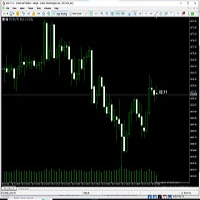
- Set the period (From / To). It reads the history day by day and shows its progress in the corner of the chart.
- The HTML report and a text summary are saved in Common\Files\RBR_CHECK.
Inputs: From, To (0 = now), Quick mode (every 4th week only), Report language (auto, English, Polish, German), Report file name.
Notes
- Reading the tick history can make the terminal download missing ticks from the broker's server - it is the same history the Strategy Tester uses.
- The clock needs US data releases in both the US winter and summer. With a period of one season the report says so instead of guessing; with too few releases in the March / end of October weeks those weeks are marked as not judged.
- The clock check uses the MT5 economic calendar only to find the days with US releases, and also works without it.
- It works on a chart. In the Strategy Tester the history of earlier days is not available, so there it only prints a message.
- No DLL, no internet connection, no trading functions.