KF Spread Swap Monitor
- インディケータ
- バージョン: 1.0

Spread & Swap Monitor — Real-Time Trading Cost & Rollover Fee Tracker for MT5
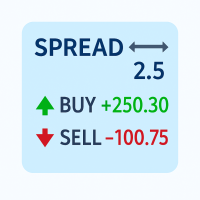
Never enter a trade blind to broker spreads and overnight financing fees. Spread & Swap Monitor provides an elegant, non-intrusive on-chart HUD that continuously tracks live spread volatility against a rolling average and calculates real swap costs directly converted into your account currency.
KEY FEATURES
- Real-Time Spread Tracking: Displays live spread in both pips and raw points.
- Dynamic Volatility Alert: Spread value turns green (normal), yellow (warning), or red (critical expansion) based on its statistical ratio against your chosen rolling average sample.
- Accurate Overnight Swap Estimator: Calculates exact estimated swap charges per reference lot in your account currency (e.g. USD, EUR) across all broker swap modes (Points, Deposit Currency, Interest, and Swap-Free).
- Triple Swap Day Detection: Displays the broker's 3-day rollover schedule (e.g., Wednesday or none) so you never get surprised by weekend financing multipliers.
- Adaptive Auto Theme & High Contrast: Automatically detects chart background luminance to match light or dark themes with WCAG AA compliant contrast ratio (>= 4.5:1).
- Universal 4-Corner Docking: Cleanly docks in any of the 4 chart corners and stays firmly pinned during timeframe switches, chart zooming, or window resizing.
- One-Click Minimize: Collapse the panel into a compact title badge anytime to maximize chart real estate.
STANDARDIZED PIP CONVENTIONS
To ensure transparent, non-ambiguous pip metrics across all asset classes:
- 5-Digit & 3-Digit Forex (EURUSD, USDJPY): 1 pip = 10 points (e.g. 12 pts = 1.2 pips).
- Gold (XAUUSD / GOLD, 2 Digits): 1 pip = 10 points = $0.10 price movement.
- Crypto (BTCUSD, ETHUSD, 2 Digits): 1 pip = 100 points = $1.00 price movement (e.g. 1926 pts = 19.3 pips).
- Indices (US30, US500, GER40) & 4-Digit Forex: 1 pip = 1 point.
HOW TO USE
1. Attach Spread & Swap Monitor to any chart.
2. Select your preferred corner (Top-Right, Top-Left, Bottom-Right, or Bottom-Left).
3. The panel automatically adapts to your broker's digit structure, account currency, and theme.
4. Click the "—" / "+" button in the header anytime to toggle minimized mode.
INPUT PARAMETERS
- Panel Chart Corner: Screen corner to dock the panel (CORNER_RIGHT_UPPER default).
- Panel X Offset / Y Offset: Pixel margin spacing from chart edges.
- Panel Theme: Auto (matches chart background), Dark, or Light.
- UI Refresh Interval: Millisecond timer update frequency (default 500 ms).
- Reference Lot Size: Trade volume used to calculate estimated currency swap costs (default 1.0 lot).
- Rolling Average Spread Samples: Window size for calculating baseline spread (default 30 samples).
- Warning / Critical Spread Ratios: Multiplier thresholds against baseline to trigger yellow and red color badges.
- Show 3-Day Triple Swap Day: Display triple swap day label.
- Show Swap in Account Currency: Display estimated nominal swap in account deposit currency.
LIMITATIONS
- Swap modes that require closing settlement prices or individual entry prices (Reopen Close / Reopen Bid) display "(n/a)" to ensure no false or misleading values are presented.
RISK WARNING
Trading forex, CFDs, and cryptocurrencies carries significant risk of capital loss. Overnight swap charges and widening spreads during news releases or rollover hours can impact trade profitability. Always verify your broker's contract specifications.