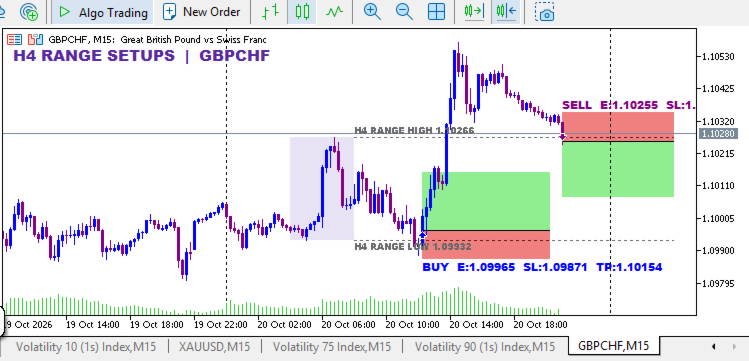
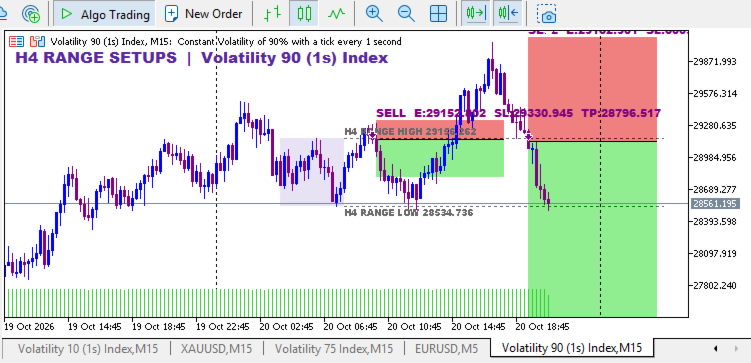
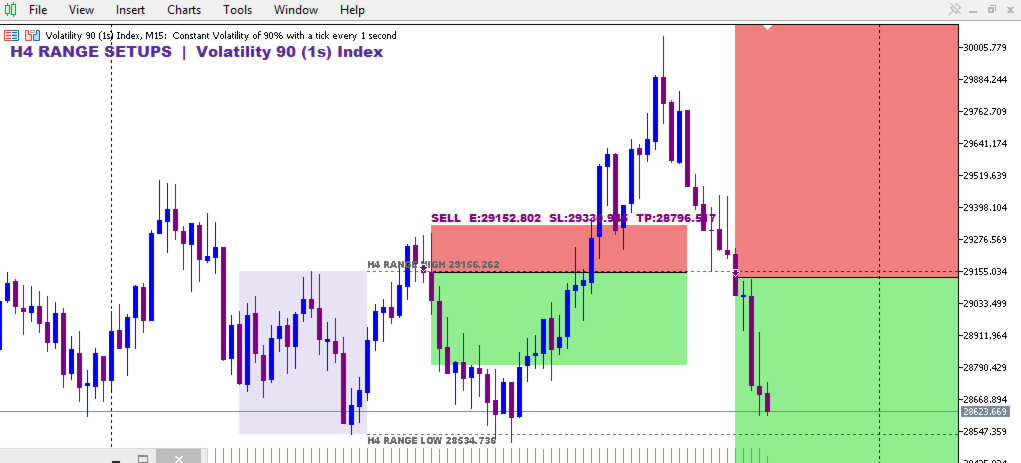
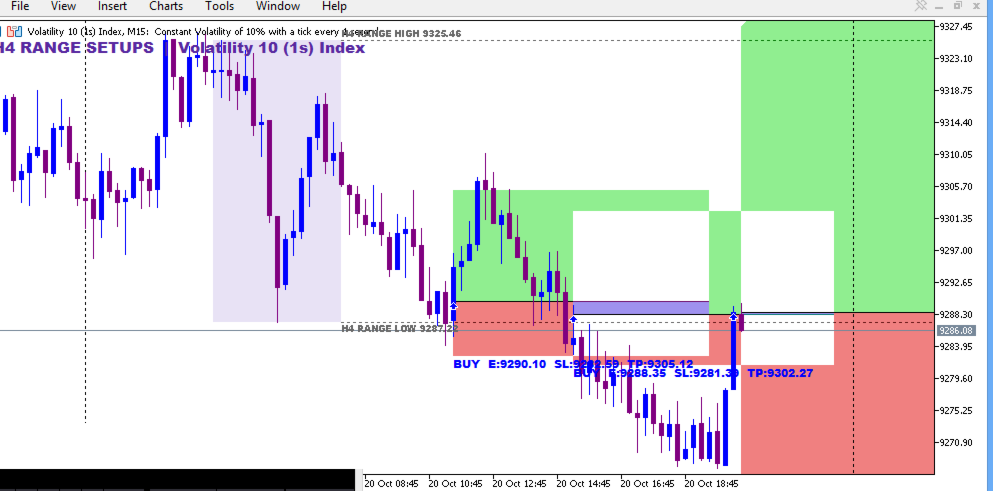
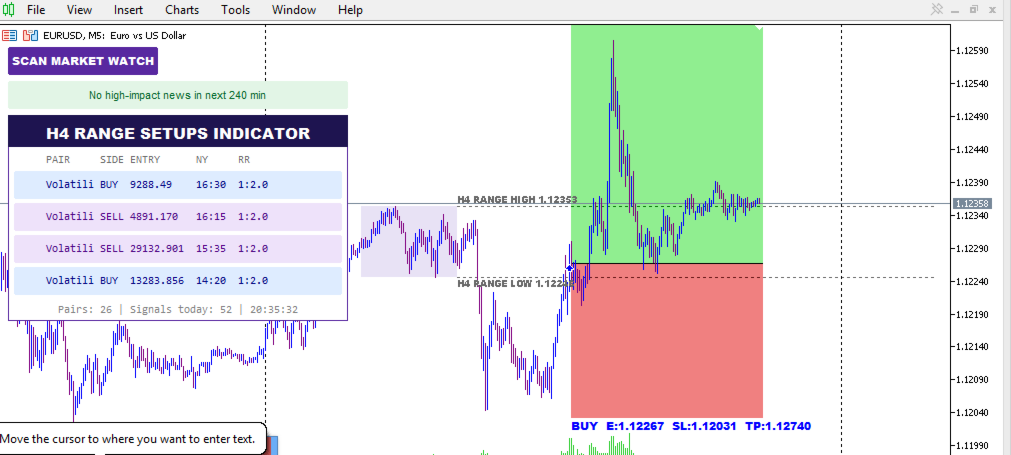
H4 Range Setups Indicator by SaintEmma Fx Systems. It is a multi-pair scanner built on one idea: the first H4 range of the New York day, and what happens when price breaks it and fails. It watches your whole Market Watch list, ranks the freshest setups in a dashboard, and prices each one with entry, stop, target and a lot size for 1% risk.
WHAT THIS INDICATOR DOES
Early-session range breaks often fail. This indicator is built to catch that failure. It marks the opening H4 range of the NY day, waits for an M5 candle to close outside it, then signals when price closes back inside. You scan once and see where setups have formed, instead of watching dozens of charts.
HOW THE TECHNOLOGY WORKS
The range high and low come from the first four hours of the NY day (00:00 to 04:00 NY by default), built from M5 data with automatic New York daylight-saving handling.
Once the range is complete, completed M5 candles are evaluated in order.
A candle closing above the range high arms a SELL. The first later candle that closes back inside the range triggers it at that candle's close.
A candle closing below the range low arms a BUY, which triggers the same way.
Wicks never arm a setup. Only closes count.
The logic repeats through the NY day. Every new break and close-back-inside can produce another signal.
CORE FEATURES
Scans all Market Watch symbols, on demand with the Scan button and automatically every 30 seconds by default.
Dashboard of the four most recent signals, showing pair, side, entry, NY time and lot size. Click a row to open that pair on M15 with all drawings.
Optional trend filter so signals only follow the prevailing trend.
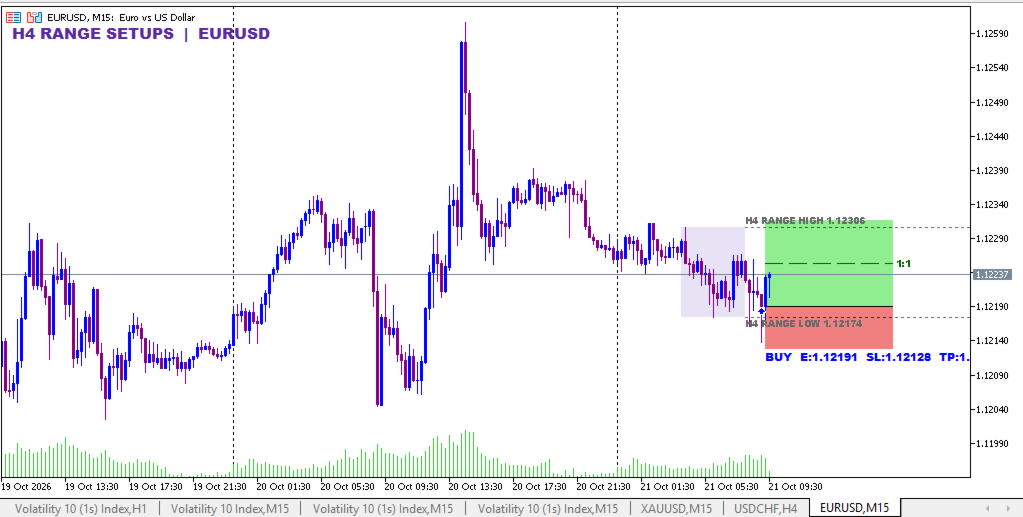
Rule-based stop loss, 1:2 target and a marked 1:1 level on every signal.
Built-in position sizing at a percentage of balance (1% by default).
High-impact news notice, with affected pairs flagged on the dashboard.
Popup, push and sound alerts.
BUY AND SELL SIGNALS
A signal exists only after an M5 candle has closed. SELL: a close above the range high, then a later close back inside the range. BUY: a close below the range low, then a later close back inside. The entry reference is the close of the returning candle. The indicator draws signals and does not place orders.
TRADE SETUP INTERPRETATION
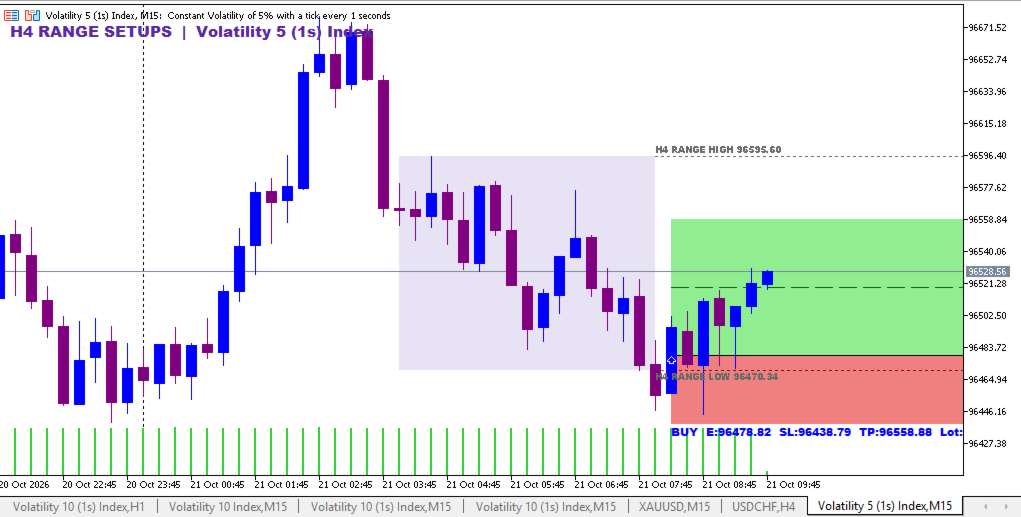
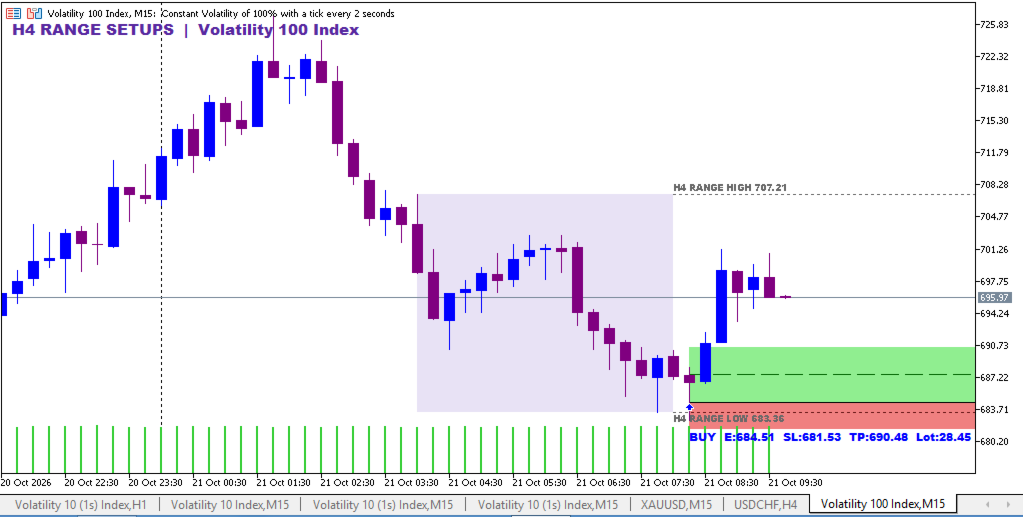
Each signal draws a green box from entry to target and a red box from entry to stop. A dashed line marks 1:1, so you can see at a glance where risk has been recovered and where you may want to manage the trade. The range is shaded, with its high and low extended to the end of the day. No setup is guaranteed to work. Treat each as a candidate for your own judgment.
CONFIRMATION AND FILTERS
Trend filter (toggleable): BUY only when the 50 EMA is above the 200 EMA on H1, SELL only when it is below. Counter-trend setups are dropped. Timeframe and EMA lengths are adjustable.
Trade sequencing (toggleable): by default a new signal is considered only after the previous trade has reached its stop or target. If both are touched in the same M5 candle, the stop is assumed first.
News notice (toggleable): a banner shows the nearest high-impact event within 240 minutes (adjustable). It is informational and does not block signals.
CHART VISUALIZATION
The scan button and news bar sit at the top left, with the dashboard below. Signals draw as arrows, boxes, an entry line, the 1:1 line and a label with entry, stop, target and lot size. On request the indicator restyles the chart: white background, no grid, blue bull candles, purple bear candles, and period separators on timeframes below H4. This can be switched off.
SUPPORTED TIMEFRAMES AND MARKETS
You can attach it to any chart timeframe. The analysis runs on M5 and H4-window data, so M5 history must be loaded for each symbol. It scans any symbol in your Market Watch. How well the strategy suits an instrument depends on its trading hours and your broker's data. The news notice uses the terminal's economic calendar and does not work in the Strategy Tester.
USER SETTINGS
NY range start hour and range length.
Broker server time: automatic GMT offset detection, or manual with a daylight-saving option.
Stop placement: bars used for the stop anchor, ATR buffer, maximum stop in ATR, and reward-to-risk ratio.
Sequencing and trend filter toggles, trend timeframe and EMA periods.
Risk percentage for lot sizing.
Scan interval, signal box length, news window and alert options.
Chart style toggle and candle colors.
INSTALLATION AND ACTIVATION
Install from the Market, or copy the file to MQL5/Indicators.
Show the symbols you want scanned in Market Watch.
Drag the indicator onto any chart.
Press SCAN. If a pair has no data yet, rescan once its history has loaded.
For alerts, enable them in Tools > Options. Push alerts also need your MetaQuotes ID.
PRACTICAL TRADING PROCEDURE
Scan after the NY H4 range has formed.
Check the dashboard for fresh signals and any news flag.
Click a signal and confirm the structure on the M15 chart.
Check the entry, stop and target against your own plan.
Size the trade with the displayed lot and place it manually.
Use the 1:1 level to manage the trade according to your rules.
RISK MANAGEMENT
The indicator calculates the stop, the 1:2 target and a lot size for your chosen percentage of balance. The stop is anchored to the extreme of the last six M5 candles plus a 0.2 ATR buffer. It never exceeds 2 ATR from entry. When the anchor would exceed 2 ATR, the closest swing high or low inside the cap is used, otherwise 2 ATR. If the calculated lot is below your broker's minimum, the dashboard shows "<MIN". The indicator does not manage open trades or enforce daily loss limits. Keep your own risk rules, especially on prop firm accounts.
WHO SHOULD USE THIS INDICATOR?
Discretionary intraday traders who like range and liquidity-failure setups, traders who scan many pairs, and prop firm candidates who need fast, consistent position sizing.
WHY THIS INDICATOR DESERVES ATTENTION
It turns one clear rule into a complete workflow: scan, trend filter, a stop with a hard cap, targets, a 1:1 marker, lot size and news awareness. Every setup arrives priced and ready for review, with no guesswork about where the stop belongs.
RISK DISCLAIMER
Trading leveraged products carries a high risk of loss. This tool provides analysis and does not guarantee profits or any particular result. Past behavior does not indicate future results. Use proper risk management.
I haven't compiled the indicator yet, so make sure it compiles before you publish this. You can drop the sentence on stop and target shifting in section 14 if you'd rather not mention it, or I can tweak the code so the ATR reads only a completed M15 bar.