BjKeyLevels
- インディケータ
- バージョン: 1.64
- アップデート済み: 18 9月 2026
- アクティベーション: 20

Bjorgum Key Levels (Bj Key Levels) MT5
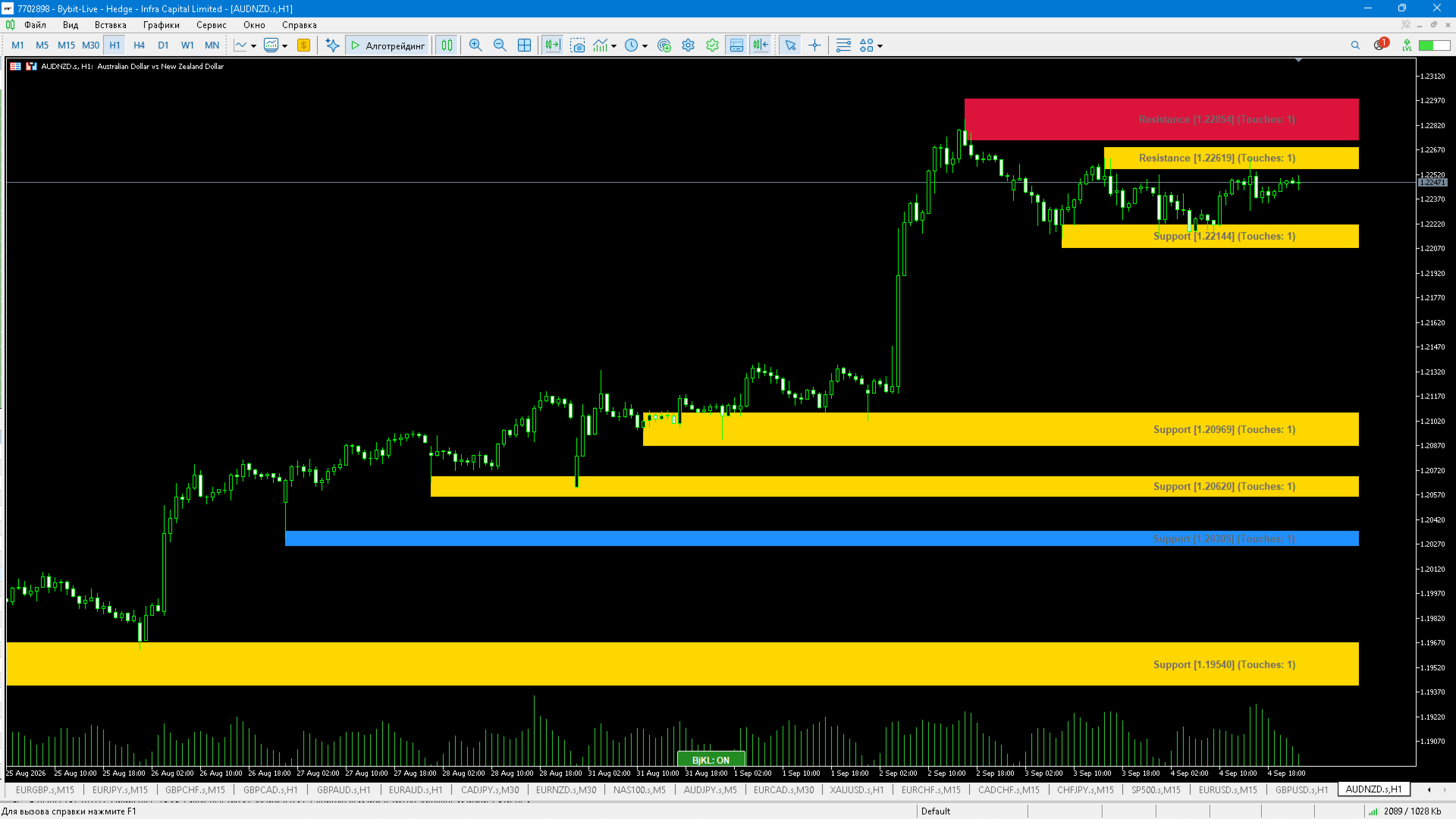
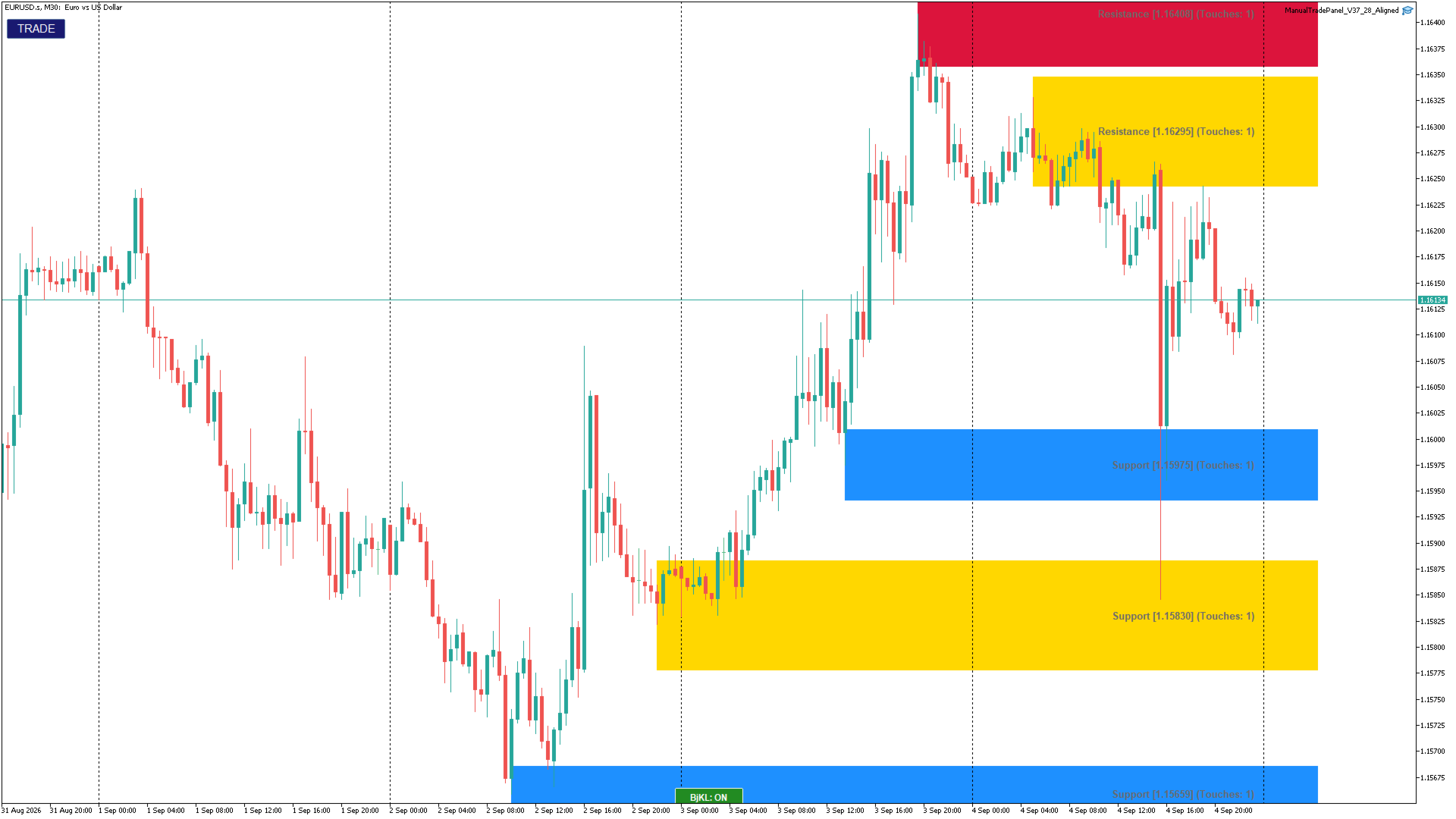
Multi-timeframe support/resistance indicator that builds automatic price zones around pivot points — not just single lines. Zones are dynamic: width adapts to current volatility (ATR), every touch is counted, and each zone has its own life cycle — age, max touches, breakout, or role reversal.
Key features
- **Automatic S/R zones from pivots** — pivot lookback is configurable (default 7 bars left / 7 bars right)
- **Volatility-adaptive width** — zone width = ATR × multiplier (default ATR(14) × 0.5), so zones widen in volatile markets and tighten in calm ones
- **Multi-timeframe mode (MTF)** — calculate the levels on H1 (or any timeframe) while analyzing any other chart
- **Two trend filters** — MA50 EMA on the calculation timeframe + MA200 EMA on a higher timeframe (default H1); arrow signals appear only when both filters are aligned (bullish or bearish)
- **Retest and trap signals** — optional arrows: a retest of a broken zone and a trapped false-breakout, plotted on closed bars only (no repaint when enabled)
- **Zone life cycle** — a zone deactivates after too many touches, exceeding the maximum age, or a strong close beyond its borders
- **Breakout role reversal (S<->R)** — optional: after a breakout, broken resistance becomes support and broken support becomes resistance
- **Same-type zone merging** — only S+S or R+R zones merge; merged zones are highlighted in gold
- **ON/OFF button on the chart** — instantly hide or show all levels; the button is always on top of other objects
- **Info dashboard (optional)** — distances to the nearest support and resistance in points, zone ages
- **Alerts** — pop-up messages and push notifications on signals
- **CSV export** — active zones are saved to a file (MQL5\Files) on every new bar
- **Safe defaults, validated inputs** — invalid settings are rejected at startup with a clear message; all interface texts are in English
How to use
1. Attach the indicator to any chart. Zones are built on the current timeframe, or on the timeframe selected in settings when MTF mode is enabled.
2. Treat zones as supply/demand areas: watch price reactions at the zone borders — inside a zone expect a bounce, outside — a breakout.
3. Optional arrow signals (retest of a broken zone / trapped breakout) help with entry timing; by default they are disabled and can be turned on in the settings.
Bjorgum Key Levels is a pure analysis tool: it marks levels, tracks their condition and can notify you — it does not trade on its own. All trading decisions remain yours. Past performance does not guarantee future results.