Kinetix Speed Commander

Kinetix Speed Commander MT4

Kinetix Speed Commander는 MetaTrader 4(MT4) 전용으로 설계된 기관급 원클릭 주문 실행 콕핏, 동적 포지션 크기 계산기 및 위험 대비 수익(Risk-to-Reward) 주문 관리 유틸리티입니다. 프랍 트레이딩 펌(Prop Firm) 도전자, 빠른 템포의 스캘퍼, 체계적인 데이 트레이더를 위해 개발되었으며, 수동 계산 지연, 랏 입력 실수, 과도한 레버리지 노출 위험을 원천 차단합니다.

외부 동적 링크 라이브러리(DLL)를 전혀 사용하지 않는 고성능 다크 테마의 온차트 헤드업 디스플레이(HUD)를 통해 구동되며, 계좌 잔고, 유효마진(Equity), 심볼의 틱 가치를 실시간으로 정밀 모니터링합니다. 즉각적인 원클릭 시장가 진입, 차트 상에서 드래그 가능한 리스크 라인, 그리고 250밀리초 하드웨어 타이머로 작동하는 트레일링 스탑 및 본전 보호(Breakeven) 엔진을 제공합니다.

핵심 기능 및 아키텍처

  1. 원클릭 초고속 주문 체결 콕핏 차트 인터페이스에서 즉시 매수(Buy) 및 매도(Sell) 시장가 주문을 실행할 수 있습니다. 사전 계산된 정확한 랏 크기와 함께 손절(Stop Loss) 및 익절(Take Profit) 보호 주문이 동시에 진입됩니다. 내장된 슬리피지 제어 및 실시간 스프레드 필터를 통해 스프레드가 비정상적으로 확대되거나 변동성이 극심한 상황에서 불리한 체결을 사전에 차단합니다.

  2. 자동 동적 포지션 크기 계산기 주문 발주 전, 브로커의 최소 랏 단위에 맞추어 수학적으로 정확한 포지션 크기를 산출합니다. 지원되는 리스크 모드:

    • 계좌 잔고 위험 비율 (Risk % Balance): 확정 잔고 기준으로 랏 크기를 자동 배분.
    • 유효마진 위험 비율 (Risk % Equity): 실시간 변동 에퀴티에 따라 포지션 크기 유동 조정.
    • 고정 현금 위험 금액 (Fixed Cash $ USD): 1회 진입 시 감수할 달러 손실액을 정확히 고정.
    • 고정 랏 모드 (Fixed Lot): 사전에 정해진 표준 고정 랏으로 주문 실행. 모든 계산은 계약 크기, 틱 가치, 최소 호가 단위 및 설정된 손절 핍(Pip) 거리를 정밀하게 반영합니다.
  3. 차트 연동 대화형 시각적 리스크 라인 라인 표시 기능을 켜면 차트 위에 마우스로 드래그 가능한 수평 Stop Loss 및 Take Profit 라인이 생성됩니다. 라인을 드래그하면 예상 손실 금액, 예상 수익 금액, 잔고 대비 손실률, 실시간 손익비(R:R)가 HUD 상에 실시간으로 재계산되어 진입 전 완벽한 리스크 검토가 가능합니다.

  4. 비상 및 일괄 주문 관리 기능 원클릭으로 신속하게 실행할 수 있는 포트폴리오 관리 도구:

    • Close All: 현재 종목의 모든 미결제 시장가 포지션을 즉각 청산하고 모든 대기 주문을 취소합니다.
    • Close In Profit: 수익 중인 포지션만 선택적으로 즉시 청산하여 이익을 확정합니다.
    • Lock Breakeven: 수익 구간에 도달한 포지션들의 Stop Loss를 진입가 및 설정한 안전 버퍼(예: +2 pips)로 일괄 전진 배치합니다.
  5. 250밀리초 고주파 독립 타이머 엔진 밀리초 하드웨어 타이머( EventSetMillisecondTimer(250) )를 기반으로 작동하여 신규 가격 틱(Tick) 수신 여부와 상관없이 독립적으로 구동됩니다. 유동성이 부족한 야간 세션이나 호가 유입이 멈춘 구간에서도 트레일링 스탑과 본전 이동이 지연 없이 즉각 실행됩니다.

  6. MQL5 가이드라인 제2555조 마진 사전 검증 주문 발주 직전  AccountFreeMarginCheck() 를 호출하여 가용 마진 여력을 정밀하게 사전 검증합니다. 계산된 랏 크기를 유지할 여유 마진이 부족할 경우 주문 전송을 안전하게 차단하여 브로커 거절(Error 134: Not enough money)을 방지합니다.

  7. 100% 순수 MQL4 및 외부 DLL 제로 외부 DLL 종속성 없이 순수 MQL4 코드로 완벽하게 작성되었습니다. 모든 그래픽 차트 객체는 전용 네임스페이스 프리픽스( KSC_ )로 관리되며, 프로그램 삭제 시( OnDeinit() ) 차트 메모리에서 잔여 요소 없이 완전히 제거됩니다.

기술 사양

  • 플랫폼: MetaTrader 4 (MT4)
  • 제품 유형: 유틸리티 / 트레이딩 패널 및 주문 관리자
  • 지원 자산: 외환(Forex) 통화쌍, 귀금속, 에너지, 지수, 가상자산 CFD
  • 체결 방식: 시장가 체결(Market Execution) 및 즉시 체결(Instant Execution) 브로커 지원
  • 타이머 주기: 250ms 고해상도 타이머
  • 외부 종속성: 없음 (100% 순수 MQL4)

입력 파라미터 안내

파라미터명 기본값 설명
InpRiskMode RISK_PERCENT_BALANCE 리스크 계산 모드: 잔고 %, 에퀴티 %, 고정 금액 $ 또는 고정 랏
InpRiskValue 1.0 리스크 수치 (잔고/에퀴티 %, 현금 금액 $ 또는 랏 크기)
InpDefaultSL_Pips 25 기본 초기 Stop Loss 거리 (pips)
InpDefaultTP_Pips 50 기본 초기 Take Profit 거리 (pips)
InpMaxSpread_Pips 5 진입을 허용하는 최대 브로커 스프레드 (pips)
InpMaxSlippage 3 주문 체결 시 허용되는 최대 슬리피지 (pips)
InpMagicNumber 880123 매직 넘버 식별자 (0으로 설정 시 모든 수동 및 외부 EA 주문 관리)
InpEnableTrailing false 자동 트레일링 스탑 엔진 메인 활성화 스위치
InpTrailingStart_Pips 20 트레일링 스탑 시작에 필요한 최소 수익 거리 (pips)
InpTrailingStep_Pips 5 트레일링 스탑 추적 단계 간격 (pips)
InpEnableBreakeven false 자동 본전 이동(Breakeven) 엔진 활성화 스위치
InpBreakevenTrigger 15 본전 이동을 작동시키기 위해 필요한 수익 거리 (pips)
InpBreakevenLock 2 진입가 위/아래로 확보할 안전 버퍼 수익 (pips)
InpPanelX 20 HUD 패널 가로축 픽셀 배치 위치
InpPanelY 35 HUD 패널 세로축 픽셀 배치 위치

추천 제품
The Definitive Performance Testing Solution for MetaTrader Environments What This Tool Does This specialized benchmark utility measures the performance of your MetaTrader environment, providing insights that impact your trading execution. Unlike generic system benchmarks, this tool evaluates performance specifically within the MetaTrader runtime environment. For Professional Traders & Developers: Performance Metrics : Measurements of calculation throughput and memory efficiency Trading-Specific
Easy Toolbar MT4
Nguyen Tuan Son
5 (1)
Easy Toolbar is a user-friendly toolkit that provides fundamental tools and utilities which can helps you analyze market , get notifications and calculate trade factors faster, more accurate and much easier. Easy Toolbar is born with the mission to make analysis tools of MT4 really work & provide more useful utilities . If you are not fully depend on EAs and do your own work to analyze market, this tool is for you! Main features New way to use market analysis tools Introduce new important object
Crystal Trade Manager PRO – MT4 고급 리스크 및 트레이드 관리 시스템 무료 버전: https://www.mql5.com/en/market/product/150632 개요 Crystal Trade Manager PRO(CTM)는 MetaTrader 4를 위한 전문급 거래 실행 및 리스크 관리 유틸리티입니다. 엄격한 실행, 견고한 자본 보호, 그리고 똑똑한 자동화를 필요로 하는 트레이더를 위해 설계되었습니다. 본 시스템은 계좌 리스크를 관리하고, 자본(EQ)을 보호하며, 일일 제한을 적용하고, SL/TP를 자동으로 설정하며, 전문급 기능을 갖춘 초고속 원클릭 트레이딩 패널을 제공합니다. Prop Firm 챌린지, 데이트레이딩, 스캘핑, 포트폴리오 매니저에게 최적화되어 있습니다. MT5 버전도 제공됩니다. 주요 기능 1. 고급 리스크 및 드로우다운 보호 기능 하루 드로우다운을 1%~70% 범위에서 설정 가능 설정한 한도를 초과할 경우 모든 포지션 즉시 종료 조건
Forbex Gann Legacy Fibonacci Confluence Tool One chart. One structure. One complete professional analysis workspace. Forbex Gann Legacy Fibonacci Confluence Tool is designed for traders who want more than another indicator displaying arrows or mechanical signals. It is a complete manual market-analysis and decision-support system for MetaTrader 4 , combining market structure, Gann projections, Fibonacci confluence, historical statistics, multi-timeframe context and practical chart-management too
Easy Trade Panel
Kritchavatchara Datchkanakorn
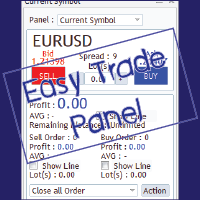
EasyTrade is a dashboard that make trading easier. EasyTrade can help you to calculate and send command. EasyTrade have 3 tabs. Tab 1 Display data about information and orders in the current symbol Show all order Profit/Loss. Show all buy order Profit/Loss. Show all sell order Profit/Loss. Show average price of all opened order(buy and sell). Show average price of all buy order. Show average price of all sell order. Show total lot buy order. Show total lot sell order. Show total order buy. Show
The Chart Navigator is a powerful and user-friendly indicator designed to enhance your chart navigation experience in the MetaTrader platform. With its advanced features and intuitive interface, it enables traders to effortlessly explore multiple timeframes, switch between symbols, and efficiently analyze price movements. Key Features: Timeframe Navigation: Seamlessly switch between different timeframes with just a single click. The Chart Navigator provides a graphical object that allows you to
FREE
MV Liquidity Sniper High EA
Norma Binti Abdul Razak
MV Liquidity Sniper High EA If you’re the type who doesn’t like staring at charts all day, this EA is built to help simplify your trading flow with a more structured setup. This EA uses High Line (HA) as Liquidity Level together with momentum detection to automate entries, exits, and recovery flow. Simple concept: Price closes above the HA High Line → BUY Price closes below the HA High Line → SELL The EA continuously follows market direction based on the active High Line level. Entry Logic The
Forex Noob Tube의 Session Overlays Pro 정적인 박스와 지저분한 선들로 차트를 어지럽히지 마십시오. Session Overlays Pro 는 세션 타이밍, 일일 시가 및 극단적인 가격 수준에 의존하는 데이트레이더를 위해 설계된, 완전히 상호작용 가능한 기관 수준의 시장 매핑 도구입니다. 차트 위에 세련되고 클릭 가능한 대시보드를 중심으로 구축된 이 지표를 사용하면, MT4 설정 메뉴를 열 필요 없이 시장 세션을 원활하게 전환하고, 실시간 컨플루언스(Confluence)를 추적하며, 유동성 휩소(Liquidity Sweep)를 측정할 수 있습니다. 핵심 기능 및 UI 대시보드 상호작용형 온차트 대시보드: 클릭 한 번으로 아시아, 런던, 뉴욕 또는 Sync 세션 간을 전환할 수 있습니다. 중요한 데이터는 유지하면서 차트를 깔끔하게 유지하기 위해 패널을 컴팩트한 HUD로 최소화하세요. 꼬리(Wick) vs 몸통(Body) 측정: 전용 UI 버튼을 사용하여
Martingale Osw MT4
William Oswaldo Mayorga Urduy
사용자 설명서: 고급 마틴게일 관리 및 위험 제어 시스템 본 전문 설명서는 MetaTrader에서 포지션 복구 및 위험 관리를 자동화하도록 설계된 고급 마틴게일 주문 관리 시스템의 작동 방식, 설정 방법 및 사용자 인터페이스에 대해 설명합니다. 1. 소개 및 목적 이 도구는 비용 평균화를 핵심 논리로 하는 고정밀 주문 관리 시스템입니다. 초기 방향과 반대로 움직이는 거래를 보호하고 복구하기 위해, 평균 청산 가격을 높이는 미결 주문 네트워크를 구축하는 것을 목표로 합니다. 기본 시스템과 달리, 이 소프트웨어는 동적 손익분기점 및 트레일링 스톱 알고리즘과 신속한 수동 개입을 위한 화면 제어 인터페이스를 통합하여 자본 관리를 최우선으로 고려합니다. 2. 매개변수 안내 (입력 메뉴) 마틴게일 설정 및 거리 마틴게일 개수: 초기 거래 후 시스템에서 허용하는 최대 헤징 주문 개수를 정의합니다. 거리 유형: 포인트 단위의 고정 거리 또는 ATR(평균 실제 범위) 지표 기반의 동적 거리
Top Flexible Trade Manager
Mr Edmund Harold J Forder
What Can this indicator do for YOU!:  Keeping it simple this year with a straightforward and highly flexible Trade Manager that can reduce your losses and preserve your capital and increase it overtime. Money Management is one of the key aspects of a successful traders career which is why this EA will serve you well.  So, how does this EA function? Below is a PDF attachment with a very in depth explanation into the various functions accompanied with a Demo Video to show you; All functions work
This tool is used to draw a text do identify each day on the chart, the text is always adjusted to be centered on the chart. Features :    • Customize the drawing start date.    • Ability to customize the shape of the text drawn , set the : color , font size , drawing hour , orientation angle.    • Ability to select any day to draw.    • All days of week are available from Saturday to Friday.
CRT Candle Range Theory HTF MT4 - Ultimate CRT Indicator: 고급 ICT 개념 및 Malaysian SnR 트레이딩 시스템 가장 진보된 Candle Range Theory 지표로 마켓 메이커의 발자취를 마스터하십시오. Ultimate CRT Indicator를 사용하여 Smart Money Concepts(SMC)의 진정한 힘을 발휘하고 기관처럼 정확하게 거래하십시오. 진지한 트레이더를 위해 독점적으로 제작된 이 지표는 ICT Concepts(Inner Circle Trader)의 핵심 기둥인 매우 효과적인 Candle Range Theory(CRT)를 자동화하고 Malaysian Support and Resistance(SnR) 진입 방법과 FVG(Imbalance) 영역의 치명적인 정밀도로 이를 강화합니다. MT4 또는 MT5에서 Forex, Crypto 또는 지수를 거래하든 이 알고리즘은 시장 소음을 제거하고 가짜 돌파(fakeout)
Monitor floating profit of trades and close half of the lot size when profit reach target. Can monitor either all trades in whole account or by specified magic number. Can set amount of slippage and spread tolerance. Can set retry times and sleep seconds if split order was rejected Can set max split order times. Able to close trades after split when floating profit goes down and near 0, to prevent lose.
Success comes from knowledge – this is true for most things in life and especially Forex trading. To become successful, a trader needs to learn technical analysis. Technical indicators are a big part of technical analysis. The problem is that, at first sight, names of technical indicators can sound unpleasantly complicated, for example, MACD, RSI or Stochastic. However, we recommend you not to judge a book by its cover. We will provide you with a fair and simple explanation of the most popular t
Harvest GOLD
Sayan Vandenhout
Harvest GOLD USES THE TREND WAVE INDICATOR AND IT CAN IDENTIFY THE BEGINNING AND THE END OF A NEW WAVE TREND MOVEMENT. AS AN OSCILLATOR, THE INDICATOR IDENTIFIES THE OVERBOUGHT AND OVERSOLD ZONES. IT WORKS GREAT TO CATCH THE SHORT TERM PRICE REVERSALS AND USES A MARTINGALE STRATEGY TO CLOSE ALL TRADES IN PROFIT. USE DEFAULT SETTINGS ON H1 OR HIGHER TIME FRAME ON ANY PAIR FOR MORE ACCURATE TRADES WHY THIS EA : Smart entries calculated by 3 great strategies The EA can be run on even a $30000
Time Closer can help you closing all the open position at the specified time "Everyday". Mainly for Day trader that don't want to hold position overnight, or over different session, or over a specific time. Simple Parameter to use. Usage Download and drag Time Closer on the chart (Chart Symbol should be the same Chart Symbol as you want the position close) Check Allow AutoTrading is "On" Set parameters Input Parameters Turnon  True - Turnon the utility False - Turnoff the utility Close All Open
MT4 To Notion
Levi Dane Benjamin
5 (2)
이 프로그램을 사용하면 매우 친숙한 사용자 인터페이스를 사용하여 MetaTrader 계정에서 모든 거래를 직접 Notion으로 내보낼 수 있습니다.  MT5 버전  |  사용자 가이드 + 데모 시작하려면 사용자 가이드를 사용하고 Notion 템플릿을 다운로드하십시오. 데모를 원하는 경우 사용자 가이드로 이동하십시오. 전략 테스터에서 작동하지 않습니다! 주요 기능 거래 계정의 모든 거래를 Notion으로 내보내기 최근 일부터 거래 내보내기 최근 주부터 거래 내보내기 최근 달부터 거래 내보내기 사용자 정의 시간 범위에서 거래 내보내기 모든 새로운 종료된 거래를 자동으로 Notion으로 보내기 주문 유형, 거래량, 개시 시간, 종료 시간 등을 포함하여 내보내기에 포함할 필드 선택 시작하는 방법 위의 사용자 가이드로 이동하거나 EA를 시작하고 '연결 도움말 받기'를 클릭하십시오. 연결된 후에는 '시작: 모두 내보내기'를 클릭하여 현재 트레이드를 모두 내역에서 Notion으로 보내십시오.

TSInfoKit
Salvatore Labriola
This Utility is a test for creating objects on the graph . Drag it on any graph and follow the instructions! Any questions about work program send me mail : info@tradingsolution.it In future I will add more information with new version for now it provides account information: AccountNumber AccountName AccountCurrency AccountCompany Server Account Leverage Stop Out level Balance Equity Margin Free Margin
DFGX Dashboard
Tsvetan Tsvetanov
5 (2)
Take your trading to the next level with DFGX - our second generation Dynamic Fibonacci Grid. This new, powerful and easy to use application is specially designed and optimized for contrarian intraday trading, scalping and news trading on the Forex market. This system is the ideal solution for active professional traders and scalpers who are looking for innovative ways to optimize their strategy. The system also provides excellent opportunity for new traders who want to learn to trade in a syste
Order Flow MultiCharts EA
Cesar Napoleon Guio Martinez
This trading bot automates order execution based on areas of interest drawn on the chart, such as supply and demand zones identified through order flow and institutional trading strategies. It’s a multi-chart bot, meaning you only need to drag it onto one of your open charts—it will monitor all of them simultaneously. How does it work? Open the charts you want to trade. Drag the bot onto just one of the open charts. Set your preferences for Risk, Stop Loss Ratio, or Take Profit Ratio. Enable an
Trading Board is a Tool That Help you execute Sell and Buy Operation very smoothly. General Description : This Tool has this functions: The function of Send Buy or Sell orders. The function to close all orders in the current chart. Choose the volume you need to trade. Calculate of Stop loss and Take Profit with the number of points. Draw the Fibonacci retracement.
FREE
Call of Night MT4
Marat Baiburin
3.67 (3)
Discount on all my products until 01.05.   Live signal: https://www.mql5.com/ru/users/bayburinmarat/seller Correct GMT setting: https://www.mql5.com/ru/blogs/post/743531 Call of Night isa professional advisor with an innovative approach to night scalping, working on only 4 currency pairs: EURUSD GBPUSD EURAUD EURCHF The EA uses a different logic for entering trades: the author's indicator works as the main signal, Price Action only filters trades. This approach increases the number of trades an
This TraderMaster EA is super helpful for professional trader.  Input Parameter Section: 1) Allow trader to set different line style, such as color, width; 2) Apply our chart style, if set false, it will not change the chart style; 3) Select different panel mode 3.a) Simple Mode, for trader immediately place a market order, pending order, delete and close orders; 3.b) Draw Line Mode, for price action traders who want to trade for trend and reverse in his trading plan; 3.c) Advanced Mode, includ
MRKD Vector
Jay Benedict Alfaras
MRKD Vector — Smart Trade Management Utility MRKD Vector is a powerful and intuitive order execution tool designed for efficient manual trading in MetaTrader 5. Built with precision and speed in mind, MRKD Vector simplifies trade management by giving you full control over entries, stops, and targets — all from a sleek interface. Key Features: Quick Order Execution Place trades with ease using a clean, fast interface built for active traders. Intuitive SL, TP, and Lot Size Control Adjust sto
Magic EA MT4
Kyra Nickaline Watson-gordon
3 (1)
Magic EA is an Expert Advisor based on Scalping, Elliot Waves and with filters such as RSI, Stochastic and 3 other strategies managed and decided with the robot smartly. Large number of inputs and settings are tested and optimized and embedded in the program thus inputs are limited and very simple. Using EA doesn't need any professional information or Forex Trading Knowledge. EA can trade on all symbols and all time frames, using special and unique strategies developed by the author. The EA wo
Order Scheduler Price
Cassiano Ricardo De Neves Nicolosi
SAY GOODBYE TO FOREX CALCULATORS! Risk management is everything. Order Scheduler is the ideal tool to signals channels followers or for those traders who had their own analisys and know exactly where to place their orders, stops and targets. Just type the Entry price, Stop Loss price and Target price, and this EA will schedule the order for you, calculating the Lot Size based on the Risk Percentual you choose for the order. If you decide to cancel the schedule, just set the MaxOrders input to z
All the buttons  and info you need as a trader in just one interface No need to navigate between multiple interfaces and waste time and money This cutting-edge trading tool is designed bu a trader for a trader to meet all your trading needs and more, offering an array of features and functionalities to enhance your trading success. 45 Features: Buy       :Open long positions Sell       :Open short positions  HG        : HEDGE :Buy and Sell(same lot) S.Pdg    : Sell-Stop and Sell-Limit  Red X 
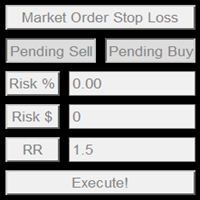
This product offers several advantages and features that make trading easier and more intuitive: User-Friendly Interface : The EA provides simple buttons for setting up pending orders, market orders, and stop-loss levels. This reduces complexity and makes it easier for users to manage their trades with just a few clicks. Customizable Risk Management : Users can adjust their risk percentage and reward-to-risk ratio using input fields. This feature ensures that traders can easily manage risk, hel
This EA is designed to transmit charts to Telegram, as illustrated in the example image. It provides the capability to send charts according to the selected timeframe directly to Telegram. A sample channel is included for demonstration purposes. After installation, please select your own channel or any other preferred option. Please note that this sample channel may be removed without prior notice. The indicator shown in the image is for demonstration purposes only.
AW Supply Demand MT4
AW Trading Software Limited
AW Supply Demand는 고전적인 방식으로 공급 존과 수요 존을 찾습니다: 몇 개의 작은 캔들로 이루어진 베이스와 그 뒤에 이어지는 가격의 강한 이탈입니다. 각 존은 여섯 개의 명시된 구성 요소로 이루어진 0에서 10까지의 공개 점수를 받고, 신선한 상태에서 돌파와 반전 상태까지 이어지는 생애 주기를 거치며, 패널은 존을 바탕으로 진입, 손절, 목표 수준을 갖춘 완성된 셋업을 구성합니다. 이 지표는 최대 세 개 상위 시간대의 존을 하나의 차트에 표시하고, 알림을 전송하며, 모든 데이터를 EA용 버퍼로 전달합니다. 존은 다시 그려지지 않습니다. 존은 베이스 이후 지정된 수의 종료된 바가 지나면 나타나고, 확정된 뒤에는 경계가 변하지 않으며, 이후에는 상태, 점수, 터치 횟수만 변합니다. 매뉴얼과 사용 설명 -> 여기 / MT5 버전 -> 여기 지표로 거래하는 방법: 1단계 - 존 선택 패널은 거래할 가치가 있는 존의 셋업과 그 점수에 따른 판정을 표시합니다. Limit orde
이 제품의 구매자들이 또한 구매함
Trade Indicator Assistant is a powerful MT4 utility designed to turn indicators into automated trading systems. Its main feature is the ability to automatically detect an indicator’s   BUY and SELL signal buffers , without requiring you to know the buffer numbers, search through indicator settings, or modify the indicator source code. Bonus Indicator: After purchasing Trade Indicator Assistant, contact me to receive Trade Signal Pro completely free as a bonus indicator. [Download Demo Version]
Telegram to MT4 Multi-Channel Copier   는 Telegram 채널의 트레이딩 시그널을 MetaTrader 4로 자동 복사합니다. 봇도, 브라우저 확장도, 수동 복사도 필요 없습니다. Telegram에 시그널이 도착하면 EA가 몇 초 안에 터미널에서 주문을 실행합니다. 그리고 채널을 복사하기 전에, 내장 백테스터가 그 채널이 내 계좌에서 어떤 결과를 냈을지 보여줍니다. 제품은 두 가지 구성 요소로 이루어집니다: Telegram 채널을 수신하는 Windows 애플리케이션과, MT4 터미널에서 시그널을 실행하는 본 EA입니다. MT5 버전도 제공됩니다   여기 . 설정 가이드와 앱 다운로드:   https://www.mql5.com/en/blogs/post/768988 현재 가격은 향후 인상될 예정입니다. 작동 방식 앱은 여러분 자신의 Telegram 계정으로 연결되므로, 팔로우하는 모든 채널, 그룹, 토픽, 봇(비공개 및 VIP 포함)을 볼 수 있습니다. 시
The product will copy all telegram signal to MT4   ( which you are member  ) , also it can work as remote copier.  Easy to set up, copy order instant, can work with almost signal formats, image signal, s upport to translate other language to English Work with all type of channel or group, even channel have "Restrict Saving Content", work with  multi channel, multi MT5 Work as remote copier: with signal have ticket number, it will copy exactly via ticket number. Support to backtest signal. How to
Unlimited Trade Copier Pro is a tool to copy trade remotely to multiple MT4, MT5 and cTrader accounts at different computers/locations over internet. This is an ideal solution for you if you are a signal provider and want to copy your trades to other receivers globally on your own rules. One provider can copy trades to multiple receivers and one receiver can get trade from multiple providers as well. The provider can even set the subscription expiry for each receiver, so that receiver will not b
Strategy Builder offers an incredible amount of functionality. It combines a trade panel with configurable automation (covert indicators into an EA), real-time statistics (profit & draw down) plus automatic optimization of SL, TP/exit, trading hours, indicator inputs. Multiple indicators can be combined into an single alert/trade signal and can include custom indicators, even if just have ex4 file or purchased from Market. The system is easily configured via a CONFIG button and associated pop-up
수동 매매를 위한 전문가용 트레이딩 패널로, 정밀한 진입부터 계좌 보호까지 매매의 전 과정을 차트 위 하나의 창에 담았습니다. 정해진 리스크에 정확히 맞춰 모든 포지션의 거래량을 산정하고, RR Tool로 차트에 직접 라인을 그려 거래를 설계하며, Market 주문과 예약 주문은 물론 Grid와 OCO까지 사용할 수 있습니다. 포지션 관리는 패널이 대신 처리합니다. 최대 다섯 단계 부분 청산, 여섯 가지 트레일링 스탑, 브레이크이븐, Virtual SL/TP를 지원합니다. 일간·주간·월간 한도가 예치금을 지키며, 기준을 넘기는 즉시 자동으로 발동됩니다. 가이드와 무료 Live 데모 무료 Live 데모 버전은 여기에서 이용할 수 있습니다 ( Free Live Demo ). 제품 사용 가이드는 여기에서 확인할 수 있습니다 ( User Manual ). NT Trade Manager는 트레이더의 모든 작업 흐름을 차트 위 작고 간결한 패널 하나에 모아, 터미널 창을 오갈 필요도, 진입할
Riskless Pyramid
Snapdragon Systems Ltd
5 (1)
Introduction This powerful MT4 trade mangement EA offers a way potentially to aggressively multiply trade profits in a riskfree manner. Once a trade has been entered with a defined stoploss and take profit target then the EA will add three pyramid add-on trades in order to increase the overall level of profit. The user sets the total combined profit target to be gained if everything works out. This can be specified either as a multiple of the original trade profit or as a total dollar amount. Fo
VirtualTradePad PRO SE MT4 — MetaTrader 4용 고급 트레이딩 패널 및 차트 워크스페이스 VirtualTradePad PRO SE 는 MetaTrader 4 용 전문 트레이딩 패널이자 거래 관리 워크스페이스입니다. 하나의 차트 기반 인터페이스에서 거래를 더 빠르게 열고, 관리하고, 보호하고, 닫고, 분석할 수 있도록 도와줍니다. 이 제품은 단순한 버튼 모음 이상의 기능이 필요한 적극적인 수동 트레이더를 위해 만들어졌습니다. PRO SE는 원클릭 실행, 예약 주문, 포지션 제어, 부분 청산, 바스켓 손익 로직, 평균가 레벨, ATM 규칙, 신호 모니터링, 시장 정보, 전략 테스터 워크플로, VPS 중심 준비를 하나의 구조화된 워크스페이스로 통합합니다. MT5 버전 | 전체 설명 및 스크린샷 | 구입 방법 | 설치 방법 | 로그 파일을 얻는 방법 | 테스트 및 최적화 방법 | Expforex의 모든 제품 일반 수동 트레이딩 대비 장점 여러 창 대신 하나의 워
EasyInsight AIO MT4
Alain Verleyen
4 (2)
EASY Insight AIO – 스마트하고 손쉬운 트레이딩을 위한 올인원 솔루션 개요 외환, 금, 암호화폐, 지수, 심지어 주식까지 — 전 시장을 몇 초 만에, 수동 차트 확인이나 복잡한 설치, 인디케이터 설정 없이 스캔할 수 있다고 상상해 보세요. EASY Insight AIO 는 AI 기반 트레이딩을 위한 궁극의 플러그 앤 플레이(Plug & Play) 데이터 내보내기 도구입니다. 단 하나의 깔끔한 CSV 파일로 전체 시장 스냅샷을 제공하며, ChatGPT, Claude, Gemini, Perplexity 등 다양한 AI 플랫폼에서 즉시 분석할 수 있습니다. 창 전환, 복잡함, 차트 오버레이는 더 이상 필요 없습니다. 자동으로 내보내지는 순수하고 구조화된 데이터 인사이트만으로, 반복적인 차트 감시 대신 데이터 기반의 스마트한 의사결정에 집중할 수 있습니다. 왜 EASY Insight AIO인가요? 진정한 올인원 • 별도의 설정, 인디케이터 설치, 차트 오버레이가 필요 없습
RedFox Copier Pro
Rui Manh Tien
4.7 (10)
Time saving and fast execution Whether you’re traveling or sleeping, always know that Telegram To Mt4 performs the trades for you. In other words, Our   Telegram MT4 Signal Trader  will analyze the trading signals you receive on your selected Telegram channels and execute them to your Telegram to MT4 account. Reduce The Risk Telegram To Mt4   defines the whole experience of copying signals from   Telegram signal copier to mt4 platforms. Users not only can follow all instructions from the signa
The FFx Hidden Manager panel will help you to manage easily your orders directly on the chart. Below all features described: TP, SL and TrailingStop are hidden Each order has its own lines on chart Drag & Drop any line to change the TP/SL as per your need Option to move automatically the SL line at breakeven when TP #1 is reached Option to choose the TP/SL type (by pips or price) Option to choose the TrailingStop type (by pips, MA, Fractals, PSAR or ATR) Define which order(s) you want to manage
FFx Risk Calculator panel will help you to calculate very easily your trades size, SL or the risk directly on the chart. All features are described below: Option to select which parameter to calculate: Risk, Stop Loss or Lot Size The panel will show if the lot size is allowed according to the current account free margin Button to maximize/minimize the panel Drag and Drop the panel anywhere on the chart How to use it? Select the parameter you want to be calculated. It will be based on the 2 other
Trade Copier Pro
Vu Trung Kien
4.29 (14)
Trade Copier Pro is a tool to copy trade remotely to MT4, MT5 and cTrader accounts at different computers/locations over internet. This is an ideal solution for you if you are a signal provider and want to copy your trades to other receivers globally on your own rules. One provider can copy trades to multiple receivers and one receiver can get trade from multiple providers as well. The provider can even set the subscription expiry for each receiver, so that receiver will not be able to receive t
News Trader Pro
Vu Trung Kien
4.38 (16)
News Trader Pro is a unique robot that allows you to trade the news by your predefined strategy. It loads every piece of news from several popular Forex websites. You can choose any news and preset the strategy to trade it, and then News Trader Pro will trade that news by selected strategy automatically when the news comes. News release gives opportunity to have pips since the price usually has big move at that time. Now, with this tool, trading news becomes easier, more flexible and more exciti
FFx Watcher PRO
Eric Venturi-Bloxs
The FFx Watcher PRO is a dashboard displaying on a single chart the current direction of up to 15 standard indicators and up to 9 timeframes. It has 2 different modes: 1. Watcher mode: Multi Indicators User is able to select up to 15 indicators to be displayed User is able to select up to 9 timeframes to be displayed 2. Watcher mode: Multi Pairs User is able to select any number of pairs/symbols User is able to select up to 9 timeframes to be displayed This mode uses one of the standard indicat
NickZ Tool
Nicolas Zouein
This is a must have tool for a serious trader. It saves your precious time spent for opening/closing trades, creating pending trades and modifying your TP/SL in bulk according to either pips or price. If you need to quickly open several pending orders (Buy Stop, Sell Stop) at a certain distance from each other, this script will do all the routine for you! The first time you use this handy tool, you will realize it has already paid for itself. Instructions: Drag and drop this script onto a chart.
The product combines a manual trade panel with the ability to perform actions automatically in a highly configurable way. Actions include capturing indicator values and then based on those values raising alerts, open/close or partially close trades, scale-in, setting up pending orders, adjusting stop loss, take profit and more. On-chart controls can be configured, such as tick boxes and buttons, so can be fully interactive. The EA also handles money management, news events, hidden stop loss, tak
Binary Options Copier Remote is an EA that allows to copy binary options trades between MT4 accounts at different computers. This is an ideal solution for signal provider, who want to share his trade with the others globally on his own rules. Provider can give free bonus license to 10 receivers. That means those 10 receivers can copy from provider by using Binary Options Receiver Free (no cost). From 11th one, receiver have to buy Binary Options Receiver Pro (paid version) in order to copy from
This panel is very simple to use and it is a very ally to manage your positions and orders. Also you can modify your risk, writing in fields directly on Panel. One click on buttons and the operation on market is done! Operations possible: BUY/SELL Break Even Split (close 50% all orders) Close All positions Hedging (opens reverse positions to cover) Close only BUY positions Close only SELL positions Close All pending orders Reverse all positions Please watch the video to verify the very simple u
Slow Pips OCO Trade Panel is an advanced trading panel for placing pending orders. Traders can use this panel to place two pending orders at once. One pending order would be of buy entry type and the other one would be of sell entry type. Both orders will have Stop Loss and Take Profit parameters. Since two pending orders are placed at the same time, the pending order for which the price hits first gets converted into a market order and the other pending order gets deleted (one order cancels the
This indicator changes the timeframe and chart profile for multiple charts. If you dispatched many charts (10~20 or more) in single MetaTrader terminal, it is very boring and difficult work to manage the timeframe and chart profile individually. If the indicators you use in a chart are numerous and the setting values are different from the default one, you might give up adding all the indicators to all charts. The changing of timeframes on multiple charts has the same problem, too. Whenever you
The Price Action Dashboard is an innovative tool to help the trader to control a large number of financial instruments. This tool is designed to automatically suggest signals and price conditions. The Dashboard analyzes all major Time Frame suggesting price action conditions with graphic elements. The Dashboard can suggest you the strength of the trend identifying directional movement, it is an indispensable tool for those who want to open position themselves using market trends identifiers. The
Elliott Wave Counter는 Elliott 파동의 빠르고 사용자 친화적인 수동 마크업을 위한 패널입니다. 색상과 마크 수준을 선택할 수 있습니다. 도구에서 만든 마지막 마크업과 전체 마크업을 제거하는 기능도 있습니다. 한 번의 클릭으로 마크업이 이루어집니다. 5번 클릭 - 5개의 웨이브가 있습니다! Elliott Wave Counter는 Elliott 파동의 초보자와 전문 분석가 모두에게 훌륭한 도구가 될 것입니다. Elliott Wave Counter 설치 및 입력 가이드 당신이 얻고 싶다면       EA 추가 URL(   http://autofxhub.com   ) MT5 터미널에 대한   알림   (스크린샷 참조). MT4 버전   https://www.mql5.com/en/market/product/14016 MT5 버전   https://www.mql5.com/en/market/product/15081 일반 입력: 웨이브 유형 버튼:   이 버튼을 사용하면 차트
If you wish to draw Support and Resistance lines, view: daily market opening, classical pivot levels, Fibonacci pivot levels, trend lines, Fibonacci levels, the remaining time to candle closing, and current spread. If you seek to place your orders with the exact lot that meets your desired stop loss risk. If you wish to do all this and more with just one click, then this is the perfect tool to use. This tool will allow you to feel more relaxed when deciding to open orders, as well as predicting
원 클릭 분석 도구는       키보드 단축키 기반 객체 생성       MetaTrader용 복사 도구입니다. 클릭 한 번으로 MetaTrader의 분석 도구를 쉽게 사용할 수 있습니다. 당사의 도구를 사용하면 지지 및 저항 수준, 피보나치 수준, 도형, 채널, 추세선 및 기타 모든 개체를 차트에 빠르게 그릴 수 있습니다. 버튼을 클릭하고 마우스를 움직이면 One Click Analysis Tool이 나머지 작업을 수행합니다. 이를 통해 시간을 절약하고 차트 분석을 보다 효율적으로 수행할 수 있으므로 분석을 기반으로 정보에 입각한 거래 결정을 내리는 데 집중할 수 있습니다. 개체 생성 외에도 One Click Analysis Tool에는 다음이 포함됩니다.       개체 복사기(   차트   동기화)를   사용하면 한 차트에서 다른 차트로 개체를 쉽게 복사할 수 있습니다. 이는 여러 차트가 열려 있고 차트 간에 개체를 복제해야 하는 경우에 특히 유용할 수 있습니다. 원 클릭 분석
Partial Close Expert는   여러 기능을 하나의 자동화 시스템으로 결합한 도구입니다. 이 EA는 위험 관리 및 잠재 수익 극대화를 위한 다양한 옵션을 제공하여 트레이더가 포지션을 더욱 효과적으로 관리할 수 있도록 지원합니다. Partial Close Expert를 사용하면 거래자는 다음을 설정할 수 있습니다.       부분 폐쇄       이익을 확보하기 위한 수준       트레일링 스톱       이익을 보호하고 손실을 제한하는 수준       손익분기점       가격이 불리하게 변동하더라도 거래가 손익분기점을 넘지 않도록 보장하는 수준과 여러 가지 다른 기능이 있습니다. 이 올인원 EA를 사용하면 트레이더는 거래를 지속적으로 모니터링할 필요가 없으므로 시간과 노력을 절약할 수 있습니다. EA는 시장 상황에 따라 미리 설정된 지시를 실행하여 트레이더에게 거래에 대한 유연성과 통제력을 제공합니다. 부분 닫기 전문가 첨부,       키보드의 "p"를 누르고  
Master Trend Dashboard is a new generation indicator, compact, light and efficient. Each element of this Dashboard is designed to return specific signals as: Price Action, Breakout, Net Change (performance of the instrument), algorithmic studies, correlations and statistical calculations. This tool will change your way of trading allowing you to receive important information. See the Graphic Signals to understand every single signal below: Graphic Signals Symbol name and arrow color Green = Cur
Trade Copier Agent는 여러 MetaTrader(4/5) 계정/터미널 간에 거래를 복사하도록 설계되었습니다. 이 도구를 사용하면 제공자(소스) 또는 수신자(대상) 역할을 할 수 있습니다. 모든 거래 행위는 지연 없이 제공자에서 수신자로 복사됩니다. 이 도구를 사용하면 0.5초 미만의 매우 빠른 복사 속도로 동일한 컴퓨터의 여러 MetaTrader 터미널 간에 거래를 복사할 수 있습니다. 무역 복사기 에이전트 설치 및 입력 가이드 복사를 시작하기 전이나 주문이 없을 때 공급자 계정의 설정을 적용하십시오! 주문이 있는 동안 모든 변경 사항은 수신자 계정에 영향을 미칩니다. 예: 공급자 계정이 구매 주문을 적용한 다음 구매를 비활성화하면 수신자 계정의 모든 구매 주문이 닫힙니다. EA에 대한 알림을 받으려면 URL(   http://autofxhub.com   ) MT4 터미널을 추가하십시오(스크린샷 참조). MT5 버전   https://www.mql5.com/en/m
Unlimited Binary Options Copier Remote is a powerful tool to copy binary options trades remotely between multiple accounts at different locations over internet. This is an ideal solution for signal provider, who want to share his binary options trades with the others globally on his own rules. One provider can copy trades to unlimited receivers and one receiver can get trade from unlimited providers as well. The provider can set the subscription expiry for each receiver, so that receiver will no
This is an Expert Adviser use for manual trading as a background EA or combine with external EA to open orders. Loss Recovery Trading is one of your options to handle the lose positions instead of using stop loss by setting a zone recovery area and target to exit the turn rounds sequence. How It Work? If the market goes against your first positions direction at the specific of losing points, the EA will open an opposite direction position with calculated larger lot size and also keep the first
제작자의 제품 더 보기
EA Budak Ubat MT5
Syarief Azman Bin Rosli
EA Budak Ubat MT5는 MetaTrader 5 전용 자동 그리드 마틴게일(Grid Martingale) 전문 트레이딩 시스템입니다. 정교한 기술적 추세 분석, 시장 변동성에 맞춘 동적 파라미터 최적화 및 다층 리스크 관리 기능을 통합하여 횡보장과 추세장 모두에서 유연하게 대응합니다. M5(5분봉) 차트 기준 주요 통화쌍 및 골드(XAUUSD)에 최적화되어 있습니다. ### 주요 기능 • 4가지 진입 분석 전략 지원:   1. Classic Candle: 캔들 패턴 및 모멘텀 기반 진입.   2. SMA20: 20일 단순 이동평균선 교차 신호.   3. Alligator: 빌 윌리엄스 앨리게이터 추세 확장 전략.   4. Ichimoku: 일목균형표 전환선 및 기준선 균형 신호 (기본값). • AutoConfig AI 변동성 적응 엔진:   현재 종목의 20일 ADR과 EURUSD 365일 ADR을 실시간 비교하여 최적의 익절폭(TP), 그리드 진입 간격, 단계별 증
EA Budak Ubat
Syarief Azman Bin Rosli
4 (3)
체험판 다운로드 EA Budak Ubat 채널 한정된 시간 가격! 10개의 구매마다 가격이 10 USD 상승합니다! 작동 방식 EA가 활성화되면 실행 모드 매개변수에 따라 차트를 분석합니다. 차트에 기존 포지션이 없으면 EA는 매개변수에 따라 거래를 시작합니다. 추세가 상승세이면 매수 거래를 시작하고 하락세이면 매도 거래를 시작합니다. 또한 손절매 변수가 0보다 클 경우 개설된 거래 가격에서 일정 거리만큼 손절매 주문을 설정합니다. 0은 손절매가 없음을 의미합니다. 차트에 기존 포지션이 있고 마지막 포지션이 손실인 경우, EA는 현재 시장 가격과 주문 간의 거리가 사용자가 설정한 최소 거리 이상인지 확인한 후, 캔들에 따라 거래를 시작합니다. 로트 크기는 마틴게일 방법을 사용하여 계산되며, 손절매 변수가 0보다 클 경우 개설된 거래 가격에서 일정 거리만큼 손절매 주문을 설정합니다. 헤징이 false로 설정된 경우, EA는 한 번에 한 방향으로만 거래를 시작합니다. 첫 번째 포지션
Indi RBO
Syarief Azman Bin Rosli
Input: Range Start Time : The starting time of the range creation Range End Time : The ending time of range creation Trade End Time : The time where the line of range zone high/low will be extended to Minimum Size : The minimum size of the range in point Maximum Size : The maximum size of the range in point If the range size is between the minimum and maximum, indicator will print the 1st color (blue).
Apex Flow Reversion
Syarief Azman Bin Rosli
# Apex Flow Reversion MT4 Apex Flow Reversion은 MetaTrader 4 전용으로 개발된 일중 통계적 평균 회귀(Mean-Reversion) 자동매매 시스템입니다. 이 시스템은 동적 거래량 가중 평균 가격(VWAP) 기준선으로부터의 가격 괴리를 실시간으로 추적하며, 표준편차 밴드, 상대강도지수(RSI) 모멘텀 소진 필터 및 ATR 변동성 기준을 결합하여 고확률 반전 지점을 포착합니다. ## 전략 개요 이 알고리즘은 사용자가 정의한 기간 동안 틱 볼륨으로 가중치를 부여한 롤링 일중 VWAP 곡선을 계산합니다. 이 중심선을 기준으로 표준편차 계산을 통해 통계적 상단 및 하단 밴드를 산출합니다. 시장 가격이 하단 밴드 아래로 하락하고 RSI가 과매도 소진 상태를 나타낼 때 시스템은 매수 진입 조건을 평가합니다. 반대로 가격이 상단 밴드를 돌파하고 RSI가 과매수 소진 상태를 보일 때 매도 진입 조건을 평가합니다. 진입된 거래는 동적 VWAP 중심
Vortex Confluence Radar
Syarief Azman Bin Rosli
Vortex Confluence Radar MT4 Vortex Confluence Radar는 MetaTrader 4를 위해 네이티브로 개발된 멀티 오실레이터 컨플루언스 스코어링 엔진입니다. Relative Vigor Index(RVI), Commodity Channel Index(CCI), Williams % Percent Range(WPR) 등 3가지 핵심 기술적 지표를 결합하여 평활 시그널 라인과 자동 크로스오버 알림을 지원하는 통합 모멘텀 히스토그램을 제공합니다. 지표 구조 및 시각 신호 안내 본 지표는 별도의 보조창에서 작동하며 다음과 같은 시각적 요소를 정밀하게 표시합니다: 통합 컨플루언스 히스토그램 정규화 스코어링: RVI, CCI, Williams %R 값을 개별적으로 [-100, +100] 범위로 정규화한 후 사용자 설정 가중치에 따라 가중 평균을 산출합니다. 상승 모멘텀(라임그린 막대): 종합 스코어가 0보다 큰 경우 표시되며 매수세 우위를 나타냅니다. 하락 모멘텀
Prism Candle Forge
Syarief Azman Bin Rosli
Prism Candle Forge — MT4 캔들스틱 패턴 인식 엔진 Prism Candle Forge는 ATR 가중 기하학적 분석을 통해 20개 이상의 일본식 캔들스틱 패턴을 감지하고 검증하는 네이티브 MQL4 라이브러리입니다. 8개의 내보내기 함수를 통해 패턴 식별, 방향성 신뢰도 점수 산출, 캔들 형태 분류 및 트렌드 컨텍스트 검증 기능을 제공하며, 모든 Expert Advisor, 보조지표 또는 스크립트에서 호출할 수 있습니다. DLL 불필요, 외부 종속성 제로, 순수 MQL4 연산 엔진입니다. 컴파일된 바이너리 (Prism_Candle_Forge.ex4) 형태로 배포됩니다. 본 문서는 전체 API 레퍼런스입니다. 설치 방법 MQL5 Market에서 Prism_Candle_Forge.ex4를 다운로드합니다. 다음 폴더에 파일을 복사합니다: MQL4/Libraries/ 아래의 #import 블록을 .mq4 소스 파일에 추가합니다. EA 또는 지표를 컴파일합니다. 이제 8개 함수
Sigma Squeeze Reactor
Syarief Azman Bin Rosli
Sigma Squeeze Reactor 볼린저 밴드 & 켈트너 채널 스퀴즈 돌파 MT4 자동매매 EA Sigma Squeeze Reactor는 MetaTrader 4 플랫폼을 위한 프리미엄 변동성 돌파 전문 Expert Advisor입니다. 볼린저 밴드가 켈트너 채널 내부로 압축되는 스퀴즈(Squeeze) 패턴을 정밀하게 탐지하고, 압축된 에너지가 분출되는 순간 모멘텀 오실레이터의 방향 확인을 통해 강력한 추세 돌파 진입을 수행합니다. 본 EA는 에너지 응축 후의 분출과 강한 추세 확장을 모두 포착하는 **듀얼 엔진 돌파 아키텍처(Dual-Engine Breakout)**를 탑재하였으며, 차트 중앙에 배치된 인터랙티브 핀테크 콕핏 HUD를 제공합니다. 시스템 작동 원리 스퀴즈(Squeeze) 메커니즘 볼린저 밴드가 켈트너 채널 내부로 수축할 때, 시장은 저변동성 에너지 응축 구간에 진입합니다. 이는 기관 투자자들의 포지션 매집을 나타내며, 이후 큰 폭의 방향성 확장이 일어나는 전조
Spectra Trend Ribbon
Syarief Azman Bin Rosli
# Spectra Trend Ribbon MT5 Spectra Trend Ribbon은 MetaTrader 5 플랫폼 전용으로 개발된 고성능 트렌드 방향성 및 변동성 확장 감지 보조지표입니다. 삼중 평활화된 적응형 중심 기준선, 동적 Average True Range(ATR) 엔벨로프 밴드, 그리고 압축 구간 이후의 모멘텀 돌파 신호 화살표를 유기적으로 결합하여 시장의 구조적 추세를 시각화합니다. ## 차트 상의 시각적 신호 해석 이 지표는 차트 위에 다섯 가지 핵심 시각 요소를 표시합니다: 1. 중앙 적응형 기준선 (컬러 라인) - 녹색: 가격이 기준선 위에서 형성되고 기준선 기울기가 상향일 때 표시되며, 활성 상승 추세 국면을 나타냅니다. - 적색: 가격이 기준선 아래에서 형성되고 기준선 기울기가 하향일 때 표시되며, 활성 하락 추세 국면을 나타냅니다. - 회색: 수평 기울기 또는 횡보 수렴 구간을 나타내며 방향성 모멘텀이 중립 상태임을 의미합니다. 2. 상단 및 하단
Aegis Risk Sentinel
Syarief Azman Bin Rosli
Aegis Risk Sentinel MT5 Aegis Risk Sentinel 은 MetaTrader 5 전용으로 개발된 기관급 실시간 자산 보호 및 리스크 관리 유틸리티입니다. 프랍 트레이딩 펌(Prop Firm) 도전자, 자산 운용 관리자 및 데이 트레이더를 위해 설계되었으며, 거래 계좌에 수학적 규율을 적용하여 치명적인 드로우다운, 감정적 뇌동매매 및 마진콜을 철저히 방지합니다. 외부 DLL을 전혀 사용하지 않는 순수 MQL5 아키텍처로 제작되었으며, 차트 상에서 부드럽게 작동하는 대화형 HUD 대시보드를 제공합니다. 백그라운드에서 1초 미만 단위로 계좌 지표를 지속적으로 감사하며 원클릭 긴급 주문 실행 컨트롤을 지원합니다. 주요 기능 일일 최대 손실 한도 보호   브로커 시간 자정에 자동 리셋되는 일일 시작 자산을 기준으로 실시간 변동을 추적합니다. 하루 드로우다운이 설정 한도(예: 4.0%)에 도달하면 Aegis는 모든 열린 포지션을 즉시 시장가 청산하고, 미체결 대기 주문
Stratos Momentum Engine
Syarief Azman Bin Rosli
Stratos Momentum Engine MT5 Stratos Momentum Engine은 MetaTrader 5 플랫폼 전용으로 개발된 멀티 타임프레임(MTF) 모멘텀 돌파 자동매매 시스템(Expert Advisor)입니다. H1 시간대의 선형 회귀 기울기(Linear Regression Slope)를 통해 상위 추세의 방향성을 정밀하게 규정하고, M15 시간대의 스토캐스틱 오실레이터 골든/데드크로스를 통해 진입 타이밍을 포착하며, 20기간 돈치안 채널(Donchian Channel) 돌파를 통해 모멘텀의 유효성을 최종 확증합니다. 본 시스템은 체계적인 기관급 자금 관리 프로토콜을 탑재하고 있습니다. 계좌 잔고 대비 리스크 비율(%) 기반의 동적 포지션 사이징, MQL5 네이티브 OrderCalcMargin() 함수를 통한 주문 체결 전 가용 증거금 안전 검증, ATR(Average True Range) 변동성 기반의 동적 손절(SL) 및 익절(TP), 샹들리에 엑시트(Chan
Nexus Quant Matrix
Syarief Azman Bin Rosli
Nexus Quant Matrix MT5 Nexus Quant Matrix 는 MetaTrader 5 플랫폼을 위해 네이티브로 설계된 기관 투자자급 퀀트 연산 및 실시간 스트리밍 통계 분석 라이브러리입니다. 퀀트 시스템 개발자, 헤지펀드 아키텍트, 알고리즘 트레이더를 위해 제작되었으며, 외부 DLL, 파이썬 또는 C++ 의존성 없이 순수 MQL5 런타임 환경에서 초고속 수치 연산을 직접 수행합니다. 본 라이브러리는 엄격한 O(1) 시간 복잡도를 준수하며, 사전 할당된 링 버퍼를 활용하여 메모리 재할당에 따른 오버헤드를 원천 차단합니다. 적응형 1차원 칼만 필터(Kalman Filter), 롤링 피어슨 상관계수(Pearson Correlation), OLS 선형 회귀, 팻 테일(Fat-tail) 보정 코니시-피셔 VaR(Value-at-Risk), 조건부 VaR(CVaR / Expected Shortfall), 증거금 사전 검증 기능이 통합된 켈리 기준(Kelly Criterion)
필터:
리뷰 없음
리뷰 답변