MultiPeriod Sync Charts
- ユーティリティ
- バージョン: 1.82
- アクティベーション: 5

MultiPeriod Sync Charts — Automatic Multi-Timeframe Alignment
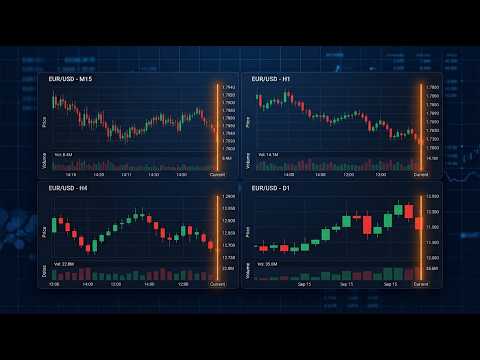
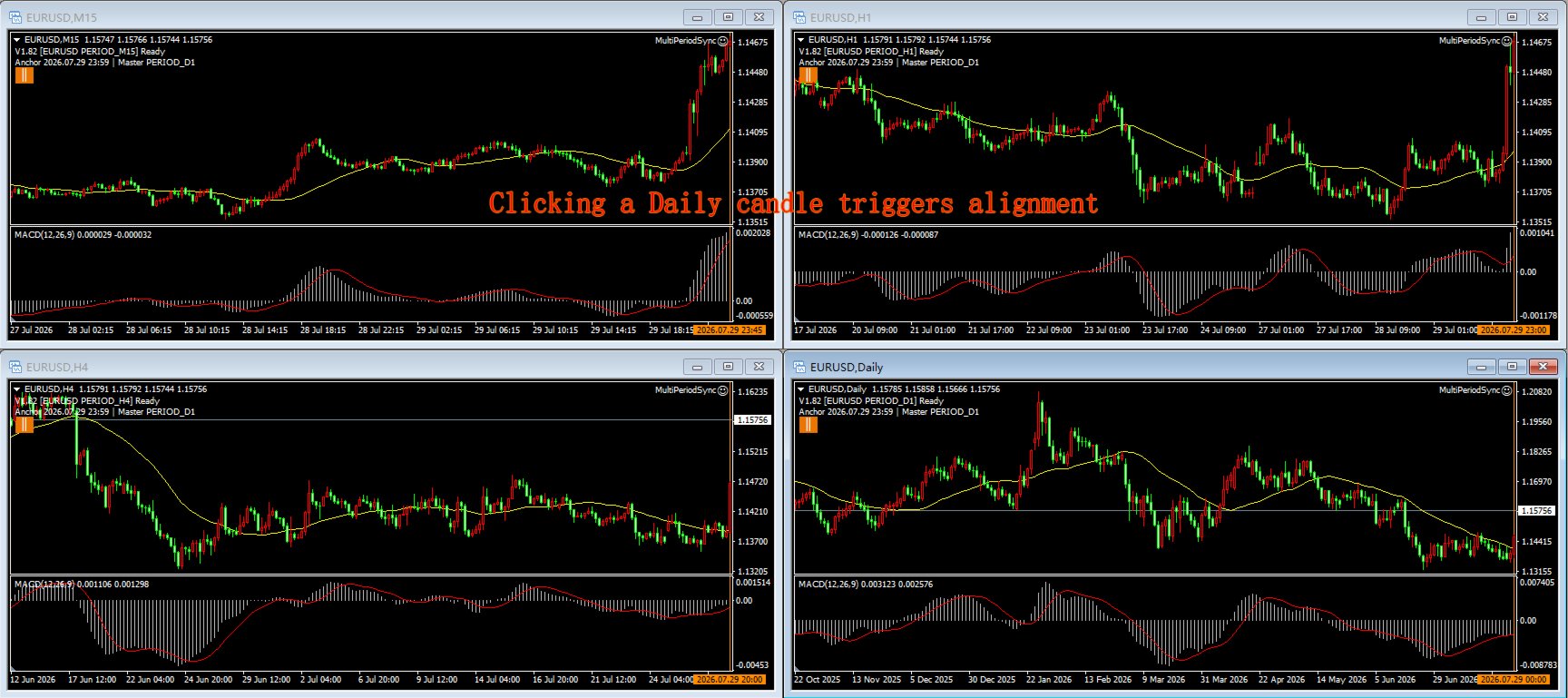
MultiPeriod Sync Charts is a non-trading utility that keeps four charts of the SAME symbol, on DIFFERENT timeframes (e.g. M15 / H1 / H4 / D1), perfectly aligned to the same point in time. Click or drag any one chart and the other three snap to the identical anchor moment — so you can read multi-timeframe confluence without manually scrolling each window. It is designed as a replay training aid: build multi-timeframe confluence intuition by reviewing how small and large timeframes line up at any moment, sharpening your K-line and indicator pattern recognition.
KEY FEATURES
- One-click alignment: click a bar on the main chart; all four charts align so that bar's period-end time sits at the right edge of every chart.
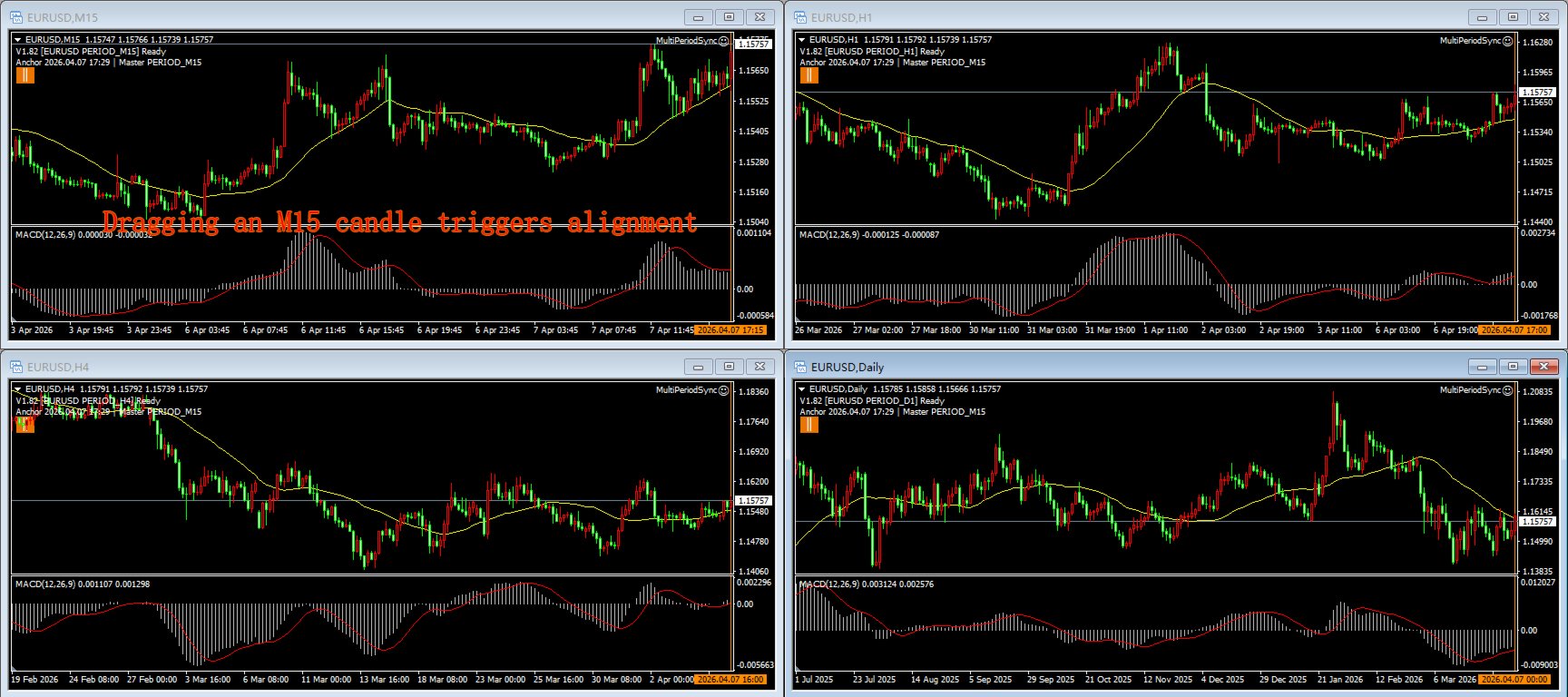
- Drag alignment: drag on the main or sub-window; the other three charts freeze during the drag and snap into place the moment you release.
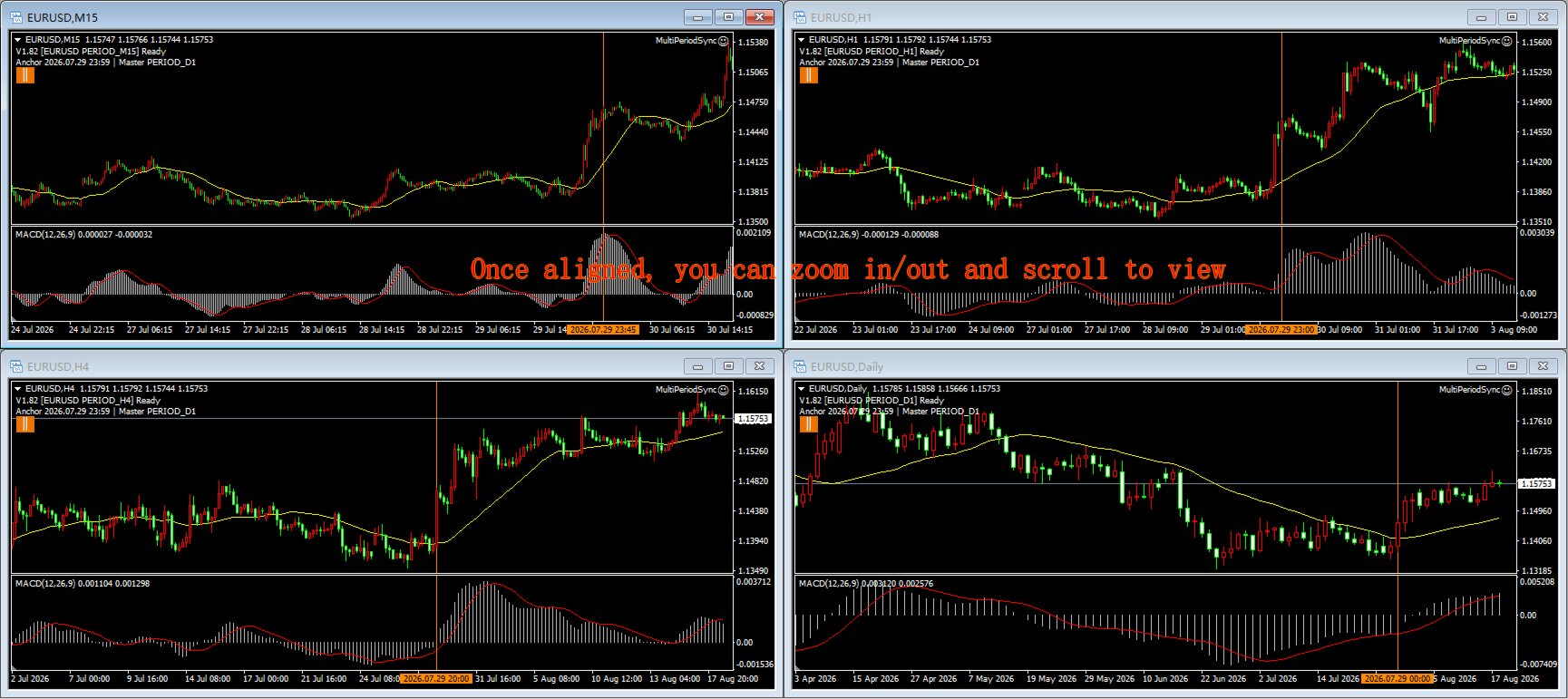
- Independent browsing & zoom: each chart scrolls and zooms freely on its own — pure browsing never triggers sync, never snaps back, and alignment always stays anchored to the same moment.
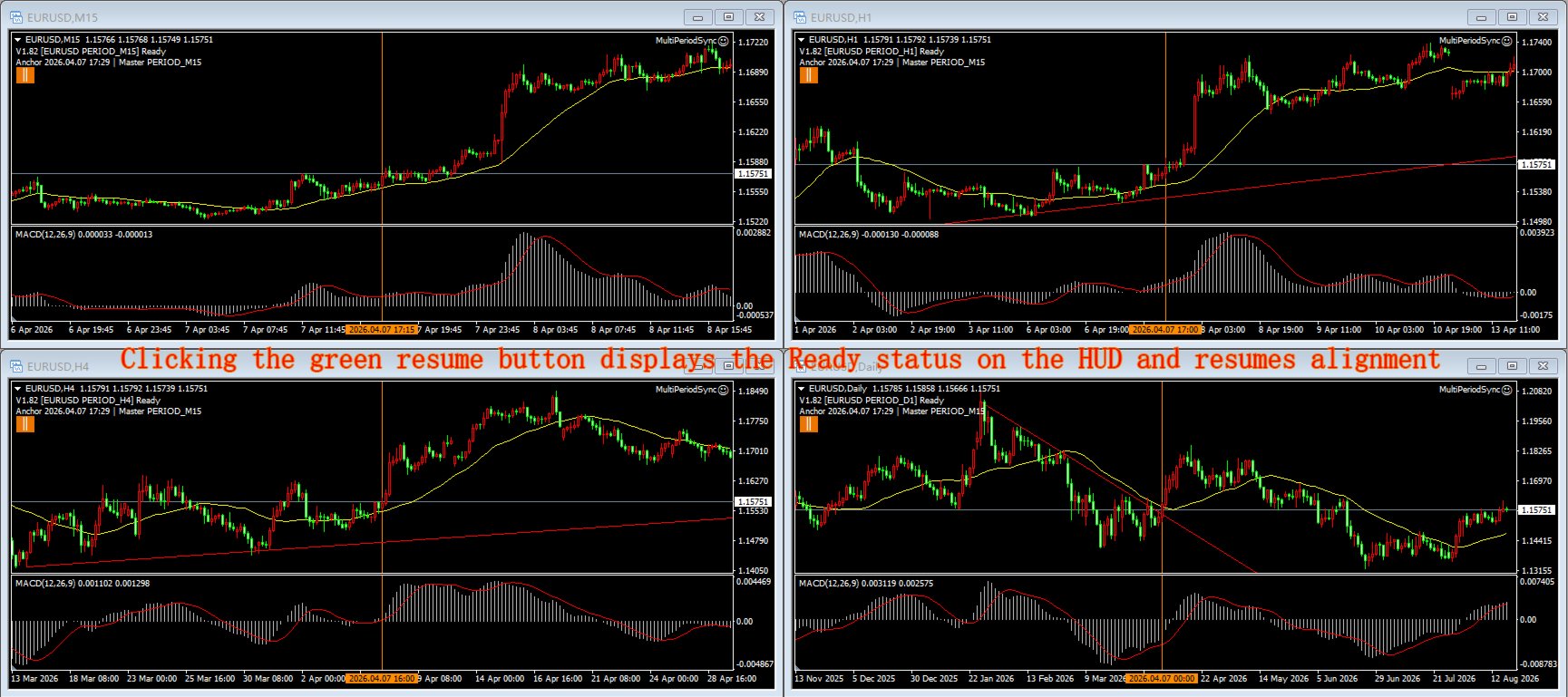
- Vertical anchor line: after each alignment a configurable vertical marker is drawn on every chart, so the shared time point is always visible.
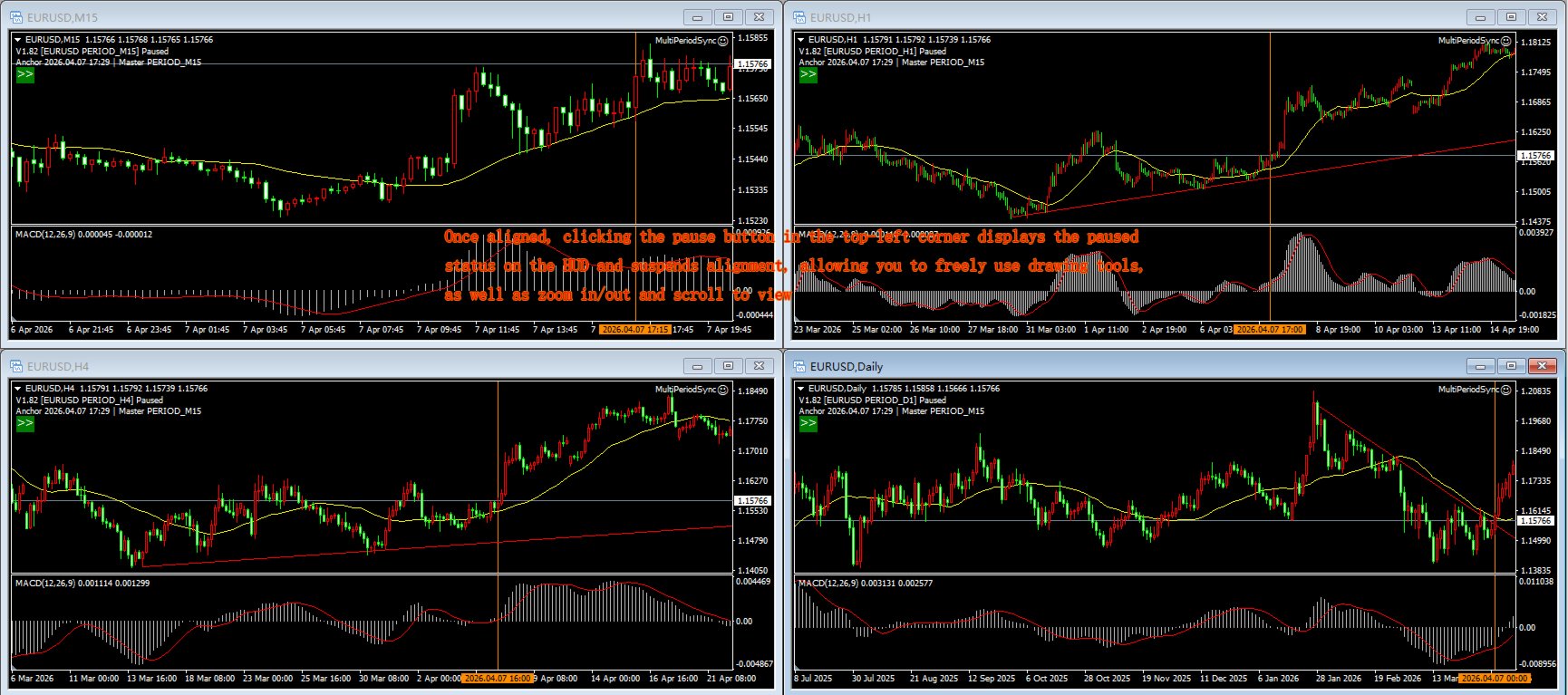
- Global pause: one button pauses sync on all four charts at once (wheel browsing still works); resume from any chart. Button state is mirrored everywhere. The button area is exempt from alignment — clicking it never fires a sync.
- Double-click filter: a short click is distinguished from a double-click, so you can still select objects / open the context menu without firing a sync.
- Bilingual UI: auto-detects terminal language (Chinese / English), or force one.
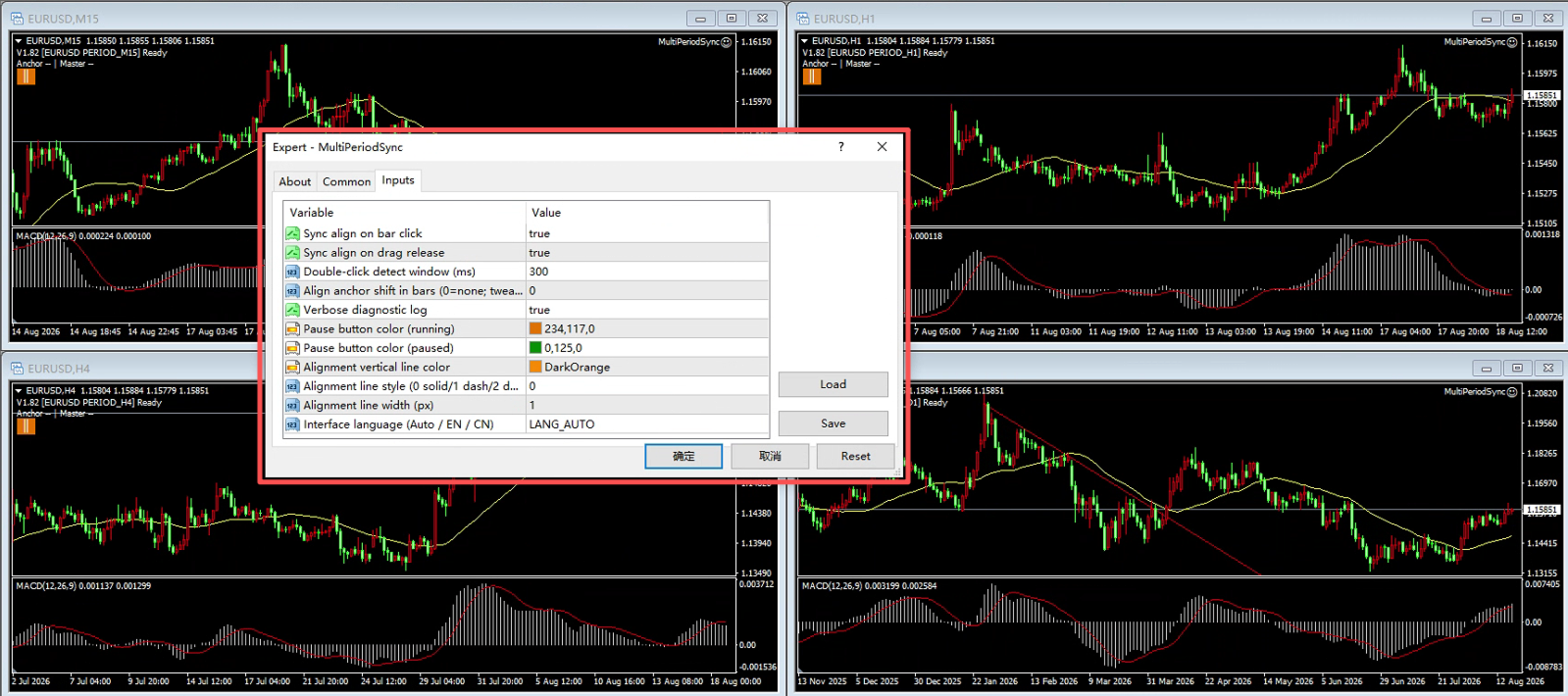
- 11 configurable inputs: click/drag sync toggle, UI language, debug logging, pause-button colors, marker color/style/width, double-click window, anchor offset.
HOW IT WORKS
Instances communicate through MT4 Global Variables — no DLL, no internet connection required. Attach one copy to each of your four charts (same symbol, any periods). Arrange windows with MT4's Tile Vertically (Alt+R) for a quick 2x2 grid, then reorder the timeframes to your preference.
REQUIREMENTS
- MetaTrader 4 terminal.
- The same trading symbol on all four charts.
- AutoTrading must be enabled (the EA uses a timer; it NEVER places a trade).
- Four chart windows arranged 2x2 (Alt+R tiles them automatically).
INPUT PARAMETERS
- InpLanguage — UI language: Auto (detect) / English / Chinese
- InpSyncOnClick — sync when you click a bar (true/false)
- InpSyncOnDrag — sync when you drag (true/false)
- InpDblClickMs — double-click filter window in ms (default 300); increase if you click slowly
- InpAnchorOffset — shift the alignment anchor inward by N bars (default 0)
- InpDebugLog — write diagnostic info to the Journal (true/false)
- InpPauseClrRun — pause-button color while running
- InpPauseClrPaused — pause-button color while paused
- InpMarkColor — vertical anchor line color
- InpMarkStyle — vertical anchor line style (solid/dash/dot…)
- InpMarkWidth — vertical anchor line width (pixels)
NOTES / LIMITATIONS
- This is an analysis aid, not a trading robot. It does not open, modify or close any position.
- Alignment targets TIME, not zoom/bar count — each chart keeps its own zoom.
- After updating the .ex4, simply restart MT4 (or reload the chart) — the EA picks up the new file automatically; no need to delete and re-attach it.
- Rental expires automatically and the EA is removed from the chart — this tool never trades and holds no positions to manage, so removal is safe with no side effects.
FAQ
Q: Does it trade?
A: No. It only aligns charts.
Q: Why four copies?
A: Four different timeframes are the standard for multi-timeframe confluence — they capture both risk and opportunity more accurately.
Q: Can I use different symbols?
A: Keep the same symbol on all four charts.
Q: Is it a demo-only tool?
A: The Market free trial runs only in the Strategy Tester, which cannot show this tool's 4-chart, interactive features. Use the 1-month low-price rental to try it on live charts.
USER MANUAL
What it achieves
One click or drag aligns all four charts to the same moment in time, so you no longer have to hunt through each chart by hand — build clean standard charts with ease, use them for trading-system training, and sharpen your multi-timeframe intuition.
Important boundaries
- It does NOT trade. It only aligns charts; never opens/modifies/closes a position. A "sad face" EA icon is normal (means "no trading").
- All 4 charts must be the SAME symbol (e.g. EURUSD). Different symbols = alignment meaningless.
- All 4 charts must be in the SAME MT4 terminal — instances communicate via MT4 Global Variables; cross-terminal/account doesn't work.
- It does not arrange windows for you. Use MT4's Tile Vertically (Alt+R) to auto-arrange charts into a 2x2 grid, then adjust the timeframe order to your preference.
- Alignment targets TIME, not zoom/bar count. Each chart keeps its own zoom and candle width; only the moment is aligned to the right edge.
- AutoTrading must be enabled (button turns green) for the EA to run its timer. It still never places a trade.
- Pause is global. Pause on any chart → all 4 stop syncing (wheel browsing still works); resume from any chart.
- It only manages its own vertical marks. Alignment lines (prefix MPS_VL_) are auto-updated/deleted; your manually drawn lines are NEVER touched.
- MT4 does NOT hot-reload EAs. After replacing the .ex4 or changing inputs, just restart MT4 (or reload the chart) — the chart's EA picks up the new file automatically. You do NOT need to delete and re-drag the EA; only restart/reload is required.
- Independent zoom per chart. Each chart can zoom in/out independently; zoom changes the current chart's view only, never triggers alignment, and alignment always stays anchored to the same moment.
- Crosshair / drawing tool cancellation. If the chart has a main window but no subwindow, clicking the left button in the (absent) subwindow cannot cancel the crosshair drawing state — right-click on the MAIN chart to cancel.
Preparation
MT4 (build 147631 or similar); a symbol with history downloaded (all periods); 4 chart windows, same symbol, different timeframes; MultiPeriodSync.ex4 deployed.
Install & attach
- Copy MultiPeriodSync.ex4 to MQL4\Experts\.
- Refresh Navigator (Ctrl+N → right-click Expert Advisors → Refresh) or restart MT4.
- Open 4 charts: same symbol, 4 different timeframes.
- Drag MultiPeriodSync onto all 4 charts (a settings dialog appears; OK = defaults).
- Enable AutoTrading (turn green). A "sad face" icon is normal.
- Arrange windows: use Tile Vertically (Alt+R) to auto-arrange a 2x2 grid, then reorder timeframes to taste.
Verification: a two-line HUD status text appears at the top-left of each chart, showing the version (should be V1.82 or newer).
Daily operations
Click-to-align (most used): Click a bar in the MAIN chart area (not subwindow / time axis) → all 4 charts align the bar's period-end time to their right edge.
Drag-to-align: Press and drag (main or subwindow) → the other 3 charts FREEZE during the drag → on release, all 4 align the right-edge bar's open time to their right edges.
Wheel browse / independent scroll (no alignment): Mouse wheel scroll = pure browsing. Each chart scrolls independently; scrolling never triggers alignment and never snaps the view back.
Double-click = select object (no alignment): A double-click (two clicks within InpDblClickMs at the same spot) selects an object for editing — it does NOT trigger alignment. If you click slowly and double-clicks keep being misread as single-click aligns, increase InpDblClickMs.
Pause / resume button (alignment-exempt area): A small button under the HUD (top-left). Orange || = running (click to pause globally); dark-green >> = paused (click to resume globally). The button area is exempt from alignment — clicking it never triggers a sync.
Vertical anchor line: After each successful alignment, one configurable vertical line is drawn on all 4 charts at the aligned moment. Old alignment lines are replaced automatically — never accumulate. Your manual lines are untouched.
Independent zoom (no alignment, keeps state): Zoom in/out on any chart — each chart keeps its own zoom state and candle width. Zoom never triggers alignment and is never pulled by other charts. After zooming, click/drag still aligns all 4 to the same moment.
Operation FAQ
Q: EA shows a sad face, is it broken?
A: No — sad face = no trading, which is normal for this tool.
Q: Clicking a chart doesn't move the others?
A: Check: ① AutoTrading green? ② All 4 charts same symbol? ③ HUD version correct? ④ Click on main price area (not subwindow/axis)?
Q: Charts misalign by 1 bar?
A: Rare; set InpAnchorOffset to 1.
Q: Journal too noisy?
A: Set InpDebugLog=false; HUD unaffected.
Q: Double-click keeps triggering alignment?
A: You are likely clicking slowly — increase InpDblClickMs (e.g. 400~500).
Q: No vertical line appears?
A: Confirm alignment actually fired (click the main chart). Lines appear only after a successful align, and only MPS_VL_ objects are touched.
Q: Crosshair can't be cancelled?
A: If there is no subwindow, right-click the MAIN chart to cancel the drawing state.
Reload after update (no need to re-attach)
MT4 does not hot-reload EAs. After replacing the .ex4 or changing inputs, restart MT4 (or reload the chart) — the chart's EA automatically loads the new file. You do NOT need to delete the EA instance and drag it again; a restart/reload is sufficient. If issues persist, check the HUD version and the Journal log (MQL4\Logs\<date>.log), optionally with InpDebugLog=true.