FX Strategy Lab Backtester and Replay Trainer

Replay historical price action bar by bar, log your entries with reasons, and automatically verify whether your trading method has a real statistical edge.

Most traders backtest a method that looks perfect on a finished chart, then watch it fall apart the moment they trade it live. The problem is rarely the strategy - it is that reading a chart AFTER the fact is a completely different skill from reading it bar by bar, in real time, without knowing what happens next.

FX Strategy Lab is a training and verification tool that rebuilds that real-time experience inside MT5, then measures your results with the same rigor a professional would - win rate, profit factor, expectancy, drawdown, broken down by trend, session, volatility, and more.

Most backtesting tools stop at a single equity curve. Most trade journals only track statistics on trades you have already placed. FX Strategy Lab combines both in one EA: you practice execution bar by bar, then automatically verify any combination of the same conditions across your symbol's full available history - and both the manual replay and the automated verification use the exact same TP/SL/breakeven/trailing/split-TP rules, so what you test is what you would actually trade.

HOW IT WORKS
1. Attach the EA to a chart, pick a symbol, timeframe, and date range.
2. Step through that history bar by bar (or jump to any date) and trade it live-style with Buy/Sell, your own SL/TP/lots, and an entry-reason tag.
3. Review the journal, statistics, condition filters, and weakness analysis on what you just traded.
4. Or skip the manual practice and run Method Verification: pick any combination of built-in conditions, set TP/SL/lots, and get win rate, profit factor, expectancy, and drawdown over the full history in seconds - logged to CSV so you can compare runs.

REPLAY THE MARKET, BAR BY BAR
Step through any historical period one candle at a time (or jump straight to a date). Place buy/sell orders with your own SL, TP, and lot size, exactly as you would live, with no hindsight.

TAG EVERY ENTRY WITH YOUR OWN REASONING
Attach entry-reason tags (trend, pullback, breakout, support/resistance, pattern, indicator signal, and more) to every trade, and add a free-text comment. Every entry, exit, and reason is saved to a searchable trade journal.

SEE YOUR WEAKNESSES IN NUMBERS, NOT GUESSES
Filter your full trade history by trend direction, trading session, Bollinger Band state, ATR volatility state, and more, and let the built-in weakness analysis surface which conditions you actually lose money in - and which ones you are strongest in.

AUTOMATICALLY VERIFY WHETHER YOUR METHOD HAS AN EDGE
Select from a large library of built-in detectors - moving averages, MACD, RSI, Bollinger Bands, Stochastic, Ichimoku, market structure (BOS/CHoCH), support/resistance breakouts, candlestick patterns, and divergence (regular and hidden) across multiple indicators - combine any of them with AND logic, set your TP/SL/lot rules, and run an automated backtest over the full available history. Every run is logged to CSV so you can compare methods side by side over time.

BUILT-IN ANALYSIS LIBRARY
- Trend detection: choice of moving-average method (SMA or EMA, color-coded fast/slow) or swing-structure method, with a multi-timeframe trend summary
- MACD: golden/dead cross, zero-line cross, regular divergence
- RSI: overbought/oversold, 50-line cross, regular and hidden divergence
- Stochastic: overbought/oversold, 50-line cross, %K/%D golden/dead cross, regular and hidden divergence
- Bollinger Bands, three bands at once (1-sigma / 2-sigma / 3-sigma, individually color-coded): band touches, squeeze detection, band walk, mid-line bounce and break
- Ichimoku Kinko Hyo: Tenkan-sen/Kijun-sen cross, cloud (Kumo) breakout, cloud twist, Chikou Span cross
- Support/resistance: swing-cluster S/R levels, confirmed-close breakout signals, previous-day pivot points, previous day/week high-low, previous month high-low, round-number levels, Asian session range
- Market structure breaks: Break of Structure (BOS) and Change of Character (CHoCH), both bullish and bearish
- ATR volatility state (high / low / rising / falling), shown live on the panel, with optional ATR-multiple-based SL/TP sizing
- Candlestick pattern recognition (multiple classic reversal/continuation patterns detected automatically)

RISK MANAGEMENT TOOLS
Fixed pips, RR-ratio-based TP, or ATR-multiple-based SL/TP; a recent swing high/low as your SL reference; move to breakeven once price reaches your trigger; trailing stop; split TP1/TP2/TP3 with automatic partial close - all available both in live replay trading and inside the automated method verification.

TRADE JOURNAL & STATISTICS
- Full trade journal with entry/exit price, P/L in money and pips, R-multiple, and your own entry-reason tags and comments
- Overall statistics: win rate, profit factor, expectancy(R), max win/loss, win/loss streaks, drawdown - broken down by trend state and trading session
- Stats by condition: filter your history by trend, session, Bollinger state, and ATR state (multi-select) to see performance under any specific combination
- Weakness analysis: automatically surfaces which conditions you are weak or strong in, based on your own trade history
- Equity curve chart
- Save and load full replay sessions (including trade history) to pick up a verification run later
- Export trade history and method-verification results to CSV

CONFIGURABLE SETUP ALERTS
Get a popup and sound alert the moment a setup forms - choose the trigger (pattern, divergence, MACD/MACD-zero cross, RSI/Stochastic level or cross, Bollinger signal, S/R breakout, structure break, Ichimoku signal, and more) and optionally filter it to only fire during an uptrend/downtrend or near support/resistance.

WORKS ON ANY SYMBOL AND TIMEFRAME your broker provides history for. All analysis runs on the historical data already available in your terminal - no external data feed required.

A note on backtesting: the figures produced by the replay and verification engine are historical simulation results, not a promise of future performance. Execution in the replay simulator (spread, slippage) is an approximation of real trading conditions. Use this tool to build discipline and evaluate ideas, not as a guarantee of profit.

A full step-by-step manual, covering every input parameter and screen, is available in the Blog section of this seller's profile.

おすすめのプロダクト
Trades Manager Pro – Only Buy is a professional trade management tool designed to fully automate risk control and profit-taking for BUY trades only, on any symbol, pair, or instrument you apply it to . It calculates a risk-based stop loss once per position, ensuring consistent capital protection without repeated modifications. The system supports up to three customizable partial take profit levels (TP1, TP2, TP3), each closing a defined percentage of trade volume to secure profits step by step,
Robot Name:   Xelar EA MT5 Description: Xelar EA - Your Gateway to High-Risk, Potentially Highly Profitable Trading Experiences! Are you in search of a trading robot capable of providing risk-loving traders the opportunity to achieve exceptional profits? Xelar EA could be exactly what you've been looking for. This highly specialized trading robot has been developed to conquer the markets in a unique and efficient manner. Information: After every 5 sales, the price increases by $100. Please conta
製品概要 本製品はMT5用のツールであり、チャート分析の利便性を大幅に向上させ、分析にかかる時間を短縮させることを目的としています。 チャート分析に関して一般的に言えることとして、単一時間軸を使いつつも複数のシンボルでを監視する場合と、マルチタイムフレーム分析を用いて少数ペアのみを取引する場合があります。 ここで、いずれの場合にもよくある問題として、複数のチャートの扱いにおいて「チャートを同時にスクロールする」または「チャートオブジェクトを同時に描画する」ことが難しいことです。 特に、マルチタイムフレーム分析において、異なるチャートの全く同じ位置にオブジェクトを正確に描画することは、非常に難しいと言えます。 また、トレーダーは時間軸毎に描画したオブジェクトに対して優先順位を付けるたいと思うかもしれません。事実、これらの課題解決を試みようとしている製品を調べていくといくつかは見つける事ができます。 しかし正直なところ、品質が十分でないものもあれば、自分の想像どおりに機能しないものもあります。 こういった経緯があり、私自身がこの状況に満足していませんでした。そこで私自身でこのMT5の「
MarketMind AI
Perpetual Chinemerem Vincent
MarketMind AI Next-Generation Contextual Analysis for MetaTrader 5 Trade with the clarity of institutional-grade context. MarketMind AI is a professional decision-support system designed to bridge the gap between raw technical data and actionable market intelligence. Rather than generating signals or executing trades, MarketMind AI provides a structured, high-fidelity view of market conditions — enabling traders to make more informed discretionary decisions. USER GUIDE AND ANALYSIS PIPELINE AP
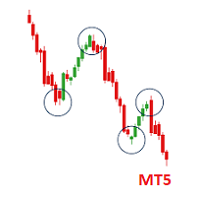
Do not buy before seeing the Danko Trend Color product, as this panel is a way to view a summary of this indicator on various timeframes. The Danko DTC Panel utility allows you to look at the trend in up to 5 timeframes. When clicking on the timeframe texts, a new window will open with the indicator plotted on the screen so you can see the complete chart. The width of the panel, with the amount of candles you want to see, is customizable, see the images below. Ao clicar nos textos dos timeframe
The Hammer
Ibrahim Fathallah Abdel Halim Abdel Khaleq
The Hammer Purpose: This EA identifies potential trend reversals using candlestick patterns (Hammer, Bullish/Bearish Engulfing) combined with RSI confirmation. It automatically opens and manages trades based on predefined risk management parameters. Ideal for traders looking for a fully automated reversal trading strategy with robust risk management. Test the EA in a demo account before live trading. Minimum account balance 3000 USD Designed for EUR/USD - 3Hr chart Use default settings
The Problem Every Trader Faces Every serious trader knows the struggle: Wasted time   scrolling through years of data to find specific dates Missed opportunities   because you can't quickly jump to historical patterns Frustrating navigation   with manual scrolling that never lands exactly where you need No quick way   to mark important dates for future reference Inconsistent chart positioning   when trying to compare different time periods These inefficiencies cost you valuable analysis time and
多くのトレードマネージャは、自分が出した注文だけ、あるいは載っているチャートの銘柄だけを扱います。これは口座を扱います。 Trade Control Center は、口座にあるすべての建玉とすべての待機注文を、誰が出したものであっても1つの表に並べます。手で出した取引も、携帯から出した取引も、別の端末から出した取引も、どのEAが出した取引も、全銘柄にわたって同じ表に現れ、そこから操作できます。 自分から取引を始めることはありません。助言もしません。シグナルも送りません。あなたがボタンを押さない限り、あるいは上限を有効にして何をするか指示しない限り、何も決済されません。 ヘッジング口座向けに作ってあります あるEAの取引と別のEAの取引を見分けられるのは、プラットフォームがそれらを別々のポジションとして保っている間だけで、それをするのがヘッジング口座です。ネッティング口座では MetaTrader が銘柄ごとに1つのポジションへ統合し、マジックナンバーが何も識別しなくなるため、そこでは分離できません。本商品は起動時に口座の種別を読み、ネッティング口座では監視に限定し、そのことを
Smart Risk Manager – Master Your Trades with Precision and Confidence Take complete control of your manual trading with Smart Risk Manager , a professional all-in-one trade and risk management Expert Advisor for MetaTrader 5 . Designed for traders who value speed, precision, and capital protection, it simplifies every step of trade execution while ensuring your risk remains under control. Whether you trade Forex, Gold, Indices, or Cryptocurrencies , Smart Risk Manager helps you execute trades w
The Definitive Performance Testing Solution for MetaTrader Environments What This Tool Does This specialized benchmark utility measures the performance of your MetaTrader environment, providing insights that impact your trading execution. Unlike generic system benchmarks, this tool evaluates performance specifically within the MetaTrader runtime environment. For Professional Traders & Developers: Performance Metrics : Measurements of calculation throughput and memory efficiency Trading-Specific
AlphaShield Capital Guard MT5: Ultimate Trailing Drawdown Shield & Interactive Dashboard Panel Are you tired of losing your funded prop firm accounts (FTMO, Topstep, FundedNext, etc.) or blowing your private capital due to sudden market slippage, spread expansion, or emotional revenge trading? Are you frustrated with cheap risk lockers that crash when your broker shifts timezones? AlphaShield Capital Guard is built for high-stakes account safety, utilizing native server midnight tracking to prov
Smart Close Manager v1.1 is a lightweight but powerful order-management utility designed for traders who need fast, safe, and precise control over their positions. This tool allows you to instantly close positions and delete pending orders based on smart filters such as symbol, direction, profit state, or order type. Perfect for scalpers, intraday traders, and anyone managing multiple orders. Key Features Close all orders with one click Close only BUY / only SELL positions Close only profitabl
This Expert Advisor monitors all open positions across all symbols in MetaTrader 5. Whenever a Stop Loss (SL) or Take Profit (TP) is manually set or adjusted on any position, the EA automatically applies that value to all other open positions , regardless of symbol or order type (Buy/Sell). This ensures consistent and synchronized SL and TP levels across your account. Perfect for mobile trading via tablet or smartphone!
RR Gestion
Wilson Eduardo Loor Arguello
絶対的な精度、スピード、視覚的コントロールでトレードを。 RR Gestion V4.0は、TradingViewの流れるような視覚的注文体験をMT5チャートに直接もたらす、MetaTrader 5向けの究極のリスク・リワード・パネルです。 主な機能: 完全視覚化されたドラッグ&ドロップUI: リスク(赤)とリワード(緑)のボックスをチャート上で直接操作。エントリー、SL、TPのラインをドラッグするだけで、ロットサイズがリアルタイムで自動計算されます。 移動・最小化可能なパネル: ヘッダーをドラッグして移動。 _ をクリックするとメインボディが隠れ、「Quick Trade」行のみが表示されます。 スマートなBUY/SELL切り替え: ロングとショートのシナリオをシームレスに切り替え。 ️ コントロールとパラメータ: 注文タイプ: Market(成行)、Stop(逆指値)、Limit(指値)。スマートバリデーション機能付き。 リスクサイズモード: $(固定金額)、Lot(固定ロット)、%(口座残高パーセント)。 Stop Lossモード: 「価格 (Precio)」と「Pip
DeepInsight
Gustavo Santos Pedrosa
Title: DeepInsight: Flow and Market Context Analysis What is DeepInsight? DeepInsight is a technical analysis tool for MetaTrader 5, developed to assist in reading market dynamics. The indicator processes volume and price movement data to generate objective visual references, facilitating the identification of areas of interest on the chart. The tool functions as an auxiliary analysis dashboard, offering support for manual decision-making without performing automatic order execution. Operationa
RiskPilot Pro
Mohamed Zein Mohamed Zein Soliman
RiskPilot Pro Plan risk clearly. Execute efficiently. Manage positions from one professional MT5 dashboard. RiskPilot Pro is a visual trade-planning and position-management utility for MetaTrader 5. It helps manual traders define risk before entry, calculate position size, place market or pending orders, and manage open positions from one chart panel. Important: RiskPilot Pro does not generate trading signals and does not choose trade direction. The trader defines the setup and remains responsib
Challenge Guardian – Pass Your Prop Firm Challenge. Keep Your Funded  The automated daily loss and drawdown rule enforcer for FTMO, FundedNext, Funding Pips, The5ers and any prop firm. The number one reason traders fail prop firm challenges is not a bad strategy – it is one bad day. One oversized loss, one revenge trade, one news spike, and weeks of disciplined work are gone. Challenge Guardian is an automated rule enforcer for MetaTrader 5. It watches your account in real time and physically s
Telegram Notify MT5 Telegram Notify MT5 is an utility tool to bridge your MetaTrader 5 activities to your Telegram chat/channel. It is useful for monitoring your MetaTrader 5 account by sending a notification to your particular Telegram chat/channel when someone/EA is placing trades, modifying order's TP/SL, closing trades and etc. This EA does not place any trade for your account. This EA also could be a convenient tool for monitoring other's EA trading activities or a tool for publishing your
Smart Remote Trade Assistant MT5:MetaTrader 5用Telegram経由リモート取引パネル Smart Remote Trade Assistant MT5は、MetaTrader 5用の高度なパネルです。Telegramから直接、迅速かつ安全に取引をリモートで管理したいトレーダーのために設計されています。 Windows Bridge アプリファイルとチュートリアルを入手 Telegram取引パネルをMT5 EAに接続するためにBridgeファイルが必要です。Windows 10およびWindows 11(64ビット版)、Windows Server 2016以降に対応しています。現在ベータ版のため、特別価格となっております。販売数が10件に達するごとに価格が上昇します。今すぐお求めください! 従来のMQL5パネルは取引ターミナル内でのみ機能しますが、このアシスタントを使えば、スマートフォンの取引アシスタントインターフェース上のボタンをタップするか、チャットのようにコマンドを直接入力するだけで、注文の発注、リスク調整、エントリーパラメー
Protect your funded accounts and personal capital with military-grade precision. This utility continuously monitors your floating equity against your daily starting balance. The moment your custom drawdown threshold is breached, it instantly liquidates all open positions, deletes pending orders, and completely unloads from the chart. Stop revenge trading and never fail a prop firm evaluation due to a margin breach again.
FREE
Description: Smart Recovery Manager is a technical utility developed for the MetaTrader 5 platform. Its primary function is to provide trade management solutions for existing positions through a combination of averaging techniques and an automated hedging mechanism. Operational Features: This utility is designed to manage trades that are already active in the terminal. It does not provide trade signals or execute initial market entries. Averaging Logic: The tool can be configured to open additi
DD Guardian Bot — User Guide Requirements MetaTrader 5 (any broker) A Telegram account Step 1 — Create your Telegram Bot Open Telegram and search for @BotFather Send /newbot and follow the prompts to set a name and username BotFather will reply with a Bot Token — copy and save it Send any message to your new bot (e.g. /start ) so it can detect your Chat ID Open the following URL in a browser to find your Chat ID: https://api.telegram.org/bot&lt ;YOUR_TOKEN>/getUpdates Look for "chat":{"id": 12
The utility is designed to display on the chart the margin zones built on the basis of margin requirements for futures of the Chicago Mercantile exchange (CME). These margin zones are good levels of resistance and support, as seen in the screenshots. How to use To trade on margin zones, use the following rules: buy after the day has closed above one of the zones to the next zone; sell after the day has closed below one of the zones to the next zone; after opening a sell trade, place limit sell
Powerful Price Action Engulfing Doji Robot MT5 version Package Contains: (Price includes both versions) SET files in Comment section. 1. Powerful Price Action EA Advanced Version with NomadTrader Money Management System: --Full EA with all adjustable settings and parameters to tweak or optimize. --It uses the NomadTrader Money Management system with Dynamic exit strategy based on Price %(percent) based Stop loss, Take Profit and Adjustable Time Filter to 1 minute preciseness, all parameters ar
Managing every trade manually can be stressful and often leads to errors. Smart Pro Manager MT5 is a utility designed to simplify and automate trade management directly from the chart, allowing you to focus solely on entry decisions. Once you open a position with a simple click on   BUY   or   SELL , the system automatically takes care of all the management: Automatically sets   Stop Loss   and   Take Profit   Moves   Stop Loss to   BreakEven   (with buffer) Dynamically manages   Traili
The AZT Profit Locker is an advanced automated risk-management utility designed specifically for MetaTrader 5 (MT5) traders who want to remove emotional interference and protect their hard-earned profits. Traders aren't just fighting the Forex market, they're fighting their own biology. Fear, Greed and Anxiety lead to holding losers too long and cutting winners too early. The utility flips the script by removing emotion from risk management. Operating as a dedicated automated risk manager, this
MT5用NAS100 Auto SL and TP Makerをご紹介します: MetaTrader5でナスダック100市場をナビゲートするトレーダーにとって不可欠なアシスタントであるNAS100オートSLおよびTPメーカーで、ストップロスおよびテイクプロフィットの設定をもう見逃すことはありません。このツールは、ストップロスとテイクプロフィットのレベル管理を自動化するシームレスなソリューションを求める方々のために設計されています。 主な特徴 簡単な自動化: ストップロスやテイクプロフィットのないナスダック100取引を自動的に監視します。 ユーザーが構成した設定に基づいてレベルを動的に調整します。 注文タイプの多様性: Nasdaq100の成行注文と未決済注文の両方に対応。 MetaTrader 5で利用可能なさまざまな注文タイプをサポートします。 カスタマイズされた設定: ユーザーフレンドリーなパラメータ設定により、トラッキング設定とストップロス/テイクプロフィットレベルのカスタマイズが可能です。 柔軟な範囲: 実行する特定のNAS100商品または取引されるすべての商品に対してスト
FREE
AutoLot Trade Panel は、手動トレーダー向けのチャートベースの MT5 トレーディングパネルです。より速い注文執行、自動ロット計算、リアルタイムのリスク表示、視覚的な SL/TP 計画、そしてチャート上でのポジション管理を可能にします。 クイックスタートガイド: https://www.mql5.com/en/blogs/post/769949 ! 無料デモ版あり ! 完全版を購入する前に、パネルのワークフロー、AutoLot 計算、Visual Tool をテストできる無料デモ版があります。 デモ版: https://www.mql5.com/en/market/product/176387 ============================================================================================================================================================================================
NewsGuard Pro for MetaTrader 5 NewsGuard Pro is an economic-news filter, trading guard, chart dashboard, and position-protection Expert Advisor for MetaTrader 5. It monitors economic events related to selected symbols and currencies, blocks trading during configurable news periods, detects abnormal spreads, displays upcoming events on the chart, and can protect existing positions. NewsGuard Pro does not generate trading signals or open positions. It works as a protection layer for manual traders
ライブ100Kリアル口座: https://www.mql5.com/en/signals/2360375 現在の発売価格: 120 — このオファーは最初の10コピーに適用されます。これが売り切れると、価格は 150 に上昇します。現在、このレベルで 9 コピーが購入されています。 購入者ボーナス: 購入が完了したら私に連絡してください。あなたの信頼に感謝の気持ちとして、完全に 無料 の追加エキスパートアドバイザーを贈呈します。 トライアル版利用可能: 購入前に試してみたいですか?メッセージを送って、 無料のデモ版 を取得し、最終的な決定を下す前にライブデモ口座でテストしてください。 No Nonsense Bot は、明確でシンプルな自動化アプローチを求めるトレーダーのために作られています。市場のボラティリティ、セッションのタイミング、価格行動を評価する内蔵フィルターを備えた方向性のあるコア戦略を統合し、取引を開始します。これにより、細かな価格変動に反応するのではなく、明確に定義された市場フェーズ中にのみエントリーが行われます。 エキスパートアドバイザーは シングルチャート
このプロダクトを購入した人は以下も購入しています
Trade Assistant MT5
Evgeniy Kravchenko
4.41 (215)
取引 ごとのリスクの 計算、新規注文 の 簡単 な 設置、部分的 な 決済機能 を 持 つ 注文管理、 7 種類 のトレーリングストップなど 、便利 な 機能 を 備 えています 。 追加の資料と説明書 インストール手順   -   アプリケーションの手順   -   デモアカウント用アプリケーションの試用版 ライン機能 チャート上にオープニングライン、ストップロス、テイクプロフィットを表示します。この機能により、新規注文を簡単に設定することができ、注文を出す前にその特徴を確認することができます。   リスク計算 リスク計算機能は、設定されたリスクとストップロス注文のサイズを考慮して、新規注文のボリュームを計算します。ストップロスの大きさを自由に設定できると同時に、設定したリスクを守ることができます。 Lot calc ボタン - リスク 計算 を 有効 / 無効 にします 。 Risk フィールドでは 、必要 なリスクの 値 を 0 から 100 までのパーセンテージまたは 預金通貨 で 設定 します 。 設定」 タブで 、 リスク 計算 の 種類 を 選択 します :「 $ 通
Trade Manager EAへようこそ。これは、取引をより直感的、正確、そして効率的にするために設計された究極の リスク管理ツール です。これは単なるオーダー実行ツールではなく、包括的な取引計画、ポジション管理、リスク管理のためのソリューションです。初心者から上級者、迅速な実行を必要とするスキャルパーまで、Trade Manager EAはあらゆるニーズに対応し、為替、指数、商品、暗号通貨などさまざまな市場で柔軟に対応します。 Trade Manager EAを使用すると、複雑な計算が過去のものになります。市場を分析し、エントリーポイント、ストップロス、テイクプロフィットのレベルをチャート上のラインでマークし、リスクを設定するだけで、Trade Managerが最適なポジションサイズを即座に計算し、SLとTPをピップ、ポイント、口座通貨でリアルタイムに表示します。すべての取引が簡単かつ効果的に管理されます。 主な機能: ポジションサイズ計算機 :定義されたリスクに基づいて取引サイズを瞬時に決定します。 簡単な取引計画 :エントリー、ストップロス、テイクプロフィットを設定するためのド
TradePanel MT5
Alfiya Fazylova
4.88 (166)
Trade Panelは多機能なトレーディングアシスタントです。アプリには手動取引用の50以上のトレーディング機能が搭載されており、ほとんどの取引作業を自動化することができます。 購入前に、デモアカウントでアプリのデモ版をテストすることができます。デモアカウント用のアプリの試用版をダウンロードするには、次のリンクをご利用ください: https://www.mql5.com/en/blogs/post/750865 。 完全な手順 こちら 。 取引。 ワンクリックで取引操作を行うことができます: リスクを自動計算して指値注文やポジションを開く。 複数の注文やポジションをワンクリックで開く。 注文のグリッドを開く。 保留中の注文やポジションをグループごとに閉じる。 ポジションの方向を反転(Buyを閉じてSellを開く、またはSellを閉じてBuyを開く)。 ポジションをブロックする(不足している量のポジションを開くことでBuyとSellのポジション量を等しくする)。 すべてのポジションを部分的にワンクリックで閉じる。 すべてのポジションの利食い(Take Profit)および損切り(Sto
AstroTrade Trading Assistant AstroTrade is a comprehensive multi-functional trading utility developed for the MetaTrader 5 platform. It integrates essential tools for trade execution, risk management, and technical monitoring into a single unified interface. The application is designed to assist traders in managing their daily operations through a visual and structured environment. Visual Trade Execution and Risk Management The application includes a specialized trading panel that assists in c
================================================================================ POC BREAKOUT - V20.72. Full Professional Grade Toolkit ================================================================================ POC Breakout is a full MetaTrader 5 trading dashboard for discretionary traders who want breakout signals, Point of Control (POC) context, volume profiles, order flow, market structure, news, alerts, and advanced trade planning in one professional workspace. Attached directly to you
ベータリリース Telegram to MT5 Signal Trader はまもなく正式なアルファ版をリリースします。いくつかの機能はまだ開発中で、小さな不具合に遭遇する可能性があります。問題が発生した場合はぜひご報告ください。皆さまのフィードバックがソフトウェア改善に役立ちます。 Telegram to MT5 Signal Trader は、 Telegram のチャンネルやグループからの取引シグナルを自動的に MetaTrader 5 にコピーする強力なツールです。 パブリックおよびプライベートの両方のチャネルに対応し、複数のシグナル提供元を複数のMT5口座に接続可能です。ソフトウェアは高速で安定し、すべての取引を細かく制御できます。 インターフェースは直感的で、ダッシュボードとチャートは見やすく設計されており、リアルタイムで動作状況をモニターできます。 必要環境 MQL の制限により、EA は Telegram と通信するためのデスクトップアプリが必要です。 インストーラーは公式の インストールガイド にあります。 主な機能 マルチプロバイダー: 複数の Telegram
Farmed Hedge Yield Farming | All Markets (Manual - Hybrid - Semi/Automated EA) MULTI-ASSET SUPPORT Trade any asset available on your broker - Forex: Major, Minor, Exotic pairs - Crypto: BTC, ETH, XRP, SOL, BNB - Stocks: Apple, Tesla, Amazon, Google, etc. - Commodities: Gold, Silver, Oil, Gas - Indices: US30, NAS100, SPX500, DAX40 - Any CFD your broker offers VERIFIED TRADING RESULTS - Farmed Hedge Yield Axi Copy:  https://www.mql5.com/en/signals/2356376 - Farmed Hedge Yield Exn Copy:   https:/
Power Candles Strategy Scanner - 自動最適化型マルチシンボル設定ファインダー パワーキャンドル・ストラテジー・スキャナーは 、パワーキャンドル・インジケーターを駆動するのと全く同じ自己最適化エンジンを、マーケットウォッチに登録されているすべての銘柄に対して並行して実行します。1つのパネルで、現在統計的に取引可能な銘柄、各銘柄で勝率の高い戦略、最適なストップロス/テイクプロフィットの組み合わせが表示され、新たなシグナルが発生した瞬間に通知が届きます。 このツールは、Stein Investmentsのエコシステムの一部です。  18種類以上のツールをすべて閲覧し、AIを活用したセットアップの推奨を受け取り、  https://stein.investments でコミュニティに参加しましょう 市場動向を網羅。銘柄ごとに3,000件以上の自動最適化。2種類のアラート。ワンクリックでチャートを切り替えて即座にアクション。 なぜこれが必要なのか 多くのマルチ銘柄スキャナーは、 価格の動き (ボラティリティ、変動率、銘柄ごとのRSI)を表示するだけです。それ
Premium Trade Manager - コーチ内蔵型トレードパネル Premium Trade Manager は、AIトレーディングコーチをあなたのチャートの中に置き、その下に完全な執行エンジンを備えたツールです。いつも通りにトレードをセットアップし、あなた専任のAIトレーディングコーチ Max にそのセットアップをそのまま読み取らせて、発注前に率直な見解を伝えてもらいましょう。ストップの幅が規律あるアプローチに合っているか、リスクサイズは適切か、高影響のニュースイベントが数分後に迫っていないか、プロップファームの制限に近づいていないか。その下には、クリックの後をすべて処理するエンジンが備わっています。ワンクリックのリスクサイズ計算による発注、チャート上でドラッグして組み立て、発注後も動かせるプラン、最大4段階の分割利確、7種類のトレール方式、リアルタイムのプロップファームコンプライアンス、ニュースガード、そしてコストを自ら採点するスプレッド機能。判断はあなたが下す。Max がもう一度確認する。後のことはすべてパネルが担う。 購入前に実際に触れて試せます。 ブラウザ上でライブ
VirtualTradePad PRO SE MT5 — MetaTrader 5向けプロフェッショナル取引コントロールセンター VirtualTradePad PRO SE は、 MetaTrader 5 向けのプレミアムなチャートベースの取引パネルであり、トレード管理ワークスペースです。より速い執行、明確なポジション管理、構造化されたトレード管理、視覚的なレベル計画、そしてチャート上で完結するプロフェッショナルなワークフローを求めるトレーダー向けに設計されています。 これは単なる BUY / SELL パネルではありません。PRO SE は、手動取引、予約注文、ポジション管理、部分決済、バスケット損益管理、平均化レベル、ATMルール、シグナル監視、リアルタイム市場情報、ストラテジーテスター (Strategy Tester) ワークフロー、VPS向け運用を、1つの連携されたインターフェースに統合します。 MT4版 | 完全な説明とスクリーンショット | 購入方法 | インストール方法 | ログファイルの取得方法 | テストと最適化の方法 | Expforex のすべての製品 PRO
Custom Alerts AIO:マルチマーケット監視を一括で実現 — 設定不要ですぐに使えるインテリジェントツール 概要 Custom Alerts AIO は、追加のインジケーター設定が不要で、インストール後すぐに利用できる高機能マーケットスキャナーです。FX Power、FX Volume、FX Dynamic、FX Levels、IX Power を内部にすべて統合し、主要なすべての資産クラス(為替、金属、指数、暗号資産)を一括監視できます。MetaTrader の仕様により、株式は個別のシンボルとして追加可能ですが、一般的には利用頻度は低めです。 1. なぜ Custom Alerts AIO を選ぶべきか 追加ライセンス不要 • 必要なすべての Stein Investments インジケーターが内蔵されており、すぐに使用可能です。 • チャートに表示されるグラフィックは省略されており、アラート生成に特化した構成です。 市場を広範囲にカバー • 為替、金属、暗号資産、株価指数に対応(株式は手動追加可能)。 • シンボル名を入力する必要はなく、プロパティで資産クラス
Footprint Chart Pro — Professional OrderFlow EA for MetaTrader 5 Version 6.34 | Professional tool for real traders | Institutional-Grade Visualization DEMO USERS - PLEASE SELECT EVERY TICK / REAL TICK WHEN TESTING AND YOU HAVE DOWNLOADED HISTORICAL DATA. IF YOU SEE A WAITING SCREEN AND IT IS NOT DOWNLOADING, IT MEANS YOU HAVE LOW HISTORICAL DATA. TRY 1 MIN AND 5 MIN FIRST ON 1 DAY DATA. ONE DAY DATA SHOULD BE THE NEWEST AND MOST CURRENT DATE. PLEASE WAIT UNTIL THE MARKET HAS ROLLED OVER PERIOD.
EA Auditor
Stephen J Martret
5 (4)
EA Auditor is an independent analysis tool for traders evaluating Expert Advisors and trading signals on MetaTrader 5. It audits backtest reports, reviews posted developer signals, and cross-verifies the two against each other to help traders assess strategies before committing capital. The MQL5 market offers a wide range of Expert Advisors from many developers, with varying approaches, quality, and transparency. EA Auditor provides a consistent, data-driven framework for reviewing them, answer
The product will copy all telegram signal to MT5 ( which you are member) , also it can work as remote copier.  Easy to set up, copy order instant, can work with almost signal formats, image signal,  s upport to translate other language to English Work with all type of channel or group, even channel have "Restrict Saving Content", work with  multi channel, multi MT5 Work as remote copier: with signal have ticket number, it will copy exactly via ticket number. Support to backtest signal. How to s
YuClusters
Yury Kulikov
4.93 (43)
Attention: You can view the program operation in the free version  YuClusters DEMO .  YuClusters is a professional market analysis system. The trader has unique opportunities to analyze the flow of orders, trade volumes, price movements using various charts, profiles, indicators, and graphical objects. YuClusters operates on data based on Time&Sales or ticks information, depending on what is available in the quotes of a financial instrument. YuClusters allows you to build graphs by combining da
Quant AI Agents are independent trading Expert Advisors. Instead of trading using a fixed strategy like other conventional EAs, Quant AI Agents   is a   multi-agent AI trading framework   that turns natural-language strategy prompts into live.  WANT THE SAME RESULTS AS MY LIVE SIGNAL?   Use the exact same brokers I do:   IC MARKETS , IC TRADING   .  Unlike the centralized stock market, Forex has no single, unified price feed.  Every broker sources liquidity from different providers, creating un
Features   With MT5 to Interactive Brokers(IB) Trader, you can: 1. Load chart data from IB to MT5, and Analyze with all standard or customer Indicators. 2. Place Orders to IB Account Directly in MT5. 3. Make your Own EAs upon IB Securities by only making minus changes of the trading function. Usage 1) Installation Copy the "Mt5ToIBTraderEn.ex4" and sample files to [MT5 Data Folder]->MQL5->Experts.  2)  MT5 Settings Add the IP Address to the MT5 Allowed URLs in 'Tools->Options->Expert Adviso
The Expert Advisor will help you forward all alert from  MetaTrader 5 to Telegram channel/ group.  All alert must save to folder <Data folder>MQL5\Files\Alerts\ , text file with format *.txt and screenshot with format *.gif or *.png. Parameters: - Telegram Bot Token: - create bot on Telegram and get token. - Telegram Chat ID:  - input your Telegram user ID,  group / channel ID - Forward Alert: - default true, to forward alert. - Send message as caption of Screenshot: - default false, set true t
FUTURES ORDERFLOW FOOTPRINT CHART Professional OrderFlow EA for MetaTrader 5 Version 1.01| Professional tool for real traders | Institutional-Grade Visualization STRATEGY TESTER USERS - PLEASE SELECT EVERY REAL TICK WHEN TESTING AND YOU HAVE DOWNLOADED HISTORICAL DATA. IF YOU SEE A WAITING SCREEN AND IT IS NOT DOWNLOADING, IT MEANS YOU HAVE LOW HISTORICAL DATA. TRY 1 MIN AND 5 MIN FIRST ON 1 DAY DATA. ONE DAY DATA SHOULD BE THE NEWEST AND MOST CURRENT DATE. PLEASE WAIT UNTIL THE MARKET HAS ROL
BNEU PROP FIRM PASS SYSTEM v2.32 PRODUCT OVERVIEW Bneu Prop Firm Pass System is a professional risk management and account protection utility for MetaTrader 5. Attach to any chart and configure your account rules. The system monitors daily loss, maximum drawdown, profit target, trading days, open risk, margin usage, news events, pending orders, weekend restrictions, and rollover restrictions from one dashboard. It includes a 5-tab premium dashboard, prop firm presets, custom rules, Risk Senti
Grid Manual MT5
Alfiya Fazylova
4.73 (22)
「Grid Manual」は、注文のグリッドを操作するための取引パネルです。 ユーティリティはユニバーサルで、柔軟な設定と直感的なインターフェイスを備えています。 それは、損失を平均化する方向だけでなく、利益を増やす方向でも注文のグリッドで機能します。 トレーダーは注文のグリッドを作成して維持する必要はありません。 すべてが「Grid Manual」によって行われます。 注文を開くだけで十分であり、「Grid Manual」は注文のグリッドを自動的に作成し、非常に閉じるまでそれに付随します。 完全な説明とデモバージョン ここ。 ユーティリティの主な機能と機能 ユーティリティは、モバイル端末から開かれた注文を含め、あらゆる方法で開かれた注文を処理します。 「制限」と「停止」の2種類のグリッドで機能します。 グリッド間隔の計算には、固定と動的(ATRインジケーターに基づく)の2つの方法で機能します。 オープンオーダーグリッドの設定を変更できます。 チャート上の各注文グリッドの損益分岐点を表示します。 各注文グリッドの利益率を表示します。 ワンクリックでグリッドから収益性の高い注文を閉じるこ
AI Agent Supervisor is NOT an Expert Advisor. AI Agent Supervisor   is a   multi-agent AI risk & portfolio supervisor   that watches every EA on your account and intervenes in real time.  WANT AN AI PORTFOLIO MANAGER WATCHING YOUR FLEET 24/7?   Run your fleet on the same brokers I do:   IC MARKETS , IC TRADING   .  Unlike the centralized stock market, Forex has no single, unified price feed.  Every broker sources liquidity from different providers, creating unique data streams. The Supervisor r
Unlimited Trade Copier Pro MT5 is a tool to copy trade remotely to multiple MT4, MT5 and cTrader accounts at different computers/locations over internet. This is an ideal solution for you if you are a signal provider and want to copy your trades to other receivers globally on your own rules. One provider can copy trades to multiple receivers and one receiver can get trade from multiple providers as well. The provider can even set the subscription expiry for each receiver, so that receiver will n
Adam FTMO MT5
Vyacheslav Izvarin
5 (2)
ADAM EA Special Version for FTMO Please use ShowInfo= false for backtesting ! Our 1st EA created using ChatGPT technology Trade only GOOD and checked PROP FIRMS  Default parameters for Challenge $100,000 Tested on EURUSD and GBPUSD only  Use 15MIN Time Frame Close all deals and Auto-trading  before Weekend at 12:00 GMT+3  Friday For Prop Firms MUST use special Protector  https://www.mql5.com/en/market/product/94362 --------------------------------------------------------------------------------
ManHedger MT5
Peter Mueller
4.83 (6)
THIS EA IS A SEMI-AUTO EA, IT NEEDS USER INPUT. Manual & Test Version Please TEST this product before BUYING  and watch my video about it. The price of the ManHedger will increase to 250$ after 20 copies sold. Contact me for user support or bug reports or if you want the MT4 version! MT4 Version  I do not guarantee any profits or financial success using this EA. With this Expert Advisor, you can: Implement your own Zone Recovery strategy to capitalize on trending markets. Create Grid trading s
EASY Insight AIO – スマートで手間いらずな取引のオールインワンソリューション 概要 数秒で市場全体——FX、ゴールド、暗号資産、指数、さらには株式まで——を、手作業のチャート確認や複雑なセットアップ・インジケーター導入なしにスキャンできたらどうでしょうか? EASY Insight AIO はAIトレードのための究極のプラグ&プレイ型エクスポートツールです。市場全体のスナップショットを、クリーンなCSVファイルで一括出力。ChatGPT、Claude、Gemini、Perplexityなど、さまざまなAIプラットフォームで即座に解析できます。 ウィンドウの切り替えやグラフのごちゃごちゃしたオーバーレイはもう不要。自動エクスポートされる純粋で構造化されたインサイトだけで、無駄なチャート監視に悩まされず、スマートなデータ主導の判断に集中できます。 なぜEASY Insight AIOなのか? 本当のオールインワン • セットアップ不要、インジケーターのインストール不要、チャートへのオーバーレイ不要。インストールして起動し、エクスポートするだけです。 マルチアセット対
Latency Arbitrage – Ultra Fast Execution & Price Inefficiency Capture Latency Arbitrage  utility tool is designed to exploit short-term price inefficiencies between fast and slow price feeds. Instead of predicting market direction, the EA focuses on execution speed and price deviation opportunities, allowing traders to capture micro-movements before the market fully adjusts. With built-in risk controls and smart filtering, it ensures precise and disciplined trading performance. Price increases b
TRUMP SHOCK – Real-Time Market Protection for MT5 TRUMP SHOCK is a MetaTrader 5 risk-management utility designed to react to sudden market-moving news and unexpected volatility. Markets such as Gold, Oil and USD-related instruments can move within seconds following major political statements or breaking news. TRUMP SHOCK monitors important Truth Social posts and general breaking news and can automatically trigger predefined protective actions in MetaTrader 5 — helping you reduce unwanted exposur
Mt5 To InterativeBrokers Copier allows you to copy deals from MT5 account to Interactive Brokers. With this, you can run your EA strategy on a MT5 Demo/Real Account, then copy all the deals to Interactive Brokers account real time. Features: 1. Copy or Invert-Copy deals Realtime from MT5 to IB Account. 2. Synchronizing positions of both accounts periodicaly, in case any missing copying. 3. You can choose only Buy position or Sell position. Symbols Setup: General Format:  {MT Symbol} -> {IB S
フィルタ:
レビューなし
レビューに返信