TSV Timer
- インディケータ
- バージョン: 1.1
- アップデート済み: 21 5月 2026

Overview
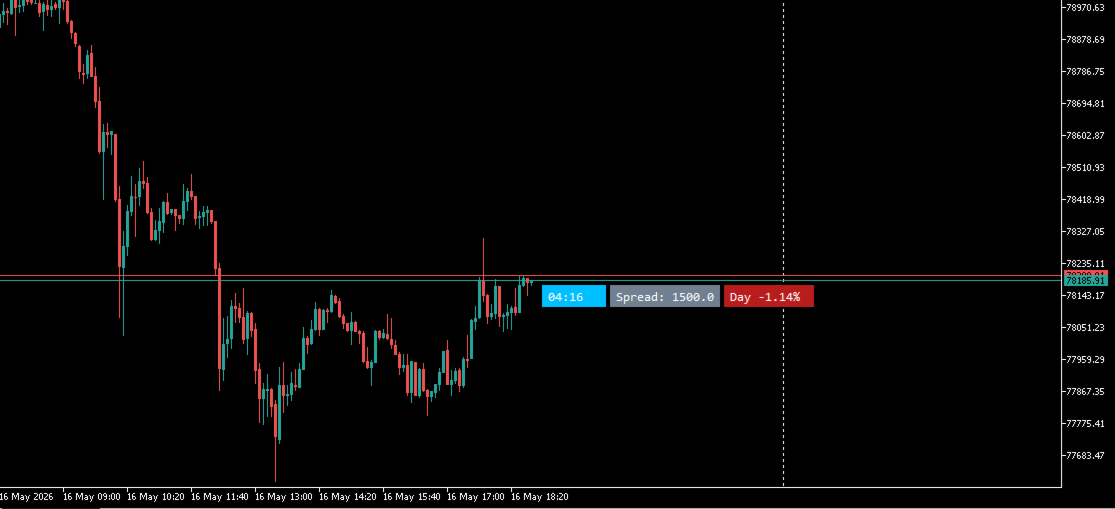
Time Candle is a MetaTrader 5 indicator that displays a countdown timer on the chart, positioned to the right of the current candle at the bid price level. The timer relies on the trading server clock and continues updating even when no new ticks are received.
Features
Time Counter
Displays the time remaining until the current candle closes. Updates every 500 milliseconds regardless of market activity. Compatible with all timeframes from M1 to MN. Shown in MM:SS format for intervals under one hour and HH:MM:SS for longer ones.
The timer badge follows the bid price and repositions automatically when the chart is scrolled or zoomed.
Spread Counter (optional, disabled by default)
Displays the current spread in points next to the timer. Text and background colors are configurable independently.
Price Change (optional, disabled by default)
Shows the percentage price change relative to the open of the selected reference period: Day, Month, or Year. The background color updates automatically to reflect the direction of the move.
Candle Close Alert (optional, disabled by default)
Plays an audio alert a configurable number of seconds before the current candle closes. Eight built-in MetaTrader 5 sounds are available for selection. No popup dialogs are displayed.
Market Sessions (optional, disabled by default)
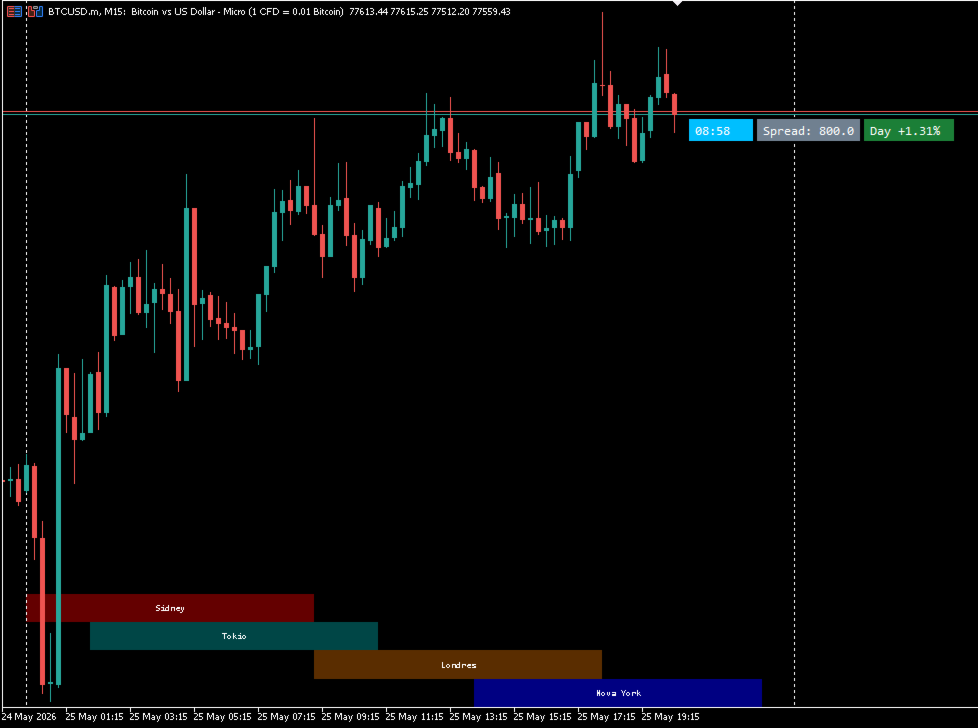
Draws the Sydney, Tokyo, London, and New York session time windows on the chart as colored horizontal bands. The bands use chart time coordinates and scroll with the price data. Each session is displayed in a separate row at the bottom of the chart. The GMT offset is configurable to match the broker's server time. The display is limited to intraday timeframes and skips weekends automatically. Session name labels are optional.
Inputs
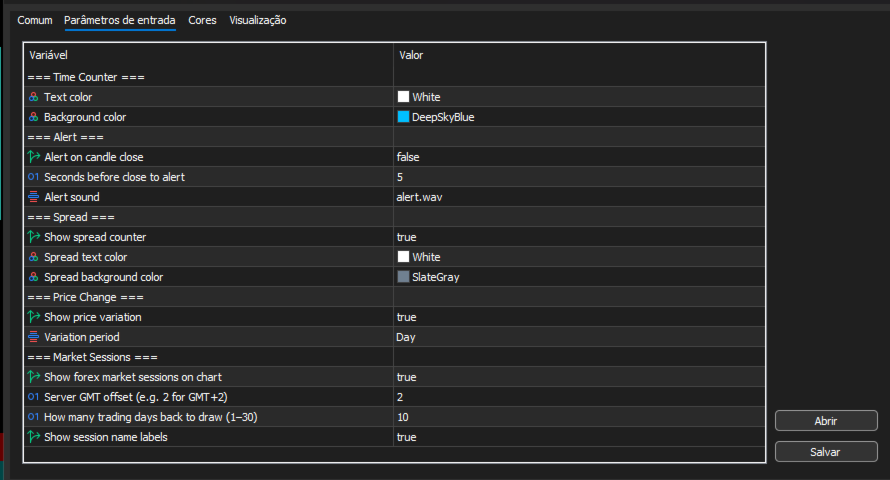
All optional modules are disabled by default. Available settings include timer text and background colors, spread text and background colors, alert lead time in seconds, alert sound selection, server GMT offset, number of historical session days to display, and session label visibility.
How to Use
Attach the indicator to any chart and enable the desired modules in the inputs panel.
Compatibility
MetaTrader 5 build 1090 and above. Compatible with all symbols and timeframes.