Edge Finder 11
- インディケータ
-
Hassan Al-banna Ahmed Mohamed Ahmed Abdullah
 🟢 About Me
I have been a daily trader in the financial markets since 2017, with over 8 years of experience specializing in short-term trading and scalping strategies.
Throughout my trading journey, I have studied and mastered several schools of technical analysis, including: - バージョン: 1.0
- アクティベーション: 5
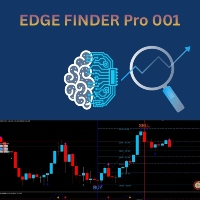
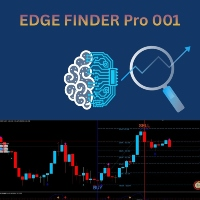
Edge Finder 11 is your all-in-one visual trading assistant, designed to cut through the market noise and highlight high-probability trading opportunities at a glance.
How It Works (The Core Idea):
Instead of overloading your chart with complex numbers, Edge Finder 11 uses a unique, color-coded system to paint the market picture clearly.
- Trend & Momentum Visualization: The indicator analyzes the market and dynamically colors the price bars. Specific colors instantly tell you if the trend is strongly bullish, weakly bullish, strongly bearish, or weakly bearish, allowing you to trade with the flow of the market.
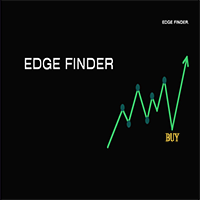
- Smart Entry & Exit Signals: It generates clear "Up Arrow" and "Down Arrow" signals on the chart. These signals are triggered only when its advanced algorithm confirms a confluence between trend direction and momentum strength, filtering out false alarms.
- Built-in Safety Dashboard: A simple, intuitive panel on your chart shows the current market status (Trending/Ranging), recommended action (Buy/Sell/Wait), , keeping you informed and in control.
In essence, Edge Finder 11 translates complex market data into simple, actionable visual cues, empowering you to make faster and more confident trading decisions.
The indicator uses enhanced RSI analysis combined with numerical analysis. For best results, we highly recommend using the M15 (15-minute) timeframe, especially with gold and its work with others symbols. You can switch to the 5-minute timeframe if you miss a buy or sell signal. The indicator's algorithm was specifically designed for this timeframe, providing the perfect balance between signal accuracy and trading pace.
Edge Finder 11 Recommended :
*minimum deposit 1000$
*less time frame M15
* take action when you see the blue vertical line and wait for a buy arrow to appear that matches it, whether it appears on the chart or in the lower window, and vice versa when you see the red vertical line.
link explaining how to use the indicator: