 MetaTrader 5
 エキスパート
 インディケータ
 ライブラリ
ライブラリ
 ユーティリティ
 ウィジェット
 ルール
ルール
YouTubeにあるマーケットチュートリアルビデオをご覧ください
ロボットや指標を購入する
仮想ホスティングで
EAを実行
EAを実行
ロボットや指標を購入前にテストする
マーケットで収入を得る
販売のためにプロダクトをプレゼンテーションする方法
MetaTrader 4版無料取引ユーティリティ - 14
 以下はMetaTrader4での外国替取引を簡素化する取引プログラムです。以下のリストのユーティリティにカーソルを合わせて、説明と目的をご覧ください。
Prints ALL current chart's symbol and timeframe as customizable labels, ensuring precise anchoring and automatic repositioning during window resizes, timeframe switches, or other chart events. It supports layered display options (background, forefront, or combined color modes) for enhanced visibility without obstructing price data. The accompanying script facilitates global application by attaching or updating the indicator across all open charts in a single execution, promoting efficiency in m
FREE

Overview: Trade Close Master is a powerful yet straightforward tool designed for MetaTrader 4 that allows traders to efficiently close all open trades with a single command. This script simplifies the management of multiple trades by automating the closure process, ensuring a seamless trading experience. It is ideal for traders who need to quickly exit positions across various currency pairs and symbols, especially during fast-moving market conditions.
Advantages and Features: Ease of Use: With
FREE

TraderTool is a tool/panel that will help any trader to perform trades quickly and easily. The product has been developed with user friendliness and ease of use in mind. It has the ability to manage multiple types of orders, either placed by an Expert Advisor, or manually. It also allows you to place orders in a single click. You can add stop loss and take profit, initiate a trailing stop or start break even operation, and all these with the simple panel. With the advanced panel (you can call it
FREE

This is a script for quick evaluation and selection of the most appropriate signals from the available database. The list can be sorted (ascending or descending) by the following criteria: Position in the Rating of Signals; The number of subscribers; Date of signal monitoring start; ROI (Return on Investment); Trading result in pips; Number of trades; Signal subscription price; Account balance; Account growth in percent; Maximum drawdown. Signals can be filtered by the following criteria: Accoun
FREE

This is a script for quick and easy placement of orders (Buy Stop, Sell Stop, Buy Limit, Sell Limit) to the user's choice. Simply drop the script on a chart part where you want to place the selected order. You can also set the automatic calculation of the lot size for the position, depending on the risk as a percentage. Also, you can use the script as a supplement to your trading strategy, since it is possible to specify a magic number. Features Fast placing of a required order (Buy Stop, Sell S
FREE

Alert Relay Helper (EA) – MT5 & MT4
Encrypted bridge that forwards indicator alerts to external messengers * in real-time. Plug-and-play utility – simply attach it to one chart. Zero trading functions – does not open, modify or close orders. End-to-end AES-256 encryption – only custom indicators that support the same key can broadcast messages (e.g. VWAP Ultimate Pro v1.20+). Multi-platform – MT5 build 4150+, MT4 build 1380+. Before you turn it on : Open Tools > Options >
FREE

Утилита Info Line представляет собой горизонтальную линию которая показывает общую прибыль (убыток) по всех ордерах открытых по валютной паре на график которой она установлена. Отображаемая информация: Количество пунктов от текущей цены до линии; Общая прибыль (убыток) по всех ордерах графика; Общее количество BUY лотов; Общее количество SELL лотов; Кроме того утилита "умеет" ставить стопы на выбранную цену (цену линии). В настройках можно выбрать: Отображать информацию только по BUY ордерам; О
FREE

The indicator sends a Screenshot of the chart to mail when a signal is received. It could be send from anyone timeframe and currency where installed the indicator. The indicator allows you to send messages to a mobile terminal and to mail. To send screenshots to the mail, you need the screensender.exe mail program. To create a signal, the following are used: horizontal lines / vertical lines / trend lines / Moving average.
The terminal does not allow sending screenshots to mail. Therefore, the
FREE

Product Description “Trades Opener EA for MetaTrader 4” Description:
Trades Opener EA is an efficient and straightforward utility for MetaTrader 4, built to allow traders to open new positions or set pending orders quickly and confidently. With its intuitive interface and streamlined operations, this tool is ideal for traders who wish to act on opportunities fast, without navigating complex menus. Key Features: Open market orders and/or pending orders on a selected symbol with one click. Confi
FREE

EA Manager RP is a simple yet powerful tool that can help protect your account from other EA's that don't have the features. This came about because I personally use a 3rd party EA for trading but it just doesn't have all the bells and whistles so this was my work around and it works great. I started off with a fully automated EA but unfortunately we can't have DLL imports here so this is the next best thing. What this EA does: Add a start and stop time Maximum open trades Days of the week you w
FREE

Break-Even Pro * 3 BE modes: - RewardRisk_Single for single trade (only valid for positions with SL) - Points_Single for single trade - Points_DCA for multiple DCA trade * Start Value: value of RR or # points to start SL moving * Offset: distance in points between BE level & entry * Symbol Filter: Select All or a specific symbol * Partial Close (%): Close % initial volume when moving SL to BE (0 for no partial close) Join my telegram channel here for more useful free EAs. Thank yo
FREE

This Expert Advisor monitors all open trades and saves them to a CSV file whenever a change is detected. It’s a lightweight tool for exporting trade data from MetaTrader 4 in real time. What it does: Monitors all open positions on the terminal Detects changes (order type, volume, price, SL, TP, etc.) Writes updated trade data to a .csv file ( TradeCopy.csv ) Includes order ID, symbol, type, lot size, price, SL, and TP Saves files in the Common Files folder for easy access by other applications H
FREE

Stop exporting CSV files by hand. TX Journal Sync keeps your TX Journal trading diary up to date automatically: it reads your account history and open positions and securely pushes them to your journal at the interval you choose. Security first 100% read-only: this utility never opens, modifies or closes trades. Every upload is signed with HMAC-SHA256. Your Secret never leaves your terminal. Only trade data is sent: symbol, direction, volume, prices, times, profit, commission and swap. Nothing e
FREE

Screen logger with telegram - takes screenshots of all open MetaTrader 4 charts.
Why do you need
Recording incoming quotations from a broker. In case of any corrections, this moment will be fixed. Check the data of the indicator and notice cases of signal redrawing or overwriting Maintaining own accounting for changes in trading indicators on the account Creation of real trading video from the obtained snapshots
Advantages It consumes significantly less resources than any screen recording
FREE

Price Aler t can help you send notifications to your personal Telegram when the price crosses a preset value. Additionally, you can check your MT4/5 account info anytime from your Telegram by simple command: /check . Get more free useful EAs here !
HOW TO SET UP? * Get inputs for EA: - Telegram Bot Token: Create a Telegram bot by @BotFather , and save your Bot Token. Find your bot by username & press "start". - Telegram User ID: Use your User ID by chatting with @ userinfobot *
FREE

Who needs this tool? 1-If you are a Martingale Trader, You need to look at this tool
2-If you are a Trend price channel Trader, you need to look at this tool Smarty Semi Automated EA This tool is a great help for scalpers who use grid or martingale. It is a next-generation smart trading tool. You adjust its trading parameter then you push a button to do all trading for you. However, it is a semi-automated EA so It does not start orders by its own. How it is working? The tool was designed to
FREE

AlphaLogic PropProtector: The Ultimate Equity Shield Protect your Prop Firm account with institutional-grade precision. Are you tired of losing Prop Firm challenges due to emotional over-trading or a few dollars' calculation error? Most traders fail because they lose track of their Daily Drawdown or Absolute Equity Floor . AlphaLogic PropProtector is a professional-grade utility designed for traders who take risk management seriously. Whether you are trading a $50,000 challenge or managi
FREE

This Expert Advisor captures and sends information about all open positions to a REST API server in real-time using HTTP POST requests. It is ideal for building synchronization tools, external monitoring systems, or custom trade copier solutions. What does this EA do? Iterates through all active orders in the account. Compares current positions with the previously sent ones. If any change is detected (SL, TP, price, symbol, volume, type, etc.), it sends updated information to the defined endpoi
FREE

这是一个交易辅助工具箱,并不是全自动交易的机器人 W10 系统请保持 100%的缩放比,如果超过这个值。按钮内的字体将超出按钮边框 常规: 一键下单、一键挂单、一键反手,自动设置止盈止损。 一键平仓、一键平多单(空单)、一键删除挂单。 一键反手、一键锁单、设置自动追踪止损。 根据画线追踪止损 非农: 消息突破单,可在非农或者其他重大消息时使用,在消息行情爆发前在当前价格上方 挂BUYSTOP,下方挂SELLSTOP。订单自动设置止盈止损。 划线下单: 支持最多四根做多趋势线或者做空趋势线并存。价格到达趋势线自动开单。 支持每根下单趋势线设置不同的仓位。 每根下单趋势线可以设置不同的止损趋势线、止盈趋势线。 支持止损止盈趋势线进行止损止盈追踪移动。 支持趋势线的“时效性”,如果价格运行到开单(止损、止盈)趋势线的右方仍未订单成交,则价格将永远不会接触到趋势线,策略失效。如需要请延长趋势线 杂项: 支持历史订单轨迹显示,可在图表显示历史记录中所有订单的下单轨迹,显示开仓价、平仓价、单量。 支持实时点差显示 支持平台信息显示,杠杆,一个点的价值,一手保证金,仓息,是否支持EA等等
FREE

DD Stopper for MT4 | Protect Your Account from Excess Drawdown DD Stopper is a lightweight and powerful risk management utility for MetaTrader 4 that automatically closes all trades when your account drawdown reaches a defined amount in USD. Protect your capital. Trade with discipline. Eliminate emotional decisions. What This Tool Does DD Stopper continuously monitors your account and: Tracks real-time drawdown (Balance vs Equity or floating loss) Closes all open trades instantly when the
FREE

The Rapid Tester indicator is a very simple tester for the Rapid binary options trading system and Rapid Expert . Its objective is constructing a balance line on history data and calculation of statistics during CALL and PUT deals performed by the Rapid trading system for any of the six financial instruments: EURUSD, EURCHF, GBPUSD, GBPJPY, USDJPY or XAGUSD. The tester requires at least 100 5-minute bars in the history of a trading instrument. However, in order to obtain reliable statistics, you
FREE

Trades Viewer Free supports EURUSD only. Trades Viewer is a trading helper app for a serious trader. It offers several important data like day range, 22 days average range and predefined PL. It draws trades history and current open positions on a chart. It has a detail panel for viewing a particular trade with just a click on that trade. All these make it very convenient and straightforward to view your entry/exit positions and thus improve your trading system. Features Profit/loss of the curren
FREE

The utility is designed to detect positive swaps. Description If you are Swing Trader and your positions are open a few days to a few weeks, would be very helpful to know which Currency Swaps are positive. Even if you are a Scalping strategy supporter, would be very helpful to know a day of the week to charge 3 days swap rollover. The SwapDetector will help you to decide to hold or close a position to earn some extra income.
SwapDetector performs the draw objects function, please do not use it i
FREE

Trade Terminator — Instant One-Click Trade Closer for MT4
Struggling to exit trades quickly during market spikes?
Trade Terminator gives you the power to close all open positions instantly with a single click — saving your profits and protecting your account in fast-moving conditions! Built for speed , security , and simplicity , Trade Terminator ensures you're always in control. Features : One-Click Termination: Instantly close all open BUY and SELL trades on the active chart symbol.
FREE
RSI Signalz BASIC ---------------------------------------------------------------------------------------------------------------------------------------------------------------------------------------------------------------------------------------------------------------------------------------------------------------------- (IT DOES NOT TRADE FOR YOU. THIS IS TOO JUST HELP WITH MANUAL TRADING)
Fully Automated EA for marking good entry points for Longs and Shorts.
Default settings are to...
FREE

Telegram BrealOut Ichimoku Lite The Expert Advisor will help you forward all alert from MetaTrader 4 to Telegram channel
Parameters Channel Name - Name of your channel Token - create bot on Telegram and get token. AlertonTelegram - true to activate AlertonMobile - true to activate AlertonEmail - true to activate Customize moku Setting (Pro Version) Customize Comment (Pro Version) Add Customizable Signal Name(Pro Version)
Important Note
- You must allow WebRequest and add the https://a
FREE
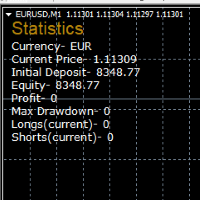
STATISTICS OSD
Statistics OSD (On Screen Display) Is very Helpful and easy to use. Download Today! ENJOY! :) On Screen Display -Currency -Current Price -Initial Deposit -Equity -Profit -Max Drawdown -Longs(Current) -Shorts(Current)
*Very useful in configuring EA's or Strategies, because you can visually see when its having a lot of shorts or longs. Then you can go back and tweak accordingly.
FREE
ImpulseShield EA is here to say NO to trading decisions made on Impulse
Have you ever placed a trade based on an impulsive decision and regretted your action? What if you could have been able to avoid taking the trade? ImpulseShield is here to help you to only when it is right. The Free Version Only Supports EURUSD, GBPUSD and USDJPY, Here is the Full Version, Just $30 https://www.mql5.com/en/market/product/131505 Key Settings and Their Role
The EA uses the inputs defined earlier to determine
FREE

The most different product of the site: This tool is an auxiliary tool aimed at managing your trades and psychological discussions. As you probably know, more than 70% of the reason for the success of big traders is psychological issues. Only 30% is related to your strategy. So it is better to strengthen this big part with a tool. With a free tool, I allow you to become a better trader This tool consists of several rules. In version 1.0, we have 7 rules. In later versions, we will add more ru
FREE

Core Positioning Advanced analytical tool designed specifically for MT4, providing in-depth analysis of trading history, uncovering data insights, optimizing strategies, and enhancing profitability. Core Usage Strategy Performance Evaluation: Analyzes profitability, stability, and risk to provide an objective rating from A+ to D.
Trading Pattern Discovery: Identifies high-quality assets, time periods, and profit-making habits suited to different market conditions.
Risk Management Optimization: C
FREE

Dexter EA is a 100% automatic robot that executes random orders of simultaneous buys and sells. For each losing operation, a management with an increase in the lot will begin, better known as “martingale” that will cause the price to fall back to the area where it was established. the profit the robot closes in profit or breakeven, depends on its configuration. I catalog it as a utility even though it works totally automatic because EVERY TRADER'S WORK IS NEEDED to be able to make it work corre
FREE

Trade Space PRO Профессиональная торговая панель для MT4. Главное ПРЕИМУЩЕСТВО - все настройки выведены на график символа. Запоминаются автоматически для каждого символа отдельно. Трейдинг/риски/блок контроля новостей и тайминга/панель сигналов . Вся важная информация отображается на панелях. Вам нужно только открыть позицию одним щелчком мыши. Управление открытой позицией так же просто, насколько это возможно: вы можете легко настроить уровни Стоп Лосса (S/L) и Тейк Профита (T/P). В о
FREE

SL Maestro - Forex Expert Advisor SL Maestro - Forex Expert Advisor with Advanced Stop-Loss Features Introducing SL Maestro , the ultimate Forex Expert Advisor (EA) designed to enhance your trading strategy by adding stop-losses to existing trades with precision and flexibility. SL Maestro is not just limited to simple pips-based stop-losses; it incorporates a variety of advanced techniques to ensure optimal protection for your trades. Key Features: Pips-Based Stop-Loss : Easily set a stop-loss
FREE
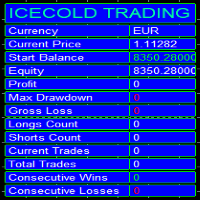
Icecold Trading OSD (On Screen Display) Is very Helpful and easy to use. Try Demo out today!
On Screen Display -Start Balance -Equity -Profit -Max Drawdown -Gross Loss -Longs count -Shorts count -Current Trades -Total Trades
*Know that in the Total Trades, Consecutive Wins & Consecutive Loss columns , those are ALL of the trades your account has done. It does not show 0 when loaded if you have completed trades already in Account History... Just note. To RESET just change Account history perio
FREE

Chopar MT4 — Transaction Notification Utility This tool is designed exclusively for broadcasting trading account events to Telegram (@ChoparTradeBot). It does not analyze the market or provide advice; it acts as an information bridge between your MT4 terminal and the messenger. What exactly does this monitor track? Opening and Closing Trades: Records the moment a trade is added to the history. For closed positions, it immediately calculates and displays the final profit. Pending Orders:
FREE

The Order Selective Delete is a multi-symbol multi-timeframe script used to delete simultaneously various pending orders. General Description
The Order Selective Delete possesses three operation modes (Intersection, Union and All) that control the way as three pending order features (symbol, magic number and type) are used. The modes, available through the Selection Mode input parameter, relate to the features, available through the “Select by Feature” and “Feature” input pa
FREE

The Position Selective Close is a multi-symbol multi-timeframe script used to close simultaneously various positions. General Description
The Position Selective Close possesses three operation modes (Intersection, Union and All) that control the way as four position features (symbol, magic number, type and profit) are used. The modes, available through the Selection Mode input parameter, relate to the features, available through the “Select by Feature” and “Feature” input pa
FREE
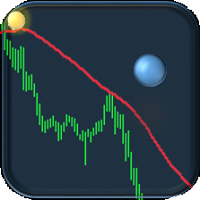
If you are tired of trading, why not have a little fun right in the MT4 terminal? Try this game, the rules are simple - you need to control the ball and take a coin. The ball jumps along the line of the moving average, and it is controlled by arrows or the keys "w a s d". Try to keep the ball from falling out of bounds. There are several levels of difficulty, if at first it’s difficult, you can set a simple level, and when you train, increase difficulty.
When adding a game to a window with a c
FREE

このスクリプトは、さまざまなウィンドウ関数の重みを評価するように設計されています。これらのウィンドウ機能に基づいて構築されたインジケーターは、 https://www.mql5.com/ru/market/product/72160 からダウンロードできます。 入力パラメータ: iPeriod –インジケーター期間。 iPeriod> = 2 iCenterは、ウィンドウ関数の中心が配置される参照のインデックスです。デフォルトでは、このパラメーターは0です。ウィンドウの中心はインジケーターの中心と一致します。 1 <= iCenter <= iPeriodの場合、ウィンドウ関数の中心がシフトし、その結果、インジケーターのいくつかの特性が変化します。図1では、中心の選択がウィンドウ機能とインジケーターの表示にどのように影響するかを確認できます。このパラメータは、0.5刻みで変更できます。 Histogramwidth-ヒストグラムの幅。 Histogramcolor-ヒストグラムの色。 Showduration-期間を表示します。 スクリーンショット-このオプションを有効にすると、画像
FREE

日常の取引から抜け出し、魔法の世界に少しの間飛び込む機会があります。私はあなたの注意を引くためにゲームを提示します-カードトリック。 mql言語では、エキスパートアドバイザー、インジケーター、スクリプトだけでなく、そのような小さなゲームも作成できます。 私はトレーダーでありプログラマーであるだけでなく、自由な時間にカードトリックを見せたいと思っています。それが起こったので、お気に入りのトリックの1つをデジタル化することにしました。焦点に多くのメンタリズムが含まれていることを考えると、それは簡単ではありませんでした。 トリックは、珍しいカードのデッキによって示されます。これらは優れた紙のカード「ロシア風」です。 1903年2月に冬宮殿で開催された、コートボールの参加者の衣装を繰り返した、衣装を着た人物が描かれたこのトランプのデッキ。カードのスケッチは、1911年にドイツのカードゲームDondorf(Frankfurt am Main)の工場で開発されました。王、婦人、ジャックの服は17世紀のスタイルで作られています。エース-古代ロシアの武器と鎧に囲まれた盾の画像。カード自体はサンクトペテ
FREE

オンラインチャートだけでなく、ストラテジーテスターでも動作しますので、無料デモから動作を確認できます。(build 1353) how to run the FREE DEMO => https://www.mql5.com/en/blogs/post/749299
チャート下に表示されるテキストボックスから、Discordに投稿するツールです。 w/Imgのボタンからは、チャート画像も送ることができます。
チャートに線やマーク、コメントなどを書いても、その画像が投稿されます。
使い方は簡単。 メッセージを入力し、SENDボタンでメッセージの投稿、w/IMGボタンでメッセージ+画像の投稿を行うことができます。 どんな使い方ができるか、人それぞれですが、Discordでコミュニケーションをされている方であれば、チャート画像を一発送信できるので便利だと思います。
*DiscordのWEBHOOKをパラメタに設定しますので、取得する必要があります。
*WebRequest を使用しています
ストラテジーテスターでも動作を確認できますので、無料デモをお試しください。
FREE

MQL5ブログ: https://www.mql5.com/en/blogs/post/765148 MT4版: https://www.mql5.com/en/market/product/154458 MT5版: https://www.mql5.com/en/market/product/154459
期間限定無料
Telegram注文 [tambangEA] は、より速く、よりクリーンで、よりコントロールされた取引ワークフローを求めるトレーダーのために開発された、プロフェッショナルなセミマニュアル取引アシスタントです。
この製品は、既に独自の市場分析を行っており、取引の実行、管理、監視をより効率的に行う方法を必要としているトレーダー向けに設計されています。硬直的なブラックボックス戦略を押し付けるのではなく、取引判断を効率的な行動へと導く、実用的なチャートダッシュボードを提供します。
プレミアムなビジュアルレイアウト、クイックアクセスボタン、ライントリガー機能、シンボルチェンジャー、リアルタイム取引統計、そしてTelegram連携機能を備えたTelegram Orde
FREE

市場全体のすべてのシンボルの利益の可能性を分析するためのシンプルなスクリプト。 各期間の最小および最大利益をパーセントおよびステップ数で指定できます。 スクリプトは、構成に応じて最も興味深い記号を見つけます。
あなたはあなたが取引の正しい選択をするのを助けることができる市場全体の迅速で最新の分析を得るでしょう、あなたは二度と機会を逃すことはありません。
市場全体のすべてのシンボルの利益の可能性を分析するためのシンプルなスクリプト。 各期間の最小および最大利益をパーセントおよびステップ数で指定できます。 スクリプトは、構成に応じて最も興味深い記号を見つけます。
あなたはあなたが取引の正しい選択をするのを助けることができる市場全体の迅速で最新の分析を得るでしょう、あなたは二度と機会を逃すことはありません。
FREE

ExportRange は、指定した時間足のローソク足データから、高値、安値、値幅を取得し、CSV 形式で保存するスクリプトです。値幅統計の作成や、分析用データの基礎収集に利用できます。 スクリプトを実行すると、指定した本数のバーから必要な情報を取得し、ターミナルの Files フォルダに CSV ファイルとして出力します。時間足とバー数はパラメータで自由に設定できます。 主な機能 過去 N 本のローソク足データを自動取得 高値、安値、値幅(Range)をセットで保存 チャートの時間足を使用するモードに対応 CSV 形式で出力され、外部ツールで扱いやすい 出力される項目 CSV ファイルには次のデータが保存されます。 Timeframe Index Datetime High Low Range Range は高値と安値の差で、後処理で pips 換算が可能です。 活用例 時間足ごとの値幅比較、通貨ペアのボラティリティ解析、値幅ベースの戦略作成などに利用できます。バックテストの前に相場の基本特性を把握したい場合にも適しています。 使用方法 マーケットから本スクリプトをダウンロードしてイ
FREE

InnovaDash Smart Syncは、MetaTraderターミナルをInnovaDash Analyticsダッシュボードに直接接続するために設計された公式データコネクタです。
プロのトレーダー向けに構築されたこの軽量ユーティリティは、バックグラウンドで静かに動作し、ライブの有効証拠金(エクイティ)の更新、オープンポジション、過去の取引データをInnovaDashに自動的にプッシュします。
なぜInnovaDashなのか?
InnovaDashは、生の取引データを実用的なインサイトに変換して取引パフォーマンスを向上させる、プレミアムなクラウドベースの定量分析スイートです。
デイトレーダー、スイングトレーダー、ファンドマネージャーのいずれであっても、InnovaDashは損失を減らし、取引パフォーマンスを向上させるのに役立ちます。
Innova AIエージェント 何が悪かったのかを推測するのはやめましょう。取引履歴と直接会話してください。AIに「私は通常、週の何曜日に資金を失いますか?」、「リベンジトレードをしていますか?」、または「完全なパフォーマンスレポートを
FREE

MSP_Bridge は、AI Grok 4 を RiskKILLER AI Navigator に接続する無料ユーティリティです。これは、AI に基づくマルチタイムフレームの 市場方向性&戦略アシスタント です。
このバンドルは、 あなたの取引スタイルに合わせて調整された、AI 駆動のトレンド、センチメント、マクロ分析による機関レベルの洞察を得るのに役立ちます。
RiskKILLER AI Navigator [ MT5 - MT4 ]
取引のパフォーマンスは、プロのように市場を理解することにかかっています。それを提供するのが、 RiskKILLER_AI Navigator です: MQL5では利用できないAI駆動のトレンド、センチメント、マクロ分析により、あなたの取引スタイルに合わせた機関級の洞察を獲得できます。
実装方法
ダウンロードして、以下の指示に従ってください。
問題が発生した場合は、お気軽にプライベートメッセージをお送りください。ご対応いたします。
FREE

iCUSTOM INDICATOR TESTERはCODERS用のツールですが、それだけではありません。 これは、.mq4ファイルとしてのソースコードがなく、コンパイルされた.ex4ファイルのみの場合でも、特にカスタムインジケーターをテストおよびチェックするために設計されたプログラムです。
トレーダーはインジケーターをテストし、アイデアがインジケーターデータと関連付けられているかどうかを確認します。アイデアが実際に計算され、この特定のインジケーターに基づいてEAを作成できるかどうかを確認します。 開発者とトレーダーの両方の時間を節約できます。
インジケーターの名前をINDICATORのNAMEフィールドに入力し、.ex4インジケーターファイルをインジケーターフォルダーに入れてください。
プログラムは、最初の64個のバッファの現在の値を表示します。
BUFFER値が常にゼロに等しい場合、このBUFFERはアクティブではない可能性があります。
FREE

このスクリプトは、乱数ジェネレータを使用した貿易取引のシミュレーションに基づいています。これにより、同じ入力パラメータでもまったく異なる結果を得ることができます。スクリプトを実行すると、ダイアログボックスが開き、そこで外部変数に必要な値を設定できます。 ブロックでは、TradingOptionsは取引のシミュレーションに必要な基本パラメータを定義します。 StartBalance - トレードバランスの初期サイズを設定します。 NumberTrade - スクリプトの実行時にモデル化される取引トランザクションの数を設定します。多かれ少なかれ有意な結果を得るためには、このパラメータが30より大きいことが必要です。 ProbilityWinning - 勝ち取引の確率。パーセンテージで示され、1から99までの有効値。 Min.StopLoss - StopLossの最小値をポイントで示します。これは、取引操作をモデル化するときに使用されます。 Max.StopLoss - StopLossの最大値をポイント単位で設定します。 PositiveWin - この変数は
FREE

即時のDiscord通知。チャート上で直接価格レベルを設定し、価格がそれを通過したときにメッセージを受け取ります。レベルの追加はワンクリックで行えます。マウスでラインをドラッグして、希望する価格レベルを正確に設定できます。 便利なコントロールパネル: すべてのアクティブなアラートはリストに表示されます
ラインをドラッグしてレベルを編集できます
不要なアラートはワンクリックで削除、または「Clear All Alerts」で一括削除できます
アラートは発動後に自動的に削除されます
チャート上のアラートラインを非表示にするオプション
カスタム通知テキストのサポート(例:crossed、reached、touched)
Dark/Lightモード対応 動作方法: Add Alert をクリック
チャートに価格レベルのラインが表示されます
希望する価格レベルに移動します
価格がそのレベルを通過すると - Discordでメッセージを受け取ります 簡単な設定: Discordでテキストチャンネルを作成し、そのWebhook URLをコピーします。
MetaTrader 4 → Tools → O
FREE

Ego Guard is an advanced Expert Advisor designed to safeguard account equity by implementing robust risk management measures. This EA closely monitors account activity and intervenes when necessary to prevent excessive risk exposure. Specifically, Ego Guard automatically disables any other Expert Advisors that attempt to open trades exceeding the predefined risk threshold. By effectively managing trade volume and ensuring adherence to risk management principles, Ego Guard provides traders with p
FREE

Советник риск-менеджер с огромным арсеналом возможностей защиты вашего депозита. Для инвесторов, которые решили передать капитал в доверительное управление. Когда у трейдера нет доступа к настройкам - нивелирует торговые риски. А также для трейдеров, которые осознали необходимость стороннего контроля за их торговлей для улучшения торговых результатов. Для максимальных результатов - должен стоять на отдельном VPS сервере и у трейдера не должно быть возможности менять настройки в торговый период.
FREE
The NNFX ALGO TESTER is an tool designed to help the NNFX (No Nonsense Forex) traders develop, improve and test algorithms in a simpler, faster and more accurate way. This software reduces backtesting time from serveral days to only a few minutes! Please download the Demo instead of this Lite version. You can sill use the Lite but this version is now discontinued and it has much less functionality than the full version. The NNFX algo Tester software is too big (in terms of complexity) to be avai
FREE

この小さなスクリプトはあなたの人生を明るくします。 以下はそのコードです。任意のロボットのOnInitに挿入できます。 または、好みに合わせて色やスケールを変更してください #property copyright "V.Temchenko Skype:vasily.temchenko" #property link " Mailto:tvp.prog.96 @gmail.com" #property version "1.00" #property strict #property description "Have questions? Skype: vasily.temchenko Viber: +38098 800-6-800" ; #property description "If the voice - only Russian, Ukrainian or Belarusian" ; #property description "And you can write in English, Russian, Ukrainian" ; #p
FREE

This is a free trial version of ScalTradeAssist Pro ( https://www.mql5.com/en/market/product/25920 ) You can use all functions of the tool without any restriction except the lot size. (fixed as 0.01)
I hope you'd like it and decide to purchase the professional version :)
Below is the explanation of the ScalTradeAssist Pro.
*If you see that the orders are not being placed, please check your spread setting, this tool watches it and never place orders if the spread is not matching.
ScalTradeAssis
FREE

このスクリプトは、トレーダーが可能な利益と損失の比率が最適になる貿易取引の平均期間を決定できるように設計されています。 まず、貿易取引の最適期間を決定するための一般的なアプローチを見てみましょう。以下の変数を紹介します。 R - トランザクションの結果 T - トランザクションが開かれていた時間 W - 前のトランザクションの終了と次のトランザクションの開始の間の時間 すべてのトレーダーは、最短時間で最大の利益を得ることを目指しています。この欲求は次の簡単な表現で説明できます。 R/(T+W)→max 。 変数 T と W がトレードの合計期間と行われたトランザクションの数の両方に依存することは明らかです。トランザクションの平均期間を ATD 、トランザクションの合計数を N とします。その場合、トランザクションの平均期間は、合計の平方根に比例して増加するはずです。つまり、 ATD~√N しかし、現存する十分に根拠のある質問があります - 他の取引期間と同等の取引期間はありますか?そして、取引期間はトレーディング業務の結果にどのように影響しますか?提起された質問への回答を得るた
FREE

市場が取引と反対になっている場合は、マージンコールからアカウントを保護してください。
マルチンゲール、グリッド、平均を使用しているときにリスクを管理します。彼らはもはや危険ではありませんが、管理可能です
このEAユーティリティを使用して、すべてのMT4インストールに同梱します
このEAは、取引が好ましくない場合に資本を保護するためのユーティリティです。
お金の最大損失、 最大ドローダウン/パーセントでの株式損失、 最小エクイティに達しました それらは最初に到達した方です
取引に同行するのは簡単、簡単、強力です
このEAをいずれかの通貨タブにインストールすると、取引ターミナルからすべての取引が監視されます。
シンプルで軽量で非常に便利
FREE

SA Assistant is an intuitive tool without complicated settings, designed to facilitate the trading operations in the MetaTrader 4 terminal. SA Assistant is not designed for working in the strategy tester. The demo version works only on the USDCAD pair. Please test the EA on a demo account before using it on a live account.
The SA Assistant EA is visually divided into 4 blocks: 1. "Information" - displays in real time: trading account balance leverage spread of the instrument the EA is attached
FREE

TradingPanel X EA is a simple trading panel with some nice addons: Integrated News Feature Dynamic Take Profit Multiple Trade handling The EA has integrated dynamic Take Profit, this means, if you reach your defined TP it gives you the chance to follow on the Trend by dynamic TP & SL and extend your profits. Also a News Filter function is integrated. The EA working with real TP & SL not virtual.
Important:
Get informed about new Products, join our MQL Channel: https://www.mql5.com/en/channel
FREE

Hello everyone, this is another utility that I wrote specifically for users using my profile with a large number of experts and sets ( https://www.mql5.com/en/blogs/post/750723 ) . This utility is useful for working with a profile using grid strategies (averaging and martingale). As we know, such strategies periodically fall into a large drawdown and you need to be careful when opening averaging positions (do not open too many). In my profile, I use a limit of 3 positions for each EA, if this w
FREE

This is the Free Version of "Just Copier Pro MT4" (Please check : https://www.mql5.com/en/market/product/34472) This free version is available to be used within 2 hours only, and it has limited features. Please also check this product at fxina.hostingerapp.com.
If you want to share your trading signal, but you dont want to distribute your investor password, this product is fit with you. "Just copier Pro" is designed to copy trading without any complicated settings. The copy can be done in o
FREE

"TradeALot" is a plug-in for the Expert Advisor Control-adora . It allow you to place programmed orders without the need to write the name of the order in the Arrow (like bs, ss, bl, sl, sl1, sl2, etc). Just drag and drop the button for "Programmed Buys" or "Programmed Sells" over the candles-zone at the place where you want to program the order and TradeALot will compare the bid price with the position where you dropped the button and will decide if the order need to be "Stop" or "Limit". With
FREE

This indicator is a plug-in for Controladora Expert Adviser , which allows you to set a specific area, and the Controladora will open a buy or a sell, if the candle closes inside this area. To make it work in a chart with the Controladora installed, add the Act Inside indicator, then add a rectangle shape into the chart and re-size it to cover only the area where the close of a candle should be in order to send the buy or sell order. Rename the rectangle as AI and in it's description write buy,
FREE

This is a script that is made to work in conjunction with the Objects Hide script Re-draw again the objects removed in the chart by the Objects Hide script Just drag and drop over the desired chart when you want to recall the objects deleted by Objects Hide Using this scripts system you can have the option to hide (remove) all graphical objects in the chart and recover them again later. Objects Hide is purchasable here in mql5.com find out more about this on this link. Please watch the demo tuto
FREE

Are you an intraday trader or do you want to close your open positions at a certain time each day? Problems with the time zone? use our tools and after specifying the time we will close the order for you.
How to use it:
1) Just insert our tools into your chart.
2) Enable auto trading
3) Expert Options enter TIMECLOSE (time to close operations)
If you need more information, do not hesitate to contact us privately.
FREE

This is a MetaTrader 4 script. It helps to summarize all trades into every symbol.
Input Select Period: This is 7-option input. It includes Last Month, This Month, Last Week, This Week, Today, All History, and Date Specified. Specify Starting Date: Enter a date if you selected Date Specified in "Select Period" input. Specify Ending Date: Enter a date if you selected Date Specified in "Select Period" input. The summary is saved into a file in MQL4\Files folder. Also, there is pop-up window for a
FREE

如果产品有任何问题或者您需要在此产品上添加功能,请联系我 Contact/message me if you encounter any issue using the product or need extra feature to add on the base version.
Indicator Floating Highest Lowest provides you an intuitive, and user-friendly method to monitor the floating highest (profit) and lowest (loss) that all your trades together ever arrive. For example, I opened 3 orders, which arrived at $4.71 floating profit when trade following trend. Later when the trend is against me, these 3 orders arrive $30 in loss
FREE

This script is to be used with the Market Patroller indicator as a constructor for a specialized list of symbols based in all the available symbols listed in your MT4's Market Watch window. You can reduce the list depending upon several considerations: List only some symbols that have some instrument, for example, if your broker have 5 EUR pairs (EURXXX or XXXEUR). Exclude some symbols, for example, if you do not want to trade today GBP related pairs, this will avoid any GBPXXX or XXXGBP symbol
FREE

This utility clones the chart it is running on. It opens the same chart with the same graphical objects, set of indicators (saving the parameters) and the rest of the elements. In essence, it performs a deep copying of the original chart, transferring the template to the opened chart. The symbol and the timeframe of the original chart are also saved.
FREE

The ZZ Snake indicator is a small entertainment utility and does not have any benefit for trading. Made on the indicator ZigZag, so the parameters will be easy to figure out. If you set it on a graph, you can see a serpent monster that moves across the screen, changing the dimensions of the head and torso in movement. Just connect it to the schedule and let yourself crawling. Careful, he can bite! )
P.S. For a more dynamic movement of the snake, it is recommended to run it in the strategy teste
FREE
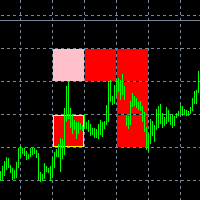
The new version of the game "Snake".
Added setting for the distance of the target (vertical + horizontal), which greatly enlivens the game.
The snake moves in the background, along the grid layout.
Control:
Ctrl - pause, W - up, A - left, S - down, D - right.
In the input parameters, you can set the time in milliseconds between movements.
The snake increases by one division upon reaching the goal, and so on, until it occupies the entire field.
The comment displays the size of the field a
FREE
MetaTraderマーケットは自動売買ロボットとテクニカル指標を販売するための最もいい場所です。
魅力的なデザインと説明を備えたMetaTraderプラットフォーム用アプリを開発するだけでいいのです。マーケットでプロダクトをパブリッシュして何百万ものMetaTraderユーザーに提供する方法をご覧ください。

取引の機会を逃しています。
- 無料取引アプリ
- 8千を超えるシグナルをコピー
- 金融ニュースで金融マーケットを探索