 MetaTrader 5
 エキスパート
 インディケータ
 ライブラリ
ライブラリ
 ユーティリティ
 ウィジェット
 ルール
ルール
YouTubeにあるマーケットチュートリアルビデオをご覧ください
ロボットや指標を購入する
仮想ホスティングで
EAを実行
EAを実行
ロボットや指標を購入前にテストする
マーケットで収入を得る
販売のためにプロダクトをプレゼンテーションする方法
MetaTrader 4のための新しいエキスパートアドバイザーとインディケータ - 235
 自動売買ロボットは市場取引を自動的に実行しますが、インジケータを使用すると、相場をより適切に分析し、価格行動を予測できます。
これらのアプリケーションを使用すると、より多くの機会を獲得しながら、より多くの情報に基づいた方法でMetaTrader4で取引を実行できるようになります。
自動売買ロボットは市場取引を自動的に実行しますが、インジケータを使用すると、相場をより適切に分析し、価格行動を予測できます。
これらのアプリケーションを使用すると、より多くの機会を獲得しながら、より多くの情報に基づいた方法でMetaTrader4で取引を実行できるようになります。 
Trend and Signals indicator scans 30 trading Instruments (Forex, Metals and Indices). It uses special algorithm on the current market based on Pure Price Action and display the overall trend and signal on the dashboard. When signals are produced the indicator sends alert and notification. Strategy for Signals This indicator uses the daily timeframe to determine the direction of the trend. The hourly timeframe is used to identify possible entries. Main trend and is determined by strong Bull

This EA has been developed, tested and traded live on GOLD (XAUUSD) H4 TF. Everything is ready for immediate use on real account. Very SIMPLE STRATEGY with only FEW PARAMETERS. Strategy is based on TRIPLE EMA BREAKOUT . It enters if volatility raise after some time of consolidation . It uses STOP pending orders with ATR STOP LOSS and TAKE PROFIT. EA has been backtested on more than 15-year long tick data with 99% quality of modeling and verified on 30-year long M1 FUTURES data. Everyth

PowerMax Pro - it's automated multicurrency expert advisor working on any type of accounts and with any type of spreads. The Expert Advisor always sets TakeProfit and due to this, even if there are interruptions to the Internet, the orders will be closed on time and at a favorable price. The timeframe on the chart does not matter, you can set any digits. Working timeframe is set directly in the settings of the EA. To protect the deposit and limit possible losses, the EA has two options: the ab
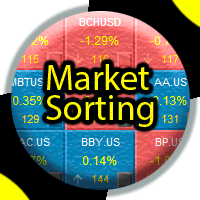
Индикатор производит поиск различных паттернов и сортировку рыночной информации.
Полученную информацию фильтрует и выводит на экран, обновляя ее с заданной периодичностью.
Имеется возможность сохранять собственные списки инструментов.
Имеет сортировку по:
названию инструмента; типу инструмента; по диапазону значений от N до M; выделенным в ручную маркерам;
Важно!!! Индикатор спроектирован так, чтоб была возможность
добавлять новые паттерны и значения для сортировки.
Если вам необходим поиск
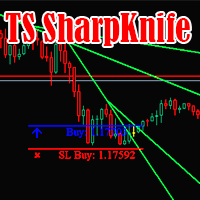
The SharpKnife trading strategy is formed into one indicator. The indicator informs with a message (Alert or mail) about the need to make deals.
Check it out in the strategy tester right now! Support: https://www.mql5.com/en/channels/TrendHunter The indicator is completely ready for operation immediately after installation.
Can be used on any trading instrument.
Recommended for use on timeframes 1H and higher. Settings: Signal Trend direction - Alert of the trend direction; Number of last si

The Signal Point Channel indicator predicts the most likely short-term price movement based on complex mathematical calculations. One of the biggest challenges traders face is finding a trading system that's right for them. This indicator is designed to detect trends in price movement and allows you to quickly determine not only the direction of the trend, but also to understand the levels of interaction between buyers and sellers. It has no settings and therefore can be perceived as it signals.

Trend line Trader Ultimate EA
A "Professional Trading Panel" that every experienced and beginner manual trader needs it.
"Trend Line Trader Ultimate EA" makes it easy to never miss an opportunity of a good point to open positions. Demo version doesn't work due to programmatic limitations. Please watch videos and images for more information.
Key Features of Trend line Trader Ultimate EA:
Fully graphical interface. Extremely precise and reliable. Risk Manager , Lot calculator , Trailing Stop . Mu
For metatrader 4 - MT4 version
There are 2 oscillator plots - fast & slow. Fast plot shows the price location with in the medium term channel, while slow plot shows the location of short term midline of cycle channel with respect to medium term channel.
Usage of this is similar to %b oscillator. The slow plot can be considered as the signal line. This makes use of the default 10/30 values of Hurst Cycle Channel, but may need tuning for your instrument.
This indicator can also be used to spot

SETIS TREND FILTER is a multi timeframe sophisticated MT4 indicator, created by french professionnal traders and quants experts , in order to detect the best trades for any markets (forex, commodities, indexes, stocks, cryptos and so on...)
Quantums France , is a french start-up, that codes advanced trading solutions, both for retails such MQL4 indicators but also python experts advisors for sophisticated investors.
This indicator does not repaint and actualize its functions in realtime .
Th

MEF Inside
Single Order MT4 Expert Advisors
No Grid Averaging Martingale Switching
Parameter Input :
1. Fix Lots input your manual lot
2. Mode Lots choose Fix Lot or Autolot
3. Risk Auto Lots in percent if you choose Autolot
4. TakeProfit in pip , input your hidden TP
5. StopLoss in pip , input your hiddenSL
6. Use Trailing choose true or false
7. Ts Start in pip , input your hidden trailing
8. Ts Stop in pip , input your hidden TS
9. Magic magic number
10. Comment comment order
11. Display tru

LE Oscillator - индикатор предназначенный для поиска локальных экстремумов, определения текущей тенденции. В расчетах индикатора используется авторская методика. С помощью индикатора можно определять места возможного разворота цены желательно в направлении тенденции, но также с достаточной точностью и против нее. Также с помощью индикатора можно определять текущую тенденцию. Индикатор подходит для любых валютных пар, но для адекватного отображения показания необходимо, чтобы было достаточно ис

Индикатор для синхронизации и позиционировании графиков на одном и более терминалах одновременно. Выполняет ряд часто необходимых при анализе графиков функций: 1. Синхронизация графиков локально - в пределах одного терминала при прокрутке, изменении масштаба, переключении периодов графиков, все графики делают это одновременно. 2. Синхронизация графиков глобально - тоже самое, но на двух и более терминалах, как МТ4, так и МТ5. 3. Позиционирование графика на заданном месте при переключении периодо
FREE

The Keltner Channel is a volatility-based technical indicator composed of three separate lines. The middle line is an exponential moving average (EMA) of the price. Additional lines are placed above and below the EMA. The upper band is typically set two times the Average True Range (ATR) above the EMA, and the lower band is typically set two times the ATR below the EMA. The bands expand and contract as volatility (measured by ATR) expands and contracts. Since most price action will be encompasse
FREE

WHAT IS NEXT MOVE? SIMPLE ANSWER IS, THIS PROGRAM IS BASED ON PRICE ACTION THEREFORE FINDING NEXT MOVE IS EASY TO IDENTIFY THIS PROGRAM IS USING STANDARD CALCULATIONS FOR SUPPORT RESISTANCE IN SHAPE OF 2 WAYS TREND LINES SELECT HORIZONTAL LINES TREND LINES WILL GUIDE TRADERS TO TRADE IN RANGE WITH PIVOT LEVEL ALSO HORIZONTAL LINES GUIDE YOU ABOUT SUPPORT RESISTANCE OF DIFFERENT TIMEFRAMES FOR EXAMPLE: IF TRADER INTERESTED TO TRADE IN 15 MINUTES TIME FRAME, THEN HE CAN SELECT 15 MINUTES IN PR
FREE

This EA trading by a combination of specific MACD Divergence pattern and indicators signals. Designed to work on EURUSD 1H market. Minimum trading deposit 100 $ . All trades have fixed Stop Loss and Take Profit . No Grid. No Martingale. Works with high spread This EA operates only once per bar opening. Fast methods of strategy testing and optimization are valid. User can test / optimize by model: (control point) / (open prices only) developed and tested from 2005 to release
FREE

RSI based trend strategy for EURUSD. EA use both 5 minutes and 15 minutes time frames to find trends. Please use 15m timeframe for best optimization in EURUSD pair. Inside EA, we have 10 another variables and all of them are optimized for EURUSD even starting StopLoss, Take Profit and Trailing Stop Loss values. StopLoss = 57 Take Profit = 0 TrailingStop = 0 are best optimized values. You can edit these values if they're not suitable. Invisible variables will be updated every month to
FREE
A ratio between 0 and 1 with the higher values representing a more efficient or trending market, It is used in the calculation of Perry J. Kaufman Adaptive Moving Average (KAMA), dividing the price change over a period by the absolute sum of the price movements that occurred to achieve that change. The Fractal Efficiency or also known as Efficiency Ratio was first published by Perry J. Kaufman in his book ‘Smarter Trading‘. This is mostly considered a filter for volatile markets none the less
FREE

It is a tool to create TRAILING STOP ORDERS. Either BUY and/or SELL After creating stop orders, it will start to trail stop orders step by step. After stop order open, this time it will folllow the buy and/or sell order with TStop with TStep from the TStop Start point. It can help you to catch the perfect price to enter the market. Inputs are Stop Type : Buy Stop - Sell Stop - Both Repeat : How many times to create stop orders after closing opened one. Points Multiplyer : Multiply all point
FREE
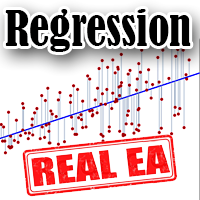
The Expert Advisor works on the basis of wave-like changes in price movements. The dynamic regression channel allows you to accurately predict the price movement in the short term.
The Expert Advisor uses the indicator in its trading: https://www.mql5.com/en/market/product/64252
Trading instruments (TF 5m): GBPUSD, EURUSD, USDJPY.
The Expert Advisor has been successfully tested with 99% quality quotes, floating spread and random ping since 2003.
Optimization of the advisor is not required.

The Alpha Trend Experience the cutting-edge in trend analysis. The Alpha Trend doesn't just identify trends—it filters out the noise, focusing only on the primary movements of price. Whether you're a Binary Option pro or a scalping enthusiast in the Forex world, this tool is tailored for you. Here's the secret: The initial thrust of a major trend often sets its enduring direction, irrespective of the minor fluctuations within. With Alpha Trend, you can decode this momentum, pinpointing the most

Scalper Logic is a fully automatic Scalping Expert Advisor based on price action. The EA strategy trades purely price action with no lagging indicators which has a highly developed trading algorithm programmed that has passed through extensive testing over many years. No dangerous methods of money managment used. Scalper Logic is best used with reputable Low Spread ECN Brokers.
Advantages Easy to configure Suitable for beginners and professionals It can work with any financial instruments It

Moss Scalper University EA is a fully automated trading expert advisor robot that has been designed explicitly for scalping during the period of weak market volatility. EA contains self-adaptive market algorithms with reinforcement learning elements. This EA uses an advanced algorithm to find bespoke entry points and several additional filters for entering and exiting the market with ease. The EA has been subjected to stress tests for a period of 10 years and passes every year with a

Gold City EA is an automatic trading robot to trade Gold(XAUUSD) . Using advanced calculations it opens and manages trading for you automatically. It is a robot specifically adapted to withstand the high volatility conditions usually seen in gold. Its a strategy based on a series of indicators that measure the strength of the market to enter trades, when market conditions allow it. No experience is required and it’s easy to set up. Using Gold City is a way to improve your trading result ins

I am glad to welcome you on the page of my product. Valeska Scalper EA is a conceptually new automated trading advisor using a scalping strategy. Valeska Scalper is a profitable and fully automated Expert Advisor for both beginners and pros. Valeska Scalper is a proven short term scalping system with outstanding results over many thousands of trades. The EA focuses on short-term intraday trading and places pending orders at a possible break out levels. Also, one of the key priorities of t

This is Command Prompt(CP) for MT4. By using this,you can access info that only brokers and programmers can access. For example,do you know your freeze level,margin mode,or how much memory used by MT4? Knowing these info,you can improve your trading.
How to Use Type following commands into command prompt box(Shown in photos.) and press Enter. For example,if you want to know maximum permitted amount of a lot,then type "maxlot". By typing "info",CP will show all commands available. By typing "hel
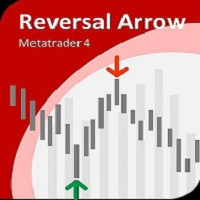
Reversal Arrow MT4 EA is an Expert Advisor based looking for possible price reversals. It can be used as an additional or as the main tool for your trading strategy. The indicator uses the timeframe it is launched at. At a new bar, the Expert Advisor calculates how many candlesticks have exceeded the previous High, and how many candlesticks have been registered below the previous Low. Then it calculates the ratio between them. If there have been more higher candlesticks, the indicator draws a bu

A trend trading expert uses a breakout strategy in the direction of the main trend. The EA has a unique deposit protection system that allows you to safely exit the drawdown in the event of a trend reversal. The Expert Advisor uses an indicator (built into the Expert Advisor): https://www.mql5.com/en/market/product/64252 Trading instruments (TF 5m): GBPUSD. Torn for MT5: https://www.mql5.com/ru/market/product/64476/ The Expert Advisor has been successfully tested with 99% quality quotes, floa

Safe Gride EA ! Mrz Safe Gride Version Monitoring(2021.04.03 Updated Monitoring Display Question) https://www.mql5.com/en/signals/966622 *Must use a Settings file or manually select the strategy. *Work On TimeFrame M5
*StrategyOne for AUDUSD,GBPJPY,EURUSD *StrategyTwo for GBPUSD, XAUUSD 99.9% quality Data for backtest!!
EURUSD StrategyOne 1000USD 0.01lot 2015-2021 MaxDD:-200usd 5 Years AUDUSD StrategyOne 1000USD 0.01lot 2015-2021 MaxDD:-175usd 5 Years GBPJPY StrategyOne 100

This Indicator can help you to identify your entry. Enter when the arrow appears. The Indicator shows you as well the trend direction. you can see at the attached image the profit you would have made. If the trend goes against you it shows the minus pips. The Indicator is working on all frames and all pairs. Please consider carefully before you enter as the FX Market is unpredictable.

Besides signals in form of Percent on the chart, the system also gives MT4 alerts when an entry signal is generated.
The original rules of the system say that you should simply follow the signals. However, if trading would be really that simple then you could simply program an expert advisor based on the mechanical signals of this system.
But as every experienced trader knows, trading is not that simple. The real edge will come from the trader who uses the system. With time the trader has sh

Gold Marker EA is an automatic trading robot to trade Gold(XAUUSD) Gold Marker EA is a safe and fully automated expert advisor that analyzes market trends and price movements and uses that data to achieve a high rate of winning trades . Every order has StopLoss, and EA has implemented excellent filtering functions with spread and slippage protections. The good thing about this EA is it does NOT use any of the dangerous strategies like Martingale, Grid, or Arbitrage. Also, This EA is full

Bear vs Bull EA Is a automated adviser for daily operation of the FOREX currency market in a volatile and calm market. Suitable for both experienced traders and beginners. It works with any brokers, including American brokers, requiring FIFO to close primarily previously opened transactions.
*In order to enable the panel, it is necessary to set the parameter DRAW_INFORMATION = true in the settings; - Recommendations
Before using on real money, test the adviser with minimal risk on a cent trad
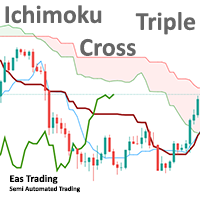
This EA is trading Ichimoku Triple Cross, that means price crosses Tenkan-sen, Chikou Span crosses price, and Chikou Span crosses Tenkan-sen. Tenkan Sen is not straight as well but towards the new trend . Triple cross happens just before Ichinoku Breakout it signals the creation of a new trend (reversal) and it is more valid in bigger timeframes like 1 hour and 4 hours. There is option to alert only, so it’s left to your discretion whether you want to trade based on the buy-sell signals or n
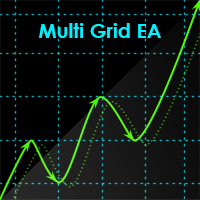
Multi Grid EA uses an adaptive grid strategy. It is designed for maximum effective real trading in today's market conditions. This trading robot analyzes the price action, price speed and direction. It does not require special conditions, does not depend on the trading account type, the broker, or the financial instrument. The function - total trailing stop of open position by equity in the deposit currency, points or as a percentage of profit allows to favorably close the order basket. The Mult

Short Term Scalper EA is an Expert Advisor works in the short-term direction and always uses a tight stop loss invisible to the broker. Only one order per currency pair can be opened at a time. When the short-term trend changes, the EA changes the type of the pending order, deletes the old one and places a new order. The pending order follows the price in anticipation of when the market begins its short-term movement. This scalper does not work in a flat, therefore it should be used on highly v

FX News Trading EA is a news Expert Advisor trading by the economic calendar. It features the following working modes: Manual – trader sets the news time on its own Automatic – the EA takes the news release time and its importance from the news website Several modes of customizable parameters allow the EA to conveniently adjust the EA to your trading strategy. The trading robot automatically determines the time zone, the news importance, the currency affected by the news release, displaying the
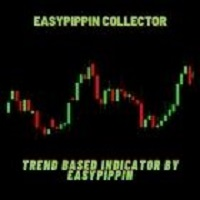
Telegram Channel & Group :https://t.me/joinchat/sdHZOjGc9V0xYjQ0
V.I.P Group Access: Send Payment Proof to our Inbox https://easypippin.com/ The Easypippin collector indicator gives u a indication of direction,based on several settings all put together to make it Easy to detect where the market possible is going to. The indicator gives u a X inthebox and a X , if u see them painting together the possible direction is strong. The indicator also can be used as a support and resistence zone.
Sc

The MA is a simple tool that smooths out price data by creating a constantly updated average price . The average is taken over a specific period of time. This is a Multi Time Frame Exponential Moving Averages indicator. It made for a M5 TF and shows a Moving Average data from H1 (white line) and M15 (magenta line). If a M15 EMA crossed a H1 EMA from bottom up then you may go Long. If a M15 EMA crossed a H1 EMA from top down then you may go Short.

Simply the " Wilder Exponential Moving Average " An exponential moving average with a somewhat different formula. It is one of the most common and widely used moving averages on various trading platforms. It can be used on all symbols, from forex to indices, it has a single parameter with a default value of 10 It can also be used within expert advisor, I hope it will be useful.

This indicator plots a moving average in 2 colors: Green if the slope is bullish Red if the slope is bearish NB: if the last value of the moving average is equal to the previous one, the color will be red. You can obviously edit the Period of the moving average, the width, the MA mode (Simple, Exponential, Smoothed and Linear Weighted) and the MA price (Close, Open, High, Low, Median Price, Typical Price, Weighted Close).
FREE

This utility allows creating any amount of grid orders with 2 mouse clicks.
Inputs 1. Number of trades to create 2. Spacing factor: Exactly 1 = Evenly spaced grid Less than 1 = grid is weighted towards end More than 1 = grid is weighted towards start 3. First lot: Lot size for 1st grid trade 4. Add lots in grid: Add lots for each new grid level 5. Add lot percents in grid: Add lots exponentially for each grid level
6. Stop loss points 7. Take profit points
If you have any feedback or i
FREE

Telegram Notifier is a simple and powerful utility which sends notification, news from MT4 to Telegram channel and group. WHO WILL NEED THIS UTILITY 1. EA Sellers who want to manage automatically their private channel and chat group.
2. Signal Providers who want to send the signals, reports and news to the channel or chat group. CORE FEATURES
1. Can use with View Account and not need to enable the Auto Trading button.
2. Track orders by the second interval instead of the market tick to optimize

Akendicator X is a Non-repainting Indicator for trading at 5-15 minutes Timeframe. Akendicator X extimates with clear arrows, in which direction the next candlestick will move. Pratically, when the length of the last candle reaches and exceeds a particular value (called Candle Power) immediately, after its closing, an arrow appears indicating whether the next candle could be Bullish or Bearish. I created a manual in pdf where you should learn exactly how to use AKENDICATOR X correctly; I will s

1.基于马丁的EA,风险极大; 2.除非有大资金,否则建议用美分跑; 3.具体每个EA品种参数可以联系我; 4.如果降低要求,每个月低利润那是可以长期跑下去; 5.跌破、突破均线开仓,然后以一定点位、手数逆势加仓; 6.因为是逆势,如果手数设置过高,很容易爆仓; 7.这么多年买了别人的EA,没一个可以稳定盈利的,最终都是爆仓的结局,这个EA也是大概率爆仓的结局,除非你按照我说的来大资金+小仓位+低手数; 8.我是以不爆仓为目标,具体盈利多少看各位参数调节和仓位配置了; 9.用实盘跑了快一年了,没爆仓,不过收益不高; 10.中国人私聊可享特殊优惠; 11.可以当做一个工具使用,比如说知道没有特别大的行情的时候可以用来刷单;

Mr. Forex Mr Forex EA ️️️️
Mr Forex result of more than 3 year testing strategy in market.
All you need is rent VPS with low latency, i.e London base vps
Pairs: EURUSD , GBPUSD , USDCHF
Use Time Frame M1 - M15 ( v.1.4 and above)
Set file download here(coming soon)
Easy to use:
1. After installation change Time Frame to M1 ( 1 Minute ) - M15
2. Change MM to TRUE
i suggest you test this EA for 1 month with demo account and when see result try Real account.
After your Purchase please

CogniTrade is a time-tested profitable trend following EA. The key to its success is given by the fact that it detects short-term trend and open position in the direction of the prevailing trend. It further maximizes the profit potential by opening trade during a pull back i.e. buying weakness in an uptrend and selling strength in a downtrend. Check Live Result Here -> https://www.mql5.com/en/signals/821852 Recommended Setup Minimum Balance: $1000 Currency Pair: EUR/USD Time Frame: H1 Initial

The Expert Advisor tool has been developed for XAUUSD (GOLD), based on SUPPORT/RESISTANCE level . All trading positions contain a DYNAMIC TAKE-PROFIT and DYNAMIC STOP_LOSS. . The signal: https://www.mql5.com/en/signals/997939?source=Site+Signals+My
There is no need to set up parameters - all settings are already optimized and fine-tuned. Features Each deal is protected by Dynamic Take-profit and Dynamic Stop-loss. A fixed lot are used. No martingale, no grid. All settings optimized. Long-term

どうもこんにちは! 私は日本の個人投資家のタツロンです。FXで10億円以上運用していました。 そこで、私が使っていてとても便利なインディケータをご紹介しましょう。
環境確認型インディケーター。 世界のマーケットが意識するpivotをデイリーとマンスリーの二つに絞りました。 デイリーは1日のトレードの目安になり、マンスリーはスピードの速いブレイク相場でブレイクまたは反転の材料となります。 自信のトレンドラインと重なった場合など、根拠の積み上げとして役に立ちます! 他のインディケーターと一緒にお使いください!
日本語のスクリーンショットのサポートが必要な場合は、 こちら をご覧ください。 実際にインディケータが動いている動画もありますのでご確認ください。 Jpivotは1:48付近からスタートします。
FREE

どうもこんにちは! 私は日本の個人投資家のタツロンです。FXで10億円以上運用していました。 そこで、私が使っていてとても便利なインディケータをご紹介しましょう。
相場の基軸となるインディケーター。 ThreeLine(スリーライン)は、移動平均線(SMA)を改良し長期のSMAの数値設定に答えを出しました。 日々のトレードや検証を繰り返すほど、このThreeLineの信頼感は増していくことでしょう。 ThreeLineの角度が上向きなら白くなります。下向きならそれぞれの色です。 視野的にも上げ、下げ、がわかりやすいので、相場の環境も一目で確認できます。
長期用の移動平均線(SMA)の数値はどのように設定すればよいのか。 そういった悩みから解放されます。 ブレイクアウト手法や、カウンタートレンドも狙いやすいです。 トレード、インディケータの基本でもあるSMAはこの ThreeLineにお任せください。
日本語のスクリーンショットのサポートが必要な場合は、 こちら をご覧ください。 実際にインディケータが動いている動画もありますのでご確認ください。 ThreeLineは1:12付近か
FREE
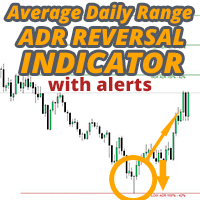
ADR反転インジケーターは、通常の1日の平均レンジに関連して価格が現在取引されている場所を一目で示します。価格が選択した平均範囲とレベルを超えると、ポップアップ、電子メール、またはプッシュを介して即座にアラートを受け取るため、プルバックと逆転にすばやくジャンプできます。インディケータは、チャート上に1日の平均レンジの極値で水平線を描画し、それらを超える価格の数学的確率が付加されているレベルを超える延長も描画します。詳細については、以下をご覧ください... インジケーターとモニターを補完するADRアラートダッシュボードここでも利用可能なすべてのペア:https:// www.mql5.com/en/market/product/62756
MT5バージョンはこちらからも入手できます:https:// www.mql5.com/en/market/product/64477/
通常の1日平均レンジ(ADR)内で価格が取引され、これらのレベルを上回っている時間の約60%は、通常、その後の引き戻し(利益確定)の動きを伴う急激な価格の動きの指標です。毎日の範囲の上部または下部からのプルバ

Traders Toolbox Premium はオールインワンツールです
それらの戦略と計算を自動化するために、一般的な取引戦略に関する広範なトレーニングに基づいて作成されました。 (Jason Kisoglooによって設計およびプログラムされました) 特徴: 19個々の信号 -これらの信号の それぞれ は、ニューラルネットワークスタイルの構成でバイアスされ、最終的な/全体的な結果を構成します。 各信号には独自の設定が あり 、必要に応じてカスタマイズまたは最適化できます。 包括的なオン - 画面 - ディスプレイ -包括的な情報とツールチップを備えた6つのスナップアウェイパネル。 (パネルの境界線をクリックして、折りたたんだり、離したりします...設定は機器ごとに自動的に保存されます): 信号パネル -バイアス情報と信号の詳細を含む信号分析を表示します。 ニュースパネル -アップ、さらにはニュース来 トン の に基づいて 予測 の イベントへのカウントダウンと現在の機器に影響を。 (内部M T5 エコノミッ

エキスパートは2つの移動平均に基づいており、1つはオープニングオーダーに使用され、もう1つはクロージングに使用されます。それぞれに個別の設定があります。
「ツイスト」は、注文をクローズするために従来の条件が使用されていないという事実に由来します。クローズ信号が表示された場合、EAは最初またはいくつかのクローズ条件をスキップする機能を備えているため、利益が増加する可能性が高くなります。エキスパートには、最大10ステップの組み込みリカバリモードもあります。このモードでは、潜在的な損失が発生するたびにロットサイズを増減でき、すべてを構成および最適化できます。リカバリは、ユーザーが有効または無効にすることもできます。
デフォルト設定はEur / Usd H1時間枠用に作成されています。追加の設定は、「コメント」セクションの最初のコメントにあります。
Auto_Lot機能の使用-アカウントの残高が最初のアカウントの残高(エキスパートが最初に開始したときに使用)よりも小さい場合、ロットサイズは縮小されません。ロットサイズ計算(自動ロットモード)をリセットし、新しい、より小さなバランスに実現

Indicator for working with a Trend. Trend is your friend! The digital indicator helps to find the optimal points of entry into the market, to stay in the trend as much as possible. If the trend and direction change, exit the position in time. The indicator is recommended for use on timeframes H4 and higher. Works on any trading instrument. The indicator menu contains options for fine tuning the signals and color gamut. Happy trading!

Extended version of the indicator of the same name. Optimized work order. Added settings to the indicator menu for finding accurate signals. There are separate settings for Buy and Sell.
Scalper indicator designed for accurate entry into trade transactions. Designed for intraday and medium-term trading on any instrument. The indicator does not redraw and does not lag. There is the possibility of visual and sound notification of the appearance of a signal to enter. The indicator also sends sign
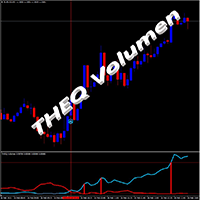
THEQ Volumeは、正確なボリュームオシレーターを表示します。次のトレンドまたは起こりうるトレンド変化を取引するために使用できます。 THEQ Volumeには、THEQ Volume Arrows、シグナルとアラートを備えたインジケーター、および実際の/デモ、バックテストと最適化、または独自の戦略を作成するためのTHEQ VolumeEAも含まれています。 追加のインジケーターとロボットEAは、支払い後に別々に出荷されます。 THEQボリュームは再描画せず、ラグがなく、キャンドルが閉じても信号が消えることはありません。 また、準備が整い、市場に迅速に参入するための事前シグナルもあります。 マニュアルと最適な設定インジケーターとEAを使用して、必要なときにいつでもサポートとヘルプを利用できます。新しいバージョンは常に最初の支払いに含まれています。 チップ: -EURUSDペアとM5TFの過去5年間を最も正確な方法(ティック)でバックテストして、購入したものがスクリーンショットやビデオと同じであることを確認します。 -EAが履歴データを読み取らないことを確認します。 -デモアカウン

Forex Vampireは、MT4プラットフォームとEUR / USD、GBPUSD、USDCAD通貨ペア向けに設計および最適化されたプロの自動取引システムです。
このシステムは端末上で独立して動作します。ロボットの実行中にコンピューターの電源をオンにする必要があるため、コンピューターまたはVPSで実行できます。
ロボットは24時間市場を分析しているため、人間よりも効果的です。
更新と最適化は継続的に行われ、購入者が利用できるようになります。
ロボットはさらに開発され、将来さらに良い取引効果を達成するのに役立ちます。
危険な戦略を使用しないでください。本当のストップロスとテイクプロフィットのみ。
あなたがあなたのインターネット接続または電気を失ったとしても、あなたの注文は保護されたストップロスです。
ロボット外国為替ヴァンパイアの動作原理。
ロボットが取引を行うことはめったにありませんが、品質は良いので、しばらくお待ちください。ロボットを起動して、数か月以内に結果を確認してください。 ロボットの動作は、ロボットが最適に動作するために、端末のEUR / USD、GB

VR Pivot - これは、主要なピボットポイント(pivot)の指標です。 ピボットポイントは、最強の価格帯を識別するために使用される特別なタイプのサポートレベル(support)と抵抗(resistance)です。プロのトレーダーは、価格の反転の高い確率がある価格を決定するために逆転のポイントを使用します.レベルは、特別な数式に従って計算され、終了、開口部、最大、前の期間の最小値の価格が考慮されます。最も効果的なのは、毎日の期間です。一見すると、これらのレベルに特別なものは何もないと思われるかもしれませんが、ピボットポイントのレベルの助けを借りて価格の動きを分析すると、ほとんどの場合、これらのレベルが良好で正確な結果を示していることがわかります。 テクニカルサポート、設定およびソフトウェアの体験版は、作者のプロファイルによりリクエスト できます。 逆転ポイントは、ピボットポイントとしてだけでなく、最大利益のために可能な限り効率的に使用できるレベルとして使用することができます, 損失を最小限に抑えるために損失を停止, リスクを軽減するために、損失ゾーンにポジションを転送. インジケ

No Nonsense Forex メソッドのための完全なトレードパネルです。このパネルには、あなた自身のNNFXアルゴリズムを実行するために必要なほとんどすべてのものが集約されており、あなたがより速く、より簡単にトレードできるようになっています。3つの部分で構成されています。 シンボルパネル
シンボル名を押すと、チャート内の任意のシンボルに素早く切り替えることができます。 パネルには、現在開いている取引、それらの取引と他のシンボルとの相関関係(ストップロスがブレークイーブンまたはプラスの場合を除く)、今後のニュース(次の日のローソク足、ローソク足の終値で取引する場合)などの追加情報を表示できます。 ニュースはForex Factoryからインポートされ、デフォルトのフィルタリングされたニュースはVPがNo Nonsense Forexで推奨しているものとなっています。ニュースを変更したい場合は、あなたの完全なカスタムニュース(大文字と小文字を区別します)を含むニュースが表示されることを考慮してください。 タイムゾーンはEET/EEST(メタトレーダーと同じ)で、表示されるニュースは

このEAは、完全にカスタマイズ可能なバーの範囲を取り、その後、範囲外で売買します。ダックスは、その高いボラティリティとメガブレイクアウトで知られています。ユーザーは、取引を保護するために、プラットフォームが損益分岐点にロックするポイントを設定できます。定義されたストップロスとテイクプロフィットで、このEAは実際にそれらの動きをキャプチャします。他のインデックスや外国為替で使用できますが、私はそれらをテストしていません。Daxは私がこのEAを使用するメインのインデックスです。 パラメータの機能を理解しやすくするために簡略化されています。 含まれるパラメーターは次のとおりです。 --SR_Shift =範囲を作成するには、現在のバーを使用できないため、左にxバーの量だけシフトして、範囲のカウントを開始できます。 --SR_BAR RANGE =範囲内の合計バーを指定します。たとえば、SRシフトが1に設定され、SRバー範囲が5に設定されている場合、形成中の現在のバーから合計5バー離れてカウントされ、青いサポートと抵抗が作成されます。その特定の範囲のバー。 -SLポイント=ストップロス -T


This is a trading robot to work mainly on the EURUSD pair, with H1 timeframe . It uses a robust strategy that combines the strength of the Bears Power, Force Index and Envelopes indicators through a scalping system that will give you excellent results. Backtest now! Special OFFER for this week Discount price - $ 49. Next price $ 149. BUY NOW!!! Are you tired of trading systems that work only in backtesting? Would you like an EA that works well on live accounts? Collect fortunes with t

Automatic trading system. It includes three very strict algorithms for finding a reversal on large timeframes. It is installed on any timeframe, but for the quality indicators of the visual panel, it is better to set it to H4, you can set it to H1. Optimized for the USDZAR currency pair.
In addition to the usual settings, it is possible to limit trading by day. If the days 1-31 are set, the EA will trade every day.
The Expert Advisor trades by itself, but it is more profitable to use it as an
FREE

Arrow indicator without redrawing and delay The indicator shows the best trend entry points on the chart. It is better to use it in conjunction with other trend indicators as a filter. The indicator shows good results on lower timeframes. The signal is generated inside the candle and appears as blue and red arrows. Displays signals at the zero bar
Settings
Step : Calculation of bars in history
Bar : Shows bars in history
Delta : Offset of the signal from the candle
FREE

! register Interactive Broker https://ibkr.com/referral/zhenwei375
こんいちは、Youtubeチャンネル登録してなら、嬉しいです!
# youtube https://www.youtube.com/channel/UC4fZRTNdAcHJMDm71MyMkew?sub_confirmation=1
! First Backtest By Your Self
Broker: ICMarkets Raw Spread Account
Works On D1 TimeFrame
# Pairs ------------
EURUSD
US500
JP225
USTEC
US2000
SE30
STOXX50 CA60
HK50
# Current Working On - Signal Services - 日本 株/ 米国株スキャンナー If you want signal serices email me aizwellenstan@gmail.com and tell me whic

Fundamental Signals Indicator is a Non-Repaint Indicator with a powerful calculation engine that can predict market movement over 3000 pips (30000 points). The indicator does not analyze the market fundamentally, it is named fundamental because it can predict trends with large movements, no complicated inputs and low risk. Also Indicator can alert on market trend changes.
Using Indicator :
The Indicator is very simple and without complicated input parameters. (No need to optimize anything.)T

A dealer with simple logic of opening orders and reliable closing control for advanced.
The input signal is determined by only one indicator.
Closing occurs on target profit.
When drawdring first orders, the following appears.
Maximum number of orders - no more than three in each direction.
Settings for configuration:
----------- Trade Settings ----------- Quantity Lot 1 - the size of the first transaction Quantity Lot 2 - the size of the second transaction in the series Quantity Lot 3

The indicator works on the principle of drawing buy and sell arrows, based on the signals of the built-in algorithm. The indicator definitely needs a flat filter. This indicator will take trading to a new level. Works on all timeframes and currency pairs. It is advisable to use the indicator in conjunction with other tools for more reliable signals and making a more balanced decision.

Индикатор Adapter определяет господствующую тенденцию, помогает анализировать рынок на выбранном временном интервале. Прост в настройке и работает на всех парах и всех временных интервалах.
Индикаторы тренда дают возможность классифицировать направление ценового движения, определив его силу. Решение этой проблемы помогает инвесторам вовремя войти в рынок и получить хорошую отдачу. Для любого трейдера крайне важно правильно определить направление и силу трендового движения. К сожалению, единств

Dark Oscillator is an Indicator for intraday trading. This Indicator is based on Counter Trend strategy, trying to intercept changes in direction, in advance compared trend following indicators. We can enter in good price with this Indicator, in order to follow the inversion of the trend on the current instrument. It is advised to use low spread ECN brokers. This Indicator does Not repaint and N ot lag . Recommended timeframes are M5, M15 and H1. Recommended working pairs: All. I nst

Maltese cross GBP Универсальный инструмент для определения трендов, флетов и торговли по графическим паттернам. Объединяет техники Гана, Эллиота, Мюррея.
Просто разместите его на графике и он покажет направление и скорость движения цены, выделит разворотные моменты. Maltese cross поможет точно определять узловые моменты в истории, планировать торговые действия и сопровождать открытые сделки. Эта бесплатная демонстрационная версия MalteseCross ограничена GBPUSD и кроссами GBP. Никаких прочих о
FREE
MetaTraderマーケットは、開発者がトレーディングアプリを販売するシンプルで便利なサイトです。
プロダクトを投稿するのをお手伝いし、マーケットのためにプロダクト記載を準備する方法を説明します。マーケットのすべてのアプリは暗号化によって守られ、購入者のコンピュータでしか動作しません。違法なコピーは不可能です。

取引の機会を逃しています。
- 無料取引アプリ
- 8千を超えるシグナルをコピー
- 金融ニュースで金融マーケットを探索