 MetaTrader 5
 エキスパート
 インディケータ
 ライブラリ
ライブラリ
 ユーティリティ
 ウィジェット
 ルール
ルール
YouTubeにあるマーケットチュートリアルビデオをご覧ください
ロボットや指標を購入する
仮想ホスティングで
EAを実行
EAを実行
ロボットや指標を購入前にテストする
マーケットで収入を得る
販売のためにプロダクトをプレゼンテーションする方法
MetaTrader 4のための新しいエキスパートアドバイザーとインディケータ - 307
 自動売買ロボットは市場取引を自動的に実行しますが、インジケータを使用すると、相場をより適切に分析し、価格行動を予測できます。
これらのアプリケーションを使用すると、より多くの機会を獲得しながら、より多くの情報に基づいた方法でMetaTrader4で取引を実行できるようになります。
自動売買ロボットは市場取引を自動的に実行しますが、インジケータを使用すると、相場をより適切に分析し、価格行動を予測できます。
これらのアプリケーションを使用すると、より多くの機会を獲得しながら、より多くの情報に基づいた方法でMetaTrader4で取引を実行できるようになります。 
Expert works H1 timeframe only There are two main criteria. Daily pivots and moving averages. To open a buy order, today's daily pivot must greather than the day before's daily pivots. Moving averages for EURUSD pair as default. They can be changed for other pairs and also for EURUSD too. You can also change takeprofit and stoploss level. expert doesnt trade on mondays and before 2 hour on other trade days. You can test and optimize for all pairs with extern parameters. Do not purchase without

How it works? This EA trades with Stochastic Signal Line and Base Line crossovers. Stochastic will base its value on the current time frame. Only allows one open trade at a time. Two strategy to choose, crossover and trend following. Optimize risk management settings for lot size and martingale. Strategy: Crossover Opens a buy position if the Signal Line crosses below Base Line and base line is below the Buy below crossover level. Opens a sell position if the Signal Line crosses above

Psr1 EA is the one of Psr series EAs. It works on 5 minutes chart only. You can use this EA any currencies but you should optimize first. Default parameters belongs to my broker databases EURUSD M5 . It uses pivot and 2 main moving averages. Moving averages can be adjustable by user. ( for optimizing ) Input Parameters: MagicNum: Expert will use this number to determine experts orders. Lots: Lots amount which you want to use. Default is 0.01 ( it can be cahnged by expert due to your broker's

Psr3 EA is the one of Psr series EAs. It works on 5 minutes chart only. You can use this EA any currencies but you should optimize first. Default parameters belongs to my broker databases EURUSD M5 . It uses pivot and Support/Resistance Levels. Stoploss and Takeprofit can be adjustable by user. ( for optimizing ) Input Parameters: MagicNum: Expert will use this number to determine experts orders. Lots: Lots amount which you want to use. Default is 0.01 ( it can be cahnged by expert due to you

This mutlitimeframe indicator is based on my own indicator wich shows trends at a early stage . You will see the trends from M1 to Month timeframe . The more the value is high ,the more the trend is confirmed .The values above 100 determine a high trend . Medium trend : 50 <=Value<100 No trend : 50<Value You can set alert for each timeframe and for your own value . Meaning of the parameters: M5|1: .....is the indicator's value on the 1st bar for M5 timeframe M5|2: .....is the indicator's va
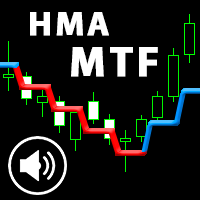
This is an advanced multi-timeframe version of the popular Hull Moving Average (HMA). Features Graphical panel with HMA indicator data from all timeframes at the same time . If the HMA has switched its direction on any timeframe, a question mark or exclamation mark is displayed on the panel, accompanied by a text and audio message. The messages can be configured separately for each timeframe using the corresponding checkboxes.
The indicator is located in a separate window, so as not to overload
The Missing Edge You Need To Catch Breakouts Like A Pro. Follow a step-by-step system that detects the most powerful breakouts!
Discover market patterns that generate massive rewards based on a proven and tested strategy.
Unlock Your Serious Edge
Important information here www.mql5.com/en/blogs/post/723208
The Reliable Expert Advisor Version
Automate Breakout EDGE signals using "EA Breakout EDGE" Click Here Have access to the game changing strategy that will take your trading to the next l

The DYJ MacdSto is a unique High quality and easy to use and affordable trading tool because we have incorporated a number of proprietary features and MACD and Stochastic and RSI and ADX indicators. The main advantages of the trend trading strategy used by the Expert Advisor are opening positions only in the direction of a trend, ability for the long-term retention of profitable positions allowing users to achieve good combinations of profit/loss distributions. DYJ MacdSto EA uses MACD and Stoch

The EA opens orders, when a fast MA crosses a slow MA:
Buy - from bottom to top, Sell - from top to bottom.
It provides for closing orders on breakeven and trailing stop.
It is also possible to open additional orders when the price moves towards the open position.
Settings: MagicNumber - order identifier; StartLot - lot size; SL - is the size of SL in points; TrailingStop - trailing stop size in points; Breakeven - breakeven; LevelBreakeven - breakeven size in points; LevelBreakevenProfit -

I n the tester does not work, see how it works in the video; sorry for the inconvenience. UTB is done for real-time work quotation when trading.
indicator draws resistance support levels Also, when a level appears, an arrow appears where to open a deal. You will not miss any desired level approach. The indicator showed good results on all graphs and time frames. recommended settings step 1800
p.s
traders selling from wall street also use resistance support levels in their analytics how do tra

Grid Hero War Pad is a GRAPHICAL MANUAL TRADER version of the original Grid Hero EA, designed and created for ADVANCED TRADERS who are experienced in plotting their own market entries. It is coded using ADVANCED GRAPHICAL INTERFACE programming, that combines the power of discretionary trading with Grid Hero algorithm in the form of a graphical console with button-click easy execution.
It allows you to execute trades manually using Market Orders and Pending Orders, and then automatically uses th

"It's not about how much you do, but how much love you put into what you do that counts." - Mother Teresa
This Indicator is build on value of Relative Strength Index and Moving average of relative strength Index. We have calculated bands with respect to Moving average of Relative strength Index. Trading strategy: https://www.mql5.com/en/blogs/post/725691 Why use Rsi Ma Bands? Great for novice traders as well as experienced traders. Low risk entries. Doesn't repaints.
No additional Indicato

If you need an adviser who often bargains and opens deals almost every day, you went to the address. Trading every day is intended for frequent trading for a long time. In this case, the adviser opens no more than one transaction in each direction. When there are a lot of deals in optimization, more often it will give more profit in real life than advisers who, during optimization, make fewer deals, but show high profitability.
This Expert Advisor is based on the indicators Williams Percent Ran

This EA combines two built-in combined indicators (RSI breakout and Envelopes) to check the trends before performing any trading action. It's engine is provided with: trailing Stop Loss; bad time to trade filter for each day of the week; define in minutes the profitable orders duration; enable and disable martingale mode; define the maximum spread value to trade; define the minimum equity percentage to allow trading; the input values are already optimized for EURUSD at timeframe M1. The Strategy
The EA utilizes 3 levels grid to capture any direction be it bullish up or bearish down, either way, the EA will end in profit. The EA is called fury as it cuts a very tight loss and immediately compensates the loss into new lot size calculation on the remaining positions. If the initial lot size of level 1 is 0.2 and the EA cuts it at loss at 10 pips, the next lot size will be 0.24 lot (depending on multiplier setting). There will be 3 Buy Stop orders above mid-level, and 3 Sell Stop orders bel

Edward Teach Forex This is an expert Advisor for short-term trading using a series of orders with their averaging and subsequent increase. The EA trades in both directions, choosing a more suitable side in the trading process. Hidden profits and virtual trailing stop are used.Also, the EA has the ability to stop trading (not to open new orders) before important news, both during manual installation, and receiving information from the indicator "News provider" . There are several logics that imp

from the price of 200$ to 170$ only 1 Month !! Only for the symbol of EURUSD Time Frame D1 Minimum Balance $5 Update all Timeframes starting from TF M1, M5, M15, M30, H1, H4, D1, W1, MN1 Make sure to use a low spread below 10 Points and use a 5 digit broker broker
! Please do not mix with other transactions, so that too many transactions exceed the maximum number of broker orders
PARAMETERS
LOT = Balance : Compounding Ex: Balance $1000 Compounding = 10000 Lot Order =1000 : 10000 = 0.1 Lot Mag

The new version of MirrorSoftware 2021 has been completely rewriten and optimized.
This version requires to be loaded only on a single chart because it can detect all actions on every symbol and not only the actions of symbol where it is loaded.
Even the graphics and the configuration mode have been completely redesigned. The MirrorSoftware is composed of two components (all components are required to work): MirrorController (free indicator): This component must be loaded into the MASTER
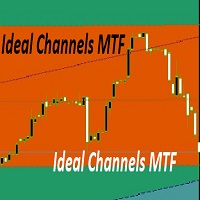
trading indicator, which automatically recognizes equal levels of support and resistance and otorova content and resistance and poison indicator uses elder system can be applied to any financial instruments and on any timeframes. the same indicator draws to. it is perfect for scalping as its essence is to trade in the channel. The indicator has many parameters that allow it to be conveniently customized. indicator settings filter - it filters the market noise that is, we get more accurate channe

Hello friends, WaveKing is a piece of automated Forex trading Robot that automates trading decisions. EA was designed to open trades every day.The EA contains two strategies, one shock strategy and one trending strategy. Each order has a stop loss. No martingale , hedging or scalping .It's a unique EA that is totally based on market and price action. Default inputs apply to EURUSD(M1) . For testing deposit 5000+ USD . Monitoring of the Expert Advisor: https://www.mql5.com/zh/signals/518243 Re

Only EA developed over 1 year ago, which remains consistent in the market and in the #10 Top of the MQL Store
>>> You can use this EA with a balance starting at $30 in a cent account. Doubts about which broker and how much balance you need to trade, send me a message <<<
Summary:
Samurai Scaper Pro Series EUR/USD is an EA developed to run the EUR/USD on 5 MINUTE timeframe. This EA uses statistical analysis applied to the EUR/USD over 20 years to determine the best points of e

Торговый робот PROF 2 не торгует по тренду. Всем известно, что 80% времени рынок находится в боковом движении и лишь 20% это направленные движения. Поэтому данный робот пытается поймать коррекции после сильных движений. В данной версии не используется STOPLOSS , вместо этого типа ордера стоит другая защита от потерь. Если, по мнению робота коррекции все- таки не случится, то позиции закрываются. Параметр Stop отвечает за контроль над рисками и закрывает все сделки, в том случае если плавающий
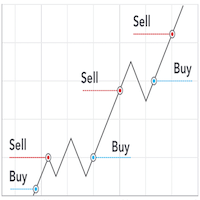
Pro Scalping is a fully automated Expert Advisor. Night scalping strategy. The ATR-based, RSI, WPR indicator and an Stochastic filter are used for entries. Real operation monitoring as well as my other products can be found here: https://www.mql5.com/en/users/hoangvudb/seller General Recommendations The minimum deposit is 100 USD, default settings reccomend for EURUSD M15 GMT +3 . Please use max spread 2 if you will not have orders change it to 3. Use a broker with good execution and with a

This EA successfully opposes the Fractal below then OP BUY otherwise if the new Fractal appears above then OP SELL Flat movement is very good for work.
PARAMETERS Lots : Lots / volume orders TakeProfit : Take Profit Point if zero = No Take Profit StopLoss : Stop Loss Point if zero = No stoploss TF : Time Frame Fractals AutoStopLoss : If true , then StopLoss will be created automatically on High / Low Fractals
These EA fractals are simple EAs, it might be suitable to be tested on a currency pa

Robonacci is an intelligent robot that seems to understand the inherent nature of the market EURUSD very well. It uses Fibonacci Retracement levels extensively to determine potential support and Resistance levels. Although it uses levels for entry position, it’s main focus is to stay with the trend as long as possible. In its underlying strategy it uses “Cut the loses early and let the profit run” which is why it has a low winning rate. The robot uses four different market conditions: Ranging, T

MoneyMaker v2
This expert advisor is based on idea that market produces very strong movement to opposite side once trend reversal is imminent. So our core trigger is bar size relative to previous bars optionally filtered by Bollinger Bands, Money Flow Index, Simple Moving Averages and Commodity Channel Index. MoneyMaker v2 also implements autolot based on free margin / Risk per single order (in %) parameter. Spread filtering is done through Minimum bar body size / pair spread multiplier (in po

Общие сведения Для начала торговли достаточно небольшого депозита. Подходит для мульти-валютной торговли. Не зависим от качества соединения и торговых условий. Мониторинг моих счетов: https://www.mql5.com/ru/signals/author/mizrael
Принцип работы Эксперт открывает ордера по встроенному индикатору. Если прибыль ордера больше значения параметра Profit в пунктах графика. Данный ордер закрывается и открывается новый в противоположном направлении объёмом Lot . Если прибыль ордера меньше значения

PO MARTINGALE https://www.mql5.com/en/users/earobotkk/seller#products
This is an automated expert advisor that uses pending order and martingale strategy to gain profit. It is designed to make quick profit as fast as possible. INPUTS Trade Comment : user comment Magic No : unique EA Number Time Frame : default is H1 Max Spread : EA will not open new order if spread is more than maximum spread allowed. Lot : lot size. Take Profit: value in pips. Pip Step: distance between orders. Multiplier: l
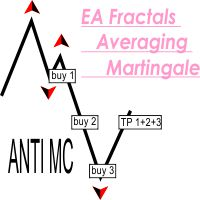
This EA successfully opposes the Fractal below then OP BUY otherwise if the new Fractal appears above then OP SELL If the wrong position will add a new transaction, and take profit at the same point This EA can run in two different directions (Buy will be counted separately from Sell orders) #Recomend Start Balance $1000 Flat movement is very good for work.
PARAMETERS Lots : Lots / volume orders Multiplier : Multiplier value of lot, You can use a small multiplier of 1.2 1.5 1.7 while Take Profi

HyBridBot
https://www.mql5.com/en/users/earobotkk/seller#products
HyBridBot trades at trending market utilizing money management which includes percentage of risked money, reward to risk ratio,stop loss and take profit. It applies our hybrid strategy with capital protection should the market not going in our favor. INPUTS TRADE COMMENT: user trade comment. Magic No: trade unique number for this robot. Time Frame: default is H1. Percent Trade Risk (%): percentage of account balance or free marg

Эта утилита поможет вам рассчитать прибыль в валюте депозита, если цена пройдет от своего текущего значения к значению, указанному горизонтальной линией ProfitMeter. При запуске индикатора эта линия автоматически создается на уровне текущего значения цены. Линию следует выбрать и переместить на нужный вам уровень. Расчетное значение прибыли при входе в рынок минимально возможным лотом отображается в правом нижнем углу окна графика. Входные параметры Style of ProfitMeter Color of ProfitMeter Widt

MAD - Moving Average Distance The MAD Scalper Expert Advisor uses ATR and the distance to a moving average to determine if price has the potential for reversion (mean reversion). Trades are closed when price returns to mean (moving average) + buffer. We use ATR as our MA_Buffer. MAD includes an averaging feature. The range is determined by ATR and the RangeMultiplier. The higher the RangeMultiplier the further apart the averaging trades will be. Works on all time frames and pairs.
Suggestions:
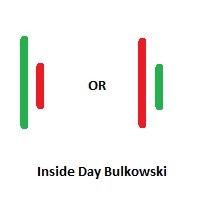
Inside Days Candlestick Bulkowski Inside Days Candlestick Bulkowski The Inside days candlestick is a well-known candle pattern composed of two candles. This indicator for showing outside days candlestick that describe by Thomas Bulkowski.
If you need for MetaTrader 5 version, please visit here: https://www.mql5.com/en/market/product/34724
Feature Highlights Show inside days candlestick. Customizable "Symbol". Customizable symbol distance from candlestick.
Input Parameters Symbol - Input sym
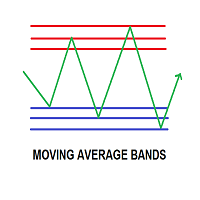
MOVING AVERAGE BANDS / MA BANDS: This is an very simple Indicator but very powerful in identifying trend reversal.The calculation of moving Average bands consist of defining the range of bars and the multiplier we use. -To find range of n bars we used the values of moving average high and low values of n bars. -Then we used individual multiplier for individual bands. -The multiplier we defining can be based on your style say for example some needs moving average fibonacci bands or dynamic fibona
The EA monitors the closing price of the recent candle and its distance towards Moving Average Line. If the price has been stretched too far from the MA. The EA will place a market order towards the direction of the MA. For an instance, if a candle is closed above MA more than 80 pips, the EA will open a Sell Market position. The EA will conclude its position in two ways; 1. The first position goes directly towards MA line and touches it, triggering an exit by the EA in profit. 2. The price g

The indicator is based on several useful indicators in the multi time frames that help us chart and table and alert.
The various parameters used in this indicator and the default ones are as follows. · Moving Average Mode: LMMA · Moving Average Period One: 4 · Moving Average Period Two: 8 · Moving Average Period Three: 15 · Moving Average Period Four: 30 · Moving Average Period Five: 80 · Moving Average Period Six: 150 ·

Esta es una de las modificaciones de los canales Keltner. Ayuda a identificar puntos de entrada y salida lógicos. Ayuda a determinar un posible movimiento de precios. Crea canales equidistantes que se convierten en niveles de soporte y resistencia dinámicos. Facilita enormemente el análisis del mercado visual. El indicador es un multi-tiempo multi-tiempo muestra buenos resultados.

The RSI MultiCross Expert Advisor works by entering a trade when RSI makes a cross of a level and exits on the cross of the opposite level (MIN_RSI, MAX_RSI). To enter a buy RSI will cross below the MIN_RSI and the candle that closes above MIN_RSI will signal to enter the trade. This allows the EA to get some indication price could be reversing (vice versa for a sell signal). To exit a buy RSI will cross above the MAX_RSI minus the RSI_Buffer. Or you can use the TP_Multiplier or SL_Multipliers

Auto tactic trade with two Lines:
They are (Top Line) and (Bottom Line), for tactic trade.
Big Features: Line will be auto created and detect the Top of shape, and Bottom of shape. Display how far the Line from market price. When Market Price *Touch (Top Line), will create a new order : **Sell**. When Market Price *Touch (Bottom Line),will create a new order:**BUY**. Moving the Lines:
Double Clicks on Line,it will be movable by User's Mouse. You can let a Line longer by Double Clicks on

「 ZigZag on Trend 」インジケーターは、価格の動向を判断するのに役立つだけでなく、バーとピップの計算機能も備えています。このインジケーターは、トレンドインジケーター、価格の方向性を示すジグザグのトレンドライン、そしてトレンド方向に通過したバーの数と垂直方向のピップ数(バーの始値に基づいて計算)を計算するカウンターで構成されています。このインジケーターは再描画されません。便宜上、色付きのバーまたはラインで表示されます。すべての時間枠で使用できますが、M5以上の時間枠で最も効果的です。
「 Period 」は、価格の方向性を判断するためのバーの数を決定します。これは、一方向への平滑化されたトレンドを得るために、方向の長さを計算します。
「 Diapason 」は、トレンドの方向性の頻度を調整します。主に、異なる取引商品の最初のパラメータを調整するために使用します(EURUSDの場合は最大約10、GOLDの場合は最大約100)。
ピップカウンターは、あらゆる時間枠と取引商品での調整に役立ちます。
主なインジケーターパラメータ
「 Period 」 - トレンドの継

デイリー フィボナッチ ピボット戦略 トレーダー向けに特別に設計されたテクニカル指標である DFP Reconnoiter Ultimate の紹介です。このインジケーターには、標準的なフィボナッチ リトレースメント、毎日のピボット レベル、ローソク足パターン、ATR および ADR レベルが組み込まれており、反転領域と出口領域を特定し、タイミングの良いエントリーを実現します。 38.2%、50.0%、または 61.8% の主要なフィボナッチ リトレースメント レベルは、毎日のセントラル ピボットと組み合わせて推奨されます。 この戦略には、前の取引セッションの 5 日間を超える平均トゥルー レンジ (ATR) を監視することが含まれます。その後、価格が当日のセントラル ピボットを上回っている場合は前日の安値から高値まで、価格が当日のセントラル ピボットを下回っている場合は前日の高値から安値までフィボナッチ レベルが描画されます。焦点は、フィボナッチ リトレースメント レベルと毎日のセントラル ピボットの合流点を特定することにあります。特定された合流点へのリトレースメントが発生すると、ト

チャート上でトレンド方向を直接確認 KT Trend Magic はモメンタムとボラティリティを組み合わせ、価格に沿って動く色分けラインを表示します。ラインは現在のトレンド状態を連続して示し、計算された方向が変わると色も切り替わります。 緑のライン: 強気のトレンド状態を示します。 赤のライン: 弱気のトレンド状態を示します。 色の変化: チャート上の新しい方向転換を示します。 持続的な動きでは、ラインを押しや戻り、継続を確認するための動的な基準としても利用できます。各転換を現在の値動きとご自身のエントリールールに照らして判断できます。 9つの時間足でシグナルを比較 マルチタイムフレームスキャナーは、M1、M5、M15、M30、H1、H4、D1、W1、MN1 の Trend Magic 状態を Bullish または Bearish で表示します。時間足ごとに別のチャートを開かずに、現在のチャートと短期および長期の方向を比較できます。 複数の時間足が同じ方向を示しているか、現在のチャートが広いトレンド背景に逆行しているかを確認できます。チャートのラインは詳細な局所表示を、スキャナーはよ
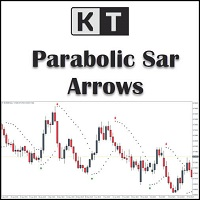
KT Psar Arrowsは、標準のパラボリックSARインジケーターを使用してチャート上に矢印をプロットします。ローソク足の高値がSARにタッチしたときに上向き矢印が表示され、安値がSARにタッチしたときに下向き矢印が表示されます。シグナルはリアルタイムで生成され、バーの確定を待つ必要はありません。
特徴
パラボリックSARインジケーターを活用した取引戦略を試したいトレーダーにとって有用なツールです。 市場の転換ポイントを見つけるために使用できます。 カスタムPSAR入力が可能です。 MT4のすべてのアラート機能に対応しています。
注意事項:パラボリックSARは遅延型かつ厳密な機械的インジケーターです。すべての取引シグナルは、明確に定義されたルールでフィルタリングする必要があります。
入力パラメーター PSARステップ値:ステップ値を入力します。 PSAR最大値:最大値を入力します。 PSARドット表示:PSARドットを表示/非表示にします。PSARドットがなくても矢印は正常に機能します。 その他の入力項目は直感的に理解できます。
Trend Scanner is a trend indicator that helps to determine the current and forecast market direction using an advanced algorithm. Thanks to flexible alert settings, the indicator will promptly warn you about a trend reversal. The indicator is intuitive and easy to use, and will be an excellent filter in your trending trading strategies. The lines of this indicator are also an excellent dynamic level for stop loss, and is used as one of the types of trailing stop in Trading Panel . To fine-tune t
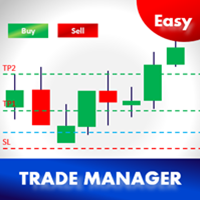
イージートレードマネージャー1.0
トレーダーとして成功するための最も重要な要素の一つである基本的な特徴。
1. TP1、TP2、TP3での本の利益
2.取引ごとに設定された金額に従ってリスクを管理します。例:100ドル(最大損失) - これはあなたの総資本の2%になります。
3. TP1、TP2、TP3で予約する金額(%)を設定します。例えば。 TP1で100ドルの50%、TP2で25%、TP3で25%
4. STOP-LOSSに基づいて自動的にLOT SIZEを選択してください。 (この機能を有効にするには、ロットサイズ=自動に設定してください)
5.最も重要なのは、TP1またはTP2で取引を自動的に損益分岐に設定することです。 (損益分岐= TP1 / TP2)
Plsはあなたが好きならEAと良いレビューを残す、改善するために私に提案を送る
上級ユーザー -
1. 2つの機能に基づいて自動的にトレイルストップロスを設定します(設定=はい/自動)。
- 手動でトレイルステップピップを設定す

A.このピボットインジケータは日ピボット価格を示します。
B.抵抗R0.5、R1、R1.5、R2、R2.5、およびR3も表示されます。
C.サポートS0.5、S1、S1.5、S2、S2.5、およびS3も表示されます。
入力:
入力の下に、3つの変数があります。
1.ExtFomula。ここでは、チャートウィンドウ上の抵抗または支点に1または2または3以下の値で優先出口を設定できます。 1は抵抗または支持体1での出口を表し、2は抵抗または支持体2での出口を表す。3は抵抗または支持体3での出口を表す。
ExtHowmanyDays。デフォルトは30日間です。 ExtFomulaに1、2、3のいずれかを入力すると、過去30日間の出口サポートとレジスタンス価格がチャートウィンドウに表示されます。
3.ExtDraw。チャートウィンドウまたはその逆ビザにサポートとレジスタンスを描画できるようにするには、trueを選択します。
利点
1.表示器はサポート3か抵抗3まで見ることを可能にします
2.インジケーターを使用すると、選択した任意の抵抗またはサポートでチャート上の出口点を設
FREE

This is Advanced NotifyMe version with large interface.
Overview
The Expert Advisor allows you to receive notifications to the mobile phone (or tablet PC), mailbox or play the sound alert when some events occured: opening or closing position, placing or deleting pending order; changing open price, stop loss or take profit; the account balance, equity, margin level, free margin or drawdown has reached the user specified level. You can specify a notification interval, notification text template an

Dark Sniper pointer indicator.
Complete absence of redrawing
The percentage of correct indicator forecasts depends on your settings; the default is period 7 (performed better)
The arrow indicates the direction of the next candle and the possible direction of the trend in the future. Suitable for small timeframes m1 and m5 It is recommended to open transactions from 1 to 2 candles. The signal appears on the current candle. Open a trade on the next one since the signal is being generat

HelloTrader is a completely new product view for the MetaTrader platform. Immediately after launching, the utility displays randomly one of the lines of the phrase, quotes of famous people or an aphorism in the upper left corner of the terminal. Every 5 minutes the recording changes.
The structure includes more than 1000 phrases, quotes and aphorism in Russian and English.
In the input parameters, you can choose the Russian language display of records, the default is English.
The utility star
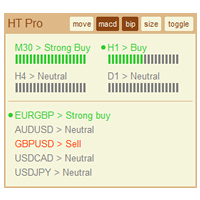
The indicator High Trend Pro monitors a big number of symbols in up to 4 timeframes simultaneously and calculates the strength of their signals. The indicator notifies you when a signal is the same in different timeframes. The indicator can do this from just one chart. Therefore, High Trend Pro is a multicurrency and multitimeframe indicator. High Trend Pro uses emproved versions of popular and highly demanded indicators for calculating its signals. High Trend Pro calculates the signal strength

The Progressive Expert System works using sharp tick movements. Works with a deposit of $ 100! The classic method of trading scalping. It is also worth noting that with the allowable spread level, the bot goes through any historical period on any currency pair. There is no point in testing at opening prices, either checkpoints or all tics. It is possible to work on accounts with a floating spread, entry into the market will occur only when the spread is lower than the level specified in the se
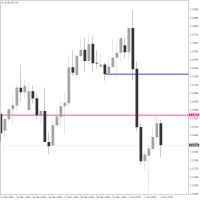
Crosshair Levels : Free version of Object Synchronizer. ** No synchronization of objects among grouped charts and no group chart features supported in this version. Are you bored to save and load template many times for the same symbol for many chart time frames? Here is the alternative. With this indicator, you enjoy creating 3 objects. All objects that you created/modified always are moved easily with clicking the object, moving cursor to the point you wanted and clicking again). Supported
FREE
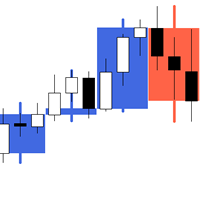
The indicator My Big Bars can show bars (candles) of a higher timeframe. If you open an H1 (1 hour) chart, the indicator puts underneath a chart of H4, D1 and so on. The following higher timeframes can be applied: M3, M5, M10, M15, M30, H1, H3, H4, H6, H8, H12, D1, W1 and MN. The indicator chooses only those higher timeframes which are higher than the current timeframe and are multiple of it. If you open an M30 chart (30 minutes), the higher timeframes exclude M5, M15 and M30. There are 2 handy
FREE

The utility TradeKeeper Lite can show your profits for different periods and bip a sound when you reach a profit target value. Click the tachometer to quickly switch to the next profit period. There are 5 of them: This Day, This Week, This Month, Last 90 Days and All I Made. With the utility TradeKeeper Pro , available at this link , you can also open trades with a magic number and volume of your choice, trail any orders with a simple trail or iSAR-based trail, as well as close any open trades a
FREE
Scalping Indicator Pro is a powerful indicator that works in trend as well as non trending market conditions. This indicator is perfect for scalp trades as well as swing trades. Scalping Indicator Pro is not just an indicator, but a trading strategy itself. It doesn't requires any additional indicators for the trading setup.
Check out the indicator in action. [Video demonstration below]
Why use Scalping Indicator Pro? Great for novice traders as well as experienced traders. Low risk entries.

What Exactly Is A Smart Trading Tool? Smart Trading Tool was developed for fast and comfortable trading of the financial markets especially for ORDER BLOCKS TRADERS . It provides traders functionalities, such as: A Drawing Tool One-Click Trading Panel Automated Lot Sizes Calculation based on your risk appetite & Money Management ( Watch this video , how this tool can help manage your risk per trade better!) Built in PRICE LEVELS (Fibonacci, Round Numbers, Daily hi-low, etc) Shows Trading Informa

Trump Day Indicator for Effective Profitable Binary Options Trading
complete lack of redrawing
The arrow indicates the direction of the next candle and the possible trend direction.
Percentage of correct indicator predictions from 80%.
its benefits:
signal accuracy. complete lack of redrawing. You can choose absolutely any tool. indicator will provide accurate signals.
It is recommended to open trades for 2 - 3 candles. Pros indicator: 1. forward signals. 2. high accuracy of the reports.

The utility TradeKeeper Pro allows you to open a trade manually with a magic and a volume of your choice. It does not open its own trades, it can only open a trade by your command.
TradeKeeper Pro can trail any open trades by the iSAR (parabolic) indicator, and a simple trail. It can set the stoploss level at the open price as soon as possible. To trail any open trades for any instruments, it suffices to launch the utility in one chart. TradeKeeper Pro can close any trades or pending orders of a

This Expert Advisor analyzes the last candles and determines whether there will be a reversal or a large correction. In addition, the readings of the MACD and RSI indicators are analyzed (their parameters can be adjusted). After analyzing the indicators, when their readings confirm a trade, the transaction opens in the right direction and closes on the opposite signal, take profit or stop loss. To reduce losses and increase profits (with good trading), you can adjust the change in lot depending
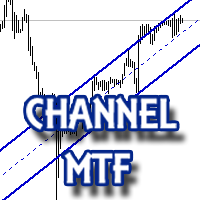
The multitime frame channel indicator in automatic mode provides a visual display of support and resistance lines.
It will be useful to all traders who use technical analysis in their work. The indicator can be used as a standalone market analysis tool, or as part of a trading strategy.
Settings
TimeFrame - timeframe to build the channel; Line color - The color of the channel lines; Mark the intersection? - Mark with a marker the price crossing the channel borders?
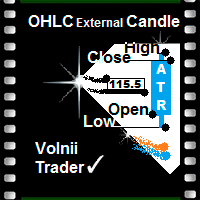
Open High Low Close Внешняя Свеча
Индикатор внешних свечей наложенных на график с выбранными вами тайм фреймом.
Наглядно отображаете уровни OHLC и пройденное значение ATR текущей свечи и свечей в истории.
OHLC — аббревиатура, дословно расшифровывается как:
O — open (цена открытия интервала (бара или японской свечи)).
H — high (максимум цены интервала).
L — low (минимум цены интервала).
C — close (цена закрытия интервала).
Данный индикатор наглядно покажет трейдеру, уровень открытия, закрыт
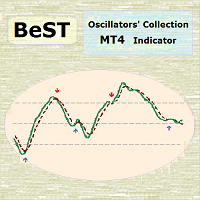
BeST Oscillators Collection is a Composite MT4 Indicator including the Chaikin,Chande and TRIX Oscillators which by default are contained in MT5 but not in MT4 platform. It also provides the option of displaying or not a Mov. Avg. as a Signal Line and the resulting Signals as Arrows in a Normal (all arrows) or in a Reverse Mode (without showing up any resulting successive and of same type arrows). Analytically for each one of the specific Oscillators: The Chaikin Oscillator ( CHO ) is
FREE
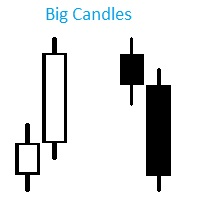
Индикатор Big Candles показывает кратное превышение размера свечи относительно среднего показателя рассчитанного за определенный период. Индикатор отмечает размер свечи на графике в пипсах и сигнализирует о появлении “большой” свечи. Описание параметров: HistoryBars - Количество баров для отображения индикатора countN - Период расчета среднего размера свечи f actor - Во сколько раз длина свечи превышает средннее значение, для отображения сигнала

Tiger Grid EA is an expert advisor using trading strategy which has been developed by using machine learning concepts. It has passed 14 years of backtest of real tick data and real variable spread (with commission) from 2004 to 2018. The entries are usually accurate and in case if the trend signal has a delay the positions will be managed by a smart grid system. This system uses a grid of orders which increases lot size. A new order is added into the grid only if the EA notice a potential reve
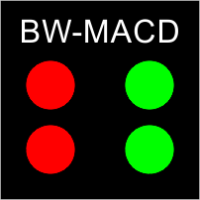
This indicator mostly inspired from BW-ZoneTrade custom indicator from MT5. How To Use:
BUY when both dots colored Green. SELL when both dots colored Red. In addition to original one, MACD-OsMA-generated signal also can be drawn. Input Description:
MA_period_short: Faster EMA period for MACD. Applied when drawMACD is true. MA_period_long: Slower EMA period for MACD. Applied when drawMACD is true. MACDperiod: MA period for MACD. Applied when drawMACD is true. drawMACD: When true, draw an additi
FREE

CyberTrend is a fully automatic Expert Advisor based on advanced algorithms for short term trend prediction. This EA uses several custom made indicators combined with candles prediction that helps to achieve a very high-rate of winning trades. This EA successfully passed long term back-test with real tick data (accuracy 99.9 %), variable spread, real commision and swap. CyberTrend is also fully adjustable by user. Please read the blog to get more information about FAQ and settings parameters.

A very fast way to save your chart template.
Set the keyboard shortcut to further speed up the operation.
The script allows you to save a template with a specific prefix, with the current date or with the chart timeframe. The symbol is saved automatically. Script parameters: Prefix - prefix for the template name. Can be empty. With date - true = template name will containt current date With timeframe - true = template name will containt timeframe of the current chart
FREE

Polar Bear – полностью автоматизированный советник с использованием сеточного алгоритма. Стратегия советника основана на анализе действия цены. Не использует индикаторы или дополнительные фильтры. Рекомендованный период - "H1". Рекомендованная валютная пара "EURUSD". Параметры onStoploss - устанавливает стоплосс (уровень определяет автоматически); onTakeProfit - устанавливает тейкпрофит (уровень определяет автоматически); StopsOff - удаляет стопы если в сетке открыты более двух ордеров; Leve
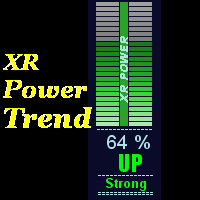
This indicator displays XR Power Trend movement.Indicator displays Moving Average period 5,Moving Average period 26,Moving Average period 52,Commodity Channel Index,MACD,Average Directional Movement Index,Bulls Power,Bears Power,Stochastic Oscillator,Relative Strength Index,Force Index,Momentum,DeMarker,average movement.Indicators period is standard period.
Features X - move the trend left and right. Y - move the trend up and down.
How to understand the status: If the Trend color is green, t
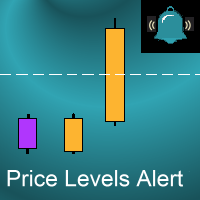
Introduction
This indicator alerts you when certain price levels are reached. The alert can be on an intrabar basis or on a closing price basis. It will also send alerts when one forms, including via e-mail or push notification to your phone . It's ideal for when you want to be notified of a price level being reached but don't want to have to sit in front of your chart all day.
Input Parameters
DoAlert: if set to true a desktop pop-up alert will appear from your MetaTrader terminal when the
MetaTraderマーケットは自動売買ロボットとテクニカル指標を販売するための最もいい場所です。
魅力的なデザインと説明を備えたMetaTraderプラットフォーム用アプリを開発するだけでいいのです。マーケットでプロダクトをパブリッシュして何百万ものMetaTraderユーザーに提供する方法をご覧ください。

取引の機会を逃しています。
- 無料取引アプリ
- 8千を超えるシグナルをコピー
- 金融ニュースで金融マーケットを探索