Vladislav Andruschenko / Profilo
- Informazioni
|
14+ anni
esperienza
|
44
prodotti
|
2338
versioni demo
|
|
93
lavori
|
0
segnali
|
0
iscritti
|
Sono Vladislav, sviluppatore professionale MQL4/MQL5. Dal 2007 creo strumenti per MetaTrader.
Expforex sviluppa soluzioni pratiche di trading per MetaTrader 4 e MetaTrader 5:
Expert Advisor, pannelli di trading, copiatori di operazioni, strumenti di controllo del rischio, report del conto, strumenti di test e sistemi di automazione.
✅ Sviluppo per MetaTrader dal 2007
✅ Strumenti per MT4 e MT5
✅ Documentazione, video guide e supporto ai prodotti
✅ Utility professionali per trader, sviluppatori e gestori di conti
━━━━━━━━━━━━━━━━━━━━
⭐ VirtualTradePad PRO SE — Area di lavoro premium per il trading su MetaTrader
Pannello professionale per il trading manuale su MT4 e MT5 con controllo dal grafico, gestione delle posizioni, strumenti per gli ordini, chiusura parziale, mediazione, area segnali, preparazione ai test e moduli di trading avanzati.
https://expforex.com/it/vtpprosehero/
━━━━━━━━━━━━━━━━━━━━
🌐 Sito ufficiale Expforex
https://www.expforex.com/it/
🚀 Hub completo dei prodotti Expforex
https://www.mql5.com/it/blogs/post/760826
🛒 Tutti i prodotti su MQL5 Market
https://www.mql5.com/it/users/vladon/seller#products
📘 Tutte le guide MQL5
https://www.mql5.com/it/users/vladon/blog
━━━━━━━━━━━━━━━━━━━━
💬 Domande, idee o hai bisogno di aiuto?
Consiglio sempre di iniziare dalla guida completa e dalla documentazione del prodotto. La maggior parte delle risposte, degli esempi di configurazione e dei dettagli importanti è già spiegata lì.
Se hai bisogno di assistenza personale per un prodotto, scrivi la tua domanda nella sezione Comments della pagina esatta del prodotto che stai utilizzando. In questo modo è più facile verificare la versione del prodotto, le impostazioni, gli screenshot e i log, e fornire una risposta più precisa.
I tuoi feedback, le tue idee e i tuoi scenari reali di trading aiutano anche a migliorare i prodotti Expforex.
━━━━━━━━━━━━━━━━━━━━
🔗 Link social
📢 Canale MQL5
https://www.mql5.com/it/channels/expforex
▶️ YouTube
https://www.youtube.com/Expforex
https://www.facebook.com/ExpForex/
𝕏 X / Twitter
https://x.com/expforex
🎵 TikTok
https://www.tiktok.com/@expforex
📧 Contatto
https://expforex.com/it/contacts/
===========================================================================================================
💛💛💛💛💛💛💛💛💛💛💛💛💛💛💛💛💛💛
THE XCUSTOMEA universal trading adviser on custom indicators for MetaTrader
💎 THE XCUSTOMEA MT4: https://www.mql5.com/en/market/product/32115
💎 THE XCUSTOMEA MT5: https://www.mql5.com/en/market/product/32116
↔️↔️↔️ FULL GUIDE for THE XCUSTOMEA : https://www.mql5.com/en/blogs/post/721838
↔️↔️↔️ FULL GUIDE for THE XCUSTOMEA : https://www.expforex.com/publ/11-1-0-207
↔️↔️↔️ FULL GUIDE for THE XCUSTOMEA : Testing and Optimization : https://www.expforex.com/publ/11-1-0-197
↔️↔️↔️ Descriptions of settings and inputs: https://www.mql5.com/en/blogs/post/745231
===========================================================================================================
--Global update of The xCustomEA!
In the block for selecting the type of signal / filter SignalTypeIndicator / FilterTypeIndicator:
Added signals and filters for standard indicators from our Expert Advisor The X!
$$$ THE X MT4: https://www.mql5.com/en/market/product/11536
$$$ THE X MT5: https://www.mql5.com/en/market/product/1230
All 20 standard signals and filters have been added as the main signal / Filter / Signal to close positions!
You can use the standard indicator signals and filters from our The X along with your custom indicator signals.
This means that you can filter custom indicator signals from the market or the Internet using our standard filters.
And also use our standard strategies from The X as the main signal and apply a custom indicator as a filter!
A description of each signal and filter can be found in the user manual for The X: https://www.mql5.com/en/blogs/post/680043
Attention: when you select Standard Indicators, the SignalNameIndicator / SIGNALStrategyInputs / SignalBuferforBUY / SignalBuferforSELL fields do not work!
Attention: when you select Standard Indicators, the FilterNameIndicator / FilterStrategyInputs / FilterBuferforBUY / FilterBuferforSELL fields do not work!
💎 TICKSNIPER MT4: https://www.mql5.com/ru/market/product/1287
💎 TICKSNIPER MT5: https://www.mql5.com/ru/market/product/3493
↔️↔️↔️ Полная инструкция и руководство пользователя TICKSNIPER : https://www.mql5.com/ru/blogs/post/681144
↔️↔️↔️ Полная инструкция и руководство пользователя TICKSNIPER : https://www.expforex.com/publ/4-1-0-168
TickSniper per MetaTrader 5 — scalper ad alta velocità con adattamento automatico dei parametri Un Expert Advisor completamente automatico, progettato per adattare la propria logica operativa allo strumento corrente senza richiedere configurazioni manuali complesse. TickSniper per MetaTrader 5 è stato creato per i trader che cercano un sistema veloce, intelligente e quasi pronto all’uso, senza dover ottimizzare manualmente decine di parametri per ogni coppia di valute. L’Expert Advisor analizza
The xCustomEA per MetaTrader 4 — Expert Advisor universale per indicatori personalizzati Trasforma praticamente qualsiasi indicatore personalizzato in una strategia di trading automatizzata. The xCustomEA per MetaTrader 4 è un Expert Advisor universale progettato per ricevere segnali dai tuoi indicatori personalizzati ed eseguire operazioni secondo la logica che definisci. È sufficiente indicare il nome dell’indicatore, i buffer di segnale e i parametri principali, e l’EA utilizzerà questi dati
💎 COPYLOT MT4: https://www.mql5.com/ru/market/product/6226 💎 COPYLOT MT5: https://www.mql5.com/ru/market/product/11953 ↔️↔️↔️ Полная инструкция и руководство пользователя COPYLOT : https://www.mql5.com/ru/blogs/post/684302 ↔️↔️↔️ Полная инструкция и руководство пользователя COPYLOT : https://www.expforex.com/publ/4-1-0-165
Copiatore professionale di operazioni per MetaTrader 4 Un copiatore di operazioni veloce, affidabile e professionale per MetaTrader 4 . COPYLOT consente di copiare operazioni Forex tra i terminali MetaTrader 4 e MetaTrader 5 , offrendo una sincronizzazione flessibile per diversi tipi di conto e modalità operative. La versione COPYLOT MT4 supporta: MetaTrader 4 → MetaTrader 4 MetaTrader 5 Hedge → MetaTrader 4 MetaTrader 5 Netting → MetaTrader 4 Versione MT5 Descrizione completa + DEMO +
THE X AND XCUSTOMEA DESCRIPTIONS OF SETTINGS AND EXTERNAL VARIABLES
https://www.mql5.com/ru/market/product/32116#!tab=comments&page=11&comment=23563494
===========================================================================================================
💛💛💛💛💛💛💛💛💛💛💛💛💛💛💛💛💛💛
The X universal automatic Expert Advisor for MetaTrader working on standard indicators.
💎 THE X MT4: https://www.mql5.com/en/market/product/11536
💎 THE X MT5: https://www.mql5.com/en/market/product/1230
↔️↔️↔️ FULL GUIDE for The X : https://www.mql5.com/en/blogs/post/680043
↔️↔️↔️ FULL GUIDE for The X : https://www.expforex.com/publ/11-1-0-202
↔️↔️↔️ FULL GUIDE for The X: Testing and Optimization : https://www.expforex.com/publ/11-1-0-197
===========================================================================================================
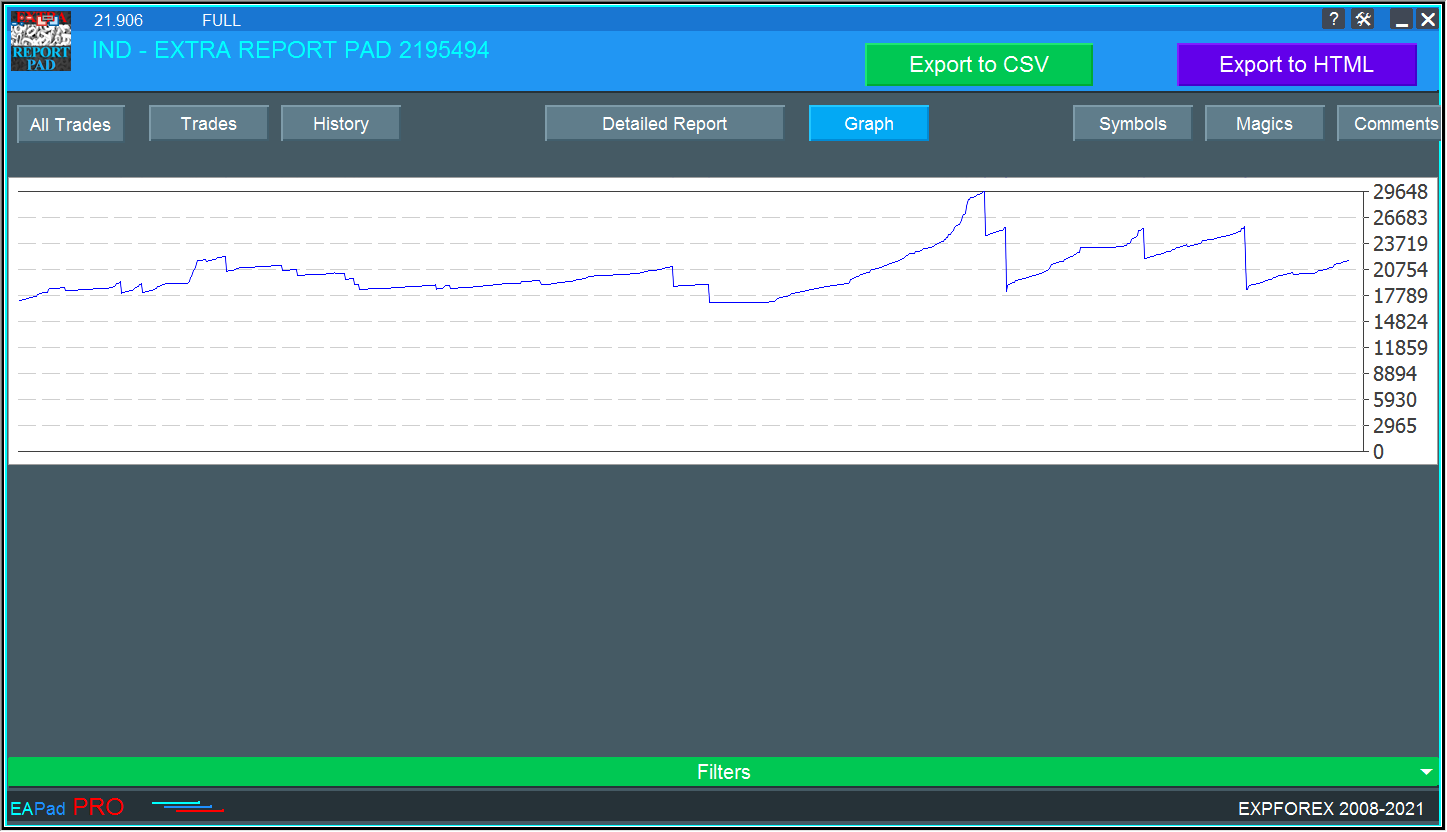
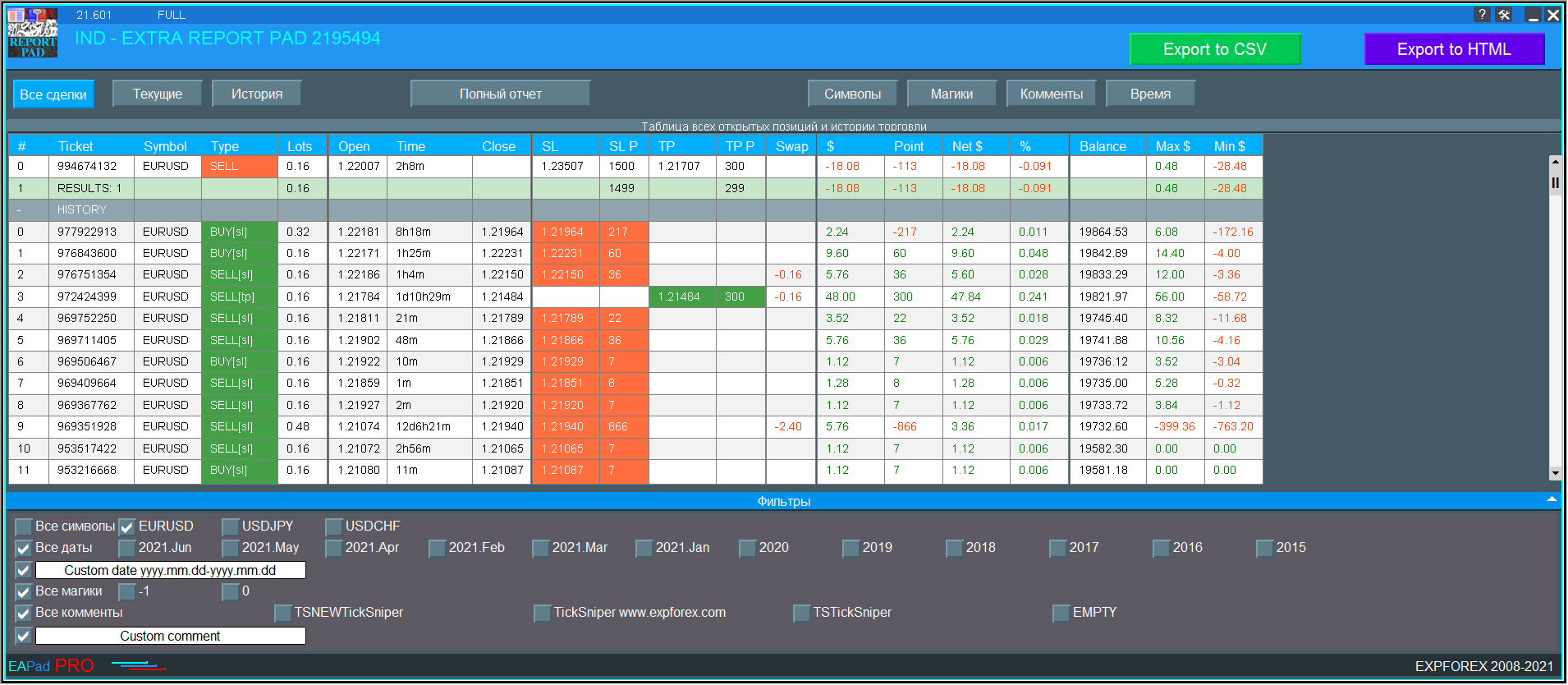
Professional account report FREE
🔹 ExtraReportPad MT4: https://www.mql5.com/en/market/product/15056
🔹 ExtraReportPad MT5: https://www.mql5.com/en/market/product/36730
↔️↔️↔️FULL GUIDE for ExtraReportPad : https://www.mql5.com/en/blogs/post/688893
↔️↔️↔️FULL GUIDE for ExtraReportPad : https://www.expforex.com/publ/11-1-0-185
В связи с новыми правилами публикации экспертов в Маркете MQL5 , мы вынуждены удалить все демо версии всех продуктов!
Приносим извинения за неудобства
Вы можете скачать демо версии с нашего сайта в обычном режиме.
💟💟💟💟💟💟💟💟💟💟💟💟💟💟💟💟💟💟💟💟💟💟
WebSite : https://www.expforex.com/
💟💟💟💟💟💟💟💟💟💟💟💟💟💟💟💟💟💟💟💟💟💟
Профессиональный отчет вашего счета БЕСПЛАТНО
💎 ExtraReportPad MT4: https://www.mql5.com/ru/market/product/15056
💎 ExtraReportPad MT5: https://www.mql5.com/ru/market/product/36730
↔️↔️↔️ Полная инструкция и руководство пользователя ExtraReportPad : https://www.mql5.com/ru/blogs/post/664944
↔️↔️↔️ Полная инструкция и руководство пользователя ExtraReportPad : https://www.expforex.com/publ/4-1-0-152
=====================================================================================================
===========================================================================================================
💛💛💛💛💛💛💛💛💛💛💛💛💛💛💛💛💛💛
The X universal automatic Expert Advisor for MetaTrader working on standard indicators.
💎 THE X MT4: https://www.mql5.com/en/market/product/11536
💎 THE X MT5: https://www.mql5.com/en/market/product/1230
↔️↔️↔️ FULL GUIDE for The X : https://www.mql5.com/en/blogs/post/680043
↔️↔️↔️ FULL GUIDE for The X : https://www.expforex.com/publ/11-1-0-202
↔️↔️↔️ FULL GUIDE for The X: Testing and Optimization : https://www.expforex.com/publ/11-1-0-197
===========================================================================================================
💛💛💛💛💛💛💛💛💛💛💛💛💛💛💛💛💛💛
THE XCUSTOMEA universal trading adviser on custom indicators for MetaTrader
💎 THE XCUSTOMEA MT4: https://www.mql5.com/en/market/product/32115
💎 THE XCUSTOMEA MT5: https://www.mql5.com/en/market/product/32116
↔️↔️↔️ FULL GUIDE for THE XCUSTOMEA : https://www.mql5.com/en/blogs/post/721838
↔️↔️↔️ FULL GUIDE for THE XCUSTOMEA : https://www.expforex.com/publ/11-1-0-207
===========================================================================================================
💟💟💟💟💟💟💟💟💟💟💟💟💟💟💟💟💟💟💟💟💟💟 All my program: https://www.mql5.com/en/users/vladon/seller#products 💟💟💟💟💟💟💟💟💟💟💟💟💟💟💟💟💟💟💟💟💟💟
EA può chiudere posizioni non redditizie cercando e chiudendo posizioni redditizie . Questo assistente cerca , tra tutte le posizioni, quella meno redditizia nel terminale. Inoltre, ricercando le restanti posizioni redditizie, calcola una serie di posizioni che possono coprire la perdita quando il profitto di una o più posizioni è maggiore della perdita di un'altra posizione. Se viene trovata una serie di tali posizioni, il consulente le chiude
In this challenging period of life on our earth, I want to wish you STRONG HEALTH! In February 2020, I had a business trip to Europe, and, unfortunately, I got at a time when the whole world began to close frontier, the pandemic of the virus, panic, health problems!
I saw it all with my own eyes. At this moment, I recommend that you remain calm and treat this situation with understanding!
Quarantine was created so as not to spread the virus and not infect others. Please: Stay home!
Enjoy a homely atmosphere with your family, pay attention to the children, do your homework.
ExtraReportPad MT4: https://www.mql5.com/en/market/product/15056
ExtraReportPad MT5: https://www.mql5.com/en/market/product/36730
FULL GUIDE for ExtraReportPad : https://www.mql5.com/en/blogs/post/688893
If your downloaded product does not start and you see error 'Global initialization error'
(check Journal in your MetaTrader),
please delete the file and re-download it from the Market.
In your MetaTrader terminal, go to Market \ Purchased.
In recent versions, I added a MessageBox that warns the user that he has installed the advisor on 2 charts at the same time.
This MessageBox may slow down copying after restarting the terminal.
Please update your versions of the copier. COPYLOT Trade Copier between terminals COPYLOT MT4: https://www.mql5.com/en/market/product/6226 COPYLOT MT5: https://www.mql5.com/en/market/product/11953