Vladislav Andruschenko / Profilo
- Informazioni
|
14+ anni
esperienza
|
44
prodotti
|
2338
versioni demo
|
|
93
lavori
|
0
segnali
|
0
iscritti
|
👋 Benvenuto in Expforex
Sono Vladislav, sviluppatore professionale MQL4/MQL5. Dal 2007 creo strumenti per MetaTrader.
Expforex sviluppa soluzioni pratiche di trading per MetaTrader 4 e MetaTrader 5:
Expert Advisor, pannelli di trading, copiatori di operazioni, strumenti di controllo del rischio, report del conto, strumenti di test e sistemi di automazione.
✅ Sviluppo per MetaTrader dal 2007
✅ Strumenti per MT4 e MT5
✅ Documentazione, video guide e supporto ai prodotti
✅ Utility professionali per trader, sviluppatori e gestori di conti
━━━━━━━━━━━━━━━━━━━━
⭐ VirtualTradePad PRO SE — Area di lavoro premium per il trading su MetaTrader
Pannello professionale per il trading manuale su MT4 e MT5 con controllo dal grafico, gestione delle posizioni, strumenti per gli ordini, chiusura parziale, mediazione, area segnali, preparazione ai test e moduli di trading avanzati.
https://expforex.com/it/vtpprosehero/
━━━━━━━━━━━━━━━━━━━━
🌐 Sito ufficiale Expforex
https://www.expforex.com/it/
🚀 Hub completo dei prodotti Expforex
https://www.mql5.com/it/blogs/post/760826
🛒 Tutti i prodotti su MQL5 Market
https://www.mql5.com/it/users/vladon/seller#products
📘 Tutte le guide MQL5
https://www.mql5.com/it/users/vladon/blog
━━━━━━━━━━━━━━━━━━━━
💬 Domande, idee o hai bisogno di aiuto?
Consiglio sempre di iniziare dalla guida completa e dalla documentazione del prodotto. La maggior parte delle risposte, degli esempi di configurazione e dei dettagli importanti è già spiegata lì.
Se hai bisogno di assistenza personale per un prodotto, scrivi la tua domanda nella sezione Comments della pagina esatta del prodotto che stai utilizzando. In questo modo è più facile verificare la versione del prodotto, le impostazioni, gli screenshot e i log, e fornire una risposta più precisa.
I tuoi feedback, le tue idee e i tuoi scenari reali di trading aiutano anche a migliorare i prodotti Expforex.
━━━━━━━━━━━━━━━━━━━━
🔗 Link social
📢 Canale MQL5
https://www.mql5.com/it/channels/expforex
▶️ YouTube
https://www.youtube.com/Expforex
📘 Facebook
https://www.facebook.com/ExpForex/
𝕏 X / Twitter
https://x.com/expforex
🎵 TikTok
https://www.tiktok.com/@expforex
📧 Contatto
https://expforex.com/it/contacts/
Sono Vladislav, sviluppatore professionale MQL4/MQL5. Dal 2007 creo strumenti per MetaTrader.
Expforex sviluppa soluzioni pratiche di trading per MetaTrader 4 e MetaTrader 5:
Expert Advisor, pannelli di trading, copiatori di operazioni, strumenti di controllo del rischio, report del conto, strumenti di test e sistemi di automazione.
✅ Sviluppo per MetaTrader dal 2007
✅ Strumenti per MT4 e MT5
✅ Documentazione, video guide e supporto ai prodotti
✅ Utility professionali per trader, sviluppatori e gestori di conti
━━━━━━━━━━━━━━━━━━━━
⭐ VirtualTradePad PRO SE — Area di lavoro premium per il trading su MetaTrader
Pannello professionale per il trading manuale su MT4 e MT5 con controllo dal grafico, gestione delle posizioni, strumenti per gli ordini, chiusura parziale, mediazione, area segnali, preparazione ai test e moduli di trading avanzati.
https://expforex.com/it/vtpprosehero/
━━━━━━━━━━━━━━━━━━━━
🌐 Sito ufficiale Expforex
https://www.expforex.com/it/
🚀 Hub completo dei prodotti Expforex
https://www.mql5.com/it/blogs/post/760826
🛒 Tutti i prodotti su MQL5 Market
https://www.mql5.com/it/users/vladon/seller#products
📘 Tutte le guide MQL5
https://www.mql5.com/it/users/vladon/blog
━━━━━━━━━━━━━━━━━━━━
💬 Domande, idee o hai bisogno di aiuto?
Consiglio sempre di iniziare dalla guida completa e dalla documentazione del prodotto. La maggior parte delle risposte, degli esempi di configurazione e dei dettagli importanti è già spiegata lì.
Se hai bisogno di assistenza personale per un prodotto, scrivi la tua domanda nella sezione Comments della pagina esatta del prodotto che stai utilizzando. In questo modo è più facile verificare la versione del prodotto, le impostazioni, gli screenshot e i log, e fornire una risposta più precisa.
I tuoi feedback, le tue idee e i tuoi scenari reali di trading aiutano anche a migliorare i prodotti Expforex.
━━━━━━━━━━━━━━━━━━━━
🔗 Link social
📢 Canale MQL5
https://www.mql5.com/it/channels/expforex
▶️ YouTube
https://www.youtube.com/Expforex
https://www.facebook.com/ExpForex/
𝕏 X / Twitter
https://x.com/expforex
🎵 TikTok
https://www.tiktok.com/@expforex
📧 Contatto
https://expforex.com/it/contacts/
Amici
5831
Richieste
In uscita
Vladislav Andruschenko
Друзья. Плохо себя чувствую. Заболел. Пока не могу выставлять продукты. Как только восстановлю, я продолжу.
Прошу извинить. Friends.
Hello. Sorry I'm sick. Therefore, I do not temporarily display my products. As soon as I recover I will continue
'm sorry Вы можете установить любой советник из терминала, вкладка маркет, покупки:
?МАРКЕТ MQL5.COM: КАК установить советник из терминала и РЕШЕНИЕ ПРОБЛЕМ: https://www.mql5.com/ru/blogs/post/674860 Все мои инструкции и полные руководства в моем блоке
https://www.mql5.com/ru/users/vladon/blog
Прошу извинить. Friends.
Hello. Sorry I'm sick. Therefore, I do not temporarily display my products. As soon as I recover I will continue
'm sorry Вы можете установить любой советник из терминала, вкладка маркет, покупки:
?МАРКЕТ MQL5.COM: КАК установить советник из терминала и РЕШЕНИЕ ПРОБЛЕМ: https://www.mql5.com/ru/blogs/post/674860 Все мои инструкции и полные руководства в моем блоке
https://www.mql5.com/ru/users/vladon/blog
Vladislav Andruschenko
Automatic scalper, Smart Robot:
💰 TICKSNIPER: MT4: https://www.mql5.com/en/market/product/1287
💰 TICKSNIPER: MT5: https://www.mql5.com/en/market/product/3493
💰 TICKSNIPER: MT4: https://www.mql5.com/en/market/product/1287
💰 TICKSNIPER: MT5: https://www.mql5.com/en/market/product/3493
Vladislav Andruschenko
Дорогие друзья.
Мы много работаем , поэтому нам нужен отдых.
Маленький отпуск освежает мозги и открывает новые идеи для реализации.
Приносим извинения за временную задержку с технической поддержкой.
Большая просьба, писать свои вопросы по моим программам на страницу программы в раздел обсуждения. Это решает проблемы с переводом и публикацией файлов.
Спасибо за понимание.
Dear friends.
We work a lot, so we need a rest.
A little vacation refreshes brains and opens up new ideas for implementation.
We apologize for the time delay with technical support.
A big request to write your questions about my programs on the program page in the discussion section. This solves problems with the translation and publication of files.
Thank you for understanding.
Мы много работаем , поэтому нам нужен отдых.
Маленький отпуск освежает мозги и открывает новые идеи для реализации.
Приносим извинения за временную задержку с технической поддержкой.
Большая просьба, писать свои вопросы по моим программам на страницу программы в раздел обсуждения. Это решает проблемы с переводом и публикацией файлов.
Спасибо за понимание.
Dear friends.
We work a lot, so we need a rest.
A little vacation refreshes brains and opens up new ideas for implementation.
We apologize for the time delay with technical support.
A big request to write your questions about my programs on the program page in the discussion section. This solves problems with the translation and publication of files.
Thank you for understanding.
Vladislav Andruschenko
Copy of transactions and positions between terminals:
🔛 COPYLOT: MT4: https://www.mql5.com/en/market/product/6226
🔛 COPYLOT: MT5: https://www.mql5.com/en/market/product/11953
Copylot MetaTrader 5:
Бета тестирование: Добавлена возможность копировать отложенные ордера (PendingOrdersCopy).
Внимание: Отложенные ордера можно копировать только с счета, типа ХЕДЖ.
Внимание: Функция PendingOrdersCopy по умолчанию отключена!
Если Вы обнаружили ошибку ,просьба сообщить нам в разделе обсуждения с прикреплением полных лог файлов и описанием Ваших действий.
Спасибо за понимание.
Copylot MetaTrader 5:
Beta testing: Added the ability to copy pending orders (PendingOrdersCopy ).
Note: Pending orders can be copied only from an account HEDGE.
Note: PendingOrdersCopy is disabled by default!
If you find an error, please let us know in the discussion section with the attachment of full log files and a description of your actions.
Thank you for understanding.
🔛 COPYLOT: MT4: https://www.mql5.com/en/market/product/6226
🔛 COPYLOT: MT5: https://www.mql5.com/en/market/product/11953
Copylot MetaTrader 5:
Бета тестирование: Добавлена возможность копировать отложенные ордера (PendingOrdersCopy).
Внимание: Отложенные ордера можно копировать только с счета, типа ХЕДЖ.
Внимание: Функция PendingOrdersCopy по умолчанию отключена!
Если Вы обнаружили ошибку ,просьба сообщить нам в разделе обсуждения с прикреплением полных лог файлов и описанием Ваших действий.
Спасибо за понимание.
Copylot MetaTrader 5:
Beta testing: Added the ability to copy pending orders (PendingOrdersCopy ).
Note: Pending orders can be copied only from an account HEDGE.
Note: PendingOrdersCopy is disabled by default!
If you find an error, please let us know in the discussion section with the attachment of full log files and a description of your actions.
Thank you for understanding.
Vladislav Andruschenko
Новое видео доступно на нашем канале.
https://youtu.be/hKIs_T19rAk
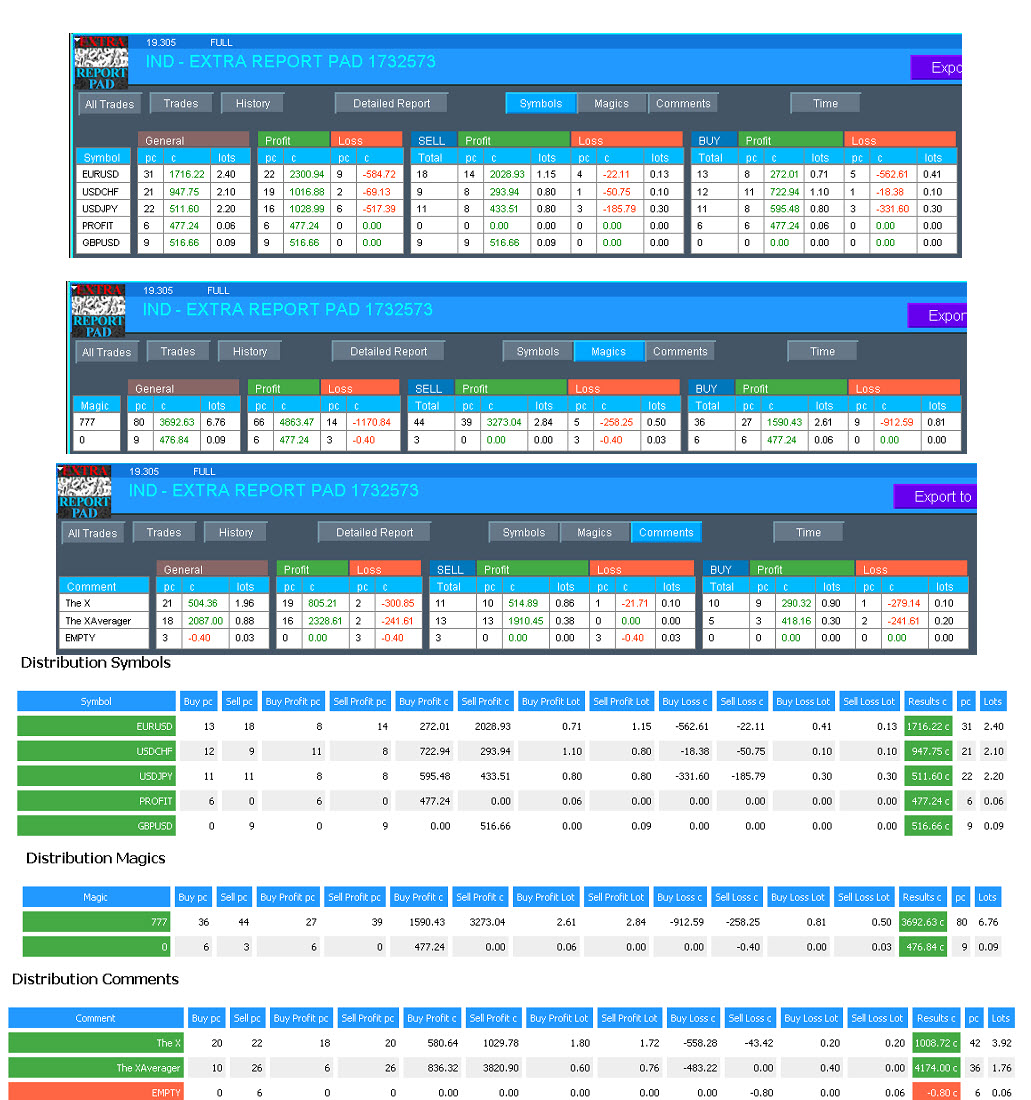
Профессиональный отчет вашего счета БЕСПЛАТНО
📖 ExtraReportPad MT4: https://www.mql5.com/ru/market/product/15056
📖 ExtraReportPad MT5: https://www.mql5.com/ru/market/product/36730
https://youtu.be/hKIs_T19rAk
Профессиональный отчет вашего счета БЕСПЛАТНО
📖 ExtraReportPad MT4: https://www.mql5.com/ru/market/product/15056
📖 ExtraReportPad MT5: https://www.mql5.com/ru/market/product/36730
Vladislav Andruschenko
Prodotto pubblicato
Traders Diary: questo è un pannello di statistiche che fornisce l'analisi del tuo conto di trading per MetaTrader 5. I risultati dell'analisi vengono visualizzati sul grafico in tempo reale. Il trading multivaluta è molto popolare. Versione MT4 Descrizione completa +PDF Come comprare Come installare Come ottenere i file di registro Come testare e ottimizzare Tutti i prodotti di Expforex Tuttavia, maggiore è la quantità di operazioni, più difficile è
Vladislav Andruschenko
Professional account report FREE
📖 ExtraReportPad https://www.mql5.com/en/market/product/15056
Vladislav Andruschenko
Mostra tutti i commenti (4)
Vladislav Andruschenko
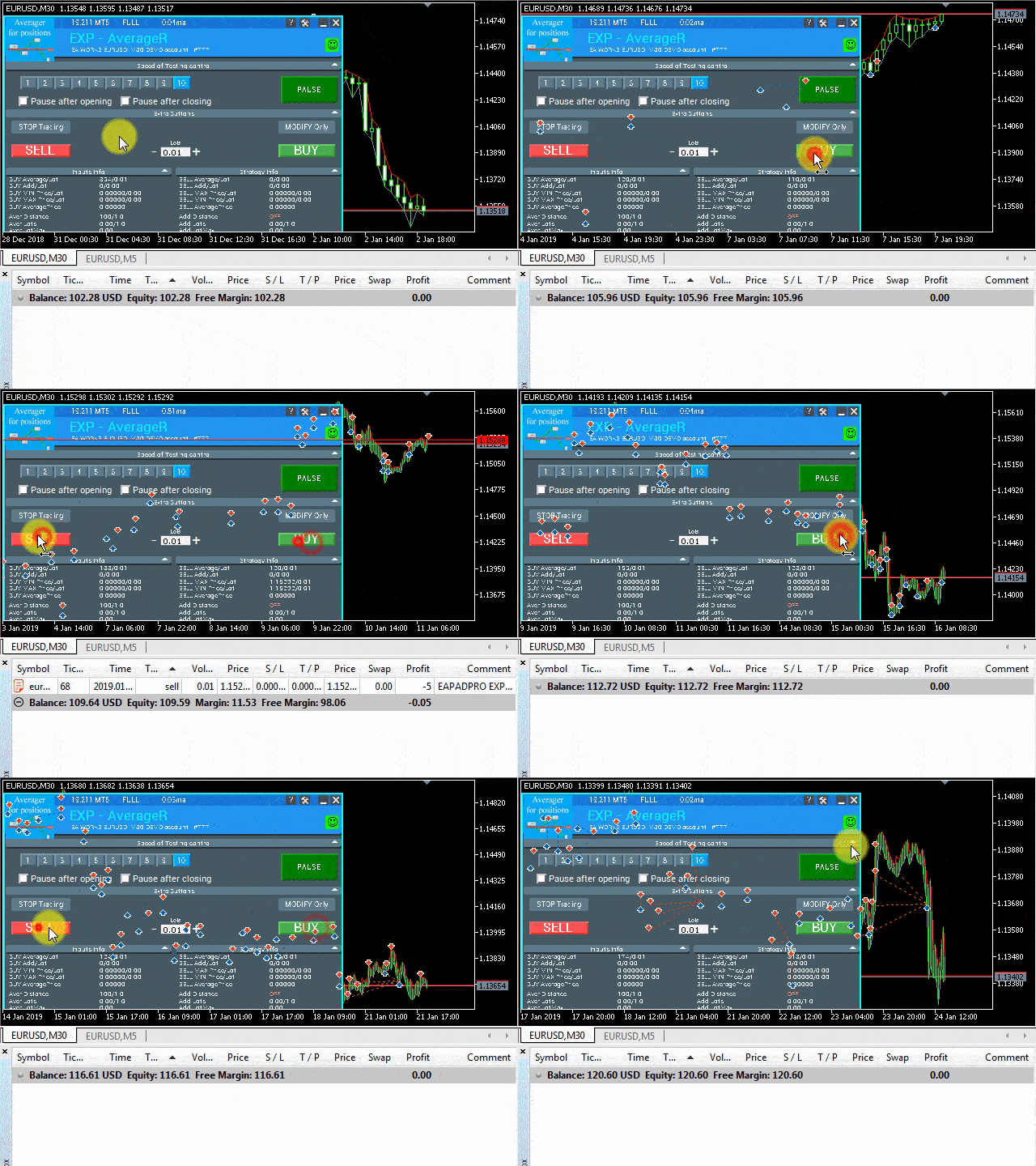
Усреднитель, сетка, дополнительное открытие позиций по Тренду и против Тренда:
Averager, grid, additional opening of positions on Trend and against Trend:
➕ Averager: МТ4: https://www.mql5.com/ru/market/product/1289
➕ Averager: МТ5: https://www.mql5.com/ru/market/product/1112
Averager, grid, additional opening of positions on Trend and against Trend:
➕ Averager: МТ4: https://www.mql5.com/ru/market/product/1289
➕ Averager: МТ5: https://www.mql5.com/ru/market/product/1112
Vladislav Andruschenko
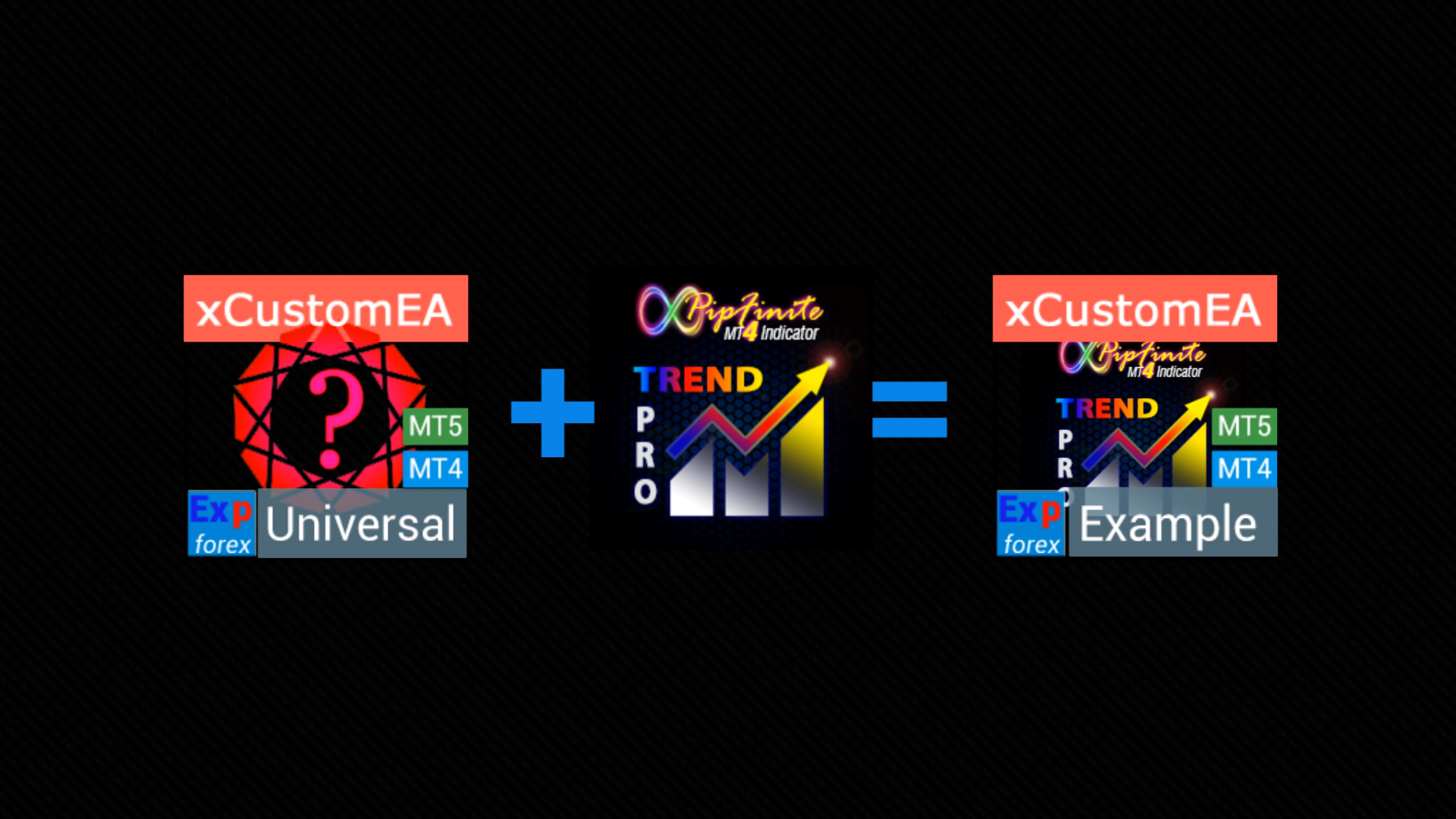
добавил видео пример работы с индикатором и создание советника по индикатору PipFinite Trend Pro:
📹 https://www.youtube.com/watch?v=17qRLxQ-ylM
🆕 The xCustomEA MetaTrader 4: https://www.mql5.com/ru/market/product/32115
🆕 The xCustomEA MetaTrader 5: https://www.mql5.com/ru/market/product/32116
📹 https://www.youtube.com/watch?v=17qRLxQ-ylM
🆕 The xCustomEA MetaTrader 4: https://www.mql5.com/ru/market/product/32115
🆕 The xCustomEA MetaTrader 5: https://www.mql5.com/ru/market/product/32116
Vladislav Andruschenko
Hai lasciato un feedback al cliente per il lavoro Automatic trading robot
Thanks for the work. Everything is fast and high quality!
Vladislav Andruschenko
Averager, grid, additional opening of positions on Trend and against Trend:
➕ Averager: MT4: https://www.mql5.com/en/market/product/1289
➕ Averager: MT5: https://www.mql5.com/en/market/product/1112
- Добавлен мультимагик:
MagicNumber Магический номер позиций (сделок) для сопровождения и учета.
MagicNumber Магические номера можно указать через запятую:
0 - ордера открытый вручную;
123,345,147 - все позиции с MagicNumber номерами 123,345,147;
-1 - все MagicNumber, без исключения.
- Добавлены новые переменные:
CloseAveragingAfterCloseMainDeals - Закрывать позиции усреднения (открытые против тренда), когда главные позиции были закрыты.
Функция будет закрывать позиции усреднения только тогда, когда все главные позиции (по текущему символу и магическому номеру) будут закрыты!
Внимание: Новая функция работает отдельно для направлений BUY и SELL !
CloseAdditionalAfterCloseMainDeals - Закрывать позиции дополнительного открытия (открытые по тренду), когда главные позиции были закрыты.
Функция будет закрывать позиции дополнительного открытия только тогда, когда все главные позиции (по текущему символу и магическому номеру) будут закрыты!
Внимание: Новая функция работает отдельно для направлений BUY и SELL !
DistanceDifferent/ADDITIONALDistanceDifferent: Дистанция новых позиций усреднения (против тренда) или дополнительного открытия (по тренду), заданных через запятую!
Вы можете указать нужные значения дистанции в формате xx,yy,zz,aa
где:
xx - Дистанция в пунктах для открытия первой позиции усреднения / дополнительного открытия;
yy - Дистанция в пунктах для открытия второй позиции усреднения / дополнительного открытия;
zz - Дистанция в пунктах для открытия третей позиции усреднения / дополнительного открытия;
aa - Дистанция в пунктах для открытия четвертой и остальных позиций усреднения / дополнительного открытия;
Вы можете задать любое количество дистанций.
- Added multi magic:
MagicNumber Magic number of positions (transactions) for tracking and accounting.
MagicNumber Magic numbers can be specified separated by commas:
0 - orders opened manually;
123,345,147 - all positions with MagicNumber numbers 123,345,147;
-1 - all MagicNumber, without exception.
- Added new variables:
CloseAveragingAfterCloseMainDeals - Close averaging positions (open against the trend) when the main positions are closed.
The function will close the averaging positions only when all the main positions (according to the current symbol and magic number) are closed!
Attention: The new function works separately for the BUY and SELL directions!
CloseAdditionalAfterCloseMainDeals - Close additional open positions (opened with the trend) when the main positions were closed.
The function will close the position of the additional opening only when all the main positions (according to the current symbol and magic number) are closed!
Attention: The new function works separately for the BUY and SELL directions!
DistanceDifferent / ADDITIONALDistanceDifferent: Distance of new positions of averaging (against the trend) or additional opening (to the trend), separated by commas!
You can specify distance values in the format xx, yy, zz, aa
Where:
xx - Distance in points for opening the first position of averaging / additional opening;
yy - distance in points for opening the second position of averaging / additional opening;
zz - Distance in points for opening the third position of averaging / additional opening;
aa - Distance in points for opening the fourth and other positions of averaging / additional opening;
You can set any number of distances.
➕ Averager: MT4: https://www.mql5.com/en/market/product/1289
➕ Averager: MT5: https://www.mql5.com/en/market/product/1112
- Добавлен мультимагик:
MagicNumber Магический номер позиций (сделок) для сопровождения и учета.
MagicNumber Магические номера можно указать через запятую:
0 - ордера открытый вручную;
123,345,147 - все позиции с MagicNumber номерами 123,345,147;
-1 - все MagicNumber, без исключения.
- Добавлены новые переменные:
CloseAveragingAfterCloseMainDeals - Закрывать позиции усреднения (открытые против тренда), когда главные позиции были закрыты.
Функция будет закрывать позиции усреднения только тогда, когда все главные позиции (по текущему символу и магическому номеру) будут закрыты!
Внимание: Новая функция работает отдельно для направлений BUY и SELL !
CloseAdditionalAfterCloseMainDeals - Закрывать позиции дополнительного открытия (открытые по тренду), когда главные позиции были закрыты.
Функция будет закрывать позиции дополнительного открытия только тогда, когда все главные позиции (по текущему символу и магическому номеру) будут закрыты!
Внимание: Новая функция работает отдельно для направлений BUY и SELL !
DistanceDifferent/ADDITIONALDistanceDifferent: Дистанция новых позиций усреднения (против тренда) или дополнительного открытия (по тренду), заданных через запятую!
Вы можете указать нужные значения дистанции в формате xx,yy,zz,aa
где:
xx - Дистанция в пунктах для открытия первой позиции усреднения / дополнительного открытия;
yy - Дистанция в пунктах для открытия второй позиции усреднения / дополнительного открытия;
zz - Дистанция в пунктах для открытия третей позиции усреднения / дополнительного открытия;
aa - Дистанция в пунктах для открытия четвертой и остальных позиций усреднения / дополнительного открытия;
Вы можете задать любое количество дистанций.
- Added multi magic:
MagicNumber Magic number of positions (transactions) for tracking and accounting.
MagicNumber Magic numbers can be specified separated by commas:
0 - orders opened manually;
123,345,147 - all positions with MagicNumber numbers 123,345,147;
-1 - all MagicNumber, without exception.
- Added new variables:
CloseAveragingAfterCloseMainDeals - Close averaging positions (open against the trend) when the main positions are closed.
The function will close the averaging positions only when all the main positions (according to the current symbol and magic number) are closed!
Attention: The new function works separately for the BUY and SELL directions!
CloseAdditionalAfterCloseMainDeals - Close additional open positions (opened with the trend) when the main positions were closed.
The function will close the position of the additional opening only when all the main positions (according to the current symbol and magic number) are closed!
Attention: The new function works separately for the BUY and SELL directions!
DistanceDifferent / ADDITIONALDistanceDifferent: Distance of new positions of averaging (against the trend) or additional opening (to the trend), separated by commas!
You can specify distance values in the format xx, yy, zz, aa
Where:
xx - Distance in points for opening the first position of averaging / additional opening;
yy - distance in points for opening the second position of averaging / additional opening;
zz - Distance in points for opening the third position of averaging / additional opening;
aa - Distance in points for opening the fourth and other positions of averaging / additional opening;
You can set any number of distances.
Vladislav Andruschenko
2308 актуально
Vladislav Andruschenko
Commento all'argomento Ошибки, баги, вопросы
Slava : Проверьте доступ к файлам hcc. Проверьте, что никто эти файлы не читает в это время. 32 - The process cannot access the file because it is being used by another process. 5 - Access is denied

Vladislav Andruschenko
Пока актуально, оставвлю в записях
Vladislav Andruschenko
Commento all'argomento Ошибки, баги, вопросы
Ошибка при смене счета с разными именами символов.: Билд 2300 Допустим: Есть счет, у которого все символы без суффикса ! например EURUSD Установили Эксперта, все ок: все работает. Далее, меняем счет

Vladislav Andruschenko
Trading panel in 1 click from the chart and keyboard
⌨️ VIRTUALTRADEPAD: MT4: https://www.mql5.com/en/market/product/2892
⌨️ VIRTUALTRADEPAD: MT5: https://www.mql5.com/en/market/product/167
Глобальное обновление 2019
- Улучшение графической части панели. Ре-дизайн отдельных элементов;
- Добавлена возможность изменять размеры панели: GeneralSize!
- GeneralSize по умолчанию = 12, Увеличение размера панели.
- Прошлый размер панели при GeneralSize = 10!
- Текстовые метки открытых позиций оптимизированы. Исправлена ошибка, когда текстовые метки рисовались поверх панели VirtualTradePad;
- В блоки Стоплосс и тейкпрофит добавлен элемент управления: Установка StopLoss/TakeProfit всех позиций/ордеров на указанный уровень на графике:
При нажатии на кнопку, у Вас появится линия уровня StopLoss/TakeProfit.
Вы можете указать цену, по которой будут модифицироваться все StopLoss/TakeProfit позиций/ордеров!
Если Вы работаете с вкладкой Positions, тогда StopLoss/TakeProfit будет установлен на позиции!
Если Вы работаете с вкладкой Orders, тогда StopLoss/TakeProfit будет установлен на отложенные ордера!
Внимание! советник может установить StopLoss/TakeProfit , только на ту цену, которая удовлетворяет правилам установки StopLoss/TakeProfit!
Global Update 2019
- Improved graphics part of the panel. Re-design of individual elements;
- Added the ability to resize the panel: GeneralSize!
- GeneralSize default = 12, Increasing the size of the panel.
- Last panel size with GeneralSize = 10!
- Text labels of open positions optimized. Fixed error when text labels were drawn on top of the VirtualTradePad panel;
- The following control has been added to the Stoploss and Take Profit blocks: Setting StopLoss / TakeProfit for all positions/orders on the instructions level on the chart:
When you click on the button, you will have a line level StopLoss / TakeProfit.
You can specify the price at which all StopLoss/TakeProfit positions/orders will be modified!
If you are working with the Positions tab, then StopLoss / TakeProfit will be set to the position!
If you are working with the Orders tab, then StopLoss / TakeProfit will be placed on pending orders!
Attention! The Expert Adviser can set StopLoss / TakeProfit, only on the price that meets the rules for setting StopLoss / TakeProfit!
⌨️ VIRTUALTRADEPAD: MT4: https://www.mql5.com/en/market/product/2892
⌨️ VIRTUALTRADEPAD: MT5: https://www.mql5.com/en/market/product/167
Глобальное обновление 2019
- Улучшение графической части панели. Ре-дизайн отдельных элементов;
- Добавлена возможность изменять размеры панели: GeneralSize!
- GeneralSize по умолчанию = 12, Увеличение размера панели.
- Прошлый размер панели при GeneralSize = 10!
- Текстовые метки открытых позиций оптимизированы. Исправлена ошибка, когда текстовые метки рисовались поверх панели VirtualTradePad;
- В блоки Стоплосс и тейкпрофит добавлен элемент управления: Установка StopLoss/TakeProfit всех позиций/ордеров на указанный уровень на графике:
При нажатии на кнопку, у Вас появится линия уровня StopLoss/TakeProfit.
Вы можете указать цену, по которой будут модифицироваться все StopLoss/TakeProfit позиций/ордеров!
Если Вы работаете с вкладкой Positions, тогда StopLoss/TakeProfit будет установлен на позиции!
Если Вы работаете с вкладкой Orders, тогда StopLoss/TakeProfit будет установлен на отложенные ордера!
Внимание! советник может установить StopLoss/TakeProfit , только на ту цену, которая удовлетворяет правилам установки StopLoss/TakeProfit!
Global Update 2019
- Improved graphics part of the panel. Re-design of individual elements;
- Added the ability to resize the panel: GeneralSize!
- GeneralSize default = 12, Increasing the size of the panel.
- Last panel size with GeneralSize = 10!
- Text labels of open positions optimized. Fixed error when text labels were drawn on top of the VirtualTradePad panel;
- The following control has been added to the Stoploss and Take Profit blocks: Setting StopLoss / TakeProfit for all positions/orders on the instructions level on the chart:
When you click on the button, you will have a line level StopLoss / TakeProfit.
You can specify the price at which all StopLoss/TakeProfit positions/orders will be modified!
If you are working with the Positions tab, then StopLoss / TakeProfit will be set to the position!
If you are working with the Orders tab, then StopLoss / TakeProfit will be placed on pending orders!
Attention! The Expert Adviser can set StopLoss / TakeProfit, only on the price that meets the rules for setting StopLoss / TakeProfit!
Vladislav Andruschenko
Добавил новое видео для Copylot
https://www.youtube.com/watch?v=nXP0hdr2a9U&feature=youtu.be
Копировщик сделок и позиций между терминалами
🔛 COPYLOT: МТ4: https://www.mql5.com/ru/market/product/6226
🔛 COPYLOT: МТ5: https://www.mql5.com/ru/market/product/11953
Надеюсь, Вам понравится!
Спасибо за просмотры и лайки!
https://www.youtube.com/watch?v=nXP0hdr2a9U&feature=youtu.be
Копировщик сделок и позиций между терминалами
🔛 COPYLOT: МТ4: https://www.mql5.com/ru/market/product/6226
🔛 COPYLOT: МТ5: https://www.mql5.com/ru/market/product/11953
Надеюсь, Вам понравится!
Спасибо за просмотры и лайки!
Vladislav Andruschenko
xCustomEA позволил мне выявить большую ошибку в индикаторе Pipfinite
Универсальный советник на пользовательских индикаторах
🆕 The xCustomEA MetaTrader 4: https://www.mql5.com/ru/market/product/32115
🆕 The xCustomEA MetaTrader 5: https://www.mql5.com/ru/market/product/32116
================================================================================
Только сейчас обнаружил, что индикатор Pipfinite врет!!!! показывает стрелку и ALERT на предыдущем баре!!!
Т.е. проверяет текущий бар - будет ли он прибыльный, и только потом ставит стрелку!!
Намучился с этим вопросом!
================================================================================
xCustomEA allowed me to reveal a big mistake in the Pipfinite indicator!
Universal Expert Advisor on Custom Indicators
🆕 The xCustomEA MetaTrader 4: https://www.mql5.com/en/market/product/32115
🆕 The xCustomEA MetaTrader 5: https://www.mql5.com/en/market/product/32116
================================================================================
Only now I realized that the Pipfinite indicator is lying !!!!
shows an arrow and ALERT on the previous bar !!!
Those. checks the current bar - whether it will be profitable, and only then puts the arrow !!
Worn out with this question!
Универсальный советник на пользовательских индикаторах
🆕 The xCustomEA MetaTrader 4: https://www.mql5.com/ru/market/product/32115
🆕 The xCustomEA MetaTrader 5: https://www.mql5.com/ru/market/product/32116
================================================================================
Только сейчас обнаружил, что индикатор Pipfinite врет!!!! показывает стрелку и ALERT на предыдущем баре!!!
Т.е. проверяет текущий бар - будет ли он прибыльный, и только потом ставит стрелку!!
Намучился с этим вопросом!
================================================================================
xCustomEA allowed me to reveal a big mistake in the Pipfinite indicator!
Universal Expert Advisor on Custom Indicators
🆕 The xCustomEA MetaTrader 4: https://www.mql5.com/en/market/product/32115
🆕 The xCustomEA MetaTrader 5: https://www.mql5.com/en/market/product/32116
================================================================================
Only now I realized that the Pipfinite indicator is lying !!!!
shows an arrow and ALERT on the previous bar !!!
Those. checks the current bar - whether it will be profitable, and only then puts the arrow !!
Worn out with this question!
: