AT24 Local Trade Copier MT4
- Utilità
-
Pravin Awari
 # Algotraders24 AI
We build trading tools for MetaTrader 5: Expert Advisors, indicators and utilities for Forex, gold, indices and crypto.
## What we do
- MetaTrader 5 Expert Advisors and indicators
- Testing, validation and risk analysis of our own products - Versione: 1.0
- Attivazioni: 5
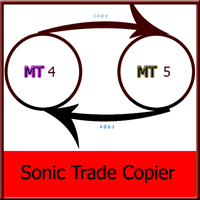
AT24 Local Trade Copier for MetaTrader 4 mirrors the open trades of one MetaTrader account onto another MetaTrader account on the same computer or VPS: MT4 to MT4, MT4 to MT5, MT5 to MT4 and MT5 to MT5 with the matching MT5 edition.
How it works
One expert with two roles. Role Master runs on the source account, reads its open orders and writes them to a small file in the terminal Common folder. It never places an order. Role Receiver runs on the destination account, reads that file and mirrors the orders. Nothing goes through a server: no DLL, no web request, no password, nothing leaves your computer. Use the same Channel name on both sides.
What is copied
- New market orders (buy and sell) with the volume scaled to your settings.
- Stop loss and take profit, including every later change.
- Partial closes and added volume. The new ticket that MT4 gives to the rest of a partly closed order is followed correctly.
- Closes.
- Lot sizing: multiplier, fixed lot or equity ratio, with a hard cap per trade.
- Reverse copy: buys become sells and the stop loss and take profit are swapped.
- Symbol mapping: strip the broker prefix or suffix of the source, add your own, or map names one by one, for example XAUUSD=GOLD.
- Filters: allowed symbols, master magic number, maximum spread, maximum slippage, maximum age of a trade that may still be copied.
- Dry run: shows what it would do without sending any order.
- A status panel on the chart with channel, master, state and counters.
- A silent or offline master never makes the receiver act.
- A file that is only half written is rejected (checksum).
- Trades that were already open when the receiver started are not copied unless you choose so.
- Copies are closed after an empty master book only after a short confirmation time.
- At most three open attempts per trade. An order with an unknown outcome is never sent blindly again.
- Only one receiver per channel acts at a time.
- Every copy has its own magic number and a tag. Your manual trades and other experts are never touched.
- Attach it to a chart of the source account with Role = Master and a channel name.
- Attach it to a chart of the destination account with Role = Receiver and the same channel name.
- Enable AutoTrading on the receiver. Start on demo accounts and try the dry run first.
- Both terminals must run on the same computer or VPS under the same Windows user, because they share the Common folder.
- An MT4 receiver needs a broker that allows hedging and has no FIFO rule. An MT5 receiver needs a hedging account.
- Pending orders are not copied, only open market orders.
- It stays idle in the Strategy Tester.
- Tested on demo accounts in both directions between MT4 and MT5: open, stop loss change, partial close and close. Not tested: netting accounts and live accounts.
- Check that your broker allows copying and hedging. Copying accounts you do not own or manage may need a licence in your country.