Donchian Trend Engine
- Indicatori
- Versione: 1.0

Donchian Trend Engine
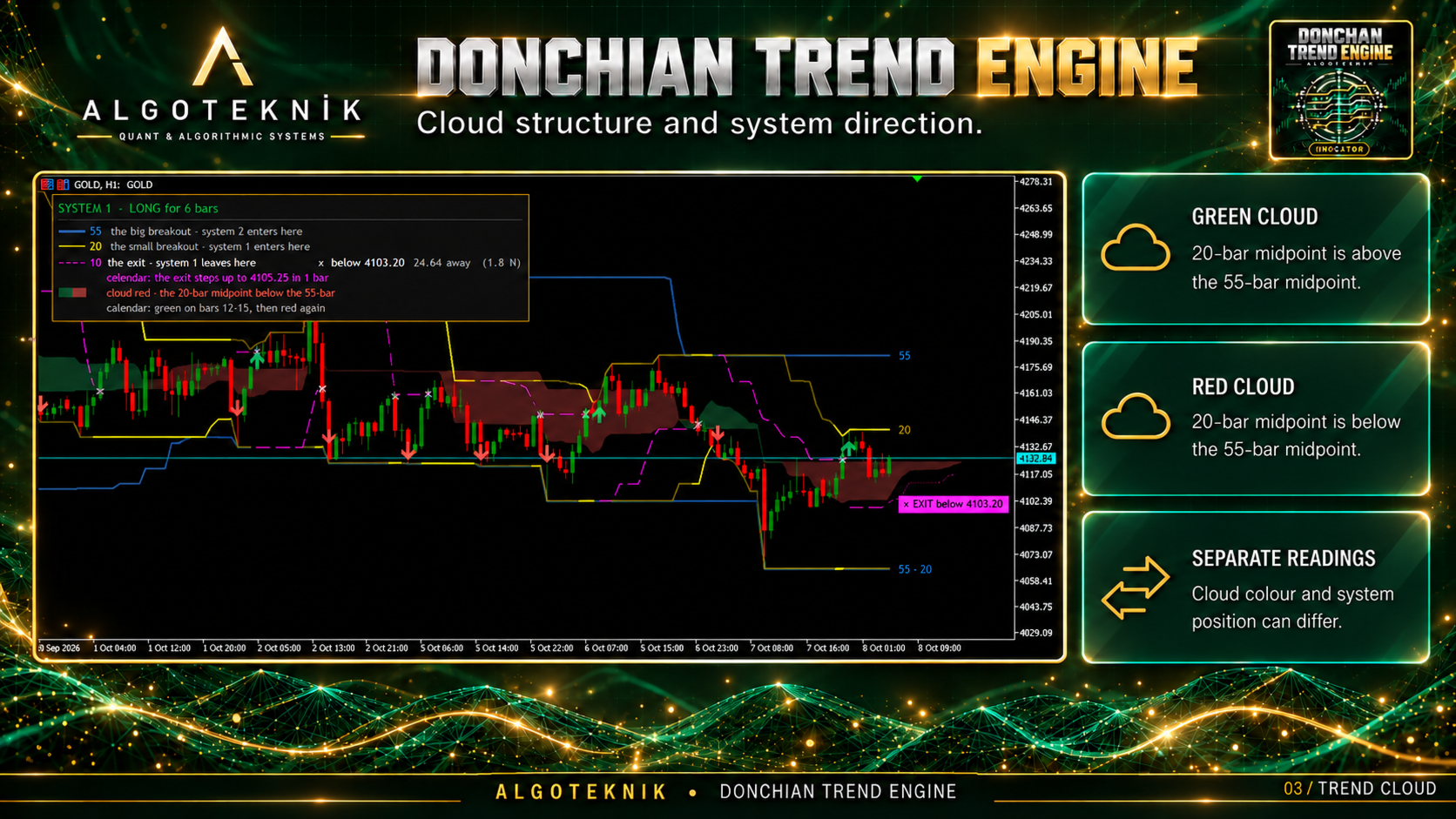
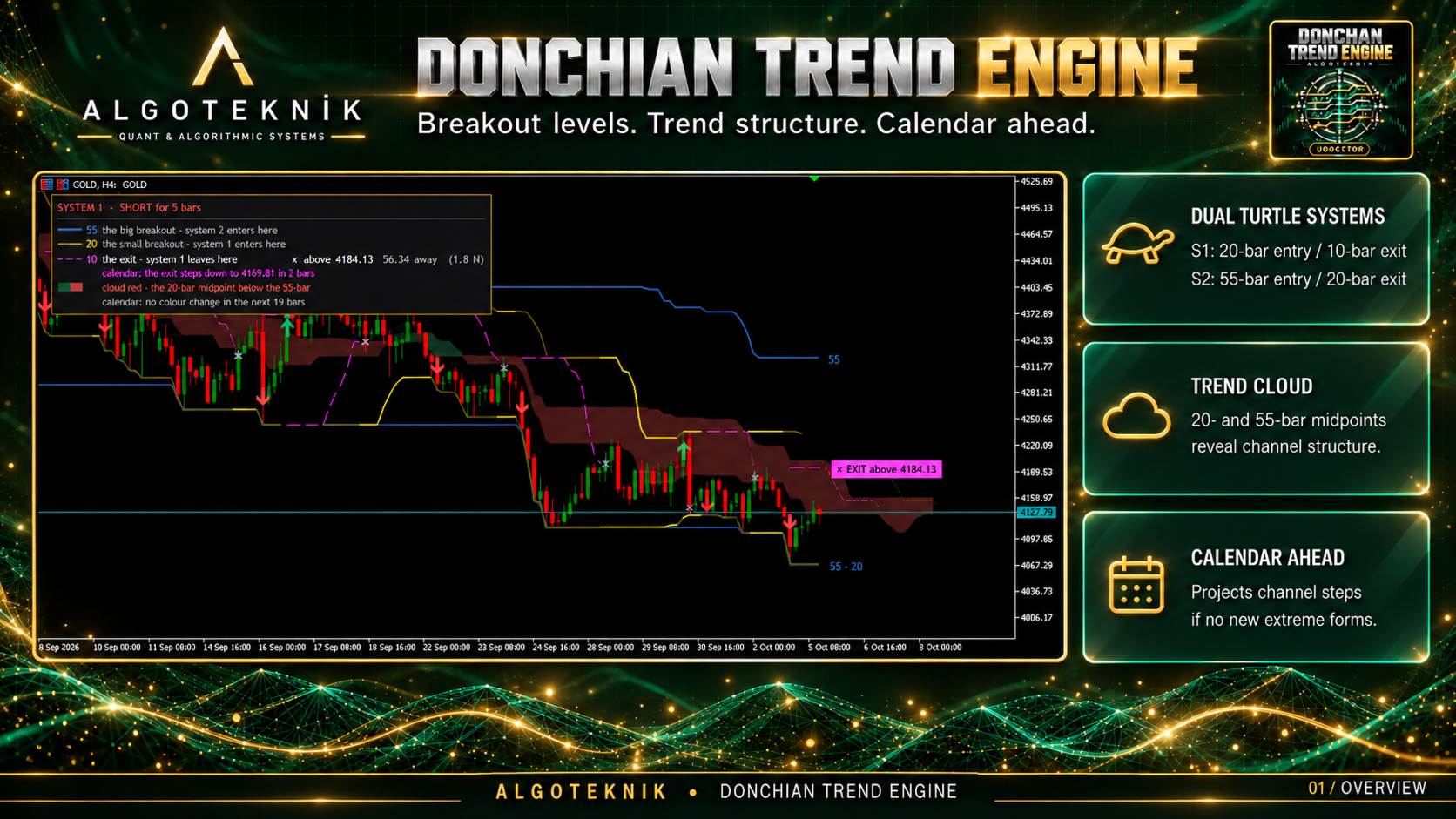
Donchian Trend Engine is an institutional-grade dual-clock trend-following and channel breakout suite engineered for MetaTrader 5, combining Richard Donchian's breakthrough channels with the complete tactical rules of the legendary Turtle Trading experiment.
The Two-Clock Architecture
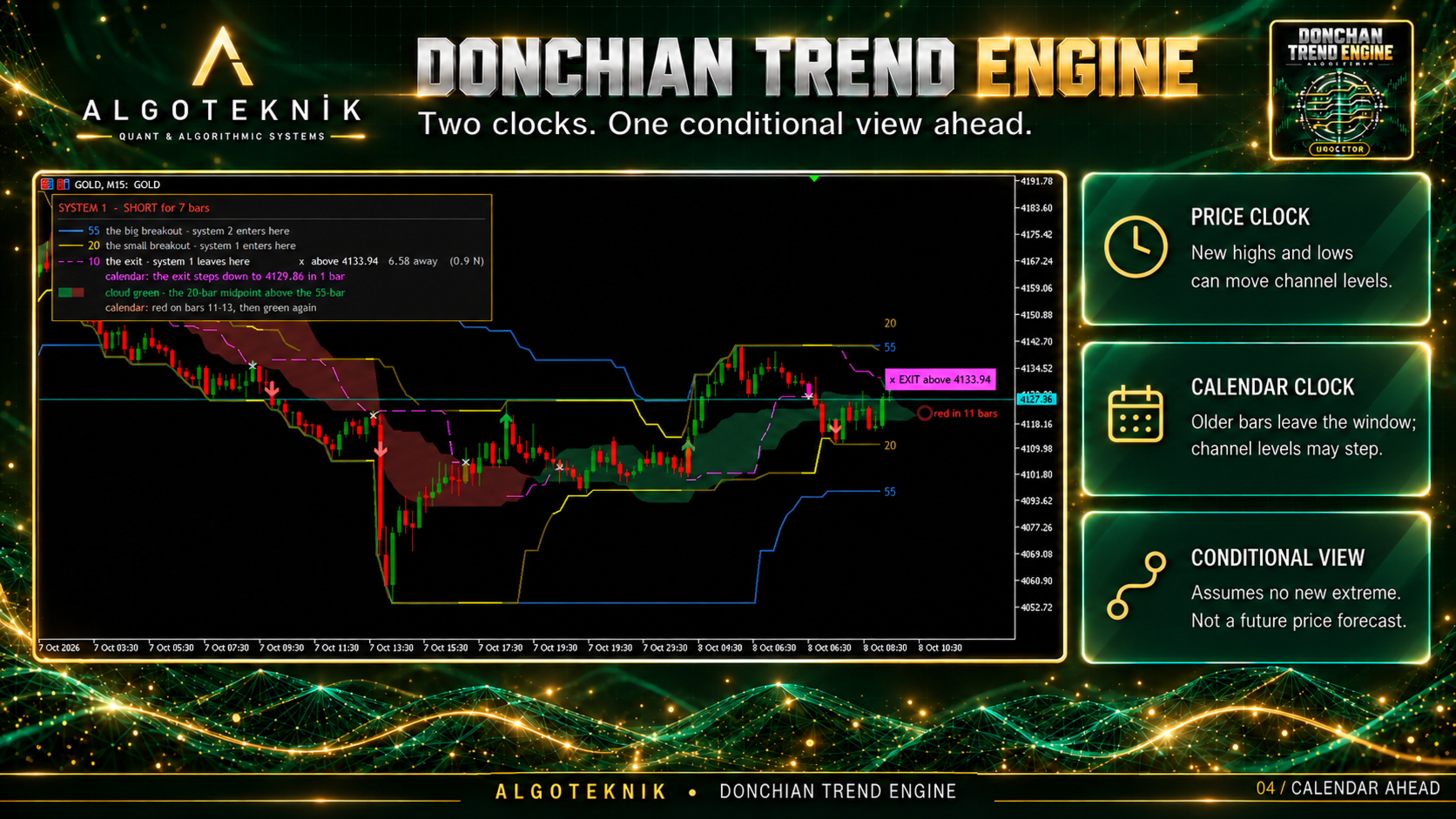
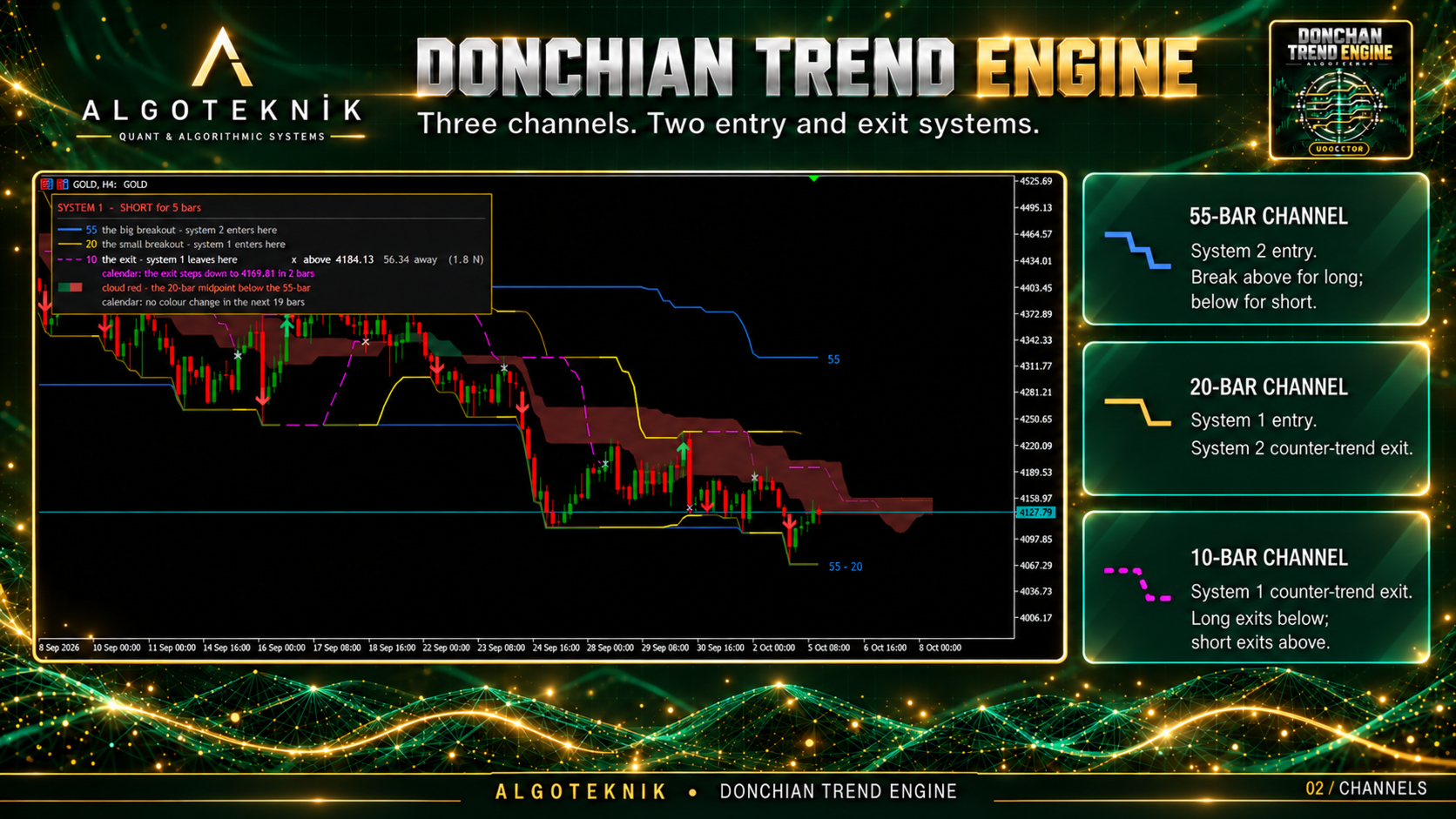
Unlike standard Donchian channel indicators that merely compute static highest highs and lowest lows, Donchian Trend Engine is built on a mathematically rigorous two-clock foundation:
- The Price Clock: Detects when live price breaks outside historical boundaries and records authentic new extremes.
- The Calendar Clock: Calculates channel tightening and line step movements caused purely by the expiration of older bars leaving the lookback window.
- The Calendar Ahead: Dynamically projects where channel lines and exits will step if price continues inside the channel without printing new extremes.
- Dynamic Run Lock & Profit Trailing (Stitch 9): Protects open trade gains once price reaches +1.5N, immediately locking breakeven and ratcheting stops dynamically behind trend moves.
Dual Turtle Trading Systems
System 1 (S1) — Short-Term Momentum:
- Entry: 20-bar channel breakout.
- Exit: 10-bar counter-trend channel breakout.
- Filter: Optional strict Turtle rule skipping an entry breakout if the previous breakout resulted in a winning trade.
- Initial Risk Stop: Placed at Fill ± 2N (or user-defined multiple of ATR 20).
System 2 (S2) — Long-Term Trend:
- Entry: 55-bar channel breakout.
- Exit: 20-bar counter-trend channel breakout.
- Filter: Trades every valid breakout without skip conditions.
- Initial Risk Stop: Placed at Fill ± 2N.
The Trader's Suite (Stitch 9 Enhancements)
- Multi-Timeframe Ladder Matrix: Real-time panel display showing channel structural alignment (+2 strong bull, +1 weak bull, -1 weak bear, -2 strong bear) across M15, H1, H4, and D1.
- Dynamic Run-Lock & Trailing: Protects accrued profits by moving stops to breakeven at +1.5N profit and trailing price smoothly.
- On-Chart Performance HUD: Instant summary of closed trades, historical win rate, and total profit in N directly on the draggable dashboard.
- Tri-Channel Alert Engine: Instant notifications for S1/S2 entries, trade exits, and scheduled calendar crossings via MT5 popup, smartphone push, and sound alerts.
Input Parameters Reference
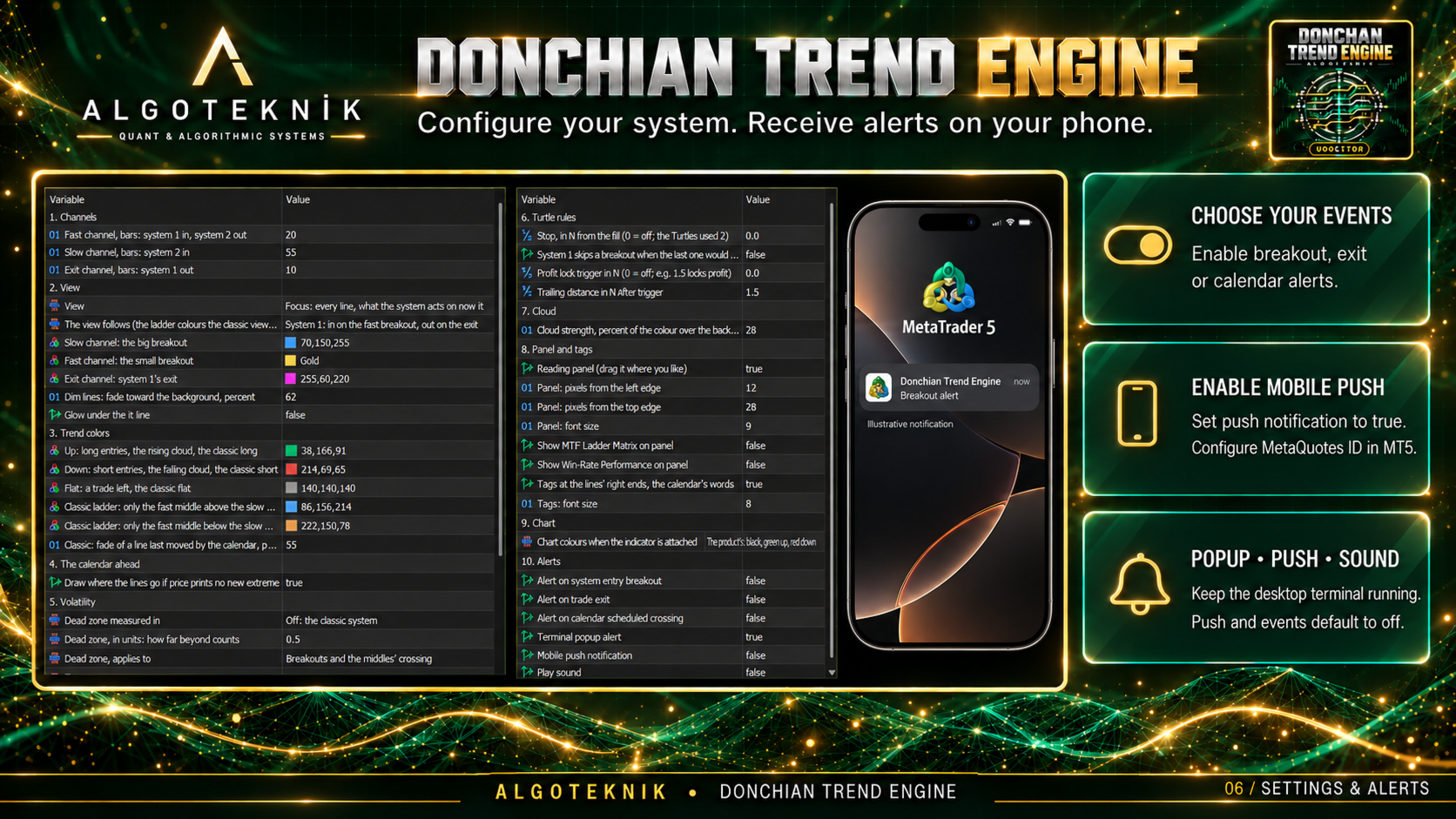
1. Channels
InpFastPeriod : Fast channel lookback bars (System 1 entry / System 2 exit) [default: 20].
InpSlowPeriod : Slow channel lookback bars (System 2 entry) [default: 55].
InpExitPeriod : Exit channel lookback bars (System 1 exit) [default: 10].
2. View
InpView : Reading view — Focus, Story, All, or Classic [default: Focus].
InpFollow : System followed by view and panel [default: System 1].
InpColSlow : Slow channel color [default: C'70,150,255'].
InpColFast : Fast channel color [default: C'255,215,0'].
InpColExit : System 1 exit channel color [default: C'255,60,220'].
InpDimPct : Fade percentage for inactive lines [default: 62%].
InpGlow : Ambient glow beneath lit lines [default: false].
3. Trend Colors
InpColUp : Upward / bullish event color [default: C'38,166,91'].
InpColDown : Downward / bearish event color [default: C'214,69,65'].
InpColFlat : Neutral / flat market color [default: C'140,140,140'].
InpColUpWeak : Weak bullish ladder color (+1) [default: C'86,156,214'].
InpColDownWeak : Weak bearish ladder color (-1) [default: C'222,150,78'].
InpFadePct : Calendar fade percentage [default: 55%].
4. The Calendar Ahead
InpShowAhead : Project future line steps right of live bar [default: true].
5. Volatility
InpVolUnit : Dead zone measurement unit — Off, ATR (N), or StdDev [default: Off].
InpVolZone : Dead zone threshold multiplier [default: 0.5].
InpVolAt : Apply dead zone to breakouts, crossings, or both [default: Both].
6. Turtle Rules
InpStopN : Initial risk stop in multiples of N (0 = off) [default: 0.0].
InpS1Filter : Skip System 1 breakout if prior trade was profitable [default: false].
InpTrailTriggerN : Profit lock trigger in N (0 = off; e.g. 1.5 locks profit) [default: 0.0].
InpTrailDistanceN : Trailing stop distance in N once triggered [default: 1.5].
7. Cloud
InpCloudPct : Cloud opacity percentage over background [default: 28%].
8. Panel and Tags
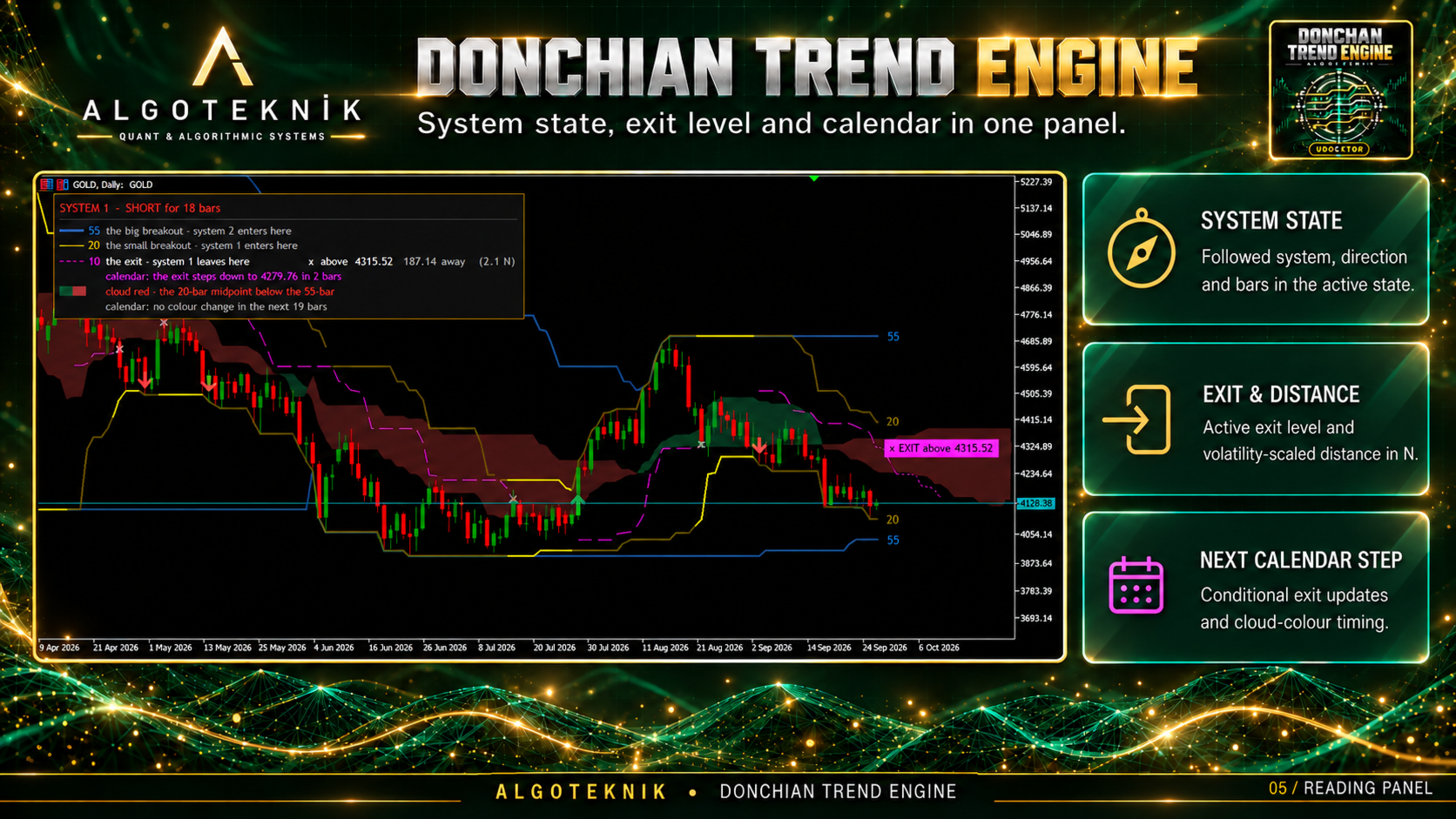
InpPanel : Display interactive reading HUD [default: true].
InpPanelX : Panel X offset in pixels [default: 12].
InpPanelY : Panel Y offset in pixels [default: 28].
InpPanelFont : Panel base font size [default: 9].
InpShowMTF : Display multi-timeframe ladder matrix on panel [default: false].
InpShowStats : Display win rate and trade statistics on panel [default: false].
InpTags : Descriptive text labels at right end of lines [default: true].
InpTagFont : Tag font size [default: 8].
9. Chart
InpChart : Apply dark-theme chart palette on attach [default: The product's].
10. Alerts
InpAlertBreakout : Alert on system entry breakout [default: false].
InpAlertExit : Alert on trade exit [default: false].
InpAlertCalendar : Alert on calendar scheduled crossing [default: false].
InpAlertPopup : MT5 popup dialog alert [default: true].
InpAlertPush : Smartphone push notifications [default: false].
InpAlertSound : Sound alert [default: false].
Expert Advisor Integration (iCustom)
All 78 indicator plots and 127 buffers are indexed for programmatic trading:
- Buffer 40: Real-time Ladder Step ( +2.0 Strong Bull, +1.0 Weak Bull, -1.0 Weak Bear, -2.0 Strong Bear).
- Buffer 50: System 1 State ( 1.0 Long, -1.0 Short, 0.0 Flat).
- Buffer 51: System 2 State ( 1.0 Long, -1.0 Short, 0.0 Flat).
- Buffer 99-102: Active System 1 and System 2 stop loss price levels.
- Buffer 106-108: Followed system signals (Entry Long, Entry Short, Exit).
algoteknik
Support, updates and every other product: mql5.com/en/users/bugraky123
Donchian Trend Engine version 1.0