Terminal Shutdown Timer
- Utilità
- Versione: 1.0

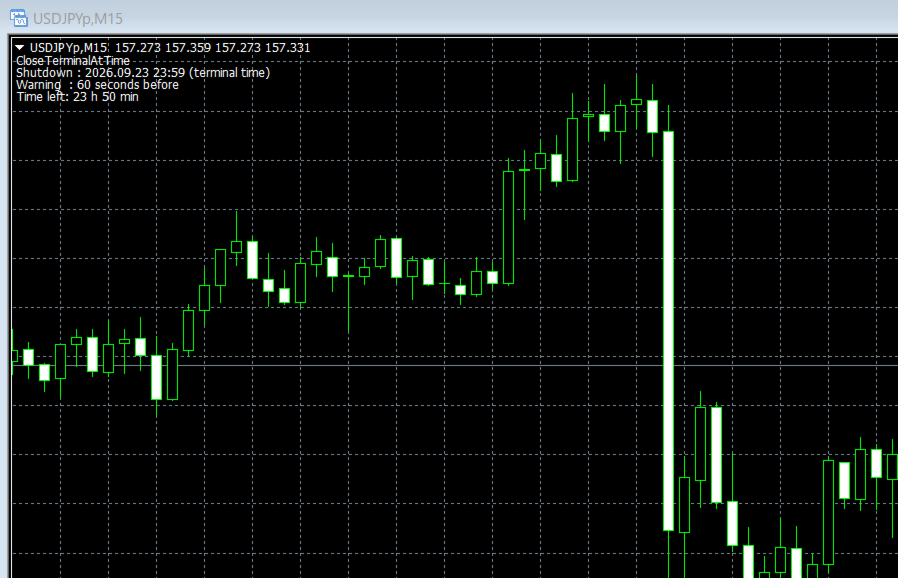
Terminal Shutdown Timer closes the MetaTrader 4 terminal at a time you choose. That is all it does. It does not trade. It does not analyse the market. It does not send signals. It never opens, modifies or closes an order. What it does At the hour and minute you set, the terminal is closed. An optional on-chart warning appears before that, so the shutdown is never a surprise. The chart also shows the scheduled time and the time remaining. How to use it 1. Attach it to any chart. 2. Set the shutdown hour and minute. Times follow the terminal clock. 3. Leave it running. The chart shows the countdown. Inputs InpHour (0-23) - shutdown hour, terminal time. Default 23. InpMinute (0-59) - shutdown minute, terminal time. Default 59. InpWarnBeforeClose - show a warning before closing. Default true. InpWarnSeconds (10-300) - warning lead time in seconds. Default 60. Please note You can remove it from the chart at any time, and nothing will be closed. The utility does not prevent itself from being removed and does not restrict anything you can normally do in the terminal. Times follow the terminal clock, not your local clock. Open positions are not touched. In the Strategy Tester the terminal is not closed.