JKTopHedge
- Experts
-
Shi Yuan Wang
 Sviluppo indicatori personalizzati, Expert Advisor (EA), script e strumenti di trading per MetaTrader 4 e MetaTrader 5, nonché indicatori per TradingView (Pine Script).
Cosa posso fare per te: - Versione: 1.9
- Attivazioni: 5
JK-Top Hedge — Two-Sided Hedged Grid EA for MetaTrader 5
Overview
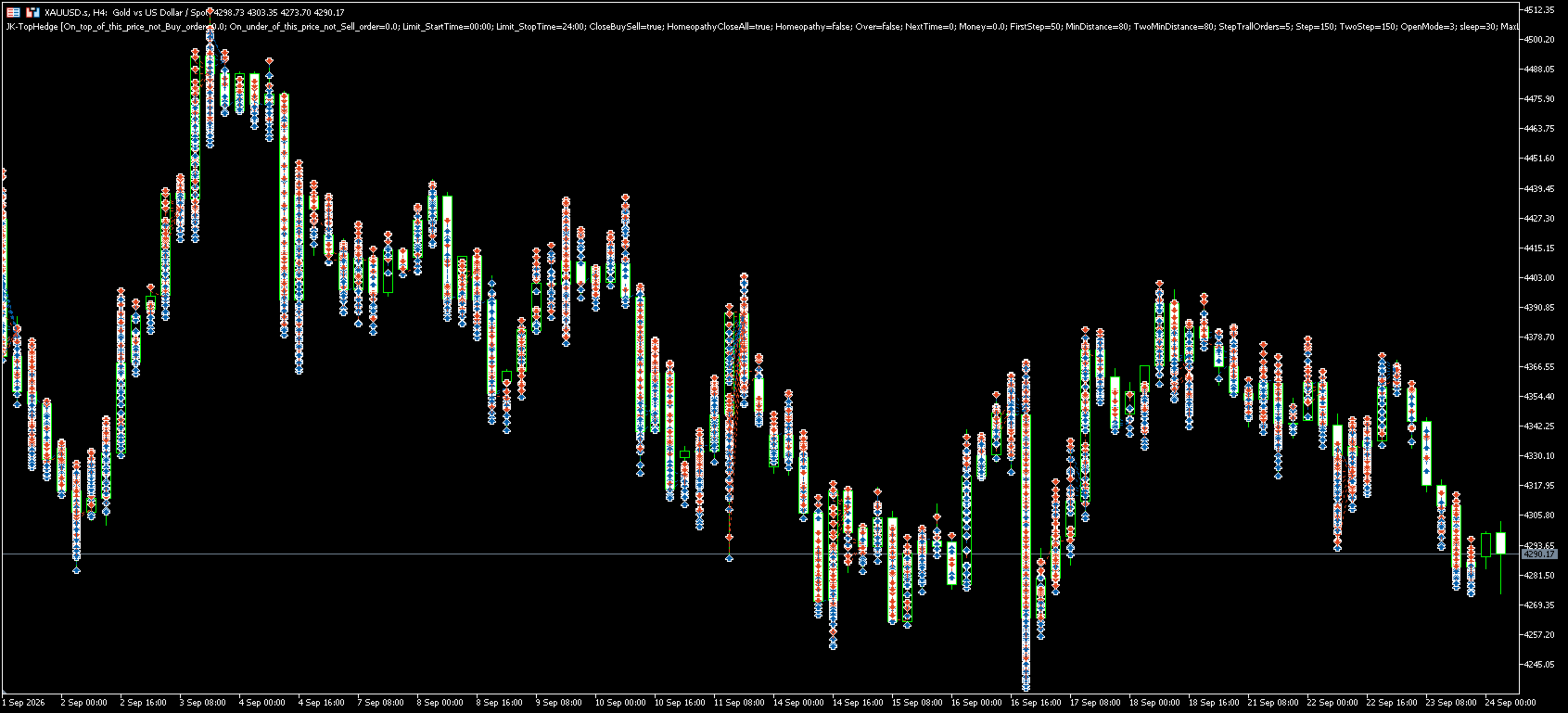
JK-Top Hedge is an Expert Advisor for MetaTrader 5. It places a Buy Stop above the current price and a Sell Stop below it at the same time, building two grid lines on either side of the market. When one pending order is filled, the EA places the next one further away, and the cycle repeats.
Because long and short positions exist at the same time, a floating loss on one side can partly be offset by the other. The EA closes or reduces the basket when a profit target, a loss limit, or an overweight condition is reached.
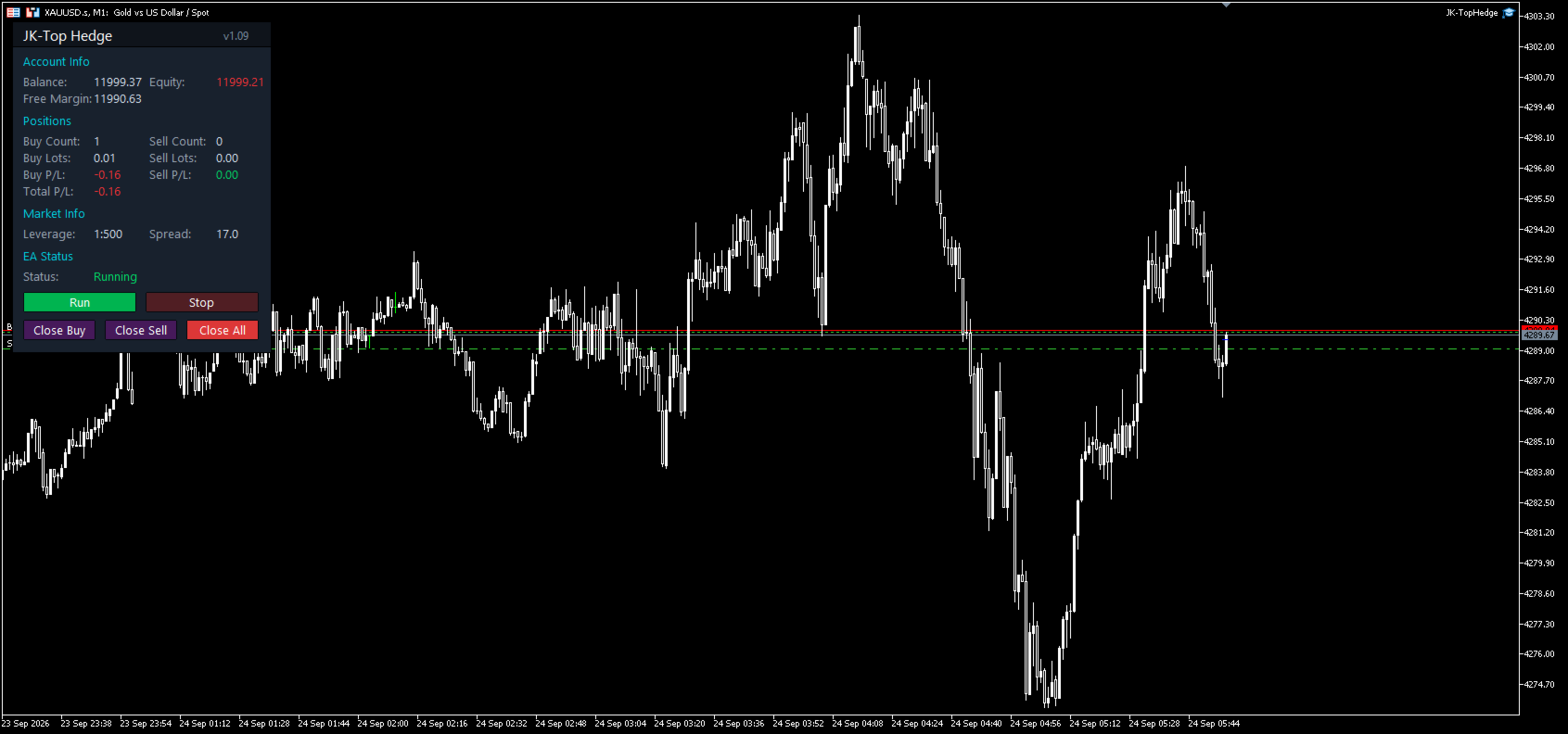
A chart panel shows account status, position statistics for each direction and the current state, with buttons for start, stop and directional close.
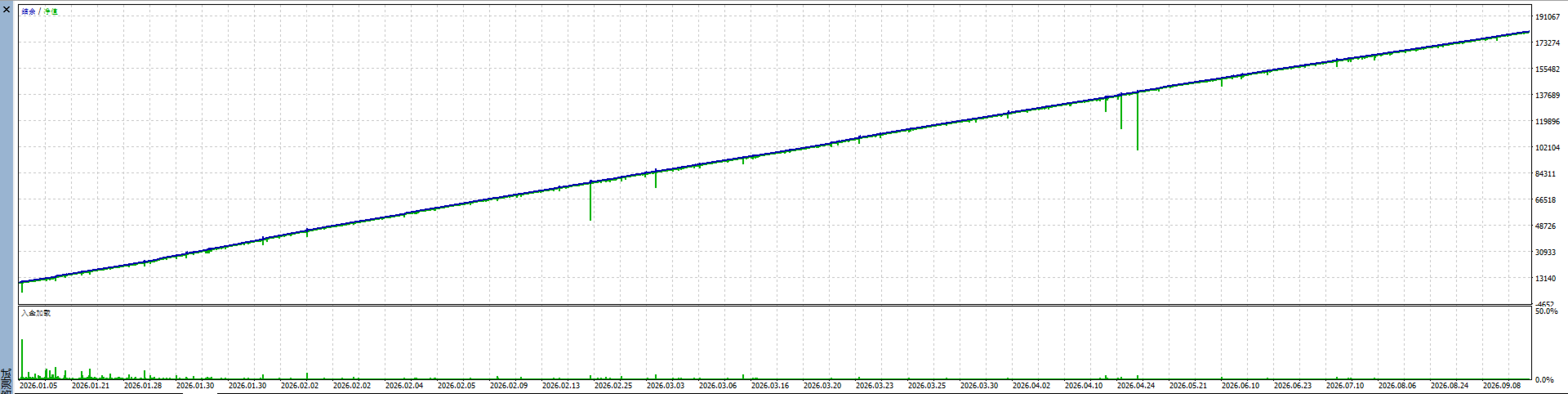
This product does not predict market direction and does not promise any trading result. Actions are triggered by the parameters you set, and the outcome depends on market behaviour and your configuration. Please test in the Strategy Tester or on a demo account before live use.
How It Works
Placing the grid. With no positions or pending orders on the symbol, the EA places a Buy Stop at FirstStep points above the price and a Sell Stop at FirstStep points below it. The first level uses the volume set in lot.
Trailing. Pending orders are not fixed. The EA adjusts the pending price with a precision of StepTrallOrders, keeping the order at roughly MinDistance points from the market, so an order is not left behind in ranging conditions.
Adding levels. After a fill, the next order is placed further away at a distance of Step. Only one pending order is kept per side. Each level is sized by multiplying the previous volume by K_Lot, plus an optional linear increment from PlusLot, capped at Maxlot.
Second distance set. When total floating loss reaches the amount in Money, the EA switches to TwoMinDistance and TwoStep. This widens the grid and slows down the pace of adding positions.
Exiting. The EA first closes long and short positions against each other using Close By, then closes the remainder at market. Close By is charged one spread instead of two, which lowers the cost of closing a full basket.
Key Features
- Two-sided grid with an independent pending order on each side
- Automatic trailing that keeps pending orders at a valid distance
- Two distance sets with automatic switching at a drawdown threshold
- Three sizing methods that can be combined: fixed first lot, multiplier, linear increment
- Margin check before each order; the order is skipped and logged if free margin is insufficient
- Per-side take profit, overall take profit and global stop loss
- Optional pause after a full exit, controlled by NextTime
- Counter-trend protection: reduces the basket when one side is clearly overweight
- Per-side loss limit that stops adding on that side once MaxLoss is exceeded
- Separate EA trading hours and pending order hours, both supporting midnight-crossing windows
- Price boundaries beyond which no positions are added
- Chart panel with balance, equity, free margin, per-side volume and profit, leverage and spread
- Run, Stop, Close Buy, Close Sell and Close All buttons, each with a confirmation dialog
- Weighted average price arrows for both directions
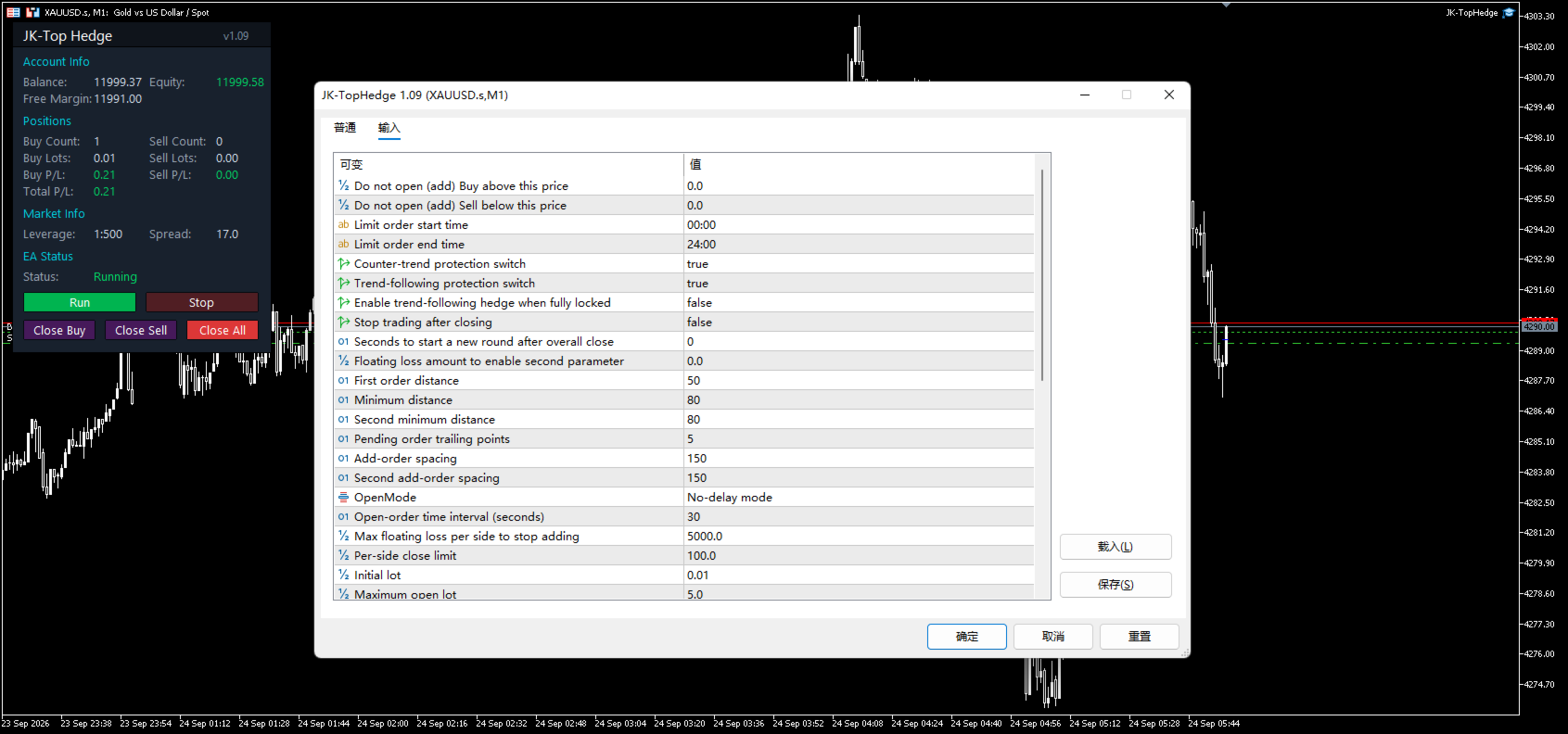
Input Parameters
Grid Distance
Parameter | Default | Description |
|---|---|---|
FirstStep | 50 | Distance in points between the first pending order and the price |
MinDistance | 80 | Minimum distance in points for adding a level, normal state |
Step | 150 | Spacing in points between levels, normal state |
TwoMinDistance | 80 | Minimum distance in points, second state |
TwoStep | 150 | Spacing in points between levels, second state |
All distances are compared at initialisation with the symbol stop level, freeze level and spread, and the larger value is used, so orders are not rejected for being too close to the market.
Pending Orders and Pace
Parameter | Default | Description |
|---|---|---|
StepTrallOrders | 5 | Trailing precision in points |
OpenMode | C | C for no delay, B for a fixed interval between orders |
sleep | 30 | Interval in seconds when OpenMode is B |
Volume
Parameter | Default | Description |
|---|---|---|
lot | 0.01 | Volume of the first level |
Maxlot | 5 | Maximum volume per level |
PlusLot | 0 | Linear increment per level. 0 means none |
K_Lot | 1.3 | Volume multiplier per level. Higher values increase risk |
DigitsLot | 2 | Decimal places used for volume |
Exit Conditions
Parameter | Default | Description |
|---|---|---|
StopProfit | 2 | Take-profit amount for one direction, in account currency |
Profit | true | When enabled, the per-side target accumulates with the level count |
CloseAll | 0.5 | Overall take-profit amount; the whole basket closes when reached |
MaxLossCloseAll | 100 | Floating loss per side beyond which normal take-profit logic no longer applies |
StopLoss | 0 | Global stop-loss amount. 0 disables it |
NextTime | 0 | Pause in seconds after a full exit. 0 restarts immediately |
Over | false | When enabled, trading stops completely after a full exit |
Risk Control and Protection
Parameter | Default | Description |
|---|---|---|
MaxLoss | 5000 | Floating loss limit per side; no further levels are added once exceeded |
Money | 0 | Loss amount at which the second distance set is used. 0 disables it |
CloseBuySell | true | Counter-trend protection against an overweight side |
HomeopathyCloseAll | true | Trend-following protection while the basket is locked |
Homeopathy | false | Allows the grid to continue along the trend when fully locked |
Time and Price Filters
Parameter | Default | Description |
|---|---|---|
EA_StartTime | 00:00 | Time of day when the EA starts trading |
EA_StopTime | 24:00 | Time of day when the EA stops trading |
Limit_StartTime | 00:00 | Start of the window for placing pending orders |
Limit_StopTime | 24:00 | End of the window for placing pending orders |
On_top_of_this_price_not_Buy_order | 0 | No Buy is added above this price. 0 means no limit |
On_under_of_this_price_not_Sell_order | 0 | No Sell is added below this price. 0 means no limit |
The two time windows are independent, and a new order is placed only when both are satisfied.
Panel and Identification
Parameter | Default | Description |
|---|---|---|
Magic | 1843799 | Magic number separating this EA from others and from other chart instances |
ShowPanel | true | Show the chart information panel |
PanelFontSize | 10 | Panel text size |
PanelCorner | PCORNER_TL | Panel corner: top-left, top-right, bottom-left, bottom-right |
PanelOffsetX | 10 | Horizontal offset in pixels |
PanelOffsetY | 20 | Vertical offset in pixels |
Assign a different Magic number to each instance when running several on the same account.
Panel and Operation
Account. Balance, equity and free margin. Equity turns red when below balance.
Positions. Count, total volume and profit for Buy and Sell, plus the combined profit.
Market. Account leverage and live spread in points.
Status. Running or Stopped.
Controls. Run resumes automated trading, Stop pauses it while keeping existing positions. Close Buy and Close Sell close one direction, Close All closes every position and pending order belonging to this EA on the symbol. A confirmation dialog appears first.
Recommendations
Use symbols with a low and stable spread, such as major currency pairs or precious metals. The EA does not depend on a specific chart period; an M5 to M15 chart is suggested. Adding levels consumes margin continuously, so keep comfortable free margin and set K_Lot and Maxlot within what the account can carry. Running on a demo account with a small volume for one to two weeks is recommended before adjusting parameters. A VPS is recommended so the EA stays online, and the AutoTrading button must stay enabled.
Risk Disclaimer
Grid and martingale-style strategies keep accumulating positions during trending markets. This can produce a large floating loss, and in extreme conditions the exposure may exceed what the account can carry. Past Strategy Tester reports do not represent future results, and the MQL5 Market does not guarantee the profitability of any Expert Advisor.
Use this product only after you fully understand what each parameter does, and take responsibility for your own trading decisions. Questions are welcome through the comments section of the product page or through the site messaging system.