Fvg mtf ea
- Experts
-
Dragan Joksimovic
 MQL4 / MQL5 Expert Advisor and Indicator Developer
I develop and test Expert Advisors, indicators and trading utilities for MetaTrader 4 and MetaTrader 5 based on clearly defined trading rules.
My work includes:
• Expert Advisors for MT4 and MT5
• Custom indicators - Versione: 1.2
- Attivazioni: 5
**FVG MTF EA** trades one of the cleanest price-action setups: the return of price into a Fair Value Gap. The gaps are detected inside the EA on the timeframe of your choice, with the same rules as the FVG MTF indicator, so what you see on the chart is exactly what the EA trades. No grid, no martingale, no averaging — one position per gap with a fixed stop loss and take profit.
**How it trades**
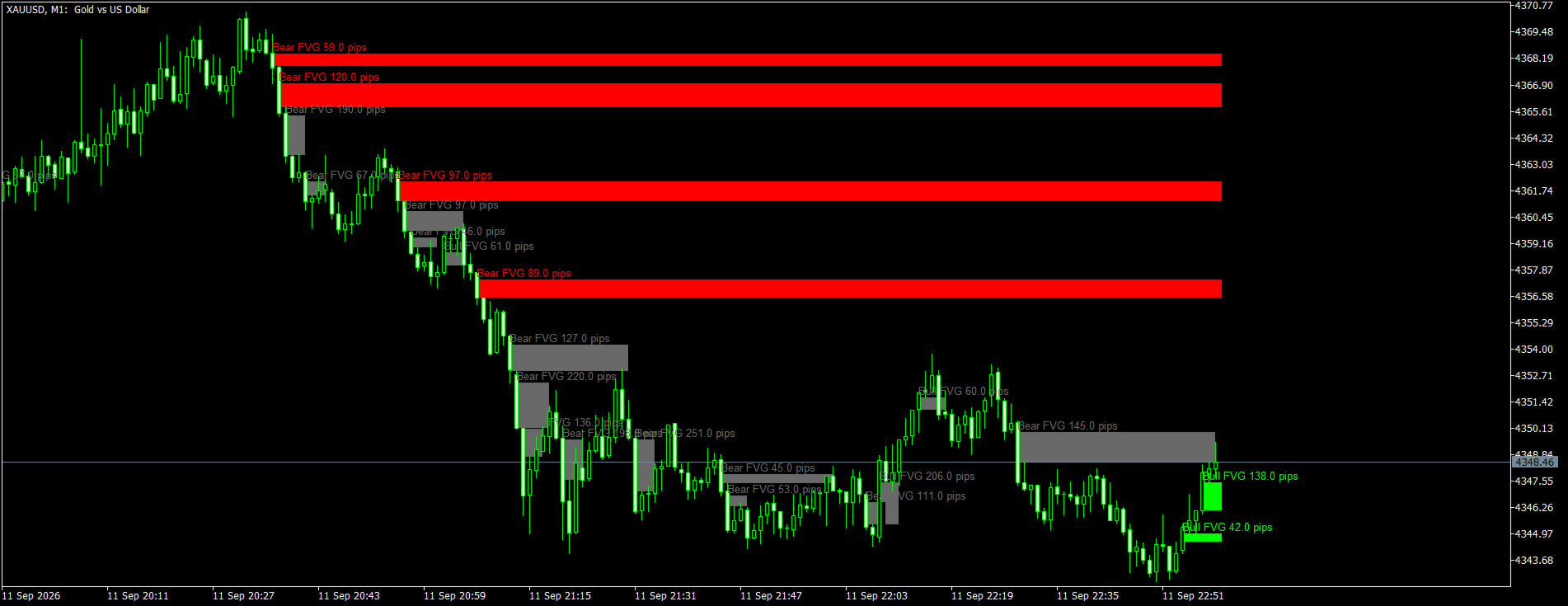
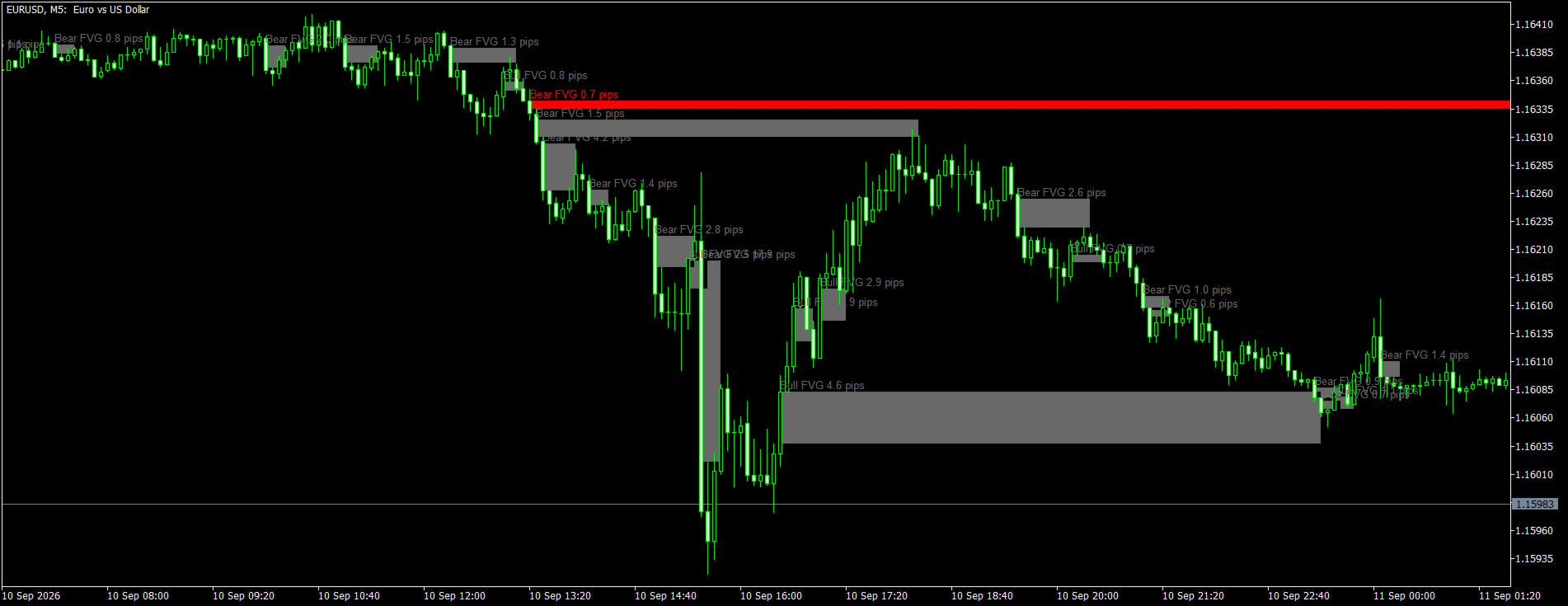
A Fair Value Gap is a three-candle pattern in which the middle candle moves so fast that the first and the third candle do not overlap; the empty space between them is the gap. After a bullish gap price is above the gap. When it comes back down into the gap — to the entry level you choose (near edge, middle or far edge) — the EA buys, places the stop loss beyond the far edge of the gap and the take profit at a multiple of the risk. Bearish gaps are traded the same way with sells. A gap is used once; it stops being traded when it is invalidated (touch, 50 %, full fill or a close beyond the far edge — selectable) or when it is older than a set number of candles.
**Key features**
- Multi-timeframe: detect the gaps on any timeframe (for example H1) while the EA runs on a lower chart (for example M5) and manages the entries tick by tick.
- Two entry modes: market order the moment price reaches the entry level, or a pending limit order placed at the entry level as soon as the gap is confirmed (deleted automatically when the gap becomes invalid or expires).
- Entry level inside the gap adjustable from 0 % (near edge) to 100 % (far edge); 50 % = the middle of the gap.
- Stop loss beyond the far edge of the gap plus an offset, or a fixed distance; take profit as a risk multiple (R:R) or a fixed distance; optional points trailing stop.
- Gap size filter in points or as a fraction of ATR, optional skipping of overlapping gaps, gap expiry.
- Optional EMA trend filter on the gap timeframe: bullish gaps only above the EMA, bearish gaps only below it.
- One trade per gap, a limit on open positions and pending orders, spread filter.
- Fixed lot or risk % of the balance per trade (lot calculated from the stop loss distance).
- Works on netting and hedging accounts; after a restart the EA recognizes its own pending orders and positions (by magic number and comment), so nothing is duplicated.
- Active gaps are drawn on the chart (traded gaps dotted) and an info panel shows the tradable gaps, the last confirmed gap, the trend filter state and the open positions.
- ECN mode (open first, then set stops) for brokers that reject stops in the order request. No DLL, no external files, no indicator dependency.
**Inputs**
FVG detection (same rules as the FVG MTF indicator)
- Gap timeframe (PERIOD_CURRENT = chart) — History to scan, default 500 candles.
- Minimum gap size filter: points (default 50) or ATR fraction (default 0.25 × ATR(14)).
- Skip a new gap that overlaps an active gap of the same type — default on.
- Gap invalidation rule: touch / 50 % / full fill / close beyond (default close beyond).
- Gap expires after N gap-timeframe candles — default 50 (0 = never).
Entry
- Entry mode: market (default) or pending limit order.
- Entry level inside the gap — default 50 %.
- Trade bullish gaps / trade bearish gaps — default both on.
- Max. open positions — default 1; max. pending orders — default 2.
- EMA trend filter period on the gap timeframe — default 0 (off).
- Max. spread in points — default 0 (no filter).
Stop loss / take profit
- Stop loss mode: beyond the far edge of the gap + offset (default, offset 20 points) or fixed points (default 300, also used as fallback); minimum stop loss distance (default 30 points) — a closer gap stop is widened to it and to the broker's stop level.
- Take profit as a multiple of the risk — default 2.0 (0 = fixed take profit in points).
- Points trailing stop: distance, step, start — default off.
Money management and trade
- Fixed lot (default 0.10) or risk % of balance per trade (default 0 = fixed lot).
- Max. deviation, magic number, order comment prefix, ECN mode.
- Display: info panel, drawing of the active gaps, colors.
**Recommendations**
- Start with the defaults on a demo account or in the Strategy Tester (every tick based on real ticks) and tune the gap timeframe, entry level and R:R for your symbol.
- Typical setups: H1 gaps traded on an M5 or M15 chart, or M15 gaps traded on an M1 chart, on liquid forex pairs, gold and indices.
- Use the ATR size filter when you run the EA on several symbols — one setting fits all of them.
- The entry level and the invalidation rule are the two settings that change the character of the EA the most: a deeper entry level (50–100 %) gives fewer but better priced entries, "close beyond" keeps a gap alive through wicks, "touch" retires it on the first contact.
- Distances are in points (on a 5-digit broker 10 points = 1 pip).
**Notes**
- The EA does not use any DLL, does not download anything and does not need the indicator to run; the indicator is a separate product for chart analysis.
- Push notifications and e-mails are not sent by the EA; use the FVG MTF indicator for alerts.
- Trading involves risk. Test every setting on a demo account before using it on a live account.