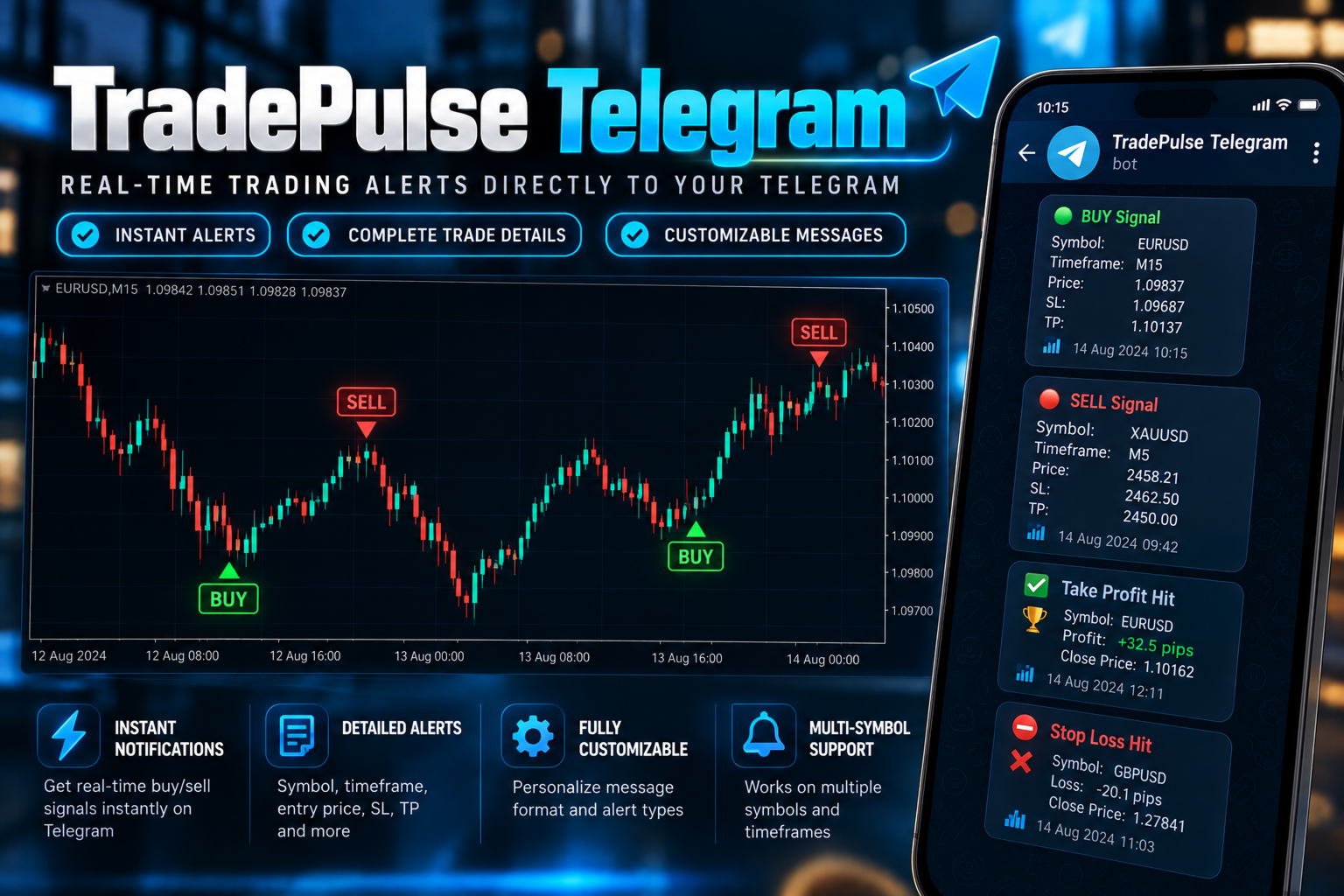
TradePulse Telegram
- Utilità
- Versione: 1.10
- Attivazioni: 5

General Information
Product name: TradePulse Telegram
Platform: MetaTrader 4
Program type: Expert Advisor
Category: Utilities
Version: 1.10
Recommended purchase price: $39
Recommended activations: 5
Recommended rental:
1 month: $15
3 months: $25
Unlimited: $39
Upload file: TradePulse_Telegram.ex4
Short DescriptionTradePulse Telegram sends MetaTrader 4 trade and account notifications directly to your Telegram chat using your own Telegram bot.
Full Product DescriptionTradePulse Telegram
TradePulse Telegram is a MetaTrader 4 trade notification utility designed to keep you informed about activity on your trading account through Telegram.
The Expert Advisor monitors trading activity in the MT4 terminal and sends selected notifications to a Telegram chat using your own Telegram bot.
TradePulse Telegram does not open trades and does not modify your trading strategy. It works as a monitoring and notification utility.
Main Features
-
Notifications for newly opened trades
-
Notifications for closed trades
-
Optional Stop Loss change notifications
-
Optional Take Profit change notifications
-
Periodic account summary notifications
-
Monitoring of trades across the MT4 account
-
Symbol-specific price formatting
-
Duplicate notification protection
-
Startup synchronization of existing trades
-
Optional Magic Number information
-
Optional order comment information
-
Configurable WebRequest timeout
-
Timer-based trade monitoring
-
Uses your own Telegram bot and Chat ID
-
Does not open or close trades
-
Does not change trading decisions
-
No DLL is required
Trade Notifications
TradePulse Telegram can be configured to send notifications when:
-
A new trade is opened
-
A trade is closed
-
Either an open or closed trade event occurs
-
A Stop Loss level changes
-
A Take Profit level changes
Notifications contain relevant trade information so that account activity can be followed remotely through Telegram.
Account Summary
TradePulse Telegram can periodically send an account summary.
Available intervals are:
-
Every minute
-
Every 15 minutes
-
Every 30 minutes
-
Every 4 hours
-
Daily
-
Disabled
This feature can be disabled when account summaries are not required.
Telegram Setup
TradePulse Telegram requires a Telegram bot token and Telegram Chat ID.
Before using the Expert Advisor, add the following address to the list of allowed WebRequest URLs in MetaTrader 4:
In MetaTrader 4:
-
Open Tools.
-
Select Options.
-
Open the Expert Advisors tab.
-
Enable "Allow WebRequest for listed URL".
-
Add the Telegram API address shown above.
-
Click OK.
Attach TradePulse Telegram to a chart and enter your Telegram Bot Token and Chat ID in the Expert Advisor inputs.
Only one chart is required for normal account monitoring.
Main Inputs
EnableTelegram
Enables or disables Telegram communication.
TelegramBotToken
Enter the token generated for your Telegram bot.
TelegramChatID
Enter the destination Telegram Chat ID.
AccountLabel
Optional name used to identify the MT4 account in notifications.
SendStartupTestMessage
Controls whether a test notification is sent when the Expert Advisor starts.
WebRequestTimeoutMs
Sets the timeout used for Telegram WebRequest operations.
OrdersNotification
Select whether to receive open trade notifications, closed trade notifications, both, or neither.
SendStopChangeNotification
Enables or disables notifications when a Stop Loss value changes.
SendTakeProfitChangeNotification
Enables or disables notifications when a Take Profit value changes.
IncludeMagicNumber
Includes the trade Magic Number in notifications when enabled.
IncludeOrderComment
Includes the MT4 order comment when enabled.
SendAccountSummary
Selects the interval for account summary notifications or disables them.
Important Information
TradePulse Telegram is a notification utility. It does not provide trading signals and does not determine whether a trade should be opened or closed.
It does not guarantee the delivery time of Telegram messages. Message delivery depends on the MetaTrader terminal, internet connection, Telegram service availability and the user's configuration.
MetaTrader must be running and connected for the Expert Advisor to monitor account activity.
WebRequest access to the Telegram API must be enabled in the MetaTrader terminal.
Telegram communication through WebRequest is not available during normal Strategy Tester operation. Test the Telegram communication on a demo or live MT4 terminal.
The user is responsible for creating and configuring their own Telegram bot and providing the correct Bot Token and Chat ID.
For security, do not publicly share your Telegram Bot Token.
Suggested Usage
TradePulse Telegram can be useful when MT4 is running on:
-
A desktop computer
-
A laptop
-
A VPS
The Expert Advisor can remain attached to one chart while monitoring account trading activity.
This allows traders to receive selected account notifications without continuously watching the MT4 terminal.
Installation-
Purchase and install TradePulse Telegram through MetaTrader Market.
-
Open MetaTrader 4.
-
Open Tools > Options > Expert Advisors.
-
Enable WebRequest for the Telegram API address.
-
Open any chart.
-
Attach TradePulse Telegram to the chart.
-
Enter your Telegram Bot Token.
-
Enter your Telegram Chat ID.
-
Select the desired notification options.
-
Click OK.
TradePulse Telegram will initialize its trade monitoring system and begin monitoring new account activity.
Version 1.10Initial Market release.
-
Added Telegram notifications for opened trades.
-
Added Telegram notifications for closed trades.
-
Added duplicate notification protection.
-
Added startup trade synchronization.
-
Added optional Stop Loss change notifications.
-
Added optional Take Profit change notifications.
-
Added configurable account summaries.
-
Added Magic Number and order comment options.
-
Added symbol-specific price formatting.
-
Added URL encoding for Telegram messages.
-
Added HTTP response checking.
-
Added configurable WebRequest timeout.
-
Added timer-based account monitoring.
-
Added safe handling when WebRequest is unavailable.
-
Added clean initialization and shutdown handling.