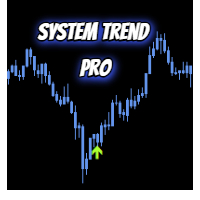
TrendForge Pro Tema Atr Signals
- Indicatori
- Versione: 1.0
- Attivazioni: 5

TrendForge Pro Tema Atr Signals
Overview
TrendForge Pro is a clean trend-following indicator for MetaTrader 4, built with TEMA and ATR filtering.
It helps detect higher-probability Buy/Sell zones while reducing noisy signals in choppy markets.
The tool displays clear entry markers, TP/SL levels, and a compact dashboard for quick decision support.
Built-in alerts keep you informed in real time without watching charts all day.
Simple to use, fast to read, and designed for disciplined trend trading across symbols and timeframes.
Main Features
- Trend line with clear direction coloring
- Buy and Sell signal tags on the chart
- TP1, TP2 and Stop Loss levels based on ATR multipliers
- Dashboard with signal statistics and success rate
- Optional popup, push, email and sound alerts
- Works on any symbol and timeframe
How It Works
- TEMA is used to detect trend direction and momentum.
- ATR is used to filter weak movements and reduce noise.
- Signals are generated when trend and pullback conditions are aligned.
- Minimum bars between signals help avoid over-signaling.
Input Parameters
Main Settings
- InpTEMAPeriod: TEMA period used for trend calculation.
- InpATRPeriod: ATR period used for volatility and filters.
- InpATRMultiplier: Strength of ATR-based trend filter.
- InpTP1Factor: TP1 distance as ATR multiple.
- InpTP2Factor: TP2 distance as ATR multiple.
- InpStopATRFactor: Stop Loss distance as ATR multiple.
- InpMinBarsBetween: Minimum number of bars between same-direction signals.
Dashboard
- InpShowDashboard: Show or hide the statistics panel.
- InpShowResultTags: Show or hide historical plus/minus pip tags.
- InpDashboardX: Horizontal dashboard position.
- InpDashboardY: Vertical dashboard position.
- InpDashBgColor: Dashboard background color.
- InpDashTextColor: Dashboard text color.
Alerts
- InpAlertPopup: Enable popup alerts.
- InpAlertPush: Enable mobile push notifications.
- InpAlertEmail: Enable email notifications.
- InpAlertSound: Enable sound alerts.
Usage Tips
- Start with default settings, then optimize by symbol and timeframe.
- For fewer signals, increase InpMinBarsBetween or InpATRMultiplier.
- For closer targets, reduce TP factors carefully and verify with testing.
Important Notes
- This indicator is an analytical tool and does not guarantee profit.
- Past performance statistics do not guarantee future results.
- Always test on a demo account before live trading.