ORB Monster
- Experts
- Versione: 1.0
- Attivazioni: 10

ORB Monster — Opening Range Breakout EA
ORB Monster is a simple yet highly flexible Opening Range Breakout EA for traders who want a clean, practical breakout system that can be adapted across different markets, sessions, and risk styles. Define your session, build the Opening Range, wait for a breakout, and let the EA handle execution, stop loss, take profit, breakeven, trailing stop, and session management.
Promotional Price: $68. The price will increase in the future based on demand, product updates, and live signal performance.
Why ORB Monster?
ORB Monster is not limited to one fixed strategy. It is a flexible ORB engine that can be shaped around your preferred trading approach.
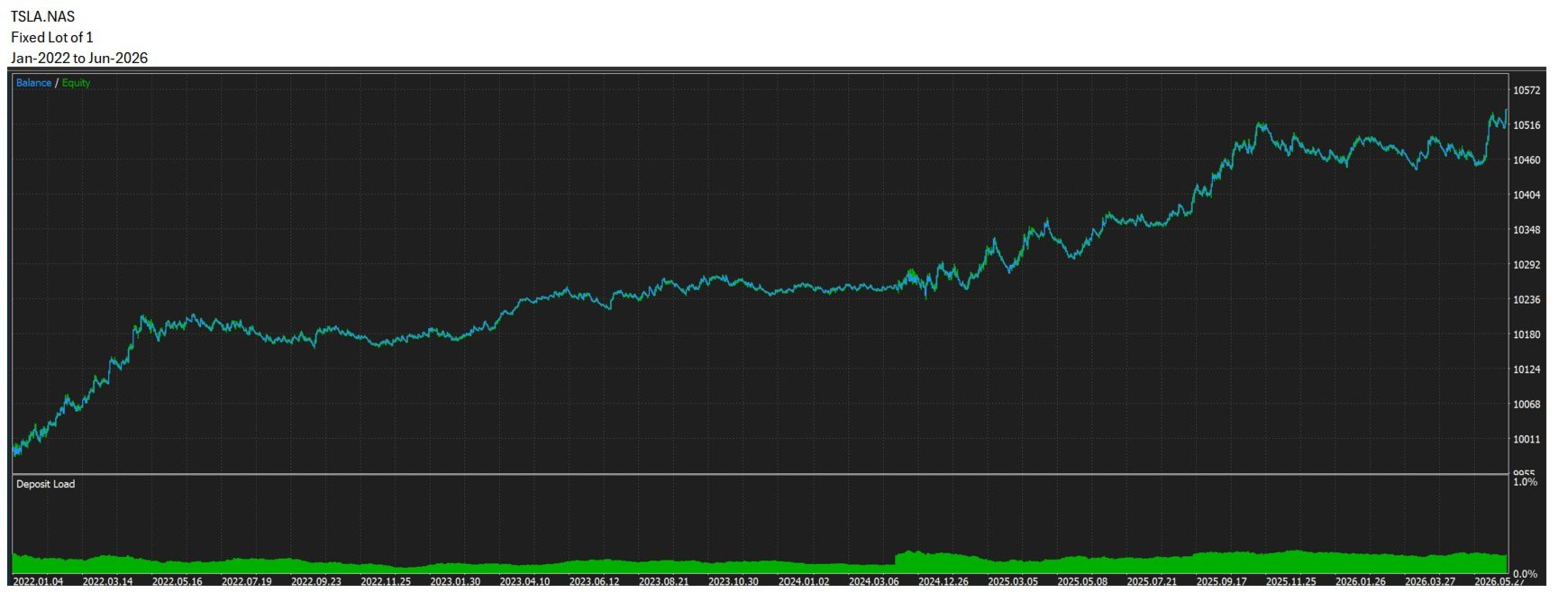
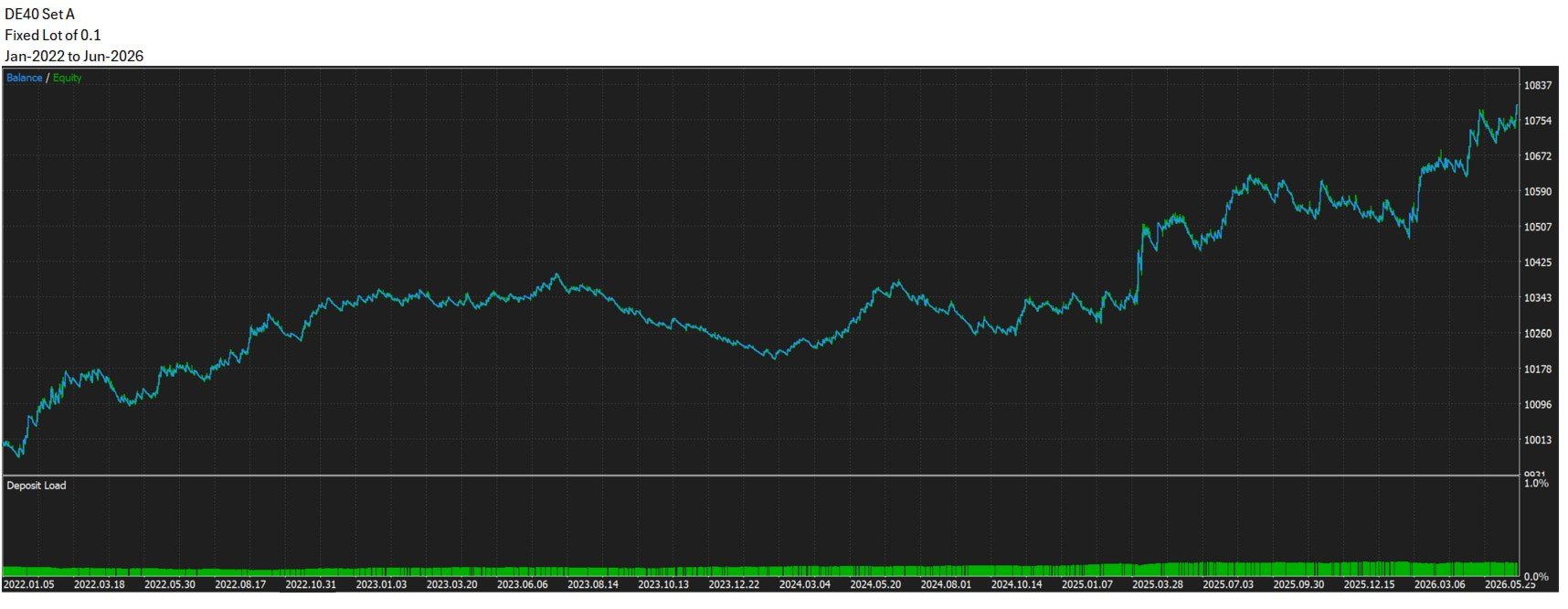
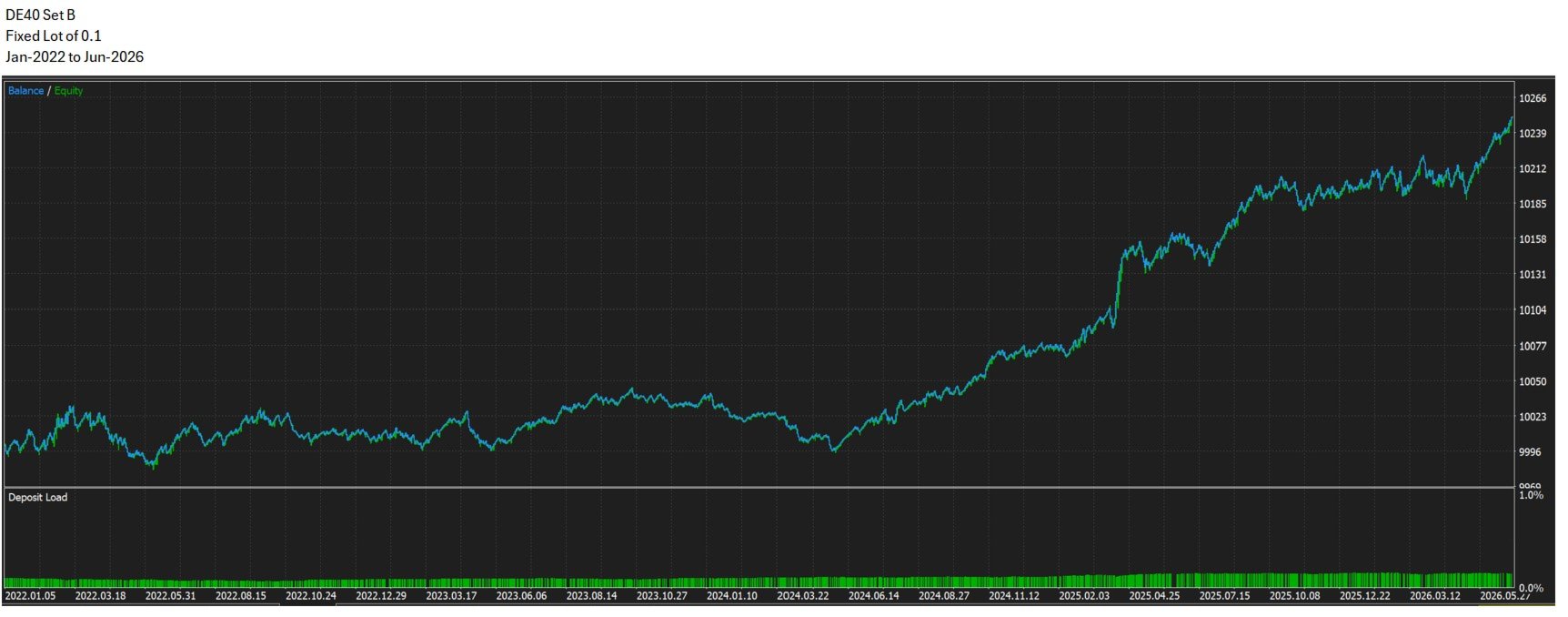
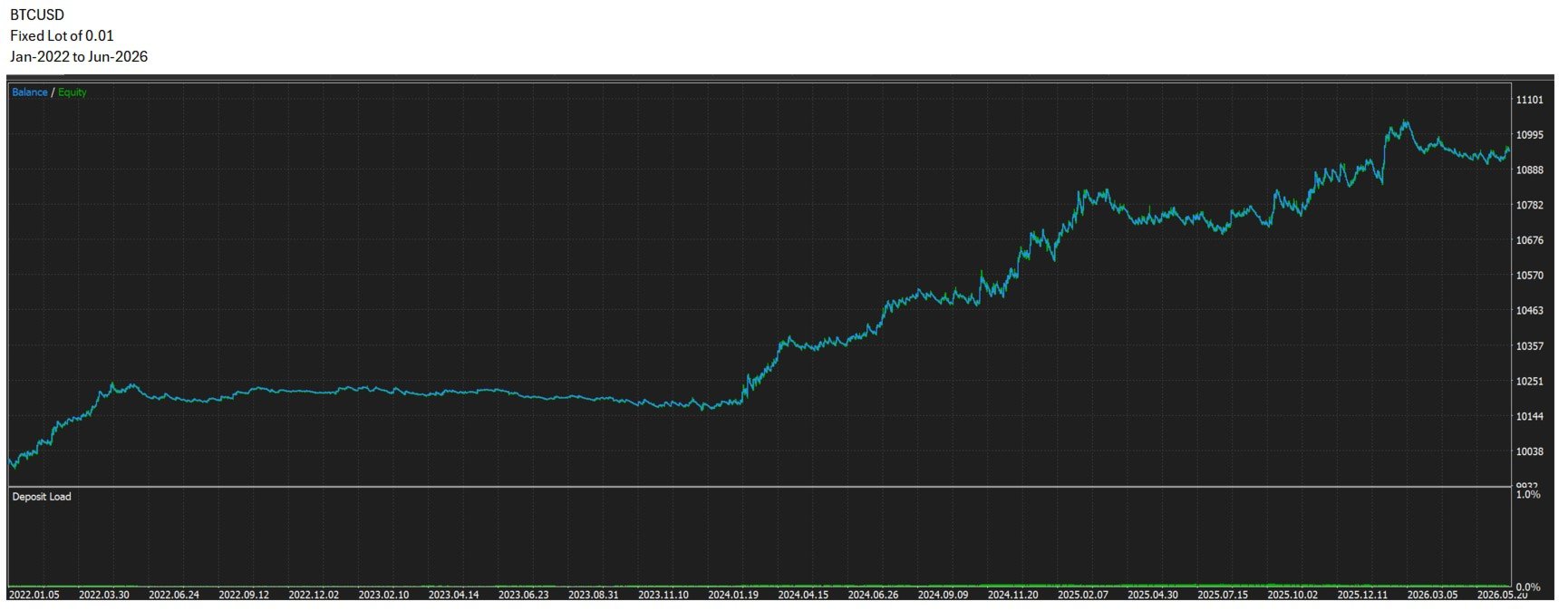
You can test the London open, New York open, Asian session, gold volatility windows, index opens, stock market opens, or your own custom time windows.
This gives ORB Monster unlimited potential for traders who like to research, optimize, and build their own structured breakout approach.
Simple concept. Flexible execution. Endless testing potential.
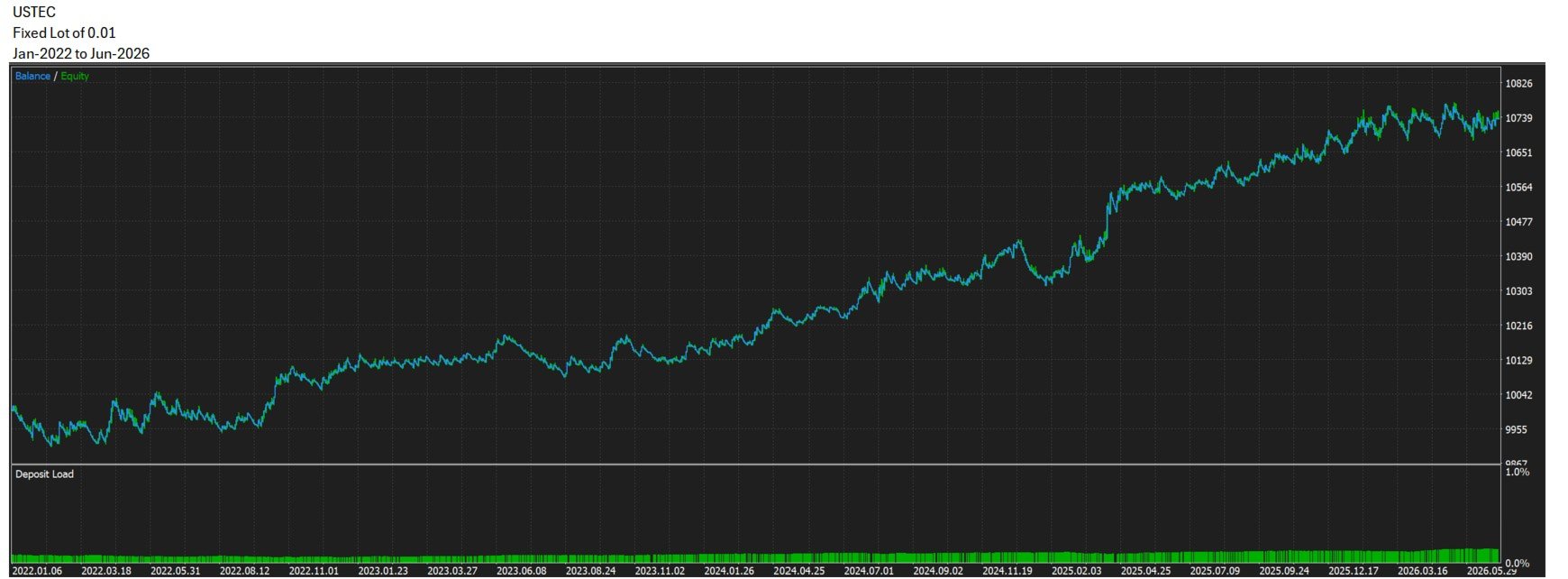
Set files used in the live signal are available in the Comments section, so users can start testing more easily and adjust them to their own broker, spread, symbol names, and risk preference.
- Simple ORB logic — define the range, wait for breakout, trade with structure.
- Flexible session control — choose your own session open/close times using broker/server time.
- Custom Opening Range duration — 5, 15, 30, or 60 minutes.
- Multi-symbol trading — trade one symbol or a comma-separated list of instruments.
- Market flexibility — suitable for XAUUSD, indices, forex, commodities, stocks, and CFDs.
- Flexible risk and lot sizing — fixed lots or risk-based sizing by account percentage.
- Multiple SL/TP styles — OR percentage, ATR, fixed points, RR-based TP, or no TP.
- Breakeven and ATR trailing — optional trade management for open positions.
- Breakout mode options — intrabar breakout or candle-close confirmation.
- Trade frequency control — once per day, once per direction, or multiple trades per session.
- Built-in filters — OR size filter, spread filter, trade window filter, and weekend skip.
- Session-end protection — optionally close positions at the end of the configured session.
Below is a practical guide to the main input settings. All session times are based on your broker/server time.
| Input | Description |
|---|---|
| InpSymbols | Symbols to trade, separated by commas. Leave blank to trade the current chart symbol. Example: EURUSD,XAUUSD,US30. Broker symbol names may vary. |
| InpSessionOpen | Session start time and Opening Range start time, based on broker/server time. |
| InpSessionClose | Session end time, based on broker/server time. |
| InpCloseAtSessionEnd | If enabled, the EA closes managed open positions at the configured session end. |
| InpOpeningRangePeriod | Opening Range duration. Options: OR_5M, OR_15M, OR_30M, OR_60M. |
| InpATRTimeframe | Timeframe used for ATR calculations for ATR-based SL, TP, and trailing stop. |
Lot Size
| Input | Description |
|---|---|
| InpLotMode | Lot sizing mode. FIXED uses a fixed lot size. RISK_PERCENT calculates lot size based on risk percentage and SL distance. |
| InpFixedLot | Fixed lot size used when InpLotMode = FIXED. |
| InpRiskPercent | Percentage of account balance risked per trade when using RISK_PERCENT mode. |
| InpMaxLotSize | Maximum lot size allowed by the EA. Helps limit exposure. |
| InpMinLotSize | Minimum lot size allowed by the EA. Broker volume rules are also respected. |
Stop Loss
| Input | Description |
|---|---|
| InpSLMode | Stop loss mode. Options: SL_OR_PERCENT, SL_ATR, or SL_FIXED_POINTS. |
| InpSL_OR_Percent | Stop loss distance as a percentage of the Opening Range size. Used with SL_OR_PERCENT. |
| InpSL_ATR_Period | ATR period used for stop loss calculation. Used with SL_ATR. |
| InpSL_ATR_Multi | ATR multiplier used to calculate stop loss distance. |
| InpSL_FixedPoints | Fixed stop loss distance in points. Used with SL_FIXED_POINTS. |
Take Profit
| Input | Description |
|---|---|
| InpTPMode | Take profit mode. Options: no TP, RR ratio, ATR, Opening Range percentage, or fixed points. |
| InpTP_RR_Ratio | Take profit distance as a multiple of SL distance. Example: 2.0 means TP = 2R. |
| InpTP_ATR_Period | ATR period used for take profit calculation. Used with TP_ATR. |
| InpTP_ATR_Multi | ATR multiplier used to calculate take profit distance. |
| InpTP_OR_Percent | Take profit distance as a percentage of the Opening Range size. |
| InpTP_FixedPoints | Fixed take profit distance in points. |
Breakeven
| Input | Description |
|---|---|
| InpBreakevenMode | Breakeven mode. BE_OFF disables breakeven. BE_ON_RR enables breakeven based on RR progress. |
| InpBreakevenTriggerRR | Profit level in R multiple required before moving SL to breakeven. Example: 1.0 means trigger at 1R. |
| InpBreakevenOffset | Offset in points added beyond entry price when moving SL to breakeven. |
Trailing Stop
| Input | Description |
|---|---|
| InpTrailingStopMode | Trailing stop mode. TRAIL_OFF disables trailing. TRAIL_ATR enables ATR-based trailing. |
| InpTrailingATRPeriod | ATR period used for trailing stop calculation. |
| InpTrailingATRMulti | ATR multiplier used to calculate trailing stop distance. |
| InpTrailingStepPoints | Minimum movement in points required before updating the trailing stop again. |
Breakout Mode
| Input | Description |
|---|---|
| InpBreakoutMode | Breakout detection mode. BREAKOUT_INTRABAR enters during the candle when price breaks the range. BREAKOUT_CLOSE_BAR waits for candle-close confirmation. |
| InpBreakoutBarTF | Timeframe used for candle-close breakout confirmation. Only used with BREAKOUT_CLOSE_BAR. |
| InpBreakoutBuffer | Extra buffer in points beyond the Opening Range high/low before a breakout is considered valid. |
Frequency
| Input | Description |
|---|---|
| InpTradeWindowMinutes | Time window after the Opening Range is formed during which new entries are allowed. Options include 15, 30, 60, 120 minutes, or no limit. |
| InpTradeFrequency | Trade frequency mode. Options: once per day, once per direction, or multiple trades per session. |
| InpMaxTradesPerSession | Maximum trades allowed per session when using FREQ_UNLIMITED. |
Filter
| Input | Description |
|---|---|
| InpMinORSize | Minimum Opening Range size in points required to allow trading. Helps avoid very low-volatility sessions. |
| InpMaxORSize | Maximum Opening Range size in points allowed. Helps avoid unusually wide or unstable sessions. |
| InpMaxSpread | Maximum allowed spread in points at entry. If spread is too high, the EA skips the trade. |
| InpMaxSlippage | Maximum allowed slippage in points for order execution. |
Others
| Input | Description |
|---|---|
| InpMagicNumber | Unique ID used by the EA to identify and manage its own trades. Use different magic numbers for different EA instances. |
| InpTradeComment | Comment added to trades opened by the EA. |
| InpSkipWeekends | If enabled, the EA skips weekend trading activity. |
Notes
- All time inputs use broker/server time.
- Symbol names depend on your broker.
- Set files are included as reference presets, including configurations used for the live signal.
- Results may vary depending on broker data, spread, commission, slippage, symbol specifications, and market conditions.