HalfTrend Matrix EA
- Experts
-
Irina Cherkashina
 I have been actively trading, including with the help of my own expert advisors, on financial markets since April 2012. In addition to trading with my own money, I work as a technical analyst in a mutual fund. In my free time, I like to go to live music concerts, travel, and hang out with friends.
 - Versione: 1.28
- Attivazioni: 5
HalfTrend Matrix EA is a multi-symbol Expert Advisor built around the HalfTrend trading logic, dynamic zone filtering, basket management, and flexible averaging mechanics. The EA is designed for traders who want a structured automated system that can work with one symbol or multiple symbols while keeping all trading decisions organized through clear entry, averaging, closing, and risk-management rules.
The core idea of the EA is simple: it detects trend direction using the HalfTrend algorithm, filters entries through price-zone logic, opens a trading basket in the selected direction, and then manages this basket as one complete trading structure.
This makes the system especially suitable for traders who prefer basket-based trading, averaging strategies, multi-symbol automation, and configurable risk control.
Key Features
· Built-in HalfTrend signal logic
· Multi-symbol trading mode
· Single-symbol mode for testing and focused trading
· Basket-based order management
· Averaging by new signal
· Emergency averaging by distance
· Dynamic zone / channel entry filtering
· Optional higher-timeframe direction filters
· BUY only, SELL only, or both directions
· Flexible basket closing conditions
· Risk-management unload system
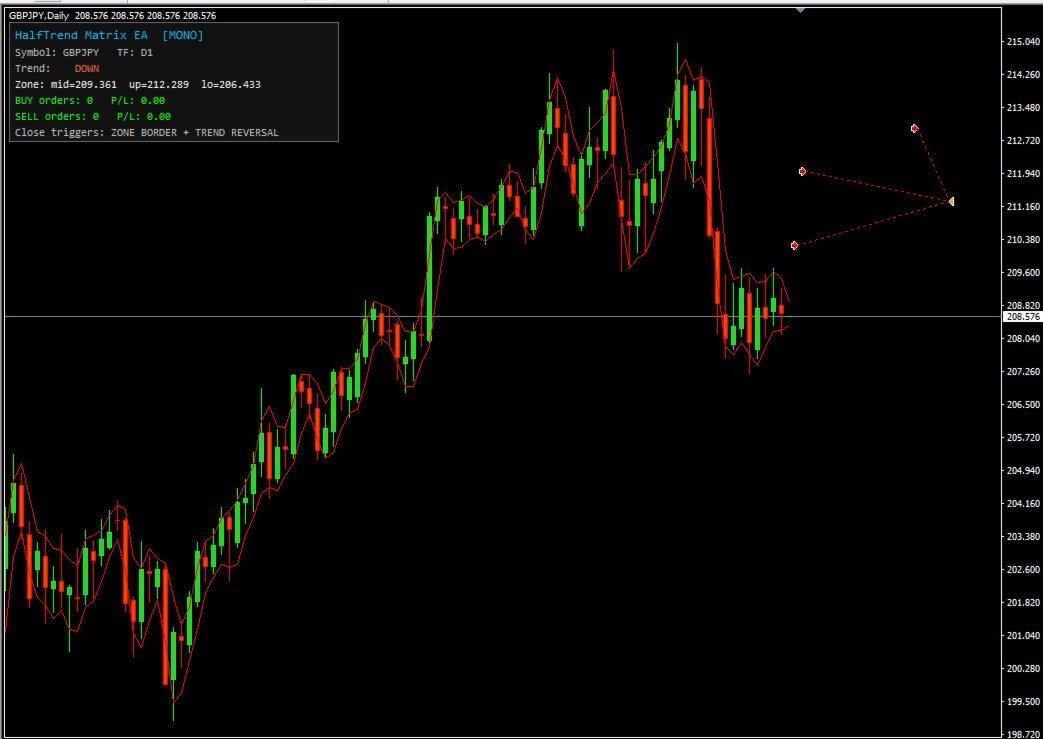
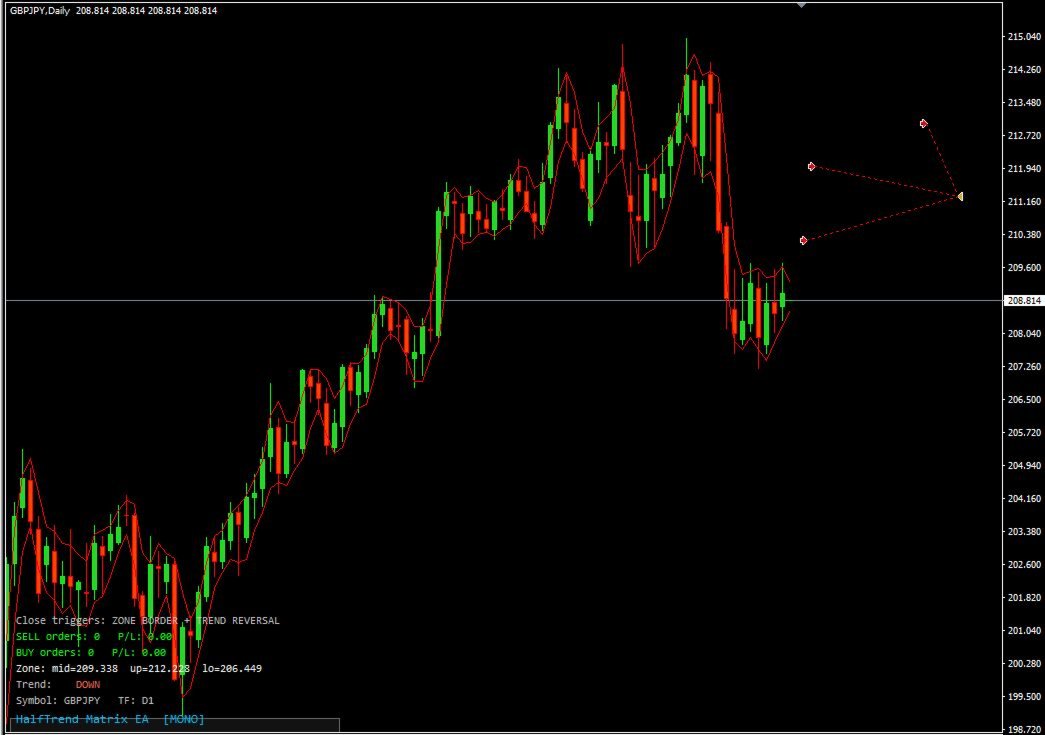
· On-chart information panel
· No external indicator required
Trading Concept
HalfTrend Matrix EA uses trend-change signals generated by the HalfTrend algorithm. When the EA detects a valid BUY or SELL signal, it checks the selected filters and opens the first order of a basket.
A basket means one or several orders opened in the same direction on the same symbol. The EA manages the whole basket together instead of treating every order as a separate trade.
This approach allows the system to build a position step by step and close the basket when the configured exit conditions are met.
Entry Logic
The EA can open trades when a HalfTrend signal appears and all active filters confirm the setup.
The signal can be processed in two modes:
· Closed Bar Mode — the signal is confirmed only after the candle closes. This mode is more conservative and helps avoid unstable tick-by-tick signals.
· Current Tick Mode — the EA reacts immediately when a signal appears.
The trader can also limit how old a signal may be. If the signal is older than the selected number of bars, the EA ignores it.
Dynamic Zone Filter
The EA includes a dynamic price-zone filter based on a channel concept. This filter helps control where BUY and SELL entries are allowed.
For example, the EA can allow:
· BUY entries only below the middle line of the zone
· SELL entries only above the middle line of the zone
This helps avoid entries in unfavorable price areas and gives more control over trade positioning.
If a signal appears on the wrong side of the zone, the EA can either ignore it or wait until price moves to the correct side.
Averaging System
HalfTrend Matrix EA supports two independent averaging methods.
Signal Averaging
A new order can be added to an existing basket when a new HalfTrend signal appears in the same direction. The EA can also check the minimum distance from the previous order before adding the next trade.
Emergency Distance Averaging
The EA can also add an order when price moves a specified distance away from the previous basket order, even without a new HalfTrend signal.
This gives the trader more flexibility when working with grid or averaging logic.
The lot size for additional orders can be increased using a lot multiplier. Emergency averaging can also have its own additional multiplier.
Multi-Timeframe Filters
The EA includes optional higher-timeframe filters. These filters check price position or direction on selected higher timeframes before allowing the first order of a basket.
For example, the trader can use H4 and D1 filters to make entries more conservative.
Both filters are optional and can be enabled separately.
Trade Direction Control
The trader can choose how the EA is allowed to trade:
· BUY only
· SELL only
· BUY and SELL
When both directions are enabled, the EA can also be configured to allow or block simultaneous BUY and SELL baskets on the same symbol.
Basket Closing Logic
The EA provides flexible basket closing conditions.
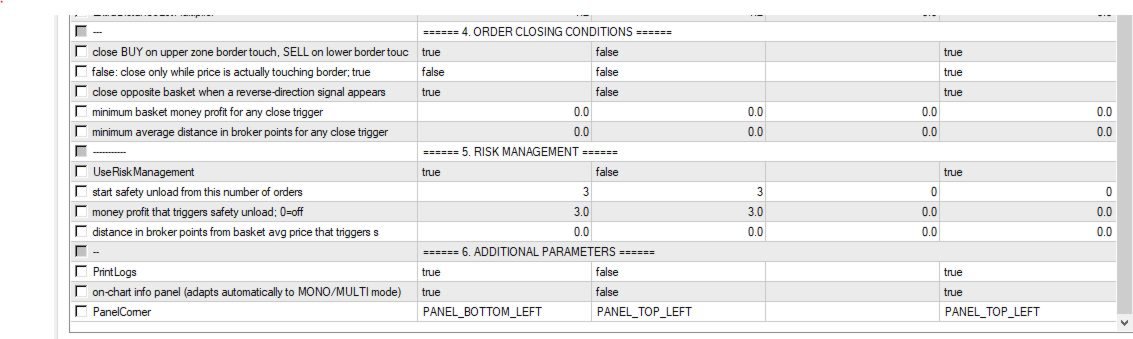
A basket may be closed when price reaches the opposite zone border, or when a new opposite HalfTrend signal appears.
The trader can also set minimum profit requirements before closing:
· Minimum basket profit in account currency
· Minimum distance from basket average price in points
This allows the EA to avoid closing baskets too early if the configured profit conditions are not satisfied.
Risk Management
HalfTrend Matrix EA includes a separate risk-management unload mechanism.
This system can be activated when the number of orders in a basket reaches a specified level. After that, the EA can close the basket once the selected profit or distance threshold is reached.
This feature is designed to help manage large baskets more intelligently during extended market movement.
MONO and MULTI Modes
The EA can work in two modes.
MONO Mode
In MONO mode, the EA trades only the symbol of the chart where it is attached. This mode is recommended for testing, optimization, and focused single-symbol trading.
MULTI Mode
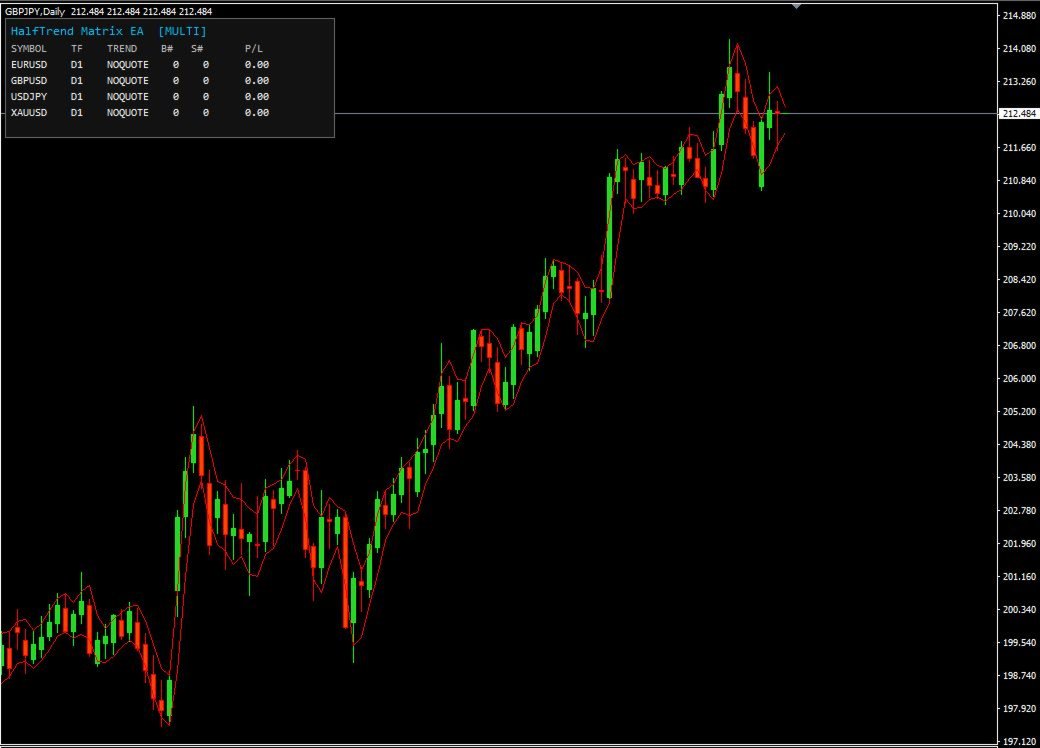
In MULTI mode, the EA can trade several symbols from the symbol list at the same time. This allows one EA instance to manage multiple instruments from one chart.
Before using MULTI mode, make sure that historical data for all selected symbols is available in the terminal.
On-Chart Panel
The EA includes an information panel that displays important trading data directly on the chart.
Depending on the selected mode, the panel can show:
· Current symbol
· Signal timeframe
· Current trend direction
· Zone values
· BUY and SELL basket status
· Number of open orders
· Floating profit or loss
· Active closing conditions
· Multi-symbol overview
The panel can be enabled or disabled in the settings.
Main Advantages
· All-in-one HalfTrend-based trading system
· No external indicator dependency
· Suitable for single-symbol and multi-symbol workflows
· Flexible averaging and basket logic
· Configurable entry filters
· Optional higher-timeframe confirmation
· Built-in risk-management tools
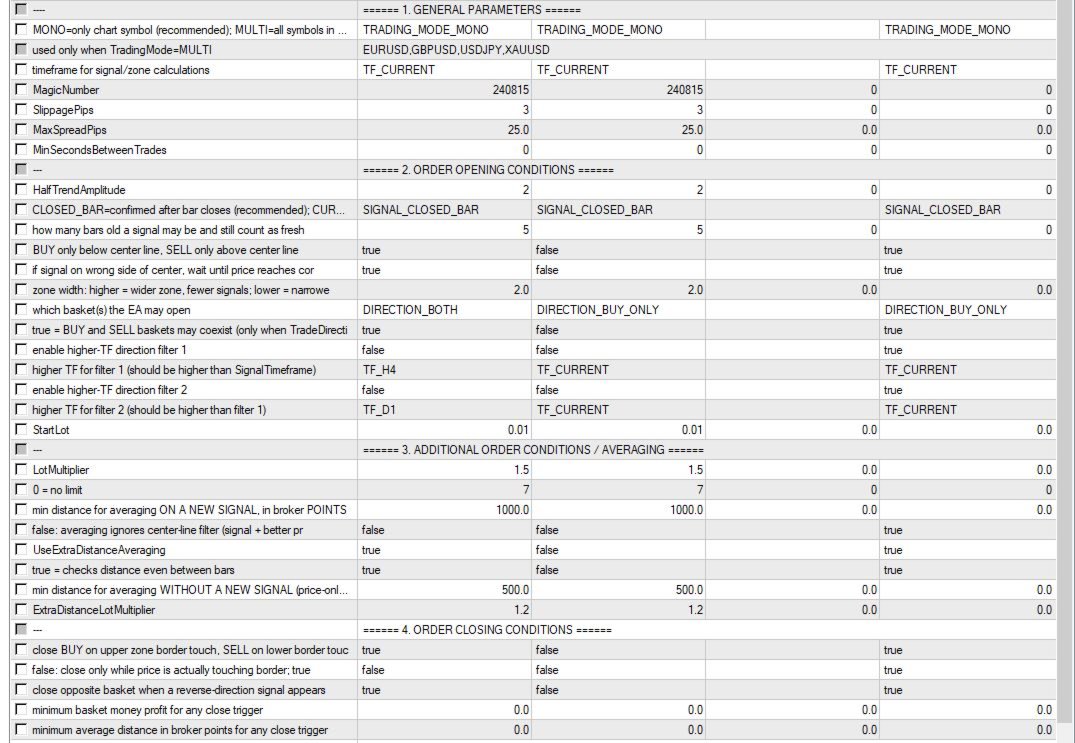
· Clear structure of input parameters
· Designed for MetaTrader users who want controlled automation
Important Notes
This EA uses averaging / grid-style logic. Such strategies can involve increased risk, especially during strong one-directional market movements.
Before using the EA on a real account, it is strongly recommended to test it carefully in the Strategy Tester and on a demo account. Choose lot size, multiplier, maximum orders, symbol list, and risk settings according to your account size and trading style.
Past performance does not guarantee future results. The trader is fully responsible for the selected settings and trading risks.
Marketplace Add-On Recommendation:
You can also purchase on MQL5 and integrate with this EA (and other systems)
- our professional ProfRoboTrading Dashboard MultiSymbol E,A,
https://www.mql5.com/ru/market/product/159807?source=Site+Market+MT4+Search+Rating006%3aProfRoboTrading+Dashboard+MultiSymbol
as well as our proprietary indicators:
• TMA_Channel_PRO_Non_repaint
https://www.mql5.com/ru/market/product/164747?source=Site+Market+MT4+Search+Rating006%3aTMA_Channel_PRO_Non_repaint