FVG Hunter
- Indicatori
-
Do Thi Phuong Anh
 Hi, I'm PA, 27 years old. I have 3 years of experience in forex trading and freelance work on various related projects, especially programming... I look forward to your assistance in the future and hope you have a good experience here.
 - Versione: 1.50
- Attivazioni: 5
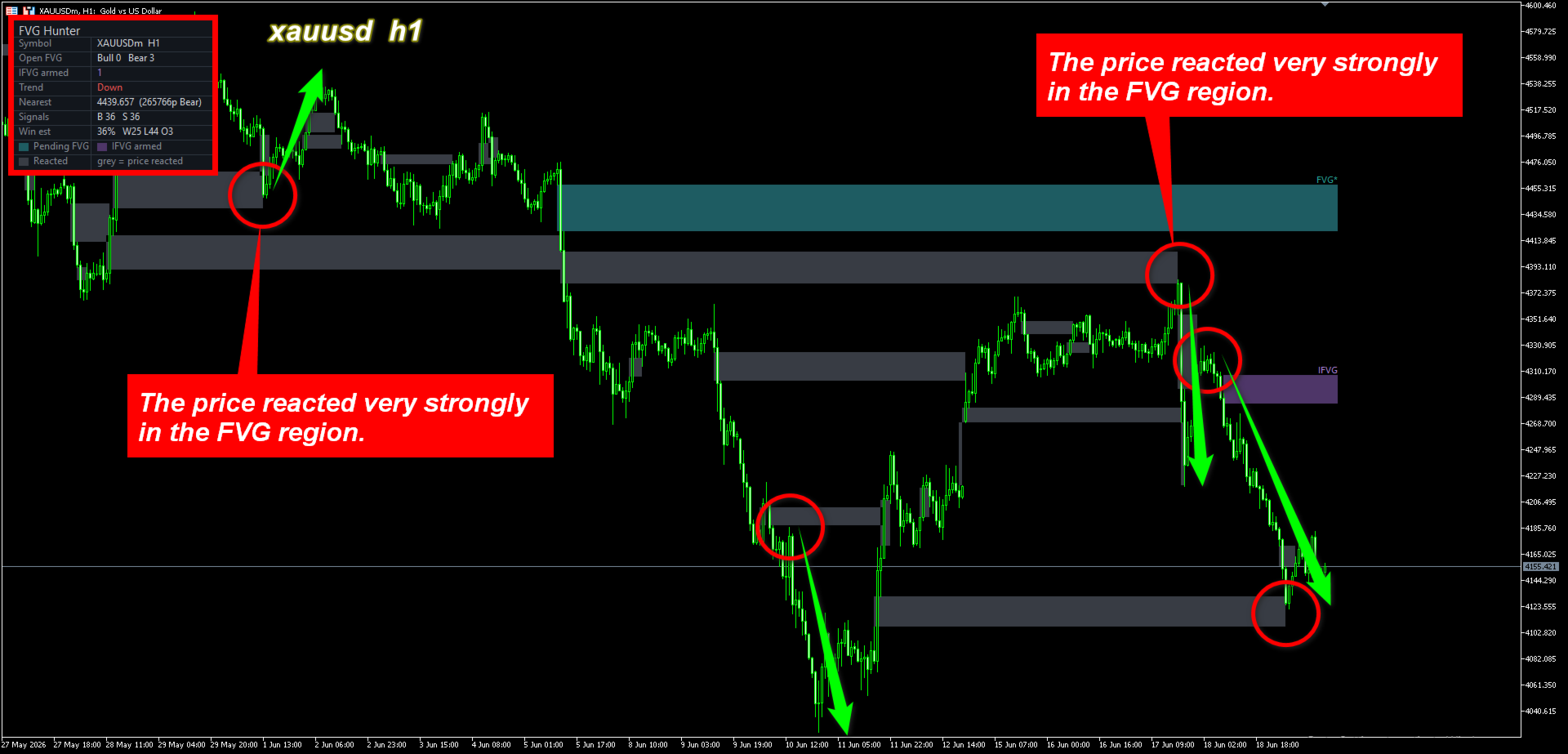
FVG Hunter is a context and entry-refinement tool based on ICT / Smart Money Concepts. It detects three-candle Fair Value Gaps (price imbalances) and their inversions, then displays them as clean zones on the chart. It does not place trades and does not give buy/sell promises; it is built to help you read where price is likely to react.
WHAT IT MARKS
- Fair Value Gap (FVG): the imbalance left when price moves away quickly, often acting as a magnet and a later reaction zone.
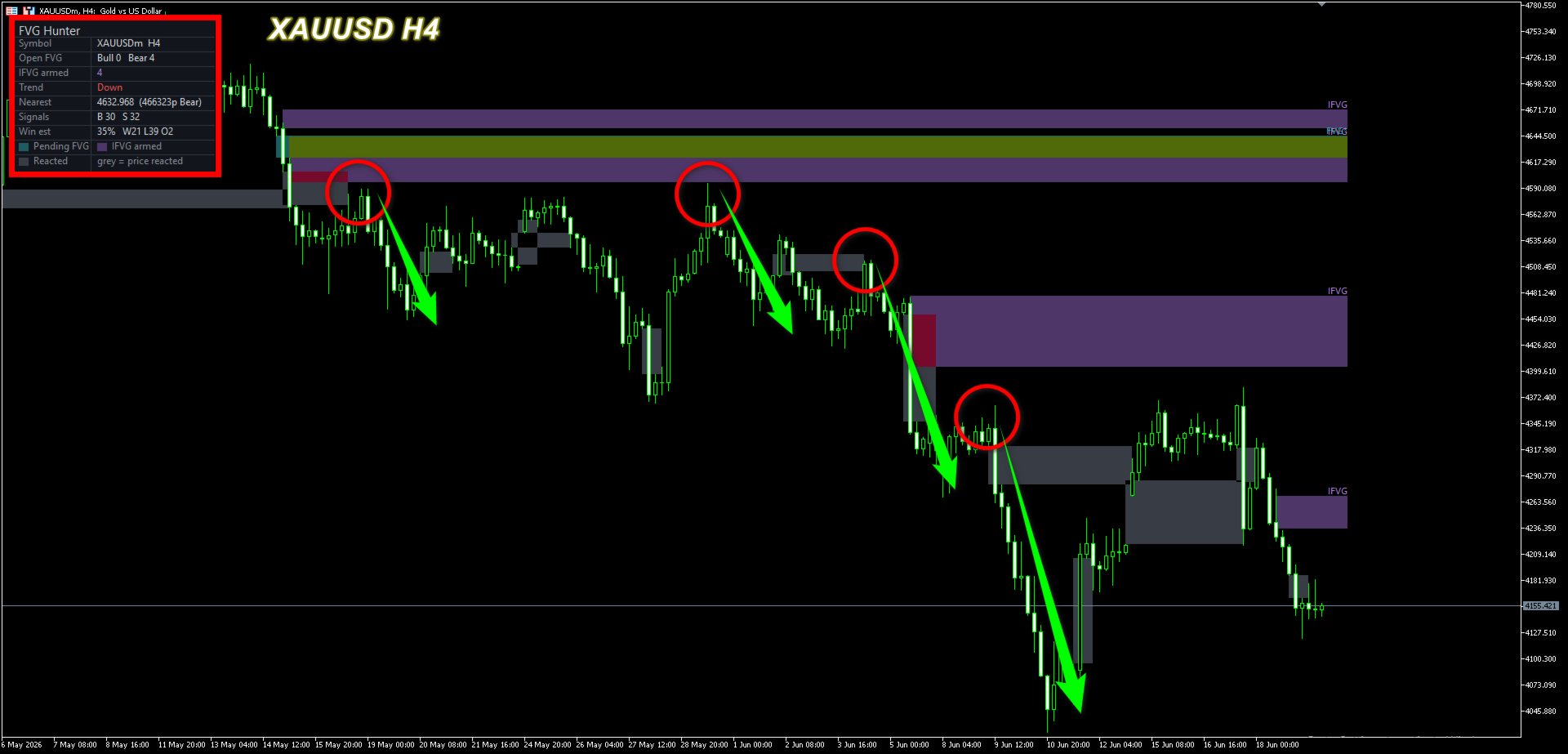
- Inversion FVG (IFVG): an FVG that price closes through, flipping its role from support to resistance (or the reverse) and acting as a continuation zone.
A SIMPLE THREE-COLOUR LAYOUT
- Pending FVG (one colour): an unfilled gap still waiting for price.
- Pending IFVG (one colour): a flipped zone waiting for a retest.
- Reacted FVG (grey): a gap price has already reached. The box is frozen at the exact candle where price first reacted, so you can review how the market behaved at zones like it.
Colour means a live zone to watch; grey means it already happened.
BUILT AROUND THREE CORE FVG PRINCIPLES
1. Trade with the trend: an EMA trend filter can show only the zones aligned with the current trend, so counter-trend noise is hidden.
2. Confluence: a "*" mark flags zones sitting in the favourable half of the dealing range (a buy gap in discount, a sell gap in premium). The tool is designed to be stacked with structure, order block and liquidity tools for deeper confluence.
3. Wait for confirmation: zones are marked, not auto-traded, leaving you to wait for a clear rejection candle on a lower timeframe before entering.
NON-REPAINT
Gaps and their states are confirmed on closed candles only. Boxes do not redraw to a different place after the fact.
DASHBOARD AND ALERTS
A compact panel shows the symbol and timeframe, open FVG counts, armed IFVG count, current trend, and the nearest pending zone. Multi-channel alerts (popup, push, email, sound) can be enabled.
KEY INPUTS
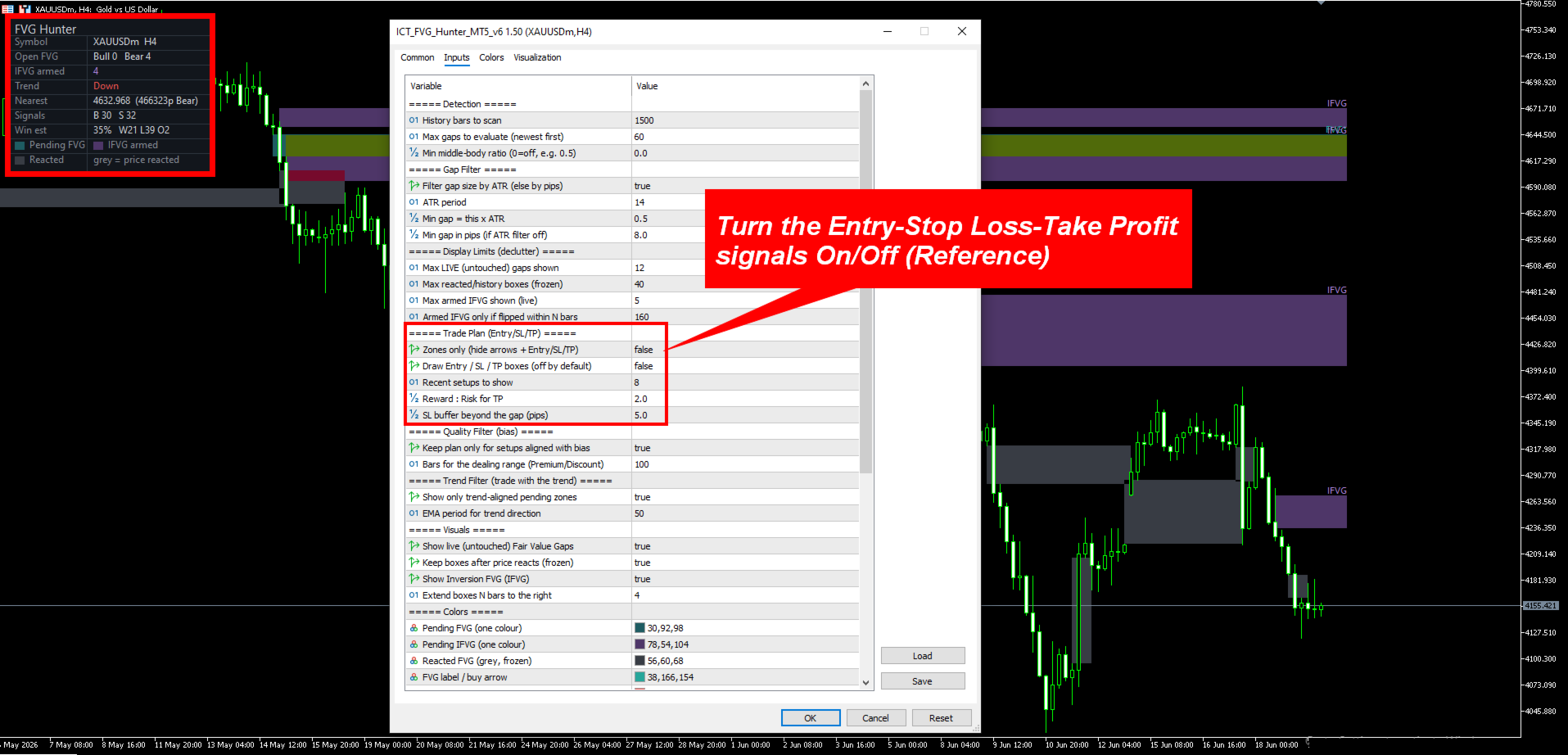
- Minimum gap size filter (ATR multiple or pips) to ignore micro-gaps.
- Display caps for live zones, IFVG and history, plus an IFVG recency window.
- Trend filter on/off and EMA period.
- Optional Entry/SL/TP side-layer and a Zones-only mode.
- Full colour control and panel options.
USAGE NOTES
Works on any symbol and timeframe. It is commonly used on XAUUSD, FX majors and indices, on M5 to H4. As an ICT/SMC component, it pairs naturally with market-structure, order-block and liquidity tools.
This is an analytical indicator. It is not financial advice and does not guarantee any result. Always test on a demo account and apply your own risk management.