RealCost Risk Governor MT5
- Utilità
- Versione: 1.0
- Attivazioni: 5

Overview
RealCost Risk Governor MT5 is an account and trade-risk monitoring utility for MetaTrader 5. It does not predict price movement and does not provide buy or sell signals. It watches configured risk limits and shows a compact on-chart panel for daily P/L, floating P/L, equity drawdown, trade count, open positions, pending orders, total lots, and chart spread.
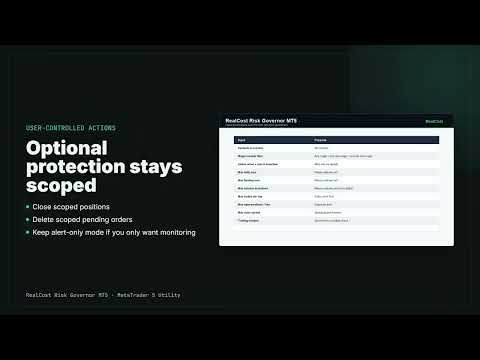
The default mode is alert-only. If the trader explicitly enables protection actions, the utility can close scoped positions, delete scoped pending orders, or do both when a configured rule is breached. These actions are controlled by the selected symbol scope and magic-number filter.
Typical Use Cases
- Monitor daily loss rules on a live or demo account.
- Keep an external risk panel next to a manual trading setup.
- Watch floating loss, total lots, and open exposure while other EAs are running.
- Track spread, trade count, positions, and pending orders in one place.
- Record risk status and events to a local CSV file for later review.
Key Features
- Daily loss monitor in account currency and percent.
- Floating loss monitor in account currency and percent.
- Session equity drawdown monitor from the moment the EA is attached.
- Daily trade count limit.
- Open position count limit.
- Pending order visibility.
- Total open lots limit.
- Current chart spread limit.
- Optional trading-window check using server time.
- Scope controls for current symbol or all symbols.
- Magic-number filter: any magic, only one magic, or exclude one magic.
- Alert-only default mode.
- Optional protective actions: close positions, delete pending orders, or both.
- Popup alerts, optional push notifications, and Experts log events.
- Local CSV event/status log.
- No DLL, no WebRequest, no external service.
What It Does Not Do
- It does not trade entries.
- It does not provide buy or sell signals.
- It does not predict market direction.
- It does not promise profits.
- It does not guarantee passing any trading challenge.
- It does not replace broker statements or regulated reporting.
- It does not provide legal, financial, or investment advice.
Important Safety Note
The default setting is alert-only. Protective actions run only when the user changes the input "Action when a rule is breached" away from alert-only. If enabled, actions are limited by the configured symbol and magic-number scope. Test all settings on a demo account before using protective actions on a live account.
Input Parameters
- Symbols to monitor - current chart symbol or all symbols.
- Magic number filter - monitor any magic, only one magic, or exclude one magic.
- Magic number for filter - magic value used by the filter.
- Action when a rule is breached - alert only, close positions, delete pending orders, or both.
- Minimum seconds between protection actions - cooldown to avoid repeated actions.
- Max deviation when closing positions - close-position deviation in points.
- Max daily loss in account currency - daily loss money limit, 0 disables it.
- Max daily loss percent - daily loss percentage limit, 0 disables it.
- Max open floating loss - open-position floating loss money limit, 0 disables it.
- Max open floating loss percent - floating loss percentage limit, 0 disables it.
- Max equity drawdown since attach - session drawdown money limit, 0 disables it.
- Max equity drawdown percent since attach - session drawdown percentage limit, 0 disables it.
- Max new trades per day - daily entry count limit, 0 disables it.
- Max open positions - open-position count limit, 0 disables it.
- Max total open lots - total volume limit, 0 disables it.
- Max chart spread in points - chart spread limit, 0 disables it.
- Monitor trading window - enable or disable time-window monitoring.
- Trading window start/end - server-time window in HH:MM format.
- Treat outside-window exposure as breach - optionally flag exposure outside the window.
- Show popup alerts, Send mobile push notifications, and Print events to Experts log.
- Write CSV event log and CSV file options.
- Panel corner, offset, and colors.
CSV Columns
- time
- event
- reason
- symbol scope
- magic scope
- balance
- equity
- day start balance
- daily P/L
- realized today
- floating P/L
- session drawdown
- session drawdown percent
- trades today
- open positions
- pending orders
- total lots
- chart spread points
- protection action
Usage
Attach RealCost Risk Governor MT5 to any chart. Configure the risk limits that matter for your account or strategy. Keep the default alert-only mode if you only want monitoring. If you want emergency protection, change the action input and carefully set the symbol and magic-number scope.
The utility is designed as an external risk guard. It can monitor manual trades, EA trades, and copied trades according to the selected scope.