UMNi Sync MT4 Multi Account Trade Copier

  • Utilità
  • Rickie Lee Robinson
    Rickie Lee Robinson
    • Founder & Lead Developer, MT4/MT5 EAs & Telegram Tools al  UMNi Systems
    • Regno Unito
    • 1372
    Founder of UMNi Systems. I build Telegram-connected tools and custom Expert Advisors for MetaTrader 4 and 5: trade alerts, remote control, session briefings and risk management. Every strategy I build is tested on 17 years of historical data before it goes near a live account. Custom bot builds
  • Versione: 1.30
  • Aggiornato: 12 novembre 2026
  • Attivazioni: 5

UMNi-SYNC
Local Trade Copier for MetaTrader 4 — Master / Subscriber, MT4 and MT5 together

UMNi-SYNC copies trades from one MetaTrader account (the Master) to any number of other accounts (Subscribers) running on the same computer or VPS. The master publishes its open positions to a small file in the terminals' shared Common folder several times a second; each subscriber mirrors them: new trades, closes, partial closes and SL / TP changes. MT4 and MT5 terminals copy to each other. Telegram is used for alerts and remote commands, never for the copying itself.

KEY FEATURES

  • Master / Subscriber with any number of subscribers, named channels for several independent copy groups
  • Copies opens, closes, partial closes and every SL / TP change
  • MT4 ↔ MT5 in any direction (same file format)
  • Lot modes: same lots, multiplier, fixed lot, or scaled by balance ratio, with a maximum lot cap
  • Reverse copy option (SL and TP swap)
  • Symbol prefix / suffix and a symbol map for brokers with different names (e.g. GOLD=XAUUSD)
  • Price deviation guard: no copy if price has already moved too far from the master's entry
  • Master filters: by magic number and / or symbol list
  • Safe by design: if the master feed goes quiet (terminal closed, disconnected), copies are left alone, never closed; a close needs three consecutive snapshots to agree
  • Copies closed on the subscriber (own SL / TP or by hand) are not reopened
  • Picks up where it left off after a restart (copies are matched to the master again)
  • Telegram alerts: online / offline, trade copied (fill and difference in pips), copy closed (result), partial close, skipped or failed copies, master offline / back
  • Telegram commands: /syncstatus /syncpause /syncresume /synchelp
  • Chart panel: master link, positions, copies, last action; the master shows how many subscribers are online

HOW IT WORKS

  1. Attach UMNi-SYNC to any chart on the master terminal with MODE = Master.
  2. Attach it to any chart on each subscriber terminal with MODE = Subscriber and the same CHANNEL.
  3. Trades opened on the master (by you or any EA) appear on the subscribers within a second, and follow it until they close.

MAIN INPUTS

  • MODE / CHANNEL
  • Master: SOURCE_MAGIC, SOURCE_SYMBOLS
  • Subscriber: LOT_MODE, LOT_VALUE, MAX_LOT, COPY_SL, COPY_TP, COPY_PARTIAL_CLOSES, REVERSE, MAX_DEVIATION_PIPS, COPY_EXISTING_ON_START, MAX_COPIES
  • SYMBOL_PREFIX, SYMBOL_SUFFIX, SYMBOL_MAP, COPY_MAGIC, SLIPPAGE_POINTS, MASTER_TIMEOUT_SEC

GOOD TO KNOW

  • All terminals must run on the same computer or VPS under the same Windows user (they share the Common\Files folder). Copying between different computers is not supported.
  • Copying to an MT5 subscriber needs a hedging MT5 account.
  • By default only trades the master opens after the subscriber starts are copied (COPY_EXISTING_ON_START = false).
  • Use one subscriber per terminal per channel.
  • Test with demo accounts first. Fills differ slightly between brokers and accounts.

QUICK SETUP

  1. Install UMNi-SYNC on every terminal (master and subscribers)
  2. Optional Telegram: Tools > Options > Expert Advisors > allow WebRequest for https://api.telegram.org, then enter a bot token and chat ID (use a different bot per terminal if you want commands on more than one)
  3. Set the same CHANNEL everywhere, MODE = Master on one terminal and Subscriber on the others
  4. Allow algorithmic trading on the subscribers

REQUIREMENTS

  • MetaTrader 4 (copies to and from MetaTrader 5 too), all terminals on one PC or VPS
  • A Telegram bot token and chat ID (optional, for alerts and commands)

Part of the UMNi Systems suite — umni-systems.com

Prodotti consigliati
Automated Timeframe cycling with Symbols centered.  Force every timeframe onto one clock window, so the story you see on Daily is the same story you are slicing on H4, H1, and M1.  Traders usually flip timeframes and lose the span. A Daily chart shows a few weeks, then M15 shows a few hours, and the eye treats them as different markets. This indicator locks the window to N bars of the highest enabled timeframe — default 10 Daily — and maps every lower timeframe to that same stretch. You stay ins
FREE
Program Overview: This program is a trading tool designed to monitor and analyze the 7 major currency pairs. It is a variant of a similar program used for tracking stock indices, but this version focuses on the seven major currency pairs. The program helps in identifying and calculating significant price movements (gaps) between the high and low prices of these currency pairs over a specified time frame. It then provides insights through comments and alerts based on the calculated gaps. Major Cu
Grid Trading
Waseem Raza
5 (3)
Grid Trading EA is a semi-automated one-click trading EA for both Normal Trading and Grid/Martingale Trading . Normal Trading Simply click Buy or Sell directly from the chart. The EA will automatically manage trades by: Setting Stop Loss and Take Profit Managing Trailing Stop Grid / Martingale Trading When Grid Trading mode is enabled, the EA will automatically open additional grid orders at specified distances while increasing the lot size based on your settings. Inputs & Settings Lots — Initia
Copier4Fee Advanced
Vladimir Tkach
4.75 (16)
The utility copies trades from the signal provider accounts (master accounts, one or multiple providers) to unlimited number of receiver accounts (slave accounts).  Attention! Y ou need to use identifiers (Provider number) of the same length if you use several master copiers. For example. 1, 2, 3 or 11, 13, 22. The copying can be set in the opposite direction. The comments with all the recently performed actions are displayed on the screen to monitor the utility actions in slave mode. To avoid p

Trade Command PRO MT4 Trade Command PRO MT4 is a compact manual trading and position-management panel designed for fast and precise order execution directly from the chart. The utility combines one-click trading, visual Stop Loss and Take Profit control, real-time monetary calculations and advanced position-management functions in a clean, movable interface. Main Features Open BUY and SELL market orders with one click Close all open positions instantly Adjustable Lot, Stop Loss and Take Profit v
Exp Swing
Vladislav Andruschenko
4.44 (64)
Utilizza il modello di una famosa strategia chiamata Swinger (Pendulum, Cheburashka) - posizionamento alternativo di ordini pendenti con aumento del lotto. La strategia consiste nel piazzare due ordini pendenti opposti. Quando il prezzo si muove in una determinata direzione, viene attivato un ordine pendente, mentre la dimensione del lotto dell'altro ordine viene aumentata. L'EA prevede tre tipologie di apertura degli ordini pendenti (TypeofTrade) Apertura automatica dopo il posizionamento (Ape
FREE
SmartTrader Pro — Advanced Order Management Panel Type: Order Management Platform: MetaTrader 4 Version: 1.0 Created by: HANI MABAD * 2025  --- Overview SmartTrader Pro is a professional multi-order launcher and manager designed for traders who want precise USD-based control over profits and losses. It enables you to open, manage, and close trades with a single click — across market and pending orders — while keeping full visibility through an integrated smart panel. Whether you tra
ForexcopyLocalMT4
Wei Ming Ding
3 (1)
Istruzioni per l'uso: https://www.mql5.com/zh/blogs/post/754946 Versione MT4: https://www.mql5.com/zh/market/product/88205 Versione MT5: https://www.mql5.com/zh/market/product/88204 -------------------------------------------------- 1. Copia ordini, da 12 account master a 100 account slave. Il numero di account slave può essere personalizzato, da 12 a 100. 2. Supporta da MT4 a MT4, da MT4 a MT5, da MT5 a MT4, da MT5 a MT5. 3. Identificare i suffissi delle varietà di trading su diverse piattafor
VTB High Watermark Drawdown Lock EA for MT4 Advanced Equity Protection & Drawdown Management System VTB High Watermark Drawdown Lock is a professional risk management Expert Advisor designed to protect trading accounts, funded accounts, and proprietary trading challenges from excessive drawdown. Unlike traditional drawdown protection systems that calculate risk from the initial account balance, this EA uses a dynamic High Watermark (HWM) model that continuously protects both your original capita
Period Change Button
Rainer Albrecht
3 (1)
Fastest way to change the period. Suitable for traders who use many charts and timeframes. Size, shape and color can be customized. Inputs Parameters Corner — Choose corner placement Standart is "Right lower chart corner" Color — Background color of the button ColorText — Text color of the button ColorOn — Background color of the button for the current period ColorOnText — Text color of the button for the current period Font — Arial, Verdana... FontSize — Size of the font in pixels DistanceX —
FREE
This indicator is a utility that can output spreads to CSV file in three formats. In the case of scalping where the spread greatly affects the trade result, the specification of the spread of the FX Broker you use is an important point to be aware of. Since the spread value changes greatly depending on the time zone, the average value of spreads officially announced by FX Broker is not very helpful. It is very important to investigate the spread specification of each FX Brokers by yourself. This
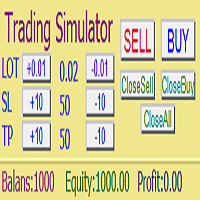
TSim
Sergey Kruglov
Утилита  TSim   позволяет симулировать ручную торговлю в Тестере Стратегий MetaTrader 4. В панеле можно устанавливать размеры лота, тейпрофита и стоплосса. Панель имеет кнопки Sell   и Buy для выставления рыночных ордеров, а также кнопки CloseSell, CloseBuy и CloseAll для быстрого закрытия ордеров. Под панелью отображается список открытых ордеров. Внимание. Панель работает только в Визуальном режиме Тестера Стратегий MetaTrader 4.
FREE
Trade Assistant Pro 36 in 1
Makarii Gubaydullin
4.76 (21)
Strumento Multifunzionale: Calcolatore di Lotti, Ordini Grid, Rapporto R/R, Gestore Trade, Zone di Domanda e Offerta, Price Action e molto altro Versione Demo   |   Manuale utente L'Assistente di Trading non funziona nel tester di strategie: puoi scaricare la Versione Demo QUI per testare l' utilità . Contattami per qualsiasi domanda / idee di miglioramento / in caso di bug trovato Se hai bisogno di una versione MT5, è disponibile qui Semplifica, accelera e automatizza il tuo processo di tradin
Stay updated with Multicurrency Overview!! The algorithm of this EA releases an average of the movement percentage of all the Forex currencies linked to a single currency, isolating it, letting us to comprehend its real and specific trend. Above on the left, a panel show us efficiently the trend of the currency, in the timeframe actually used. The second panel will keep you updated on macroeconomic news. P.N.:The news time is based on your pc clock time, this way you won't have any problem reg
Trade Copier Agent è progettato per copiare operazioni tra account/terminali multi MetaTrader (4/5). Con questo strumento, puoi agire come fornitore (fonte) o ricevitore (destinazione). Tutte le azioni di trading verranno copiate dal fornitore al destinatario senza alcun ritardo. Questo strumento ti consente di copiare operazioni tra più terminali MetaTrader sullo stesso computer con velocità di copia fulminee inferiori a 0,5 secondi. Guida all'installazione e agli input di Trade Copier Agent S
Risk and Lot Size Calculator per MetaTrader 4 calcola la dimensione del lotto per l'importo che sei disposto a perdere. Trascina tre linee sul grafico (ingresso, stop loss, take profit) e il pannello mostra la dimensione del lotto, il denaro a rischio, il profitto al take profit, il rapporto rischio:rendimento e il margine richiesto, con una vista opzionale del margine di perdita rimanente su un conto prop (finanziato). È pensato per i trader manuali che vogliono dimensionare ogni posizione in
CoPilot dashboard MT4
Frederic Jacques Collomb
CoPilot — Dashboard di trading giornaliero Conosci i tuoi numeri. Fai trading con chiarezza. Versione MT5 Cos'è CoPilot? CoPilot è un assistente di trading di livello professionale che visualizza in tempo reale tutte le statistiche di performance giornaliera direttamente sul grafico — con una curva di equity in tempo reale che si aggiorna operazione per operazione. Progettato per i trader attivi che necessitano di visibilità immediata sulla propria sessione senza lasciare il grafico, CoPilot agg
SL and TP Setter
Giacomo Barone
4 (1)
Puoi aprire un trade manualmente (one click) e questo EA penserà a posizionare SL E TP. SL e TP vengono inseriti in base ai Pips che specifichi nella schermata di input. Puoi anche scegliere SL e TP monetari. SL e TP vengono definiti in base al prezzo medio ponderato (PMC), quindi se apri una nuova operazione SL e TP verranno aggiornati in base al nuovo PMC. Il PMC non è unico, ma differenziato tra operazioni buy e operazioni sell (informazione utile solo se apri operazioni di segno opposto sul
FREE
Trade Manager MT4 DaneTrades
Levi Dane Benjamin
4.09 (11)
Trade Manager per aiutarti a entrare e uscire rapidamente dalle operazioni calcolando automaticamente il tuo rischio. Incluse funzionalità che ti aiutano a prevenire l'eccessivo trading, il vendetta trading e il trading emotivo. Le operazioni possono essere gestite automaticamente e i parametri di performance del conto possono essere visualizzati in un grafico. Queste caratteristiche rendono questo pannello ideale per tutti i trader manuali e aiuta a migliorare la piattaforma MetaTrader 4. Suppo
Save time and worries watching. This EA will do this job for you.  Even you can configure some from this EA from your mobile instead of using the PC. To use this EA just drag from MetaTrader4 to any chart and timeframe (it will check continuosly no matter the timeframe). Configure some parameters according to the currency master to use configuration from your mobile and lots configuration but I would recommend to use the default ones.  Features for your trades and account: Manage Account Cash /
If you run an EA on a VPS, it is necessary to quickly notice if the server loses the connection to the broker. The ServerGuard24 EA checks the connection to the broker once a minute and sends the result to our monitoring server. There we notify you by e-mail, SMS, push and much more. The setup is super easy: 1. register at www.serverguard24.de 2. create a "Cron" check 3. copy the URL that is shown to you during the "Cron" check into the properties of the EA. And you can be sure that your Met
FREE
EA Master Version any Follow Copy Account  (Acc. Number)  need a open MT Terminal, download multiple times Step1:   Open Master MT5 Terminal    =  install master- Version   (on any Symbol just one Time) Step2:   Open Follower MT5 Terminal = install follower- Version  (on any Symbol just one Time) Step3:   all Trades from any Symbol or any Robot are copy now to follow- Terminal immediately for simple copy set on Chart and   Start   no optimization. This Robot is a Trade Copier for MT5 that automa
FREE
EA Follower Version any Follow Copy Account  (Acc. Number)  need a open MT Terminal, download multiple times Step1:   Open Master MT5 Terminal    =  install master- Version   (on any Symbol just one Time) Step2:   Open Follower MT5 Terminal = install follower- Version  (on any Symbol just one Time) Step3:   all Trades from any Symbol or any Robot are copy now to follow- Terminal immediately for simple copy set on Chart and   Start   no optimization. This Robot is a Trade Copier for MT5 that auto
FREE
OsasFXea Diamond RapidFire Panel
Wan Mohammad Shazly Bin Wan Zulkifli
osasFXea Diamond RapidFire Panel è un pannello di trading rapido con un clic per il trading discrezionale a panieri su qualsiasi simbolo, inclusi criptovalute e metalli. COSA FA Apertura rapida del paniere: con un clic vengono piazzati il numero configurato di ordini a mercato (10 di default), ciascuno già provvisto di Take Profit e Stop Loss. Applicazione automatica di TP/SL: qualsiasi operazione aperta sul simbolo del grafico che non ha TP o SL — incluse quelle aperte manualmente o dall'app mo
The indicator enables measurement and analysis of accumulated volume (tick), in any chosen swing. The user's task is to mark individual measuring sections with the help of a "crayon's". The indicator automatically sums the volumes of individual candles. Volume analysis is a basic element of the VSA (volume spread analysis) technique. A method of using an indicator is shown on the film. Parameters description Anchor_mode - If true, one end of the measuring line is always hooked on the current ca
Just $30 for six months!!!. This will draw Supply & Demand zones just by clicking on a candle. It can also draw a 50% line on the zone. https://youtu.be/XeO_x7cpx8g As a drawing tool, it is not active all the time after adding it to the chart. Activate by pressing 's' twice on the keyboard within a second. If activated but then decided not to draw, deactivate by pressing 's' once.  Box color depends if candle is above or below current price. Features: Draw the box up to the last current candl
Chart Trader
FX AutoTrader
ChartTrader is a professional trading tool that every trader needs in their toolbox. It has been developed to work with the MT4 Platform. ChartTrader offers a number of options to make placing orders in the Forex market quick and easy. The GUI sits on the chart window so there is no need to navigate to separate windows when placing orders. The program allows you to set pending and instant orders. It has a built in risk management system, so every trade can risk a percentage or a fixed amount in
Basket Recovery System : is useful for trading multiple pair on a single account, single chart. Functions Of this Ea with a simple click on a button in any Symbol row, this Utilities will, Open new Order, Set Lot, Close Order, Reverse Order, Add new Symbol, Delete Symbol, with a simple click on a Navigation Button, this Utilities will, Select all Symbol Available on Broker, ReSet Symbol Lots, Close all Order, Set Low Risk for all Symbol, Remove all Pair with spread above 2two.
FREE
SignalX Margin Sizer
Ahmed Ismail Muhammad Ismail Al Talhat
SignalX Original MetaTrader tools by Ahmed Ismail. This listing is part of the SignalX range. Every risk-based lot calculator answers the same question: how much can I lose if the stop is hit? That is not the constraint that binds on a leveraged account holding several positions at once. The binding constraint is margin, and it is invisible if you only size from stop distance. This utility reads the broker own contract specification and margin requirement for the symbol and tells you the larges
Pip Counter Indicator Point
Miguel Angel Ramirez Alvarez
Pip Counter Indicator Point   This Panel is a great tool for Traders who open multiple orders and want to have detailed control of their operations, as well as traders who want to see the pips obtained at the end of their Trading session. This Panel reports on the buy and sell orders you have open, the pips traveled, pips generated and distance from the Stop Loss Long: Indicates the number of open buy orders. Short: Indicates the number of open sell orders. PIPS Counter: Indicates the real-time
Gli utenti di questo prodotto hanno anche acquistato
Forex Trade Manager MT4
InvestSoft
4.98 (447)
Benvenuto a Trade Manager EA, lo strumento definitivo per la gestione del rischio , progettato per rendere il trading più intuitivo, preciso ed efficiente. Non è solo uno strumento per l'esecuzione degli ordini, ma una soluzione completa per la pianificazione delle operazioni, la gestione delle posizioni e il controllo del rischio. Che tu sia un principiante, un trader avanzato o uno scalper che necessita di esecuzioni rapide, Trade Manager EA si adatta alle tue esigenze, offrendo flessibilità s
Grid Manual MT4
Alfiya Fazylova
4.71 (17)
Grid Manual è un pannello di trading per lavorare con una griglia di ordini. L'utilità è universale, ha impostazioni flessibili e un'interfaccia intuitiva. Funziona con una griglia di ordini non solo nella direzione delle perdite, ma anche nella direzione dell'aumento dei profitti. Il trader non ha bisogno di creare e mantenere una griglia di ordini, lo farà l'utilità. È sufficiente aprire un ordine e il manuale di Grid creerà automaticamente una griglia di ordini per esso e lo accompagnerà fino
Trade Indicator Assistant is a powerful MT4 utility designed to turn indicators into automated trading systems. Its main feature is the ability to automatically detect an indicator’s   BUY and SELL signal buffers , without requiring you to know the buffer numbers, search through indicator settings, or modify the indicator source code. Bonus Indicator: After purchasing Trade Indicator Assistant, contact me to receive Trade Signal Pro completely free as a bonus indicator. [Download Demo Version]
TradePanel MT4
Alfiya Fazylova
4.84 (95)
Trade Panel è un assistente commerciale multifunzionale. L'applicazione contiene più di 50 funzioni di trading per il trading manuale e permette di automatizzare la maggior parte delle attività commerciali. Istruzioni per l'applicazione : https://www.mql5.com/it/blogs/post/762331 Versione di prova dell'applicazione per un conto demo: https://www.mql5.com/it/blogs/post/762419 Come installare l'applicazione: https://www.mql5.com/it/blogs/post/762362 Come testare l'applicazione in modalità visuale:
The product will copy all telegram signal to MT4   ( which you are member  ) , also it can work as remote copier.  Easy to set up, copy order instant, can work with almost signal formats, image signal, s upport to translate other language to English Work with all type of channel or group, even channel have "Restrict Saving Content", work with  multi channel, multi MT5 Work as remote copier: with signal have ticket number, it will copy exactly via ticket number. Support to backtest signal. How to
Price Action DashBoard
Chantal Sala
4.17 (6)
The Price Action Dashboard is an innovative tool to help the trader to control a large number of financial instruments. This tool is designed to automatically suggest signals and price conditions. The Dashboard analyzes all major Time Frame suggesting price action conditions with graphic elements. The Dashboard can suggest you the strength of the trend identifying directional movement, it is an indispensable tool for those who want to open position themselves using market trends identifiers. The
Telegram to MT4 Multi-Channel Copier   copia automaticamente i segnali di trading dai tuoi canali Telegram e Discord direttamente su MetaTrader 4. Niente bot, niente estensioni del browser, niente copia manuale. Il segnale arriva su Telegram o Discord e l'EA apre l'operazione nel tuo terminale in pochi secondi. E prima di copiare un canale, il backtester integrato ti mostra cosa avrebbe fatto quel canale sul tuo conto. Il prodotto include due componenti: un'applicazione Windows che ascolta i tuo
Il MT4 to Telegram Signal Provider è uno strumento facile da usare e completamente personalizzabile che consente l'invio di segnali a Telegram, trasformando il tuo account in un fornitore di segnali. Il formato dei messaggi è completamente personalizzabile! Tuttavia, per un uso semplice, puoi anche optare per un modello predefinito e abilitare o disabilitare parti specifiche del messaggio. [ Dimostrativo ]  [ Manuale ] [ Versione MT5 ] [ Versione Discord ] [ Canale Telegram ]  New: [ Telegram To
TradeMirror è uno strumento locale di copia degli ordini progettato per le piattaforme MT4/MT5, con supporto alla sincronizzazione delle operazioni in tempo reale. Tutorial Clicca sul link Tutorial di Trademirror per visualizzare altri tutorial. Vantaggi del Prodotto In linea con gli elevati standard di sicurezza, stabilità e privacy per i software finanziari, abbiamo ottimizzato tre aspetti fondamentali: Interfaccia grafica intuitiva per un utilizzo semplificato Protezione rafforzata della priv
Unlimited Trade Copier Pro
Vu Trung Kien
4.43 (7)
Unlimited Trade Copier Pro is a tool to copy trade remotely to multiple MT4, MT5 and cTrader accounts at different computers/locations over internet. This is an ideal solution for you if you are a signal provider and want to copy your trades to other receivers globally on your own rules. One provider can copy trades to multiple receivers and one receiver can get trade from multiple providers as well. The provider can even set the subscription expiry for each receiver, so that receiver will not b
Take a Break
Eric Emmrich
5 (31)
Take a Break pauses your Expert Advisors when trading is a bad idea: before news, after a daily loss, outside your trading hours, or when a rule you wrote yourself says so. When the pause is over, your EAs simply continue. Account protection for all your EAs in one tool: news filter, drawdown and equity protection, time filter and custom rules. One EA on one chart protects the whole account, the free indicator gives every chart its own rules on top. Free demo | What is new in 26.09 | Support Ass
Zone Trader MT4
Lee Samson
5 (1)
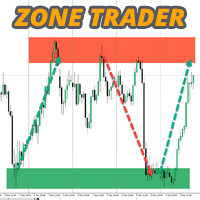
Fai trading automaticamente su zone di supporto e resistenza o di domanda e offerta una volta identificate le aree chiave da cui vuoi fare trading. Questo EA ti consente di disegnare zone di acquisto e vendita con un solo clic e poi posizionarle esattamente dove ti aspetti che il prezzo cambi. L'EA monitora quindi quelle zone e farà trading automaticamente in base all'azione del prezzo che specifichi per le zone. Una volta che il trading iniziale è stato eseguito, l'EA uscirà in profitto nella
PZ Trade Pad Pro MT4
PZ TRADING SLU
3.67 (3)
Effortlessly calculate lot sizes and manage trades to save time and avoid costly errors The Trade Pad Pro EA is a tool for the Metatrader Platform that aims to help traders manage their trades more efficiently and effectively. It has a user-friendly visual interface that allows users to easily place and manage an unlimited number of trades, helping to avoid human errors and enhance their trading activity. [ Installation Guide | Update Guide | Troubleshooting | FAQ | All Products ] One of the k
Riskless Pyramid
Snapdragon Systems Ltd
5 (1)
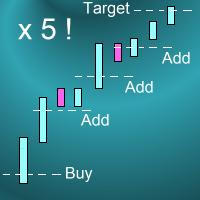
Introduction This powerful MT4 trade mangement EA offers a way potentially to aggressively multiply trade profits in a riskfree manner. Once a trade has been entered with a defined stoploss and take profit target then the EA will add three pyramid add-on trades in order to increase the overall level of profit. The user sets the total combined profit target to be gained if everything works out. This can be specified either as a multiple of the original trade profit or as a total dollar amount. Fo
Prop Guardian Risk Manager MT4 – Drawdown, Risk & Hedge Protection for Prop Firm and Managed Accounts Prop Guardian Risk Manager is a professional risk-control utility for MetaTrader 4, designed for prop firm traders, money managers and anyone who wants strict account-level risk protection. It does not generate trading signals, strategy entries or trading decisions. Instead, it runs in the background, monitors your account risk and can automatically block new exposure, close managed trades or ac
FCK CurrencyStrength Pro
Patel Hitendrakumar Mahendrabhai
Hi Friends, " FCK Currency Strength Pro " is a auto & semi auto trading expert with direction of pair. Buy-Sell separate or multi currency in one click. The strategy of  FCK Currency Strength Pro  is a combination of custom indicator, Trendlines, Support & Resistance levels ( Price Action ) and most important secretive trading algorithm mentioned above. Download News Ex4 and csv file You need the following SDSnews.ex4 in MQL4/Libraries and the daylightsavings.csv in MQL4/Files. Only 4 of 5 copi
Ultimate Partial Profit EA
BLAKE STEVEN RODGER
4.67 (3)
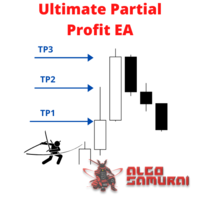
This EA Utility delivers a robust solution for managing an unlimited array of open orders, both manual and automated. It enables customizable partial profit levels utilizing metrics such as pips, ratios, ATR (Average True Range), and profit amounts for precise trade management. The utility features an advanced on-screen display, offering clear visualization of all orders and their profit levels to enhance strategic decision-making and control. To evaluate its performance and interface, the EA s
Auto Trade Driver
Vu Trung Kien
4.6 (15)
Auto Trade Driver is an automatic powerful tool (run as Expert Advisor) that helps you to manage risk and control orders and maximize your profit in multi-protect/trailing-stop rules. This tool is very useful for both scalpers and trend followers. It not only calculates the trade risk exactly, but also protects and maximizes your profits in real-time. With this tool, the only thing you have to do is to enter trade by your own strategy, then it will auto-drive your position with exit strategy you
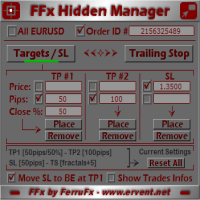
The FFx Hidden Manager panel will help you to manage easily your orders directly on the chart. Below all features described: TP, SL and TrailingStop are hidden Each order has its own lines on chart Drag & Drop any line to change the TP/SL as per your need Option to move automatically the SL line at breakeven when TP #1 is reached Option to choose the TP/SL type (by pips or price) Option to choose the TrailingStop type (by pips, MA, Fractals, PSAR or ATR) Define which order(s) you want to manage
FFx Risk Calculator
Eric Venturi-Bloxs
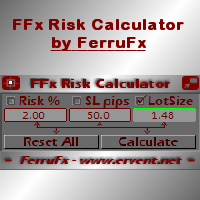
FFx Risk Calculator panel will help you to calculate very easily your trades size, SL or the risk directly on the chart. All features are described below: Option to select which parameter to calculate: Risk, Stop Loss or Lot Size The panel will show if the lot size is allowed according to the current account free margin Button to maximize/minimize the panel Drag and Drop the panel anywhere on the chart How to use it? Select the parameter you want to be calculated. It will be based on the 2 other
Trade Copier Pro
Vu Trung Kien
4.29 (14)
Trade Copier Pro is a tool to copy trade remotely to MT4, MT5 and cTrader accounts at different computers/locations over internet. This is an ideal solution for you if you are a signal provider and want to copy your trades to other receivers globally on your own rules. One provider can copy trades to multiple receivers and one receiver can get trade from multiple providers as well. The provider can even set the subscription expiry for each receiver, so that receiver will not be able to receive t
News Trader Pro
Vu Trung Kien
4.38 (16)
News Trader Pro is a unique robot that allows you to trade the news by your predefined strategy. It loads every piece of news from several popular Forex websites. You can choose any news and preset the strategy to trade it, and then News Trader Pro will trade that news by selected strategy automatically when the news comes. News release gives opportunity to have pips since the price usually has big move at that time. Now, with this tool, trading news becomes easier, more flexible and more exciti
Bears CD HTB Global  (Bears Convergence/Divergence High Top Bottom Global) is an analytical bears convergence/divergence indicator (C, D or CD) between a financial instrument and 22 MT4 indicators working on all periods simultaneously. The indicator measures the power of CD for indicators and periods and is the second one out of the two possible versions (HBT and HTB). Features The analyzer is not a lagging one. It works by ticks and is able to show CD in the main window even in case the MT4 in
Bulls CD LBT Global  (Bulls Convergence/Divergence Low Bottom  Top   Global) is an analytical bulls convergence/divergence indicator (C, D or CD) between a financial instrument and 22 MT4 indicators working on all periods simultaneously. The indicator measures the power of CD for indicators and periods and is the first one out of the two possible versions (LBT and LTB). Features The analyzer is not a lagging one. It works by ticks and is able to show CD in the main window even in case the MT4 i
FFx Watcher PRO
Eric Venturi-Bloxs
The FFx Watcher PRO is a dashboard displaying on a single chart the current direction of up to 15 standard indicators and up to 9 timeframes. It has 2 different modes: 1. Watcher mode: Multi Indicators User is able to select up to 15 indicators to be displayed User is able to select up to 9 timeframes to be displayed 2. Watcher mode: Multi Pairs User is able to select any number of pairs/symbols User is able to select up to 9 timeframes to be displayed This mode uses one of the standard indicat
The VIZUALIZER
Charles Harper
THE [VIZUALIZER] is a MetaTrader (MT4) Script designed to visualize an account history. It will read the account statement and then will visualize the positions on chart in form of rectangles, showing the OpenTime, OpenPrice, CloseTime and ClosePrice. Generally, it has been developed to analyze the trading history, to observe how risky the particular positions were, allowing you to analyze the trading strategy from the account statement. It is working with standard MS Excel CSV files It is visua
NickZ Tool
Nicolas Zouein
This is a must have tool for a serious trader. It saves your precious time spent for opening/closing trades, creating pending trades and modifying your TP/SL in bulk according to either pips or price. If you need to quickly open several pending orders (Buy Stop, Sell Stop) at a certain distance from each other, this script will do all the routine for you! The first time you use this handy tool, you will realize it has already paid for itself. Instructions: Drag and drop this script onto a chart.
The product combines a manual trade panel with the ability to perform actions automatically in a highly configurable way. Actions include capturing indicator values and then based on those values raising alerts, open/close or partially close trades, scale-in, setting up pending orders, adjusting stop loss, take profit and more. On-chart controls can be configured, such as tick boxes and buttons, so can be fully interactive. The EA also handles money management, news events, hidden stop loss, tak
Binary Options Copier Remote is an EA that allows to copy binary options trades between MT4 accounts at different computers. This is an ideal solution for signal provider, who want to share his trade with the others globally on his own rules. Provider can give free bonus license to 10 receivers. That means those 10 receivers can copy from provider by using Binary Options Receiver Free (no cost). From 11th one, receiver have to buy Binary Options Receiver Pro (paid version) in order to copy from
One Click FX Panel
Chantal Sala
5 (2)
Questo pannello è molto semplice da usare ed è un ottimo alleato per gestire le tue posizioni e ordini. Puoi gestire tre tipi di rischio: lotto fisso, denaro e percentuale. Il lotto in percentuale ed in denaro viene calcolato a fronte dei punti di stoploss inseriti. Un click sul pulsante per cambiare modalità velocemente e l'operazione a mercato è inserita! Pulsanti: COMPRARE VENDERE BE: Pareggiare Diviso: chiude metà operazione X:  Chiudi tutte le posizioni §: Hedging (apertura posizione par
Altri dall’autore
UMNi-CMND MT5 Remote Command & Trade Control System UMNi-CMND turns Telegram into a full remote control panel for your MetaTrader terminal. Send commands from your phone to open trades, manage positions, query account status, and receive complete trade telemetry — all without touching the platform. KEY FEATURES Full remote trade execution via Telegram Open, close, and manage positions by command Move SL/TP, set breakeven, partial close Live status, account, and position q
UMNi-ALRT MT5 Advanced Trade Alert System UMNi-ALRT delivers structured, detailed Telegram alerts for every stage of your trading activity. More advanced than basic notifications, it provides full trade intelligence — including performance metrics, session context, and market data — in a clean, readable format. KEY FEATURES Full trade open / close alerts with deep detail MFE, MAE and exit efficiency tracking Session-aware candle and bias context Chart updates with spread,
UMNi-NTFY MT5 Telegram Notification System UMNi-NTFY is a lightweight Telegram notification tool for MetaTrader. It monitors trading activity and delivers fast, structured alerts directly to your phone — keeping you connected to your system without watching charts. KEY FEATURES Trade Open alerts (Entry, SL, TP) Trade Close alerts (P&L outcome) Session summaries System Online / Offline status Clean, structured message format Works with all symbols and timeframes Compatible
FREE
UMNi-NTFY UMNi-NTFY is a lightweight Telegram notification tool for MetaTrader 4. It monitors trading activity and delivers fast, structured alerts directly to your phone — keeping you connected to your system without watching charts. KEY FEATURES • Trade Open alerts (Entry, SL, TP) • Trade Close alerts (P&L outcome) • Session summaries • System Online / Offline status • Clean, structured message format • Works with all symbols and timeframes • Compatible with manual and
FREE
UMNi-CMND  UMNi-Cmnd — MT4 Remote Trade Command and Control UMNi-Cmnd turns Telegram into a full remote control panel for your MetaTrader 4 terminal. Send commands from your phone to open trades, manage positions, query account status, and receive complete trade telemetry — all without touching the platform. KEY FEATURES • Full remote trade execution via Telegram • Open, close, and manage positions by command • Move SL/TP, set breakeven • Live status, account, and positi
UMNi-SESH MT4 Trading Session Manager UMNi-Sesh keeps you informed at every session transition on MetaTrader 4. It monitors the four major trading sessions and delivers pre-session briefings, open and close alerts, and contextual market data — so you always know what's happening before you trade. KEY FEATURES • Automated session open and close alerts • Pre-session briefings with configurable lead time • Candle direction, bias, and day range at open • Session range, high/
UMNi-ALRT MT4 Intelligent Trade Alert System UMNi-Alrt delivers structured, detailed Telegram alerts for every stage of your MetaTrader 4 trading activity. It provides full trade intelligence — including performance metrics, session context, and market data — in a clean, readable format. KEY FEATURES • Full trade open / close alerts with deep detail • MFE, MAE and exit efficiency tracking • Session-aware candle and bias context • Chart updates with spread, range, and bod
UMNi-NEWS UMNi-NEWS — MT4 Economic Calendar & News Alert System UMNi-NEWS monitors the economic calendar and alerts you on Telegram before, during and after high-impact news. The calendar downloads automatically, so there is nothing to type in or maintain. It keeps you aware of scheduled risk throughout the trading day, so you can adjust exposure before events hit. KEY FEATURES • Automatic economic calendar: downloads and refreshes itself (no manual files) • Daily news br
UMNi-STATE UMNi-State — MT4 Market Condition Classifier UMNi-State analyses live market conditions using ATR, ADX, and Bollinger Bands, then classifies the current environment into one of nine distinct states. It alerts you whenever the market condition changes — so your awareness stays current without manual analysis. KEY FEATURES • Real-time market state classification (9 states) • Instant Telegram alert on state change • Session open notifications with current state c
UMNi-HLTH UMNi-Hlth monitors the quality of your MetaTrader 4 trading environment in real time. It tracks spread spikes and latency throughout the session, grades overall execution health, and alerts you when conditions deteriorate. KEY FEATURES • Real-time spread spike detection and alerting • Latency monitoring with warning and critical thresholds • End-of-session health report with grade (A to D) • Configurable thresholds for all metrics • On-chart panel showing live
UMNi-LOG Automated Trade Journal & Reporter for MetaTrader 4 — CSV + Telegram UMNi-LOG journals every closed trade on your account to a CSV file and sends a result card to Telegram, then sends a daily and a weekly report. It reads the account's trade history, so it catches every close on every symbol: manual trades, other EAs, partial closes, and trades that closed while the terminal was off (picked up when it restarts). It does not open, modify or close trades. KEY FEATURES Journals every clos
️ UMNi-RISK Risk Monitor & Daily Loss Guard for MetaTrader 4 UMNi-RISK watches your account in real time and alerts you on Telegram when risk thresholds are breached: drawdown, daily loss and margin exposure. Switch on the optional Daily Loss Guard and it will also close every open trade the moment your daily loss limit is reached, then keep the account flat until the next trading day. KEY FEATURES • NEW: optional Daily Loss Guard closes all positions (and pending orders)
UMNi-GRID Grid & Basket Position Manager for MetaTrader 4 — with Telegram control UMNi-GRID runs a one-direction grid on the chart it is attached to: it opens a first level, adds levels as price moves against the basket, and closes the whole basket when price returns a set distance past the average entry. Every step is reported to Telegram, and you can start, pause or close the grid from the chart or from your phone. IMPORTANT: grid trading adds to losing positions. It can recover small moves,
UMNi-FLOW Buy / Sell Pressure & Market Activity Monitor for MetaTrader 4 UMNi-FLOW watches every price tick and tells you on Telegram when buyers or sellers take control, when the market suddenly speeds up, and when a bar trades far more volume than normal. A clean panel on the chart shows the same read at a glance. It does not place trades. It is an awareness tool: it tells you what the market is doing, so you are not caught off guard. KEY FEATURES Buy / sell pressure measured tick by tick: ev
UMNi-SESH MT5 Session Awareness & Briefing System UMNi-SESH keeps you informed at every session transition. It monitors the four major trading sessions and delivers pre-session briefings, open and close alerts, and contextual market data — so you always know what's happening before you trade. KEY FEATURES Automated session open and close alerts Pre-session briefings with configurable lead time Candle direction, bias, and day range at open Session range, high/low, and move
UMNi-NEWS **MT5 Economic Calendar & News Alert System** UMNi-NEWS monitors the economic calendar and alerts you before, during, and after high-impact news events. It keeps you aware of scheduled risks throughout the trading day — so you can adjust exposure before events hit. KEY FEATURES • Daily news briefing on startup and at each new trading day • Two-stage pre-event warnings (30m and 5m by default) • Live news alert at event time with elevated spread warning • Post-
## UMNi-STATE **MT5 Market Condition Classification System** UMNi-STATE analyses live market conditions using ATR, ADX, and Bollinger Bands, then classifies the current environment into one of nine distinct states. It alerts you whenever the market condition changes — so your awareness stays current without manual analysis. KEY FEATURES • Real-time market state classification (9 states) • Instant Telegram alert on state change • Session open notifications with current
UMNi-HLTH **MT5 Execution Health Monitoring System** UMNi-HLTH monitors the quality of your trading environment in real time. It tracks spread spikes, latency, and slippage throughout the session, grades overall execution health, and alerts you when conditions deteriorate. KEY FEATURES • Real-time spread spike detection and alerting • Latency monitoring with warning and critical thresholds • Slippage tracking across the session • End-of-session health report with grade
️ UMNi-RISK Risk Monitor & Daily Loss Guard for MetaTrader 5 UMNi-RISK watches your account in real time and alerts you on Telegram when risk thresholds are breached: drawdown, daily loss and margin exposure. Switch on the optional Daily Loss Guard and it will also close every open trade the moment your daily loss limit is reached, then keep the account flat until the next trading day. KEY FEATURES • NEW: optional Daily Loss Guard closes all positions (and pending orders)
UMNi-GRID Grid & Basket Position Manager for MetaTrader 5 — with Telegram control UMNi-GRID runs a one-direction grid on the chart it is attached to: it opens a first level, adds levels as price moves against the basket, and closes the whole basket when price returns a set distance past the average entry. Every step is reported to Telegram, and you can start, pause or close the grid from the chart or from your phone. IMPORTANT: grid trading adds to losing positions. It can recover small moves,
UMNi-LOG Automated Trade Journal & Reporter for MetaTrader 5 — CSV + Telegram UMNi-LOG journals every closed trade on your account to a CSV file and sends a result card to Telegram, then sends a daily and a weekly report. It reads the account's trade history, so it catches every close on every symbol: manual trades, other EAs, partial closes, and trades that closed while the terminal was off (picked up when it restarts). It does not open, modify or close trades. KEY FEATURES Journals every clos
UMNi-SYNC Local Trade Copier for MetaTrader 5 — Master / Subscriber, MT4 and MT5 together UMNi-SYNC copies trades from one MetaTrader account (the Master) to any number of other accounts (Subscribers) running on the same computer or VPS. The master publishes its open positions to a small file in the terminals' shared Common folder several times a second; each subscriber mirrors them: new trades, closes, partial closes and SL / TP changes. MT4 and MT5 terminals copy to each other. Telegram is us
UMNi-FLOW Buy / Sell Pressure & Market Activity Monitor for MetaTrader 5 UMNi-FLOW watches every price tick and tells you on Telegram when buyers or sellers take control, when the market suddenly speeds up, and when a bar trades far more volume than normal. A clean panel on the chart shows the same read at a glance. It does not place trades. It is an awareness tool: it tells you what the market is doing, so you are not caught off guard. KEY FEATURES Buy / sell pressure measured tick by tick: ev
Filtro:
Nessuna recensione
Rispondi alla recensione