UMNi Sync MT4 Multi Account Trade Copier

  • Утилиты
  • Rickie Lee Robinson
    Rickie Lee Robinson
    Founder of UMNi Systems. I build Telegram-connected tools and custom Expert Advisors for MetaTrader 4 and 5: trade alerts, remote control, session briefings and risk management. Every strategy I build is tested on 17 years of historical data before it goes near a live account. Custom bot builds
  • Версия: 1.30
  • Обновлено: 12 ноября 2026
  • Активации: 5

UMNi-SYNC
Local Trade Copier for MetaTrader 4 — Master / Subscriber, MT4 and MT5 together

UMNi-SYNC copies trades from one MetaTrader account (the Master) to any number of other accounts (Subscribers) running on the same computer or VPS. The master publishes its open positions to a small file in the terminals' shared Common folder several times a second; each subscriber mirrors them: new trades, closes, partial closes and SL / TP changes. MT4 and MT5 terminals copy to each other. Telegram is used for alerts and remote commands, never for the copying itself.

KEY FEATURES

  • Master / Subscriber with any number of subscribers, named channels for several independent copy groups
  • Copies opens, closes, partial closes and every SL / TP change
  • MT4 ↔ MT5 in any direction (same file format)
  • Lot modes: same lots, multiplier, fixed lot, or scaled by balance ratio, with a maximum lot cap
  • Reverse copy option (SL and TP swap)
  • Symbol prefix / suffix and a symbol map for brokers with different names (e.g. GOLD=XAUUSD)
  • Price deviation guard: no copy if price has already moved too far from the master's entry
  • Master filters: by magic number and / or symbol list
  • Safe by design: if the master feed goes quiet (terminal closed, disconnected), copies are left alone, never closed; a close needs three consecutive snapshots to agree
  • Copies closed on the subscriber (own SL / TP or by hand) are not reopened
  • Picks up where it left off after a restart (copies are matched to the master again)
  • Telegram alerts: online / offline, trade copied (fill and difference in pips), copy closed (result), partial close, skipped or failed copies, master offline / back
  • Telegram commands: /syncstatus /syncpause /syncresume /synchelp
  • Chart panel: master link, positions, copies, last action; the master shows how many subscribers are online

HOW IT WORKS

  1. Attach UMNi-SYNC to any chart on the master terminal with MODE = Master.
  2. Attach it to any chart on each subscriber terminal with MODE = Subscriber and the same CHANNEL.
  3. Trades opened on the master (by you or any EA) appear on the subscribers within a second, and follow it until they close.

MAIN INPUTS

  • MODE / CHANNEL
  • Master: SOURCE_MAGIC, SOURCE_SYMBOLS
  • Subscriber: LOT_MODE, LOT_VALUE, MAX_LOT, COPY_SL, COPY_TP, COPY_PARTIAL_CLOSES, REVERSE, MAX_DEVIATION_PIPS, COPY_EXISTING_ON_START, MAX_COPIES
  • SYMBOL_PREFIX, SYMBOL_SUFFIX, SYMBOL_MAP, COPY_MAGIC, SLIPPAGE_POINTS, MASTER_TIMEOUT_SEC

GOOD TO KNOW

  • All terminals must run on the same computer or VPS under the same Windows user (they share the Common\Files folder). Copying between different computers is not supported.
  • Copying to an MT5 subscriber needs a hedging MT5 account.
  • By default only trades the master opens after the subscriber starts are copied (COPY_EXISTING_ON_START = false).
  • Use one subscriber per terminal per channel.
  • Test with demo accounts first. Fills differ slightly between brokers and accounts.

QUICK SETUP

  1. Install UMNi-SYNC on every terminal (master and subscribers)
  2. Optional Telegram: Tools > Options > Expert Advisors > allow WebRequest for https://api.telegram.org, then enter a bot token and chat ID (use a different bot per terminal if you want commands on more than one)
  3. Set the same CHANNEL everywhere, MODE = Master on one terminal and Subscriber on the others
  4. Allow algorithmic trading on the subscribers

REQUIREMENTS

  • MetaTrader 4 (copies to and from MetaTrader 5 too), all terminals on one PC or VPS
  • A Telegram bot token and chat ID (optional, for alerts and commands)

Part of the UMNi Systems suite — umni-systems.com

Рекомендуем также
Automated Timeframe cycling with Symbols centered.  Force every timeframe onto one clock window, so the story you see on Daily is the same story you are slicing on H4, H1, and M1.  Traders usually flip timeframes and lose the span. A Daily chart shows a few weeks, then M15 shows a few hours, and the eye treats them as different markets. This indicator locks the window to N bars of the highest enabled timeframe — default 10 Daily — and maps every lower timeframe to that same stretch. You stay ins
FREE
Program Overview: This program is a trading tool designed to monitor and analyze the 7 major currency pairs. It is a variant of a similar program used for tracking stock indices, but this version focuses on the seven major currency pairs. The program helps in identifying and calculating significant price movements (gaps) between the high and low prices of these currency pairs over a specified time frame. It then provides insights through comments and alerts based on the calculated gaps. Major Cu
Grid Trading
Waseem Raza
5 (3)
Grid Trading - полуавтоматический советник для ручной торговли по сетке в один клик. Обычный режим Вы нажимаете на кнопку Sell или Buy на графике, затем эксперт добавит уровни стоп-лосс, тейк-профит для сделки, а функции трейлинг-стопа и безубытка позаботятся о сделке, если она не сможет достичь цели профита. Хеджирование При выборе торговли с использованием хеджирования, советник начнет торговлю по сетке, которая начинается с противоположного входа и продолжается, пока все сделки не будут зак
Copier4Fee Advanced
Vladimir Tkach
4.75 (16)
Утилита копирует сделки со счетов поставщиков сигналов (master-счета, один или несколько поставщиков) на неограниченное количество счетов-получателей (slave-счета).  Важно! Н ужно использовать идентификаторы (Provider number) одинаковой длины если вы используете несколько мастер копировщиков. Например. 1, 2, 3 или 11, 13, 22.  Копирование можно задать в противоположном направлении. Утилита может копировать сделки по инструментам, имеющим различные префиксы/суффиксы.  Утилита не копирует инструме
Trade Command PRO MT4 Trade Command PRO MT4 is a compact manual trading and position-management panel designed for fast and precise order execution directly from the chart. The utility combines one-click trading, visual Stop Loss and Take Profit control, real-time monetary calculations and advanced position-management functions in a clean, movable interface. Main Features Open BUY and SELL market orders with one click Close all open positions instantly Adjustable Lot, Stop Loss and Take Profit v
Exp Swing
Vladislav Andruschenko
4.44 (64)
Модель известной стратегии Качели (Маятник, Чебурашка) - поочередное открытие отложенных ордеров с увеличенным лотом. Принцип работы стратегии в установке двух противоположных отложенных ордеров, при движении цены в одну сторону срабатывает отложенный ордер, второй ордер увеличивается в размере лота. В нашем советнике есть три типа открытия отложенных ордеров (TypeofTrade) Автооткрытие после установки (Instant opening AutoTrade) Открытие и сопровождение после ручного открытия (Manual opening Ma
FREE
SmartTrader Pro — Advanced Order Management Panel Type: Order Management Platform: MetaTrader 4 Version: 1.0 Created by: HANI MABAD * 2025  --- Overview SmartTrader Pro is a professional multi-order launcher and manager designed for traders who want precise USD-based control over profits and losses. It enables you to open, manage, and close trades with a single click — across market and pending orders — while keeping full visibility through an integrated smart panel. Whether you tra
Инструкция по использованию: https://www.mql5.com/zh/blogs/post/754946 Версия для МТ4: https://www.mql5.com/zh/market/product/88205 Версия для МТ5: https://www.mql5.com/zh/market/product/88204 -------------------------------------------------- 1. Копировать заказы с 12 мастер-аккаунтов на 100 подчиненных аккаунтов. Количество подчиненных учетных записей может быть настроено от 12 до 100. 2. Поддержка MT4 до MT4, MT4 до MT5, MT5 до MT4, MT5 до MT5. 3. Определите суффиксы разновидностей торговли
VTB High Watermark Drawdown Lock EA for MT4 Advanced Equity Protection & Drawdown Management System VTB High Watermark Drawdown Lock is a professional risk management Expert Advisor designed to protect trading accounts, funded accounts, and proprietary trading challenges from excessive drawdown. Unlike traditional drawdown protection systems that calculate risk from the initial account balance, this EA uses a dynamic High Watermark (HWM) model that continuously protects both your original capita

Самый быстрый способ поменять период. Подходит для трейдеров, использующих несколько графиков и таймфреймов. Размер форма и цвет настраиваются. Входные параметры Corner — выберите "Right lower chart corner" ("Нижний правый угол графика") в качестве угла размещения Color — цвет фона кнопки ColorText — цвет текста кнопки ColorOn — цвет фона кнопки для текущего периода ColorOnText — цвет текста кнопки для текущего периода Font — шрифт Arial, Verdana... FontSize — размер шрифта в пикселях DistanceX
FREE
Утилита выводит информацию о спредах в CSV-файл в трех форматах. При скальпинге, когда спред значительно влияет на результаты торговли, очень важно иметь данные о спредах, используемых вашим форекс-брокером. Поскольку значение спреда меняется в зависимости от времени, информация о среднем значении спредов, официально публикуемая брокером, не всегда является полезной. Очень важно самостоятельно изучать спецификацию спредов интересующих брокеров. Данная утилита поможет вам. Описание файла CSV Фай
TSim
Sergey Kruglov
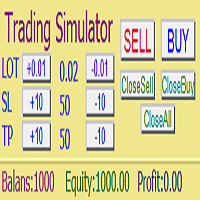
Утилита  TSim   позволяет симулировать ручную торговлю в Тестере Стратегий MetaTrader 4. В панеле можно устанавливать размеры лота, тейпрофита и стоплосса. Панель имеет кнопки Sell   и Buy для выставления рыночных ордеров, а также кнопки CloseSell, CloseBuy и CloseAll для быстрого закрытия ордеров. Под панелью отображается список открытых ордеров. Внимание. Панель работает только в Визуальном режиме Тестера Стратегий MetaTrader 4.
FREE
Trade Assistant Pro 36 in 1
Makarii Gubaydullin
4.76 (21)
Многофункциональная утилита: калькулятор лота, сеточные ордера, индикатор Price Action, управление сделками, рассчёт R/R, и многое другое Демо веpсия  | Инструкция  | Версия для MT5 Утилита не работает в тестере стратегий: вы можете скачать   демо версию ЗДЕСЬ , чтобы протестировать продукт перед покупкой. Напишите мне  если есть вопросы / идеи по улучшению / в случае найденного бага Упроситите и сделайте вашу торговлю быстрее, при этом расширяя стандартные возможности терминала. 1. Открытие
Stay updated with Multicurrency Overview!! The algorithm of this EA releases an average of the movement percentage of all the Forex currencies linked to a single currency, isolating it, letting us to comprehend its real and specific trend. Above on the left, a panel show us efficiently the trend of the currency, in the timeframe actually used. The second panel will keep you updated on macroeconomic news. P.N.:The news time is based on your pc clock time, this way you won't have any problem reg
Агент Trade Copier предназначен для копирования сделок между несколькими счетами/терминалами MetaTrader (4/5). С помощью этого инструмента вы можете выступать в роли поставщика (источника) или получателя (назначения). Все торговые действия будут копироваться от провайдера к получателю без задержки. Этот инструмент позволяет копировать сделки между несколькими терминалами MetaTrader на одном компьютере с молниеносной скоростью копирования менее 0,5 секунды. Руководство по установке и вводу агент
Risk and Lot Size Calculator для MetaTrader 4 рассчитывает размер лота под сумму, которую вы готовы потерять. Перетащите три линии на графике (вход, стоп-лосс, тейк-профит), и панель покажет размер лота, сумму под риском, прибыль на тейк-профите, соотношение риск:прибыль и требуемую маржу, а также, по желанию, оставшийся запас до лимита убытка на проп (фондированном) счёте. Индикатор предназначен для ручных трейдеров, которые хотят рассчитывать размер каждой позиции по расстоянию до стопа перед
CoPilot dashboard MT4
Frederic Jacques Collomb
CoPilot — Торговая панель дня Знайте свои цифры. Торгуйте с ясностью. MT5 версия Что такое CoPilot? CoPilot — это торговый помощник профессионального уровня , который отображает в режиме реального времени всю статистику дневной производительности прямо на графике — с живой кривой эквити , обновляемой сделка за сделкой. Разработан для активных трейдеров, которым нужна мгновенная видимость торговой сессии без переключения вкладок. CoPilot агрегирует каждую закрытую сделку дня по всем инструментам
SL and TP Setter
Giacomo Barone
4 (1)
You can manually open a trade (one click), and this EA will take care of setting the SL and TP. SL and TP are set based on the number of pips you specify in the input screen. You can also choose monetary SL and TP. SL and TP are determined based on the weighted average price (WAP), so if you open a new trade, SL and TP will be updated according to the new WAP. The WAP is not unique but differentiated between buy and sell trades (this is useful only if you open opposite trades on the same chart)
FREE
Trade Manager MT4 DaneTrades
Levi Dane Benjamin
4.09 (11)
Trade Manager, который поможет вам быстро входить и выходить из сделок, автоматически рассчитывая риск. Включает функции, которые помогут предотвратить чрезмерную торговлю, торговлю из мести и эмоциональную торговлю. Сделками можно управлять автоматически, а показатели эффективности счета можно визуализировать в виде графика. Эти функции делают эту панель идеальной для всех трейдеров, занимающихся ручной торговлей, и помогают улучшить платформу MetaTrader 4. Многоязычная поддержка. Версия MT5  |
Save time and worries watching. This EA will do this job for you.  Even you can configure some from this EA from your mobile instead of using the PC. To use this EA just drag from MetaTrader4 to any chart and timeframe (it will check continuosly no matter the timeframe). Configure some parameters according to the currency master to use configuration from your mobile and lots configuration but I would recommend to use the default ones.  Features for your trades and account: Manage Account Cash /
If you run an EA on a VPS, it is necessary to quickly notice if the server loses the connection to the broker. The ServerGuard24 EA checks the connection to the broker once a minute and sends the result to our monitoring server. There we notify you by e-mail, SMS, push and much more. The setup is super easy: 1. register at www.serverguard24.de 2. create a "Cron" check 3. copy the URL that is shown to you during the "Cron" check into the properties of the EA. And you can be sure that your Met
FREE
EA Master Version any Follow Copy Account  (Acc. Number)  need a open MT Terminal, download multiple times Step1:   Open Master MT5 Terminal    =  install master- Version   (on any Symbol just one Time) Step2:   Open Follower MT5 Terminal = install follower- Version  (on any Symbol just one Time) Step3:   all Trades from any Symbol or any Robot are copy now to follow- Terminal immediately for simple copy set on Chart and   Start   no optimization. This Robot is a Trade Copier for MT5 that automa
FREE
EA Follower Version any Follow Copy Account  (Acc. Number)  need a open MT Terminal, download multiple times Step1:   Open Master MT5 Terminal    =  install master- Version   (on any Symbol just one Time) Step2:   Open Follower MT5 Terminal = install follower- Version  (on any Symbol just one Time) Step3:   all Trades from any Symbol or any Robot are copy now to follow- Terminal immediately for simple copy set on Chart and   Start   no optimization. This Robot is a Trade Copier for MT5 that auto
FREE
OsasFXea Diamond RapidFire Panel
Wan Mohammad Shazly Bin Wan Zulkifli
osasFXea Diamond RapidFire Panel — это панель для быстрой дискреционной торговли с одним нажатием, предназначенная для мгновенного открытия корзин на любых символах, включая криптовалюты и металлы. ЧТО ОНА ДЕЛАЕТ Быстрое открытие корзины: одно нажатие размещает настроенное количество рыночных ордеров (по умолчанию 10), каждый из которых уже снабжён Take Profit и Stop Loss. Автоматическое применение TP/SL: любой открытый ордер на символе графика, не имеющий TP или SL — включая ордера, открытые вр
Индикатор позволяет измерять и анализировать накопленный объем (тиковый) в любом выбранном диапазоне. Задача пользователя — отметить зоны для измерения с помощью "карандаша". Индикатор автоматически суммирует объемы отдельных свечей. Анализ объема является основным элементом анализа VSA (Volume Spread Analysis). На видео показан способ использования индикатора. Описание параметров Anchor_mode - если true, один конец линии измерения всегда привязан к текущей свече; AutoDivider - если true, значе
Just $30 for six months!!!. This will draw Supply & Demand zones just by clicking on a candle. It can also draw a 50% line on the zone. https://youtu.be/XeO_x7cpx8g As a drawing tool, it is not active all the time after adding it to the chart. Activate by pressing 's' twice on the keyboard within a second. If activated but then decided not to draw, deactivate by pressing 's' once.  Box color depends if candle is above or below current price. Features: Draw the box up to the last current candl
ChartTrader — это профессиональный торговый инструмент, который должен быть в арсенале любого трейдера. Он разработан для платформы MetaTrader 4. Утилита ChartTrader предлагает несколько вариантов для быстрого и удобного размещения ордеров на рынке Форекс. Пользовательский интерфейс располагается в окне графика, поэтому при установке ордеров вам не придется переходить в отдельные окна. Программа позволяет устанавливать отложенные и рыночные ордера. В утилиту встроена система управления рисками,
Basket Recovery System : is useful for trading multiple pair on a single account, single chart. Functions Of this Ea with a simple click on a button in any Symbol row, this Utilities will, Open new Order, Set Lot, Close Order, Reverse Order, Add new Symbol, Delete Symbol, with a simple click on a Navigation Button, this Utilities will, Select all Symbol Available on Broker, ReSet Symbol Lots, Close all Order, Set Low Risk for all Symbol, Remove all Pair with spread above 2two.
FREE
SignalX Margin Sizer
Ahmed Ismail Muhammad Ismail Al Talhat
SignalX Original MetaTrader tools by Ahmed Ismail. This listing is part of the SignalX range. Every risk-based lot calculator answers the same question: how much can I lose if the stop is hit? That is not the constraint that binds on a leveraged account holding several positions at once. The binding constraint is margin, and it is invisible if you only size from stop distance. This utility reads the broker own contract specification and margin requirement for the symbol and tells you the larges
Pip Counter Indicator Point
Miguel Angel Ramirez Alvarez
Pip Counter Indicator Point   This Panel is a great tool for Traders who open multiple orders and want to have detailed control of their operations, as well as traders who want to see the pips obtained at the end of their Trading session. This Panel reports on the buy and sell orders you have open, the pips traveled, pips generated and distance from the Stop Loss Long: Indicates the number of open buy orders. Short: Indicates the number of open sell orders. PIPS Counter: Indicates the real-time
С этим продуктом покупают
Добро пожаловать в Trade Manager EA — лучший инструмент для управления рисками, предназначенный для упрощения, точности и эффективности торговли. Это не просто инструмент для размещения ордеров; это комплексное решение для удобного планирования торгов, управления позициями и усиленного контроля над рисками. Независимо от того, начинающий вы трейдер, опытный специалист или скальпер, нуждающийся в быстром исполнении, Trade Manager EA адаптируется к вашим потребностям и работает с любыми активами:
Grid Manual MT4
Alfiya Fazylova
4.71 (17)
Grid Manual — это торговая панель для работы с сеточными стратегиями. Утилита универсальная, имеет гибкие настройки и понятный интерфейс. Работает с сеткой ордеров не только в сторону усреднения убытков, но и в сторону наращивания прибыли. Трейдеру не нужно создавать и сопровождать сетку ордеров, это сделает утилита. Достаточно открыть ордер и Grid manual автоматически создаст ему сетку ордеров и будет сопровождать его до самого закрытия. Полная инструкция и демо-версия здесь . Основные особенно
Trade Indicator Assistant is a powerful MT4 utility designed to turn indicators into automated trading systems. Its main feature is the ability to automatically detect an indicator’s   BUY and SELL signal buffers , without requiring you to know the buffer numbers, search through indicator settings, or modify the indicator source code. Bonus Indicator: After purchasing Trade Indicator Assistant, contact me to receive Trade Signal Pro completely free as a bonus indicator. [Download Demo Version]
TradePanel MT4
Alfiya Fazylova
4.84 (95)
Trade Panel — это многофункциональный торговый помощник. Приложение содержит более 50 торговых функций для ручной торговли и позволяет автоматизировать большинство торговых операций. Инструкция к приложению: https://www.mql5.com/ru/blogs/post/756476 Пробная версия приложения для демо-счета: https://www.mql5.com/ru/blogs/post/750864 Как установить приложение: https://www.mql5.com/ru/blogs/post/750096 Как тестировать приложение в визуальном режиме: https://www.mql5.com/ru/blogs/post/770274 Как уст
The product will copy all telegram signal to MT4   ( which you are member  ) , also it can work as remote copier.  Easy to set up, copy order instant, can work with almost signal formats, image signal, s upport to translate other language to English Work with all type of channel or group, even channel have "Restrict Saving Content", work with  multi channel, multi MT5 Work as remote copier: with signal have ticket number, it will copy exactly via ticket number. Support to backtest signal. How to
Price Action Dashboard - это инновационная утилита для помощи трейдерам в контролировании большого числа финансовых инструментов. Эта утилита предназначена автоматически предлагать сигналы и ценовые условия. Dashboard анализирует все основные таймфреймы, предлагая условия ценовых действий с помощью графических элементов. Dashboard может подсказать вам силу тренда, определяющего направление движения, это незаменимый инструмент для тех, кто хочет самостоятельно открывать позиции, используя индикат
Telegram to MT4 Multi-Channel Copier   автоматически копирует торговые сигналы из ваших Telegram- и Discord -каналов прямо в MetaTrader 4. Без ботов, без браузерных расширений, без ручного копирования. Сигнал приходит в Telegram или Discord — и советник открывает сделку в вашем терминале за считанные секунды. А перед тем как копировать канал, встроенный бэктестер покажет, что этот канал сделал бы на вашем счёте. Продукт состоит из двух компонентов: приложения для Windows, которое слушает ваши Te
MT4 к Telegram Signal Provider - это простой в использовании и полностью настраиваемый инструмент, который позволяет отправлять сигналы в Telegram, превращая ваш аккаунт в поставщика сигналов. Формат сообщений полностью настраиваем! Однако для простого использования вы также можете выбрать предопределенный шаблон и включать или отключать определенные части сообщения. [ Демо ]  [ Руководство ] [ Версия для MT5 ] [ Версия для Discord ] [ Телеграм-канал ]  New: [ Telegram To MT5 ] Настройка Шаг за
TradeMirror - это советник-копировщик для платформы MT4/MT5. Руководство по использованию Нажмите на ссылку Руководство по Trademirror , чтобы посмотреть больше инструкций. Почему TradeMirror Мы понимаем важность безопасности, стабильности и конфиденциальности для финансового программного обеспечения, поэтому мы приложили максимум усилий для детального укрепления этих трех элементов: Предоставляет удобный графический интерфейс, которым легко управлять Фокус на конфиденциальности и безопасности,
Unlimited Trade Copier Pro - это мощный инструмент для удаленного копирования сделок между несколькими счетами MetaTrader 4/MetaTrader 5, расположенными удаленно друг от друга, по сети интернет. Это идеальное решение для провайдеров сигналов, которые хотят поделиться своей торговлей с другими трейдерами по всему миру. Один поставщик может копировать сделки на неограниченное количество счетов-получателей, а один получатель также может копировать сделки неограниченного количества провайдеров. Пост
Take a Break
Eric Emmrich
5 (31)
Take a Break pauses your Expert Advisors when trading is a bad idea: before news, after a daily loss, outside your trading hours, or when a rule you wrote yourself says so. When the pause is over, your EAs simply continue. Account protection for all your EAs in one tool: news filter, drawdown and equity protection, time filter and custom rules. One EA on one chart protects the whole account, the free indicator gives every chart its own rules on top. Free demo | What is new in 26.09 | Support Ass
Автоматически торгуйте зонами поддержки и сопротивления или спроса и предложения, как только вы определите ключевые области, из которых хотите торговать. Этот советник позволяет вам рисовать зоны покупки и продажи одним щелчком мыши, а затем размещать их именно там, где вы ожидаете разворота цены. Затем советник отслеживает эти зоны и автоматически совершает сделки на основе ценового действия, которое вы указываете для зон. После совершения первоначальной сделки советник выйдет с прибылью в про
PZ Trade Pad Pro MT4
PZ TRADING SLU
3.67 (3)
Это визуальная торговая панель, которая помогает вам легко размещать сделки и управлять ими, избегая человеческих ошибок и повышая вашу торговую активность. Он сочетает в себе простой в использовании визуальный интерфейс с надежным подходом к управлению рисками и положением [ Руководство по установке | Руководство по обновлению | Устранение неполадок | FAQ | Все продукты ] Удивительно простой в использовании Торгуйте легко с графика Торгуйте с точным управлением рисками, без проблем Сохранение
Riskless Pyramid
Snapdragon Systems Ltd
5 (1)
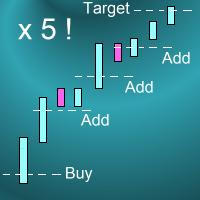
Introduction This powerful MT4 trade mangement EA offers a way potentially to aggressively multiply trade profits in a riskfree manner. Once a trade has been entered with a defined stoploss and take profit target then the EA will add three pyramid add-on trades in order to increase the overall level of profit. The user sets the total combined profit target to be gained if everything works out. This can be specified either as a multiple of the original trade profit or as a total dollar amount. Fo
Prop Guardian Risk Manager MT4 – Drawdown, Risk & Hedge Protection for Prop Firm and Managed Accounts Prop Guardian Risk Manager is a professional risk-control utility for MetaTrader 4, designed for prop firm traders, money managers and anyone who wants strict account-level risk protection. It does not generate trading signals, strategy entries or trading decisions. Instead, it runs in the background, monitors your account risk and can automatically block new exposure, close managed trades or ac
FCK CurrencyStrength Pro
Patel Hitendrakumar Mahendrabhai
Hi Friends, " FCK Currency Strength Pro " is a auto & semi auto trading expert with direction of pair. Buy-Sell separate or multi currency in one click. The strategy of  FCK Currency Strength Pro  is a combination of custom indicator, Trendlines, Support & Resistance levels ( Price Action ) and most important secretive trading algorithm mentioned above. Download News Ex4 and csv file You need the following SDSnews.ex4 in MQL4/Libraries and the daylightsavings.csv in MQL4/Files. Only 4 of 5 copi
Ultimate Partial Profit EA
BLAKE STEVEN RODGER
4.67 (3)
This EA Utility delivers a robust solution for managing an unlimited array of open orders, both manual and automated. It enables customizable partial profit levels utilizing metrics such as pips, ratios, ATR (Average True Range), and profit amounts for precise trade management. The utility features an advanced on-screen display, offering clear visualization of all orders and their profit levels to enhance strategic decision-making and control. To evaluate its performance and interface, the EA s
Auto Trade Driver
Vu Trung Kien
4.6 (15)
Auto Trade Driver - мощный автоматический инструмент (работает как советник), который поможет вам управлять рисками и контролировать ордера для максимизации прибыли с правилами мультизащиты и трейлинг-стопа. Этот инструмент будет очень полезен как для скальперов, так и трейдеров, торгующих по тренду. Он не только вычисляет точный торговый риск, но также защищает и увеличивает прибыль в реальном времени. Работая с этим инструментом, единственное, что вам нужно сделать, это открывать сделки в соот
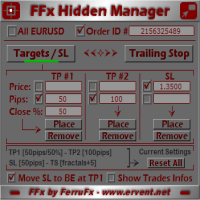
Панель FFx Hidden Manager предназначена для управления ордерами прямо на графике. Особенности: Уровни тейк-профит, стоп-лосс и трейлинг-стоп скрыты Для каждого ордера на графике есть отдельная линия Перетащите необходимую линию, чтобы изменить уровни тейк-профит/стоп-лосс Функция автоматического перетаскивания уровня стоп-лосс в безубыток, когда достигнут йровень тейк-профит 1 Возможность выбора типа тейк-профита/стоп-лосса (в пунктах или по цене) Возможность выбора типа трейлинг-стопа (в пунк
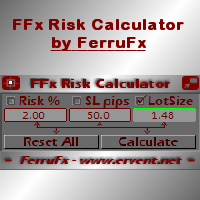
Панель FFx Risk Calculator поможет вам легко рассчитать размер ваших трейдов, стоп-лоссов или риска прямо на графике. Особенности продукта: Параметры для расчета: Risk (риск), Stop Loss (стоп-лосс) или Lot Size (размер лота) Панель показывает, допустимо ли использовать данный размер лота при текущем значении свободной маржи на счете Кнопка для свертывания/развертывания панели Возможность перетащить панель в любое место на графике Применение Выберите параметр для расчета. Расчет будет основан на
Trade Copier Pro
Vu Trung Kien
4.29 (14)
Trade Copier Pro - это мощный инструмент для удаленного копирования сделок между несколькими счетами MetaTrader 4/MetaTrader 5, расположенными в разных местах, по сети интернет. Это идеальное решение для провайдеров сигналов, которые хотят поделиться своей торговлей с другими трейдерами по всему миру. Один поставщик может копировать сделки на множество счетов-получателей, а один получатель может копировать торговлю множества провайдеров. Поставщик может указать срока завершения подписки для кажд
News Trader Pro
Vu Trung Kien
4.38 (16)
News Trader Pro - это уникальный робот, который позволяет торговать по новостям. Он загружает все новости с нескольких популярных сайтов Forex. Вы можете выбрать любую новость и заранее задать стратегию торговли. News Trader Pro начнет торговать в соответствии с выбранной стратегией автоматически, как только выйдет новость. Выход новости дает возможность заработать, поскольку изменения в цене в этот момент могут быть значительными. С появлением данного инструмента торговать по новостям стало про
Bears CD HTB Global  (Bears Convergence/Divergence High Top Bottom Global) - аналитический индикатор конвергенции/дивергенции (далее - C, D или CD) медвежьих настроений между финансовым инструментом и 22-мя индикаторами МТ4 на всех периодах одновременно. Индикатор измеряет силу CD по индикаторам и периодам и является второй из двух возможных версий (HBT и HTB). Особенности Анализатор не запаздывает, работает по тикам, и может показывать CD в главном окне даже в отсутствие окна с индикатором МТ4
Bulls CD LBT Global  (Bulls Convergence/Divergence Low Bottom  Top   Global) - аналитический индикатор конвергенции/дивергенции (далее - C, D или CD) бычьих настроений между финансовым инструментом и 22-мя индикаторами МТ4 на всех периодах одновременно. Индикатор измеряет силу CD по индикаторам и периодам и является первой из двух возможных версий (LBT и LTB). Особенности Анализатор не запаздывает, работает по тикам, и может показывать CD в главном окне даже в отсутствие окна с индикатором МТ4.
FFx Watcher PRO - панель для отображения на одном графике текущего направления стандартных индикаторов (до 15 одновременно) на нескольких таймфреймах (до 9). Панель работает в двух режимах: 1. Режим Watcher: Мульти-индикаторный Пользователь может выбрать до 15 индикаторов для отображения Пользователь может выбрать до 9 таймфреймов для отображения 2. Watcher mode: Мультивалютный Пользователь может выбрать любое количество символов Пользователь может выбрать до 9 таймфреймов для отображения В это
THE [VIZUALIZER] — это скрипт для MetaTrader (MT4), разработанный для визуализации истории счета. Он читает историю счета и рисует позиции на графике в виде прямоугольников, отображая время и цену открытия и время и цену закрытия. В общем-то, он был разработан для анализа торговой истории, наблюдения за уровнем риска определенных позиций, что позволило бы вам проанализировать торговую стратегию по истории счета. Работает со стандартными CSV-файлами MS Excel Одновременно отображает только одну ва
Продукт экономит время, которое вы тратите на открытие/закрытие сделок, установку отложенных ордеров и изменение многочисленных уровней стоп-лосса и тейк-профита (TP/SL) в пипсах или по значению цены. Если вам нужно быстро установить несколько отложенных ордеров (Buy Stop, Sell Stop) на определенном расстоянии друг от друга, этот скрипт избавит вас от рутинных действий! Перетащите скрипт на график. Он будет работать только с ордерами, установленными на данном символе. Параметры скрипта: Close O
Эта гибко настраиваемая панель для торговли вручную также позволяет автоматизировать некоторые торговые действия, такие как оповещения, открытие, закрытие и частичное закрытие сделок, доливки, установка отложенных ордеров, настройки стоп-лосса, тейк-профита и многое другое. Предусмотрены интерактивные элементы управления на графике, такие как поля для галочек и кнопки. Советник включает функции управления капиталом, новостных событий, скрытый стоп-лосс, тейк-профит и отложенные ордера, трейлинг-
Программа Binary Options Copier Remote позволяет копировать сделки по бинарным опционам между разными счетами MetaTrader 4, установленных на разных компьютерах. Это идеальное решение для провайдеров сигналов, которые хотят поделиться своей торговлей с другими трейдерами по всему миру. Провайдер может выдать до 10 бесплатных лицензий на получение сигналов. Это означает, что 10 пользователей могут копировать сигналы провайдера, используя бесплатный продукт Binary Options Receiver Free . Начиная с
Панель проста в использовании и является отличным помощником в управлении вашими позициями и ордерами. Также можно изменять значение риска, введя его прямо на панели. Одно нажатие кнопки, и операция совершена! Возможные операции: ПОКУПКА/ПРОДАЖА Безубыток Сплит Закрытие всех позиций Хеджинг Закрытие только позиций на ПОКУПКУ Закрытие только позиций на ПРОДАЖУ Закрытие ВСЕХ отложенных ордеров Разворот всех позиций Посмотрите видео и убедитесь, насколько панель проста в применении. Входные парам
Другие продукты этого автора
UMNi-CMND MT5 Remote Command & Trade Control System UMNi-CMND turns Telegram into a full remote control panel for your MetaTrader terminal. Send commands from your phone to open trades, manage positions, query account status, and receive complete trade telemetry — all without touching the platform. KEY FEATURES Full remote trade execution via Telegram Open, close, and manage positions by command Move SL/TP, set breakeven, partial close Live status, account, and position q
UMNi-ALRT MT5 Advanced Trade Alert System UMNi-ALRT delivers structured, detailed Telegram alerts for every stage of your trading activity. More advanced than basic notifications, it provides full trade intelligence — including performance metrics, session context, and market data — in a clean, readable format. KEY FEATURES Full trade open / close alerts with deep detail MFE, MAE and exit efficiency tracking Session-aware candle and bias context Chart updates with spread,
UMNi-NTFY MT5 Telegram Notification System UMNi-NTFY is a lightweight Telegram notification tool for MetaTrader. It monitors trading activity and delivers fast, structured alerts directly to your phone — keeping you connected to your system without watching charts. KEY FEATURES Trade Open alerts (Entry, SL, TP) Trade Close alerts (P&L outcome) Session summaries System Online / Offline status Clean, structured message format Works with all symbols and timeframes Compatible
FREE
UMNi-NTFY UMNi-NTFY is a lightweight Telegram notification tool for MetaTrader 4. It monitors trading activity and delivers fast, structured alerts directly to your phone — keeping you connected to your system without watching charts. KEY FEATURES • Trade Open alerts (Entry, SL, TP) • Trade Close alerts (P&L outcome) • Session summaries • System Online / Offline status • Clean, structured message format • Works with all symbols and timeframes • Compatible with manual and
FREE
UMNi-CMND  UMNi-Cmnd — MT4 Remote Trade Command and Control UMNi-Cmnd turns Telegram into a full remote control panel for your MetaTrader 4 terminal. Send commands from your phone to open trades, manage positions, query account status, and receive complete trade telemetry — all without touching the platform. KEY FEATURES • Full remote trade execution via Telegram • Open, close, and manage positions by command • Move SL/TP, set breakeven • Live status, account, and positi
UMNi-SESH MT4 Trading Session Manager UMNi-Sesh keeps you informed at every session transition on MetaTrader 4. It monitors the four major trading sessions and delivers pre-session briefings, open and close alerts, and contextual market data — so you always know what's happening before you trade. KEY FEATURES • Automated session open and close alerts • Pre-session briefings with configurable lead time • Candle direction, bias, and day range at open • Session range, high/
UMNi-ALRT MT4 Intelligent Trade Alert System UMNi-Alrt delivers structured, detailed Telegram alerts for every stage of your MetaTrader 4 trading activity. It provides full trade intelligence — including performance metrics, session context, and market data — in a clean, readable format. KEY FEATURES • Full trade open / close alerts with deep detail • MFE, MAE and exit efficiency tracking • Session-aware candle and bias context • Chart updates with spread, range, and bod
UMNi-NEWS UMNi-NEWS — MT4 Economic Calendar & News Alert System UMNi-NEWS monitors the economic calendar and alerts you on Telegram before, during and after high-impact news. The calendar downloads automatically, so there is nothing to type in or maintain. It keeps you aware of scheduled risk throughout the trading day, so you can adjust exposure before events hit. KEY FEATURES • Automatic economic calendar: downloads and refreshes itself (no manual files) • Daily news br
UMNi-STATE UMNi-State — MT4 Market Condition Classifier UMNi-State analyses live market conditions using ATR, ADX, and Bollinger Bands, then classifies the current environment into one of nine distinct states. It alerts you whenever the market condition changes — so your awareness stays current without manual analysis. KEY FEATURES • Real-time market state classification (9 states) • Instant Telegram alert on state change • Session open notifications with current state c
UMNi-HLTH UMNi-Hlth monitors the quality of your MetaTrader 4 trading environment in real time. It tracks spread spikes and latency throughout the session, grades overall execution health, and alerts you when conditions deteriorate. KEY FEATURES • Real-time spread spike detection and alerting • Latency monitoring with warning and critical thresholds • End-of-session health report with grade (A to D) • Configurable thresholds for all metrics • On-chart panel showing live
UMNi-LOG Automated Trade Journal & Reporter for MetaTrader 4 — CSV + Telegram UMNi-LOG journals every closed trade on your account to a CSV file and sends a result card to Telegram, then sends a daily and a weekly report. It reads the account's trade history, so it catches every close on every symbol: manual trades, other EAs, partial closes, and trades that closed while the terminal was off (picked up when it restarts). It does not open, modify or close trades. KEY FEATURES Journals every clos
️ UMNi-RISK Risk Monitor & Daily Loss Guard for MetaTrader 4 UMNi-RISK watches your account in real time and alerts you on Telegram when risk thresholds are breached: drawdown, daily loss and margin exposure. Switch on the optional Daily Loss Guard and it will also close every open trade the moment your daily loss limit is reached, then keep the account flat until the next trading day. KEY FEATURES • NEW: optional Daily Loss Guard closes all positions (and pending orders)
UMNi-GRID Grid & Basket Position Manager for MetaTrader 4 — with Telegram control UMNi-GRID runs a one-direction grid on the chart it is attached to: it opens a first level, adds levels as price moves against the basket, and closes the whole basket when price returns a set distance past the average entry. Every step is reported to Telegram, and you can start, pause or close the grid from the chart or from your phone. IMPORTANT: grid trading adds to losing positions. It can recover small moves,
UMNi-FLOW Buy / Sell Pressure & Market Activity Monitor for MetaTrader 4 UMNi-FLOW watches every price tick and tells you on Telegram when buyers or sellers take control, when the market suddenly speeds up, and when a bar trades far more volume than normal. A clean panel on the chart shows the same read at a glance. It does not place trades. It is an awareness tool: it tells you what the market is doing, so you are not caught off guard. KEY FEATURES Buy / sell pressure measured tick by tick: ev
UMNi-SESH MT5 Session Awareness & Briefing System UMNi-SESH keeps you informed at every session transition. It monitors the four major trading sessions and delivers pre-session briefings, open and close alerts, and contextual market data — so you always know what's happening before you trade. KEY FEATURES Automated session open and close alerts Pre-session briefings with configurable lead time Candle direction, bias, and day range at open Session range, high/low, and move
UMNi-NEWS **MT5 Economic Calendar & News Alert System** UMNi-NEWS monitors the economic calendar and alerts you before, during, and after high-impact news events. It keeps you aware of scheduled risks throughout the trading day — so you can adjust exposure before events hit. KEY FEATURES • Daily news briefing on startup and at each new trading day • Two-stage pre-event warnings (30m and 5m by default) • Live news alert at event time with elevated spread warning • Post-
## UMNi-STATE **MT5 Market Condition Classification System** UMNi-STATE analyses live market conditions using ATR, ADX, and Bollinger Bands, then classifies the current environment into one of nine distinct states. It alerts you whenever the market condition changes — so your awareness stays current without manual analysis. KEY FEATURES • Real-time market state classification (9 states) • Instant Telegram alert on state change • Session open notifications with current
UMNi-HLTH **MT5 Execution Health Monitoring System** UMNi-HLTH monitors the quality of your trading environment in real time. It tracks spread spikes, latency, and slippage throughout the session, grades overall execution health, and alerts you when conditions deteriorate. KEY FEATURES • Real-time spread spike detection and alerting • Latency monitoring with warning and critical thresholds • Slippage tracking across the session • End-of-session health report with grade
️ UMNi-RISK Risk Monitor & Daily Loss Guard for MetaTrader 5 UMNi-RISK watches your account in real time and alerts you on Telegram when risk thresholds are breached: drawdown, daily loss and margin exposure. Switch on the optional Daily Loss Guard and it will also close every open trade the moment your daily loss limit is reached, then keep the account flat until the next trading day. KEY FEATURES • NEW: optional Daily Loss Guard closes all positions (and pending orders)
UMNi-GRID Grid & Basket Position Manager for MetaTrader 5 — with Telegram control UMNi-GRID runs a one-direction grid on the chart it is attached to: it opens a first level, adds levels as price moves against the basket, and closes the whole basket when price returns a set distance past the average entry. Every step is reported to Telegram, and you can start, pause or close the grid from the chart or from your phone. IMPORTANT: grid trading adds to losing positions. It can recover small moves,
UMNi-LOG Automated Trade Journal & Reporter for MetaTrader 5 — CSV + Telegram UMNi-LOG journals every closed trade on your account to a CSV file and sends a result card to Telegram, then sends a daily and a weekly report. It reads the account's trade history, so it catches every close on every symbol: manual trades, other EAs, partial closes, and trades that closed while the terminal was off (picked up when it restarts). It does not open, modify or close trades. KEY FEATURES Journals every clos
UMNi-SYNC Local Trade Copier for MetaTrader 5 — Master / Subscriber, MT4 and MT5 together UMNi-SYNC copies trades from one MetaTrader account (the Master) to any number of other accounts (Subscribers) running on the same computer or VPS. The master publishes its open positions to a small file in the terminals' shared Common folder several times a second; each subscriber mirrors them: new trades, closes, partial closes and SL / TP changes. MT4 and MT5 terminals copy to each other. Telegram is us
UMNi-FLOW Buy / Sell Pressure & Market Activity Monitor for MetaTrader 5 UMNi-FLOW watches every price tick and tells you on Telegram when buyers or sellers take control, when the market suddenly speeds up, and when a bar trades far more volume than normal. A clean panel on the chart shows the same read at a glance. It does not place trades. It is an awareness tool: it tells you what the market is doing, so you are not caught off guard. KEY FEATURES Buy / sell pressure measured tick by tick: ev
Фильтр:
Нет отзывов
Ответ на отзыв