UMNi Sync MT4 Multi Account Trade Copier

  • ユーティリティ
  • Rickie Lee Robinson
    Rickie Lee Robinson
    • Founder & Lead Developer, MT4/MT5 EAs & Telegram Tools において  UMNi Systems
    • イギリス
    • 1372
    Founder of UMNi Systems. I build Telegram-connected tools and custom Expert Advisors for MetaTrader 4 and 5: trade alerts, remote control, session briefings and risk management. Every strategy I build is tested on 17 years of historical data before it goes near a live account. Custom bot builds
  • バージョン: 1.30
  • アップデート済み: 12 11月 2026
  • アクティベーション: 5

UMNi-SYNC
Local Trade Copier for MetaTrader 4 — Master / Subscriber, MT4 and MT5 together

UMNi-SYNC copies trades from one MetaTrader account (the Master) to any number of other accounts (Subscribers) running on the same computer or VPS. The master publishes its open positions to a small file in the terminals' shared Common folder several times a second; each subscriber mirrors them: new trades, closes, partial closes and SL / TP changes. MT4 and MT5 terminals copy to each other. Telegram is used for alerts and remote commands, never for the copying itself.

KEY FEATURES

  • Master / Subscriber with any number of subscribers, named channels for several independent copy groups
  • Copies opens, closes, partial closes and every SL / TP change
  • MT4 ↔ MT5 in any direction (same file format)
  • Lot modes: same lots, multiplier, fixed lot, or scaled by balance ratio, with a maximum lot cap
  • Reverse copy option (SL and TP swap)
  • Symbol prefix / suffix and a symbol map for brokers with different names (e.g. GOLD=XAUUSD)
  • Price deviation guard: no copy if price has already moved too far from the master's entry
  • Master filters: by magic number and / or symbol list
  • Safe by design: if the master feed goes quiet (terminal closed, disconnected), copies are left alone, never closed; a close needs three consecutive snapshots to agree
  • Copies closed on the subscriber (own SL / TP or by hand) are not reopened
  • Picks up where it left off after a restart (copies are matched to the master again)
  • Telegram alerts: online / offline, trade copied (fill and difference in pips), copy closed (result), partial close, skipped or failed copies, master offline / back
  • Telegram commands: /syncstatus /syncpause /syncresume /synchelp
  • Chart panel: master link, positions, copies, last action; the master shows how many subscribers are online

HOW IT WORKS

  1. Attach UMNi-SYNC to any chart on the master terminal with MODE = Master.
  2. Attach it to any chart on each subscriber terminal with MODE = Subscriber and the same CHANNEL.
  3. Trades opened on the master (by you or any EA) appear on the subscribers within a second, and follow it until they close.

MAIN INPUTS

  • MODE / CHANNEL
  • Master: SOURCE_MAGIC, SOURCE_SYMBOLS
  • Subscriber: LOT_MODE, LOT_VALUE, MAX_LOT, COPY_SL, COPY_TP, COPY_PARTIAL_CLOSES, REVERSE, MAX_DEVIATION_PIPS, COPY_EXISTING_ON_START, MAX_COPIES
  • SYMBOL_PREFIX, SYMBOL_SUFFIX, SYMBOL_MAP, COPY_MAGIC, SLIPPAGE_POINTS, MASTER_TIMEOUT_SEC

GOOD TO KNOW

  • All terminals must run on the same computer or VPS under the same Windows user (they share the Common\Files folder). Copying between different computers is not supported.
  • Copying to an MT5 subscriber needs a hedging MT5 account.
  • By default only trades the master opens after the subscriber starts are copied (COPY_EXISTING_ON_START = false).
  • Use one subscriber per terminal per channel.
  • Test with demo accounts first. Fills differ slightly between brokers and accounts.

QUICK SETUP

  1. Install UMNi-SYNC on every terminal (master and subscribers)
  2. Optional Telegram: Tools > Options > Expert Advisors > allow WebRequest for https://api.telegram.org, then enter a bot token and chat ID (use a different bot per terminal if you want commands on more than one)
  3. Set the same CHANNEL everywhere, MODE = Master on one terminal and Subscriber on the others
  4. Allow algorithmic trading on the subscribers

REQUIREMENTS

  • MetaTrader 4 (copies to and from MetaTrader 5 too), all terminals on one PC or VPS
  • A Telegram bot token and chat ID (optional, for alerts and commands)

Part of the UMNi Systems suite — umni-systems.com

おすすめのプロダクト
Automated Timeframe cycling with Symbols centered.  Force every timeframe onto one clock window, so the story you see on Daily is the same story you are slicing on H4, H1, and M1.  Traders usually flip timeframes and lose the span. A Daily chart shows a few weeks, then M15 shows a few hours, and the eye treats them as different markets. This indicator locks the window to N bars of the highest enabled timeframe — default 10 Daily — and maps every lower timeframe to that same stretch. You stay ins
FREE
Program Overview: This program is a trading tool designed to monitor and analyze the 7 major currency pairs. It is a variant of a similar program used for tracking stock indices, but this version focuses on the seven major currency pairs. The program helps in identifying and calculating significant price movements (gaps) between the high and low prices of these currency pairs over a specified time frame. It then provides insights through comments and alerts based on the calculated gaps. Major Cu
Grid Trading EA is a semi-automated one-click trading EA for both Normal Trading and Grid/Martingale Trading . Normal Trading Simply click Buy or Sell directly from the chart. The EA will automatically manage trades by: Setting Stop Loss and Take Profit Managing Trailing Stop Grid / Martingale Trading When Grid Trading mode is enabled, the EA will automatically open additional grid orders at specified distances while increasing the lot size based on your settings. Inputs & Settings Lots — Initia
The utility copies trades from the signal provider accounts (master accounts, one or multiple providers) to unlimited number of receiver accounts (slave accounts).  Attention! Y ou need to use identifiers (Provider number) of the same length if you use several master copiers. For example. 1, 2, 3 or 11, 13, 22. The copying can be set in the opposite direction. The comments with all the recently performed actions are displayed on the screen to monitor the utility actions in slave mode. To avoid p
Trade Command PRO MT4 Trade Command PRO MT4 is a compact manual trading and position-management panel designed for fast and precise order execution directly from the chart. The utility combines one-click trading, visual Stop Loss and Take Profit control, real-time monetary calculations and advanced position-management functions in a clean, movable interface. Main Features Open BUY and SELL market orders with one click Close all open positions instantly Adjustable Lot, Stop Loss and Take Profit v
Exp Swing
Vladislav Andruschenko
4.44 (64)
これは、Swinger(Pendulum、Cheburashka)と呼ばれる有名な戦略のモデルを使用しています。 戦略は、2つの反対の保留中の注文を出すことにあります。価格が特定の方向に移動すると、一方の保留中の注文がトリガーされ、もう一方の注文のロットサイズが増加します。 EAは3種類のオープン保留中の注文を提供します(TypeofTrade) 配置後の自動オープン(インスタントオープンAutoTrade) 手動開封後の開封と管理(手動開封ManualTrade) 高/低レベルで開く(過去のバーTFTradeの高低) OCO(One-Cancels-the-Other)注文は、2つの注文で構成される条件付き注文の一種です。2つ目の注文が約定すると、1つ目の注文は自動的にキャンセルされます。 スイング-完全な説明 MT5 version 購入する方法 インストールする方法     ログファイルの取得方法     テストと最適化の方法     Expforex のすべての製品 使い方? 開始時に、エキスパートアドバイザーは2つの注文を出します-現在の価格から StopOrderDe
FREE
SmartTrader Pro — Advanced Order Management Panel Type: Order Management Platform: MetaTrader 4 Version: 1.0 Created by: HANI MABAD * 2025  --- Overview SmartTrader Pro is a professional multi-order launcher and manager designed for traders who want precise USD-based control over profits and losses. It enables you to open, manage, and close trades with a single click — across market and pending orders — while keeping full visibility through an integrated smart panel. Whether you tra
使用説明: https://www.mql5.com/zh/blogs/post/754946 MT4バージョン: https://www.mql5.com/zh/market/product/88205 MT5バージョン: https://www.mql5.com/zh/market/product/88204 ------------------------------------------------- 1. 注文を 12 個のマスター アカウントから 100 個のスレーブ アカウントにコピーします。 スレーブ アカウントの数は 12 から 100 までカスタマイズできます。 2.MT4からMT4、MT4からMT5、MT5からMT4、MT5からMT5をサポートします。 3. EURUSD、EURUSDm、EURUSDk など、さまざまなプラットフォームでの取引種類のサフィックスを識別します。 4. カスタム通貨マッチング (XAUUSD=GOLD など)。 5. すべての取引をコピーすることも、買い、売り、決済命令のみをコピーすることもできます 6. ストッププロフィットとス
VTB High Watermark Drawdown Lock EA for MT4 Advanced Equity Protection & Drawdown Management System VTB High Watermark Drawdown Lock is a professional risk management Expert Advisor designed to protect trading accounts, funded accounts, and proprietary trading challenges from excessive drawdown. Unlike traditional drawdown protection systems that calculate risk from the initial account balance, this EA uses a dynamic High Watermark (HWM) model that continuously protects both your original capita
Fastest way to change the period. Suitable for traders who use many charts and timeframes. Size, shape and color can be customized. Inputs Parameters Corner — Choose corner placement Standart is "Right lower chart corner" Color — Background color of the button ColorText — Text color of the button ColorOn — Background color of the button for the current period ColorOnText — Text color of the button for the current period Font — Arial, Verdana... FontSize — Size of the font in pixels DistanceX —
FREE
このインジケータは、スプレッドを3種類のフォーマットでCSVファイルに出力できるユーティリティです。 スプレッドがトレード結果に大きく影響を与えるようなスキャルピングの場合、あなたが利用するFX業者のスプレッドの仕様は、意識しなければならない重要な点です。スプレッドは時間帯によって大きく値が変化しますので、FX業者が公式に発表しているスプレッドの平均値は、あまり参考になりません。FX業者ごとのスプレッドの仕様を、ユーザー自ら調査することはとても大切なことです。このインジケーターは、そのようなユーザーのお役に立ちます。 CSVファイルの説明 CSVファイルは、( ./MQL4/Files/ )のフォルダに作成されます。ただし、テスターを使ったテストの場合には、( ./tester/files/ ) のフォルダに作成されます。CSVファイルのフォーマットの仕様は、スクリーンショットを参照してください。 CSV_file1 : スプレッドはtickごとに出力します。"YYYY/MM/DD", "HH:MI:SS", "Spread(pips)" CSV_file2 : Bar単位ごとのスプ
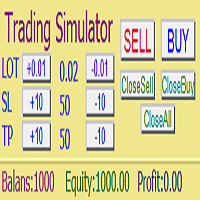
Утилита  TSim   позволяет симулировать ручную торговлю в Тестере Стратегий MetaTrader 4. В панеле можно устанавливать размеры лота, тейпрофита и стоплосса. Панель имеет кнопки Sell   и Buy для выставления рыночных ордеров, а также кнопки CloseSell, CloseBuy и CloseAll для быстрого закрытия ордеров. Под панелью отображается список открытых ордеров. Внимание. Панель работает только в Визуальном режиме Тестера Стратегий MetaTrader 4.
FREE
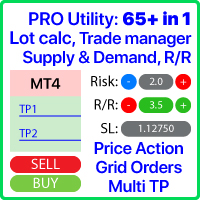
多機能取引ツール:ロット計算機、グリッド注文、R/R比率、トレードマネージャー、需給ゾーン、プライスアクションなど デモ版   |   ユーザーマニュアル トレードアシスタント はストラテジーテスターでは動作しません:この ユーティリティ をテストするには デモ版をこちら からダウンロードしてください。 ご質問 /改善のアイデア/バグ発見 の場合は 私に連絡 してください MT5版が必要な場合は、 こちら から入手できます 取引 プロセス を簡素化、高速化、自動化します。この ダッシュボード で標準ターミナルの機能を拡張します。 取引パネル はあらゆる取引銘柄で動作します:FX、株式、指数、暗号通貨など。 1. 新規取引の開始 :ロット/リスク/RR計算:手動取引のリスク管理 ロット計算機(リスクサイズに基づく取引量計算) リスク計算機(ロットサイズに基づくリスク額) リスクリワード比率 グリッド注文: + 動的間隔オプション、分割ロットオプション 注文アクショントリガー、+ 買いストップリミット/売りストップリミット:Mt4でも可能 仮想SL、仮想TP(非表示SL、非表示TP:ブロ
Stay updated with Multicurrency Overview!! The algorithm of this EA releases an average of the movement percentage of all the Forex currencies linked to a single currency, isolating it, letting us to comprehend its real and specific trend. Above on the left, a panel show us efficiently the trend of the currency, in the timeframe actually used. The second panel will keep you updated on macroeconomic news. P.N.:The news time is based on your pc clock time, this way you won't have any problem reg
Trade Copier Agent は、複数の MetaTrader(4/5) アカウント/端末間で取引をコピーするように設計されています。 このツールを使用すると、プロバイダー (ソース) または受信者 (宛先) として機能できます。すべての取引アクションは、遅延なくプロバイダーからレシーバーにコピーされます。 このツールを使用すると、0.5 秒未満の超高速のコピー速度で、同じコンピューター上の複数の MetaTrader ターミナル間で取引をコピーできます。 Trade Copier Agent インストール & 入力ガイド コピーを開始する前、または注文がないうちに、プロバイダー アカウントで設定を適用してください。 注文中の変更は、受取人のアカウントに影響します。 例: プロバイダー アカウントが買い注文を適用し、その後、受信者アカウントのすべての買い注文を無効にすると、決済されます。 EA追加URL(   http://autofxhub.com   )MT4端末(スクリーンショット参照) に関する通知を受け取りたい場合 。 MT5 バージョン https://www
Risk and Lot Size Calculator は、「損切りになったら失う金額」が決めた額になるロット数を計算する MT4 用インジケーターです。チャート上の3本の線(エントリー・損切り・利確)をドラッグすると、ロット数、リスク額、利確時の利益、リスクリワード、必要証拠金をパネルに表示します。プロップ口座(資金提供型口座)の損失の余裕も、必要なら表示できます。 裁量で取引する方が、注文の前に損切り幅からロット数を決めるための道具です。計算と表示だけの道具で、注文・変更・決済は一切しません。表示は計算の目安であり、実際の約定・損益・証拠金はご利用の業者の条件で決まります。 機能 ・エントリー(点線)、損切り、利確の3本の水平線。線にマウスを乗せてドラッグします。損切りがエントリーより下なら買い、上なら売りとして計算します。エントリーの線を現在値に追従させることもできます(「現在値に追従」ボタン) ・パネル:ロット数(大きく)と売買の方向、リスク額(基準に対する%)と目標額、損切り幅(FX は pips、それ以外は価格差とポイント)とスプレッド込みの幅、利確幅、リスクリワード
CoPilot — デイリートレーディングダッシュボード 数字を把握し、明確にトレードする。 MT5バージョン CoPilotとは? CoPilotは プロフェッショナルグレード のトレーディングアシスタントで、毎日のパフォーマンス統計を リアルタイム でチャートに直接表示します—— ライブエクイティカーブ はトレードごとに更新されます。チャートを離れずにセッションを即座に把握したいアクティブトレーダー向けに設計されており、CoPilotは すべてのシンボルのその日のクローズド取引 を集計し、シンプルでカラーコード化されたインタラクティブパネルに表示します。 ターミナルの履歴タブに切り替える必要はもうありません。手計算も不要です。CoPilotはあなたの 副操縦士 として常に監視し、常に計算し、常に目の前に表示します。 リアルタイム統計パネル CoPilotは3つのセクションに整理された完全な日次パフォーマンス指標を表示します: アクティビティ — 本日の総取引数、クローズド取引、オープンポジション、勝敗数、 勝率 (%) 、ブレークイーブン取引。勝率の色は動的に変化:50%超で緑、5
You can manually open a trade (one click), and this EA will take care of setting the SL and TP. SL and TP are set based on the number of pips you specify in the input screen. You can also choose monetary SL and TP. SL and TP are determined based on the weighted average price (WAP), so if you open a new trade, SL and TP will be updated according to the new WAP. The WAP is not unique but differentiated between buy and sell trades (this is useful only if you open opposite trades on the same chart)
FREE
Trade Manager は、リスクを自動的に計算しながら、取引を迅速に開始および終了するのに役立ちます。 過剰取引、復讐取引、感情的な取引を防止する機能が含まれています。 取引は自動的に管理され、アカウントのパフォーマンス指標はグラフで視覚化できます。 これらの機能により、このパネルはすべてのマニュアル トレーダーにとって理想的なものとなり、MetaTrader 4 プラットフォームの強化に役立ちます。多言語サポート。 MT5バージョン  |  ユーザーガイド + デモ Trade Manager はストラテジー テスターでは機能しません。 デモについてはユーザーガイドをご覧ください。 危機管理 % または $ に基づくリスクの自動調整 固定ロットサイズを使用するか、ボリュームとピップに基づいた自動ロットサイズ計算を使用するオプション RR、Pips、または価格を使用した損益分岐点ストップロス設定 トレーリングストップロス設定 目標に達したときにすべての取引を自動的に終了するための 1 日あたりの最大損失 (%)。 過度のドローダウンからアカウントを保護し、オーバートレードを防ぎま
Save time and worries watching. This EA will do this job for you.  Even you can configure some from this EA from your mobile instead of using the PC. To use this EA just drag from MetaTrader4 to any chart and timeframe (it will check continuosly no matter the timeframe). Configure some parameters according to the currency master to use configuration from your mobile and lots configuration but I would recommend to use the default ones.  Features for your trades and account: Manage Account Cash /

If you run an EA on a VPS, it is necessary to quickly notice if the server loses the connection to the broker. The ServerGuard24 EA checks the connection to the broker once a minute and sends the result to our monitoring server. There we notify you by e-mail, SMS, push and much more. The setup is super easy: 1. register at www.serverguard24.de 2. create a "Cron" check 3. copy the URL that is shown to you during the "Cron" check into the properties of the EA. And you can be sure that your Met
FREE
EA Master Version any Follow Copy Account  (Acc. Number)  need a open MT Terminal, download multiple times Step1:   Open Master MT5 Terminal    =  install master- Version   (on any Symbol just one Time) Step2:   Open Follower MT5 Terminal = install follower- Version  (on any Symbol just one Time) Step3:   all Trades from any Symbol or any Robot are copy now to follow- Terminal immediately for simple copy set on Chart and   Start   no optimization. This Robot is a Trade Copier for MT5 that automa
FREE
EA Follower Version any Follow Copy Account  (Acc. Number)  need a open MT Terminal, download multiple times Step1:   Open Master MT5 Terminal    =  install master- Version   (on any Symbol just one Time) Step2:   Open Follower MT5 Terminal = install follower- Version  (on any Symbol just one Time) Step3:   all Trades from any Symbol or any Robot are copy now to follow- Terminal immediately for simple copy set on Chart and   Start   no optimization. This Robot is a Trade Copier for MT5 that auto
FREE
OsasFXea Diamond RapidFire Panel
Wan Mohammad Shazly Bin Wan Zulkifli
osasFXea Diamond RapidFire Panel は、ワンクリックで迅速な裁量的バスケット取引を実現する高速取引パネルです。暗号資産や金属チャートを含むあらゆる銘柄で使用できます。 機能 バスケットの高速オープン:ワンクリックで、設定した数の成行注文(デフォルトは10)を発注します。各注文にはあらかじめTake ProfitとStop Lossが付与されます。 TP/SLの自動適用:チャート銘柄のオープンポジションでTPやSLが設定されていないもの(手動やモバイルアプリから開いたものを含む)は、入力したピップ値に基づき、ブローカーの最小ストップ距離を尊重して自動的にTP/SLが付与されます。 バスケットの利益確定自動クローズ(3モード): トータル(全ポジションの合計浮動損益が目標に達した時点で一括クローズ)、 バッチごと(各クイッククリックのバッチが独立して目標を追う)、 取引ごと(各ポジションが個別の利益目標でクローズ)。 ワンクリック管理:BUYのみクローズ、SELLのみクローズ、含み益のある全ポジションクローズ、全クローズ、および「半分クローズ+損益分岐点ロック
The indicator enables measurement and analysis of accumulated volume (tick), in any chosen swing. The user's task is to mark individual measuring sections with the help of a "crayon's". The indicator automatically sums the volumes of individual candles. Volume analysis is a basic element of the VSA (volume spread analysis) technique. A method of using an indicator is shown on the film. Parameters description Anchor_mode - If true, one end of the measuring line is always hooked on the current ca
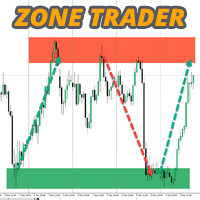
Just $30 for six months!!!. This will draw Supply & Demand zones just by clicking on a candle. It can also draw a 50% line on the zone. https://youtu.be/XeO_x7cpx8g As a drawing tool, it is not active all the time after adding it to the chart. Activate by pressing 's' twice on the keyboard within a second. If activated but then decided not to draw, deactivate by pressing 's' once.  Box color depends if candle is above or below current price. Features: Draw the box up to the last current candl
ChartTrader is a professional trading tool that every trader needs in their toolbox. It has been developed to work with the MT4 Platform. ChartTrader offers a number of options to make placing orders in the Forex market quick and easy. The GUI sits on the chart window so there is no need to navigate to separate windows when placing orders. The program allows you to set pending and instant orders. It has a built in risk management system, so every trade can risk a percentage or a fixed amount in
Basket Recovery System : is useful for trading multiple pair on a single account, single chart. Functions Of this Ea with a simple click on a button in any Symbol row, this Utilities will, Open new Order, Set Lot, Close Order, Reverse Order, Add new Symbol, Delete Symbol, with a simple click on a Navigation Button, this Utilities will, Select all Symbol Available on Broker, ReSet Symbol Lots, Close all Order, Set Low Risk for all Symbol, Remove all Pair with spread above 2two.
FREE
SignalX Margin Sizer
Ahmed Ismail Muhammad Ismail Al Talhat
SignalX Original MetaTrader tools by Ahmed Ismail. This listing is part of the SignalX range. Every risk-based lot calculator answers the same question: how much can I lose if the stop is hit? That is not the constraint that binds on a leveraged account holding several positions at once. The binding constraint is margin, and it is invisible if you only size from stop distance. This utility reads the broker own contract specification and margin requirement for the symbol and tells you the larges
Pip Counter Indicator Point   This Panel is a great tool for Traders who open multiple orders and want to have detailed control of their operations, as well as traders who want to see the pips obtained at the end of their Trading session. This Panel reports on the buy and sell orders you have open, the pips traveled, pips generated and distance from the Stop Loss Long: Indicates the number of open buy orders. Short: Indicates the number of open sell orders. PIPS Counter: Indicates the real-time
このプロダクトを購入した人は以下も購入しています
Trade Manager EAへようこそ。これは、取引をより直感的、正確、そして効率的にするために設計された究極の リスク管理ツール です。これは単なるオーダー実行ツールではなく、包括的な取引計画、ポジション管理、リスク管理のためのソリューションです。初心者から上級者、迅速な実行を必要とするスキャルパーまで、Trade Manager EAはあらゆるニーズに対応し、為替、指数、商品、暗号通貨などさまざまな市場で柔軟に対応します。 Trade Manager EAを使用すると、複雑な計算が過去のものになります。市場を分析し、エントリーポイント、ストップロス、テイクプロフィットのレベルをチャート上のラインでマークし、リスクを設定するだけで、Trade Managerが最適なポジションサイズを即座に計算し、SLとTPをピップ、ポイント、口座通貨でリアルタイムに表示します。すべての取引が簡単かつ効果的に管理されます。 主な機能: ポジションサイズ計算機 :定義されたリスクに基づいて取引サイズを瞬時に決定します。 簡単な取引計画 :エントリー、ストップロス、テイクプロフィットを設定するためのド
Grid Manual MT4
Alfiya Fazylova
4.71 (17)
「Grid Manual」は、注文のグリッドを操作するための取引パネルです。 ユーティリティはユニバーサルで、柔軟な設定と直感的なインターフェイスを備えています。 それは、損失を平均化する方向だけでなく、利益を増やす方向でも注文のグリッドで機能します。 トレーダーは注文のグリッドを作成して維持する必要はありません。 すべてが「Grid Manual」によって行われます。 注文を開くだけで十分であり、「Grid Manual」は注文のグリッドを自動的に作成し、非常に閉じるまでそれに付随します。 完全な説明とデモバージョン ここ。 ユーティリティの主な機能と機能 ユーティリティは、モバイル端末から開かれた注文を含め、あらゆる方法で開かれた注文を処理します。 「制限」と「停止」の2種類のグリッドで機能します。 グリッド間隔の計算には、固定と動的(ATRインジケーターに基づく)の2つの方法で機能します。 オープンオーダーグリッドの設定を変更できます。 チャート上の各注文グリッドの損益分岐点を表示します。 各注文グリッドの利益率を表示します。 ワンクリックでグリッドから収益性の高い注文を閉じるこ
Trade Indicator Assistant is a powerful MT4 utility designed to turn indicators into automated trading systems. Its main feature is the ability to automatically detect an indicator’s   BUY and SELL signal buffers , without requiring you to know the buffer numbers, search through indicator settings, or modify the indicator source code. Bonus Indicator: After purchasing Trade Indicator Assistant, contact me to receive Trade Signal Pro completely free as a bonus indicator. [Download Demo Version]
TradePanel MT4
Alfiya Fazylova
4.84 (95)
Trade Panelは多機能なトレーディングアシスタントです。アプリには手動取引用の50以上のトレーディング機能が搭載されており、ほとんどの取引作業を自動化することができます。 アプリの説明書: https://www.mql5.com/en/blogs/post/756482 デモ口座用アプリの試用版: https://www.mql5.com/en/blogs/post/750865 アプリのインストール方法: https://www.mql5.com/en/blogs/post/756239 アプリをビジュアルモードでテストする方法: https://www.mql5.com/en/blogs/post/770277 VPSのMetaTraderにアプリをインストールする方法: https://www.mql5.com/en/blogs/post/770190 取引。 ワンクリックで取引操作を行うことができます: リスクを自動計算して指値注文やポジションを開く。 複数の注文やポジションをワンクリックで開く。 注文のグリッドを開く。 保留中の注文やポジションをグループごとに閉じる
The product will copy all telegram signal to MT4   ( which you are member  ) , also it can work as remote copier.  Easy to set up, copy order instant, can work with almost signal formats, image signal, s upport to translate other language to English Work with all type of channel or group, even channel have "Restrict Saving Content", work with  multi channel, multi MT5 Work as remote copier: with signal have ticket number, it will copy exactly via ticket number. Support to backtest signal. How to
The Price Action Dashboard is an innovative tool to help the trader to control a large number of financial instruments. This tool is designed to automatically suggest signals and price conditions. The Dashboard analyzes all major Time Frame suggesting price action conditions with graphic elements. The Dashboard can suggest you the strength of the trend identifying directional movement, it is an indispensable tool for those who want to open position themselves using market trends identifiers. The
Telegram to MT4 Multi-Channel Copier   は、 Telegram と Discord チャンネルのトレードシグナルを MetaTrader 4 へ自動コピーします。ボット不要、ブラウザ拡張不要、手動コピー不要。Telegram や Discord にシグナルが届くと、EA が数秒であなたのターミナルに注文を出します。 さらに、チャンネルをコピーする前に、内蔵バックテスターでそのチャンネルがあなたの口座でどう動いたかを確認できます。 製品は 2 つのコンポーネントで構成されます:Telegram チャンネルを監視する Windows アプリと、MT4 ターミナルでシグナルを執行する本 EA です。MT5 版もあります   こちら . 購入前にお試しください:   アプリは無料でダウンロードできます。ご自身のチャンネルを接続し、各シグナルがどのように読み取られるかをご確認ください。Backtest タブと実際の取引には、購入またはレンタルした EA が必要です。このページの無料デモはストラテジーテスターでのみ動作し、テスターでは Telegram と D
MT4 to Telegram Signal Provider は使いやすく、完全にカスタマイズ可能なツールで、Telegramに信号を送信し、あなたのアカウントを信号提供者に変えることができます。 メッセージのフォーマットは 完全にカスタマイズ可能です! しかし、簡単な使用のために、あらかじめ定義されたテンプレートを選択し、メッセージの特定の部分を有効または無効にすることもできます。 [ デモ ]   [ マニュアル ] [ MT5バージョン ] [ Discordバージョン ] [ Telegramチャンネル ]  New: [ Telegram To MT5 ] セットアップ ステップバイステップの ユーザーガイド が利用可能です。 Telegram APIの知識は必要ありません。開発者が必要なものをすべて提供します。 主要機能 購読者に送信される注文の詳細をカスタマイズする機能 例えばブロンズ、シルバー、ゴールドなど、階層型のサブスクリプションモデルを作成できます。ゴールドサブスクリプションでは、すべての信号が得られますなど。 ID、シンボル、またはコメントによる注文のフ
TradeMirror は、MT4/MT5プラットフォーム向けに開発されたローカル注文同期ツールで、リアルタイム取引をサポートします。 チュートリアル Trademirror チュートリアル のリンクをクリックして、さらにチュートリアルをご覧ください。 製品の特長 金融ソフトウェアにおけるセキュリティ・安定性・プライバシー保護の高基準に準拠し、以下の3つの核心領域を最適化しました: 直感的なグラフィカルインターフェースで操作が容易 金融シナリオにおける機密データ分離のための強化されたプライバシー保護 ミリ秒単位の注文同期で信号遅延ゼロを実現 MT4/MT5完全互換、多様な取引環境にシームレス対応 システム監視機能とメール通知による取引安定性管理 主要機能 本製品には以下のプロフェッショナルコピー機能を搭載: 複数アカウント並列接続 リアルタイムメール通知 ロットサイズカスタマイズ 信号フィルタリング機構 逆方向コピーモード テイクプロフィット/ストップロス再設定 無料デモ手順 購入前に以下の手順で全機能を体験可能: ページ内の「無料デモ」ボタンをクリック 「MetaTrader 4/5
Unlimited Trade Copier Pro is a tool to copy trade remotely to multiple MT4, MT5 and cTrader accounts at different computers/locations over internet. This is an ideal solution for you if you are a signal provider and want to copy your trades to other receivers globally on your own rules. One provider can copy trades to multiple receivers and one receiver can get trade from multiple providers as well. The provider can even set the subscription expiry for each receiver, so that receiver will not b
Take a Break pauses your Expert Advisors when trading is a bad idea: before news, after a daily loss, outside your trading hours, or when a rule you wrote yourself says so. When the pause is over, your EAs simply continue. Account protection for all your EAs in one tool: news filter, drawdown and equity protection, time filter and custom rules. One EA on one chart protects the whole account, the free indicator gives every chart its own rules on top. Free demo | What is new in 26.09 | Support Ass
取引したい主要エリアを特定したら、サポートとレジスタンス、または供給と需要のゾーンを自動的に取引します。この EA を使用すると、1 回のクリックで買いゾーンと売りゾーンを描画し、価格が反転すると予想される場所に正確に配置できます。EA はそれらのゾーンを監視し、ゾーンに指定した価格アクションに基づいて自動的に取引を行います。最初の取引が行われると、EA は、ターゲット エリアとなる、配置した反対のゾーンで利益を出して終了します。その後、2 つの選択肢があります。取引を終了して新しいゾーンを描画してエントリーするか、利益を出して終了し、すぐに反対方向に取引を反転して、「常に市場に参加する」スタイルの戦略を作成します。 入力と戦略を含む完全なマニュアルはこちら: https://www.mql5.com/en/blogs/post/760256 この EA は、市場で固定またはハード ストップ ロスを使用しないポジション トレーダーまたはドル コスト平均法の取引戦略向けに設計されています。代わりに、次の利用可能なサポートまたはレジスタンス ゾーンで同じ方向に新しい取引を行うことで、
これは視覚的な取引パネルであり、取引を簡単に配置および管理し、人為的エラーを回避し、取引活動を強化するのに役立ちます。使いやすい視覚的なインターフェースと、健全なリスクおよび位置管理アプローチを組み合わせています。 [ インストールガイド | 更新ガイド | トラブルシューティング | よくある質問 | すべての製品 ] 驚くほど使いやすい チャートから簡単に取引 正確なリスク管理との取引、手間のかからない 資本の保存が最優先事項です 気をつけずに利益を上げましょう できるだけ早くリスクのない取引をお楽しみください 開かれているすべての取引の自動トレーリングストップ 最初のストップロスは、取引が行われるとすぐに配置されます EAは、取引を行った後に次のタスクを実行します。 最初のストップロス/テイクプロフィットは自動的に配置されます できるだけ早くフリーライドにロックします(オプション) ストップロスを初めて損益分岐点に移動します(オプション) 停止するまで、希望の方法を使用してストップロスを追跡します その他のクールな機能は次のとおりです。 優れたターミナルアクティビティレポート
Riskless Pyramid
Snapdragon Systems Ltd
5 (1)
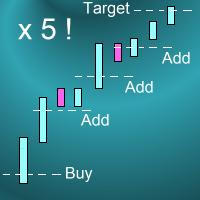
Introduction This powerful MT4 trade mangement EA offers a way potentially to aggressively multiply trade profits in a riskfree manner. Once a trade has been entered with a defined stoploss and take profit target then the EA will add three pyramid add-on trades in order to increase the overall level of profit. The user sets the total combined profit target to be gained if everything works out. This can be specified either as a multiple of the original trade profit or as a total dollar amount. Fo
Prop Guardian Risk Manager MT4 – Drawdown, Risk & Hedge Protection for Prop Firm and Managed Accounts Prop Guardian Risk Manager is a professional risk-control utility for MetaTrader 4, designed for prop firm traders, money managers and anyone who wants strict account-level risk protection. It does not generate trading signals, strategy entries or trading decisions. Instead, it runs in the background, monitors your account risk and can automatically block new exposure, close managed trades or ac
FCK CurrencyStrength Pro
Patel Hitendrakumar Mahendrabhai
Hi Friends, " FCK Currency Strength Pro " is a auto & semi auto trading expert with direction of pair. Buy-Sell separate or multi currency in one click. The strategy of  FCK Currency Strength Pro  is a combination of custom indicator, Trendlines, Support & Resistance levels ( Price Action ) and most important secretive trading algorithm mentioned above. Download News Ex4 and csv file You need the following SDSnews.ex4 in MQL4/Libraries and the daylightsavings.csv in MQL4/Files. Only 4 of 5 copi
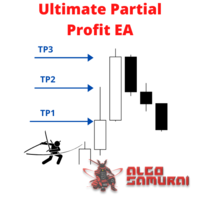
This EA Utility delivers a robust solution for managing an unlimited array of open orders, both manual and automated. It enables customizable partial profit levels utilizing metrics such as pips, ratios, ATR (Average True Range), and profit amounts for precise trade management. The utility features an advanced on-screen display, offering clear visualization of all orders and their profit levels to enhance strategic decision-making and control. To evaluate its performance and interface, the EA s
Auto Trade Driver is an automatic powerful tool (run as Expert Advisor) that helps you to manage risk and control orders and maximize your profit in multi-protect/trailing-stop rules. This tool is very useful for both scalpers and trend followers. It not only calculates the trade risk exactly, but also protects and maximizes your profits in real-time. With this tool, the only thing you have to do is to enter trade by your own strategy, then it will auto-drive your position with exit strategy you
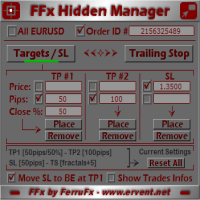
The FFx Hidden Manager panel will help you to manage easily your orders directly on the chart. Below all features described: TP, SL and TrailingStop are hidden Each order has its own lines on chart Drag & Drop any line to change the TP/SL as per your need Option to move automatically the SL line at breakeven when TP #1 is reached Option to choose the TP/SL type (by pips or price) Option to choose the TrailingStop type (by pips, MA, Fractals, PSAR or ATR) Define which order(s) you want to manage
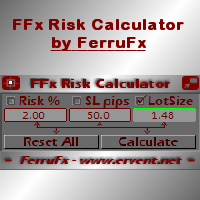
FFx Risk Calculator panel will help you to calculate very easily your trades size, SL or the risk directly on the chart. All features are described below: Option to select which parameter to calculate: Risk, Stop Loss or Lot Size The panel will show if the lot size is allowed according to the current account free margin Button to maximize/minimize the panel Drag and Drop the panel anywhere on the chart How to use it? Select the parameter you want to be calculated. It will be based on the 2 other
Trade Copier Pro is a tool to copy trade remotely to MT4, MT5 and cTrader accounts at different computers/locations over internet. This is an ideal solution for you if you are a signal provider and want to copy your trades to other receivers globally on your own rules. One provider can copy trades to multiple receivers and one receiver can get trade from multiple providers as well. The provider can even set the subscription expiry for each receiver, so that receiver will not be able to receive t
News Trader Pro is a unique robot that allows you to trade the news by your predefined strategy. It loads every piece of news from several popular Forex websites. You can choose any news and preset the strategy to trade it, and then News Trader Pro will trade that news by selected strategy automatically when the news comes. News release gives opportunity to have pips since the price usually has big move at that time. Now, with this tool, trading news becomes easier, more flexible and more exciti
Bears CD HTB Global  (Bears Convergence/Divergence High Top Bottom Global) is an analytical bears convergence/divergence indicator (C, D or CD) between a financial instrument and 22 MT4 indicators working on all periods simultaneously. The indicator measures the power of CD for indicators and periods and is the second one out of the two possible versions (HBT and HTB). Features The analyzer is not a lagging one. It works by ticks and is able to show CD in the main window even in case the MT4 in
Bulls CD LBT Global  (Bulls Convergence/Divergence Low Bottom  Top   Global) is an analytical bulls convergence/divergence indicator (C, D or CD) between a financial instrument and 22 MT4 indicators working on all periods simultaneously. The indicator measures the power of CD for indicators and periods and is the first one out of the two possible versions (LBT and LTB). Features The analyzer is not a lagging one. It works by ticks and is able to show CD in the main window even in case the MT4 i
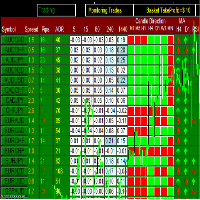
The FFx Watcher PRO is a dashboard displaying on a single chart the current direction of up to 15 standard indicators and up to 9 timeframes. It has 2 different modes: 1. Watcher mode: Multi Indicators User is able to select up to 15 indicators to be displayed User is able to select up to 9 timeframes to be displayed 2. Watcher mode: Multi Pairs User is able to select any number of pairs/symbols User is able to select up to 9 timeframes to be displayed This mode uses one of the standard indicat
THE [VIZUALIZER] is a MetaTrader (MT4) Script designed to visualize an account history. It will read the account statement and then will visualize the positions on chart in form of rectangles, showing the OpenTime, OpenPrice, CloseTime and ClosePrice. Generally, it has been developed to analyze the trading history, to observe how risky the particular positions were, allowing you to analyze the trading strategy from the account statement. It is working with standard MS Excel CSV files It is visua
This is a must have tool for a serious trader. It saves your precious time spent for opening/closing trades, creating pending trades and modifying your TP/SL in bulk according to either pips or price. If you need to quickly open several pending orders (Buy Stop, Sell Stop) at a certain distance from each other, this script will do all the routine for you! The first time you use this handy tool, you will realize it has already paid for itself. Instructions: Drag and drop this script onto a chart.
The product combines a manual trade panel with the ability to perform actions automatically in a highly configurable way. Actions include capturing indicator values and then based on those values raising alerts, open/close or partially close trades, scale-in, setting up pending orders, adjusting stop loss, take profit and more. On-chart controls can be configured, such as tick boxes and buttons, so can be fully interactive. The EA also handles money management, news events, hidden stop loss, tak
Binary Options Copier Remote is an EA that allows to copy binary options trades between MT4 accounts at different computers. This is an ideal solution for signal provider, who want to share his trade with the others globally on his own rules. Provider can give free bonus license to 10 receivers. That means those 10 receivers can copy from provider by using Binary Options Receiver Free (no cost). From 11th one, receiver have to buy Binary Options Receiver Pro (paid version) in order to copy from
This panel is very simple to use and it is a very ally to manage your positions and orders. Also you can modify your risk, writing in fields directly on Panel. One click on buttons and the operation on market is done! Operations possible: BUY/SELL Break Even Split (close 50% all orders) Close All positions Hedging (opens reverse positions to cover) Close only BUY positions Close only SELL positions Close All pending orders Reverse all positions Please watch the video to verify the very simple u
作者のその他のプロダクト
UMNi-CMND MT5 Remote Command & Trade Control System UMNi-CMND turns Telegram into a full remote control panel for your MetaTrader terminal. Send commands from your phone to open trades, manage positions, query account status, and receive complete trade telemetry — all without touching the platform. KEY FEATURES Full remote trade execution via Telegram Open, close, and manage positions by command Move SL/TP, set breakeven, partial close Live status, account, and position q
UMNi-ALRT MT5 Advanced Trade Alert System UMNi-ALRT delivers structured, detailed Telegram alerts for every stage of your trading activity. More advanced than basic notifications, it provides full trade intelligence — including performance metrics, session context, and market data — in a clean, readable format. KEY FEATURES Full trade open / close alerts with deep detail MFE, MAE and exit efficiency tracking Session-aware candle and bias context Chart updates with spread,
UMNi-NTFY MT5 Telegram Notification System UMNi-NTFY is a lightweight Telegram notification tool for MetaTrader. It monitors trading activity and delivers fast, structured alerts directly to your phone — keeping you connected to your system without watching charts. KEY FEATURES Trade Open alerts (Entry, SL, TP) Trade Close alerts (P&L outcome) Session summaries System Online / Offline status Clean, structured message format Works with all symbols and timeframes Compatible
FREE
UMNi-NTFY UMNi-NTFY is a lightweight Telegram notification tool for MetaTrader 4. It monitors trading activity and delivers fast, structured alerts directly to your phone — keeping you connected to your system without watching charts. KEY FEATURES • Trade Open alerts (Entry, SL, TP) • Trade Close alerts (P&L outcome) • Session summaries • System Online / Offline status • Clean, structured message format • Works with all symbols and timeframes • Compatible with manual and
FREE
UMNi-CMND  UMNi-Cmnd — MT4 Remote Trade Command and Control UMNi-Cmnd turns Telegram into a full remote control panel for your MetaTrader 4 terminal. Send commands from your phone to open trades, manage positions, query account status, and receive complete trade telemetry — all without touching the platform. KEY FEATURES • Full remote trade execution via Telegram • Open, close, and manage positions by command • Move SL/TP, set breakeven • Live status, account, and positi
UMNi-SESH MT4 Trading Session Manager UMNi-Sesh keeps you informed at every session transition on MetaTrader 4. It monitors the four major trading sessions and delivers pre-session briefings, open and close alerts, and contextual market data — so you always know what's happening before you trade. KEY FEATURES • Automated session open and close alerts • Pre-session briefings with configurable lead time • Candle direction, bias, and day range at open • Session range, high/
UMNi-ALRT MT4 Intelligent Trade Alert System UMNi-Alrt delivers structured, detailed Telegram alerts for every stage of your MetaTrader 4 trading activity. It provides full trade intelligence — including performance metrics, session context, and market data — in a clean, readable format. KEY FEATURES • Full trade open / close alerts with deep detail • MFE, MAE and exit efficiency tracking • Session-aware candle and bias context • Chart updates with spread, range, and bod
UMNi-NEWS UMNi-NEWS — MT4 Economic Calendar & News Alert System UMNi-NEWS monitors the economic calendar and alerts you on Telegram before, during and after high-impact news. The calendar downloads automatically, so there is nothing to type in or maintain. It keeps you aware of scheduled risk throughout the trading day, so you can adjust exposure before events hit. KEY FEATURES • Automatic economic calendar: downloads and refreshes itself (no manual files) • Daily news br
UMNi-STATE UMNi-State — MT4 Market Condition Classifier UMNi-State analyses live market conditions using ATR, ADX, and Bollinger Bands, then classifies the current environment into one of nine distinct states. It alerts you whenever the market condition changes — so your awareness stays current without manual analysis. KEY FEATURES • Real-time market state classification (9 states) • Instant Telegram alert on state change • Session open notifications with current state c
UMNi-HLTH UMNi-Hlth monitors the quality of your MetaTrader 4 trading environment in real time. It tracks spread spikes and latency throughout the session, grades overall execution health, and alerts you when conditions deteriorate. KEY FEATURES • Real-time spread spike detection and alerting • Latency monitoring with warning and critical thresholds • End-of-session health report with grade (A to D) • Configurable thresholds for all metrics • On-chart panel showing live
UMNi-LOG Automated Trade Journal & Reporter for MetaTrader 4 — CSV + Telegram UMNi-LOG journals every closed trade on your account to a CSV file and sends a result card to Telegram, then sends a daily and a weekly report. It reads the account's trade history, so it catches every close on every symbol: manual trades, other EAs, partial closes, and trades that closed while the terminal was off (picked up when it restarts). It does not open, modify or close trades. KEY FEATURES Journals every clos
️ UMNi-RISK Risk Monitor & Daily Loss Guard for MetaTrader 4 UMNi-RISK watches your account in real time and alerts you on Telegram when risk thresholds are breached: drawdown, daily loss and margin exposure. Switch on the optional Daily Loss Guard and it will also close every open trade the moment your daily loss limit is reached, then keep the account flat until the next trading day. KEY FEATURES • NEW: optional Daily Loss Guard closes all positions (and pending orders)
UMNi-GRID Grid & Basket Position Manager for MetaTrader 4 — with Telegram control UMNi-GRID runs a one-direction grid on the chart it is attached to: it opens a first level, adds levels as price moves against the basket, and closes the whole basket when price returns a set distance past the average entry. Every step is reported to Telegram, and you can start, pause or close the grid from the chart or from your phone. IMPORTANT: grid trading adds to losing positions. It can recover small moves,
UMNi-FLOW Buy / Sell Pressure & Market Activity Monitor for MetaTrader 4 UMNi-FLOW watches every price tick and tells you on Telegram when buyers or sellers take control, when the market suddenly speeds up, and when a bar trades far more volume than normal. A clean panel on the chart shows the same read at a glance. It does not place trades. It is an awareness tool: it tells you what the market is doing, so you are not caught off guard. KEY FEATURES Buy / sell pressure measured tick by tick: ev
UMNi-SESH MT5 Session Awareness & Briefing System UMNi-SESH keeps you informed at every session transition. It monitors the four major trading sessions and delivers pre-session briefings, open and close alerts, and contextual market data — so you always know what's happening before you trade. KEY FEATURES Automated session open and close alerts Pre-session briefings with configurable lead time Candle direction, bias, and day range at open Session range, high/low, and move
UMNi-NEWS **MT5 Economic Calendar & News Alert System** UMNi-NEWS monitors the economic calendar and alerts you before, during, and after high-impact news events. It keeps you aware of scheduled risks throughout the trading day — so you can adjust exposure before events hit. KEY FEATURES • Daily news briefing on startup and at each new trading day • Two-stage pre-event warnings (30m and 5m by default) • Live news alert at event time with elevated spread warning • Post-
## UMNi-STATE **MT5 Market Condition Classification System** UMNi-STATE analyses live market conditions using ATR, ADX, and Bollinger Bands, then classifies the current environment into one of nine distinct states. It alerts you whenever the market condition changes — so your awareness stays current without manual analysis. KEY FEATURES • Real-time market state classification (9 states) • Instant Telegram alert on state change • Session open notifications with current
UMNi-HLTH **MT5 Execution Health Monitoring System** UMNi-HLTH monitors the quality of your trading environment in real time. It tracks spread spikes, latency, and slippage throughout the session, grades overall execution health, and alerts you when conditions deteriorate. KEY FEATURES • Real-time spread spike detection and alerting • Latency monitoring with warning and critical thresholds • Slippage tracking across the session • End-of-session health report with grade
️ UMNi-RISK Risk Monitor & Daily Loss Guard for MetaTrader 5 UMNi-RISK watches your account in real time and alerts you on Telegram when risk thresholds are breached: drawdown, daily loss and margin exposure. Switch on the optional Daily Loss Guard and it will also close every open trade the moment your daily loss limit is reached, then keep the account flat until the next trading day. KEY FEATURES • NEW: optional Daily Loss Guard closes all positions (and pending orders)
UMNi-GRID Grid & Basket Position Manager for MetaTrader 5 — with Telegram control UMNi-GRID runs a one-direction grid on the chart it is attached to: it opens a first level, adds levels as price moves against the basket, and closes the whole basket when price returns a set distance past the average entry. Every step is reported to Telegram, and you can start, pause or close the grid from the chart or from your phone. IMPORTANT: grid trading adds to losing positions. It can recover small moves,
UMNi-LOG Automated Trade Journal & Reporter for MetaTrader 5 — CSV + Telegram UMNi-LOG journals every closed trade on your account to a CSV file and sends a result card to Telegram, then sends a daily and a weekly report. It reads the account's trade history, so it catches every close on every symbol: manual trades, other EAs, partial closes, and trades that closed while the terminal was off (picked up when it restarts). It does not open, modify or close trades. KEY FEATURES Journals every clos
UMNi-SYNC Local Trade Copier for MetaTrader 5 — Master / Subscriber, MT4 and MT5 together UMNi-SYNC copies trades from one MetaTrader account (the Master) to any number of other accounts (Subscribers) running on the same computer or VPS. The master publishes its open positions to a small file in the terminals' shared Common folder several times a second; each subscriber mirrors them: new trades, closes, partial closes and SL / TP changes. MT4 and MT5 terminals copy to each other. Telegram is us
UMNi-FLOW Buy / Sell Pressure & Market Activity Monitor for MetaTrader 5 UMNi-FLOW watches every price tick and tells you on Telegram when buyers or sellers take control, when the market suddenly speeds up, and when a bar trades far more volume than normal. A clean panel on the chart shows the same read at a glance. It does not place trades. It is an awareness tool: it tells you what the market is doing, so you are not caught off guard. KEY FEATURES Buy / sell pressure measured tick by tick: ev
フィルタ:
レビューなし
レビューに返信