AI Chart Assistant Mt5
- Utilità
- Versione: 1.0

AI Chart Assistant MT5
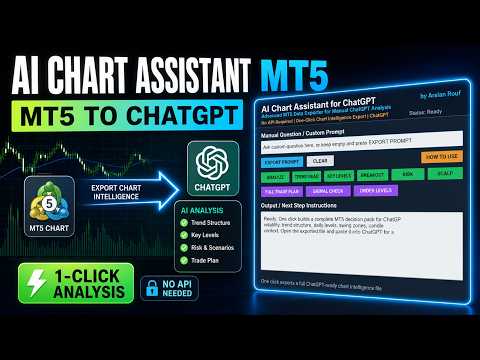
AI Chart Assistant MT5 is a professional manual chart intelligence exporter for MetaTrader 5, designed for traders who want to use ChatGPT with real, structured and deeply prepared MT5 market context.
Most traders use ChatGPT for trading analysis by typing simple questions like:
“Analyze this chart”
“Should I buy or sell?”
“Find support and resistance”
The problem is that ChatGPT cannot properly analyze a chart without complete market context.
AI Chart Assistant MT5 solves this problem.
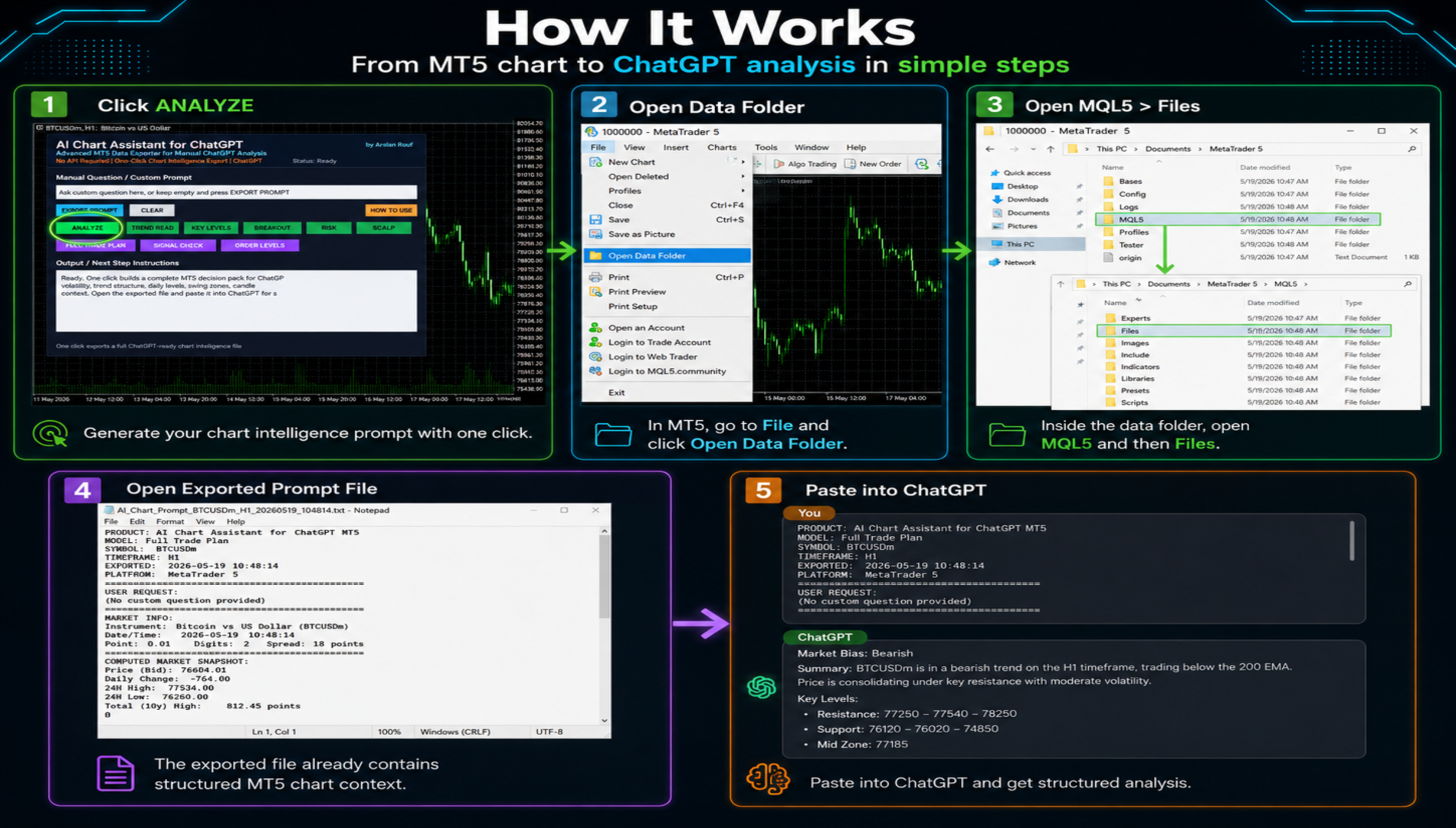
With one click, it extracts and prepares a complete MT5 Chart Intelligence Package and saves it as a ChatGPT-ready text file. You only need to open the exported file, copy the text and paste it into ChatGPT.
The exported file is created here:
File > Open Data Folder > MQL5 > Files
No API key is required.
No WebRequest setup is required.
No external connection is required.
No automatic trading is performed.
The tool works fully in manual mode.
MT5 prepares the intelligence file.
ChatGPT analyzes the prepared data.
You make the final decision.
What Makes This Tool Different?
This is not a simple prompt writer.
It creates a structured market intelligence package using multiple layers of MT5 chart information, including price action, candle behavior, volatility, spread, trend structure, swing zones, session levels and trade-planning context.
Instead of manually collecting all this information candle by candle, the tool prepares it automatically in seconds.
The exported file can include:
- Current symbol and timeframe
- Bid, ask and spread condition
- Recent OHLC candle structure
- Tick volume activity
- Candle body and range behavior
- Bullish and bearish candle balance
- Average candle range
- Average body size
- Volatility context
- ATR-style movement reading
- RSI-style momentum reading
- EMA-style trend alignment
- Recent swing highs
- Recent swing lows
- Daily or session level context
- Fallback range levels when higher timeframe data is not loaded
- Support and resistance context
- Breakout or fakeout review context
- Risk evaluation context
- Pending order level context
- Full trade-planning instructions
- Clean output format for ChatGPT
This gives ChatGPT much better information than a normal manual question.
One-Click Analysis Modes
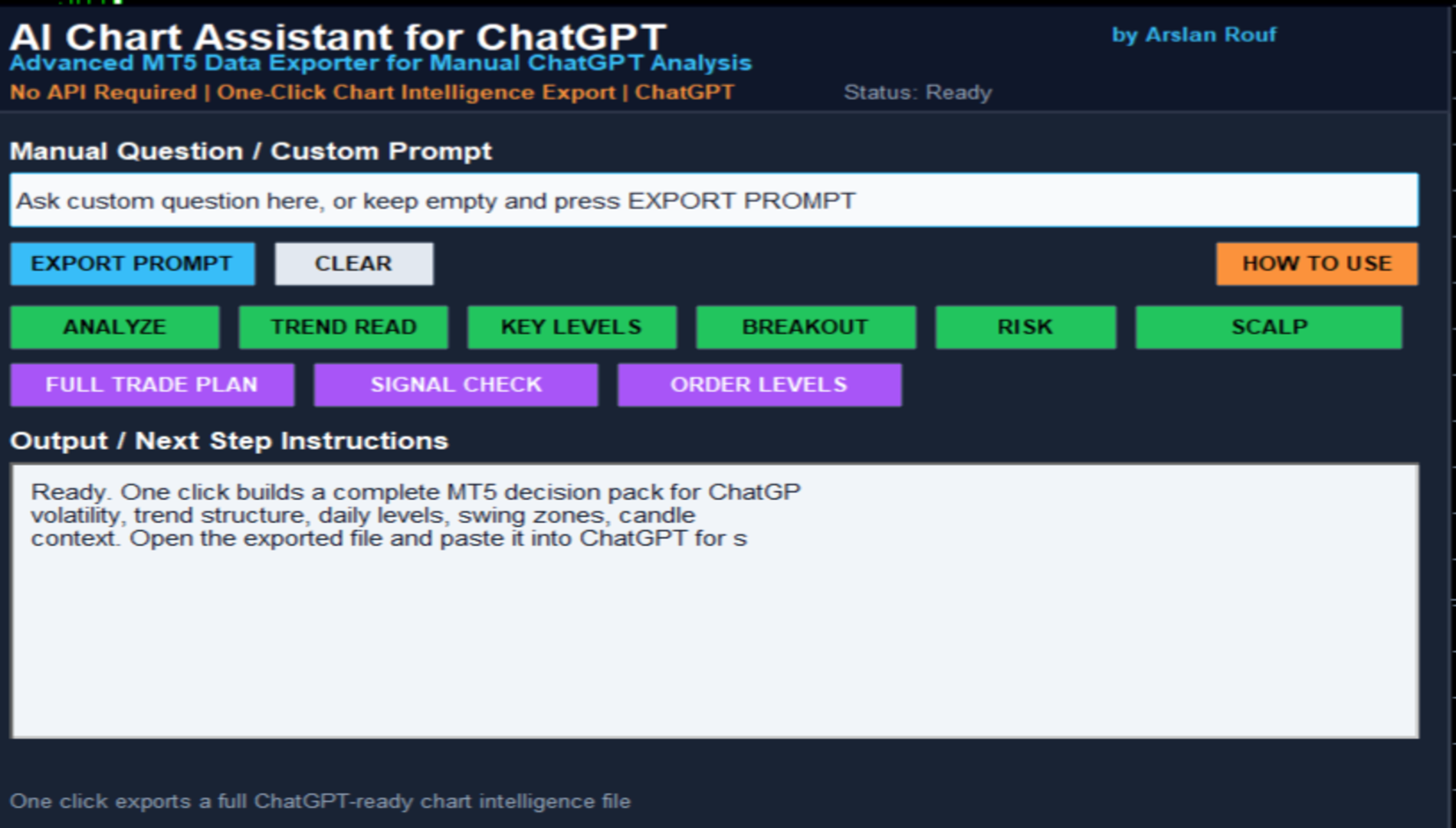
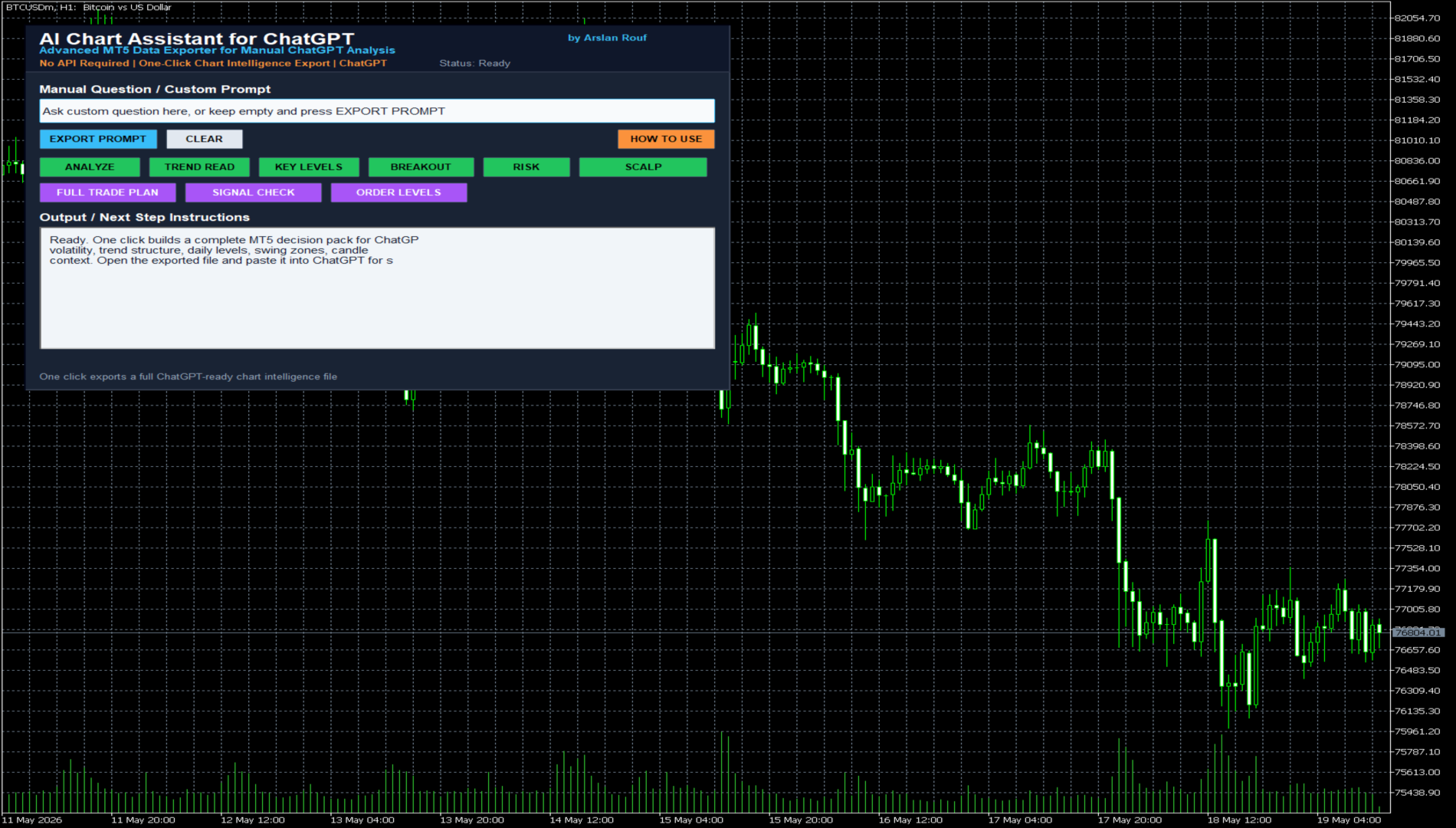
The panel includes ready-made analysis buttons:
ANALYZE
Creates a complete professional chart analysis package.
TREND READ
Exports trend structure, momentum context, EMA-style alignment and recent market behavior.
KEY LEVELS
Prepares swing zones, support/resistance areas, reaction levels and higher timeframe context.
BREAKOUT
Creates a breakout/fakeout review package using recent structure, candles and volatility.
RISK
Exports risk-focused context including spread, volatility, candle behavior and nearby levels.
SCALP
Creates a short-term trading analysis package for fast chart review.
FULL TRADE PLAN
Builds a complete trade plan prompt including bias, entry zone, invalidation, TP ideas, avoid condition, risk level and final decision.
SIGNAL CHECK
Helps ChatGPT review whether a buy or sell idea is valid or whether waiting is better.
ORDER LEVELS
Prepares logical pending order context such as Buy Stop, Sell Stop, Buy Limit or Sell Limit only when supported by chart data.
How To Use
1. Attach AI Chart Assistant MT5 to any MT5 chart.
2. Select your preferred symbol and timeframe.
3. Click any analysis button on the panel.
4. The tool creates a structured text file in:
File > Open Data Folder > MQL5 > Files
5. Open the exported file.
6. Copy all text.
7. Paste it into ChatGPT.
8. ChatGPT will analyze the prepared MT5 chart intelligence package and return structured analysis.
Each exported file has a clear name including:
- analysis mode
- symbol
- timeframe
- export time
Example:
AR_AI_ADV_Full_Trade_Plan_XAUUSD_H1_20260519_104814.txt
This makes it easy to know which file belongs to which analysis type.
Manual Custom Prompt
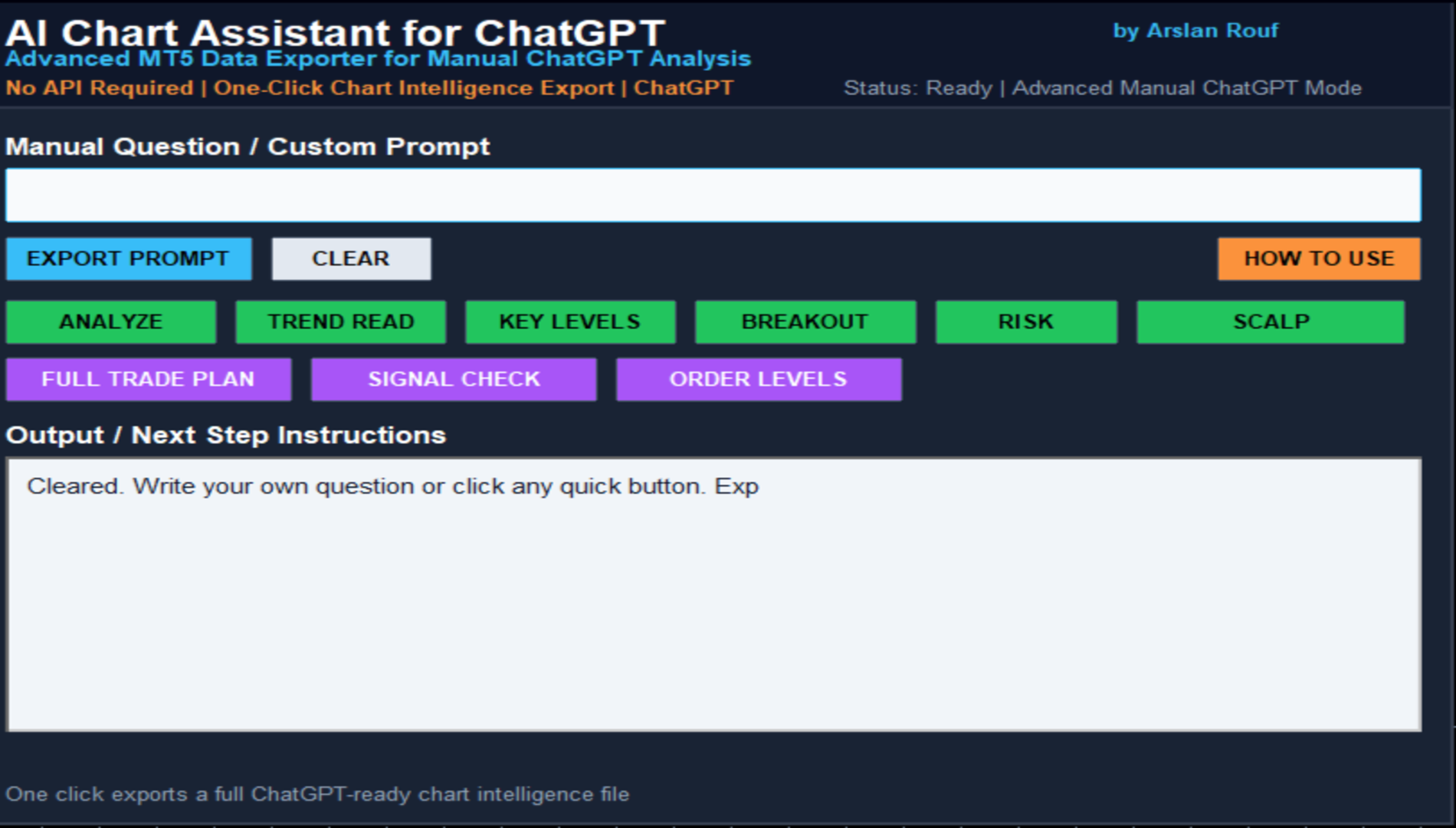
You can also write your own question inside the panel.
Example:
“Is this market better for breakout trading or should I wait?”
Then click EXPORT PROMPT.
The tool combines your custom question with the current MT5 chart intelligence package and creates a ChatGPT-ready file.
ChatGPT Model Quality
The quality of the final analysis depends on the ChatGPT model you use.
A newer and more advanced ChatGPT model can usually understand the exported MT5 data more deeply and return better structured analysis.
This tool does not replace ChatGPT.
It prepares the chart data for ChatGPT.
The better the ChatGPT model, the better it can interpret the exported data.
Important Notes
AI Chart Assistant MT5 is not an automatic trading robot.
It does not open trades.
It does not close trades.
It does not manage orders.
It does not guarantee signals.
It does not guarantee profit.
It is a manual decision-support tool that helps traders use ChatGPT with better MT5 chart context.
Recommended Use
This tool can be used on:
- Forex pairs
- Gold
- Indices
- Crypto symbols
- Commodities
- Any MT5 chart with enough price history
For best results, load enough chart history before exporting the file.
Summary
AI Chart Assistant MT5 turns your MetaTrader 5 chart into a professional ChatGPT-ready market intelligence file with one click.
Instead of asking ChatGPT with incomplete information, give it structured MT5 chart data.
One click.
Complete chart context.
ChatGPT-ready file.
Smarter manual analysis.