MTF Candle Bias Table
- Indicatori
- Versione: 1.5
- Attivazioni: 5

Description
The MTF Bias Ultimate Dashboard is a professional-grade analytical tool for MetaTrader 5 that recreates the popular "Candle Bias" system from TradingView. It is designed for intraday traders (NQ, Gold, Forex) to identify a statistical "Edge" by combining multi-timeframe confluence, real-time historical win rates, and key price levels.
Key Features
-
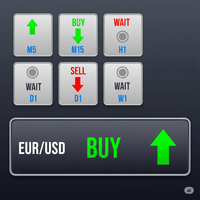
MTF Dashboard: Real-time status of 7 timeframes. It tracks the Candle direction, Bias (High/Low breaches), and price position relative to EMA 50 and Daily VWAP.
-
Session Accuracy Engine: Unlike static tables, this scans your broker's history (last 30 days) to calculate the actual win rate for each hour of the New York session (8 AM – 3 PM ET).
-
Key Levels Tracker: Automatically plots and monitors Prior Day High/Low (PDH/PDL), Midpoints, and Weekly levels. It calculates your exact distance (%) from these levels and flags a "WATCH" alert when price is nearby.
-
Auto-Theme Engine: Instantly transforms your MT5 chart into a professional "Dark Mode" emerald/crimson theme.
How to Use It
1. Installation
-
Open MT5 and press F4 to open MetaEditor.
-
Right-click Indicators > New File > Custom Indicator. Name it MTF_Bias_Ultimate.
-
Paste the code and press F7 (Compile).
-
Drag the indicator from the MT5 Navigator onto any chart.
2. Important: Setting Your Timezone
To make the Session Accuracy table work, you must align the "8 AM" row with New York time.
-
Check your Broker's time (Market Watch window).
-
Find the difference between your Broker and New York.
-
Example: If your Broker is GMT+3 and New York is GMT-5, the difference is 8. Set InpNYOffset to -8.
3. Reading the Dashboard
-
The Confluence: Look for "Full Green" or "Full Red" columns in the MTF table. If 1m, 5m, and 15m all show BULL, you have a high-probability scalp direction.
-
The Edge: Check the Session Table. If you are trading at 10 AM and the BULL column shows 70% while BEAR shows 40%, the EDGE will turn bright Green. This tells you that historically, 10 AM favors buyers.
-
The Trap: Before entering, look at the Key Levels table. If the STATUS says "WATCH", price is likely to hit resistance (PDH or PWH). Do not buy into a "WATCH" zone; wait for a clear breakout.
4. Daily VWAP Row
-
ABOVE: Price is above the daily average (Bullish sentiment).
-
BELOW: Price is below the daily average (Bearish sentiment).
-
Tip: High probability trades occur when the Bias and the VWAP match.
5. Customization
You can shift the tables by changing the X and Y coordinates in the inputs. You can also change the Proximity %; for high-volatility assets like Nasdaq (NQ), you might want to increase this to 0.30% or 0.50%.