Currency Strength Monitor
- Indicatori
- Versione: 1.1
- Aggiornato: 8 aprile 2026
- Attivazioni: 5

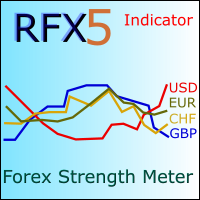
Currency Strength Monitor is a professional multi-currency strength indicator for MetaTrader 5 that analyzes and displays the relative strength of 8 major currencies (USD, EUR, GBP, AUD, NZD, JPY, CHF, CAD) in real-time. The indicator calculates strength values by aggregating price movements across 28 currency pairs and normalizing them using ATR, providing traders with a clear visual representation of which currencies are strengthening or weakening.
Key Features:
- Multi-Currency Analysis — Monitors all 8 major currencies simultaneously using data from 28 currency pairs
- Two Strength Modes — Choose between Full historical strength calculation or Session-based strength for more targeted analysis
- ATR-Based Normalization — Uses ATR to normalize price movements, making strength values comparable across different pairs and timeframes
- Interactive Legend — Click on any currency button to show/hide that currency's line from the chart
- Current Pair Mode — One-click filter to display only the two currencies of the currently selected chart symbol
- Real-Time Right-Side Labels — Displays current strength values with currency names on the right side of the indicator window
- Smart Label Positioning — Automatically adjusts label positions to prevent overlapping when values are close
- Customizable Sessions — Configure up to 5 trading sessions for session-based strength calculations
- Visual Customization — Individual color settings for each currency line
- Configurable History Depth — Control how many historical bars to calculate
How It Works:
The indicator calculates each currency's strength by analyzing its contribution across all pairs where it appears. For example, USD strength is derived from EURUSD, GBPUSD, AUDUSD, NZDUSD, USDJPY, USDCHF, and USDCAD. When USD is the base currency, bullish movements contribute positively to its strength; when USD is the quote currency, bearish movements contribute positively. The raw values are then normalized by ATR percentage to ensure consistent scaling.
Use Cases:
- Identify strong vs. weak currencies for pair selection
- Confirm trend direction on currency pairs
- Spot potential reversals when currencies show divergence
- Correlate strength readings with your existing trading strategy
Features List (for Market listing)
- Real-time strength calculation for 8 major currencies
- Two calculation modes: Full and Session-based
- ATR-based normalization for consistent scaling
- Interactive show/hide buttons for each currency
- "Current" mode to filter display to chart's currency pair only
- Right-side labels with smart anti-overlap positioning
- Up to 5 configurable trading sessions
- Individual color customization for each currency
- Adjustable history depth (MaxHistory parameter)
- Customizable pair suffix for brokers with non-standard naming
- Separate sub-window display with clean legend interface
Input Parameters Description
Visual Colors
- Color — Line color for for each currency strength
Calculation Settings
- Strength Mode — Select between Full (entire historical calculation) or Session (session-based calculation only). Options: STRENGTH_FULL, STRENGTH_SESSION
- ATR Period — Period for ATR indicator used in normalization. Default: 14
- Norm Factor — Sensitivity multiplier for strength values. Higher values increase amplitude. Default: 1.0
- Max History — Maximum number of historical bars to calculate. Lower values improve performance. Default: 2000
- Pair Suffix — Suffix added to symbol names for brokers with non-standard pair naming (e.g., "EURUSD.raw" would require suffix ".raw")
Session Configuration
- S1_Label — Label for Session 1 (e.g., "UK")
- S1_Enable — Enable/disable Session 1 for calculations
- S1_Start — Session 1 start time in HHMM format (e.g., "1000" for 10:00)
- S1_End — Session 1 end time in HHMM format
(Same parameters apply for Sessions 2-5: S2_Label, S2_Enable, S2_Start, S2_End through S5_Label, S5_Enable, S5_Start, S5_End)
Note: Trading sessions display, in the screenshots, is not part of this indicator