Candle Timer and Spread Display
- Indicatori
- Versione: 1.0
- Attivazioni: 5

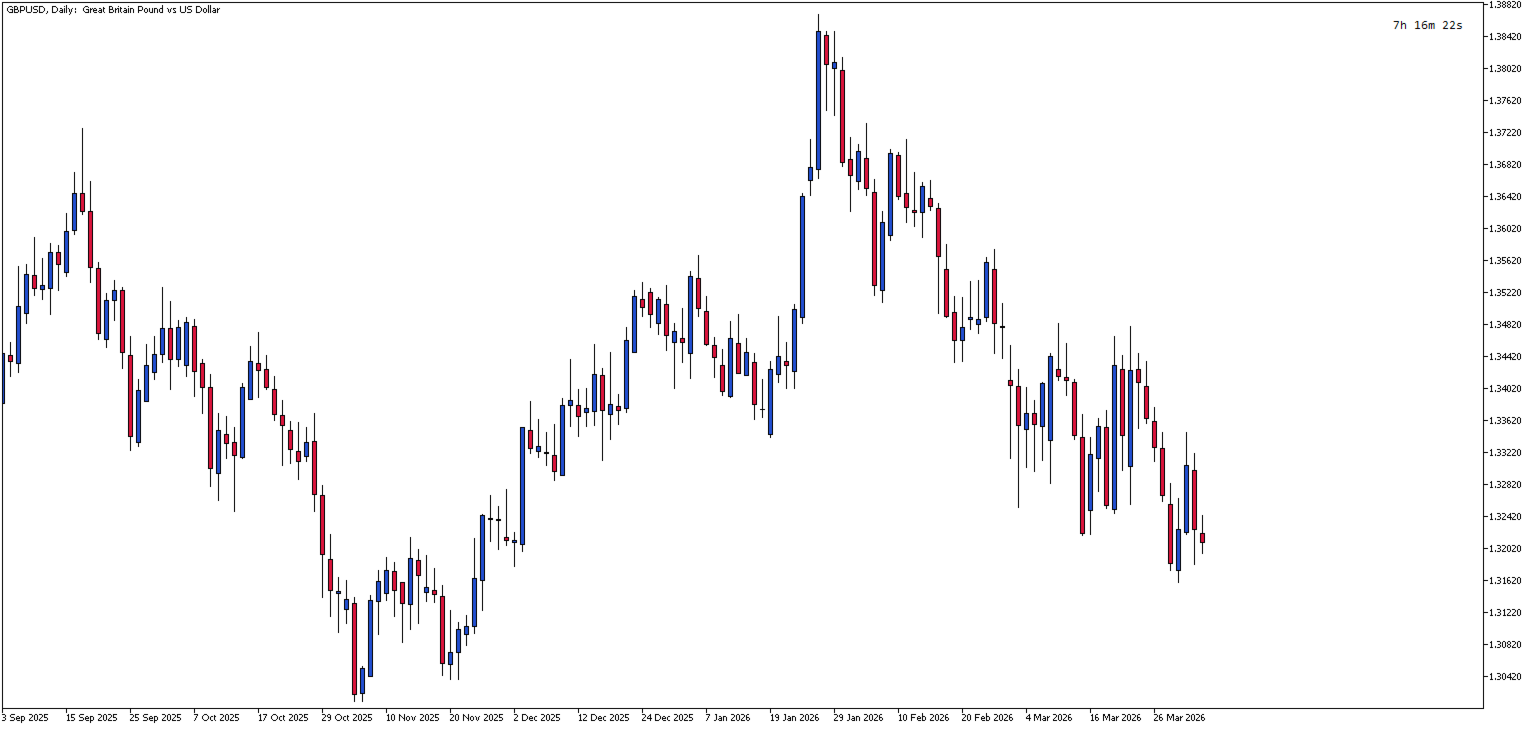
Candle Timer and Spread Display is a lightweight MetaTrader 5 indicator that shows the remaining time until the current candle closes, with an optional spread display. The indicator helps traders track candle timing and monitor spread conditions directly on the chart.
Key Features:
- Real-time countdown timer showing hours, minutes, and seconds until candle close
- Spread monitoring with live pip/point value display
- Flexible positioning - place the display in any of the four chart corners
- Customizable appearance - adjust font size, color, and type
- Manual offset control - fine-tune exact X/Y positioning when needed
- Clean, non-intrusive design - doesn't interfere with chart analysis
- Multi-timeframe support - works on all timeframes from M1 to Monthly
- Low resource consumption - optimized for minimal CPU usage
Use Cases:
- Scalpers who need precise timing for entries and exits
- News traders monitoring spread conditions during volatile periods
- Day traders managing position timing before candle closes
- Any trader who wants to avoid entering positions just before candle close
Input Parameters:
- Show Spread (default: `false`) — Enables/disables the spread display. When enabled, shows the current spread in points below the timer. Useful for monitoring broker spreads during news events or volatile market conditions.
- Manual Offset (default: `false`) — Enables manual positioning mode. When set to `true`, uses custom X/Y offset values instead of automatic positioning. Allows fine-tuned placement to avoid overlap with other chart objects or indicators.
- X_Offset (default: `90`) — Horizontal distance in pixels from the selected corner. Only active when `ManualOffset` is `true`. Increase to move the display further from the corner edge; decrease to move it closer.
- Y_Offset (default: `15`) — Vertical distance in pixels from the selected corner. Only active when `ManualOffset` is `true`. Adjust to position the display higher or lower relative to the corner.
- Font Size (default: `9`) — Font size in points for both timer and spread text. Use smaller values for compact display or larger values for better visibility on high-resolution screens.
- Font Color (default: `clrBlack`) — Text color for both timer and spread display. Choose a color that contrasts with your chart background for optimal readability.
- Font Name (default: `Consolas`) — Font family for the display text. Monospace fonts (Consolas, Courier New, Lucida Console) provide consistent character width and alignment.
- Corner (default: `CORNER_RIGHT_UPPER`) — Screen corner for display placement. Options: `CORNER_LEFT_UPPER`, `CORNER_RIGHT_UPPER`, `CORNER_LEFT_LOWER`, `CORNER_RIGHT_LOWER`. Timer always displays above the spread in all corners.