CustomsTF Master
- Utilità
- Versione: 4.2
- Aggiornato: 1 ottobre 2026
- Attivazioni: 5

One Indicator. No DLL. No Scripts. No Extra Files. Upgrade your MT4 Terminal!
THE PROBLEM THIS SOLVES
MetaTrader 4 ships with only 9 timeframes: M1, M5, M15, M30, H1, H4, D1, W1, MN. Serious traders know that some of the most powerful price action setups form on timeframes MT4 simply does not offer — M2, M8, M10, M20, M40, M45, H2, H3, H5, H6, H8, H12, H16, H32, and more totalling 25 timeframes at your disposal compared to current MT4's 9 and MT5's 20 timeframes respectively.
The standard workaround is MT4's built-in Period Converter script. But it requires manual setup for every timeframe, every symbol, every session. It runs as a script — meaning it blocks your workflow, needs restarting after every MT4 reboot, and gives you no panel to switch between charts quickly.
CustomTF Master eliminates all of that in a single drag-and-drop. Essential for Price Action traders and other traders who have built a working system on the MT4 terminal and reluctant to move to MT5 and the stress of having to convert your work tools to MQL5, this is for you.
WHAT YOU GET
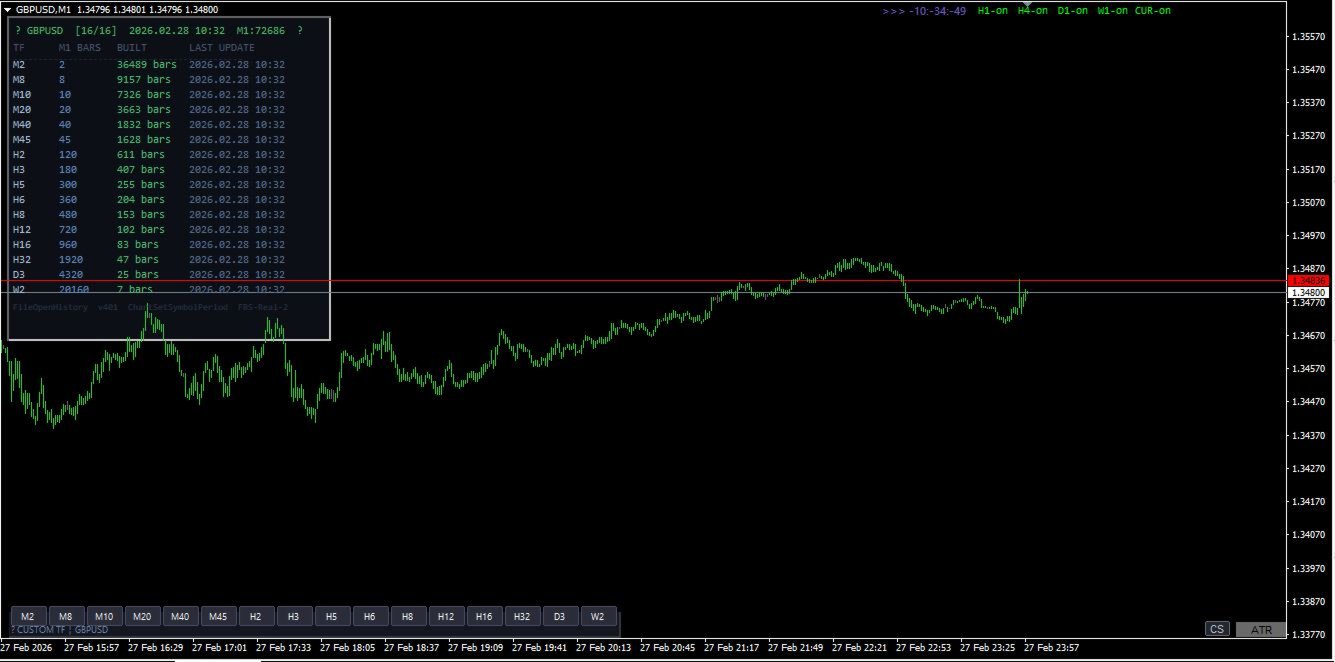
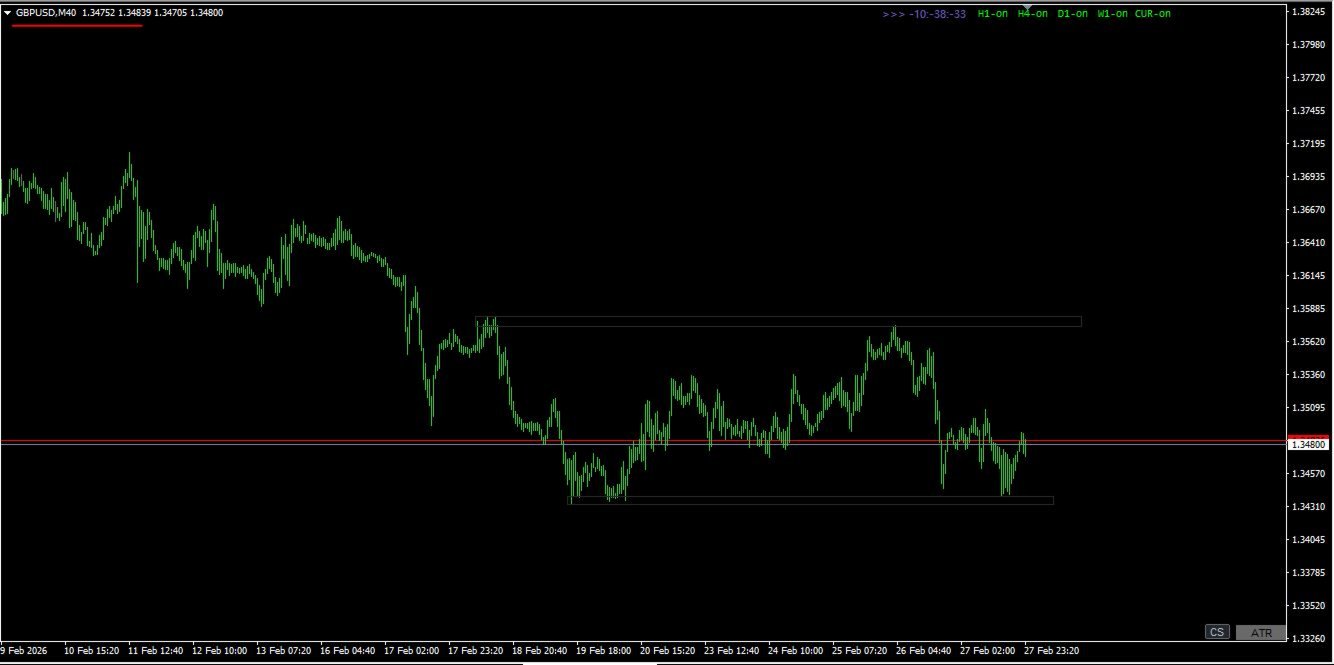
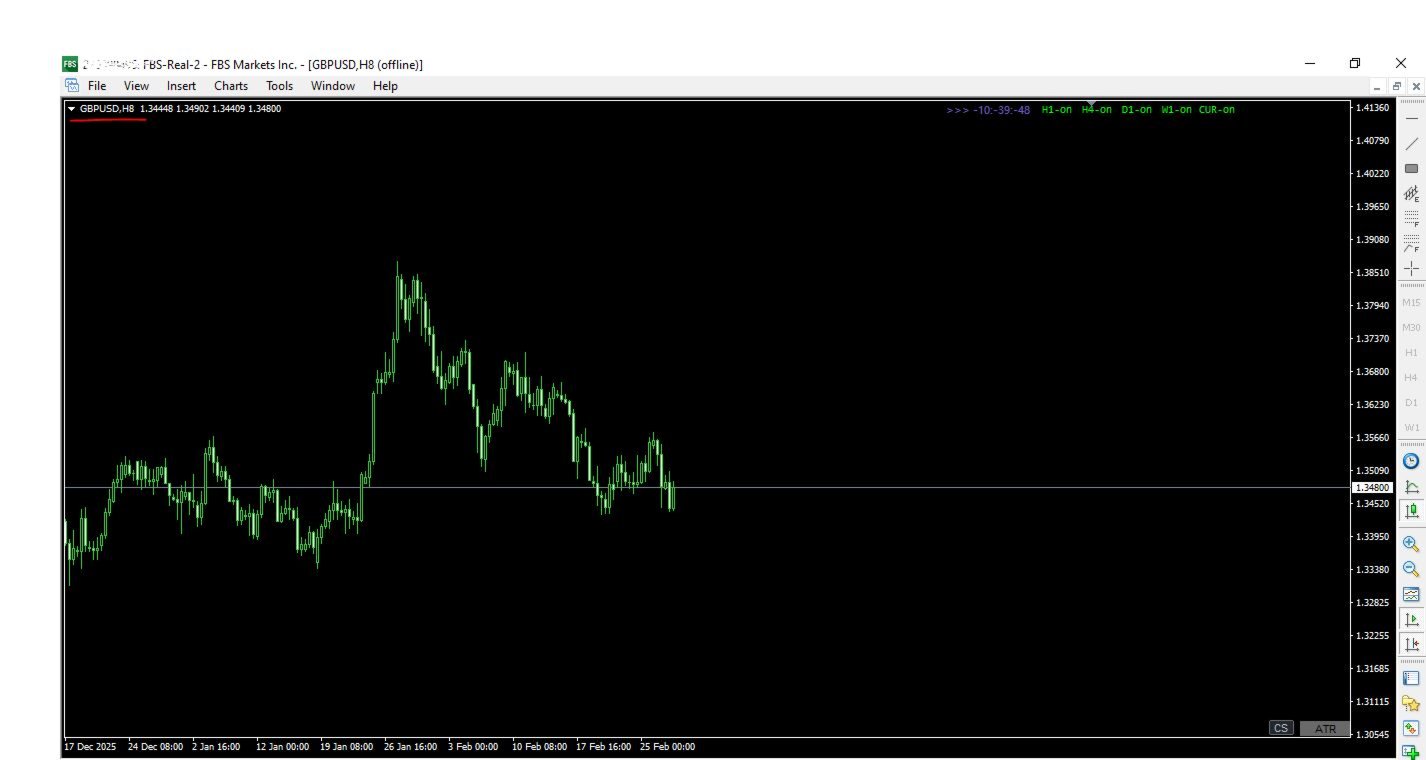
16 fully live custom timeframes — simultaneously: M2 · M8 · M10 · M20 · M40 · M45 · H2 · H3 · H5 · H6 · H8 · H12 · H16 · H32 · D3 · W2
Every timeframe updates live on every incoming tick. Bid/ask line moves. Candles form in real time. Exactly as they do on standard MT4 charts — because this indicator uses the identical internal mechanism as MT4's own Period Converter.
One-click switcher panel: 11 or 16 labelled buttons sit permanently on your M1 chart. Click M8 — your M8 chart comes to front. Click H32 — H32 comes to front. The active button highlights blue so you always know which custom TF is in focus. No menu diving. No manual chart opening.
Live dashboard: A compact status panel shows — for every TF — how many bars have been built, when the last update occurred, and how much M1 history is available. If history is insufficient for a higher TF you get a clear orange warning with the exact fix.
Fully configurable: Every TF can be individually enabled or disabled. Dashboard and panel position, button colours, button size, and font size are all input-adjustable without recompilation.
TECHNICAL SPECIFICATION
| Property | Detail |
|---|---|
| Type | Indicator (.mq4) |
| Chart | M1 only (one instance per symbol) |
| DLL required | No |
| AutoTrading required | No |
| MT4 build compatibility | All builds (tested 1380+) |
SETUP — 3 STEPS
- Tools → Options → Charts — set both "Max bars in chart" and "Max bars in history" to 9999999. Click OK.
- Open an M1 chart for your symbol. Press the HOME key to scroll to the oldest available bar — this triggers MT4 to download full M1 history from your broker. Wait until the chart stops extending leftward.
- Drag CustomTF_Master onto the M1 chart. The dashboard appears within seconds. All 16 TFs build automatically. Click any button to open that chart live.
That is the entire setup. No scripts to run. No folders to navigate. No DLL permission dialogs. No AutoTrading toggle to worry about.
MULTI-SYMBOL USAGE
Attach one instance per symbol on that symbol's M1 chart. Each instance operates completely independently — separate file handles, separate chart IDs, separate dashboard. You can run EURUSD, GBPUSD, XAUUSD and any other symbols simultaneously with no interference between instances.
REQUIREMENTS
- MetaTrader 4 (any broker, any build)
- Active market data connection for the symbol
- Sufficient M1 history from your broker (dashboard shows exact count with warning if insufficient — higher TFs like H32, D3, W2 need more M1 bars)
FREQUENTLY ASKED QUESTIONS
Why does MT4's built-in Period Converter not do this already? The built-in converter is a script — it processes one timeframe per instance, requires manual chart opening from File → Open Offline, blocks execution while running, and must be restarted after every MT4 reboot. CustomTF Master handles all 16 TFs in a single indicator instance that persists across restarts with a built-in click-to-open panel.
Will my existing indicators work on the custom TF charts? Any indicator that does not call MT4's standard period functions (iMA, iRSI etc with standard TF constants) will work. Indicators that use only price data (OHLCV) from the chart they are attached to work perfectly. Note that MT4's built-in indicators will not recognise custom periods — this is an MT4 engine limitation that cannot be bypassed by any third-party tool.
Does this work with custom symbols / synthetic pairs? Yes, as long as the symbol has M1 data available in your MT4 terminal.
What happens to the offline charts when I close MT4? MT4 saves offline chart windows in its profile. On next startup all previously opened custom TF charts reopen automatically. The indicator resumes writing to them on the first incoming tick.
WHAT IS OR WILL BE INCLUDED
- CustomTF_Master_Ind.mq4 — the complete indicator source file
- Setup guide (PDF)
- Version update notifications and additional timeframes based on your request.