Titan SuperTrend Pro
- Indicatori
- Versione: 2.0
- Aggiornato: 10 maggio 2026
- Attivazioni: 5

Titan SuperTrend Pro
SuperTrend algoritması, yapısal piyasa değişimlerine dinamik yanıt vermesi nedeniyle yaygın olarak kullanılan ve güvenilir bir trend takip çerçevesidir. Ancak, standart yinelemeler bazen gerçek zamanlı piyasa izleme sırasında görsel karmaşaya veya yorumun gecikmesine yol açabilir. Titan SuperTrend Pro, bu klasik temel mantığı modernize ederek, terminal veya mobil cihazınıza doğrudan kesin görsel giriş onayları ve anında uyarılar sunarak sistemik trend tersine dönüşlerinin objektif olarak kaydedilmesini sağlar.
Gösterge, sağlam bir Ortalama Gerçek Aralık (ATR) hesaplama metodolojisi üzerine inşa edilmiştir; bu da değişen piyasa dalgalanmasına dinamik uyum sağlarken tamamlanmış çubuklarda mutlak sinyal tutarlılığını korur.
Temel Özellikler:
-
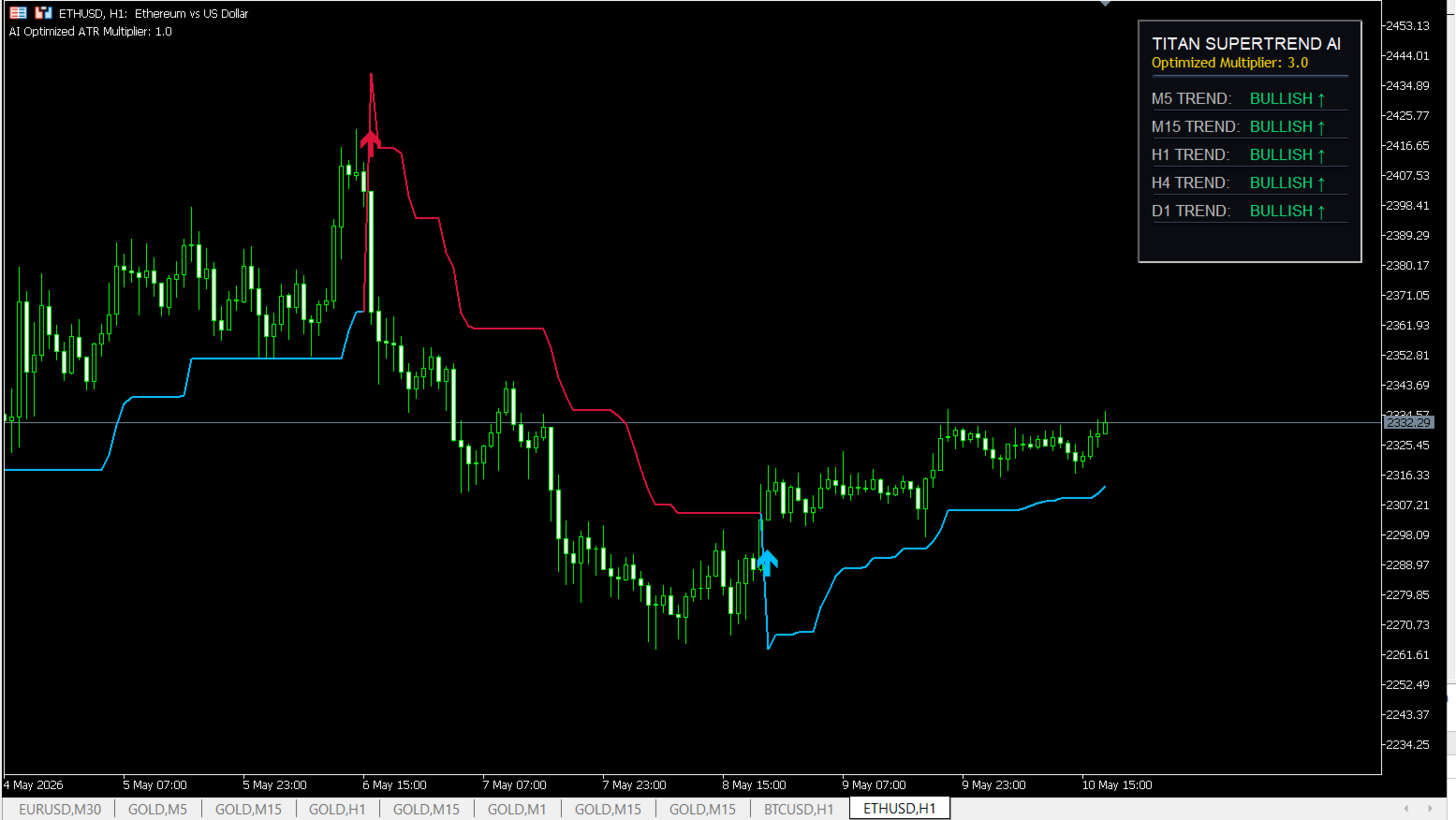
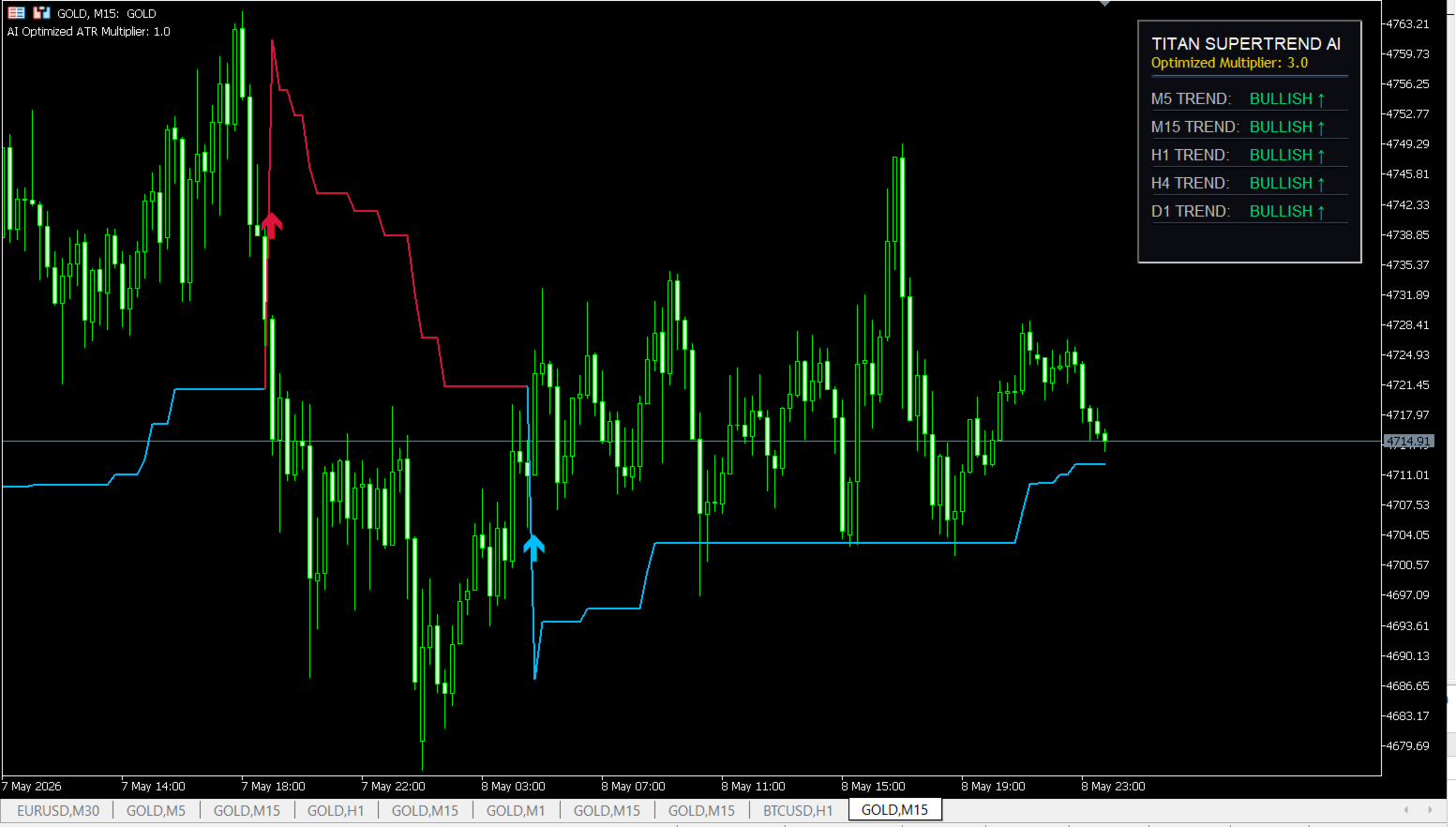
Kesin Görsel Onaylar: Doğrulanmış bir trend tersine dönüşünün sonunda tam olarak çizilmiş belirgin görsel giriş sinyalleri (Yeşil ve Kırmızı Oklar) yer alır ve grafik analizini kolaylaştırır.
-
Yeniden Boyanmayan Sinyal Uygulaması: Bir mum giriş oku ile kapandığında, sinyal tarihsel grafikte kalıcı olarak kilitlenir; böylece güvenilir manuel geriye dönük test ve tutarlı strateji değerlendirmesi sağlanır.
-
Kapsamlı Bildirim Çerçevesi: Yeni sinyal oluşturulduğunda Mobil Push Bildirimleri, E-posta ve Masaüstü Terminal Pop-up'ları aracılığıyla anında uyarıları destekler—gün içi pazar izlemesini kolaylaştırmak için idealdir.
-
Dinamik İz Yönetimi: Hesaplanan SuperTrend çizgisi, objektif ve volatiliteye göre ayarlanmış takip eden stop-loss seviyesi olarak hizmet verir ve yatırımcıların trend genişledikçe sermayeyi dinamik olarak korumalarını sağlar.
-
Çoklu Varlık Performansı: Forex, Kripto Ödemeler, Hisse Senetleri ve Emtialar dahil olmak üzere büyük varlık sınıflarında tüm standart zaman dilimlerinde (M15, H1 ve H4 şiddetle tavsiye edilir) sorunsuz çalışır.
Ticaret Uygulaması ve Stratejisi:
-
Uzun Kurulum (SATIN VER): Yeşil Ok'un basılmasını ve temel trend çizgisinin yeşile kaymasını bekleyin. Sonraki mumun açılışındaki girişleri düşünün. Fiyat yeşil volatilite çizgisinin üzerinde işlem yapmaya devam ettiği sürece pozisyonu koruyun.
-
Kısa Kurulum (SAT): Onay kırmızı okunun basılmasını ve temel trend çizgisinin kırmızıya kaymasını bekle. Sonraki mumun açılışındaki girişleri düşünün. Fiyat kırmızı volatilite çizgisinin altında işlem yapmaya devam ettiği sürece pozisyonu koruyun.
-
Risk Yönetimi: İlk Stop Loss'u dinamik SuperTrend temel çizgisinin biraz ötesine yerleştirin. Piyasa pozisyon lehine hareket ederken stop seviyesini çizgi boyunca takip edin.
Ana Giriş Parametreleri:
-
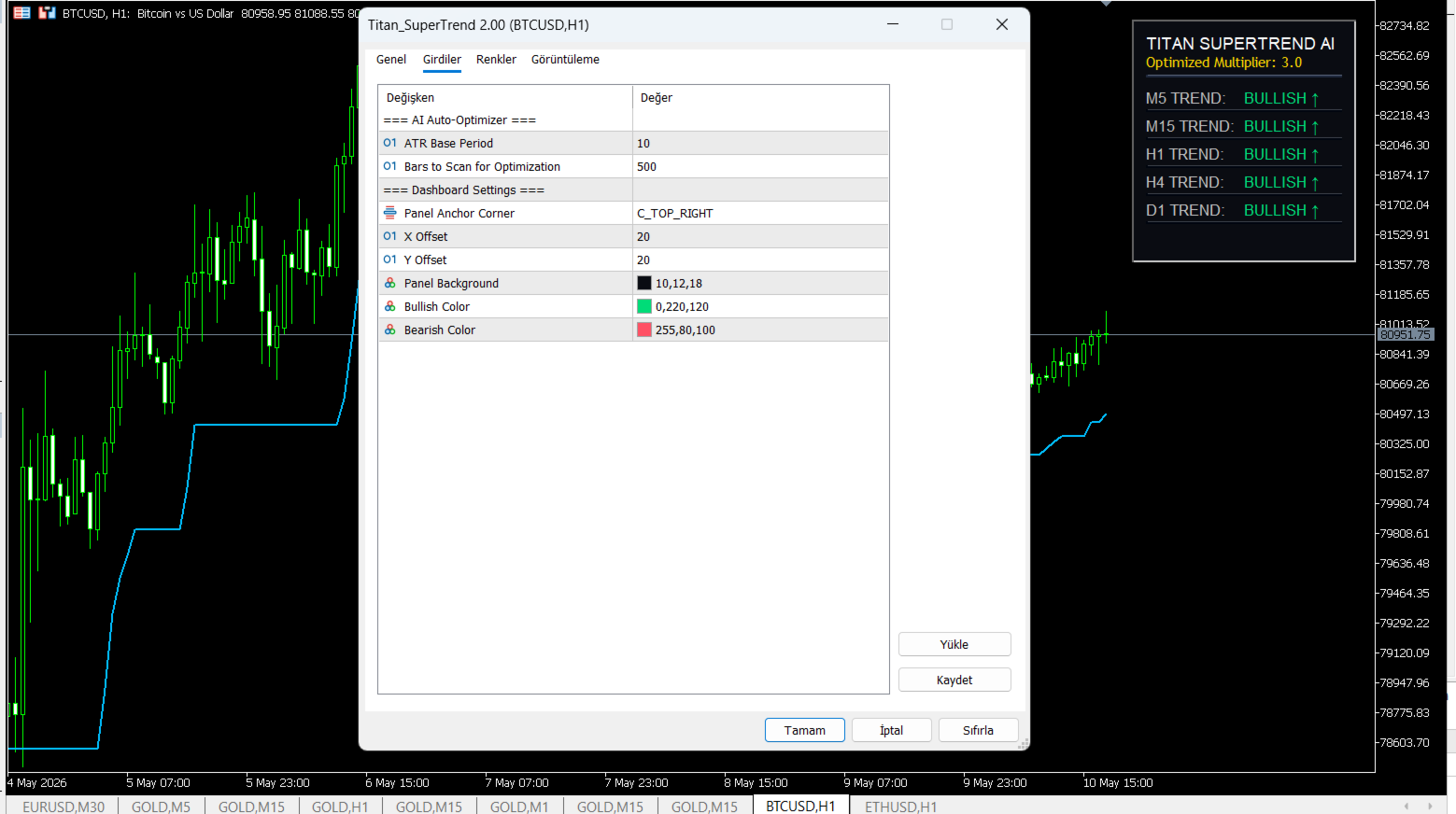
ATR Dönemi (InpPeriod): Ortalama Gerçek Aralık volatilitesi hesaplaması için kullanılan geri dönüş dönemini tanımlar (Varsayılan: 10). Daha yüksek değerler temel çizgiyi yumuşatarak hassasiyeti azaltır.
-
Volatilite çarpanı (InpMultiplier): Fiyat hareketine göre çizginin mesafesini kontrol eder (Varsayılan Durum: 3.0). Daha düşük değerler (örneğin, 2.0) sinyal frekansını artırır ancak gürültü getirebilir; yüksek değerler (örneğin 4.0) ise küçük bir uygulama gecikmesi pahasına piyasa gürültüsünü filtreler.
-
Bildirim Ayarları: Push, Email veya Pop-up uyarı yapılandırmalarını etkinleştirmek veya devre dışı bırakmak için bağımsız açma mekanizmaları.
Not: Mobil Push Bildirimlerini başarılı bir şekilde almak için, benzersiz MetaQuotes ID'nizin terminal ayarlarınızda Tools -> Options -> Bildirimler bölümünde doğru şekilde yapılandırıldığından emin olun.