Neuromios MultiNet
- Experts
- Versione: 1.3
- Aggiornato: 28 dicembre 2025
- Attivazioni: 10

Neuromios MultiNet is a modern multi-currency trading advisor based on neural networks with a unique architecture.
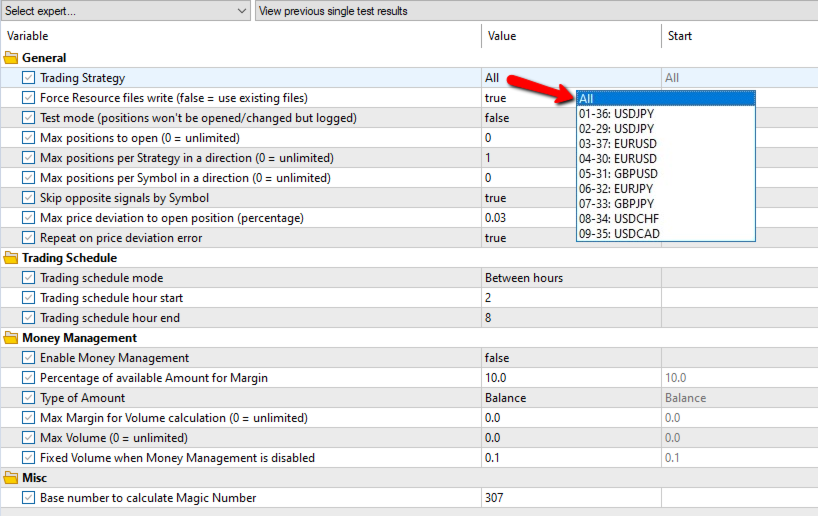
This version contains 9 trading strategies based on neural networks trained on 7 currency pairs: EURUSD, GBPUSD, USDJPY, USDCHF, EURJPY, GBPJPY, USDCAD. It operates on a daily timeframe. By default, trading is performed simultaneously using all strategies. You can choose one strategy for testing and trading.
Trades are opened no more than once per day at the opening of the day, which reduces technical requirements for equipment and a stable connection. Even if there is no connection at the opening of the day or the Expert Advisor is not working, the trade will be executed at the first opportunity if the signal is still valid, the price is within the specified deviation and the time is within the specified period ("Trading Schedule" parameters).
Take Profit and Stop Loss levels are calculated and set for each trade at the opening.
To limit risk, you can limit the maximum number of simultaneously open positions for all strategies ("Max positions to open"), for one strategy ("Max positions per Strategy in a direction"), and for a currency pair ("Max positions per Symbol in a direction") in one direction (Buy or Sell). To minimize risk, a default limit of 1 position per strategy ("Max positions per Strategy in a direction" = 1) is set. Without setting the limits, the number of active positions can reach 16.
The spread can often be very large at the start of the market opening. To avoid opening positions at an unfavorable price due to a large spread, you can set a period during which the Expert Advisor will attempt to open trades at a price close to the calculated price (the previous day's closing price). This is accomplished using the "Trading Schedule" parameter group. By default, the period is set from 2:00 AM to 8:59 AM ("Trading schedule mode" = "Between hours", "Trading schedule hour start" = 2, "Trading schedule hour end" = 8).
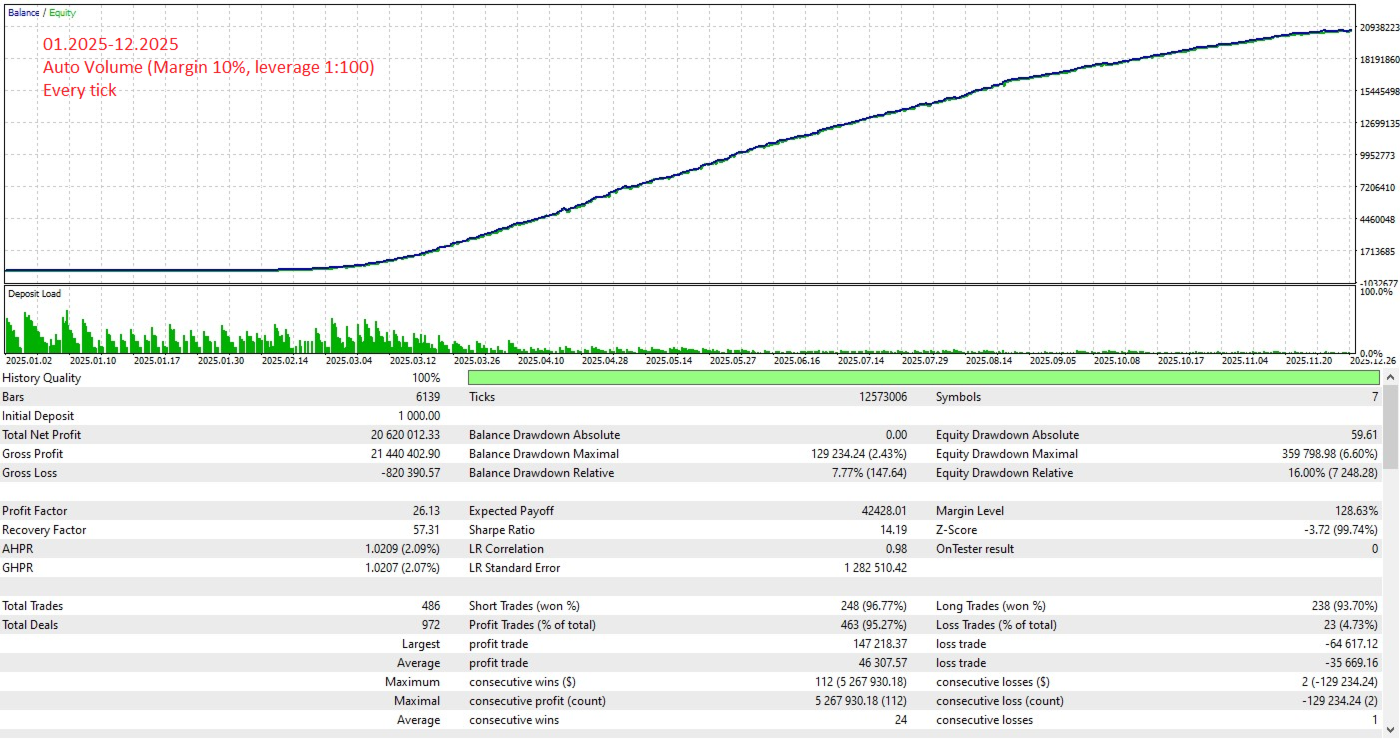
When Money Management is enabled, the volume calculation is based on margin requirements and available funds in the account. The parameters specify the percentage of funds that can be used for margin, the maximum margin limit, and the volume limit.
During operation, the log displays information about signals, trade opening parameters, and their management. The results of the neural network's assessment of the current market state are displayed in the log every hour. This way, you can have an idea of future trades at the start of the new day. This information is also included in the trade commentary.
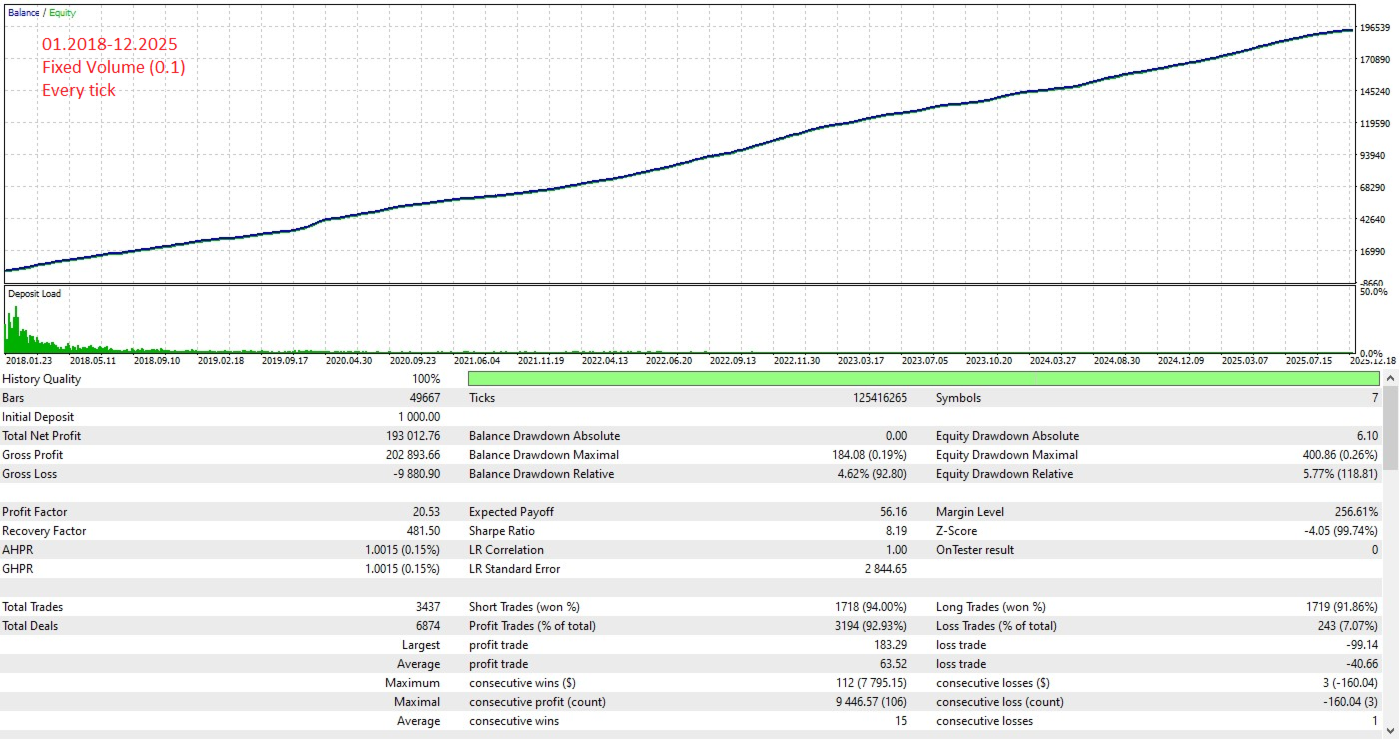
Data from Admiral Markets servers over the past 8 years was used to train the networks. The Expert Advisor also works well with other brokers. Specifically, tests were conducted with ICMarkets and FxPro.
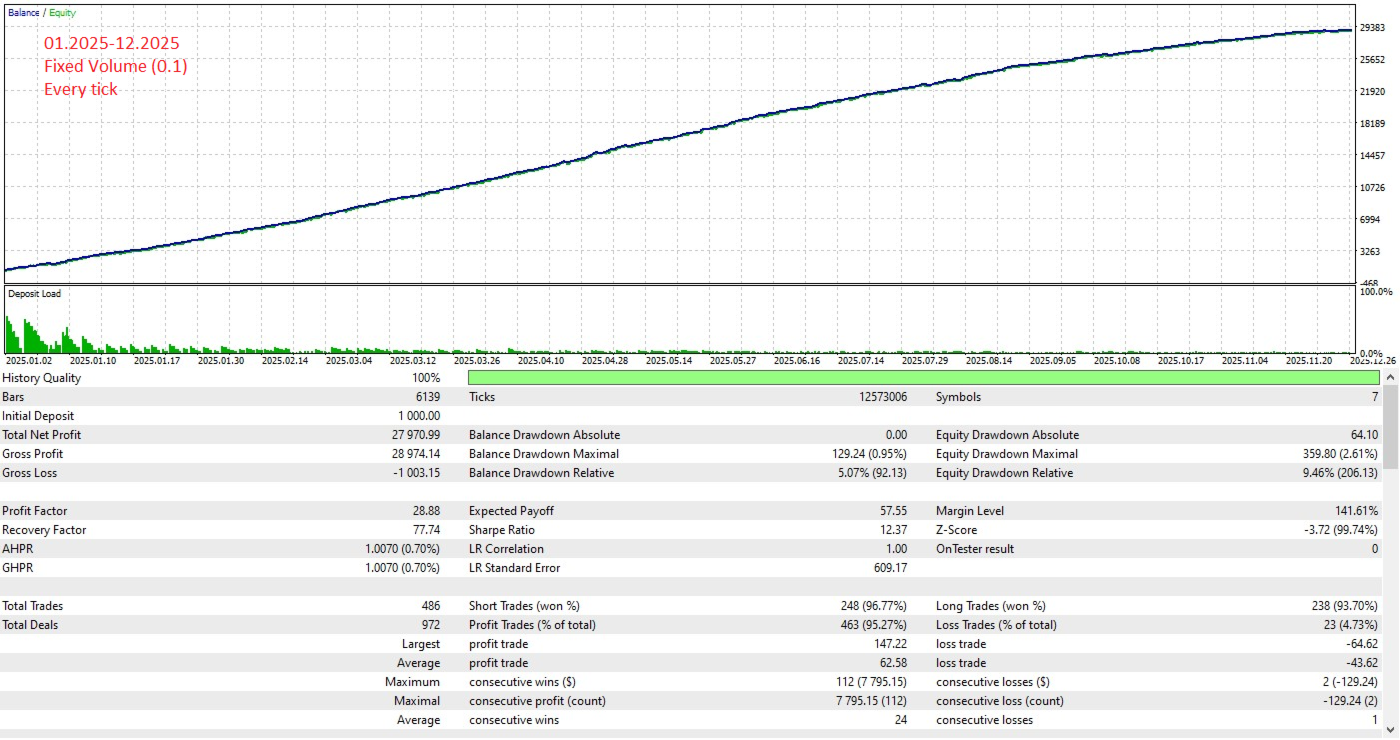
The Expert Advisor is ready to work without any additional settings with a minimum balance of 1,000 USD.
By default, Money Management is disabled ("Enable Money Management" = false) and a fixed lot size of 0.1 is used ("Fixed Volume when Money Management is disabled" = 0.1). When enabling Money Management ("Enable Money Management" = true), keep in mind that margin requirements depend on leverage: the higher the leverage, the lower the required margin, and, accordingly, the larger the position size and the greater the risk. Therefore, it's important to pay attention to the percentage used for margin. By default, it uses 10% of the balance ("Percentage of available Amount for Margin" = 10).
Upon launch, the Expert Advisor creates files with network models and parameters in the terminal data folder:
MQL5\Files\Neuromios_MultiNet\
By default, the files are re-created each time it's launched. When setting the "Force Resource files write" parameter to false, files will not be re-created on subsequent runs if they exist.
Basic Parameters
Instruments: EURUSD, GBPUSD, USDJPY, USDCHF, EURJPY, GBPJPY, USDCAD
Working Period: D1
Minimum Balance: 100 USD (Recommended: 1000 USD)
Minimum Leverage: 1:25 (Recommended: 1:100)
Testing
Testing can be performed on any of the above currency pairs. Each strategy will use only its own currency pair.
When you first launch the tester, you may need to wait for the history for the required trading instruments to load. Also, for correct operation, you may need to re-run the test after loading the history.
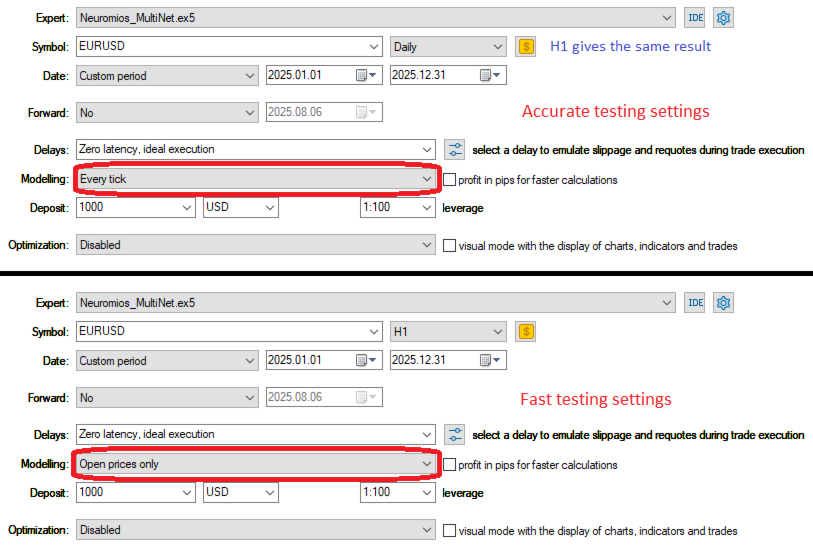
To speed up testing, you can use Modeling = "1 minute OHLC"; the results will be similar to "Every tick."
For quick testing, you can use Modeling = "Open prices only"; the results will be slightly different.
Installation (basic settings)
Drag the Expert Advisor onto the EURUSD, D1 chart and enable trading.
If necessary, set the desired limits on the number of simultaneously open positions:
"Max positions to open" (default 0)
"Max positions per Strategy in a direction" (default 1)
"Max positions per Symbol in a direction" (default 0)
By default, a fixed lot of 0.1 is used ("Fixed Volume when Money Management is disabled" = 0.1). Set the desired value if needed.
To enable Money Management, set the following parameters:
"Enable Money Management" = true
"Percentage of available Amount for Margin" = [percentage of funds used for margin]
Risk Warning
Past performance of the Expert Advisor does not guarantee similar results in the future. You should not risk funds you cannot afford to lose.