Edgezone EA Inspector
- Utilità
-
Danijel Plesa
 👋 Benvenuto nel mio profilo MetaTrader Store!
📌 Importante: Dopo l’acquisto di qualsiasi prodotto – gratuito o a pagamento – ti invito a mandarmi un messaggio qui su MQL5!
Potrò così inviarti informazioni aggiuntive utili e offrirti vantaggi esclusivi per altri strumenti Edgezone. - Versione: 1.10
- Aggiornato: 11 ottobre 2025
Monte Carlo Analysis Tool for Trading Strategies
The Problem
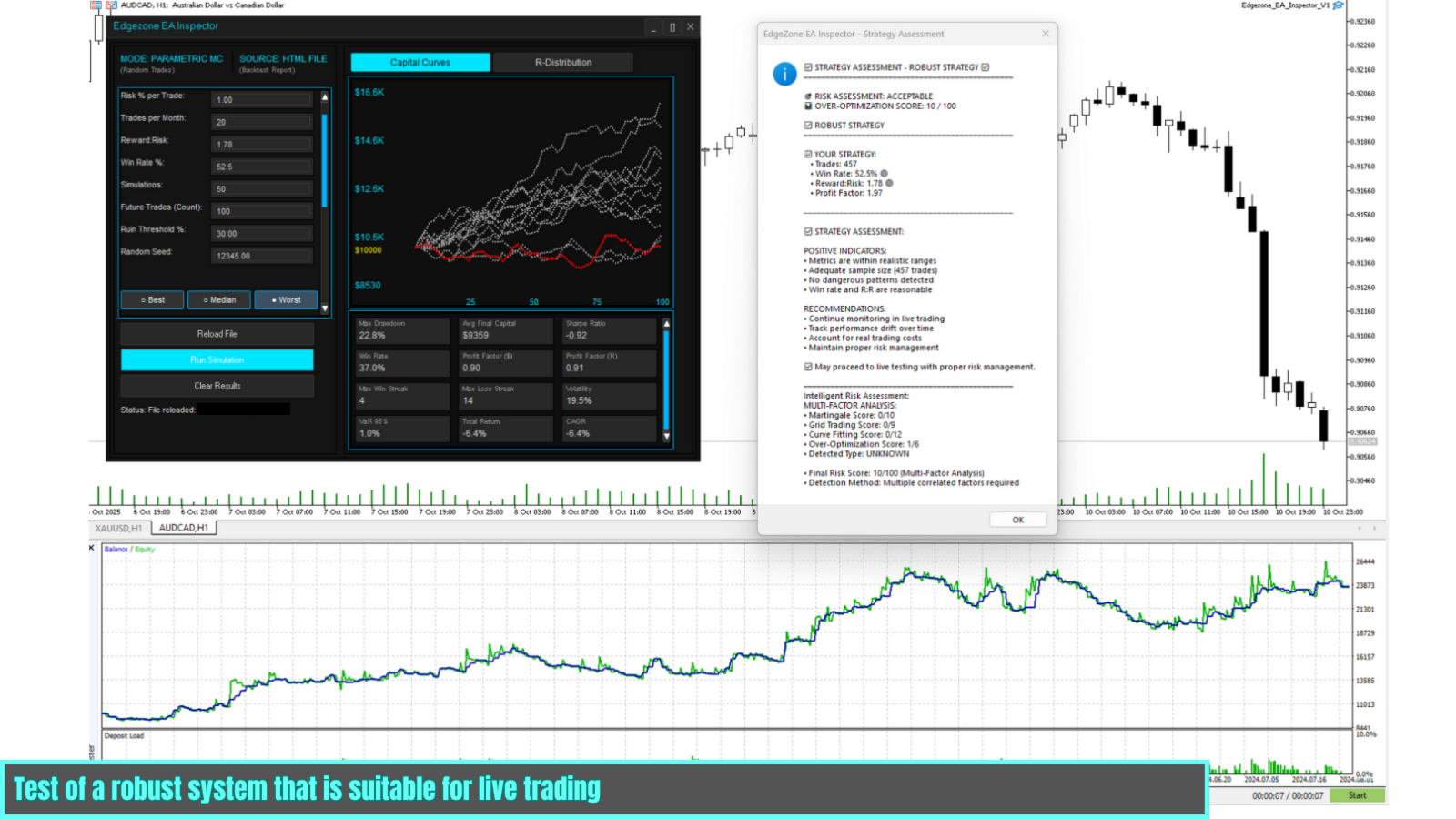
Many Expert Advisors show impressive backtest results but fail in live trading. The most common reason: over-optimization - the strategy was adjusted until it looks perfect for past data, but doesn't work for the future.
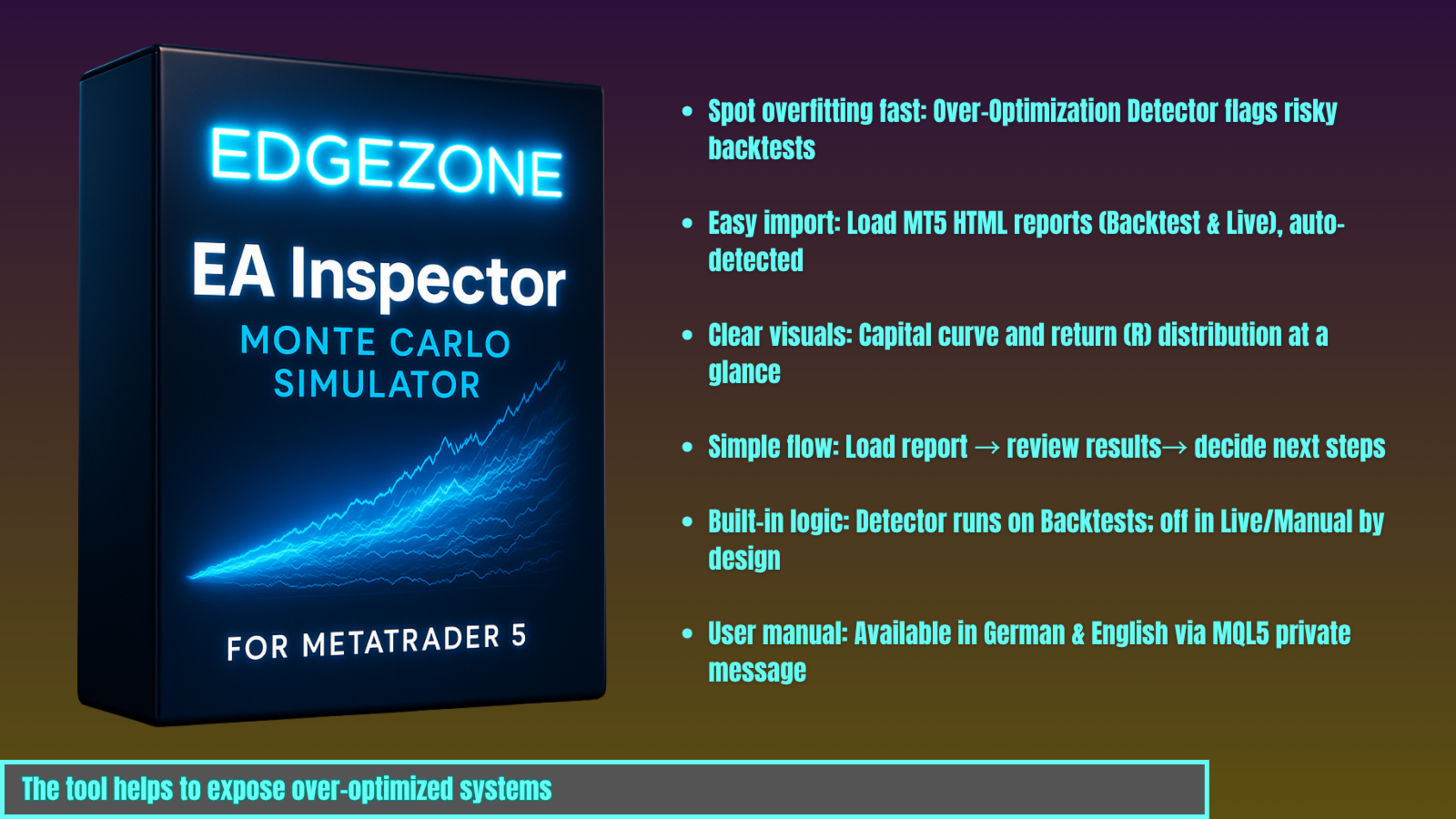
The Solution: EdgeZone EA Inspector analyzes your strategy before live trading and warns you about unrealistic parameters, hidden risks, and over-optimization.
Main Features
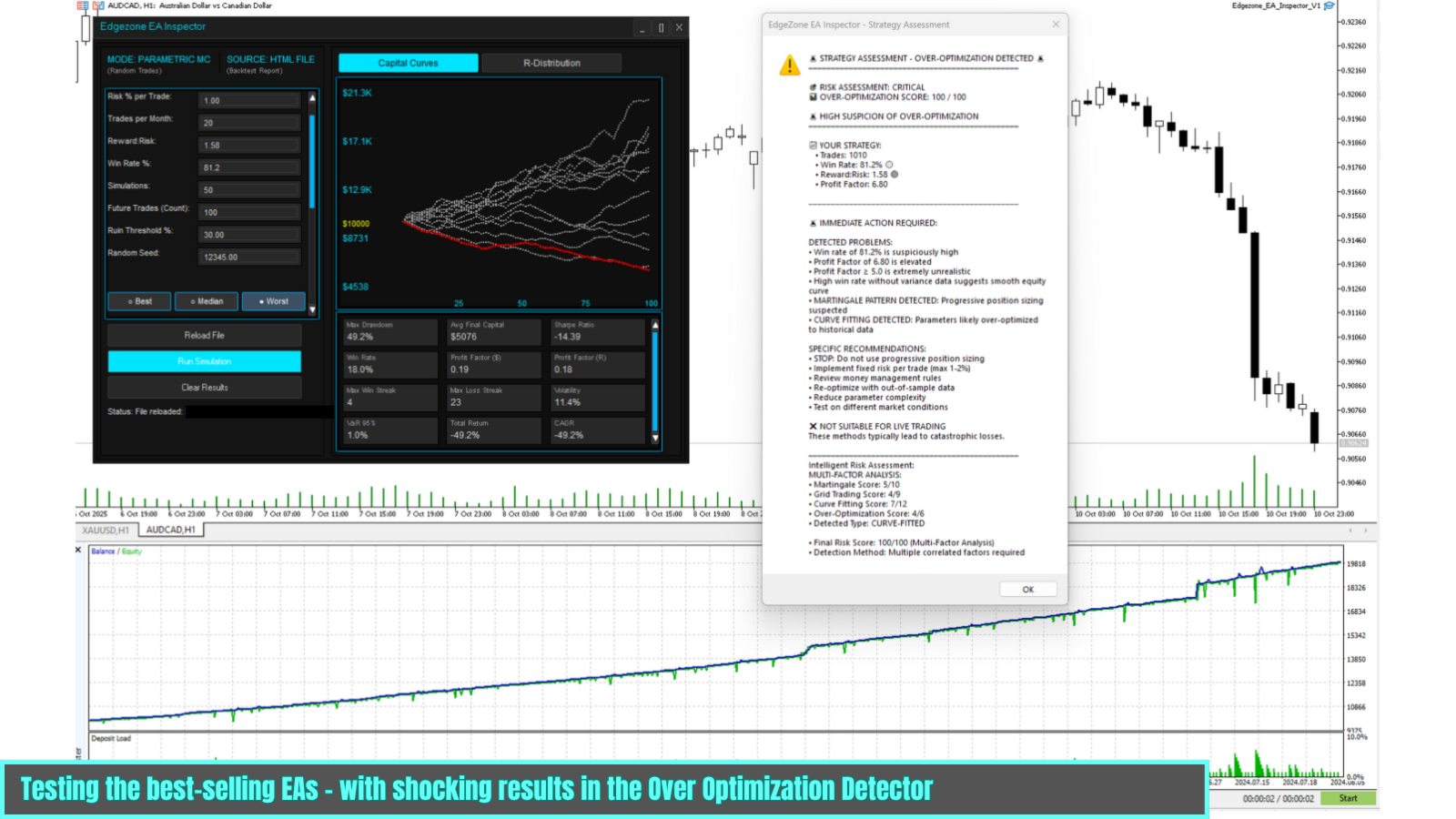
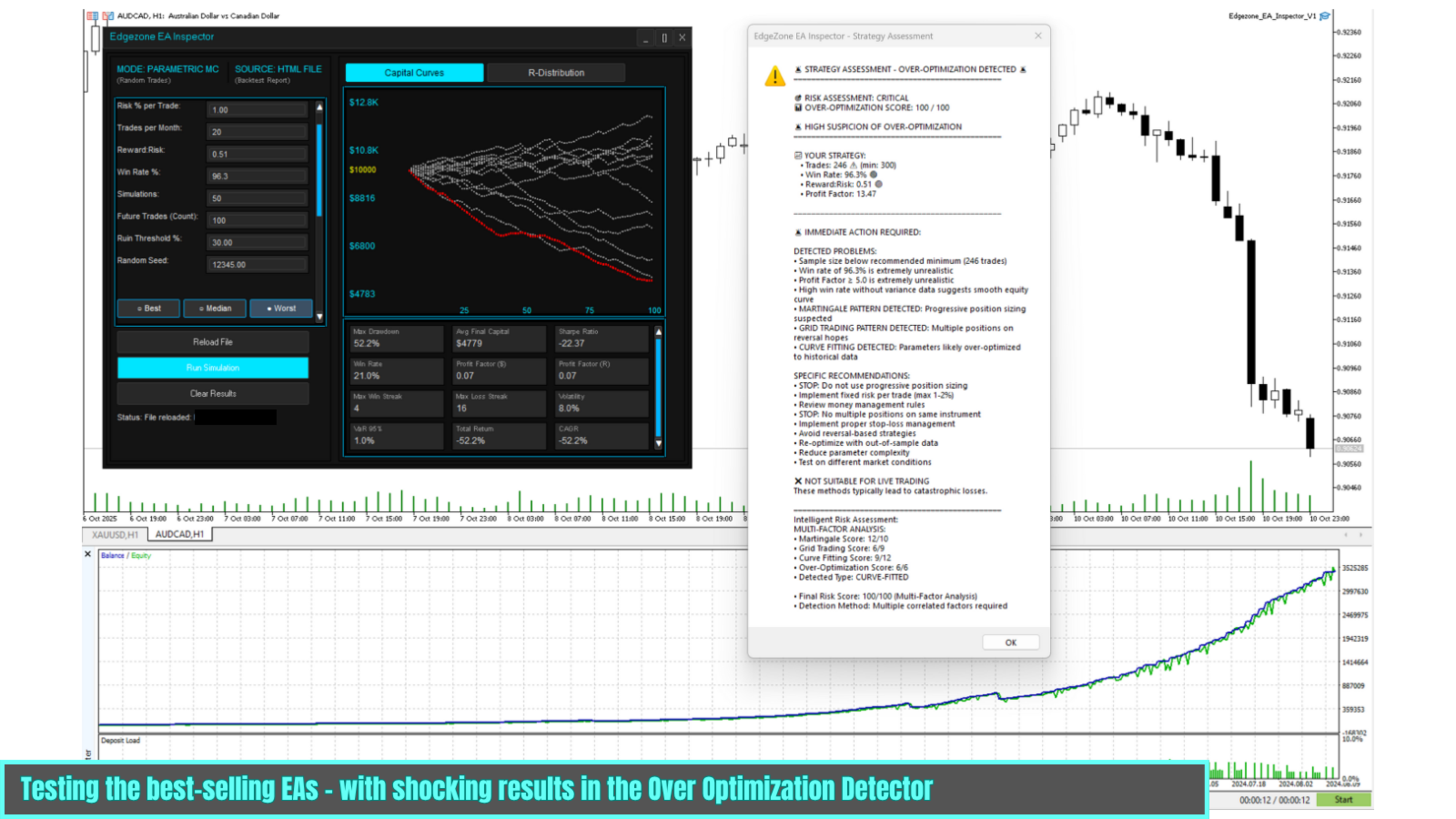
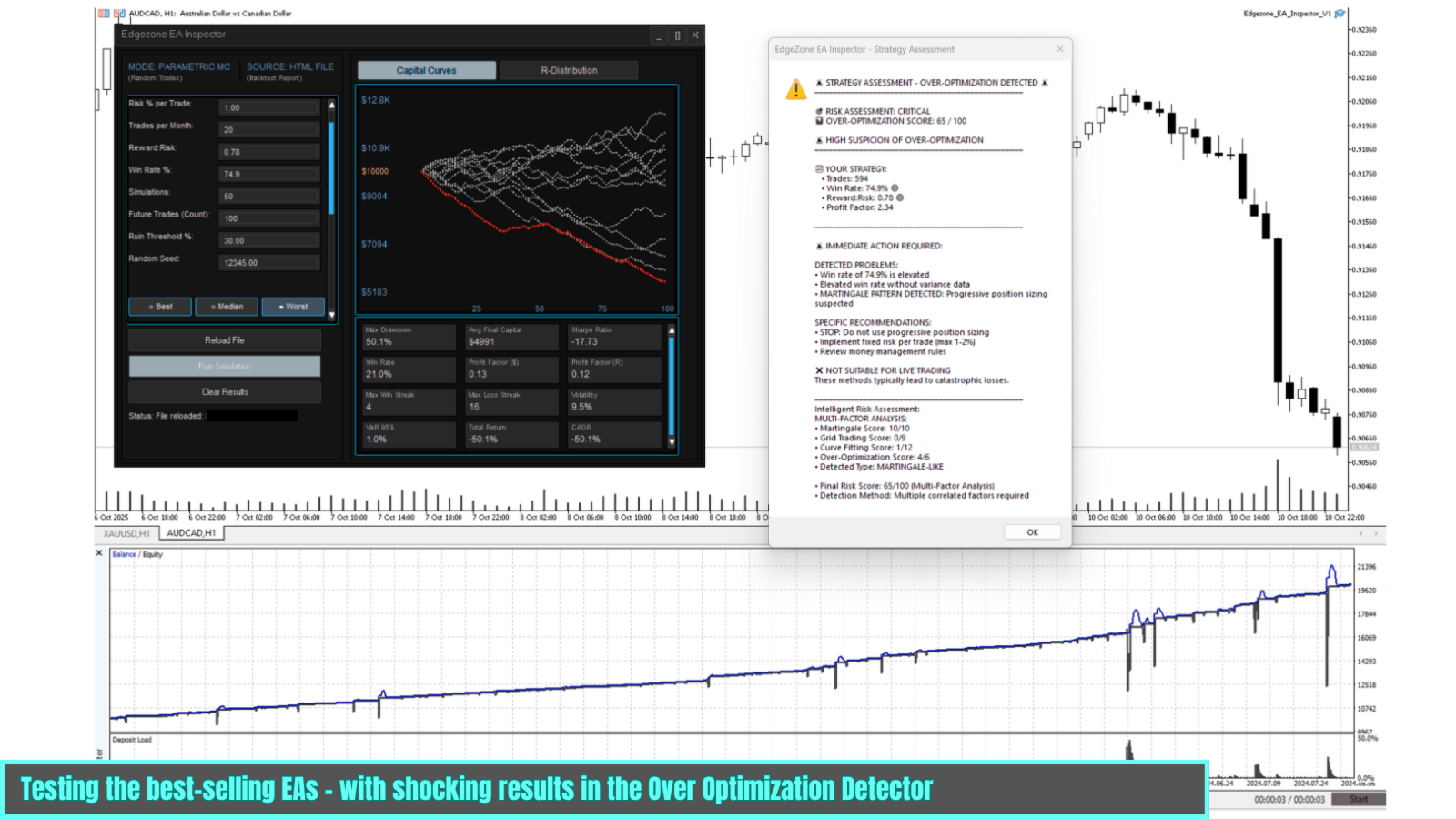
1. Over-Optimization Detector
- Checks for unrealistic parameters (e.g. Win Rate >85%, Reward:Risk >4:1)
- Detects Martingale, Grid-Trading, and other high-risk patterns
- Validates statistical significance of results
- Risk Score (0-100) with color coding: Green / Yellow / Red
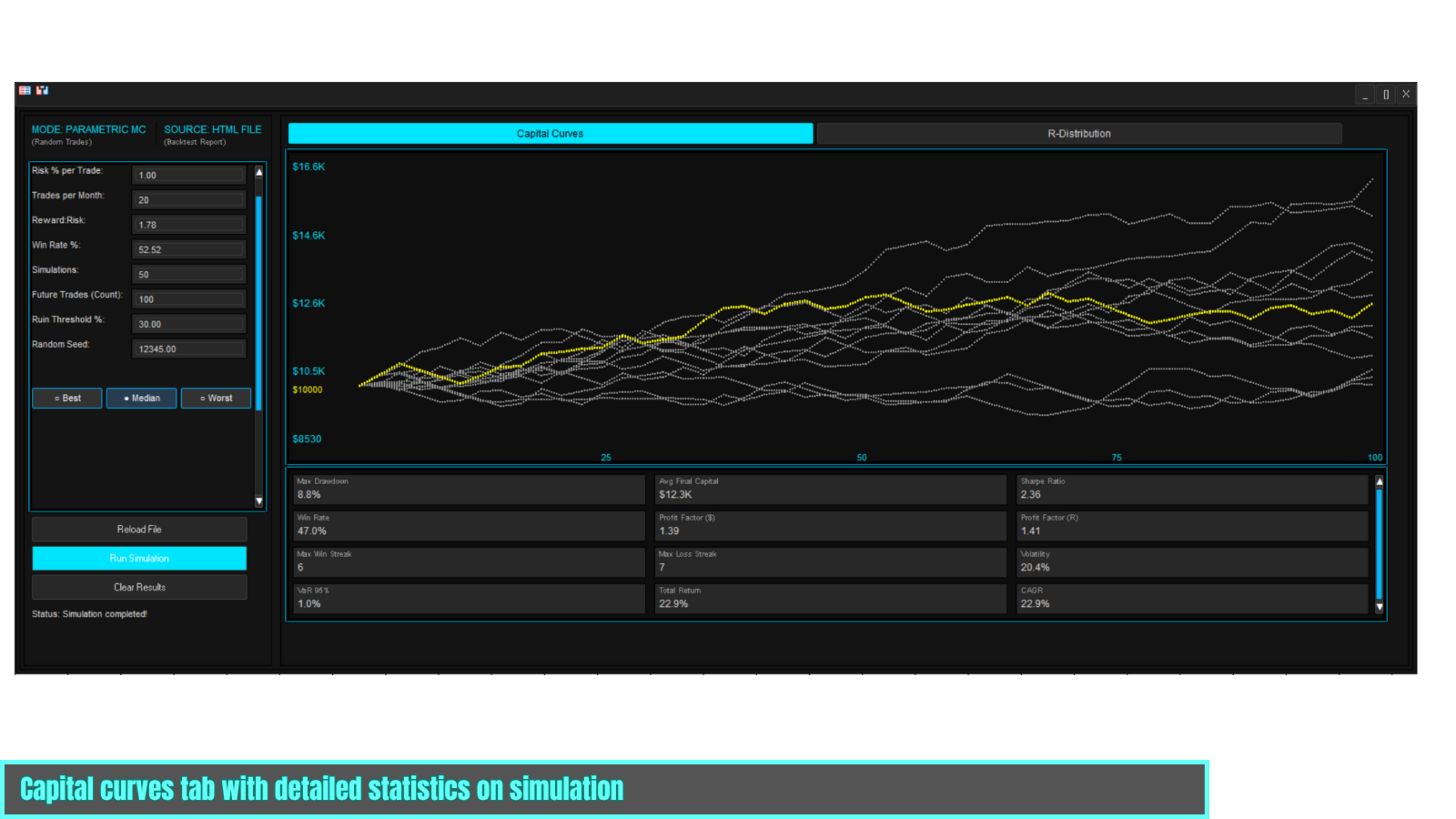
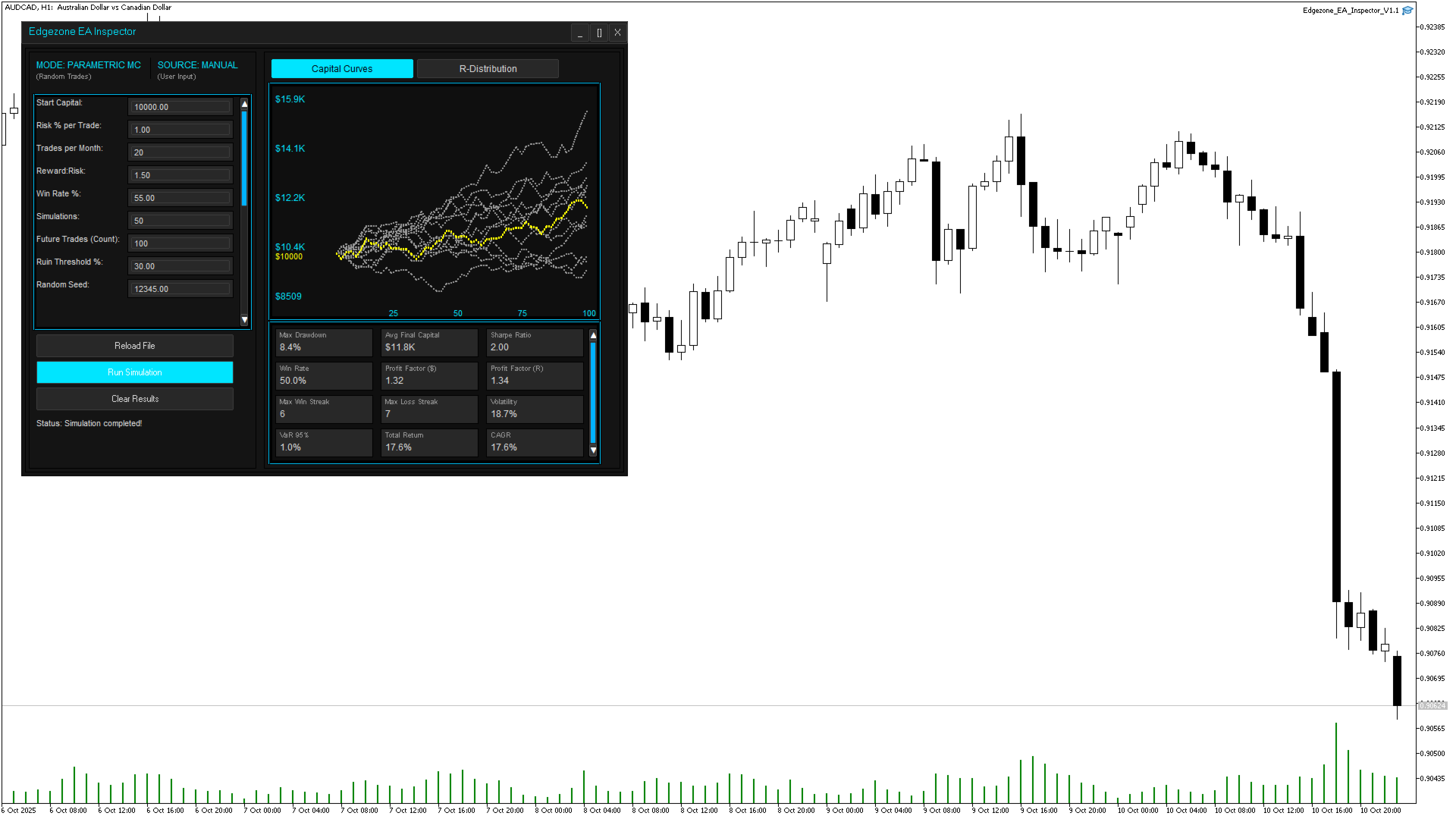
2. Monte Carlo Simulation
- 50 Simulations with different trade sequences
- Parametric method: Generates virtual trades based on your strategy parameters
- Considers Win Rate, Reward:Risk, Trading Frequency, Spreads & Commissions
3. Scenario Analysis
- Best Case: Top 10% of simulations
- Median: Realistic scenario (50th percentile)
- Worst Case: Bottom 10% of simulations
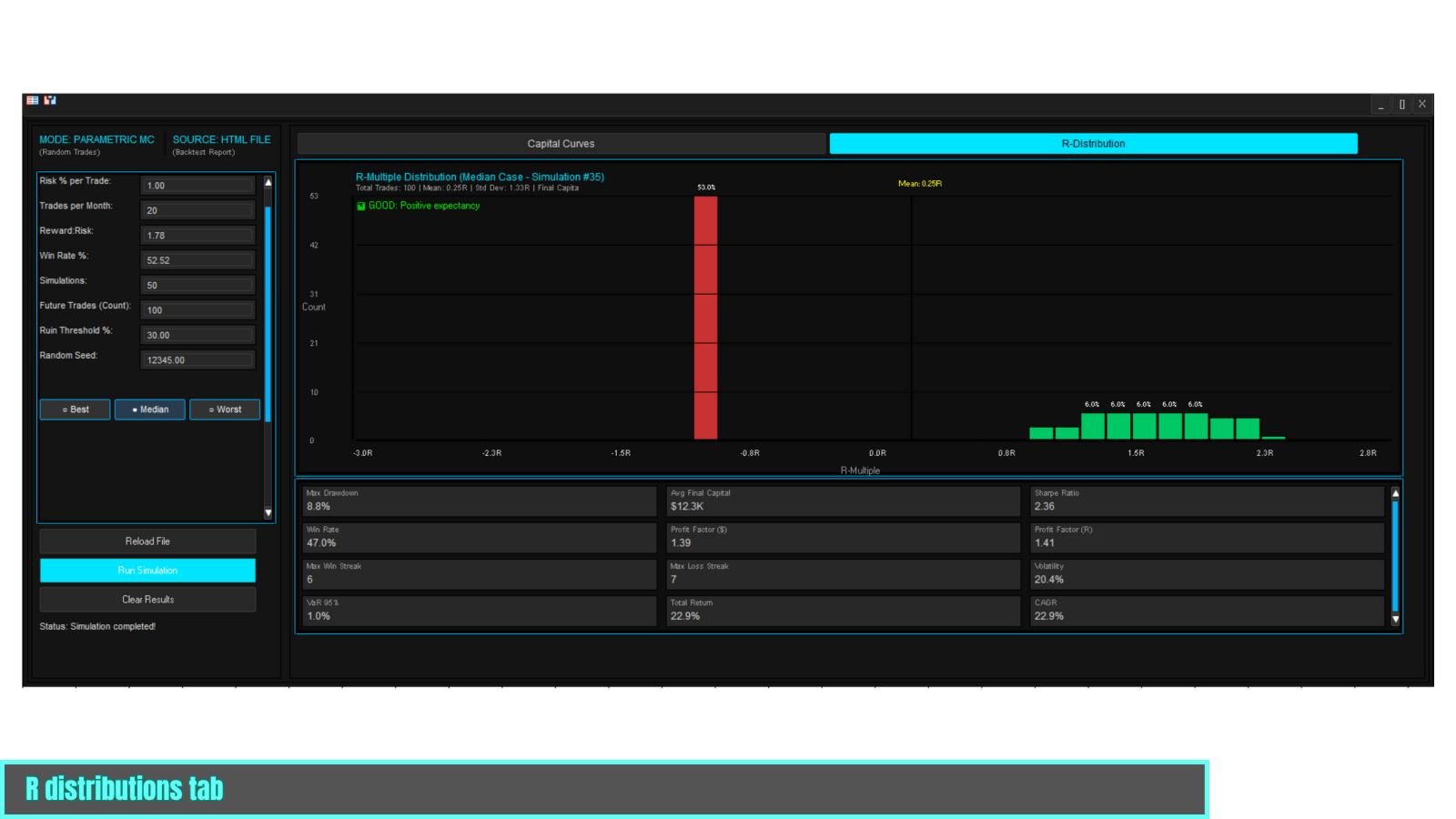
4. Risk Metrics
- Max Drawdown, Sharpe Ratio, Ruin Probability
- Profit Factor, Win Rate, Expectancy
- Capital Curves Chart (all 50 simulations)
- R-Distribution Histogram
Data Sources
Manual Input: Enter parameters directly (Start Capital, Risk, Win Rate, Reward:Risk, etc.)
HTML Import: Save your MT5 backtest report as HTML in the MetaTrader Files folder ( MQL5\Files\ ). The tool will then automatically import all relevant data after entering the file name in the inputs field (Win Rate, Reward:Risk, Profit Factor, Number of Trades, etc.)
Use Cases
- Before Live Trading: Validate backtest results and detect warning signs
- EA Development: Test parameter sets objectively without over-optimization
- EA Testing: Analyze purchased EAs before real money deployment
- Risk Management: Determine optimal position sizes and capital reserves
Technical Details
| Feature | FREE Edition |
|---|---|
| Simulations | Max. 50 |
| Future Trades | Max. 100 |
| Data Sources | Manual + HTML Import |
| Over-Optimization Detector | ✅ Full |
| Charts | 2 (Capital Curves + R-Distribution) |
System Requirements: MetaTrader 5, Windows 7+, 2 GB RAM, 1280x720 Display
Performance: 1-3 seconds for 50 simulations, no internet connection required
How to Use
1. Drag tool onto chart → opens own window
2. Enter data (manual or HTML import)
3. Click "Run Simulation" → results after 1-3 seconds
Documentation
A complete user manual (German & English) is available with:
- Step-by-step instructions
- Interpretation of results
- Best practices & FAQ
Request Manual: After download via our Seller Profile by direct message.
Important Notices
- This tool does not execute automatic trades
- There are no profit guarantees
- Past performance is no guarantee of future results
- All simulations are based on historical data and assumptions
- Trading involves risk of loss - only risk capital you can afford to lose
Recommendation: Always test strategies on a demo account first and listen to the warnings of the over-optimization detector.
Support & Contact
For questions, support, or to receive the manual, contact us via our MQL5 Seller Profile by direct message.
Other Tools: More trading software in our Product Overview.
Your Opinion Matters
This tool is 100% free and continuously being improved.
Help us make this tool more visible:
- Share your feedback - Your experience helps us improve
- Leave a rating - If the tool helped, we appreciate a positive review
- Contact with questions via our Seller Profile
Only through your support can this free tool help more traders. Thank you!