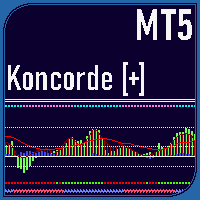
Koncorde Plus Indicator MT5
- Indicatori
- Versione: 1.0
- Attivazioni: 15

The Koncorde Plus Indicator is a sophisticated and versatile technical analysis tool for MetaTrader 5 (MT5), meticulously converted and enhanced from the acclaimed Koncorde [+] indicator on TradingView. Optimized for Forex volume analysis while preserving the original algorithm for all volume-based markets, it integrates six core components—four trend-based (RSI, MFI, Bollinger Bands, Stochastic) and two volume-based (Positive Volume Index (PVI) and Negative Volume Index (NVI))—to deliver a comprehensive view of market trends, volume dynamics, momentum, and unique pattern signals.
Get 10% OFF on manual strategies automation services or indicator development/conversion services at 4xDev using my exclusive promo code: ENTEGRA10
Overview
I crafted the Koncorde Plus Indicator to empower traders with a robust tool that blends advanced trend and volume analysis, tailored for Forex markets yet fully compatible with any asset featuring volume data. The indicator intelligently attributes traded volume between strong hands (sharks) and weak hands (minnows), providing deep insights into market behavior. Designed for higher timeframes to maximize signal reliability, it leverages extensive data to enhance the accuracy of its analytics, making it an essential tool for traders seeking high-probability setups across diverse markets.
Key Components
-
Minnows (Green Histogram): Reflects weak hands’ activity (C'5,255,104', C'0,153,41'). Positive values indicate buying; negative values suggest selling.
-
Sharks (Blue Histogram): Represents strong hands’ activity (C'14,85,255', C'0,55,133'). Positive values signal accumulation; negative values indicate distribution.
-
Trend Histogram (Brown): Tracks trend direction (C'141,73,37', C'50,0,0') based on weak hands and trend indicators (RSI, MFI, Bollinger Bands, Stochastic).
-
Trend MA (Red Line): A smoothed moving average (default: EMA, C'255,0,30') of the trend histogram for clear trend identification.
Pattern Detection
The indicator features proprietary patterns to pinpoint potential market reversals or continuations:
-
Crossing Pattern: Signals a bullish entry when the trend histogram crosses above the red MA line; bearish when it crosses below.
-
Zero Pattern: Indicates a potential trend change when the trend histogram nears zero, ideal for bullish setups.
-
Spring Pattern: Forms when the trend histogram crosses the MA and weak hands are above the trend, signaling a strong upward move.
-
Mirror Pattern: Occurs during market panic when weak hands sell (negative) and strong hands buy (positive), often preceding a price recovery. Combines effectively with Crossing and Spring patterns for high-probability trades.
-
Bear Hug Pattern: A bearish pattern where strong hands sell, and weak hands buy above the trend histogram, indicating distribution.
-
Harpoon Pattern: A strong bullish signal when the red MA crosses the blue histogram during a Mirror pattern. An exit signal triggers when strong hands start selling during a Spring pattern, often aligning with a Bear Hug.
Operating the Mirror Pattern
-
Wait for the green histogram (weak hands) to recover and rise to positive values, ideally crossing the brown histogram or red MA from below.
-
Ensure the blue histogram (strong hands) remains consistently positive. A shift to negative values may indicate a failed pattern.
-
Set a Stop Loss just below the lowest candle within the pattern.
-
If uncertain about a reversal, use the Stop Loss level to consider a short position by doubling its value.
Additional Features
-
Performance Panel: Displays asset performance metrics from the start of the month, week, or year, including multi-timeframe price distance to moving averages.
-
Volume Delta Arrows: Visualizes cumulative volume delta as triangles at the chart’s top, enhancing volume trend analysis across all volume-based markets.
-
MACD-V (Volatility Normalized): A volatility-normalized MACD with overbought (>150) and oversold (<-150) levels, displayed as a histogram with signal line and divergence detection.
-
Light green circles: MACD crosses above the signal line and is above zero.
-
Dark green circles: MACD crosses below the signal line but remains above zero.
-
Light red circles: MACD is below the signal line and below zero.
-
Dark red circles: MACD is above the signal line but below zero.
-
-
Dual Volume Divergence Index (DVDI): Analyzes volume divergence in Cloud, Oscillator, or Bar Counter modes, with divergence detection, applicable to any volume-driven asset.
-
Enhanced Time Segmented Volume (TSV): Measures money flow by comparing price and volume segments.
-
Green box: TSV > 0 and > MA, indicating a long trend.
-
Green X: TSV < MA but > 0, signaling potential long trend exhaustion (Price Action Long - FAILURE).
-
Red box: TSV < 0 and < MA, indicating a short trend.
-
Red X: TSV > MA but < 0, signaling potential short trend exhaustion (Price Action Short - FAILURE).
-
-
RSI/MFI and Stochastic: Includes RSI, MFI, their average, and the Ultimate RSI, which emphasizes trend strength for fewer whipsaw signals. Stochastic plots %K and %D with divergence detection.
-
Ultimate RSI: Crosses above 50 indicate uptrends; below 50 indicate downtrends. Overbought (>80) and oversold (<20) levels highlight strong trends.
-
Input Parameters
The Koncorde Plus Indicator offers extensive customization through its input parameters, allowing traders to tailor its functionality to their strategies:
Pattern Settings
-
ShowKoncorde: Enable/disable the main Koncorde display (Default: true).
-
ShowZeroPattern: Toggle Zero Pattern visibility (Default: true, Arrow: ARROW_CODE_217).
-
ShowMirrorPattern: Toggle Mirror Pattern visibility (Default: true, Color: C'0,188,212').
-
ShowBearHugPattern: Toggle Bear Hug Pattern visibility (Default: false, Color: C'255,82,82').
-
ShowHarpoonPattern: Toggle Harpoon Pattern visibility (Default: true, Arrows: Up ARROW_CODE_246, Down ARROW_CODE_248).
-
ShowSpringPattern: Toggle Spring Pattern visibility (Default: false, Arrow: ARROW_CODE_217).
-
ShowCrossingPattern: Toggle Crossing Pattern visibility (Default: false, Arrows: Up ARROW_CODE_217, Down ARROW_CODE_218).
General Settings
-
ShowMACDDots: Display MACD dots at the chart’s top (Default: true).
-
ShowMACD: Enable MACD display (Default: false).
-
UseMACDNormalizedVolatility: Enable volatility-normalized MACD (Default: true).
-
ShowRSIMFI: Enable RSI/MFI display (Default: true, Mode: RSI).
-
ShowRSISignalLine: Show RSI signal line (Default: false).
-
ShowStochastic: Enable Stochastic display (Default: false).
-
ShowDualVolumeDivergenceIndex: Enable DVDI (Default: false, Mode: Oscillator).
-
ShowVolumeDeltaArrows: Display volume delta arrows (Default: false).
-
ShowEnhancedTimeSegmentedVolume: Enable TSV (Default: false).
Statistic Panel Settings
-
ShowPerformance: Display performance metrics (Default: true).
-
ShowDistanceToMA: Show price distance to moving averages (Default: true).
-
EnableMovingAverageAlerts: Enable MA crossover alerts (Default: true).
Moving Average Settings
-
MA1Type, MA2Type, MA3Type: Select MA types (e.g., VIDYA, EMA, SMA, T3) (Defaults: T3, EMA, SMA).
-
MA1Length, MA2Length, MA3Length: Set MA periods (Defaults: 8, 55, 200).
-
MA1Source, MA2Source, MA3Source: Choose price source (e.g., Open, Close, HL2) (Defaults: HLCC4, Close, Close).
Koncorde Trend Settings
-
RSIBBStochSource: Source for RSI, Bollinger Bands, Stochastic (Default: OHLC4).
-
MFISource: Source for MFI (Default: HLC3).
-
RSIMFILength: RSI/MFI period (Default: 14).
-
BBLength: Bollinger Bands period (Default: 25).
-
BBMultiplier: Bollinger Bands multiplier (Default: 2.0).
-
MALength: Trend MA period (Default: 15).
-
MaType: Trend MA type (Default: EMA).
Koncorde Volume Settings
-
PVINVILength: PVI/NVI period (Default: 15).
-
MinMaxPeriodPVI, MinMaxPeriodNVI: Min-max periods for PVI/NVI (Defaults: 90, 90).
MACD Settings
-
MACDSource: Price source (Default: Close).
-
MACDFastLength, MACDSlowLength, MACDSignalLength: MACD periods (Defaults: 12, 26, 9).
-
ATRLength: ATR period for volatility normalization (Default: 26).
RSI/MFI Settings
-
RSILength: RSI period (Default: 14).
-
RSISource: Price source (Default: Close).
-
RSIMAType: MA type for RSI signal (Default: EMA).
-
RSIMALength: RSI MA period (Default: 14).
-
RSIOverboughtLevel, RSIOversoldLevel: RSI thresholds (Defaults: 80.0, 20.0).
Stochastic Settings
-
StochKLength, StochKSmoothing, StochDSmoothing: Stochastic parameters (Defaults: 14, 7, 4).
-
StochOverboughtLevel, StochOversoldLevel: Stochastic thresholds (Defaults: 80.0, 20.0).
Dual Volume Divergence Index Settings
-
DVDISource: Price source (Default: Close).
-
DVDISamplingPeriod, DVDISmoothingPeriod: DVDI periods (Defaults: 55, 1).
Volume Delta Arrows Settings
-
VolumeDeltaType: Type (e.g., Cumulative Delta, OBV, PVT) (Default: Cumulative Delta).
-
VolumeDeltaFastMALength, VolumeDeltaSlowMALength: MA periods (Defaults: 3, 21).
-
VolumeDeltaFastMAType, VolumeDeltaSlowMAType: MA types (Defaults: Wilder, EMA).
Enhanced Time Segmented Volume Settings
-
TSVLength: TSV period (Default: 13).
-
TSVMALength: TSV MA period (Default: 7).
-
TSVMAType: TSV MA type (Default: SMA).
Alerts Settings
-
RegularBullishDivergenceAlertOn, RegularBearishDivergenceAlertOn: Enable divergence alerts (Defaults: false, false).
Customization Options
-
37 Plot Types: Supports histograms, lines, and arrows in a separate window for clear visualization.
-
Moving Averages: Three customizable MAs (e.g., SMA, EMA, VIDYA, T3) with adjustable lengths and sources (Open, High, Low, Close, etc.).
-
Pattern Visibility: Toggle patterns like Zero, Spring, or Harpoon, with customizable arrow codes and colors.
-
Indicator Modes: Select RSI/MFI modes (RSI, MFI, Average, Ultimate RSI), DVDI modes (Cloud, Oscillator, Bar Counter), and volume delta types (Cumulative Delta, OBV, PVT, etc.).
-
Alerts: Configurable for bullish/bearish divergences and moving average crossovers.