 MetaTrader 5
 Experts
 Indicatori
 librerie
 Utilità
 Widget
 Regole
Guarda i video tutorial del Market su YouTube
Come acquistare un Robot di Trading o un indicatore
Esegui il tuo EA
hosting virtuale
hosting virtuale
Prova un indicatore/robot di trading prima di acquistarlo
Vuoi guadagnare nel Market?
Come presentare un prodotto per venderlo con successo
Utilità di trading a pagamento per MetaTrader 5 - 7
 Di seguito sono riportati i programmi di trading che semplificano il trading in MetaTrader 5. Passa il mouse su un'utilità per leggerne la descrizione e la sua funzione.
OsasFXea Diamond RapidFire Panel osasFXea · MetaTrader 4 & 5 OsasFXea Diamond RapidFire Panel One-click rapid trade panel for fast discretionary basket trading on gold, crypto, forex, and more. MT4 & MT5 Utilities Category Hedging accounts XAUUSD · BTCUSD · Forex Overview What it does RapidFire Panel places you in complete control of your basket trading workflow. Every core action — open, manage, close — is one click away on a branded dashboard that sits on your chart. The panel foll

TradeForge Pro – Trade Management Dashboard TradeForge Pro is a trade management utility designed for traders who want precise control over stop loss/take profit handling, position grouping, and trade execution. It provides an on-chart interface that allows Stop Loss and Take Profit levels to be managed virtually rather than sent directly to the broker ("Ghost Levels"), along with tools for managing multiple positions and trailing logic. It is designed for both scalpers requiring fast manual exe

Layer Smart Risk Trade Assistant v1.8 Professional MT5 Trade Manager | Smart Layering | Advanced Risk Control | Intelligent Order Management Your Trading Decisions. Smarter Execution. Greater Control. Layer Smart Risk Trade Assistant is a powerful trade management utility for MetaTrader 5, designed to simplify trading operations, organize multiple positions, and provide advanced tools for managing risk and profit. Built for both discretionary and experienced traders, it combines flexible manual

Smart Trade Manager Pro Live Smart Trade Manager Pro is a manual trade management Expert Advisor for MetaTrader 5. It does not open trades automatically. It is designed for traders who enter positions manually and want structured risk-based exit management after the trade is open. The EA manages manual trades using the initial stop loss as the risk reference. Once a position has a valid stop loss, the EA can calculate R-multiple progress and manage partial closes, break-even, stop-loss locking,

Close All Pro MT5 – Fast PnL Control is a powerful trade manager MT5 utility that gives you total control over your trades. With a single click, you can close all MT5 orders, monitor real-time profit and loss, and manage your floating PnL directly from a clean on-chart panel. The tool is lightweight, responsive, and built to help traders save time, reduce emotional stress, and maintain focus. Whether you trade manually or through an EA, this MT5 profit panel provides the visibility and precisio

Execution Quality Monitor MT5 — Review requested and reported execution with a consistent monitoring workspace. Who it is for Designed for traders investigating spreads, slippage, return codes and practical latency proxies in their environment. Main functions Requested-price versus filled-price comparison Spread and slippage measurement Execution latency proxy and return-code history Percentile and distribution summaries Aggregation by broker, session and symbol Clear filters for order type and

Stop Blowing Your Account. Once and For All. DDKiller Pro is the MT5 risk guardian that runs silently on your chart and shuts down trading the moment you hit a limit — whether you're grinding a prop firm challenge or managing your own CFD account. The problem every trader knows: You set your rules. You break them anyway. One revenge trade. One overleveraged position. One session that erases a month of gains. DDKiller Pro removes that decision from your hands entirely. What it does: The second yo

Protect your capital and lock in profits automatically with Account Guard Pro . This indispensable account management Expert Advisor ensures strict adherence to your daily risk limits. Set a maximum daily loss and a daily profit target—once either is reached, Guardian Pro instantly closes all open positions and pending orders, and halts all trading activity until the start of the next day. Its integrated visual dashboard provides a clear, real-time view of your daily P/L and current status. A cr

Trade Assistant MT5 — Trade Manager for Prop Firms
Trade Manager for MT5 that calculates position size, manages risk, visualises your trade setup in real time and protects your account with built-in daily loss and trade limits — everything you need to trade with consistency and pass your prop firm challenge.
> Trade Tab — Position Sizing & Execution
**Automatic lot calculation** Enter your risk as a percentage of account balance or as a fixed dollar amount and the panel instantly calculates t

This utility provides the ability to use hot keys in manual trading instantly responding to the current market situation. You can assign hot keys to open/close positions by their type, open/close all positions on the current chart and remove all orders on the current chart. You can also assign hot keys for five predefined trade volumes and switch between them if necessary with no need to change the volume manually from time to time. It is also possible to set the auto calculation of a trade volu

This is a special program that provides extra protection for each of your positions. Symbol Filter: Filter by trading symbol. The default is to select the symbol on the current chart, or you can choose all symbols. Magic Filter: Filter by magic number. You can specify a magic number. The default value of 0 means processing all orders. TakeProfit Point: Set the take-profit level in points. 0 means this function is not used. StopLoss Point: Set the stop-loss level in points. 0 means this function
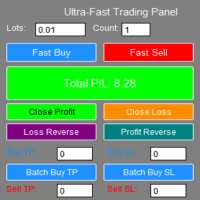
**"Fast Trading Panel 1.0"** is a highly efficient trading tool specifically designed for the MT5 platform. It integrates rapid order placement, intelligent closing, and batch management to provide traders with an ultimate operating experience and professional risk management capabilities.
- **One-Click Fast Ordering**: Supports custom lot sizes and batch orders, allowing instant buying and selling. - **Real-Time Parameter Adjustment**: Trading parameters take effect immediately without reload

Keep your MetaTrader 5 charts alive, updated, and always in sync — automatically.
The MT5 Auto Refresh Utility is a smart, zero-lag chart updater designed for traders who want real-time accuracy across every open chart. Whether you use complex dashboards, multi-timeframe systems, or long-running analysis setups, this utility ensures your charts stay active and refreshed without manual clicks or chart reloading. Why You’ll Love It Automatic Chart Refresh
Refreshes your MT5 chart at a fixed int

HMR Detector EA Nota importante: Questo EA non può essere valutato nello Strategy Tester poiché gli ambienti di backtesting non simulano eventi di Alto Requisito di Margine (HMR) in tempo reale o modifiche impreviste del margine da parte del broker. HMR Detector si basa sulla lettura delle condizioni di margine dal vivo direttamente dal server del broker. Pertanto, le sue funzioni di protezione dovrebbero essere valutate su un conto di trading demo o reale. Panoramica: HMR Detector EA è un Exper

MT5 to MT5 Trade Copier – Fast and Reliable Trade Copying Solution The MT5 Trade Copier is a powerful tool designed to copy trades seamlessly between MetaTrader 5 accounts with minimal latency and high accuracy. Built for speed, flexibility, and ease of use, the copier works across different brokers, even when symbols use different prefixes or suffixes. This Expert Advisor is suitable for professional traders, signal providers, fund managers, and traders who manage multiple accounts. Key Featur
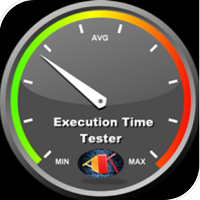
This Expert Advisor measures the broker execution time in milliseconds. Every 10 seconds (Refresh Seconds) , the EA opens a buy stop order far away from current price (1.5 x Ask), then modifies the (price, stop loss and take profit) of the created order by 5 pips then deletes it immediately.
Inputs Refresh Seconds: Number of seconds for each re-test, default 10 seconds.
Display Last: Last Execution time Min: Fastest execution time Max: Slowest Maximum execution time Avg: Average exec

Guardian Equity EA for MetaTrader 5 Guardian Equity EA is an Expert Advisor designed to automatically manage the closure of all open positions when predefined profit or drawdown levels are reached. It operates in real-time and is compatible with any broker or trading instrument supported by MetaTrader 5. Main Features Continuous monitoring of account balance and equity. Automatic closing of all trades if the maximum drawdown level is reached. Automatic closing if the configured profit target is

General Description Auto SL/TP Manager is a professional utility for MetaTrader 5 designed to automate the management of Stop Loss and Take Profit levels on open positions. The levels are calculated based on monetary risk values defined by the user, rather than fixed pip distances. This tool helps maintain consistent risk discipline without manual intervention. Main Functionality The EA continuously monitors all open positions and automatically applies Stop Loss and Take Profit levels when they

Prop Firm Risk Guardian MT5 — pass the risk rules, not just the profit target. Prop Firm Risk Guardian MT5 (click to download)
Application instructions Most prop-firm challenges are failed not because you can't trade — but because one bad day or a single oversized position breaches the daily or overall drawdown limit. Prop Firm Risk Guardian is a lightweight monitoring utility that enforces those limits for you, automatically , 24/5. It is a pure protection tool . It never opens trades, send

VENIQOR Smart Trade Copier PRO is more than a simple MT5 trade copier.
It combines fast local trade synchronization with flexible risk management, Account Protection and optional News Protection for every Receiver account. As with our other VENIQOR products, we welcome useful customer feedback and are happy to implement meaningful improvements and new features whenever possible. The same EA works as both Master and Receiver . One Master can copy trades to multiple Receivers running on the same

One Click Trade Manager for MT5 Trade Faster and Manage Your Positions with a Single Click Take full control of your trades with an intuitive one-click trading panel for MetaTrader 5. Whether you're entering new positions or managing multiple open trades, this EA helps you execute actions instantly without navigating multiple windows. No more manually closing orders one by one. Main Features Close All Positions Instantly close every open position on the current account. Close Profitable Pos

Gamma Edge Pro MT5 — GexBot Classic API Integration Gamma Edge Pro brings institutional-grade Gamma Exposure (GEX) data directly onto your MetaTrader 5 chart — the same data used by professional options traders to anticipate price magnets, hedging flows, and dealer positioning. Powered by the GexBot Classic API, this indicator automatically maps options market data from US-listed instruments onto any MT5 CFD instrument — Forex pairs, Gold, indices, and more — with intelligent price conversion bu

RR TradePanel is a trade execution and management Expert Advisor for MetaTrader 5. It combines visual trade planning with automated risk management, allowing trades to be planned, executed, and managed directly from the chart. The panel includes an interactive Risk/Reward tool, automatic lot size calculation based on account risk, trade management automation, and manual management controls. It is suitable for traders who want consistent position sizing and faster trade execution. Trade Planning

Click and Go Trade Manager: The Ultimate MT5 Execution Suite Precision Execution. Professional Performance Tracking. Total Control. In the world of Smart Money Concepts (SMC) , ICT, and high-frequency scalping, precision is your only edge. Most traders lose not because their analysis is wrong, but because their execution is slow and their psychology is undisciplined. The Hard Truth: If you are still manually calculating lot sizes or dragging lines while the price moves against you, you

The Pending Order Grid is a multi-symbol multi-timeframe script that enables multi-strategy implementation based on pending order grids. General Description
The Pending Order Grid allows the performing of a user-defined strategy through the creation of pending order grids. The script places pending orders of a given type (Buy Limit, Sell Limit, Buy Stop, or Sell Stop) at equidistant price levels to form each grid. The beginning and finish of every grid are defined by the Start Price and Sto

NeuronReplay — replay each of your closed trades one by one, bar-by-bar, and analyze exactly what happened Your trade history is just a list of numbers. NeuronReplay turns it into film. It lists every closed trade in a dashboard; click any one and it re-plays that single trade candle-by-candle on its own chart , exactly like stepping through the MetaTrader 5 Strategy Tester — but scoped to a real trade you already took. You see the entry, the stop, the target and the exit drawn in, a floating P&

NewsFilter Pro — News Filter & Economic Calendar EA for MetaTrader 5
Automatically block trading during high-impact news events (NFP, FOMC, CPI). Uses MQL5 built-in Economic Calendar — no DLL, no external API, no configuration. Works with any EA, any broker, any currency pair.
Prop Firm Safe | NFP/CPI/FOMC Filter | Auto-Close Before News | Smart Currency Filter | 15 Activations
---
Why NewsFilter Pro?
Most trading EAs get destroyed during news events — NFP, FOMC, CPI, ECB — when spread

Trailing Stop Manager MT5 Trailing Stop Manager MT5 is a flexible trade management utility for MetaTrader 5 that automatically moves the Stop Loss as price moves in your favor. It is designed for traders who want to protect profits and manage open positions automatically while keeping control over how and which positions are managed. The manager currently includes two trailing methods: • Standard Trailing Stop
• Fractals Trailing Stop It also includes a compact trading panel for opening, managi
XXXX ATR (Average True Range) Position Manager: ATR StopLoss, ATR Target, ATR Breakeven, ATR Trailing StopLoss, with Risk % Calculation / Position. More about ATR: www.atr-trading.com
Key takeaways One click does it all: SELL and BUY button automatically places ATR stoploss, ATR target, ATR breakeven, ATR trailing stop and Risk % calculation of equity Entire position is calculated based on ATR No more manual position calculations = No more wasted time = No more late entries Position sizes c

Daily Telegram Market Briefing — Professional FX Session Briefing for MT5
Daily Telegram Market Briefing is a MetaTrader 5 Expert Advisor that compiles a clean, actionable morning brief for the instrument on your chart and delivers it to your Telegram group or channel at a time you choose. It combines previous day OHLC levels, an Asia session range computed in your local time, a directional bias and short outlook, and a curated list of today’s high-impact macro events (from the ForexFactory cal

Please download Master EA here = https://www.mql5.com/en/market/product/181698
MT4 Version = https://www.mql5.com/en/market/product/183101
Free Demo Version = https://c.mql5.com/6/1033/COPYTRADE_DEMO7D.zip
User Manual : download here Professional Copy Trade EA for MT5 , NO HASSLE, PLUG and PLAY and CROSS PLATFORM MT4 <---> MT5.
A powerful and reliable Copy Trade Expert Advisor designed for traders, signal providers, fund managers, and prop firm users. Easily copy trades between multipl

SuperPositionTerminal is a manual trading terminal for MetaTrader 5, built for discretionary and prop-firm traders who work to fixed daily risk limits. Build, size and execute every trade from one control panel: position sizing by account percentage, fixed money risk or fixed lot, multi-level partial exits, automatic break-even, and daily limits that refuse a trade before the money is at risk. It is not an automated strategy. It does not predict, signal or trade for you. It is the control surfac

Overview:
The Drawdown Control Limiter MT5 is a robust and efficient tool designed for traders who aim to monitor and limit drawdown levels in their MetaTrader5 Live/Demo accounts. This Expert Advisor provides real-time tracking of drawdown percentages or amounts and automatically closes positions if the specified limits are exceeded, helping protect your capital. EA account drawdown protector is designed for normal trading Live and Demo accounts (not for Prop Firms) . Key Features: Customiza

TrumpFeed to Telegram – Lightweight News Forwarder especially for Gold-Trader This Expert Advisor reads the Trump Truth Social RSS (mirror feed) , classifies new posts via OpenAI , neatly shortens the quote, and forwards it to your Telegram group/topic – including a compact XAUUSD impact summary . Ideal if you want to be notified immediately of potentially market-moving statements. Key Features Fetch: EA reads the RSS feed https://trumpstruth.org/feed every 30 seconds. Parse & Clean: Removes HTM

Versione MT4: https://www.mql5.com/en/market/product/91169 Versione MT5: https://www.mql5.com/en/market/product/110193 Segnale Live: https://www.mql5.com/en/signals/2345410
Vi presentiamo l'assistente di trading "Smart Trader", l'esperto consulente di riferimento, lo strumento definitivo a cui si affidano i trader professionisti di tutto il mondo per la sua impareggiabile adattabilità e le strategie di gestione del rischio all'avanguardia.
Il cuore di "Smart Trader" è il suo rivoluzionario si

NeuronCopier — a local MT5 trade copier that actually thinks Most copiers blindly mirror lots. NeuronCopier verifies the symbol by price, sizes each trade by risk, scores the master it is copying, protects the receiving account against prop-firm and drawdown breaches, and ships with a full on-chart trade manager. It mirrors trades from one MetaTrader 5 account to one or many others running on the same PC , instantly and reliably, through the shared terminal data folder. 100% native MQL5 — no DLL

Trade Panel Pro MT5 – LiqStrike | MT5 Trade Panel | Risk Management | Position Manager
Every second counts in trading. LiqStrike gives you total control — instantly.
Built for serious traders who demand speed, precision and professional risk management in a single panel.
MT5 Trade Panel with One Click Trading Advanced Risk Management — Auto Lot Calculator Position Manager for MetaTrader 5 Break Even & Trailing Stop per position Real-time USD tags on chart for SL & TP Compatible w

Great smart dashboard for market analytics.
Using this dashboard you can: find signals from different indicators from all timeframes ; find signals from the Moving Average from all symbols ;
Include: 9 indicators (10 in Mt5 version); 27 signals (29 in Mt5 version); "Total" page.
Indicators and signals: MOVING AVERAGE MA cross Price - MA crosses Price; MA more/less Price - MA higher/lower Price; BOLLINGER BANDS BB crosses Price (in) - Price crosses Bollinger (upper/lower line) i

DR Trade and Risk Manager: The Foundational Algorithmic Risk Console for MT5 For the discretionary trader, the greatest adversary is not the market; it is the undisciplined self. You have a solid strategy, but in moments of high pressure, do you follow your rules with perfect consistency? Do you cut losses without hesitation? Do you let winners run without cutting them short out of fear? For most, the answer is no. This gap between strategy and execution is where profits are lost. DR Trade and R

Trade Assistant X
Trade Assistant X è uno strumento per MetaTrader 5 che consente di gestire le operazioni direttamente da un pannello integrato nel grafico. Il pannello consente di inserire ordini a mercato e ordini pendenti, impostare i livelli di Stop Loss e Take Profit, modificare le posizioni aperte ed eseguire chiusure parziali. Funzioni principali Inserimento di ordini a mercato Ordini pendenti Stop e Limit Configurazione di Stop Loss e Take Profit Configurazione manuale del volume Calco

ONE PANEL. EVERY POSITION. FULL CONTROL IN ONE CLICK. When the market turns against a busy account, you do not want to hunt through the Trade tab. Hedge & Position Commander puts your whole book on one calm card and gives you the buttons that matter: lock the exposure, strip a stop or a target, bank the winners or cut the losers, for the whole account, one symbol or the chart symbol. Try it first, free of risk: run it in the MetaTrader 5 Strategy Tester in visual mode. In the tester it opens two

Drawdown Terminator – Account-wide Equity Guardian for MT5
Protect your capital. Lock your profits. Sleep without watching every tick. ️
1. What is Drawdown Terminator? Drawdown Terminator is an MT5 utility (non-trading Expert Advisor) designed to protect your entire account equity – not just a single EA or symbol. It continuously monitors your total account equity / capital , and when your Equity Profit Target or Equity Loss Limit is reached, it can automatically: Close all open position
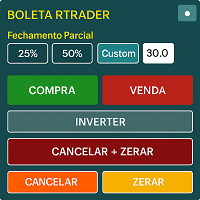
Boleta RTrader - A Boleta Mais Completa para MetaTrader 5 A ferramenta definitiva para traders que buscam precisão, agilidade e controle total sobre suas operações no MetaTrader 5.
**IMPORTANTE**: É aconselhável desabilitar no gráfico do MT5 o histórico de negociações somente quando for usar saídas parcias e precisar movimentar a ordem parcial para evitar delay. --- PRINCIPAIS FUNCIONALIDADES: EXECUÇÃO DE ORDENS **Compra e Venda Instantâneas**: Execute ordens a mercado com um único clique **

HFT EA 1.6 — High Frequency Trading Automation
free @stepmastercol
DEFAULT NASDAQ TIME FRAME M1
FUNCIONA CON LOS INDICES SINTETICOS , DEBEN AJUSTAR LOTAJE SEGUN CORRESPONDA
Lleva la velocidad del mercado a otro nivel.
HFT EA 1.6 es un Expert Advisor diseñado para operar con ejecución ultrarrápida, alta frecuencia de entradas y gestión dinámica del riesgo en mercados altamente volátiles. Optimizado para traders que buscan aprovechar micro movimientos del precio con precisión algorítmica y re

Special launch price — only $35!
Complete Environment for Multicurrency Backtesting and Live Trading Simulation. Crypto, Indices, Metalls, Forex Simulator. Trade Shell Simulator MT5 is a professional tool that allows not only backtesting of EAs and indicators but also serves as a trading assistant for live online trading — calculating risks, placing and modifying orders. Key Features Two Operation Modes Simulation Mode (Tester) — Full M1 and tick history loading. ️

UMNi-ALRT MT5 Advanced Trade Alert System UMNi-ALRT delivers structured, detailed Telegram alerts for every stage of your trading activity. More advanced than basic notifications, it provides full trade intelligence — including performance metrics, session context, and market data — in a clean, readable format. KEY FEATURES Full trade open / close alerts with deep detail MFE, MAE and exit efficiency tracking Session-aware candle and bias context Chart updates with spread,

Easy Trade Copy (Client / Receiver) The easiest and most reliable way to copy trades to your account without missing a beat. If you want to copy trades from a master account to your own account, you need a tool you can trust. Most copiers glitch, miss trades, or accidentally open duplicates when your internet drops or your computer restarts. The Easy Trade Copy is built differently. It is a "smart" copier that double-checks every single trade to make sure your account perfectly matches the mast

Capital Guard – Position Size & Risk Manager
An Amazing Software For Risk Calulcation & Trading Management!
Created by a Trader with over 27 years of Trading experience with
the tools and functions traders need. Not filled with features and
functions you just do not need.
For The Lowest Price Possible. And It will never go up. I am a trader
not a marketer. Here to help you get better in what you already do!
1st Class Support. You are never left alone. I am almost always
online and will r
This EA does not perform trading operations. It's a auxiliary visual tool for graphics synchronization.
The “there are no trading operations” error in the validator is expected and intentional. CHARTCONNECT – Chart Synchronizer (Version 1.19) Connect all your charts to the same symbol with just one click.
What is CHARTCONNECT? ChartConnect is a lightweight and efficient tool designed to automatically synchronize the ticker symbol of all open charts in MetaTrader 5

GAM Risk Manager Professional Risk Management & Multi-Entry Trade Planning for MetaTrader 5 GAM Risk Manager is a professional MetaTrader 5 utility designed to help traders plan, calculate, structure, and execute risk-managed trades from one interactive environment. Instead of manually calculating position sizes, distributed entry levels, average entry price, total risk exposure, Stop Loss, and multiple Take Profit targets, GAM Risk Manager brings the complete structure together directly on the

Excellent dashboard for market analytics. The panel helps to analyze the values of the RSI indicator and its signals.
With this panel you can: watch the current signal from RSI on all timeframes; watch the current signal from RSI by different symbols; watch the current RSI value; several types of signals for analytics.
Values in a table cell: RIS value.
Signal type: RSI crosses level buy out/level sell out (outside); RSI crosses level buy out/level sell out (inside);
RSI is upper

Strong Levels — Support & Resistance Indicator Idicator for automatic detection of strong price consolidation levels. Designed to help traders identify important support and resistance zones on the chart.This indicator is intended for market analysis , not for generating trade signals. How it works Strong Levels analyzes price behavior using: 2 Moving Averages 1 MACD a proprietary multi-factor algorithm
The same algorithm is used by the author in personal trading.
The indicator detects pri

Script to Delete Pending Orders
Sometimes you placed many Pending Orders and then you want delete certain kind of these orders, this script can help you! Usage:
Download and drag and drop this script to the chart. Check "Allow AutoTrading" in "Common" tab and set input parameters in "Inputs" tab. Input Parameters: TypeOfPending: which type Order you would delete. mySymbol: which Symbol you would delete. The input format of the Symbol is such as "EURUSD" or "eurusd".

The script allows to easily watch the date and time of several cities selected by the user from more than 30 important cities all over the world. It also shows GMT, Server time and Local time. The cities on the screen are automatically sorted by the date and time. You can save your setting on the Inputs tab and use them in future. Notice: Daylight saving time is not considered.
Some trading strategies are suitable for the quiet market with less volatility, while others are suitable for the volatile and violent market. Either way, traders should have a clear measure of how hot or cold the market is. This product is convenient for traders to compare the degree of cold heat of different trading varieties, or the trading heat of the same trading variety in different time periods. You can put it on different charts to get the intuition. It's easy to see which is more hot an
Painting Deals on active chart. It allows analyzing trade history on an account to which you have an investor (read only) password. Type of the arrow displayed indicated the deal type: Right Arrow means In and In/Out deals Arrow Left Left means Out deals. Blue arrows are for Buy deals and Red arrows are for Sell deals. The indicator displays deals in the real time mode, it also displays their Stop Loss and Take Profit levels. Put the mouse over the arrows to see the details of deals including op

The script shows statistics of trades for the specified period. For example, if you want to know the details of trades of the ATC2010 Winner ( bobsley ): Login with his account using the investor (read-only) password (MetaTrader5); Open the chart of his trading symbol (EURUSD); Run this script on the chart; Specify 2010.10.1 in "date from", and the diagram will be shown.
The Synchronized Charts script allows comparing bars of different symbols or different periods of the same symbol. Attach the script to a chart and move bars or change the scale, all opened charts will move synchronously with the current one. The bars on different charts aligned to the border according to their open time. Please be sure the relevant history datas have been downloaded before synchronize charts.

The script creates account summary report in a separate window. The report can be created for all deals and on deals for selected financial instruments.
It is possible to specify a time interval of calculation and save report to htm-file.
The script creates account summary report in a separate window. The report can be created for all deals and for deals of the selected financial instruments. It is possible to specify a time interval of calculation and save report to htm-file.
Input parameters

Expert Advisor removes a group of pending orders. Orders are grouped by type. Orders are grouped by entry.
It is possible to form groups arbitrarily directly in the table. Эксперт удаляет группы отложенных ордеров. Ордера группируются по типам. Ордера группируются по направлениям.
Есть возможность формировать группы произвольно непосредственно в таблице.

Expert Advisor to change the Stop Loss and Take Profit levels. It is possible to set stop levels according to the specified profit/loss. You can set the price level directly. Эксперт для изменения уровней Stop Loss и Take Profit открытой позиции. Есть возможность задавать уровни стопов в соответствии с заданной прибылью/убытком. Можно задать непосредственно ценовой уровень ордеров Stop Loss и Take Profit.

The Expert Advisor performs closure of several positions. Positions are grouped by type. You can select the position of largest profit(losses). It is possible to form groups at random. Эксперт выполняет торговые операции группового закрытия позиций. Позиции группируются по типу. Можно выбрать один из трех параметров: filter Off. Buy only. Sell only.
Можно отбирать позиции по величине прибыли(убыткам). filter Off. Wins only. Losses only. и/или задать порог по достигнутой прибыли(убыткам). Есть в

This script allows traders to easily close positions if their profit/loss reaches or exceeds a value specified in pips.
The script allows users to easily close positions if their profit/loss reaches or exceeds a value specified in pips. Please set slippage value first. Sometimes some positions do not close due to high volatility of the market. Please set larger slippage or restart the script.
............................................................................................

Info tool helps to estimate the current risks of open positions and orders. It allows to analyze open positions or/and pending orders, also there are USD/Percentage modes. Expands the margin load and the share of profit participation for individual positions. Информационная панель помогает оценить текущие риски по открытым позициям и ордерам. Есть возможность отдельного анализа рисков по позициям/отложенным ордерам, а также в режимах USD/Percentage. Раскладывает маржинальную нагрузку и долю учас

TimeFilter indicator allows to select visually bit masks (GoodHourOfDay, BadHoursOfDay, GoodDayOfWeek, BadDaysOfWeek), used in the Intraday Time Filter module of the Standard Library. The use of time filters allows to take into account the details of trade sessions. Parameters: GoodHourOfDay Number of the only hour of day (from 0 to 23) when trade signals will be enabled. If the value is -1, the signals will be enabled through the whole day. BadHoursOfDay The bit field. Each bit of this field c

This script notifies a user about different events by playing sounds, sending emails and text messages to a mobile device. The following events are supported: New deals (in/in out/out). Expiration of Pending orders. The terminal disconnected. The terminal or the script closed. Please set a notification type for each event separately. If you need notifications via Email, please make sure that the settings on the Email tab are correct. If you need to receive notifications on a mobile device, pleas

This utility is used to visually choose an indicator for trailing stop and select its parameters. The Expert Advisor modifies the Stop Loss order position opened for the instrument of the current chart based on indicator values. Uses indicators Parabolic SAR , NRTR (Nick Rypock Trailing Reverse) , Moving Average or linear regression channel. The indicators are added to or removed from the chart using the 'show' checkbox.
The following options are available: Parabolic - trailing stop based on th

This script alerts a user via sounds and alert box at the end of a countdown. It is like an alarm clock. There are 2 ways to start counting down: Set a value of remaining minutes. Example: if you need an alert after 1 hour, set it to 60. Set countdown end time. If you like to use a custom sound for the alert, copy your sound files to "terminal_path\Sounds" folder and set the exact file name in the input parameters. The sound file must be in *.wav format.

The Expert Advisor for increasing (or opening) market positions. Allows specifying the desired risk, target and searching for the best open price and trade volume. It is included in the ActivePanel product.
Configurable Parameters:
lots - directly the volume of the position increase. % equity - the amount of growth as a percentage of the amount of funds. stop loss - directly the level of the stop loss order. loss - the level of the stop loss order depending on the allowable loss. take profit -

This product is used to check the foreign exchange market history datas. Good quality historical datas is important for traders to perform market analysis or back testing. But the quality of historical datas provided by various foreign exchange brokers is uneven. Sometimes we notice missing k-line sequences, but sometimes it is not easy to detect them. This product helps users locate these missing locations.If there are many gaps in a given period of time on a chart, you need to be careful about
Il MetaTrader Market è un negozio online unico di robot di trading e indicatori tecnici.
Leggi il promemoria utente di MQL5.community per saperne di più sui servizi unici che offriamo ai trader: copia dei segnali di trading, applicazioni personalizzate sviluppate da freelance, pagamenti automatici tramite il Sistema di Pagamento e il MQL5 Cloud Network.

Ti stai perdendo delle opportunità di trading:
- App di trading gratuite
- Oltre 8.000 segnali per il copy trading
- Notizie economiche per esplorare i mercati finanziari
Registrazione
Accedi
Accetti la politica del sito e le condizioni d’uso
Se non hai un account, registrati